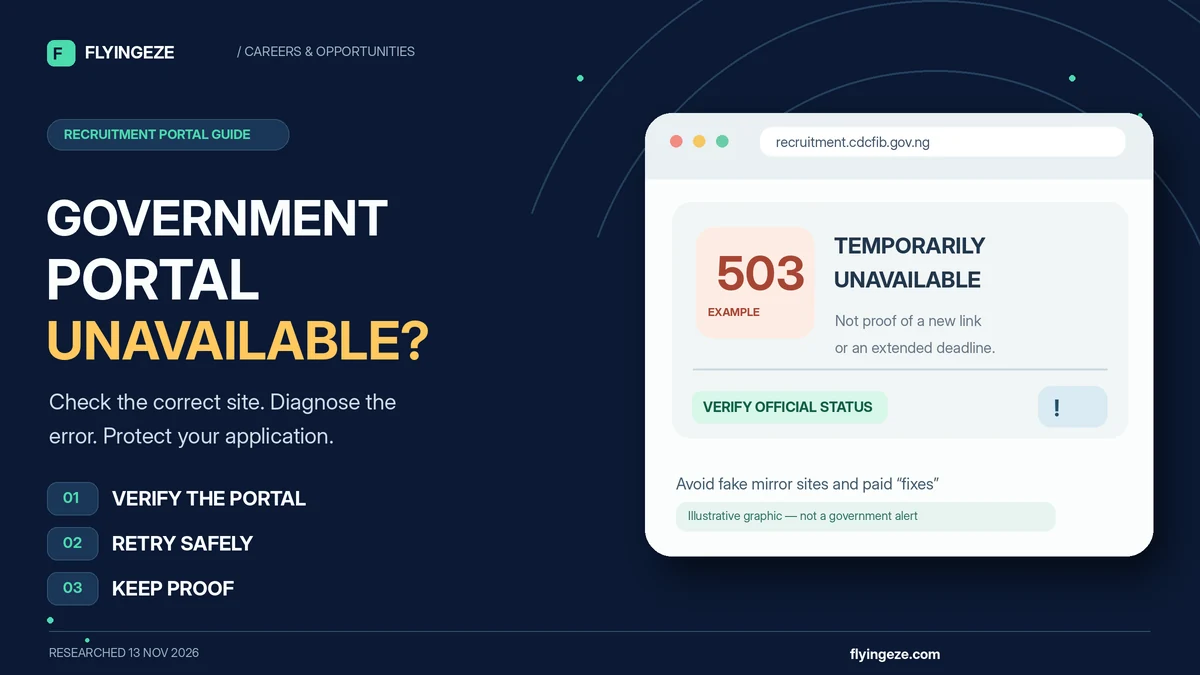
If a Nigerian government recruitment portal is unavailable, first verify that you have the correct official website, then check whether the problem is on your device, network or the government's server. Save the error message and time, retry safely, and use the agency's authenticated contact channels if an actual deadline is at risk. Do not pay a stranger for a “working link,” submit your NIN to a replacement website or assume that a maintenance notice extends the closing date.
This advice is especially important for people searching immigration portal for recruitment. On 13 November 2026, the official Civil Defence, Correctional, Fire and Immigration Services Board (CDCFIB) main website displayed scheduled maintenance, while its separate recruitment gateway still supplied an applicant-portal link. That applicant page requires JavaScript, and a publicly accessible gateway does not prove every logged-in function is working.
There was no verified new first-time Nigeria Immigration Service (NIS) application round at this research check. The October–November CDCFIB access window concerned eligible applicants from an existing 2024/2025 recruitment exercise, not open registration for everyone. This practical guide explains what common errors mean, safe browser and mobile fixes, what evidence to preserve, and what to do when the application deadline approaches. Research verified 13 November 2026; recheck live portal status and dates before taking action.
Quick answer: what to do when the recruitment portal is down
| Situation | First safe action | What not to assume |
|---|---|---|
| Official government site shows maintenance | Read the notice; check the separate official recruitment gateway if one is advertised | That an unofficial mirror is authorised or a deadline has changed |
| Page will not load on your phone | Test another ordinary website and switch between Wi-Fi and mobile data | That every applicant is experiencing the same failure |
| Applicant portal asks for JavaScript | Use an updated browser with JavaScript enabled on the genuine domain | That the site is fake or that your application was rejected |
| Website says 503 or 504 | Keep a timestamped screenshot and retry later without constant refreshing | That clearing your browser will repair the government server |
| Website says 403 or access denied | Verify the URL, account/session and any official access restrictions | That your recruitment application was unsuccessful |
| Website says 429 or too many requests | Stop rapid retries and follow any stated retry interval | That automating refreshes will help |
| You submitted a form but saw an error | Check for an official confirmation/reference before submitting again | That the application definitely failed or succeeded |
| Deadline is close | Document the issue and seek official help; check for an authenticated extension notice | That maintenance automatically grants more time |
The safest starting rule is to separate a technical problem from a recruitment-status question. A blank page is not proof of disqualification, and an accessible login screen is not proof that fresh recruitment has begun.
1. Confirm the genuine recruitment website before troubleshooting
Every government recruitment has its own designated portal and authority. There is no single universal Nigerian government jobs website that handles NIS, the Federal Civil Service Commission, the Nigeria Customs Service and every other agency.
For the current joint CDCFIB exercise involving the NIS, Nigeria Security and Civil Defence Corps, Nigerian Correctional Service and Federal Fire Service, the official starting address checked for this guide is https://recruitment.cdcfib.gov.ng/ . It links to the Board's applicant portal . The separate institutional address, cdcfib.gov.ng , was showing a maintenance notice at the time of checking. immigration.gov.ng is the NIS institutional website, not a substitute application form.
Do not accept a WhatsApp link just because its page displays an Immigration logo or mentions the right ministry. Type the trusted address into your browser directly. Check the entire domain, including what comes after .gov.ng; a lookalike address ending in some other domain is not automatically government-run. The Federal Ministry of Information has documented forged CDCFIB recruitment notices and urged applicants to rely on authorised channels.
If the page is only a historical shortlist checker, do not turn its existence into a claim that new vacancies are open. FlyingEze's report on fake CDCFIB recruitment portals explains why the exact destination matters.
2. Check whether the outage is local or affects the official service
Before altering settings or deleting files, determine the scope of the problem. Open a normal, unrelated website that you already trust. If several sites fail, the connection, DNS service or device may be responsible. If those sites work but the verified recruitment page fails, the problem could lie with the government service or a rule affecting the particular request.
- Check mobile data or Wi-Fi is enabled and that the connection has usable data allowance.
- Open a separate trusted site to see whether general browsing works.
- Copy the exact government address from a trusted source into a new browser tab, avoiding redirected social-media links.
- Try another standard connection—for example, switch from Wi-Fi to mobile data—without using unknown proxy or VPN services.
- Test one updated browser or a private/incognito window to identify a local cookie or extension issue.
- If the same verified page fails across separate ordinary connections, preserve the error and look for an official status announcement.
Google's Chrome connection-troubleshooting guidance recommends checking the URL, connection, extensions, cached data and device settings. These actions can resolve local problems, but they cannot restore a government server that is genuinely offline.
3. Understand common browser and HTTP error messages
An error message is a clue, not a recruitment decision. Standard web terminology from MDN's HTTP status reference helps distinguish server trouble from blocked access or a mistyped page.
| Message or code | What it may mean | Reasonable next step |
|---|---|---|
| 404 Not Found | The requested page is not available at that address | Check spelling and return to the official recruitment gateway |
| 403 Forbidden | The server refuses the requested access | Check whether the page requires authorisation or whether access is restricted; do not bypass controls |
| 408 Request Timeout | The server did not receive a complete request in time | Check connection stability and retry carefully |
| 429 Too Many Requests | Requests are being rate-limited | Stop repeated refreshing and respect any Retry-After instruction |
| 500 Internal Server Error | A general server-side failure | Record the error and try again later |
| 502 Bad Gateway | A gateway received an invalid upstream response | Wait and report if it persists |
| 503 Service Unavailable | Temporary maintenance or overload is possible | Check for an official maintenance notice and retry interval |
| 504 Gateway Timeout | A gateway did not receive a timely upstream response | Try later and preserve evidence if the deadline is approaching |
| DNS or site cannot be reached | The name could not be resolved or the connection failed | Check spelling, connectivity and network settings |
| JavaScript required / blank app shell | The web application may need scripts to render its interface | Enable JavaScript in an updated browser on the verified site |
For example, 503 Service Unavailable usually points to an unavailable or overloaded service; 504 Gateway Timeout reflects a gateway waiting unsuccessfully for a response. A 429 response may include a Retry-After interval. Rapid automated retries can make a rate limit worse.
Do not infer that a 403 error means you failed screening. It is a web-access response, not an official result statement. Only an authenticated recruitment-status message can establish the outcome of a particular application.
4. Fix browser problems without exposing your application
If other sites work and you suspect a device-specific problem, refresh the verified page once, then try a private/incognito tab. This can help diagnose stale sessions or interfering extensions without immediately deleting all stored browsing data.
Next, update your browser and confirm that JavaScript is enabled. When checked for this article, the official CDCFIB applicant page displayed a message requesting JavaScript; its interactive portal is not fully inspectable from a text-only browser. That message alone does not establish an outage or prove that your application is eligible.
If a private tab works but an ordinary tab does not, consider disabling interfering extensions or clearing site-specific cookies/cache for that verified portal. Clearing cookies may sign you out and erase an unfinished local form, so save information securely before doing so. Do not indiscriminately clear all phone data, reset network settings or install unknown software just because a website is slow.
Stay on the exact official domain during login. If a security certificate warning or unexpected redirect appears, do not ignore the warning or proceed to supply your NIN, password or screening code. Stop and independently confirm the address instead.
5. Troubleshoot on a Nigerian smartphone or low-bandwidth connection
Many applicants use Android phones, mobile data or shared internet connections. These environments can introduce interruptions while uploading documents or loading a JavaScript-heavy portal. A device can appear connected even when data has run out or the mobile network is unstable.
Close unnecessary bandwidth-heavy apps, disable a hotspot you do not need, and try a stable connection with sufficient data. If the form is visually cramped, use a supported desktop browser or a larger screen where possible. Avoid submitting from multiple phones at the same time: concurrent sessions can create confusion about what was saved.
Some portals enforce file-type and file-size rules. Use only the file formats and limits shown on the live official form; do not trust universal claims such as “every government passport photo must be exactly 50 KB.” If an image must be compressed, keep names and certificate text legible and do not alter the underlying document or personal details.
Public cybercafés can help with device access, but use one you trust. Enter passwords and OTPs yourself, do not save credentials in the browser, and sign out when finished. Never leave your NIN, uploaded documents or application PDF on a shared desktop without your consent.
6. What if the form freezes while you are submitting it?
Do not immediately submit a second full application. A browser error after pressing Submit does not tell you whether the server saved the request. The form may have been accepted before the confirmation screen failed, or the request may not have reached the server at all.
Check for an official application/reference number, success message or confirmation email. If the recruitment system has an authorised dashboard, look for its submitted status once the service becomes available. Keep the original reference and time of submission. A screenshot showing only a filled form is not the same as acknowledgement that the application was received.
The Federal Civil Service Commission's August 2026 official recruitment guidance advises applicants to retain application numbers, confirmation messages and email correspondence after a successful application. Although it concerns the FCSC rather than NIS, the record-keeping principle is useful across government applications.
If you cannot determine whether the submission succeeded, describe the uncertainty to the agency's authentic helpdesk before creating a duplicate. Some recruitment exercises expressly prohibit multiple applications; an extra submission may introduce inconsistency or disqualification risk.
7. What to do if the portal stops working close to the deadline
Take a timestamped screenshot of the genuine browser error, including the visible government hostname if possible. Write down the approximate local time in West Africa Time (WAT, UTC+1), the device/browser used and the stage you were trying to complete. Avoid including your NIN or password in a screenshot that you intend to share publicly.
Check the latest official recruitment notice for its exact closing date and whether it specifies a time. Where only a date is stated, do not invent a guaranteed 11:59 p.m. cutoff or assume the server follows your phone's time setting. Report the difficulty through the agency's verified contact method and ask for written clarification.
The CDCFIB example shows why this matters. The Board's earlier October announcement referred to an October 28–November 13, 2026 access period for eligible existing candidates. A later 28 October notice reported an end date of 14 November 2026. These are different dated statements about the same continuing exercise, not proof of a new intake.
A maintenance page does not automatically extend either deadline. An extension must come from an authenticated authority and should identify the revised date and affected applicants. Do not pay someone who promises to “extend your own deadline” or unlock an expired form.
8. How to preserve useful evidence without exposing private information
If an outage affects a genuine application, record enough detail for support to reproduce the issue, but do not collect or publish more sensitive data than necessary.
| Useful record | What to capture | Privacy caution |
|---|---|---|
| Date and time | For example, 13 Nov 2026, 4:35 p.m. WAT | Keep a consistent local timezone |
| Website address | The verified official domain and public page | Exclude private session tokens from shared links |
| Error | Exact wording, visible code, screenshot | Redact identity details in public posts |
| Stage | Login, document upload, status check or final submission | Do not broadcast confidential applicant IDs |
| Device/network | Browser, device type, Wi-Fi or cellular connection | No need to share passwords or full device identifiers |
| Submission proof | Official acknowledgement or reference, if one exists | Send privately to authenticated support only |
| Support contact | Ticket number, reply and date | Keep the record for follow-up |
For an actual outage complaint, the most persuasive evidence usually includes the official URL, what failed, when it happened and whether a confirmation number was generated. A viral screenshot from another person's phone does not establish what happened to your own application.
9. Where to report a government recruitment portal problem
Use the helpdesk or contact listed by the actual recruiting authority. For the CDCFIB example, the Board's official maintenance page lists info@cdcfib.gov.ng as its urgent-assistance contact at the time of research. NIS also maintains an official institutional contact page . Confirm the relevant channel before sharing a reference or personal details; the general NIS contact is not automatically the technical administrator of the CDCFIB form.
In your message, identify the official site, the date and time, the recruitment stage, the error displayed, and whether you have an acknowledgement. Ask whether the agency has a verified workaround or extension announcement. Do not demand that an unofficial social-media account manually add your name to a shortlist.
The FCSC's published advice separately encourages applicants to seek clarification directly through authorised communication and designated helpdesks when recruitment procedures or technical access are uncertain. That is a general principle, not a claim that one federal agency's helpdesk can repair another's portal.
Support email template: “I am attempting to access [official portal URL] for [named recruitment and stage]. On [date/time WAT], the site displayed [exact error]. I have [or have not] received a submission reference. Please confirm the appropriate next step and whether any official deadline adjustment has been announced.” Do not include your password, OTP or full NIN in an initial public or unverified enquiry.
10. Beware of fake mirror portals and paid 'technical support'
Recruitment website downtime creates opportunities for scams. Fraudsters may claim a government server has “moved” to a new address, that a private app can bypass a queue, or that a payment will keep an application valid during maintenance. None of those claims should be accepted without independent government confirmation.
The Ministry of Information rejected a forged CDCFIB recruitment circular in August 2026 , and NIS has issued warnings about fake recruitment adverts . Nigeria's Computer Emergency Response Team also cautioned in August 2026 that impersonation, phishing, fake websites and credential theft target trusted institutional identities.
For the October–November 2026 CDCFIB final-stage process, the NDLEA expressly stated that candidates should not pay for the Drug Integrity Test; the Ministry of Interior had arranged bulk payment. A supposed agent selling screening access because “the portal is down” is not following that instruction.
Never hand over an OTP, password, bank PIN or remote device control to a stranger who promises to fix recruitment access. For additional context, FlyingEze has a published report about fake NECO recruitment portals ; the same verify-the-source lesson applies across agencies.
11. If you entered details on a fake replacement website
Stop using the suspicious page and preserve the URL, messages and any transaction records. If you reused a password, change it on the genuine service and secure associated accounts. If banking details, a PIN or an OTP were exposed, contact your bank immediately through its independently verified fraud channel.
If you uploaded identity documents, be alert for subsequent impersonation attempts and do not send additional documents or “verification fees.” If the website installed a file or requested unusual permissions, do not run the file; use trusted device security tools and obtain technical support through a legitimate provider.
Where money was taken or identity theft is suspected, save evidence and use an appropriate law-enforcement reporting route. Avoid posting your full NIN or an unredacted application screenshot to a public group when asking for help.
12. A working portal does not mean a recruitment exercise is open
The CDCFIB recruitment gateway can be accessible even when a public first-time application window is closed. An authenticated existing-candidate portal may remain necessary for document verification, shortlist checks, medical stages or other recruitment follow-up.
As of 13 November 2026, the late-October to mid-November portal access related to candidates progressing through the 2024/2025 exercise. There was no verified fresh NIS application round at that check. Applicants who never joined the earlier exercise should not try to force their way into a final-stage login, register through a mirror, or pay a supposed intermediary.
FlyingEze's earlier report on government recruitment portal reopening is historical context; a dated news item is not a live application notice. Always check the current vacancy announcement for the appropriate agency.
Frequently asked questions about unavailable recruitment portals
Why is the immigration portal for recruitment not opening?
Possible causes include official maintenance, server overload, a wrong URL, mobile-data or DNS problems, browser settings, JavaScript being disabled, or account access restrictions. Compare the official gateway with the specific error before deciding which fix is relevant.
Is the CDCFIB website down in November 2026?
At the 13 November 2026 research check, cdcfib.gov.ng displayed scheduled maintenance. The separate recruitment.cdcfib.gov.ng gateway still provided a link to a JavaScript-based applicant portal. That observation does not verify every backend function or predict how long maintenance will last.
Can I use an alternative website if the government portal is down?
Only if the recruiting authority independently publishes and authenticates the alternative. Do not trust a lookalike domain, mirror or WhatsApp link merely because the official site is unavailable.
Does a 503 error mean my application was rejected?
No. A 503 error means the service is currently unable to process the request, often because of maintenance or overload. It is not a recruitment result. Check your official dashboard or acknowledgement when service returns.
What should I do after pressing Submit if the page freezes?
Check for an official confirmation or reference first. The backend may already have received the form. Do not submit duplicate applications blindly; contact the verified helpdesk if the result remains uncertain.
Will the deadline be extended if the website is unavailable?
Not automatically. An extension must come from the actual recruiting authority. Record the issue and ask for clarification, but continue to treat the last authenticated deadline as operative until it is formally changed.
Can I use another person's phone or a cybercafé?
Yes, if the device and connection are trustworthy and the official website is used. Keep control of your login credentials and OTPs, sign out afterwards and remove personal files from shared equipment.
Do I need to pay an agent to open a blocked government recruitment portal?
No legitimate repair can be established merely by an agent demanding money. Verify all instructions through the recruiting authority. The relevant 2026 CDCFIB final-stage NDLEA drug screening was explicitly free for candidates.
Who should I contact if the CDCFIB portal remains unavailable?
Use the authenticated Board or NIS contact appropriate to the problem. At the time of research, CDCFIB's official maintenance page listed info@cdcfib.gov.ng; independently verify that address and any newer helpdesk instructions before providing applicant details.
Final checklist before trying the portal again
- Check the official recruitment URL and confirm that the advertised exercise is actually open to you.
- Distinguish main-site maintenance from applicant-portal availability.
- Test connectivity, then a current browser with JavaScript enabled; avoid unnecessary resets.
- Read the error and respect any rate-limit or retry instructions.
- Preserve the exact error, date/time and relevant confirmation or ticket number.
- Check whether the previous submission succeeded before sending another form.
- Use authentic government contact channels for deadline and technical questions.
- Reject unofficial mirror sites, paid “portal fixes” and requests for passwords or OTPs.
The bottom line: when a Nigerian government recruitment portal is unavailable, the safest response is to verify, diagnose, document and seek official clarification. For readers searching immigration portal for recruitment, the correct CDCFIB gateway and its current notices matter more than any shortcut circulated online. A genuine technical error does not change eligibility or automatically extend a deadline, and no application is worth handing your identity or money to an unverified intermediary.