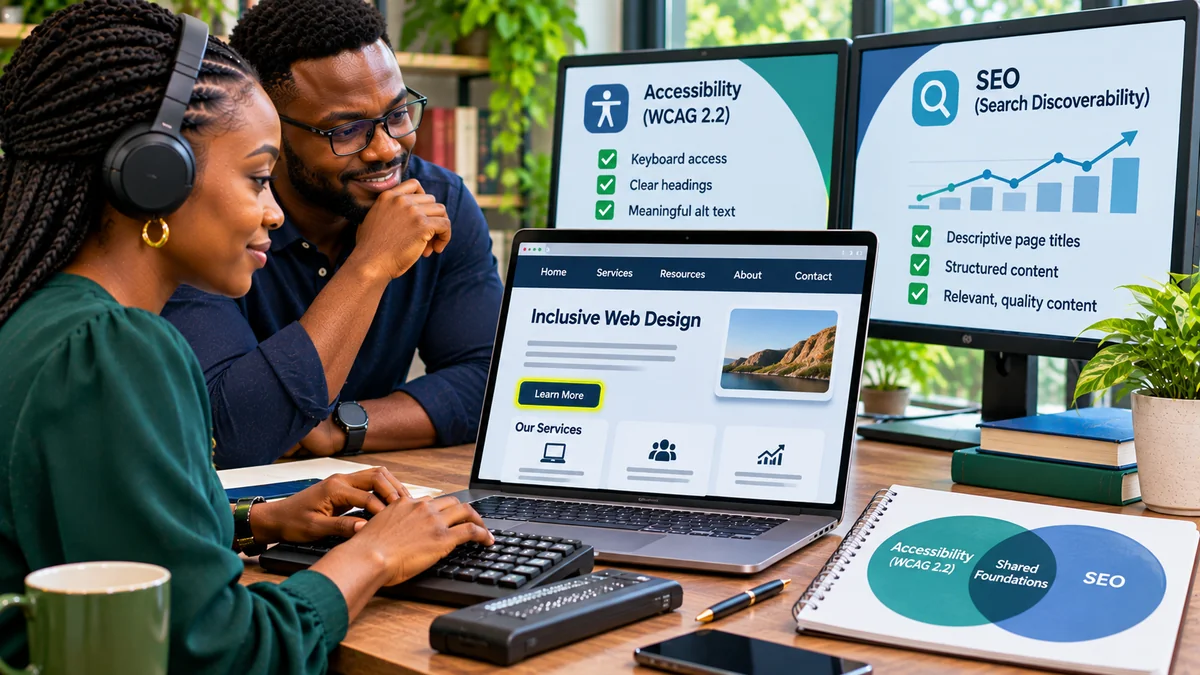
Website accessibility and search engine optimisation (SEO) overlap when they make content clear, structured, understandable and easy to navigate. But they are not interchangeable. Accessibility asks whether people—including those using screen readers, keyboards, magnification or other assistive technology—can perceive and operate a website. SEO asks whether search engines can discover and understand content, and whether that content meets the needs of searchers.
Good headings, meaningful link text, well-described informative images and readable pages can serve both goals. Yet an accessible page can still be blocked from indexing, and a page ranking prominently in Google may still have unusable forms, poor contrast or inaccessible checkout controls. WCAG 2.2 conformance is not documented by Google as a separate ranking signal. This guide compares the two disciplines, identifies their shared foundations and shows which checks businesses need to run separately. Research verified 6 November 2026.
Accessibility vs SEO: what is the real difference?
The World Wide Web Consortium (W3C) describes accessibility through the principles of perceivable, operable, understandable and robust content. Its Web Content Accessibility Guidelines (WCAG) 2.2 provide testable requirements at Levels A, AA and AAA.
Google's SEO Starter Guide instead describes search optimisation as helping search engines understand content and helping people discover pages through Search. SEO therefore includes crawlability, indexing, relevance, metadata, linking and search performance.
| Question | Accessibility | SEO |
|---|---|---|
| Primary goal | Enable people with different abilities to use the experience | Help eligible pages get discovered and serve relevant search intent |
| Main reference | WCAG 2.2 success criteria and usability evaluation | Google Search Essentials and search documentation |
| Typical failure | Checkout cannot be completed using a keyboard | Product page is excluded by noindex or cannot be crawled |
| Evidence | Manual keyboard and screen-reader tests, WCAG audit, disabled-user research | Search Console, indexing reports, search queries and performance data |
| Outcome | Accessible completion of real tasks | Discoverability, qualified search traffic and useful search journeys |
Neither discipline is a replacement for the other. A combined strategy is useful because many website changes affect people and machine interpretation at the same time.
Where accessibility and SEO overlap
1. Clear page structure and meaningful headings
Readers benefit when pages follow a logical outline, with descriptive sections and subheadings. Screen-reader users can navigate by headings, while people scanning visually can quickly identify relevant information. W3C's headings tutorial recommends meaningful heading hierarchy and appropriate nesting.
Google's SEO Starter Guide similarly encourages well-organised pages with useful headings. But a heading containing a keyword is not automatically accessible, and a visually large bold line is not necessarily marked up as a heading. Use real heading elements and natural language that accurately explains the next section. Do not add headings solely to repeat a search phrase.
2. Informative image alternatives
Alternative text helps people who cannot see an informative image understand its purpose. Google's image SEO guidance also says alt text, surrounding context and computer vision help its systems understand image subjects.
Consider a product photo. “Handmade brown leather handbag with two handles and a front pocket” provides more useful information than “image123” or a string of repeated keywords. However, not every image needs descriptive alt text. W3C advises an empty alt="" for purely decorative images that add no information. A functional image used as a button should describe the action, such as “Search”, rather than simply “magnifying glass”. See the W3C images tutorial .
The shared principle is usefulness, not stuffing every image description with target terms. Google explicitly warns against keyword-stuffed alt text.
3. Descriptive links and dependable navigation
“View our return policy” tells a person where a link goes more clearly than “click here”. It is also more meaningful when a screen-reader user browses links out of surrounding context. Google says descriptive anchor text helps readers and its systems understand linked pages; it also recommends actual crawlable <a href="..."> links. See its link best practices .
Yet a crawler discovering a link does not prove a person can activate it. A JavaScript-only clickable element without keyboard handling may fail accessibility, while an inaccessible menu can still contain crawlable links. Prefer native anchors for navigation and native buttons for actions. Check both keyboard operability and crawlability.
4. Helpful, readable and well-organised content
Clear language, useful summaries, concise paragraphs and informative lists help many people, including readers with cognitive or learning disabilities. Google's Search Essentials emphasise helpful, reliable, people-first content rather than content written primarily to manipulate rankings.
Accessibility still requires more than plain writing. A perfectly written article may be difficult to use if headings are not programmatically exposed, its text cannot be resized properly, or ads block the reading order. Conversely, an accessible page may answer a search query poorly or duplicate an existing article. Content quality and accessible presentation should be reviewed separately.
5. Mobile usability and some page-experience improvements
Both accessibility and SEO benefit from interfaces that are easy to use on a phone. Google encourages a broad approach to page experience, including mobile display, avoiding distracting ads and achieving good Core Web Vitals. It states that Core Web Vitals are used by its ranking systems, while good scores alone do not guarantee rankings. Google's page-experience documentation also cautions that other experience improvements do not each create a direct ranking boost.
Accessibility testing additionally checks text resizing, reflow, pointer targets, input methods and whether content remains usable with assistive technology. Those criteria are not the same thing as Core Web Vitals. For performance context, FlyingEze's existing guide on Core Web Vitals and business website performance examines that separate measurement discipline.
Where accessibility and SEO clearly differ
Accessibility requirements that SEO reports may never reveal
WCAG 2.2 includes requirements tied to people operating the website rather than search robots. Examples include 2.1.1 Keyboard (Level A), 2.4.7 Focus Visible (AA), 2.4.11 Focus Not Obscured (Minimum) (AA) and 2.5.8 Target Size (Minimum) (AA). A site with excellent organic traffic can still fail these requirements.
Other issues include insufficient text contrast, unlabeled form fields, error messages that screen readers cannot associate with inputs, videos missing required captions and login flows that unnecessarily demand memorisation or transcription. WCAG 2.2 also adds 3.3.8 Accessible Authentication (Minimum) (AA). These must be assessed under the actual success criteria and relevant exceptions, not inferred from keyword rankings.
W3C's accessibility evaluation guidance makes clear that automated tools cannot independently determine conformance. Human testing and, where possible, feedback from users with disabilities remain essential.
SEO requirements that WCAG conformance does not cover
SEO also includes technical search requirements that are not accessibility success criteria. Examples are whether a search crawler can reach a page, whether robots directives allow indexing, which URL should be canonical, whether relevant internal links can be followed, and whether search engines can render important JavaScript-generated content.
Other SEO work includes relevant title elements, search snippets, sitemap maintenance, structured data for eligible search features, editorial originality and search-intent analysis. Google's structured-data guidance explains that markup provides explicit information that can enable certain rich results. It is not a substitute for accessible headings, labels or keyboard interaction.
Someone can build a WCAG-conformant page that deliberately uses noindex; that is not an accessibility error. Similarly, fixing a canonical tag cannot make an inaccessible modal usable. SEO and accessibility therefore need distinct acceptance criteria.
Does accessibility improve Google rankings?
There is no documented Google ranking factor that simply awards a boost for achieving “WCAG 2.2 AA”. Google does document search benefits or recommendations for some shared practices—such as descriptive link text, useful image alternatives, clear content and good Core Web Vitals—but that is different from saying an accessibility audit score directly determines rankings.
It is reasonable to hypothesise that making a service easier to use can improve completion rates, trust and customer satisfaction. Whether those improvements change impressions, clicks or positions must be measured. Do not treat bounce rate, an automated accessibility score or an accessibility widget as a guaranteed ranking signal.
A sensible business case for accessibility stands on its own: more people can use the website, fewer customers face barriers and critical journeys work across different input methods. Potential SEO benefits are a complementary consideration, not the primary justification.
Practical examples: one fix, two different outcomes
| Change | Accessibility benefit | SEO relevance |
|---|---|---|
| Replace vague links with descriptive anchor text | Users know where each link leads | Google gets clearer link context |
| Add useful alt text to an informative product image | Screen-reader users receive image information | Google receives relevant image context |
| Use meaningful HTML headings | Assistive technology can navigate the document outline | Content sections are clear and organised |
| Fix an inaccessible checkout button | Keyboard users can complete purchases | No separate direct ranking effect established by that fix |
| Correct a noindex directive on a public article | Usually no change to assistive technology access | Allows indexing if other conditions permit |
| Correct focus hidden by a sticky footer | Keyboard users can see the focused control | No WCAG-specific ranking benefit documented |
| Improve largest-content rendering performance | May improve usability, depending on circumstances | May improve Core Web Vitals and overall page experience |
Outcomes are conditional. A technical correction does not ensure indexing, ranking, sales or formal WCAG conformance across an entire website.
A realistic example: an online shop with strong traffic but poor accessibility
Imagine a small retailer whose product pages attract search visitors. The titles are descriptive, products appear in search results and links to categories work. But the checkout form has input boxes with no accessible labels, an order button that cannot be activated with a keyboard and errors shown only in red without explanatory text.
The SEO dashboard might look healthy while customers using assistive technology cannot place an order. Fixing labels, keyboard operation and errors addresses real access barriers. It may improve the customer's ability to complete a purchase, but it would be misleading to promise a ranking increase merely because the fixes satisfy WCAG.
Now consider the reverse: a service page has excellent keyboard access, meaningful headings, readable content and effective screen-reader announcements, but an accidental noindex instruction prevents it from appearing in Google Search. That page needs an SEO correction. Its accessibility achievements do not override the indexing directive.
How to run a combined accessibility and SEO audit
Use separate workstreams and combine their results into one backlog. An effective audit starts with the pages that matter most: home, product or service detail, contact, search, sign-in, booking and checkout.
- Inventory templates and tasks. Identify public content pages, interactive forms, custom widgets and the primary conversion journey.
- Check search visibility. Use Google Search Console to inspect indexing, coverage and search performance; examine crawlable links and relevant robots and canonical settings.
- Inspect content structure. Review page titles, heading hierarchy, main content, descriptive internal links and meaningful image alternatives.
- Test keyboard operation. Complete essential tasks with Tab, Shift+Tab, Enter, Space and the appropriate arrow keys. Check for traps and focus hidden by overlays.
- Test with assistive technology. Use a supported screen reader such as NVDA or VoiceOver to check headings, controls, labels, instructions, errors and status announcements.
- Review mobile, zoom and performance. Test narrow layouts, text reflow, target sizes, intrusive overlays and Core Web Vitals separately.
- Record distinct findings. Label each item as accessibility, SEO or shared; attach the exact evidence and identify the responsible team.
- Retest after release. Re-run affected user journeys and technical checks, rather than judging success by a dashboard score alone.
W3C's Easy Checks offers an accessible starting point for manual review. For content planning, FlyingEze's article Write for People, Then Make It Search-Friendly provides a complementary editorial perspective.
Which fixes should small businesses prioritise?
Prioritise severity and business impact, not whichever tool generates the most warnings. An inaccessible payment button or sign-in form may prevent users from completing critical tasks; fix it promptly. A broad accidental noindex instruction may prevent important pages from appearing in search; treat that as urgent too.
Next address shared structural issues that affect many templates: inconsistent headings, poorly labelled links, missing informative alt text and layouts where floating elements block controls. Then work through less severe issues and optimise pages for the queries they genuinely answer.
| Priority | Example | Primary owner |
|---|---|---|
| Urgent | Checkout unusable by keyboard or all service pages accidentally noindexed | Developer with accessibility/SEO reviewer |
| High | Form errors not communicated or core templates have broken internal links | Product, engineering and content teams |
| Planned | Improve image alternatives, headings and content readability across old articles | Editorial and web teams |
| Ongoing | Retest releases, monitor Search Console and involve users in usability research | Shared ownership |
Do not confuse legal obligations with search-engine recommendations. WCAG is a technical standard, not a universal statement of every country's legal requirements. Any applicable accessibility duties depend on jurisdiction, organisation and service; obtain appropriate legal guidance for compliance questions.
How should you measure progress without mixing the metrics?
Create two scorecards. For accessibility, track confirmed WCAG failures, critical tasks completed by keyboard and assistive technology, unresolved blockers, and outcomes from user testing. For SEO, track indexed pages, crawl and canonical issues, search impressions, relevant clicks, Core Web Vitals and search-led conversions. A third shared quality metric can monitor whether important templates pass the agreed content-structure and link-quality checks.
These numbers answer different questions. A rise in organic clicks does not prove accessibility improved; a decline in accessibility issues does not prove a page will rank better. Set baselines, document release dates, check seasonal traffic changes and avoid claiming a causal search boost from a single redesign.
Frequently asked questions
Is WCAG 2.2 accessibility a Google ranking factor?
Google does not document WCAG 2.2 compliance as a standalone ranking signal. Some practices that help accessibility also align with Google's search recommendations, but compliance itself does not guarantee rankings.
Does alt text help both SEO and accessibility?
Yes, when an image conveys useful information. Good alt text describes its purpose in context, while Google uses image text and surrounding content to understand the image. Purely decorative images should generally use an empty alt attribute rather than keyword-stuffed descriptions.
Can a website rank first in Google and still be inaccessible?
Yes. Ranking and the ability to use a website with a keyboard or screen reader are different outcomes. Search visibility does not demonstrate WCAG conformance.
Do Core Web Vitals measure accessibility?
No. Core Web Vitals measure aspects of user experience such as loading, responsiveness and visual stability. Accessibility criteria also assess keyboard control, text alternatives, contrast, form labels and many other requirements.
Will installing an accessibility widget improve SEO?
A widget is neither proof of WCAG conformance nor a guaranteed SEO improvement. It cannot be assumed to repair underlying markup, keyboard behaviour, content structure or crawl and indexing problems.
Should a website owner do SEO or accessibility first?
Address critical blockers in either area promptly. For normal improvements, create one shared plan that includes accessible task completion, discoverable content and sound technical foundations.
Conclusion: design for people and make content discoverable
Website accessibility and SEO work best together because they both benefit from useful, understandable, well-structured content. But their obligations, tests and success measures remain distinct. Descriptive links, clear headings, meaningful image alternatives and strong page experiences help create a better foundation. Keyboard support, accessible forms and assistive-technology compatibility must still be tested separately from crawlability, indexing and search performance.
Build pages people can actually use, make relevant content available to search engines, and measure both outcomes without claiming that WCAG compliance automatically earns a ranking advantage. That is a more credible, durable digital strategy than optimising for a score alone.