Cloud storage and cloud computing are related, but they do not mean the same thing. Cloud storage is a way to keep and retrieve digital information using remote infrastructure. Cloud computing is the broader delivery of technology resources and services—including storage, processing power, databases, networking and software—on demand. Put simply, cloud storage is part of cloud computing, not an alternative to it.
That distinction is especially useful for small and medium-sized enterprises (SMEs). A retailer that needs staff to access shared invoices may require a secure file-sharing service, not a rented virtual server. A business launching a booking platform needs applications and data processing, and will almost certainly use storage as one component. Buying the wrong category of service can create unnecessary bills, poor performance or a dangerous assumption that important records are already backed up.
This guide explains what the terms mean, compares common products, clears up frequent misconceptions and offers a practical checklist for businesses planning their technology spending.
What is cloud computing?
The US National Institute of Standards and Technology (NIST) describes cloud computing as on-demand access to a shared pool of configurable computing resources. Its SP 800-145 definition identifies resources including servers, storage, networks, applications and services, alongside characteristics such as rapid elasticity and measured service.
In business terms, cloud computing can provide the infrastructure that runs an online shop, the database supporting a customer management system, the software used to send invoices, or the processing power needed for analytics. The customer does not necessarily have to purchase and maintain the underlying physical hardware.
Services often fall into three broad models:
- Infrastructure as a service (IaaS): Rent virtual machines, networking and storage while managing much of the software stack yourself.
- Platform as a service (PaaS): Use a managed environment to deploy applications without operating every underlying server component.
- Software as a service (SaaS): Access a finished application online, such as an email, accounting or collaborative document service.
These service models describe how technology is delivered. They should not be confused with public, private and hybrid cloud deployment models, which describe how the infrastructure is made available or combined.
What is cloud storage?
Cloud storage means keeping digital data on infrastructure accessible through a network, commonly managed by a cloud provider. People may encounter it as a simple folder in a file-sharing application, while developers use it to store website images, documents or database volumes.
Amazon Web Services' cloud storage overview identifies three major technical storage types: object, file and block storage. They solve different problems.
File storage: shared documents and folders
File storage organises information into directories and files. User-friendly services such as Google Drive and Microsoft OneDrive allow staff to collaborate on documents, subject to access settings and subscription features. Cloud file systems can also be used by applications that expect standard file-sharing protocols.
Object storage: media, archives and application files
Object storage stores information as objects with identifiers and metadata, usually accessed through APIs. It is well suited to large collections of photos, documents, backups, video assets and application-generated files. Services such as Amazon S3 and Google Cloud Storage are examples. An object-storage bucket is not normally a drop-in replacement for every shared network folder or database disk.
Block storage: disks for servers and databases
Block storage presents volumes that an operating system or application can use like a disk. It commonly supports virtual machines and transactional databases where lower-latency read/write operations are important. The Google Cloud comparison of object, block and file storage explains these distinctions, including why the access method matters to performance.
The important point is that cloud storage is not just a consumer drive app. It includes infrastructure-level services that businesses use while running cloud applications.
Cloud storage vs cloud computing: key differences
| Question | Cloud storage | Broader cloud computing |
|---|---|---|
| Main purpose | Keep, organise, retrieve or share data | Run applications, process data and deliver computing services |
| Typical resources | Files, objects, storage volumes | Compute, databases, networking, storage and managed software |
| Common example | Team document folder or application image bucket | Online booking system with application servers and a database |
| What a user may need | Storage account and permissions | An application, hosted platform or a configured infrastructure stack |
| Usual cost drivers | Stored data, users, retrieval, requests and transfers | Compute time, instances, storage, databases, network and support |
| Security focus | Sharing permissions, retention, access and data recovery | All of those plus software, workload, API and infrastructure configuration |
| Relationship | A category of cloud computing | The wider category containing storage |
A storage-only subscription does not automatically give a company an application server. Conversely, a cloud application frequently relies on storage even when employees never see a separate storage dashboard.
Six examples that explain the difference in everyday business
1. A law firm sharing signed documents
The immediate need may be controlled document access, version history, permissions and retention. A business-grade file collaboration service could meet it. Renting a Linux server and designing a custom document portal may introduce administration work without delivering better outcomes. The firm must still check confidentiality, access logs and data-protection obligations.
2. A restaurant taking online reservations
A reservation system accepts requests, checks availability, updates bookings and may send notifications. Those actions require an application and data processing. The service also stores customer records and sometimes uploaded files. This is broader cloud computing, not merely a folder of reservation forms.
3. A shop storing thousands of product photographs
The shop may use object storage and a content-delivery network to serve product images efficiently. But product pricing, stock adjustments, checkout and order handling still need an application, database or SaaS platform. Object storage does not independently perform those business rules.
4. An accountant using an online invoicing platform
The accountant is using cloud-hosted software, usually SaaS. The provider supplies application processing and storage behind the scenes. The business may not need separate cloud infrastructure to operate the software—but it should know how to export records and what recovery options the service provides.
5. An SME analysing three years of sales
Storing spreadsheets is not the same as running a data-processing pipeline. A business may need analytical software, a database, processing resources and visual dashboards. Storage makes the historical data available; computing turns it into analysis.
6. A business recovering after a ransomware attack
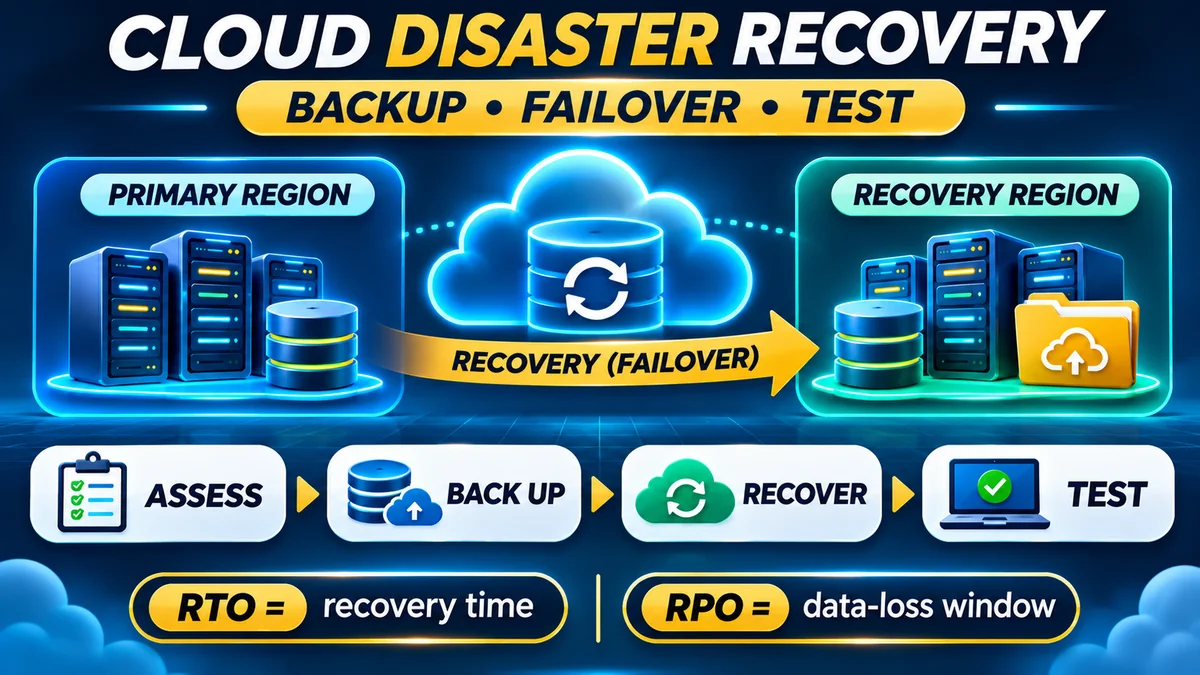
Having files synchronised to the cloud does not automatically provide a clean historical recovery point. Cloud backup software, retention rules, isolated copies and tested restoration processes may be required. FlyingEze's guide to the 3-2-1 backup strategy explains why independent copies are an important part of business continuity.
Seven cloud storage and computing misconceptions to avoid
Mistake 1: “If I have Google Drive, I already have everything I need in the cloud”
A document collaboration service can solve many office tasks. It does not automatically provide the environment to host an independently developed point-of-sale system, run a relational database or manage custom application jobs. First define what the business needs to do, not just what it needs to store.
Mistake 2: “Cloud storage is separate from cloud computing”
Storage is one resource within the broader cloud model. This is why the question “Which is better, cloud storage or cloud computing?” is usually the wrong comparison. A more useful question is whether you need file storage alone, a complete SaaS product or infrastructure for a custom workload.
Mistake 3: “Cloud synchronisation is the same as backup”
Sync tools keep devices and cloud files aligned. Depending on settings, unwanted changes and deletions can be propagated. Google's Drive for desktop documentation distinguishes mirroring from streaming: mirrored files occupy local disk space, while streamed files are mainly stored online. Both approaches can reflect changes across locations. Version history, retention and independent protected backups must be evaluated separately.
Mistake 4: “Putting information in the cloud makes it public”
Cloud services can be configured with private access, encryption and business permissions. Exposure often results from how access is configured, such as an overly broad sharing link or an object bucket made public. AWS's shared-responsibility model makes clear that providers operate underlying services while customers retain important responsibilities for data classification and permissions.
Mistake 5: “My cloud provider takes care of all security”
Security responsibilities depend on the product. A managed SaaS service may take care of more application maintenance than a self-managed virtual machine, but business administrators still need to control user access, secure devices, remove former employees and set sharing policies. Provider infrastructure security does not guarantee the safety of a poorly configured application.
Mistake 6: “Cloud storage has one simple unlimited price”
Consumer plans may advertise a straightforward monthly capacity. Infrastructure storage can have separate charges for capacity, operations, retrieval, replication and outbound transfers, depending on class and region. The Google Cloud Storage pricing documentation lists different components rather than one universal fee. Consider likely usage patterns, not only the cost to store a gigabyte.
Mistake 7: “Moving everything to the cloud removes the need for internet planning”
Most remotely hosted services depend on connectivity. Some file apps offer selected offline features; other applications stop functioning until a connection returns unless designed for offline use. Google Drive's offline access guidance shows why available-offline settings matter. Businesses with unreliable connectivity should define which tasks must continue offline and how data will synchronise safely afterward.
How cloud storage and computing work together in a real application
Consider an online order system. A customer visits a website. A hosted application processes the request, looks up prices and stock in a database, writes a new order and produces a confirmation. Product images may be read from object storage, while the database's underlying data can reside on block or managed storage. Background jobs could send email or update reports.
The customer sees one service, but its architecture may include several distinct components:
- Application or compute service: runs the business rules for carts, payments and orders.
- Database: stores structured records such as customers, products and transactions.
- Object storage: keeps product photographs, documents and user uploads.
- Networking and delivery: connects customers and services and distributes content.
- Security and operations: controls access, monitoring, backups and incident response.
In some SaaS products, the vendor operates all of these components. For a custom-built platform, a development team may choose and manage them individually. The business should compare outcomes and responsibilities rather than assume that buying a bigger storage allowance will resolve every application performance problem.
What costs more: cloud storage or cloud computing?
It depends on the product and workload, because they are not equivalent purchases. A small online drive subscription may be inexpensive, while a busy application with compute, databases and large-scale traffic costs more. But a storage-heavy video archive can cost more than a very small computing workload. There is no universal ranking.
As an illustrative calculation, not a current provider quote, suppose an SME plans for 500 GB of billable object storage at an assumed $0.02 per GB-month. Its baseline capacity estimate would be $10 per month, before requests, retrieval, taxes and data-transfer charges. If the same SME also uses an application server at an assumed $30 per month and a managed database at an assumed $25, the combined notional baseline becomes $65 per month before other costs. The arithmetic shows the categories of spending, not which vendor is cheapest.
| Budget item | Illustrative amount per month | What to check |
|---|---|---|
| 500 GB storage × $0.02 | $10 | Storage class, location, requests, egress |
| Application compute | $30 | Instance type, hours, load, support |
| Managed database | $25 | Storage, backups, memory, throughput |
| Total baseline | $65 | Excludes extra fees and taxes |
For Nigerian businesses paying in foreign currency, the final naira amount also depends on payment-provider exchange rates and charges. Keep these expenses visible in forecasts: FlyingEze's 13-week cash-flow forecasting guide offers a practical approach to recurring business costs.
Organisations considering a move from local servers should also budget for deployment, monitoring, maintenance and recovery—not just monthly storage. Avoid extrapolating from promotional free-tier limits or introductory prices without checking renewal and usage conditions.
Security, privacy and compliance: choosing the right controls
Whether a business buys cloud file storage or a full application platform, the security questions begin with what information is stored, who can access it, and what the business must do if an account or service fails.
For shared documents, require suitable access controls, multifactor authentication, authorised sharing, staff offboarding procedures and audit features. For custom applications, add code security, API protection, database access restrictions, infrastructure patching and logging. For both categories, consider encryption, retention, recovery tests and supplier contracts.
Physical location alone does not determine legal compliance. Businesses processing personal information should review relevant privacy requirements, including any restrictions or safeguards affecting international transfers. The correct assessment depends on the organisation, the data and the services used. A cloud label is not proof that a system satisfies every regulatory duty.
How to choose the right cloud service for your business
Start with the business problem, then choose the smallest service category that genuinely solves it.
| If your business needs to… | Start by evaluating… | Avoid assuming… |
|---|---|---|
| Share contracts, invoices and team files | Business file storage and collaboration SaaS | You need your own virtual server |
| Store images or generated documents for an app | Object storage with appropriate access rules | A consumer drive app is always suitable |
| Launch a custom website, API or POS backend | Managed application hosting or cloud compute plus database/storage | Buying storage alone runs the app |
| Run accounting or HR software | Reputable SaaS meeting the workflow | Every business must build custom software |
| Analyse large datasets | Cloud analytics and processing alongside storage | Storing data automatically analyses it |
| Recover files after an incident | Backup service with protected versions and restore testing | Sync or replication is always enough |
Then ask the supplier about cost drivers, account ownership, permissions, data export, offline capabilities, support, audit evidence and service limits. Confirm who patches any operating system, who protects application code and who performs recoveries. A short pilot using realistic files or transactions can reveal problems before the entire business depends on the service.
A seven-step cloud buying checklist for SMEs
- Define the outcome: sharing files, running applications, analytics, backups or several of these together.
- Classify the information: identify sensitive customer and employee records and any special obligations.
- Choose the service type: file collaboration, object storage, SaaS, managed platform or custom compute.
- Write down responsibilities: who controls permissions, updates, security, backups and recovery?
- Calculate the full bill: include licences, storage, processing, requests, transfers, support and taxes where applicable.
- Test real operations: verify performance, internet interruption behaviour, data exports and recovery.
- Review as needs change: monitor utilisation, remove unused services and revisit contracts and access controls.
For websites, do not assume that changing a storage provider will fix slow page loads. Diagnose actual delivery and application bottlenecks first. FlyingEze's website speed testing guide provides a useful starting point.
Frequently asked questions
Is Google Drive cloud storage or cloud computing?
Google Drive is primarily a cloud file storage and collaboration service. It is delivered through cloud computing infrastructure, but subscribing to it does not automatically mean the business has rented its own compute instance or database.
Is cloud storage a type of cloud computing?
Yes. Cloud storage is one category within cloud computing. Broader cloud offerings also provide application processing, databases, networking, security tools, analytics and ready-made software.
Can I run a website using cloud storage alone?
Some static website content can be served from compatible object storage and related delivery services, depending on configuration. A dynamic website with login, payments or complex business logic generally needs application processing and data services in addition to storage.
Does cloud storage automatically back up my files?
Not necessarily. A service may support file recovery, version history or retention, but those features differ by plan and configuration. Verify how deleted or corrupted data can be restored and consider independent backups for critical records.
Which is safer: cloud storage or cloud computing?
This is not a like-for-like comparison. Both can be configured securely or insecurely. Safety depends on provider controls, identities, permissions, software configuration, recovery arrangements and how sensitive data is handled.
Does my small business need cloud servers?
Not always. If a managed SaaS product meets the need, renting and administering servers may create unnecessary cost and work. Custom applications, however, may require cloud compute, databases and storage, whether directly or through a managed platform.
The bottom line
Cloud storage answers “Where and how do we keep and retrieve our data?” Cloud computing answers the larger question “Which online technology resources and services run our work?” The two work together, but they are not competing products.
For most small businesses, the best decision begins with a clear list of tasks, data, access needs and expected costs. Choose simple storage and collaboration when that is enough; choose managed software or application infrastructure when the business needs processing and automation. In every case, verify security responsibilities, recovery options and the complete bill before committing.