Public, private and hybrid cloud can all be secure—but none is automatically the safest choice. A public cloud gives organisations access to large providers' infrastructure and security services. A private cloud reserves a cloud environment for one organisation, offering more dedicated control but also potential management work. A hybrid cloud connects distinct environments so applications or data can move or work across them, adding flexibility and an extra layer of complexity.
The central question is not simply “Which cloud is most secure?” It is “Which deployment can our organisation configure, monitor, afford and recover reliably, given its data and operational requirements?” This guide compares the models, identifies the main cybersecurity trade-offs and offers a practical checklist for businesses choosing cloud computing infrastructure.
Public vs private vs hybrid cloud: what do the terms mean?
The US National Institute of Standards and Technology (NIST) defines cloud computing through characteristics such as on-demand resources, resource pooling and elasticity. Its SP 800-145 definition identifies public, private, community and hybrid deployment models. The focus here is on the three most commonly compared.
Public cloud: shared infrastructure, separate customer environments
A public cloud makes cloud services available to many customers using infrastructure operated by a provider. Amazon Web Services, Microsoft Azure and Google Cloud are familiar examples. Customers can rent virtual machines, storage, databases and managed services rather than purchase all the physical equipment themselves.
“Public” does not mean that a customer's files or databases must be publicly accessible. Accounts, networks and data stores can be configured for private access. The provider must enforce isolation between customers, while the customer is responsible for using the available identity, network and application controls correctly.
Private cloud: exclusive use, not necessarily an office server
A private cloud is cloud infrastructure dedicated to a single organisation. It may operate in that organisation's own premises or be owned, hosted or managed by a third party. It should still deliver cloud-like capabilities; owning a conventional server without self-service and resource management does not, by itself, make it a private cloud.
Dedicated infrastructure can give an organisation greater control over architecture, access paths, hardware choices and certain compliance requirements. However, an exclusive environment is not inherently well patched, monitored or resilient. The team responsible for it must maintain those controls.
Hybrid cloud: connected environments with controlled data and application movement
A hybrid cloud combines distinct cloud environments—often private and public—that remain separate but are connected to support application or data portability. For example, a company might retain a core system in its private environment while running an externally accessible service in the public cloud and exchanging selected information between them.
Merely using a public SaaS email tool alongside an unrelated local computer does not necessarily create a deliberately designed hybrid cloud. The meaningful architectural question is how the environments connect, authenticate, exchange information and operate during outages. The UK National Cyber Security Centre (NCSC) specifically calls out connectivity, bandwidth, access controls and resilience concerns in hybrid deployments.
Public, private and hybrid cloud compared
| Decision factor | Public cloud | Private cloud | Hybrid cloud |
|---|---|---|---|
| Infrastructure use | Shared provider platform with logical isolation | Dedicated to one organisation | Connected distinct environments |
| Physical control | Primarily provider-managed | Organisation or private-hosting partner | Varies by component |
| Scaling | Often fast and flexible | Limited by provisioned capacity and procurement | Flexible if integration is engineered properly |
| Security responsibility | Shared with provider, varies by service | More operational responsibility often retained | Multiple responsibility boundaries must be coordinated |
| Common exposure | Misconfigured identities, data stores, APIs | Unpatched systems, weak internal controls, single-site failures | Misconfigured connections, duplicated identities and inconsistent policies |
| Cost profile | Consumption or subscription charges, possible egress costs | Dedicated capacity plus support, hardware and operations | Costs of both environments plus integration |
| Typical reason to choose | Rapid delivery and managed services | Dedicated control or specialised requirements | Maintain selected systems while adopting cloud capabilities |
These are common trade-offs, not a universal ranking. A poorly secured private cloud can expose more sensitive information than a carefully managed public cloud. A hybrid design can reduce certain risks while creating new ones at its connections.
Is public cloud secure enough for sensitive business data?
It can be—provided the service and its configuration meet the organisation's security, legal and operational requirements. Public-cloud providers operate large infrastructure platforms and offer capabilities such as encryption, centralised logs, identity and access controls, network isolation and managed patching for supported services.
The catch is shared responsibility. Under AWS's shared-responsibility model , the provider protects the underlying cloud infrastructure. A customer using a virtual server remains responsible for important tasks such as guest operating-system patches, application security and firewall configuration. Microsoft's guidance similarly distinguishes infrastructure as a service (IaaS), platform as a service (PaaS) and software as a service (SaaS), with different responsibilities at each layer.
That means the deployment model—public or private—is not the same decision as the service model. A company choosing managed databases or SaaS may delegate some work that would remain its responsibility on self-managed virtual machines. No choice removes responsibility for user access, business data classification and use of the system.
Common public-cloud mistakes include overly broad administrator roles, exposed storage, insecure application programming interfaces (APIs), long-lived credentials and unused resources that nobody monitors. These risks are not hypothetical categories: the Cloud Security Alliance's 2024 Top Threats research highlights misconfiguration, identity and access management, insecure APIs and weak cloud-security strategy among leading concerns reported by practitioners.
Practical takeaway: a well-managed public cloud can be suitable for sensitive workloads, but the provider's infrastructure security cannot compensate for a customer exposing a database to the internet or granting excessive access to an employee account.
When private cloud helps—and where it creates new risks
Private cloud can be attractive for organisations requiring dedicated infrastructure, tightly controlled connectivity, unusual hardware, legacy software or specific audit processes. A hospital system, industrial company or regulated financial organisation may have workloads that are easier to operate under a dedicated architecture—although the precise legal requirements and suitability depend on the organisation and the applicable rules.
Control comes with obligations. The organisation or its contracted operator must plan for hardware replacement, hypervisor or platform patches, configuration management, secure administrator access, backups, disaster recovery and incident response. A business with a small IT team may struggle to keep pace with a complex private environment.
Another overlooked issue is concentration risk. If the only private-cloud site loses power or connectivity, the business may lose access to everything at once. Dedicated resources do not equal redundant resources. Secure design can require multiple sites, replicated systems, independent backups and regular recovery tests.
Private cloud may improve control over where systems run, but physical location alone does not establish data protection compliance. Access, lawful processing, contracts, retention rules and cross-border transfers still need assessment. For a Nigerian business handling personal information, FlyingEze's guide to assessing obligations with the Nigeria Data Protection Commission provides related compliance context.
Hybrid cloud security: the advantages and the difficult connections
The main appeal of hybrid cloud is the ability to keep selected applications or data in one environment while using another for scale, managed services or modernisation. A business might retain an older finance application privately but provide a secure public-cloud interface to remote staff. Another might keep local branch operations available during an internet outage and synchronise permitted records to central services when connectivity returns.
Hybrid architecture creates new trust boundaries. An attacker who compromises one environment should not automatically gain privileged access to the other. The NCSC's hybrid-cloud guidance recommends designing access controls to prevent compromise in either environment from enabling movement into the other, and planning for interruptions to the connection between them.
Identity and access controls become more complicated
Employees may use different directories, service accounts and administrative roles across environments. Without a unified identity strategy and consistent rules, former staff can retain access, service accounts can become excessively privileged and authentication gaps can appear in integration software.
Data transfer and visibility require deliberate design
Hybrid systems often move information across networks, so teams need encryption in transit, authentication between services, data classification and a clear map of which records cross the boundary. Logs from different environments should be brought together in a form that allows investigation when an unusual action occurs.
Resilience is not automatic
Connecting a private environment and a public cloud does not automatically create a failover system. If an application depends on a remote database over a fragile connection, a link failure can interrupt the whole service. Recovery requires tested dependency design, local fallback where justified and a known plan for reconciling records after reconnection.
Practical takeaway: hybrid cloud can provide valuable control and flexibility, but it should be chosen for a clear business requirement—not because it sounds like the safest compromise.
The security controls that matter in every cloud model
1. Strong identity management
Require multifactor authentication (MFA), especially for administrators, and use least-privilege access. Review user accounts regularly, disable access promptly when roles change, and protect machine-to-machine credentials. Administrative access deserves stricter controls than everyday user activity.
2. Network segmentation and controlled access
Do not place databases or management panels on the public internet without a justified and protected access design. Separate critical systems, restrict traffic to necessary paths and review firewall rules. In hybrid deployments, treat the connection between environments as a security boundary, not a universally trusted internal link.
3. Encryption and key management
Protect sensitive information in transit and at rest according to the workload. Decide who controls encryption keys, how they are rotated and how lost keys are recovered. Encryption cannot prevent every breach: an attacker with a legitimate but compromised account may still access data that the application is authorised to decrypt.
4. Patching, secure configuration and application testing
Keep operating systems, containers, libraries and applications updated according to exposure and risk. Use secure templates, configuration checks and software testing. For coding teams, FlyingEze's AI coding-agent security checklist offers relevant precautions for preventing sensitive credentials from entering repositories and development workflows.
5. Backups and recovery drills
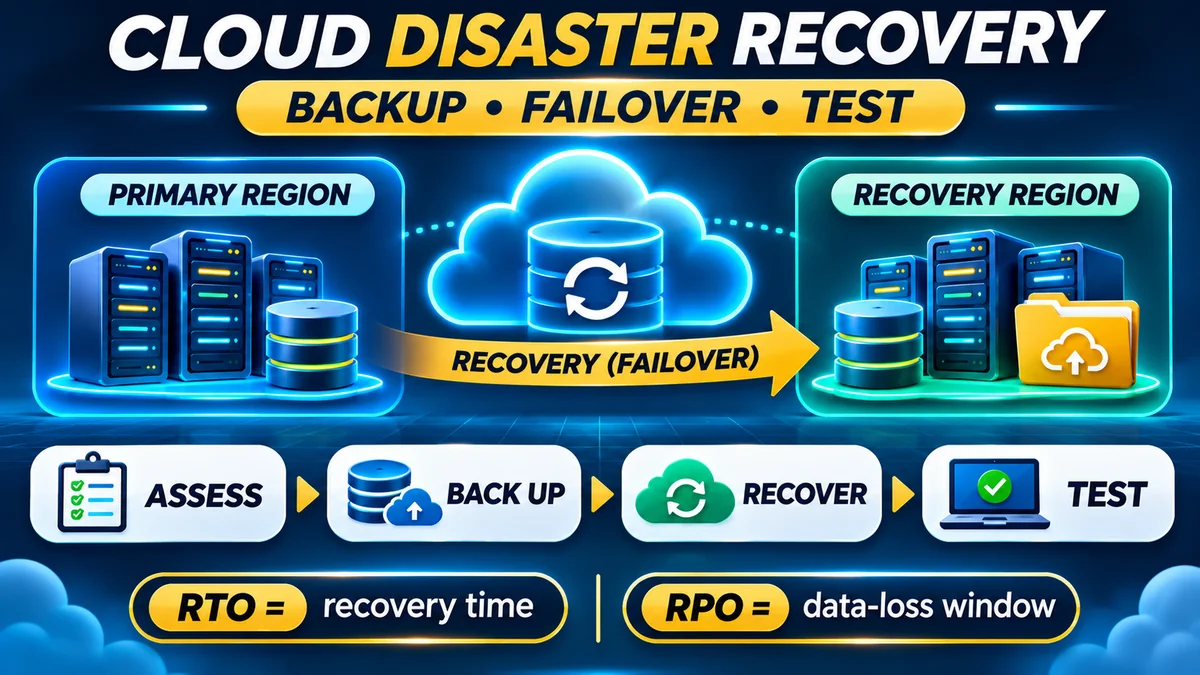
Maintain copies that are protected from the credentials and systems likely to be affected by an attack. Define recovery-time and recovery-point objectives. A backup is only dependable when restoration has been tested. FlyingEze's 3-2-1 backup strategy explains how to reduce dependence on one device or copy.
6. Logging, monitoring and incident response
Collect relevant authentication, administrator, application and network events. Make sure someone can actually respond to alerts. Document how the organisation will investigate an incident, isolate affected systems, notify appropriate parties and restore service.
The UK's 14 cloud security principles offer a useful provider-assessment framework, including data-in-transit protection, customer separation, identity and authentication, operational security, administrative protection, auditing and secure use.
Zero trust matters more than whether a server is public or private
Traditionally, organisations sometimes assumed that anything “inside the office network” could be trusted. That assumption is unsafe when employees connect remotely, applications exchange data across environments and a stolen account can be used from many locations.
NIST's Zero Trust Architecture guidance recommends moving away from implicit trust based on location or network ownership. In practical terms, verify access, limit permissions, evaluate the requesting user or service and protect each resource directly.
Zero trust is not a single product that can be bought to make a cloud secure. It is an architectural approach that helps teams apply consistent controls across public, private and hybrid environments.
Cost, compliance and vendor lock-in: other trade-offs beyond security
Public cloud typically lowers the need to buy physical hardware upfront and can scale on demand. However, monthly bills may grow with usage, storage, transfer, managed services and support. Private cloud can deliver predictable dedicated capacity, but operating it entails hardware, software, skilled staff, power and replacement costs. Hybrid can include expenses from both environments plus networking, integration and monitoring.
To compare options fairly, include a three-year view of subscription fees, equipment, operations, recovery, migration and service disruptions. Technical compatibility also matters: moving an application dependent on proprietary services may cost more than relocating one built on well-supported open interfaces. Document a workable exit and data-export procedure before committing to a provider.
Compliance decisions should begin with what information is processed, who can access it, where it moves and which rules apply. Neither public-cloud certificates nor private-cloud hardware prove the customer's system complies with all relevant laws. Obtain contractual, technical and legal evidence for the actual workload and jurisdictions involved.
Which cloud model should a small business choose?
| Business situation | Reasonable starting point | Main caution |
|---|---|---|
| New website or customer portal | Public cloud or managed hosting | Protect identities, application configuration and backups |
| Highly customised system with dedicated infrastructure requirements | Assess a private cloud | Budget for staffing, patches and recovery |
| Existing local systems plus expanding online services | Assess hybrid cloud | Secure integrations and plan for link outages |
| Small team without dedicated infrastructure engineers | Prefer well-managed services where suitable | Understand remaining customer responsibilities |
| Sensitive or regulated processing | Risk-assess all suitable models | Verify actual legal, technical and contractual controls |
No table can replace a real assessment, but one principle is broadly applicable: choose the simplest deployment that meets the business's documented security and operational needs. Extra complexity can produce gaps if the team cannot maintain it.
A practical 10-step cloud security decision checklist
- List your data and applications. Identify sensitive information, critical services and who needs access.
- Set business requirements. Document uptime, acceptable data loss, recovery time, location and connectivity needs.
- Check legal obligations. Confirm privacy, sector rules, contractual commitments and cross-border data flows.
- Define responsibilities. Determine who patches, monitors, backs up and secures each layer of the selected service.
- Review identity controls. Require MFA, least privilege, account lifecycle management and secure service identities.
- Map exposure and connections. Document public endpoints, private networks, APIs and any hybrid data routes.
- Assess resilience. Test backup restoration, power or network interruption and incident response procedures.
- Compare full costs. Include licences, bandwidth, skilled labour, monitoring and migration—not only server rental.
- Check supplier evidence. Review relevant audits, certifications, contract commitments, logging and security features for the actual service.
- Run a pilot and reassess. Test performance, access restrictions and recovery with a non-critical workload before wider deployment.
Frequently asked questions
Is private cloud more secure than public cloud?
Not automatically. Private cloud offers dedicated infrastructure and often greater control, but it still needs correct patching, identity controls, monitoring and backup. A well-configured public cloud may be safer than an understaffed private deployment.
Does public cloud mean my data is public?
No. “Public” describes how the provider offers its infrastructure to customers, not a requirement to expose customer data. Actual data access depends on the provider's isolation and the customer's security configuration.
Is hybrid cloud the same as using several cloud companies?
Not exactly. Multi-cloud generally means using services from more than one cloud provider. Hybrid cloud involves connected distinct environments—commonly private and public—to support coordinated operation or data and application movement. Their designs can overlap, but the labels are not identical.
Which model is cheaper for small businesses?
For many small workloads, public or managed cloud is an accessible starting point because it avoids dedicated infrastructure purchases. Private and hybrid arrangements may justify their expense for specific control, performance or existing-system requirements. Total ownership and operational costs decide the outcome.
Can a hybrid system work when internet access fails?
Only if it is designed to do so. Some local operations may continue while a link is down, but remote services and synchronisation can become unavailable. The exact behaviour depends on application dependencies, local capabilities and tested recovery plans.
Does data stored in a local private cloud automatically meet privacy laws?
No. Data location is only one possible factor. Legal compliance also involves lawful use, access controls, retention, security, contracts and applicable transfer rules. Organisations should assess their actual obligations.
The bottom line
Public cloud offers rapid access to provider infrastructure and managed capabilities; private cloud offers dedicated control at potentially greater operational cost; hybrid cloud can connect the two but adds identity, network and recovery challenges. The right choice is the one a business can secure and operate consistently—not the one with the most reassuring label.
Start with the information you need to protect, define the acceptable risks and responsibilities, then select the simplest cloud architecture that meets them. Security comes from sound design and continuous management across every model.