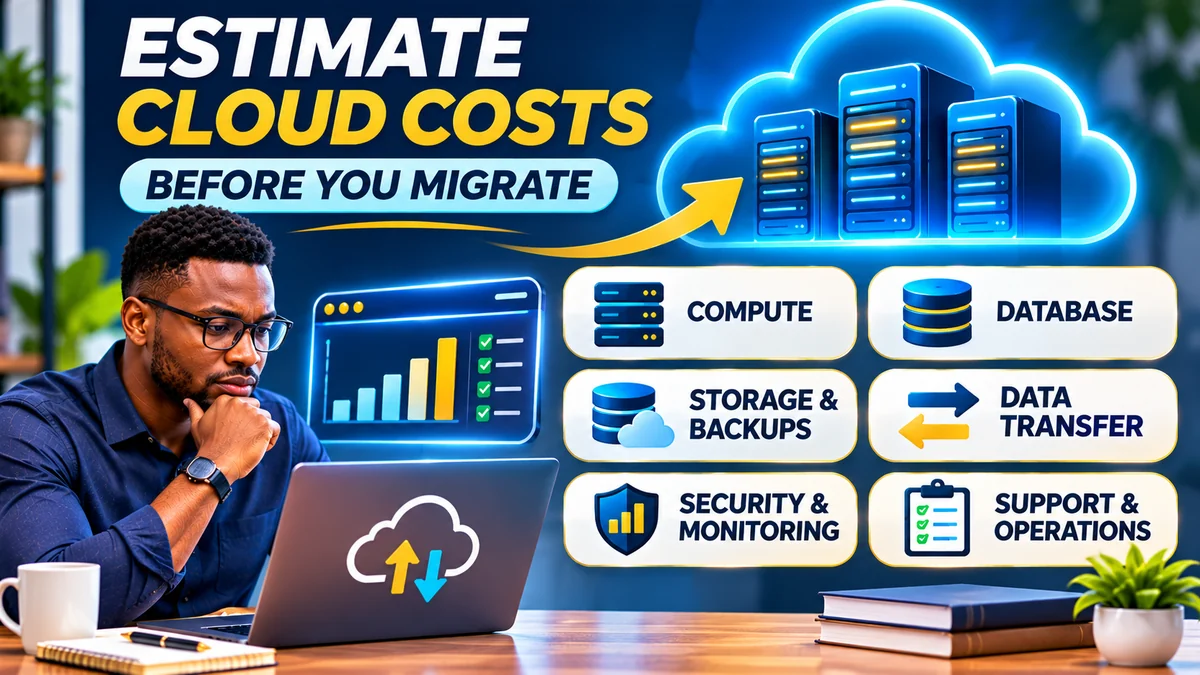
Quick answer: Before moving an application to the cloud, measure what it uses today, identify the cloud services that will replace each part, then estimate compute, database, storage, backups, networking, monitoring, security and support. Add one-time migration expenses, model normal and peak demand, and allow a contingency for uncertain consumption. Check the proposed configuration in the AWS Pricing Calculator , Azure Pricing Calculator or Google Cloud Pricing Calculator . A calculator gives a planning estimate, not a guaranteed monthly bill.
Cloud computing can save a business from buying and maintaining physical infrastructure, but migrating an application without understanding its workload can replace a predictable hosting invoice with variable charges. Teams sometimes account for a virtual server yet overlook database capacity, snapshots, internet data transfer, load balancers, log storage or the people needed to operate the new setup.
This guide shows how to build a realistic first cloud budget, including a fictional worked example, pricing scenarios, common mistakes and a practical checklist. It is intended for beginners, small business owners and technical teams deciding whether a website, internal application or customer platform is ready to migrate.
Research verification: 14 November 2026. Official AWS, Microsoft Azure, Google Cloud and FinOps documentation was consulted. Example prices and totals are deliberately invented to demonstrate calculation methods; they are not actual vendor quotes, discounts or a forecast for a particular application.
What should a cloud cost estimate include?
Start with the full architecture, not a single machine. The FinOps Foundation's planning and estimating guidance recommends documenting the scope, expected usage, alternatives, support costs and business value before committing to a new technology environment.
| Cost category | What to estimate | Frequently missed item |
|---|---|---|
| Compute | Virtual machines, containers, application platforms or functions | Instances left running outside business hours |
| Database | Database compute, storage, replicas and throughput | Managed database and high-availability premiums |
| Storage | Block disks, object storage, file shares and operations | Old snapshots, retained files and retrieval charges |
| Networking | Outbound internet traffic, inter-zone or inter-region transfers, load balancing | Data egress and network appliances |
| Backups and recovery | Backup copies, retention, restoration and disaster-recovery resources | Separate recovery environments and test restores |
| Security and observability | Secret management, key services, logging, metrics and security products | High-volume application logs |
| Support and operations | Provider support, staff time, licences and third-party tools | 24/7 incident coverage and software licensing |
| One-time migration | Assessment, redesign, data copy, testing, training and cutover | Running old and new systems in parallel |
Not all applications require every charge, and some products bundle services together. However, omitting a category because it does not appear on the first pricing page is risky. Keep each component in the estimate with a value, a reason it does not apply or an explicit “to be confirmed” status.
Step 1: Measure your current application's real resource usage
Before choosing a cloud server, collect at least several weeks of monitoring data, ideally covering a normal business cycle and unusually busy periods. An online shop's sales weekend may need a different capacity from a typical Tuesday; a school portal may have peak activity around results or registration days.
Record the current number of servers, CPU and RAM utilisation, allocated and used disk space, storage I/O, database size, network traffic, active users, requests per second, batch jobs, response times and uptime requirements. Check which services run continuously and which operate only during office hours. Include testing, staging and development systems, not just production.
For example, a machine advertised with 8 vCPUs and 32 GB RAM does not necessarily need an equally sized cloud machine. If the workload rarely uses its allocated capacity, a smaller design might work, provided that you test burst performance, memory pressure and service-level requirements. Equally, average CPU utilisation alone does not reveal short high-load spikes or slow database queries.
Microsoft's Azure Migrate assessment guidance describes how CPU, memory, disk I/O, disk throughput, latency and network throughput contribute to right-sizing recommendations. You can use equivalent application-performance monitoring data with any provider.
A practical inventory should answer: What are we running, how much do we actually use, when do we use it and what must remain available?
Step 2: Decide whether to lift and shift or modernise
There is more than one way to move an application into the cloud. A lift-and-shift migration recreates much of the existing system on cloud virtual machines. A platform-based migration may move the web application to a managed runtime and its database to a managed database. A larger redesign might use containers, serverless functions or services that scale with demand.
These options produce different bills and operating responsibilities. A virtual machine can offer familiar control but requires operating-system management. A platform service may reduce server-administration work while charging differently for capacity, requests or provisioned instances. A managed database can reduce patching effort yet cost more than a simple database running inside a self-managed server.
Microsoft's Azure Migrate business-case guidance allows organisations to compare IaaS-style migration and modernisation paths, including costs and operational impacts. The cheapest infrastructure quote is not automatically the cheapest or safest design over several years.
For more background on migration choices, FlyingEze has a related article on how Azure migration services can support a cloud move . Use it as further reading, not as a substitute for measuring your own workload.
Step 3: Estimate compute hours and the right server size
For a virtual machine billed by the hour, a basic estimate is:
Monthly compute cost = number of instances × billable hours × price per instance-hour.
Teams often use 730 hours as an approximate month for a 24/7 server because 365 days × 24 hours ÷ 12 months = 730 hours. Actual calendar months and billing units differ. If a non-production machine is required for only 8 hours a weekday, estimate its running schedule rather than assuming it uses 730 hours. Also check whether stopped instances continue to incur disk or other resource charges.
For instance, a fictional instance price of $0.05 per hour gives approximately $36.50 per 730-hour month before storage, networking, backups or taxes. Two equally configured instances would cost $73 on that hypothetical rate. This is mathematics, not a current price for any real cloud VM.
Match compute to measured CPU, memory, architecture and operating-system needs. Look at capacity during peaks, not only averages. If you expect automatic scaling, model the minimum and maximum number of instances and the percentage of time each additional instance runs. Include any separate application platform, container orchestration or load-balancing charges.
AWS's EC2 calculator documentation illustrates how location, instance specifications, EBS storage, monitoring, data transfer and additional services affect a server estimate.
Step 4: Estimate database costs separately
Many applications depend on a database, and it can be one of the biggest unexpected expenses. Estimate the database engine, compute or instance tier, storage volume, storage performance, backup retention, connections and expected growth. Consider whether you need a standby instance, replication or cross-region disaster recovery.
Do not double-count a database that runs on the same virtual machine as the app, but do not accidentally omit a separate managed database either. The two architectures have different maintenance obligations and risk profiles.
Check your current database size and how quickly it grows. A 50 GB database today might need substantially more disk space after backups, indexes, logs and a year of new customer transactions. Estimate provisioned capacity and billable operations if the selected database product uses them, not simply today's logical data size.
Before migration, test whether your software works with the database engine, version and managed-service limitations. A lower monthly price does not justify choosing a database configuration that cannot support acceptable response times or recovery requirements.
Step 5: Calculate storage, backups and retention
Cloud storage is not one flat charge. Typical categories include block storage attached to machines, object storage for files and media, and separately managed file storage. Prices can depend on provisioned capacity, operations, access frequency, redundancy, performance and retrieval.
Useful planning formulas are:
- Storage capacity: billable GB-months × relevant storage price per GB-month.
- Snapshots and backups: retained billable backup volume × applicable retention/storage rate, plus other backup operations if charged.
- Growth: initial stored GB + new GB per month − removed or expired data.
Suppose a business stores 200 GB of customer files and adds 20 GB monthly. If no files are deleted, after 12 months it could have approximately 440 GB—not the original 200 GB. The actual bill depends on when the data is added and whether the provider bills provisioned capacity, stored capacity or operations.
Do not assume snapshots are free or that the cloud provider automatically backs up every component with the retention you require. Set a recovery-point objective, recovery-time objective and tested restoration plan. FlyingEze's 3-2-1 backup strategy for business files and databases explains why a separate, recoverable copy remains important.
Step 6: Include data transfer, regions and load balancing
Data transfer is a commonly overlooked expense. Depending on the service, traffic leaving the cloud for the public internet, transfers between regions or availability zones, and network appliance processing may be billable. Incoming traffic may be free or priced differently, depending on the provider and route.
Estimate outbound data using historical network monitoring, CDN analytics or application logs, then project growth. If a website serves 500 GB to users each month, an illustrative egress rate of $0.09 per GB would mean $45. The rate is fictional; real providers have location-specific prices, tiers, free allowances and product-specific conditions.
Do not count all website traffic as paid origin traffic when a CDN serves much of it from cache. Conversely, do not assume CDN delivery or inter-region replication is free. Map where the user, application, database and backups are located. Compare the price of the region that meets your latency, data-residency and availability requirements.
The Google Cloud network pricing documentation demonstrates why source location and network service tier affect egress pricing. AWS and Azure calculators likewise have separate network and data-transfer entries.
For an application serving customers in Nigeria, also consider the reliability of internet access between your users and the provider's chosen region. FlyingEze's enterprise internet infrastructure guide offers complementary planning advice.
Step 7: Price monitoring, security, support and licences
A basic application still needs operational visibility. Estimate log ingestion and retention, metrics, alerting, traces, application performance monitoring and any third-party monitoring tools. High-volume debug logs can be expensive when retained indefinitely, so decide which logs are needed for operations, auditing or security.
Check security-product charges for secrets, keys, vulnerability scanning, web application firewalls and other products you actually need. Many services offer some included functionality, but cost depends on service and usage. The customer remains responsible for securing accounts, access policies and application data, even when the cloud provider operates the physical infrastructure.
Provider support subscriptions and software licences can matter too. Windows Server, commercial databases or specialist security products may have different licensing assumptions from a free Linux server. Operational costs also include the staff needed for deployments, patching, incident response and restore testing.
If some costs apply to several applications, document the allocation method rather than hiding them. Microsoft's FinOps unit-economics guidance describes allocating shared cloud costs to units of business activity, such as sales transactions or users.
Step 8: Add the one-time cost of the migration
A cloud migration budget has two different parts: the recurring cost of operating the system after it moves, and the project cost required to get it there. Do not mix them into one unexplained monthly total.
Migration work can include application assessment, architecture design, data cleanup, software changes, proof-of-concept environments, security reviews, testing, staff training and cutover. Larger moves may require temporary network connections, data-transfer tooling or professional services.
Remember the overlap period: during testing, you may pay for your old hosting environment while also running the new cloud environment. If you retain the old system for rollback, set a clear end date and budget for it.
For decision-making, compare a full first-year and longer-term total cost of ownership (TCO), not simply a cloud server's monthly sticker price. Microsoft's Azure TCO calculator and Azure Migrate business-case tooling are examples of structured tools for weighing existing infrastructure against cloud alternatives. Their savings forecasts depend on your inputs.
Worked example: an illustrative $300 monthly cloud application
Consider a fictional small business migrating an application with two always-on web instances, a managed relational database, customer file storage and internet traffic. The prices below are deliberately invented classroom assumptions for learning the estimation process, not published AWS, Azure, Google or DigitalOcean pricing.
| Monthly component | Assumption | Illustrative cost |
|---|---|---|
| Application compute | Two instances at $36 each | $72 |
| Managed database | One managed database configuration | $65 |
| Block storage | 150 GB at $0.10 per GB-month | $15 |
| Object storage | 200 GB at $0.025 per GB-month | $5 |
| Backups | 250 GB retained at $0.04 per GB-month | $10 |
| Outbound traffic | 600 GB at $0.09 per GB | $54 |
| Load balancing | Illustrative monthly allocation | $20 |
| Monitoring and logs | Illustrative monthly allocation | $25 |
| Security and secrets | Illustrative monthly allocation | $9 |
| Support and operations tooling | Illustrative monthly allocation | $25 |
| Total recurring estimate | All categories above | $300 per month |
At that hypothetical baseline, the simple annual run rate is $300 × 12 = $3,600. If the business chooses a 20% planning contingency, its budget target rises to $360 per month, or $4,320 for 12 months. If the migration itself is expected to cost $1,200 once, the first-year planning budget becomes $5,520, excluding taxes, currency-conversion effects and any extra items not in the model.
The contingency is an assumption for risk planning, not a vendor surcharge. Its appropriate size depends on confidence in the usage data and the consequences of cost overruns. A planning figure is not a hard billing limit.
Model three scenarios instead of trusting one number
Your first estimate should include at least three scenarios: a lean/low-demand case, a realistic baseline and a high-demand case. The upper case could reflect more customers, more storage, additional production instances, longer log retention or more expensive network routes.
| Scenario | Illustrative monthly run rate | With 20% contingency | Interpretation |
|---|---|---|---|
| Lean | $240 | $288 | Lower usage and reduced non-production footprint |
| Baseline | $300 | $360 | Expected normal operation |
| High demand | $440 | $528 | Extra app capacity, network traffic and data growth |
These are fictional scenario budgets for the same hypothetical business, not price tiers available from a provider. To make them useful, document the change behind each number: perhaps egress doubles, the app adds an instance or the database moves to a higher tier. If the upper scenario is unaffordable, plan operational controls or architecture changes before committing.
For fast-growing platforms, also calculate cost per active user, order or transaction. A $300 platform processing 30,000 orders has an average infrastructure cost of $0.01 per order, before business overhead. That metric helps explain whether rising cloud spending is accompanied by proportional growth in service usage or revenue.
How to use AWS, Azure and Google Cloud pricing calculators
AWS Pricing Calculator
Open calculator.aws and model relevant services, for example EC2 instances, storage, database, load balancing and data transfer. Choose the intended region and usage schedule. AWS's EC2 estimation guide walks through instance specifications, payment options, EBS, monitoring and transfer costs. Check which discounts or reservations your organisation can actually use.
Microsoft Azure Pricing Calculator
Use the Azure calculator to add the services in your target architecture, set region, configuration, usage hours and pricing plan, and compare alternatives. Microsoft's step-by-step guide notes that a 730-hour month is a common starting point and that support and other items should be included. If you have eligible negotiated terms, use the appropriate agreement pricing rather than public list prices.
Google Cloud Pricing Calculator
Open the Google Cloud calculator , select the products, region and expected consumption, then save or export the estimate. Google's billing documentation states clearly that these projections are non-binding estimates, not fixed bills or spending limits.
For a fair comparison, use the same workload assumptions and equivalent security and availability requirements across providers. Don't compare a single low-cost virtual machine with another provider's high-availability managed platform and call the difference a pure price saving.
Budgets, alerts and why an estimate is not a spending cap
After creating the estimate, set budget alerts, tag or label resources, and arrange regular reviews of actual consumption. Follow cost trends and investigate unexpected changes before the next billing cycle ends. Forecasts become more reliable once your application has real production usage.
Important distinction: a budget notification does not automatically stop cloud services or guarantee you cannot overspend. Google Cloud's budget documentation explicitly says that alerts-only budgets do not cap usage. Some eligible services have separately configured spend-cap mechanisms , but coverage, enforcement timing and limitations vary. AWS also documents delays between use, billing data and budget notifications in its budget guidance .
Where practical, configure quotas, automated controls or approval workflows for costly resource creation, but test any shutdown automation carefully. Stopping production abruptly can cause data loss or customer disruption. For non-production systems, scheduled shutdowns and removing unused resources are often safer first steps.
Cloud versus existing hosting: compare total cost, not only invoices
To decide whether migrating is worthwhile, calculate what you spend today on hardware or hosting, licences, maintenance, backup, networking, security, staff and outages. Then compare that with a proposed cloud design covering the same level of service. Include migration, retraining and any period of double-running the systems.
Cloud value may appear as faster deployment, reduced hardware maintenance or improved scaling rather than an immediate reduction in the bill. Equally, a stable small application may remain economical on a well-managed existing server. The correct decision depends on performance, reliability, operational capacity, security and the real business objective.
The FinOps Foundation recommends repeatedly refining cost estimates from actual trials, usage observations and changes in the application. Treat your initial budget as a documented hypothesis you will test, not a permanent number.
Common cloud estimation mistakes to avoid
- Estimating only the VM: database, storage, bandwidth, logs and support may be billed separately.
- Copying current server specifications: allocated RAM or CPU is not necessarily actual demand.
- Ignoring outbound data: egress, cross-region transfers and load balancing can change total cost.
- Omitting backups and resilience: disaster recovery, standby capacity and long retention periods can alter the budget.
- Assuming credits last forever: introductory free allowances, trial credits and discounts have conditions and expiry dates.
- Using a single forecast: expected demand might differ from a peak registration period or sales event.
- Forgetting region and currency: price, taxes, exchange rate and banking charges can affect local-currency budgeting.
- Ignoring migration labour: redesign, data transfer, security testing and staff training are real costs.
- Assuming an alert stops the bill: ordinary alerts may only notify; enforcement requires additional supported controls.
- Not testing the estimate: a small pilot can reveal unexpected usage or compatibility requirements before full cutover.
A practical cloud migration cost-estimation checklist
- Inventory the application: servers, CPU, RAM, database, dependencies, background jobs, storage and traffic.
- Measure real utilisation: include normal usage, peak demand, growth trends and uptime targets.
- Choose the architecture: IaaS, managed platform or a mixture, with required regions and redundancy.
- Estimate every billable component: compute, database, disks, objects, backups, egress, networking and logs.
- Include people and licences: security, vendor support, operations, software subscriptions and compliance needs.
- Calculate one-time project costs: migration work, testing, parallel systems, staff training and rollback.
- Build low, baseline and peak scenarios: document assumptions and the growth drivers behind each.
- Use official pricing calculators: confirm region, hours, pricing terms and discounts.
- Set alerts and controls: monitor bills and distinguish notifications from supported hard caps.
- Run a pilot: measure usage, compare the first invoice with the estimate, then revise the plan before migration.
Frequently asked questions
How do I estimate cloud costs for a small application?
Start with current CPU, RAM, storage, database and monthly traffic. Choose the proposed cloud architecture and use a provider calculator to price those components plus backups, logs, network transfer, security and support. Add migration costs and contingency.
What is the biggest hidden cloud cost?
There is no universal answer. Teams often overlook outbound data transfer, managed databases, backup retention, monitoring and unused resources. The dominant cost depends on the application's architecture and consumption pattern.
How many hours are in a cloud billing month?
730 hours is a common 24/7 planning approximation based on a year divided into 12 months. Actual monthly hours and billable units vary. Enter the real expected schedule where possible.
Are cloud provider calculators accurate?
They calculate a forecast from your assumptions and current pricing rules; the outcome may differ from a later bill because usage, discounts, region settings, extras or taxes differ. They are useful planning tools, not guaranteed quotations.
Should I use IaaS or PaaS to reduce costs?
Compare both architectures with matching performance, availability and security requirements. IaaS can have a lower visible infrastructure price while requiring more maintenance, whereas PaaS can reduce operational work but have a different billing model.
Does stopping a cloud virtual machine stop all charges?
Not necessarily. Attached disks, snapshots, certain IP configurations and other separately billed resources can continue costing money. Review the service's specific stop and deletion rules.
What is cloud data egress?
It usually refers to data leaving a cloud service or network boundary, such as content delivered to internet users. Some egress routes are billed, and prices vary by source, destination and product.
How much contingency should I add?
There is no mandatory percentage. A 20% planning allowance in this guide is fictional and illustrative. Choose a margin based on data quality, growth uncertainty and the financial risk of unexpected usage.
Can I set a hard cloud spending limit?
Some providers offer service- or project-specific spend controls, but ordinary budget alerts do not universally prevent charges. Read the supported limit's scope and enforcement conditions; shutdowns can affect availability.
What does total cost of ownership mean for a cloud migration?
TCO includes ongoing infrastructure and service fees as well as migration, staffing, licences, backups, operations and other relevant ownership costs. Compare equivalent capabilities across on-premises and cloud options.
How can I estimate costs for a growing SaaS application?
Model cost per user, transaction or tenant, and forecast database growth, peak compute, file storage, outgoing traffic and support. Use separate low, baseline and peak scenarios and refine them with pilot data.
Should I migrate solely because a cloud server looks cheaper?
No. Consider compatibility, operational needs, performance, security, business continuity and the full cost of running the system. The lowest server price can hide additional expenses or migration work.
Conclusion: estimate the entire workload before moving
Reliable cloud computing cost estimates begin with evidence about your application—not with a headline virtual-machine price. Measure actual demand, choose the target architecture, model each paid component and include the one-time cost of migration. Then test low, baseline and high-demand scenarios using official calculators and refine the estimates during a pilot.
The goal is not to predict the exact final invoice to the last cent. It is to make the assumptions and major risks visible, so you can decide whether migration delivers sufficient value and build the controls needed to avoid avoidable surprises.
Editorial verification: 14 November 2026. Research is based on AWS, Microsoft Azure, Google Cloud and FinOps documentation. The $300 monthly architecture and all associated rates are fictional calculations, not published cloud-provider prices. Human review of selected pricing assumptions is recommended before making a real purchase.