How to Identify the Genuine CDCFIB Recruitment Portal
A message promises a Civil Defence, Immigration, Fire Service or Correctional Service job. It includes a government-looking logo, a recruitment link and a warning that you must act immediately. Before you enter your National Identification Number (NIN), upload documents or send money, there is one essential question: does the message actually come from the Civil Defence, Correctional, Fire and Immigration Services Board (CDCFIB)?
The CDCFIB recruitment address identified in official Board communications is https://recruitment.cdcfib.gov.ng/ . That exact gov.ng address—not a lookalike website or a WhatsApp contact—is the starting point for verifying CDCFIB recruitment information. The Board's main website is cdcfib.gov.ng .
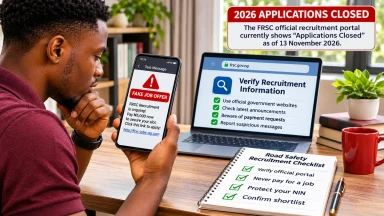
Important status update, checked 9 November 2026: the official recruitment site's public notice currently states that the 2024/2025 recruitment exercise has concluded. Some October 2026 reports describe access for existing shortlisted candidates during a later screening stage. These dated accounts should not be treated as proof that new applications are being accepted today. Follow the live official notice and instructions relevant to your own existing application, and do not pay anyone claiming they can reopen registration.
This guide explains how to verify a URL, spot forged recruitment notices, protect personal details and report suspicious demands without confusing legitimate government communication with an unofficial website.
What is CDCFIB, and which services does it cover?
CDCFIB stands for the Civil Defence, Correctional, Fire and Immigration Services Board. It has responsibility for recruitment-related processes across four federal paramilitary services:
- Nigeria Security and Civil Defence Corps (NSCDC);
- Nigeria Immigration Service (NIS);
- Nigerian Correctional Service (NCoS); and
- Federal Fire Service (FFS).
Applicants may see recruitment announcements referring to just one service, but should verify whether the exercise is coordinated by the Board. In February 2026, the Nigeria Immigration Service specifically warned about purported independent recruitment websites and identified the Board's official portal as the legitimate channel for its then-current recruitment process, according to the News Agency of Nigeria .
A professional-looking announcement is not enough. The issuing authority, exact website and current recruitment stage all need to match.
1. Know the exact CDCFIB recruitment website
The verified recruitment hostname is:
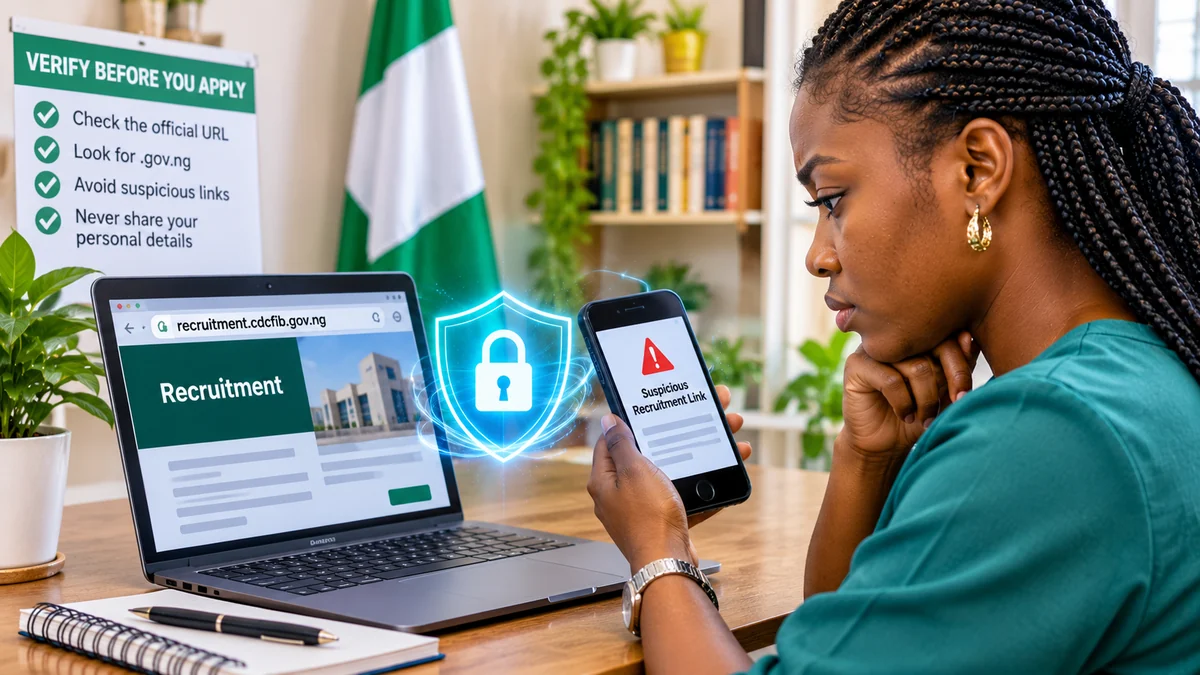
Read it from right to left. The domain ends in gov.ng, the Nigerian government's reserved website namespace, and the recruitment service sits under the Board's cdcfib.gov.ng domain. The word recruitment is its subdomain.
A fake site might copy the Board's design and put “CDCFIB” in its title, but its actual browser hostname could be different. For illustration, cdcfib.gov.ng.example.com is not a Nigerian government domain: the real registered site in that example is example.com. Similarly, having cdcfib somewhere in a .com, .org or other unrelated hostname does not establish government authorisation.
Do not assume a domain with a familiar name is malicious solely from its spelling; the relevant question is whether the Board has officially designated it. For this exercise, the official messages checked identify the exact recruitment.cdcfib.gov.ng address. Never submit personal details to a different domain simply because it claims to be an alternative portal.
2. How to check whether a CDCFIB recruitment link is genuine
- Do not start from an unsolicited message. Open a new browser tab yourself rather than tapping a shortened WhatsApp, Telegram, Facebook or SMS link.
- Type the address carefully: https://recruitment.cdcfib.gov.ng/ . Check for extra letters, missing dots, a different ending or an unexpected redirect.
- Inspect the entire domain in the address bar. On phones, expand the bar if necessary. A result's display title, banner or logo is not the same as its actual website address.
- Read the live recruitment notice. Confirm whether the Board is accepting new applications, allowing existing candidates to check status or announcing a different screening stage.
- Cross-check a major announcement. Use the Board's official communication channels and relevant Nigerian government notices. If the main website is undergoing maintenance, do not substitute an unofficial mirror.
- Stop before entering sensitive information. Only use the exact official form for the recruitment step you are legitimately completing.
An HTTPS padlock is useful for knowing that a browser connection is encrypted to the site shown, but HTTPS alone does not prove the organisation behind a website is CDCFIB. Fraudsters can also obtain HTTPS certificates. Exact domain verification is essential.
3. Is CDCFIB recruitment currently open?
The status can change between application, CBT, physical screening, medical checks, final shortlisting and onboarding. Old news reports frequently remain in search results long after a deadline has passed.
When checked on 9 November 2026, the official CDCFIB recruitment notice said the 2024/2025 exercise had concluded. The official applicant-portal address displayed a JavaScript-dependent interface in the public web view; that alone is not proof that new registration was open.
Separately, reporting published in late October 2026 described access for some already shortlisted candidates for further screening activities and cited an October–November window. Such reporting does not necessarily represent a fresh application period. Given the difference between the dated reports and the notice currently displayed, applicants should rely on the most recent verified instructions that apply to their own stage rather than assume that anyone can newly register.
Do not treat an old headline saying “portal reopened” as a current invitation to apply. Check the date of the notice, the stage involved and whether it is explicitly addressed to existing candidates.
4. CDCFIB recruitment should not require payment to an agent
The Board has repeatedly warned applicants against recruitment fraud and unofficial middlemen. Its June 2026 public notice asked applicants to rely on the official portal and verified channels and warned against misleading recruitment information. Premium Times reported the notice and the Board's warning that people spreading false recruitment claims could face prosecution.
Beware of anyone asking you to transfer money for:
- an application form or registration “activation”;
- shortlisting, CBT selection or access to an examination centre;
- a preferred screening venue or interview appointment;
- “regularising” a missing document or changing the outcome;
- guaranteed appointment, posting or final selection; or
- an alleged insider's signature, recommendation or special list.
For the Board's reported recruitment exercise, official communications describe the process as free. Genuine applicants may incur ordinary personal expenses such as internet access or transport, but those are not recruitment payments collected by government agents. A stranger's claim that a fee is “refundable after appointment” is not proof of an official charge.
Never send money to an individual account because a message uses the Board's name.
5. Beware: even a fake announcement can include the real website
One of the most misleading recruitment scams is a forged document that contains a genuine official URL. A fake press release can use a copied letterhead, a familiar officer's name and the correct government domain while inventing postponement dates, new screening requirements or payment instructions.
In June 2026, the Board disowned a circulating recruitment postponement notice. The report noted that the forged announcement included the genuine recruitment portal address, which made its other claims no more trustworthy. FlyingEze covered the government's denial of a CDCFIB recruitment postponement notice .
On 13 August 2026, the Federal Ministry of Information and National Orientation also published an official rebuttal of a forged statement that falsely claimed recruitment had been deferred until after the 2027 general election. The Ministry said that notice did not originate from the Minister, the Ministry or the Board.
The lesson: a correct website address printed inside a WhatsApp image does not authenticate the image itself. Open the official portal independently and look for the same announcement through recognised government channels.
6. What information might a genuine applicant need?
At different stages, an authorised recruitment system may ask an existing applicant to identify themselves using an application or screening reference, the registered phone number, the National Identification Number (NIN) or other details consistent with the official instructions. The requested combination can change by recruitment stage.
That does not mean an applicant should supply the same details to anyone who asks. An 11-digit NIN, registered phone number, email address, uploaded qualifications and screening documents can all be useful to an identity fraudster when combined.
Use the exact current official portal form, and do not post your NIN, application reference, date of birth or certificate scans in a public comment section or social-media group. Never send passwords, one-time verification codes or bank PINs to someone offering to “help you check the shortlist”.
If the portal asks for a detail you do not recognise, stop and verify the process through an official channel. A site that asks for unrelated financial credentials or requests mobile banking access should be treated as suspicious.
7. Seven common signs of a fake CDCFIB recruitment message
| Warning sign | Why it matters | Safer response |
|---|---|---|
| Website does not match the exact government hostname | It may be an imitation or unrelated service | Type recruitment.cdcfib.gov.ng yourself |
| Payment demanded for shortlisting or a job slot | Conflicts with official anti-fraud instructions | Do not pay; preserve the evidence |
| “Last chance tonight” or secret recruitment list | Pressure reduces opportunities to verify | Check the date and current official notice |
| Only a forwarded image or voice note supports the claim | Letters and recordings can be forged | Look for independent government confirmation |
| Request to send NIN, passwords or OTP to a personal number | Creates identity or account-takeover risk | Use only the authorised online process |
| Promise of guaranteed appointment | No unofficial contact can lawfully guarantee selection | Reject the offer and report the account |
| Unexpected download or browser warning | Could indicate harmful software or a deceptive page | Close it and return to an independently verified address |
Not every broken website is fraudulent; official services can experience maintenance or high demand. But when the domain differs, payments are demanded or private details are requested through informal channels, stop before taking further action.
8. How to check application status without exposing your details
If you already submitted a legitimate application, begin at the official recruitment domain and follow the current applicant-portal link if the Board has made status checking available for your stage.
Keep your genuine application or screening reference and the phone or identity details you used during registration in a private place. Enter only what the official form currently requests. Do not repeatedly try unrelated logins from third-party tutorials or share screenshots that expose your full personal record.
If the portal says the exercise is concluded or the status feature is unavailable, that is not an instruction to seek an unofficial “alternative link”. Wait for a newly verified notice or contact the appropriate government authority through a published channel. A failed connection, server error or closed registration form does not itself mean an applicant has been rejected.
9. How to verify the source of a CDCFIB recruitment announcement
A useful fact-check has three parts:
- Identify the original publication. Does the announcement appear on the Board's designated portal or in a directly attributable statement from a government ministry or relevant service?
- Check dates and intended audience. A notice may refer to candidates shortlisted in a prior stage rather than members of the public who want to apply for the first time.
- Compare the requested action. If a social-media post says to make payment or send documents to a personal contact but the official notice does not, reject that addition.
The main Board website, cdcfib.gov.ng , was displaying a maintenance notice in the retrieved public view. That is a reason to use another verified government communication channel when necessary, not a reason to trust an unrelated domain that resembles the Board's name.
For background, FlyingEze previously reported the Board's warning to Nigerians about fake recruitment portals . Readers should still verify the latest stage directly, because a news article's publication date is not a live recruitment-status feed.
10. What to do if you clicked a fake recruitment link
If you only opened a suspicious page and did not enter any details, close it, avoid downloading attachments and check your device for unusual browser permissions or downloads. If you entered a password that you also use elsewhere, change it immediately through the genuine service and secure the associated email account with multifactor authentication when available.
If you disclosed your NIN, phone number, date of birth or document scans, preserve the message and URL, watch for impersonation attempts and seek guidance from relevant identity and law-enforcement channels. If you sent money, contact your bank promptly through its independently verified contact details to report the suspected fraud and ask about tracing or recovery options. Recovery is not guaranteed.
The Economic and Financial Crimes Commission (EFCC) has warned about deceptive websites and messages impersonating government agencies and other organisations. It advises victims to report suspected phishing to its zonal commands or law-enforcement agencies, and lists info@efcc.gov.ng as an official reporting contact.
For wider warning signs that apply beyond CDCFIB, see FlyingEze's guide to identifying fake job offers and recruitment scams in Nigeria .
Do not post the complete personal details of a suspected scammer or expose another applicant's information publicly; preserve evidence and submit it to an appropriate authority.
11. A quick checklist before any CDCFIB recruitment action
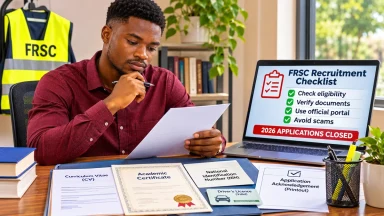
- Use https://recruitment.cdcfib.gov.ng/ as the verified recruitment starting point.
- Confirm that the Board has actually announced the stage you want to complete.
- Check whether the notice addresses fresh applicants or existing shortlisted candidates.
- Verify the hostname in the browser, not just the page title or a screenshot.
- Do not pay an individual or agent for application, shortlisting or appointment.
- Do not send NIN details, passwords or OTPs to a WhatsApp or Telegram contact.
- Compare any press release with an independently published government statement.
- Keep your application reference and documents securely; share them only through the authorised process.
- When in doubt, stop, verify and report suspicious demands.
Frequently asked questions
What is the official CDCFIB recruitment website?
The recruitment domain named in the Board's official communications is recruitment.cdcfib.gov.ng . The Board's main website is cdcfib.gov.ng . Verify exact hostnames rather than relying on a page that merely contains the Board's name.
Is the CDCFIB recruitment portal open for new applications in November 2026?
The official public notice retrieved on 9 November 2026 says the 2024/2025 recruitment exercise has concluded. Other dated reports discuss later-stage access for previously shortlisted candidates. Neither should be interpreted as confirmation of a general new application window. Check the current official notice for any later change.
Is CDCFIB recruitment free?
Official warnings for the Board's recruitment exercise say applicants should not pay agents for application, selection, screening or a guaranteed placement. A request to transfer money for a promised shortlist or job is a major scam warning.
Does an official-looking logo mean a CDCFIB recruitment link is genuine?
No. Fraudsters can copy logos, letterheads, names and formatting. Verify the actual website domain and independently locate the announcement on authorised government channels.
Can I share my NIN with a recruitment agent to check my status?
Do not provide your NIN to an unverified intermediary. Enter identity information only when it is required by the genuine portal and appropriate to your application stage.
Does a website using HTTPS automatically belong to the government?
No. HTTPS protects the connection to the website you have reached; it does not by itself establish that the site's operator is the Nigerian government. Verify the exact official hostname.
What if the official portal is unavailable?
Wait and retry through the known government address, or use a verified Board or ministry communication channel. Do not submit information to a lookalike “mirror” because the genuine portal is slow or undergoing maintenance.
Conclusion
The easiest way to avoid a fake CDCFIB recruitment portal is to verify both the exact website and the announcement behind the request. The Board's recognised recruitment address is recruitment.cdcfib.gov.ng . An official-looking logo, forwarded press release, familiar social-media account or correctly printed URL cannot, on its own, prove that an unrelated message is authentic.
Check the current recruitment stage, do not pay unofficial agents and protect your NIN and other personal information. If an offer looks suspicious, pause the process and confirm it independently before clicking, uploading or sending money.