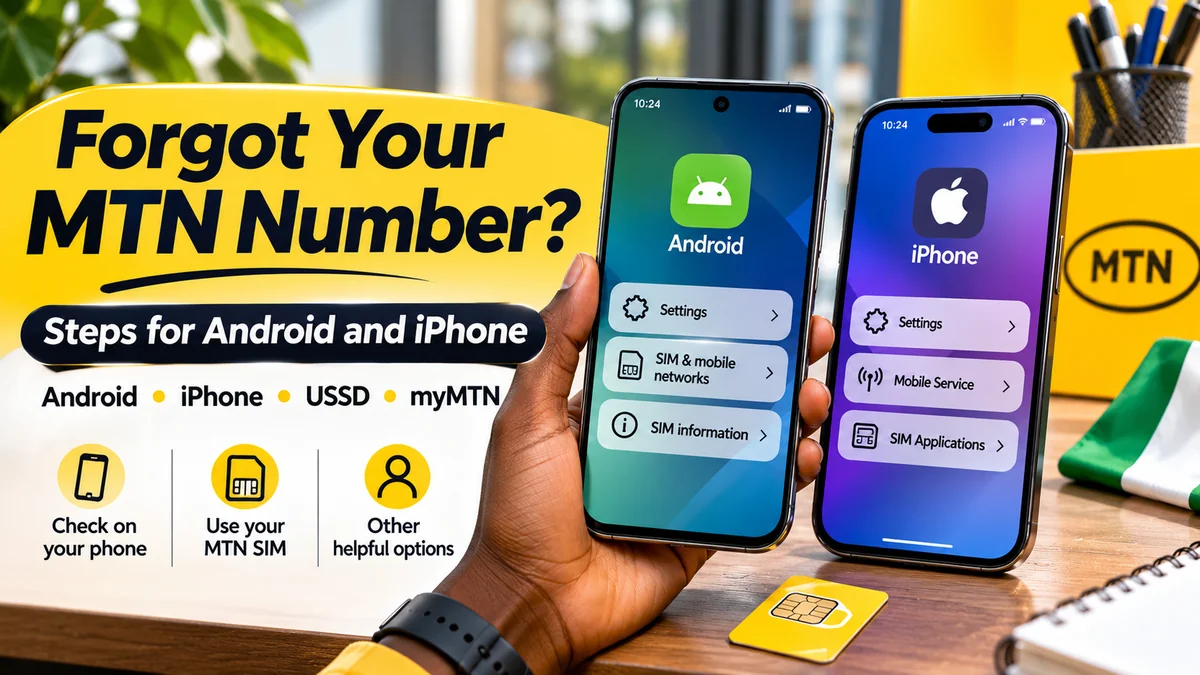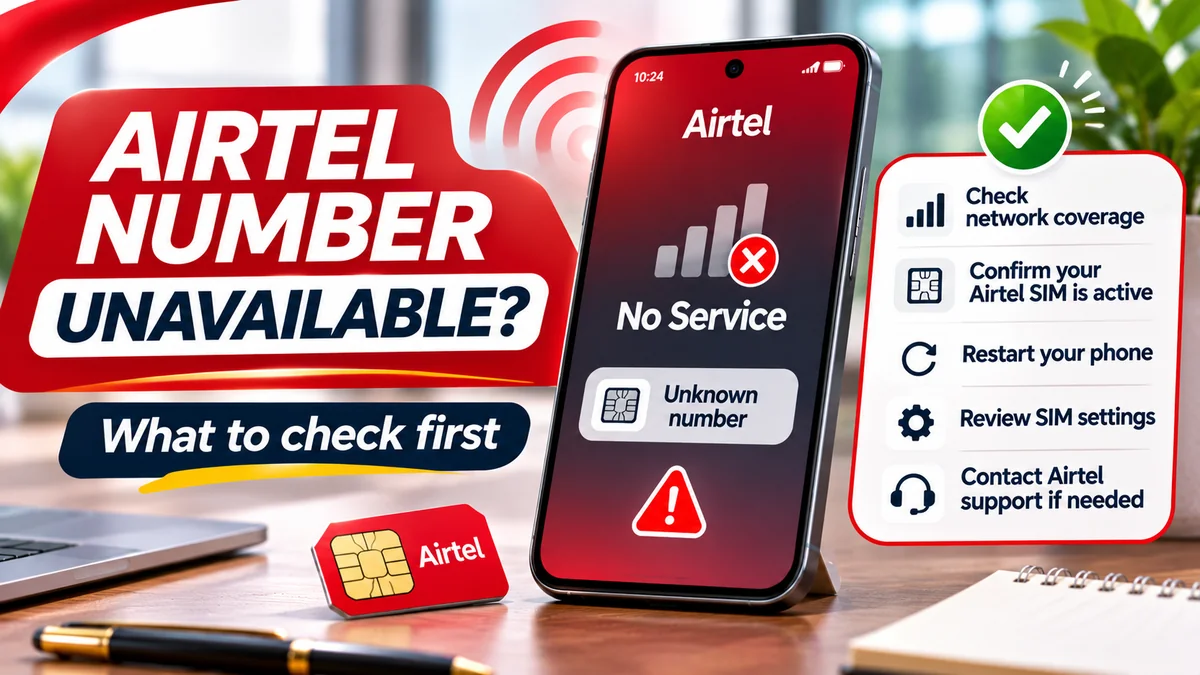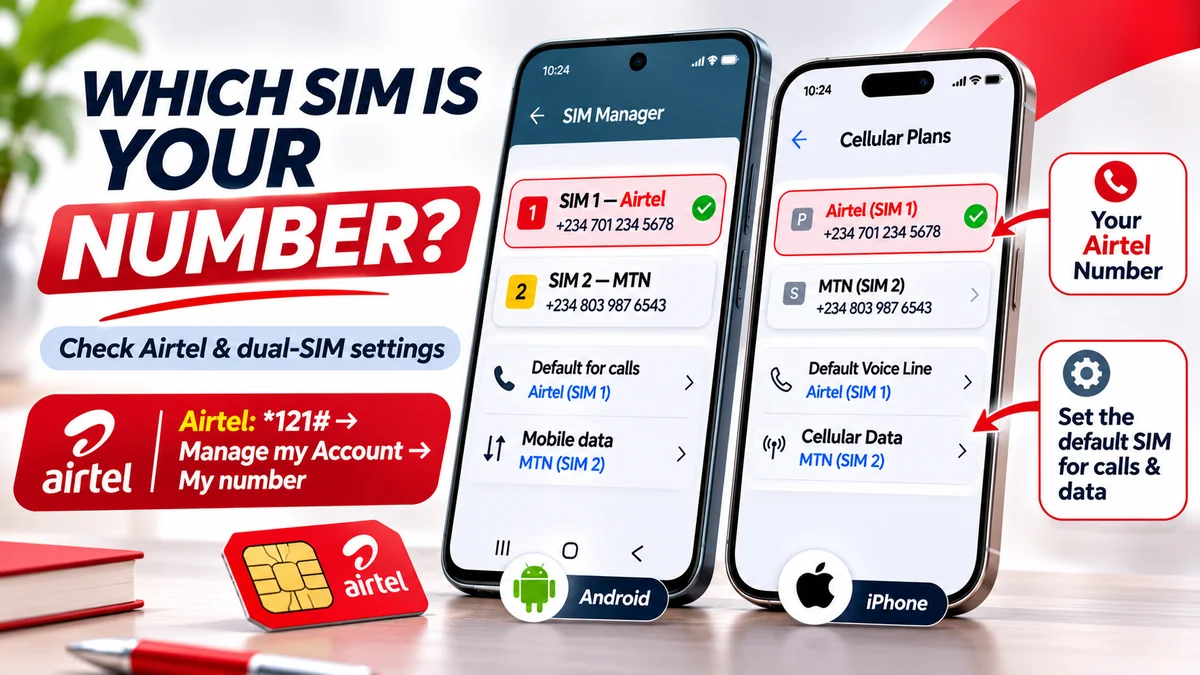
To identify the correct phone number on a dual-SIM device, first find out which line is Airtel, then request the number from that specific SIM. On Airtel Nigeria, dial *121# using the Airtel line, select Manage my Account, then My number. That is the route currently documented in Airtel Nigeria's official FAQ . You can also check Android or iPhone settings and confirm the result by making a controlled call or SMS from the intended SIM.
Dual-SIM phones are convenient until you need to give someone the right number. You may have Airtel for personal calls and MTN for internet data, or a work eSIM alongside a physical SIM. A phone can display SIM 1, SIM 2, Primary or Business without clearly telling you which number belongs to which line. And selecting one SIM for mobile data does not mean that is the number shown when you call somebody.
This guide answers the practical question “how can I know my Airtel number?” in a two-line setup. It explains how to identify and verify each number on Samsung, Pixel, other Android phones and iPhone; the difference between a SIM label and a phone number; and what to do if settings show Unknown or a number seems to belong to the wrong network. Researched and fact-checked on 14 November 2026.
Quick answer: identify the correct number in five steps
- Open SIM settings. On Samsung, look under Settings → Connections → SIM manager; on a Pixel, Settings → Network & internet → SIMs; on iPhone, Settings → Cellular or Mobile Data.
- Identify your Airtel line. Look at the carrier name and whether the line is enabled. Do not rely only on “SIM 1” or a custom label.
- Choose that line deliberately. When opening the Phone app, select Airtel rather than the phone's other SIM for outgoing network requests.
- Dial Airtel's officially documented
*121#menu. Select Manage my Account → My number. Record the digits displayed by the Airtel network. - Verify and label the number. If needed, place a brief call or send an SMS to another phone you control from that same line; then name the SIM clearly in settings.
A call or SMS may incur normal network charges. USSD does not normally require internet data, but it requires the Airtel SIM to be registered on a usable cellular network. If the line says No Service, the network request may not work until you resolve the connection problem.
Know the difference: SIM slot, mobile network, phone number and default line
Many mistakes start with treating these four terms as though they mean the same thing:
| Term | What it means | Why it matters |
|---|---|---|
| SIM 1 / SIM 2 | The device's physical slot or assigned SIM profile position | A slot number does not identify Airtel or reveal the telephone number |
| Carrier or network | Provider associated with the current line, such as Airtel or MTN | Helps identify which SIM should receive Airtel's own-number USSD request |
| Phone number (MSISDN) | The subscriber number others use to call or text you | This is the number an employer, bank or contact normally needs |
| Default calls, texts or data | The line the phone prefers for a specific service | The default internet SIM may be different from the outgoing-call SIM |
There is another distinction between installed, enabled and connected. A physical SIM might be inserted or an eSIM profile stored but switched off. An enabled SIM can still have No Service. A connected line may receive calls while the other line supplies mobile data. The labels tell you something about the device's configuration, but they do not independently verify its assigned subscriber number.
How to identify the correct number on a Samsung Galaxy dual-SIM phone
Samsung's official dual-SIM guidance documents how Galaxy users manage two lines. Depending on the One UI version, the relevant screen is called SIM manager or SIM card manager.
- Open Settings → Connections → SIM manager.
- Look for both installed lines and their network or SIM labels. Identify the one associated with Airtel.
- Confirm that the Airtel line is enabled and connected. Avoid switching off the other line merely to inspect it.
- Review the settings for Calls, Messages and Mobile data, or the combined Primary SIM setting if that is what your model provides.
- For a locally stored number, open Settings → About phone and inspect the Phone number field; older software may provide relevant information under Status.
- For a stronger check, select Airtel in the dialler and use
*121#to retrieve the number directly from Airtel.
Samsung's device-information guidance confirms that About phone may show a phone number. But it can also show blank or outdated information; a stored value is not the same as a live carrier verification.
What if Samsung shows Airtel as SIM 2 but uses SIM 1 for data?
That setup is not necessarily an error. It means the phone can identify Airtel under one SIM profile while the mobile-data preference points to another. To find the Airtel telephone number, use the Airtel profile for the USSD request. To decide which network pays for internet access, inspect the separate data preference. Do not change it unless you intend to change data usage.
How to check the correct line on Google Pixel
Google's official Pixel dual-SIM instructions describe separate choices for calls, texts and mobile data. They also explain that some models allow automatic data switching, so the data service being used may vary under supported conditions.
- Open Settings → Network & internet → SIMs.
- Look for each mobile network and tap the one you believe is Airtel.
- Confirm that the relevant Use SIM option is enabled.
- Under the device's primary-SIM preferences, check Calls, Texts and Mobile data. Google offers an Ask every time option for calls on supported versions.
- Select Airtel for the next phone call or USSD request. Dial
*121#, then follow Airtel's account-management menu. - Save the retrieved number against the correct SIM label.
Google is explicit that only one SIM can be the default for mobile data at a time, even where additional switching behaviour is supported. That does not establish which number will appear on an outgoing call. If you are checking a contact's existing call preferences, inspect that contact and the Phone app separately.
What about Tecno, Infinix, Redmi and other Android phones?
Menu names differ by manufacturer and software version. On many Android phones sold in Nigeria, the relevant screen may be labelled SIM cards, SIM management, Mobile network, Network & internet or SIM settings.
Rather than following a menu path intended for another handset, search Settings for SIM and inspect the entries. Determine the actual operator for each line and whether it is enabled. Some devices show the line's number in About phone, SIM status or a mobile-network information panel, while others show only the operator or the text Unknown.
If the number is not visible, do not try to reconstruct it from an old SIM pack serial. Select the Airtel line in the Phone app, dial *121# and choose Manage my Account → My number. You can repeat the verification process with the other operator's independently confirmed guidance if you also need that second number.
How to identify the correct phone number on iPhone with Dual SIM
Apple's Dual SIM documentation explains that users can label plans, set a default number for calls and texts, select a separate line for data and choose numbers on a per-contact basis. A plan named Personal or Business is only a label; it does not certify the underlying carrier or number.
- Open Settings → Cellular or Mobile Data / Mobile Service (wording depends on region and iOS version).
- Find the list of cellular plans and inspect each line. Identify which plan is Airtel.
- Tap the Airtel plan and make sure Turn On This Line is enabled if you expect the line to work.
- Check Default Voice Line to see which line the iPhone normally selects for new calls.
- Check Cellular Data separately; it may use the other network.
- Open the Phone app, choose the Airtel line for the USSD request and dial
*121#, following the actual Airtel menu. - If necessary, cross-check the result with a test call to a device you control.
On newer iOS versions, the stored number may also appear under Settings → Apps → Phone → My Number; older versions may have Settings → Phone → My Number. The Verizon iPhone support guide documents the newer path. However, a locally displayed My Number value can be missing or stale, so confirm it before using the number for sensitive accounts.
Why does iPhone show a different number when calling a saved contact?
Apple notes that iPhone can remember the line last used with a particular contact. That means the Default Voice Line is not necessarily the line used for every existing contact. Before a call, inspect the chosen line in the contact or call screen. If your Airtel SIM is the one you want to identify, explicitly select it for the test call.
Use Airtel's official *121# menu to confirm which number belongs to Airtel
Airtel Nigeria's current FAQ is unambiguous about its own-number retrieval:
- Dial
*121#from the Airtel SIM. - Select Manage my Account.
- Select My number.
- Read, record and verify the returned number.
The operator's prepaid user guide independently identifies *121# as the Airtel self-service menu. Airtel's menu labels or numbered options may change, so read the current on-screen choices. Do not assume old numbered shortcuts still apply.
Importantly, *121# is an Airtel self-service code, not a universal code for retrieving every Nigerian network's number. The NCC's harmonised service-code list identifies, for example, *310# for airtime balance, *323# for data balance and 300 for network support. Those functions are distinct from showing your own telephone number.
Avoid treating online claims about alternative codes such as *282# as guaranteed current Airtel instructions without independent confirmation from Airtel. Using the official account-management menu is a better first step.
How to verify which number actually appears when you call or text
A controlled test is often the simplest way to resolve uncertainty when a dual-SIM phone displays two numbers—or no numbers at all.
- Use another phone you own, or ask a trusted person who agrees to help.
- In your dual-SIM dialler, choose Airtel rather than leaving the default ambiguous.
- Make a short call and inspect the incoming caller ID on the second phone. If caller ID is hidden, try an ordinary SMS instead.
- Compare the displayed number with the result from the Airtel
*121#menu. - Repeat with the other SIM if you need both numbers. Clearly label each when finished.
Calls and messages may attract normal charges, require available service and depend on the recipient's device. A hidden caller ID is not evidence that the line has no assigned number. If you have no airtime, begin with phone settings and the official network menu rather than making multiple chargeable attempts.
Can you trust a number shown in WhatsApp, Contacts or a SIM label?
Use care. A saved contact called My Number is manually maintained and can be out of date. A SIM label such as Airtel Personal can also be renamed and may refer to an old configuration.
A messaging service can remain associated with a previously registered number, even when the handset's active SIM configuration has changed, subject to that service's own registration rules. Therefore, a WhatsApp profile or old chat should not be your only method of confirming the mobile number currently assigned to a SIM.
The most reliable order is to inspect the actual carrier, use the operator's official number-retrieval service where available, and then corroborate with a controlled call or account record. Only after that should you update contact cards, online profiles and financial or employment records.
Airtel eSIM alongside a physical SIM: what changes?
An eSIM is an embedded, downloadable cellular profile rather than a removable card. Airtel Nigeria's official eSIM guidance confirms service on compatible iPhone, Pixel and Samsung devices and says an active Airtel eSIM can perform ordinary calls, messages and other mobile services.
In Settings, locate the Airtel eSIM profile and confirm it is enabled and connected. Some handsets can store multiple eSIM profiles but only activate a supported number at once; the exact combination of physical SIMs and eSIMs depends on the device and carrier. Apple and Google publish device-specific rules, so do not assume your particular phone supports every simultaneous-line configuration.
Do not erase an eSIM to find its number. Airtel explains that transferring a line to another device can require an authorised SIM swap and new QR code. If the Airtel eSIM cannot access USSD, contact official support before deleting or resetting it.
Why a phone number can show Unknown even when the SIM works
The Phone number field displayed by Android or iOS may depend on locally saved or SIM-provisioned information. It can be blank, outdated or show Unknown while the subscriber line remains valid. A SIM being enabled is also different from being connected to the network.
Try the following, in order:
- Make sure the intended SIM is enabled and not simply installed.
- Check whether the phone shows the correct carrier and a usable mobile signal.
- Confirm that you are looking at the Airtel profile, not the other SIM.
- Restart the phone once if the carrier information appears stuck, then recheck.
- Use
*121#from Airtel to request the number; if possible, cross-check with a controlled call or SMS. - If no carrier service is available or the number remains uncertain, use Airtel's verified contact channels.
Do not factory-reset the device or delete an eSIM as an ordinary first step. Those actions can remove important setup information without addressing the underlying account or network problem.
What if Airtel's USSD menu works on the wrong SIM or not at all?
If a USSD request returns a result from MTN or another provider, revisit the Phone app's selected outgoing line. On some Android phones, the most recent SIM is selected automatically; on other models, there is a dedicated SIM selector or an Ask every time preference. On iPhone, check the line identified for the action before placing the request.
If Airtel returns a connection error or invalid menu, verify there is cellular service, ensure Airplane Mode is off, and avoid repeatedly retrying the same code. A temporary network problem, SIM restriction or device setting may be responsible. Follow the on-screen menu rather than a historical numbered shortcut.
If the problem persists, Airtel's official customer contact page lists 300 from an Airtel line and alternative numbers +234 802 150 0300 and +234 802 152 0800 from another network or overseas. Appropriate ownership checks may be needed before an agent confirms account details.
Does the mobile number prefix prove which network it belongs to?
No—not conclusively. Nigerian numbering plans allocate number ranges to different operators, but mobile number portability allows a consumer to move an existing number from one provider to another. The Nigerian Communications Commission explains that a customer can change providers without changing their telephone number.
So a number beginning with a prefix historically allocated to Airtel may not currently be served by Airtel. Conversely, a line on Airtel might keep a prefix originally associated with another network after porting. Check the active operator and its official account service rather than treating the first four digits as proof.
This also explains why two numbers shown in an old SIM pack, contact list or screenshot may not reflect the phone's present cellular configuration.
Can I use the default mobile-data SIM to identify my number?
Not reliably. Mobile data, voice calls and SMS are separate preferences on supported dual-SIM phones. Apple says an iPhone generally uses one cellular-data network at a time, with optional data switching; Google describes the same default-data distinction for Pixel. On some configurations, the phone can switch data under specific conditions even when another line is the usual default.
For example, if Airtel is selected for calls and MTN for mobile data, checking an internet connection may tell you nothing about which number the Phone app will send as caller ID. To discover a number, use a carrier-specific retrieval method or an outgoing call from the intended line.
For related Airtel account features, FlyingEze's published Airtel data-sharing guide explains how mobile-data gifting differs from simply choosing a SIM for connectivity.
How to avoid choosing the wrong SIM for important accounts
Before adding a phone number to a bank, scholarship, employer form or messaging account, verify both the digits and the active SIM. A number saved in a contact card may be an old line, while a working mobile-data connection may belong to a different provider. Do not rely on these clues alone.
Keep SIM labels descriptive and consistent, such as Airtel — Personal and MTN — Work. Save verified numbers securely and choose the intended line before sending verification messages. If an OTP arrives, enter it only into the legitimate process you initiated; do not share it with a caller or a third-party website promising to identify your number.
If a previously active line unexpectedly shows No Service alongside unfamiliar login or SIM-replacement alerts, use official support rather than handing private documents to an informal agent. FlyingEze's Airtel account fraud-prevention guide covers related safety precautions.
A quick comparison: what works with no airtime or no signal?
| Your situation | Best first option | Limitation |
|---|---|---|
| No airtime | SIM settings or Airtel *121# menu | USSD requires network service; any charges follow operator policy |
| No mobile data | Airtel USSD or device settings | Internet is normally unnecessary for USSD |
| No cellular signal | Saved records or settings, followed by official support | Network-based verification may fail |
| Two SIMs enabled | Select Airtel explicitly and run the own-number menu | Defaults and contact-specific call settings can differ |
| Airtel eSIM unavailable | Inspect the cellular plan and contact Airtel | Do not delete the eSIM to troubleshoot its number |
| Phone number says Unknown | Carrier USSD or controlled call | Stored settings may not reflect the live subscriber number |
Phone number versus IMEI, ICCID and EID
When a dual-SIM handset displays multiple long identifiers, it is easy to copy the wrong thing. Your phone number is the number people use to call or text the subscriber line. An IMEI identifies cellular device hardware. An ICCID identifies a SIM card or SIM profile; an EID identifies embedded-SIM hardware.
Google's Pixel identifier guide distinguishes the IMEI and EID for devices with physical and embedded SIM capability. Airtel's eSIM guidance also refers to using *#06# to display the EID. These identifiers do not replace your Airtel mobile number and should not be submitted as the phone-number field in online forms.
Frequently asked questions
How can I know which SIM has my Airtel number?
Open your SIM settings and identify the line connected to Airtel. Select it in the Phone app, dial *121#, then choose Manage my Account → My number. Do not rely only on SIM 1 or SIM 2 labels.
How do I know my Airtel number when I have Airtel and MTN in the same phone?
Select Airtel for the USSD request. Airtel's official menu shows the number assigned to its line; the other SIM may have a different number and separate default settings. A short test call can confirm the selected caller ID.
Does SIM 1 mean it is my main phone number?
No. SIM 1 is a position or profile label. Your preferred voice line, default data line and assigned mobile number can refer to different configuration details. Review the actual network and phone-number verification results.
Can I see both numbers on an iPhone?
Compatible iPhones support two cellular lines. You can review both plans under Settings → Cellular or Mobile Data and check any locally displayed numbers. Verify each independently with the relevant carrier if the number is missing or uncertain.
Why does my phone use MTN to call when I want Airtel?
Your call default or the selected line for that contact may still be MTN. On iPhone, Apple documents per-contact line memory. On Android, check call preferences or choose Ask every time where supported.
Is the number shown in About phone always correct?
No. It can be blank, stale or show Unknown. Confirm with the mobile operator's own-number service or an outgoing call before using it for important accounts.
What is the official Airtel code to check my number?
Airtel Nigeria currently documents *121# followed by Manage my Account → My number. That is an Airtel-specific menu, not a universal phone-number retrieval code for all networks.
Can I discover my number without mobile data?
Yes. Standard USSD uses a cellular-network session rather than the internet. Device settings also work without internet, though a stored phone number may not appear. If the SIM has no network service, ask Airtel for assistance.
Should I remove a SIM or delete an eSIM to identify it?
No. Inspect the phone's SIM management screen and use the network's verified number-check process first. Deleting an eSIM can require reactivation and a new QR code or authorised SIM replacement process.
Conclusion: verify the line, not just the label
To identify the correct phone number on a dual-SIM device, first establish which cellular line is Airtel, then use the operator's documented *121# account menu to retrieve its number. Samsung, Pixel and iPhone provide controls for choosing calls, texts and mobile data, but those preferences do not by themselves prove which telephone number belongs to each SIM.
Once the result is confirmed, save the digits under a clear SIM label and double-check the intended outgoing line when making important calls or registering accounts. The right number is the one verified for the correct active SIM—not simply the number shown beside SIM 1, Primary or Mobile data.