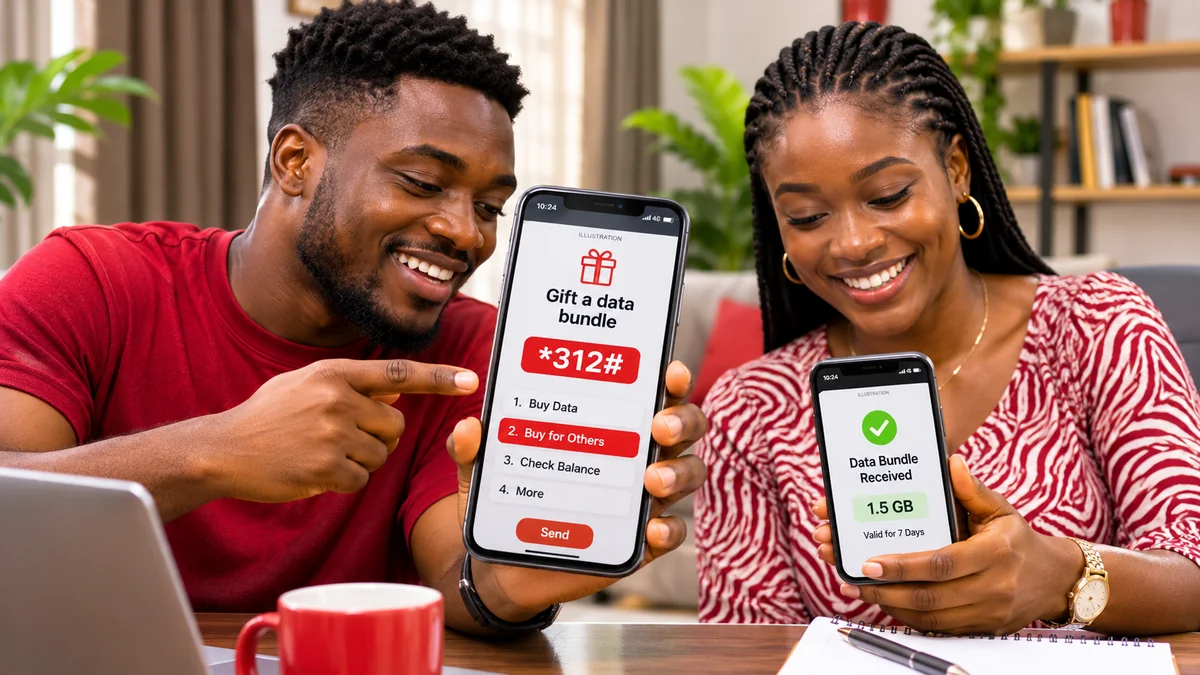
Quick answer: To share data with another Airtel number in Nigeria using a method Airtel clearly documents, dial *312#, choose the data plan you want to send, select “Buy for Others”, enter the recipient's Airtel number and confirm the purchase. Airtel calls this service Data Gifting or SmartSHARE. You pay for a new bundle; the recipient gets the data plan with its advertised volume and validity. Airtel's official Data Share & Gifting page describes the procedure.
Many Nigerians searching for how can I share Airtel data are actually asking one of two different questions: how to buy data for a friend or how to transfer part of a bundle they already own. These are not equivalent. The first is confirmed in Airtel Nigeria's published instructions; the present availability of the second is less clear from its own website. This guide explains the official options, how to check your balance and the recipient's data, what to do if a transaction fails and how to avoid outdated or unsafe codes.
Verified against Airtel Nigeria's public guidance on 13 November 2026. USSD menus, prices and eligibility can change. These instructions were not independently tested on a live Airtel SIM.
Data gifting versus transferring an existing bundle
Before dialling any code, decide which outcome you need. Some online tutorials use “sharing,” “gifting” and “Me2U” interchangeably, but that can lead to confusion about what gets deducted from your line.
| Method | What happens | Official status |
|---|---|---|
| Data Gifting / Buy for Others | You purchase a new eligible bundle for another Airtel customer. The recipient receives the plan without paying its purchase price. | Explicitly documented by Airtel using *312#. |
| *321# Gift Data Bundle menu | Airtel's FAQ directs subscribers to a menu labelled “Gift Data Bundle.” | The menu is documented, but the FAQ does not clearly establish that it transfers bytes from the sender's existing bundle. |
| Data Me2U / transfer from existing data | Would deduct an eligible quantity from a bundle already on your line, if that facility is supported. | Current availability and complete transfer rules could not be confirmed from Airtel's published service instructions. |
| Phone hotspot | Other devices use the data connection of your Airtel SIM while connected. | A device feature, not a network transfer or a new gifted bundle. |
For a predictable transaction, start with Buy for Others. Do not assume that entering another person's number in a menu will use your existing 10GB balance; Airtel says its documented gifting method charges the sender for the new plan. Where an older article promises a fixed Me2U limit, an SMS transfer format or a special PIN sequence, check the current Airtel menu or confirm with Airtel support before relying on it.
Method 1: Share Airtel data with *312# using Buy for Others
This is the clearest official way to give somebody mobile data. Airtel's Nigeria FAQs and data-plan page both point to *312# and the Buy for Others option.
- Check the recipient's number. Confirm that the beneficiary has an active Airtel Nigeria line and re-read all digits.
- Check your airtime. Dial *310# on your Airtel SIM to view your available airtime balance. Make sure you can pay for the plan selected.
- Open the bundle menu. Dial *312# from your Airtel line.
- Choose the bundle you want to gift. Browse the plans currently shown on the USSD screen and inspect the price, data volume and validity.
- Select “Buy for Others”. The label may appear after choosing the plan, rather than at the top of the first menu.
- Enter the recipient's Airtel number. Review it carefully before authorising the transaction.
- Confirm the transaction. Follow the payment prompt and read the network confirmation or any error message.
- Ask the recipient to check their balance. They can dial *323# from their own Airtel SIM.
Important: Menu numbers can change. Follow the text labels on your own screen rather than relying on an old tutorial that says “press option 14” or another fixed number. A confirmation screen, purchase receipt and the recipient's own balance check are more reliable than assuming the request succeeded because the USSD screen closed.
Method 2: Use *321# and look for Gift Data Bundle
Airtel Nigeria's FAQ also answers “How can I transfer data from my line to another line?” by telling customers to use *321# and select Gift Data Bundle. Elsewhere, Airtel identifies *321# as the unified Me2U service code.
To inspect this official menu:
- Dial *321# from the Airtel line you want to use.
- Locate an option labelled Gift Data Bundle, if it appears.
- Read what the service will charge and which bundle it will activate.
- Only proceed when the menu makes the source of payment or data clear and the recipient's number is correct.
- If no appropriate option appears, do not try arbitrary old codes; use *312# to buy a gift bundle or contact customer care.
There is a distinction between this menu reference and confirmation of an active transfer from your existing data allowance. Airtel's detailed Data Share & Gifting page describes purchasing a bundle for someone else, not an authenticated process for subtracting megabytes from the sender's current plan. This article therefore cannot promise that an existing-bundle transfer will work on every Airtel line in November 2026.
Method 3: Gift data through the My Airtel app
Airtel's official data-plan guidance identifies the My Airtel self-care app as another way to purchase or manage data. The company's FAQ also explains purchasing a bundle for another phone number through app-based self-service for supported products.
- Install or open the genuine My Airtel app from the publisher's official app-store listing or a link on Airtel Nigeria's website .
- Sign in and verify access to your Airtel number.
- Look under data purchases or any gifting / buy-for-others option available on your version of the app.
- Select the intended plan, provide the beneficiary number, and review the displayed price and validity.
- Complete the authorised payment and keep the confirmation.
- Ask the recipient to check the balance with *323#.
App menu names may differ between versions and account types. If your app offers only “Buy Data” for your own number, do not assume it supports recipient gifting; switch to the published *312# option. Never install an unknown APK from an advert promising free Airtel data.
Can you transfer data from your existing Airtel balance?
That is different from buying a new bundle. For example, if you already have 8GB and want to give a relative 1GB from those 8GB, you need an existing-bundle transfer facility. It is not the same as choosing a new 1GB plan through Buy for Others.
Airtel's published FAQ mentions a data-transfer question and the *321# Gift Data Bundle menu, but its detailed gifting page does not supply clear, current rules for transferring an existing allowance. Third-party guides disagree about whether Airtel Nigeria's Data Me2U feature is presently available. As a result, the responsible advice is to check the live menu or ask Airtel support to confirm availability, eligible bundles, maximum transfer quantity, any PIN requirement, charges and expiry behaviour for your line.
Do not assume bonus data, social-only bundles, night bundles or a borrowed balance can be transferred. Airtel has specific conditions for different bundle types; the existence of a data balance does not itself prove it is eligible for sharing. If your priority is simply getting another Airtel customer connected, the documented gifting route avoids the ambiguity.
How much does Airtel data gifting cost?
Airtel says the person sending a gift pays the exact price of the selected data bundle, and the recipient receives the gift without an additional purchase charge. Gifted bundles retain the chosen plan's volume and validity. Consult the live Airtel data-plan catalogue or USSD menu for current plan amounts.
For example, suppose a plan in your live menu has a listed price of ₦2,000. If you choose that plan for another Airtel number, expect a purchase of that plan at its stated price, subject to the service's actual checkout terms—not an automatic transfer of 2GB or any other amount from a bundle you already own. This ₦2,000 figure is only an arithmetic illustration, not a verified current Airtel product price.
Airtel also explains that bundles have validity periods and, for certain eligible renewals, defined rollover conditions. Do not infer that every gifted bundle will roll over, or that social-only data can be used for unrestricted browsing. The recipient should check the particular bundle's terms and expiry.
How to check the balance after gifting Airtel data
There are two different balances to check after a successful purchase. The sender's airtime may have been charged for the gift, while the recipient receives a new data bundle.
| Check | Official code | Whose SIM? |
|---|---|---|
| Available airtime | *310# | Sender |
| Available data and expiry | *323# | Recipient |
| Other data subscriptions | *323# | Either subscriber on their own line |
| Browse current bundle plans | *312# | Sender or recipient |
Those codes appear in Airtel's official prepaid user guide and FAQ . A sender's data balance may not change after Buy for Others because the transaction purchased a separate plan rather than moving data out of the sender's current allowance.
If you need to investigate a missing gift, record the sender number, the recipient number, the purchase time, the plan, the payment confirmation and any network response. Do not publish this information openly or hand over account credentials to strangers.
Why an Airtel data gift might fail
1. The recipient's number was entered incorrectly
Check the full mobile number before completing a purchase. An accidental transfer to another subscriber can be difficult to reverse. Ask the intended recipient to confirm the digits rather than copying an unverified contact name.
2. You did not have sufficient airtime
Data gifting purchases a plan for the other person. Dial *310# to confirm the sender's available airtime or check which payment methods appear in the live transaction. Owning a large data balance does not necessarily fund a Buy for Others purchase.
3. The chosen bundle is unavailable or incompatible
Bundles vary by price, validity and eligibility. If a specific plan does not show Buy for Others, choose a supported plan or contact Airtel. Do not assume every promotional, bonus, device or social bundle is giftable.
4. You followed an outdated USSD menu
Older tutorials may cite *141# or fixed menu option numbers. Airtel's current published Nigerian guidance identifies *312# for buying data and *321# for Me2U-related menu services. Follow the labels visible on your phone, not an unverified shortcut copied from an old post.
5. The transaction is delayed or not yet confirmed
USSD sessions can time out, an app can display an older balance, and the receiving line may take time to display a new bundle. First confirm whether the sender was charged and whether the recipient received a confirmation. Avoid repeating a paid transaction while its status remains uncertain.
Failed mobile transactions can create genuine consumer problems. FlyingEze has reported on calls for clearer service standards for failed airtime and data transactions in Nigeria . For an individual unsuccessful Airtel purchase, keep the transaction reference and seek resolution from the operator or payment provider through their official channels.
How to contact Airtel Nigeria if data sharing is not working
Airtel's official Contact Us page lists 300 as its customer-service number from an Airtel line, as well as +234 802 150 0300 and customercare@ng.airtel.com. Use these channels when you need a line-specific explanation of eligibility or an unresolved transaction.
Tell customer care whether you are trying to buy a fresh bundle for another number or transfer from your existing allowance. Those are different requests. Explain the menu you used, the time of the attempt and whether any airtime was debited. Do not share your account PIN, OTP or phone-unlock code with someone claiming to be support.
Is a mobile hotspot another way to share Airtel data?
Yes, but it is an entirely different type of sharing. You can enable a hotspot on a phone using an Airtel data connection and allow a nearby laptop, tablet or another phone to browse through it. The connected device does not receive a standalone Airtel bundle: it uses the host phone's connection and consumes the host's allowance.
On many Android phones, look for Settings → Network & Internet → Hotspot or a similarly named option. On iPhone, look for Settings → Personal Hotspot where available. Set a strong Wi-Fi password, connect only trusted devices and turn the hotspot off when finished. Hotspot availability can depend on the phone and applicable plan terms.
If the recipient is far away, a hotspot is not a practical substitute for Airtel's official Buy for Others service.
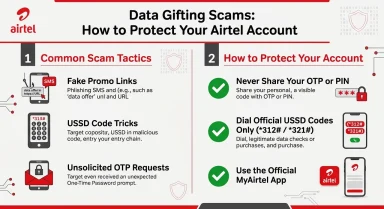
Safety tips when sharing Airtel data
- Verify the recipient. Confirm the beneficiary number before every purchase.
- Use Airtel's official codes and app. Avoid suspicious “free data sharing” apps that ask for SIM, banking or login credentials.
- Inspect the payment screen. Know whether the transaction buys a new plan or uses an existing allowance before confirming.
- Protect your Me2U PIN. Airtel's FAQ describes changing a default Me2U PIN through *321# → PIN Management → Change PIN. Its published default is 1234, so customers using a PIN-enabled Me2U service should change it. This does not mean a PIN is required for every Buy for Others gift.
- Keep receipts and messages. They can help if a transaction fails or the receiving line reports missing data.
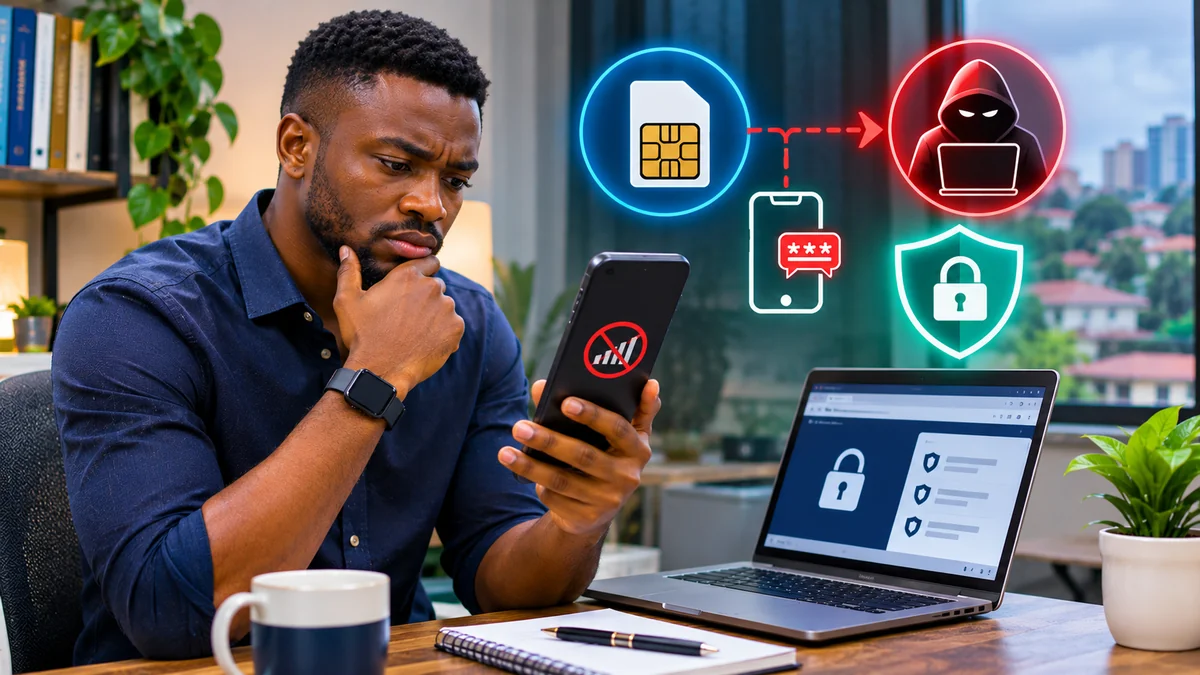
- Protect the SIM itself. Fraudsters sometimes target phone numbers and mobile accounts through SIM-swap attempts. For background, see FlyingEze's SIM-swap fraud and mobile-account security guide .
Frequently asked questions
What is the code to share Airtel data in Nigeria?
For the officially documented gift-purchase route, dial *312#, choose a data plan and select Buy for Others. Airtel's FAQ also lists *321# → Gift Data Bundle as another menu option. Follow the current prompts on your line.
Can I send 1GB from my existing Airtel bundle?
Not reliably on the basis of the publicly documented Buy for Others steps. That route purchases a new plan. Airtel's public pages do not clearly confirm current existing-balance Me2U eligibility and limits. Check the *321# menu or ask Airtel customer care whether direct transfer is available for your specific bundle.
Can I share Airtel data with an MTN or Glo number?
Airtel's described Buy for Others service is for another Airtel customer. It is not documented as a direct cross-network transfer to MTN or Glo. To support a person on another network, use a reputable purchase channel that supports that operator's own bundles.
Does buying data for someone reduce my existing Airtel data?
Not through the documented Buy for Others process. Airtel describes it as a separate bundle purchase charged to the sender, while the recipient gets a new allocation.
How can I check data someone sent me?
Dial *323# on the receiving Airtel line. Airtel states that this balance enquiry also provides validity information.
Is Airtel data gifting free?
The recipient does not pay the price of the gifted bundle, but the sender pays for the plan selected. Check the current bundle price before confirming.
Do I need a transfer PIN?
Airtel documents PIN management for Me2U services at *321#. Its published gifting steps at *312# do not establish that a separate Me2U PIN is necessary for every gift purchase. Follow the actual secure confirmation prompt.
What if *312# or *321# does not show the expected option?
Follow the menu labels that actually appear, try Airtel's official app where the feature is supported, and contact customer care on 300 if no appropriate purchase or gifting option is available. Do not rely on random SMS commands or old USSD shortcuts.
Conclusion
For anyone asking how can I share Airtel data in Nigeria, the most dependable answer from Airtel's own current published guidance is *312# → select a plan → Buy for Others → enter the recipient's Airtel number → confirm. The recipient gets a separate data bundle with the purchased plan's normal volume and validity. You can check the recipient's balance through *323#.
Transferring part of an existing Airtel bundle is a different request, and its present availability is not clearly established by the operator's detailed public instructions. Check the official *321# menu or ask Airtel before assuming such transfers will work. Confirm every charge and phone number, keep receipts and use Airtel support when a transaction goes wrong.
Editorial verification: 13 November 2026. Based on Airtel Nigeria's Data Share & Gifting, FAQ, data-plan, prepaid-code and contact pages. No live SIM transfer or purchase was attempted. Current bundle prices and menu eligibility should be reconfirmed at the point of use.