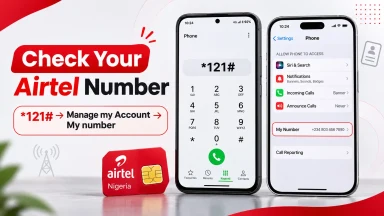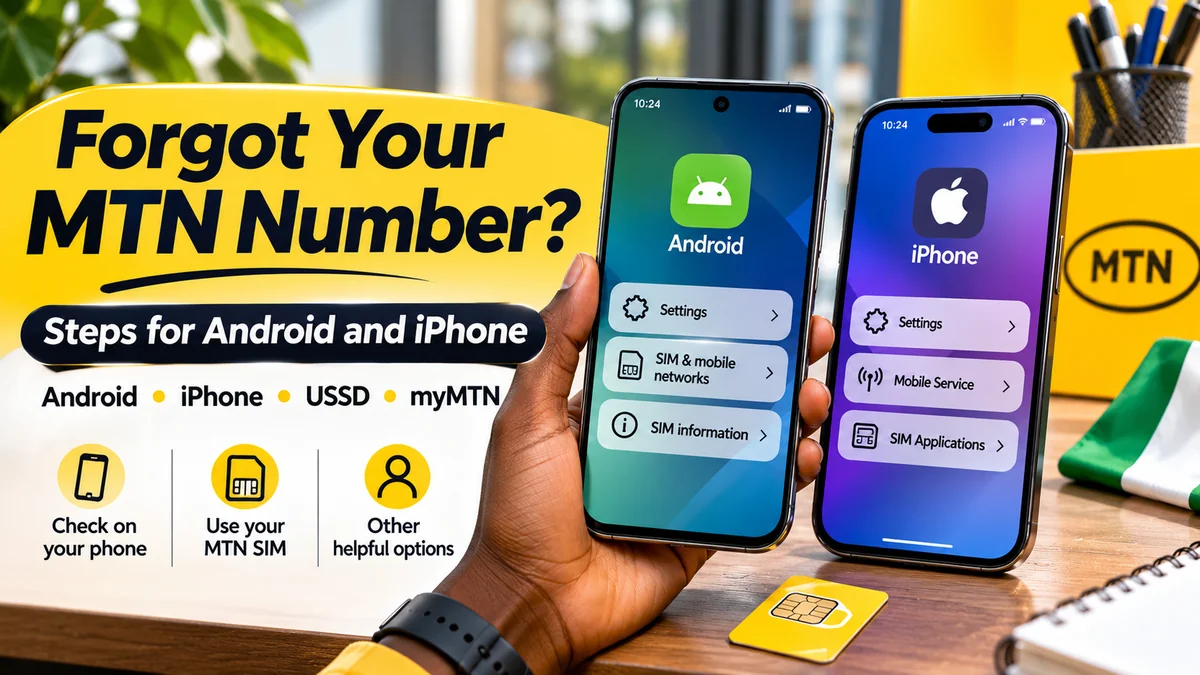
Forgot your MTN phone number? On Android, open Settings and look under About phone or SIM status. On a recent iPhone, go to Settings → Apps → Phone → My Number. If the number is missing or wrong, check an existing myMTN NG account, call or text a second phone using the MTN line, or contact MTN on 300.
People searching “how to check my MTN number” will also find USSD shortcuts such as *663# and *123*1*1#. These codes are widely reported by Nigerian guides, but as of this article's 14 November 2026 research check, we could not confirm either as a currently published number-check instruction on MTN Nigeria's own help pages. They may still work on some lines; they should not be presented as guaranteed official shortcuts.
This step-by-step guide explains reliable options for Android, Samsung Galaxy, iPhone and dual-SIM or eSIM devices, plus what to do when you have no airtime, the screen says “Unknown”, or a SIM is not registering on the network.
Quick answer: six ways to find your MTN number
| Method | What to do | Best when |
|---|---|---|
| Android settings | Settings → About phone → Phone number or SIM status | Your Android phone displays the stored line number |
| iPhone settings | Settings → Apps → Phone → My Number on newer iOS layouts | Your iPhone has the correct number saved for the line |
| Another phone | Call or send an SMS from your MTN SIM and check the recipient's screen | The line is active and outgoing calls or texts work |
| myMTN NG | Open an already signed-in account and inspect the SIM profile or linked lines | You previously set up the official app |
| MTN support | Dial 300 or use official MTN contact channels | The number remains unknown or a SIM cannot connect |
| Reported USSD shortcuts | Try *663# or the *123# self-service menu cautiously | The phone is connected, but the success of these routes is not officially confirmed |
The first four methods do not all require the same things. Checking phone settings can work offline, but a blank or stale stored number is possible. A call or SMS requires working network service and may incur a charge. An already-signed-in app can be convenient, but a new myMTN NG login may require the number you are trying to find.
Method 1: Check your MTN number on an Android phone
Android menu names differ between manufacturers and software versions, so look for a Phone number, SIM information, SIM status or About phone section rather than expecting identical screens on every device.
- Insert or activate the MTN SIM or eSIM in the phone.
- Open Settings.
- Tap About phone or About device.
- Look for Phone number. If it is not shown, open SIM status, SIM information or the mobile network settings.
- If your phone has two SIMs, confirm that the number belongs to the MTN line rather than the other operator.
- Write down the number and verify it with another method before giving it to a bank or employer.
Google's Android guidance confirms the About phone → SIM status route for viewing carrier information. Samsung's device-information guide says a Galaxy phone can display its phone number in Settings → About phone; older models may place some details under Status.
Samsung Galaxy: where to look
On many Samsung phones, open Settings → About phone. The page may show the phone number alongside model, serial-number and IMEI details. If you see “Unknown” or a blank value, it does not necessarily mean the MTN line has no number. Some SIMs do not populate that field automatically, and the record may not be current.
Other Android phones: Pixel, Tecno, Infinix and Xiaomi
Try Settings → About phone and search within Settings for SIM, Phone number or Mobile network. On some models, the number appears under a particular SIM slot. The available labels are manufacturer-specific and may change after an Android update. If you cannot find a number, do not guess it from the SIM's serial number.
Method 2: Find your MTN number on an iPhone
On current iOS layouts, Apple's Phone settings are generally found inside the Apps section. The carrier support instructions published by Verizon for iPhone specify Settings → Apps → Phone → My Number; Apple's current iPhone Phone settings guide also confirms the Settings → Apps → Phone layout.
- Open the Settings app on your iPhone.
- Select Apps, then Phone.
- Look for My Number. On older iOS versions, the route may instead be Settings → Phone → My Number.
- If more than one cellular line is installed, also open Settings → Cellular or Mobile Service and review the line labels to identify the MTN SIM or eSIM.
- Confirm that the displayed number is current by checking your MTN account or making a test call when possible.
Important: “My Number” may be blank or show a number previously saved on the phone. The stored entry is not proof on its own that the SIM is active, registered or still assigned that number. Do not alter the entry merely to make the phone display the number you hope is correct.
What if your iPhone has an MTN eSIM?
An eSIM works without a removable plastic SIM card, so there may be no physical SIM pack to inspect. Check the installed cellular plans and their labels, then use the official MTN account or a call from the correct cellular line for confirmation. A cellular plan name such as “Personal” or “Business” is a label, not the phone number itself.
Method 3: Call or text another phone using your MTN line
This is a simple cross-check when you have a working MTN connection. You can use a family member's phone or another handset you control.
- Make sure the MTN SIM is the outgoing line. On a dual-SIM phone, select MTN before calling or sending a message.
- Call or send a brief SMS to the second phone.
- Ask the recipient to read the incoming number back to you, or look at the second phone's recent-call or message information.
- Save the confirmed digits to your own contacts as My MTN Number.
This method depends on an active line and working outgoing service; calls and texts may attract normal charges. Caller-ID restrictions can hide the number on the recipient's screen, so an SMS or official account check may be more useful if a call arrives as “Private” or “Unknown”.
If you have no airtime, avoid repeated chargeable calls. Try the Settings method first or use a previously authenticated myMTN NG session over a trusted internet connection.
Method 4: Use the official myMTN NG app
MTN says the myMTN NG app supports SIM profile details, account management and linked numbers. It is available for Android and iPhone. That makes it a useful option if you have already signed in and the correct MTN line is selected.
- Open the official myMTN NG app from MTN, not an unrelated app advertising free number checks.
- Check the account header, profile, SIM details or linked-number management area for the active line. Exact menu labels may change with app updates.
- If you manage several MTN numbers, switch to the specific line you want to confirm.
- Cross-check the digits with a test call or account record if the displayed details look unfamiliar.
There is an important catch for first-time users: MTN's own app setup instructions include a sign-in option that requires entering your phone number and receiving an OTP. Therefore, installing the app from scratch is not necessarily the quickest way to recover a number you cannot remember. Use another method first if the app asks for the missing number at login.
MTN also advises users with incorrect account details to update the app and, where helpful, use the mobile-data connection from the intended SIM. See the operator's profile-information troubleshooting guidance .
Method 5: Does *663# still show your MTN number?
Many Nigerian how-to websites advise users to dial *663#, *123*1*1# or open the *123# menu to find an MTN number. These routes have been reported by consumer guides, including Legit.ng's January 2026 guide .
Verification limitation: we did not find a currently published MTN Nigeria support page that expressly confirms these particular shortcuts as its official number-retrieval method. The Nigerian Communications Commission's harmonised shortcode list does not identify a universal code specifically for displaying your own mobile number.
If you want to try a commonly reported route:
- Open your phone's dialler and select your MTN SIM if you use two lines.
- Enter
*663#and initiate the request. - If the network returns your number, verify and save it. If it reports an invalid code, do not keep retrying indefinitely.
- You can also try the
*123#self-service menu, but read the actual options on your phone; do not assume old menu numbers are unchanged. - If the menu offers a paid service or asks for an unrelated subscription, cancel and use a more reliable method instead.
USSD requests generally do not require an internet data connection, but they do require a compatible active network session. Working status, menu wording and possible service charges should not be guaranteed from an unverified online code list.
Do not confuse these official shortcodes with number retrieval
The NCC officially lists *310# for airtime balance, *323# for data-plan balance, *996# for SIM registration/NIN-linkage verification and 300 for customer support. These are different services. Checking your airtime balance or NIN linkage does not automatically reveal your telephone number.
Method 6: Contact MTN Nigeria when the number will not appear
If the SIM is inactive, phone settings show the wrong number, or USSD is unavailable, use MTN's official support channels. Its contact page lists 300 for customer service, the official WhatsApp channel 0903 300 0001 and a store locator. The regulator's nationwide harmonised shortcodes also identify 300 as the mobile-network helpdesk number.
Explain that you are trying to recover the phone number associated with a SIM or eSIM you own. Staff may need to verify that you are authorised to access the account. If the SIM is lost or cannot register, a visit to an official MTN service centre may be needed for recovery or replacement procedures.
Never publish your National Identification Number, one-time passwords, full ID details or SIM-replacement information in public comments. Use only secure channels provided by MTN. A legitimate account-verification process does not require giving a social media stranger control of your SIM.
What if your phone has two SIMs or multiple eSIMs?
Two installed lines are a common reason people accidentally copy the wrong phone number.
On Android, inspect the SIM manager or mobile network screen and note the network displayed for each slot. The number may be shown next to the relevant SIM, but labels such as “SIM 1” and “SIM 2” are not numbers. For a test call, explicitly choose the MTN line instead of whichever SIM is the default.
On iPhone, review the cellular lines under Settings → Cellular or Mobile Service. A plan called “Primary” could be MTN today but might have been a different provider previously; check the carrier information. When testing the number, select the correct voice line.
If you recently ported a number between networks, its original prefix is not conclusive proof of the current provider. The NCC's numbering information explains number allocations, while the harmonised codes include a separate service for mobile number portability. Check the actual active operator rather than relying solely on the first four digits.
Why does my phone show “Unknown” instead of my number?
Seeing Unknown in Android's About phone screen or an empty My Number field on iPhone can be frustrating, but it does not necessarily mean your MTN account has disappeared. Possible explanations include a missing or outdated SIM-stored number, a phone software or carrier-profile limitation, the wrong selected SIM, or a SIM that is not currently connecting.
Try these checks, starting with the least disruptive:
- Confirm that the correct MTN SIM or eSIM is enabled.
- Restart the phone once and let it reconnect to the mobile network.
- Check the number in a separately verified myMTN NG session or by calling another phone, if outgoing calls work.
- If an already-signed-in app shows another line, inspect the linked-number setting rather than assuming the app account matches the active SIM.
- If the handset reports no service, SIM not provisioned or an account restriction, contact MTN support.
Do not factory-reset the phone or delete an eSIM as a routine number-checking step. Those actions are unnecessary for most cases and can cause more work, including requiring eSIM re-provisioning.
No airtime, no data or no network: which option still works?
| Your situation | First thing to try | Limitation |
|---|---|---|
| No airtime | Android or iPhone settings; already-authenticated account over Wi-Fi | Outgoing calls or SMS may require balance |
| No mobile data | Phone settings or a working network USSD menu | The myMTN app may require internet access |
| No network signal | Check the original SIM pack, saved account documents or previous messages | USSD, mobile calls and OTPs may fail |
| Lost SIM | Contact MTN support and follow the official recovery process | Ownership verification may be necessary |
| eSIM on another phone | Inspect the active cellular plan and official MTN account | Do not delete the eSIM just to find the number |
If you are experiencing wider MTN connectivity problems, remember that a network-service failure is separate from not knowing your number. FlyingEze has previously reported on an MTN service disruption in Taraba , illustrating why calls or USSD requests may be unavailable during a local outage.
Can you find the number on the original SIM pack?
Sometimes. A SIM starter pack, receipt, contract or activation message may show the assigned mobile number. Check that the record is for the same SIM currently being used, particularly if the line has been replaced, reissued or ported. Do not confuse the SIM's long serial number (ICCID), the phone's IMEI or an account-reference number with the phone number people dial to contact you.
The IMEI identifies a device, not your MTN subscriber number. Dialling *#06# on many phones displays device identifiers; it is not a shortcut for viewing an MTN phone number.
How to save your number so you do not forget again
Once you have confirmed the line, save it in a contact on your phone with a clear name such as “My MTN — SIM 1”. Add a label if you use separate personal and work numbers. You can also record the number in a trusted password manager's secure note or an account document you control.
For forms, Nigerian numbers are commonly written in local format with an initial zero, such as 0803 123 4567, or in international format with +234 and the initial zero omitted, such as +234 803 123 4567. Those are fictional formatting examples, not real user contact details.
Before changing a phone number on a bank, wallet or other sensitive account, verify it through the provider's official process. Do not assume a number found in an old WhatsApp profile or contacts card is still the active number on the installed MTN SIM.
Frequently asked questions
What code can I dial to check my MTN number in Nigeria?
*663# and *123*1*1# are commonly reported online, but we could not confirm them as currently published official number-check instructions on MTN Nigeria's site. They may work on some lines. For a dependable route, check the official myMTN NG profile, phone settings or MTN support on 300.
How do I check my MTN number on Samsung?
Open Settings → About phone and look for Phone number. On some models, SIM status holds additional information. If it says Unknown, try a test call or an official account check.
How can I find my MTN number on iPhone?
On newer iOS versions, open Settings → Apps → Phone → My Number. Older versions may show Settings → Phone → My Number. If you use multiple cellular lines, also inspect your MTN plan under Cellular or Mobile Service.
Can I check my number without airtime?
Phone settings do not require airtime. If you have an existing authenticated myMTN NG session and internet access, that may also help. Do not assume every outgoing call or SMS is free.
Can I check my number using my NIN?
MTN's NIN status portal generally asks for a phone number and OTP to check linkage, so it is not a straightforward tool for recovering a forgotten phone number. The NCC's *996# is for SIM registration and NIN-linkage verification, not a general own-number display command.
Why does my Android or iPhone show a different number?
The phone might have a previously saved number, a different selected SIM, or an account linked to another line. Confirm against the active SIM using a test call, a properly authenticated MTN account or support before editing financial or identity records.
Conclusion: use a verified route before trusting an online shortcut
The fastest way to recover a forgotten MTN number depends on the phone and the state of the line. Android users can start at About phone; iPhone users can check My Number in Phone settings. When those fields are blank, a test call, previously signed-in myMTN NG account or MTN's official support on 300 can provide a more reliable answer.
Community-reported USSD shortcuts such as *663# may be worth trying, but they should not be confused with confirmed current MTN instructions. Verify the number, save it securely and check that it matches the SIM you actually use before relying on it for important accounts.