Your Airtel number is more than a way to make calls: it may be the recovery contact for your bank, email, WhatsApp, work accounts and other digital services. If someone fraudulently takes control of that number or you lose it after prolonged inactivity, the consequences may extend beyond missing calls and messages.
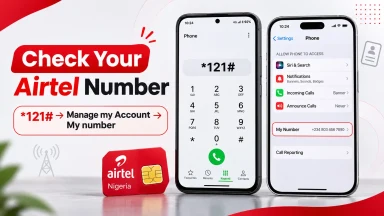
The first step in securing your line is simple: know which Airtel number you use and confirm that its registration details are accurate. Airtel Nigeria's official FAQ says you can find your number by dialling *121# → Manage my Account → My number. However, the question “how can I know Airtel number?” is only the beginning. A number displayed on your phone does not by itself prove who is registered to control it.
This guide covers safe SIM registration, NIN linkage, SIM PIN protection, unauthorised SIM swaps, stolen phones, eSIMs and number recycling. It also explains what the Nigerian Communications Commission (NCC) changed in its August 2026 SIM-registration business rules and what to do when you suspect fraud. Research checked on 16 November 2026.
Quick security checklist for Airtel subscribers
- Identify the number: dial *121# from your own active Airtel line and choose Manage my Account → My number.
- Verify registration: use Airtel's authorised customer-care, SIM-registration or NIN-verification channels if you are unsure whose identity is recorded.
- Protect the handset and SIM: enable a strong device lock and, where appropriate, a SIM PIN using the correct PIN provided by the operator.
- Protect accounts: keep unique passwords and stronger authentication on banking, email and social-media services.
- Act on warning signs: if service disappears unexpectedly or you receive an unrequested swap alert, contact Airtel immediately and protect linked bank accounts.
- Prevent number loss: keep the line active or check the terms of Airtel's official Keep My Number service before long periods of inactivity.
Not all loss of signal means fraud and not every blocked line has an identity problem. The point of a checklist is to narrow down the cause quickly without giving sensitive information to an unauthorised person.
What does SIM registration mean in Nigeria?
SIM registration is the process through which the mobile operator establishes and records the identity of the subscriber associated with a particular line. In Nigeria, the NCC's August 2026 business rules provide operational procedures for identity verification against the National Identity Management Commission (NIMC) records, NIN–SIM harmonisation, activation, number portability and recycling.
The rules require relevant subscriber records to align with the foundational identity information maintained by NIMC, subject to specific exceptions such as arrangements for qualifying foreign visitors. This is why a subscriber may be asked to correct a name or other detail in their NIMC record before Airtel can harmonise its registration database.
Three terms should not be confused:
| Term | What it means | What it does not prove |
|---|---|---|
| Phone number (MSISDN) | The digits people dial to reach the line | Who is currently registered as subscriber |
| SIM or eSIM profile | The subscriber module/profile used to connect to the network | Permanent legal ownership of the number |
| NIN linkage and subscriber registration | Identity-verification relationship with operator records | That informal possession or a private handover has been formally approved |
If you receive a working SIM from a relative or colleague, do not assume the subscriber record automatically changes to you. Ask Airtel about the appropriate, authorised registration correction or ownership-change procedure before using the number as your main banking recovery contact.
How to confirm your Airtel number safely
For a quick number check, Airtel's official instructions are to dial *121#, select Manage my Account, then My number. On a dual-SIM phone, choose the Airtel line for the USSD request. Save the confirmed number somewhere secure and check the associated account names in your banking and messaging apps.
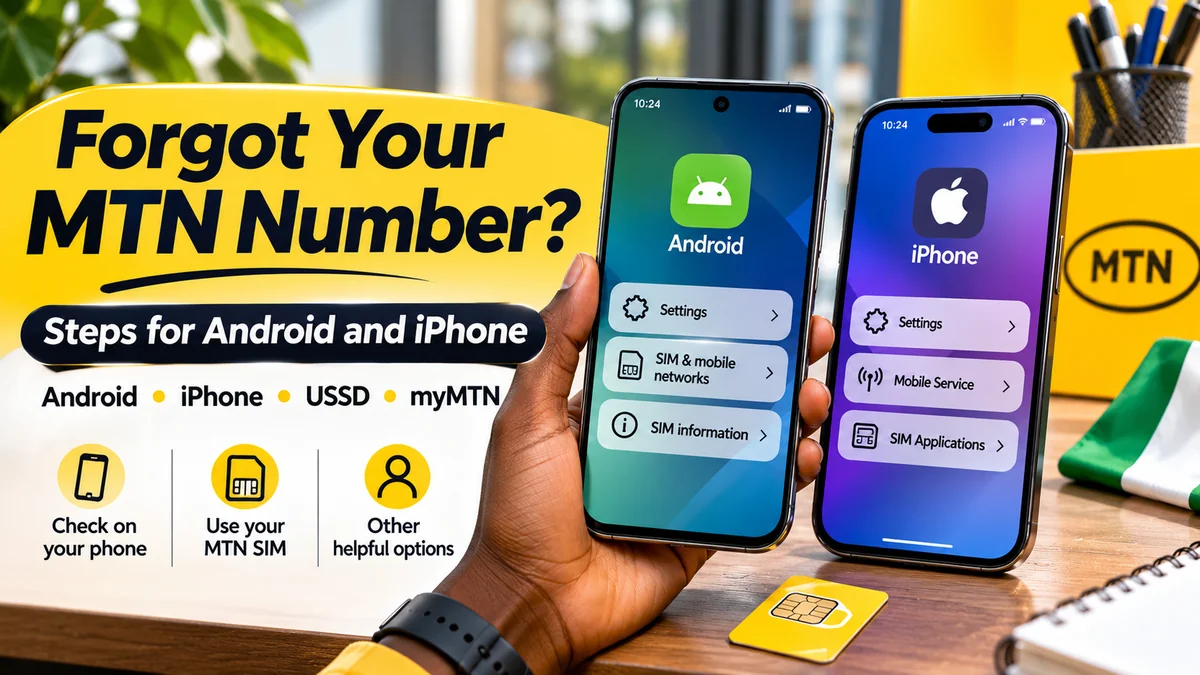
If the phone shows “Unknown” under SIM information, that is not necessarily a registration failure. A blank handset field may coexist with working voice and data service. Use the operator's menu or a test call to confirm the number. FlyingEze's published guide to checking an Airtel number on Android or iPhone explains the device-based steps.
Important: neither a successful call nor a number displayed in WhatsApp is a certificate of registration in your name. It only provides evidence of access to a line or an app account at that point in time. A disputed subscriber record requires Airtel's own verification process.
How to verify or correct NIN linkage without exposing your details
The NCC's SIM–NIN integration FAQ *996# as a cross-network NIN–SIM service. Airtel's prepaid guide
Follow this safe process:
- Check the right Airtel line and establish the number through *121# if necessary.
- Use only official Airtel or NCC/NIMC instructions to review your line's NIN–SIM status, including the current *996# on-screen options where available.
- Compare your own records if the operator reports a mismatch. Confirm the details in your legitimate NIMC documentation.
- Correct foundational NIMC information first when that is the source of the discrepancy, then ask Airtel to complete the appropriate record harmonisation.
- Keep your case reference if further identity verification or an authorised service-centre visit is required.
Older NCC FAQ sections retain historical operator-specific linkage instructions and 2020/2021 deadlines. Those archived deadlines are not new 2026 instructions. Use the live operator menu and current NCC rules, especially when a website or message gives a conflicting code.
Never enter your NIN, date of birth, fingerprint or selfie into an unrelated “verify SIM owner” website. A NIN or OTP request should be expected only in a verified process you initiated. There is no legitimate need for a third-party website to publicly reveal the registered person's identity behind an arbitrary phone number.
How to register or replace an Airtel SIM through authorised channels
Use the Airtel outlets or authorised registration points identified by the operator. Airtel's FAQ *386# to locate shops and KYC locations, and its contact page
At a legitimate registration or replacement session, staff may verify identity, confirm NIN details or request approved supporting evidence as required for the transaction. Ask what is needed for your exact case. Registration, correction, replacement and change of subscriber are distinct procedures; avoid paying a street agent who claims to bypass them.
Do not buy a supposedly “already registered” SIM whose subscriber identity you cannot verify. The NCC says it audits and enforces rules against improper pre-registered SIM sales. A card purchased informally can create future problems with recovery and access to financial services.
Keep records of authorised transactions and receipts, but do not post your registration documents or SIM packaging publicly. If an outlet or agent behaves suspiciously, leave and independently contact Airtel before submitting sensitive data.
Protect your Airtel SIM with a PIN—and understand its limits
A SIM PIN helps stop someone from using a protected SIM card in another handset without entering the correct code. In its 30 July 2026 consumer guidance , the NCC recommends combining a SIM PIN with a strong phone screen lock and safeguarding the associated PUK information.
For Android, the SIM lock may be under Settings → Security & Privacy → SIM Card Lock or another manufacturer-specific section. On iPhone, it is typically under Settings → Cellular/Mobile Data → SIM PIN for the relevant plan. The NCC notes that menu labels vary by device.
Do not guess the existing SIM PIN or keep trying combinations. If you do not know the operator-supplied PIN, ask Airtel before enabling or changing the setting. Repeated failures can lock the SIM and require a PUK, and incorrect PUK attempts can make a replacement necessary.
A SIM PIN is not a complete defence against a fraudulent operator-side SIM swap, because a criminal may attempt to transfer the number to an entirely different SIM. It also does not replace your device password, banking security controls or the account recovery methods used by online services.
What is SIM-swap fraud, and why does it matter?
A legitimate SIM swap transfers an existing number to a replacement physical SIM or eSIM profile after appropriate verification, such as when a card is damaged or a phone is lost. An unauthorised SIM swap is when someone improperly causes that number to be moved to a SIM or profile they control.
The immediate risk is that calls and SMS codes intended for you may reach another person. If a bank, email account or social network relies heavily on SMS for password resets or sign-in, possession of the number can help an attacker attempt account takeover. It does not mean every account becomes accessible automatically; each provider may have additional safeguards.
Possible warning signs include an unexpected SIM replacement message, suddenly losing normal mobile service while nearby customers still have coverage, or receiving alerts about account recovery or profile changes you did not request. These signs can have innocent explanations, so verify urgently rather than assuming a crime has already occurred.
The NCC's August 2026 TIRMS guidance discusses SIM swaps and their relationship to financial-account risk. FlyingEze's SIM-swap fraud and mobile banking explainer provides more background on this specific type of account security incident.
What to do immediately if your Airtel SIM or phone is lost
Act quickly, especially if the line receives banking codes or important account-recovery messages. The order below is a practical response plan rather than a guarantee that a particular service will be restored within a fixed time.
- Contact Airtel through independently verified support. Call 300 from an Airtel line or the official alternative numbers from another device, and request help restricting a lost or compromised SIM.
- Tell the provider if you suspect unauthorised swapping. Ask whether there is a recent replacement, eSIM change or registration issue, and obtain a complaint reference.
- Notify affected banks or payment providers immediately if the line is linked to financial accounts, especially if transactions or alerts are suspicious. Ask about appropriate account restrictions and recovery safeguards.
- Secure your email and other important accounts using a trusted device: change compromised passwords, review active sessions and use non-SMS authentication methods where available.
- Use your device maker's official find/lock tools if you had enabled them, without posting your credentials or device details in public forums.
- Arrange an authorised SIM replacement through Airtel, completing the operator's required identity verification. Do not ask an unknown broker to issue a new SIM in your name.
- Check account access after recovery. Restore approved authentication methods, examine notifications, and update any affected recovery settings.
Airtel's eSIM FAQ specifically tells customers who lose an eSIM-enabled device to contact the operator to block their number and then use its authorised SIM-swap process with valid identity information. Its customer support listings provide routes for subscribers who cannot call from the affected line.
The NCC also advises consumers who experience financial loss linked to an illegal SIM swap to contact their bank promptly, while disputes over the registration process can be investigated through telecom complaint channels. Do not wait for a routine SIM replacement to finish before protecting your money.
How to spot fake Airtel registration links and identity-theft messages
Fraudsters may imitate telecom operators, government agencies or registration teams. A message may claim that your SIM will be barred “in 30 minutes”, offer a shortcut to NIN verification or say you must pay a private account to stop disconnection.
In a 13 November 2026 consumer warning , the NCC described fake device-registration websites using official-looking branding to collect passwords, OTPs, bank information and personal details. The same warning signs are relevant when evaluating suspicious Airtel or NIN messages.
| Warning sign | Safer response |
|---|---|
| Urgent WhatsApp/SMS link claiming your SIM is blocked | Do not open it; visit Airtel's independently entered official website or call 300 |
| Agent requests an OTP, banking password or card PIN | Do not share it; end the conversation and report suspicious activity |
| Personal bank-account payment for “NIN approval” | Verify any legitimate charge directly with Airtel and obtain an official receipt |
| Website with Airtel logo but misspelled domain | Check the full address; branding alone cannot establish authenticity |
| Offers to reveal the owner of any phone number | Avoid the service; subscriber identity records are not a public lookup directory |
| “Guaranteed instant SIM swap” without identity checks | Use the operator's approved verification and replacement process |
Never share account-recovery codes or biometric information through informal messages. If you already entered credentials on a suspicious site, stop interacting with it, change affected passwords through legitimate channels and notify any bank or other service whose information was exposed.
For related examples of suspicious telecom messages and requests for account access, see FlyingEze's guide to data-gifting scams targeting Airtel accounts . The common safety principle is to verify requests independently before disclosing codes or authorising changes.
Protect your bank, email and WhatsApp accounts linked to Airtel
A mobile number is often used for alerts and account recovery. Protecting Airtel registration is therefore one part of protecting your broader digital identity.
- Use strong, unique account passwords. A SIM PIN does not protect an email account that shares a leaked password with another service.
- Prefer stronger authentication where available. A passkey or authenticator app may reduce dependence on SMS for supported accounts, although you must also secure recovery methods and backup codes.
- Review recovery information periodically. Check which phone number and email address each important service has on file.
- Enable transaction alerts and inspect statements. Alerts are useful but do not replace checking accounts through the official bank app or website.
- Keep devices up to date. Install system and security updates from the device manufacturer, and avoid unauthorised APKs or software asking for SMS access without a clear need.
- Secure WhatsApp and similar services. Enable their available account PIN or verification controls and be suspicious of unexpected login or device-linking requests.
- Keep private documents private. NIN slips, passport scans and SIM registration receipts can contain information that scammers may abuse.
No single setting guarantees that a mobile account cannot be compromised. Layered protection—accurate registration, secure devices, safer authentication and rapid reporting—reduces the chance that one problem becomes a larger financial or privacy incident.
Can an inactive Airtel number be recycled?
Yes. A line unused for a long time can be disconnected, churned or reassigned under applicable rules and the operator's service conditions. The NCC's August 2026 business rules include procedures for recycling and removing previous NIN associations before a number is activated for a new subscriber.
The rules discuss prolonged inactivity, including scenarios involving approximately 360 days, but this is not an instruction to rely on a universal 360-day grace period. Service restrictions, retention offers, regulatory provisions and individual account conditions can differ. Do not wait until a deadline you cannot verify before protecting a number that matters to you.
Airtel advertises a Keep My Number service for eligible prepaid customers expecting an extended absence. Its FAQ references *494#. Check the current eligibility, price, renewal and roaming conditions directly; do not assume the service is free or that an expired subscription will prevent number recycling.
If you permanently abandon a line, update your bank, email, messaging and business contacts before losing access. Otherwise, a new legitimate subscriber may receive messages originally intended for you.
What should you do if you receive another person's bank alerts?
A newly assigned Airtel number may previously have been used by somebody else. This is possible with recycled numbers. If you receive their bank notifications or account-recovery messages, do not try to access their account or share the content online.
Contact the bank or service provider using its official contact channel and explain that the number has been reassigned. If appropriate, also contact Airtel to clarify the line's current registration status. The NCC's TIRMS consumer explanation specifically recommends notifying the institution when a recycled number receives private financial messages intended for a previous user.
The reverse situation matters too: if you stop using a number, remove it from sensitive services before it can be reassigned. A recycled number does not carry a right to access someone else's accounts.
How TIRMS is intended to reduce SIM-swap and recycling risks
In August 2026, the NCC explained the Telecoms Identity Risk Management System (TIRMS). It is designed to let authorised organisations, such as eligible financial services providers, check risk-relevant status changes including swapped, churned, blacklisted and reassigned numbers.
That can provide another signal when a bank is deciding how to handle a sensitive account request. However, TIRMS is not a public directory where anyone can type a number to find its owner, and its existence does not guarantee that every fraud attempt will be stopped or that a number can be recovered.
Consumers should still use strong account protection, keep subscriber details accurate and respond quickly to unexplained loss of service.
What about an Airtel SIM registered by a parent, relative or employer?
Families and businesses sometimes hand lines to other people. A teenager may use a SIM initially registered by a parent, while an employee may carry a company-controlled line. Neither situation means that the registration database automatically updates whenever the handset changes hands.
The 2026 NCC rules describe identity harmonisation and particular procedures for family, corporate and subscriber-record situations. They do not authorise a person to bypass verification merely because they can receive an OTP on the SIM.
If the number is important for banking or work, ask Airtel which subscriber or corporate-authorisation procedure applies. Seek the registered subscriber's cooperation where required. Do not submit another person's NIN as your own or use a private “SIM ownership transfer” agent who offers to change records without proper checks.
Airtel security codes and official support channels
| Code or channel | Purpose | Important distinction |
|---|---|---|
| *121# | Airtel self-service, including My number | Retrieves the number; does not prove registered ownership |
| *996# | NIN–SIM-related verification and services | Not a public lookup of someone else's identity |
| *386# | Find Airtel shops and KYC locations | Verify the outlet through official Airtel channels |
| *494# | Airtel Keep My Number information/service | Subject to eligibility, costs and current terms |
| 300 | Airtel customer care from an Airtel line | First contact for suspicious loss of service or SIM issues |
| +234 802 150 0300 / +234 802 152 0800 | Airtel's listed alternative contact numbers | Useful when the Airtel SIM cannot make calls |
| 622 | NCC consumer complaint escalation | Normally contact the operator first and retain your complaint reference |
Verify numbers and menu options against Airtel's contact page and the NCC complaint procedure . Services and menus can change. For an unresolved complaint, the NCC asks consumers to provide their service-provider ticket details so the regulator can assess the matter.
A practical seven-day Airtel number-security review
This is a simple personal checklist, not an official Airtel or NCC programme. You can complete the actions in less time; the seven-day structure makes each step easy to remember.
| Day | Action | What you should have afterwards |
|---|---|---|
| 1 | Confirm your Airtel number using official self-service | Correct number saved privately |
| 2 | Check subscriber or NIN details through verified channels if uncertain | Clarity about any correction needed |
| 3 | Review phone screen lock and SIM PIN settings | Appropriate protective settings without guessing PINs |
| 4 | Review bank and email recovery contacts | Correct current contact methods |
| 5 | Enable supported stronger sign-in protection | Reduced dependence on a single SMS code |
| 6 | Check whether the line needs a retention plan during future absence | Active usage or a verified retention decision |
| 7 | Save official Airtel and bank emergency contacts | Faster response if the SIM is lost or swapped |
Frequently asked questions
How can I know my Airtel number before checking SIM registration?
From your Airtel SIM, dial *121#, select Manage my Account, then My number, according to Airtel Nigeria's official FAQ. Knowing the number is a first step; registration disputes require operator verification.
How can I check whether my Airtel SIM is linked to my NIN?
Use the current official Airtel or NCC/NIMC registration channels. The NCC identifies *996# as a NIN–SIM service. Follow the on-screen options and ask Airtel for identity verification if there is a mismatch or a dispute. A status result is not a public ownership certificate.
Can someone steal my Airtel number if my SIM has a PIN?
A SIM PIN can make a protected card harder to use in another phone. It does not prevent every possible unauthorised operator-side SIM swap. Protect the device, accounts and recovery methods too, and report suspicious changes.
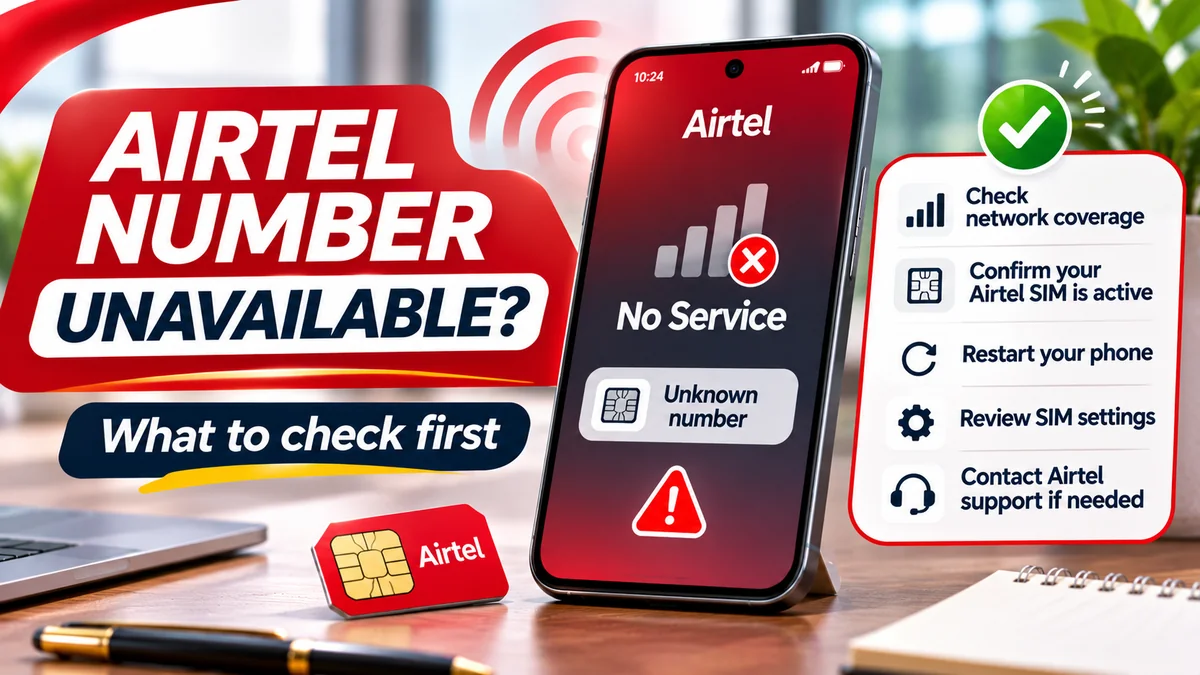
What if my Airtel line suddenly says No Service?
First check signal, SIM settings and common network problems. If service disappears unexpectedly and you suspect fraud, contact Airtel immediately, then secure any linked bank or other important accounts. “No Service” alone does not prove a SIM swap.
Can a person with my NIN register a SIM?
Nigerian registration rules require identity verification; possession of an NIN alone should not be treated as proper authorisation. If you suspect misuse of your identity, notify Airtel and relevant authorities through verified channels and request an investigation. Do not share additional identity evidence with unofficial intermediaries.
Can I transfer a SIM registered in my parent's name into my name?
There may be an approved process depending on the registration history and circumstances. The NCC rules address relevant harmonisation cases, but no blanket automatic transfer follows from possessing the card. Ask Airtel which verification, consent and documents apply.
Does *121# show the registered owner's name?
Airtel documents *121# for number self-service. It is not advertised as a public tool to reveal any subscriber's identity. If you need to resolve a registration mismatch concerning your own line, contact Airtel.
Will Airtel keep my number permanently if I stop using it?
Not automatically. Prolonged inactivity can lead to disconnection and eventual recycling under applicable rules. Airtel offers a Keep My Number service for eligible prepaid subscribers, but its price, term and renewal requirements should be verified before relying on it.
Can someone access my bank account if they acquire my recycled number?
A recycled number can create account-recovery risks where the previous user failed to update bank or other service records. However, account access depends on the financial institution's other security checks. Notify service providers before abandoning the number, and never attempt to use messages intended for a former subscriber.
What is NCC TIRMS?
The Telecoms Identity Risk Management System is an NCC initiative enabling authorised organisations to check number-status risks such as SIM swaps and recycling. It is not a public mobile-subscriber-name search tool or a replacement for personal security practices.
Where do I complain if Airtel does not resolve a SIM-registration issue?
First submit a complaint to Airtel and keep the ticket/reference number. If unresolved, the NCC consumer complaint procedure provides escalation via 622 and other official channels. If money is at risk, contact the bank immediately rather than waiting for telecom complaint escalation.
Final takeaway: protect both the registered line and the accounts behind it
Knowing how to retrieve an Airtel number is useful, but keeping it secure requires accurate subscriber details, careful NIN handling, secure SIM and device settings, protected online accounts and quick action when something changes unexpectedly.
Start with Airtel's official number-check menu, use authorised channels when registration needs correction, and treat unsolicited SIM-suspension messages with suspicion. A SIM PIN can reduce physical-card misuse, while stronger account authentication and prompt reporting help limit the damage from a compromised or reassigned number.
Editorial note: Researched on 16 November 2026 using Airtel Nigeria and NCC primary sources, including the NCC's August 2026 SIM-registration business rules. This article provides consumer-security guidance, not a guarantee of account recovery or individual legal advice. Confirm current operator procedures and fees before acting.