Cloud hosting is often cheaper for a small business starting a website or application, but owning or renting a traditional server can cost less for certain predictable, continuously busy workloads. The answer depends less on the advertised server price than on the total cost of running the service: hardware, support, power, internet, backups, security, data transfer, downtime and future growth.
A small retailer launching a website may only need inexpensive managed hosting. A company running a customised customer portal could use a modest cloud virtual machine. A manufacturer with local software and reliable in-house IT may justify a physical server. Comparing those situations as if they were identical is the mistake behind many “cloud versus server” cost claims.
Below, we explain the differences, check published cloud prices, and calculate a transparent three-year example. Prices were checked on 14 November 2026; example budgets and labour rates are assumptions, not vendor quotations.
Cloud hosting vs traditional servers: what are we comparing?
Cloud hosting means running a website, application, database or related workload on infrastructure delivered by a cloud provider. A cloud virtual private server (VPS) or virtual machine is still a server; the provider owns the underlying hardware, while the customer rents allocated resources. Cloud products also range from infrastructure that you administer yourself to managed application and database services.
Traditional servers can mean several different things: a physical server bought and installed at the business premises (on-premises); a dedicated physical server rented from a hosting company; or a traditional shared-hosting account. These are not interchangeable. A hosted dedicated server avoids building a data centre but usually has a fixed rental and may still require the customer to administer the software. Shared hosting is a managed, low-cost product in which many websites share infrastructure, not the same as owning a machine.
| Hosting approach | Who owns hardware? | Typical cost shape | Best fit |
|---|---|---|---|
| Shared or managed website hosting | Hosting provider | Low subscription, defined limits | Brochure sites, blogs, small CMS sites |
| Cloud VPS / virtual machine | Cloud provider | Monthly or usage-based compute plus extras | Custom websites, apps, APIs |
| Managed cloud platform | Cloud provider | Service tiers, storage, network and operations fees | Teams seeking less hands-on administration |
| Hosted dedicated server | Hosting provider | Recurring fixed rental plus management | Steady resource-intensive workloads |
| On-premises physical server | Your business | Upfront purchase plus ongoing operations | Local systems or special control requirements |
What does cloud hosting actually cost in 2026?
Published entry-level cloud prices provide a useful starting point. As checked on 14 November 2026, DigitalOcean's Basic Droplet pricing lists a regular shared-CPU virtual machine with 2 vCPUs, 4 GiB RAM and 80 GiB SSD storage at $24 per month. Amazon Lightsail's Linux plan with public IPv4 lists 2 vCPUs, 4 GB RAM and 80 GB SSD storage at $24 per month, with a stated transfer allowance. Both are examples, not a claim that the two plans deliver identical CPU performance, bandwidth policies, availability or management features.
Basic instances can cost less; larger instances or dedicated compute can cost considerably more. Region, currency conversion, taxes, operating system, transfer allowances and promotional credits can change the payable total. Always reopen the provider's official calculator before buying.
Backups are a clear example of an extra expense. DigitalOcean's documented percentage-based backup prices add 20% of a Droplet's cost for weekly backups or 30% for daily backups. On a $24 instance, that is $4.80 or $7.20 monthly, respectively. Snapshots and backups are not necessarily a complete independent disaster-recovery system, particularly for frequently changing databases. More frequent recovery points, offsite copies and restore testing may cost more.
Cloud costs also rise if the business adds managed databases, extra disks, object storage, outgoing bandwidth, load balancers, firewalls or paid technical support. A $24 server should therefore not be advertised as the total cost of a production-ready e-commerce platform without explaining what is included.
The hidden expenses of traditional servers
Owning a physical server involves an upfront investment, but the purchase price is only one line of the budget. Depending on the business's setup, it may also need uninterrupted power, cooling, a UPS, reliable broadband, a suitable networking device, locked premises, security patching, replacement parts, remote backups and a qualified technician. If high uptime is required, a single machine is also a single point of failure unless the design includes redundancy.
For Nigerian businesses, the power and cooling assumptions deserve special attention. Running an in-office server through grid interruptions may involve UPS replacement, generator fuel or solar capacity. FlyingEze's comparison of solar versus generator costs for Nigerian small businesses offers useful context on evaluating energy expenses rather than counting only equipment purchases.
In contrast, renting a dedicated server moves the physical electricity, cooling and hardware ownership to a hosting provider. But it remains a recurring expense, and you still need to ask whether operating-system patches, monitoring, security, backups, replacement service, support response and data transfer are included. A dedicated server is not automatically managed hosting.
Three-year cost comparison: a realistic budgeting exercise
Consider a small business running a modest customer portal continuously for 36 months. Assume a cloud VPS has enough measured capacity to serve its workload, and the business is comparing it with a rented dedicated server or a modest server it buys. This is a budgeting illustration, not a like-for-like performance benchmark or vendor quote: physical-server capacity and service levels can differ substantially from a shared-CPU virtual machine.
For the cloud option, use the currently published DigitalOcean $24/month 2-vCPU/4-GiB base rate and $4.80 weekly-backup option. All other amounts below are explicitly invented planning allowances to show the method; they are not claims about actual market prices.
| Budget component | Cloud VPS | Rented dedicated server | Owned on-premises server |
|---|---|---|---|
| Upfront hardware/UPS | $0 | $0 | $1,200 assumed |
| Base monthly server or rental | $24 published example | $60 assumed | $0 after purchase |
| Basic cloud backup | $4.80 published example | Included below in backup allowance | Included below in backup allowance |
| Other backup/storage allowance | $10 assumed | $10 assumed | $10 assumed |
| Power/cooling allowance | Included in provider service | Included in rental | $15 assumed/month |
| Incremental business connectivity | Not modelled | Not modelled | $15 assumed/month |
| Administration/maintenance time | $30 assumed/month | $40 assumed/month | $50 assumed/month |
| Monthly operating estimate | $68.80 | $110 | $90 |
| 36-month total | $2,476.80 | $3,960 | $4,440 |
In this narrow example, cloud is cheaper over three years by $1,483.20 than renting the illustrative dedicated server and by $1,963.20 than owning the illustrative local one. The owned-server cost is $1,200 upfront plus 36 × $90; the cloud cost is 36 × $68.80; and the dedicated-server cost is 36 × $110.
Several items are deliberately excluded from all options: software licences, taxes, domain registration, application development, payment fees, security incidents, unexpected hardware replacements and the cost of downtime. A real comparison should add them wherever applicable. The assumptions will also change if the company already employs an IT administrator, has spare server capacity, or needs high availability and stronger backup recovery targets.
When the result can reverse
Imagine the same firm requires eight times the resources, 24-hour heavy CPU use, substantial outbound traffic and large storage volumes. The smallest cloud VM will not be suitable, and a cloud design may require costly dedicated compute, managed databases and multiple nodes. A competitively rented dedicated server might offer a lower ongoing cost for that stable load. Equally, an expensive server sitting mostly idle does not become good value simply because the company owns it.
The most useful comparison is cost per workload delivered at the necessary performance, security and reliability, not the price of two unrelated machines. Benchmark application response times, database operations and peak user loads before choosing the cheaper-looking option.
Cloud hosting costs that small businesses often overlook
Data transfer, storage and database growth
Cloud servers may have included transfer allowances, but excess egress, inter-service traffic, snapshots, disk capacity and managed databases can increase bills. A media-heavy website may save money by serving images through appropriately priced object storage and a CDN instead of sending all files from the application server. Compare transfer rules by region and direction.
Security and software management
Cloud does not eliminate the need for technical staff. In the AWS shared-responsibility model , the provider protects underlying infrastructure while the customer using infrastructure-as-a-service generally remains responsible for the guest operating system, application software and security configuration. Managed services change that division but may have higher subscription costs. Estimate patching, access management, monitoring and incident response in every option.
Backup and disaster-recovery testing
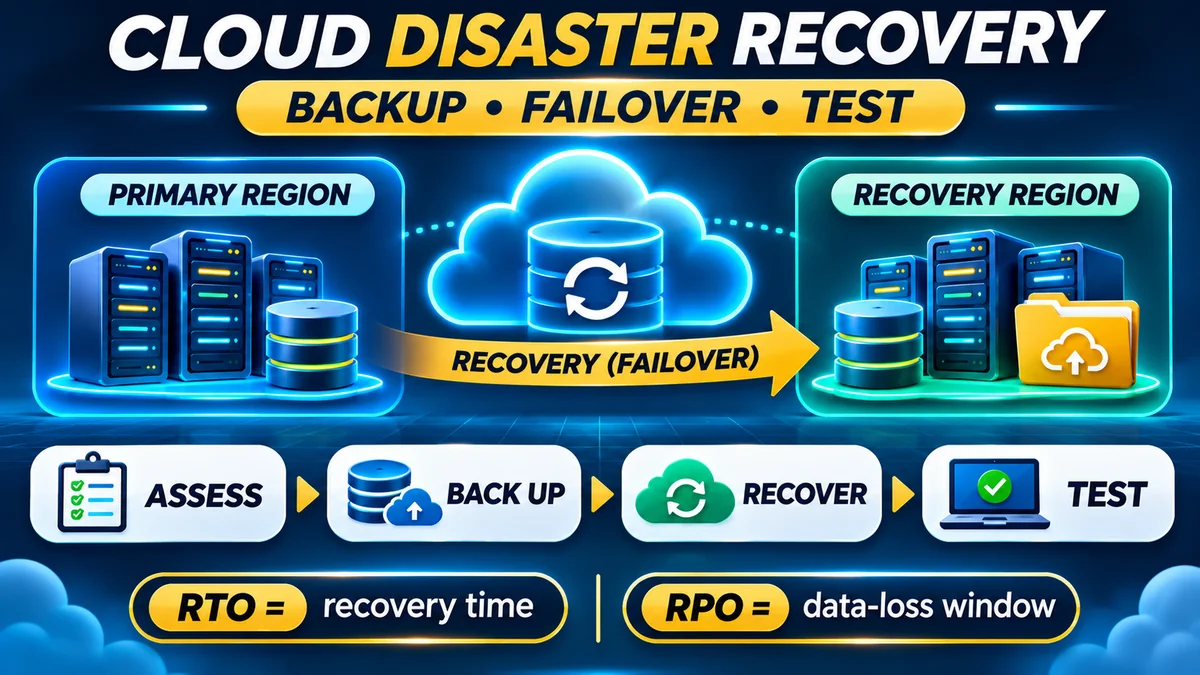
Do not assume one cloud snapshot or a single attached external disk is sufficient. The real cost includes how much data the business can afford to lose, how quickly it must recover and whether a backup can actually be restored. FlyingEze's 3-2-1 backup strategy for business files and databases explains why keeping independent copies matters.
Downtime and operational disruption
Neither cloud nor on-premises hosting guarantees zero downtime. Network outages, configuration errors, provider incidents, failed hardware and power problems can affect either model. Uptime Institute's 2025 outage analysis highlights the role of power, IT/network issues and human procedures. Its large data-centre findings should not be mistaken for a predicted outage bill for a small shop; they illustrate why a business should assess its own downtime exposure.
A practical estimate is: expected annual downtime cost = estimated lost contribution and recovery expense per hour × expected unavailable hours. Include missed sales, staff disruption and recovery work rather than assuming every hour of downtime equals a full hour of revenue loss.
Which hosting choice costs less for different kinds of small businesses?
A brochure website or small blog
For a simple site that displays services, contact details and a few updates, low-cost shared or managed website hosting may be cheaper than administering a cloud VM or buying hardware. Check renewal pricing, storage, email, backups and the ability to move your website later. A cloud server is not a badge of quality if a simple managed package meets the same requirement.
A growing online shop or appointment application
A managed cloud platform or suitably configured cloud VPS can make sense when the business needs custom code, background jobs, databases or room to grow. Start with measured capacity, not an oversized cluster. Monitor both hosting bills and site performance: FlyingEze's guide to running a proper website speed test can help teams avoid basing hosting decisions on a single misleading result.
A business with a local point-of-sale or inventory system
For operations that must continue during an internet outage, an on-site device or local server can be valuable. That does not mean the public-facing application, central reports and offsite backups must all run locally. A hybrid design can keep limited essential operations available at the branch and synchronise with cloud services when connectivity returns. Its hardware, software reconciliation and support costs still need to be counted.
A software company with steady heavy traffic
Consistently high resource use can favour reserved or committed cloud capacity, or a rented dedicated server, depending on performance and transfer charges. But small teams should calculate the cost of operational staffing alongside hardware: a cheap unmanaged machine can become expensive if outages require frequent engineering intervention.
How to calculate the true cost of hosting your business
- Define the workload. Identify actual users, peak traffic, CPU, memory, storage, data transfer and database activity. Include expected growth and business hours.
- Specify reliability. Document acceptable downtime, recovery time and permissible data loss. Compare providers against the same targets.
- Gather real quotations. Request one-year and three-year prices for cloud VPS, managed hosting, dedicated rental and physical ownership where applicable. Separate introductory prices from renewals.
- Add every operating item. Include backups, licences, security, power, cooling, connectivity, monitoring, maintenance, staff and outsourced support.
- Model currency exposure. Nigerian businesses paying dollar-denominated hosting bills should calculate a realistic naira budget using their actual payment-provider FX rate, relevant fees and exchange-rate scenarios—not a fixed invented conversion rate.
- Test cost scenarios. Estimate low, expected and high traffic. Include downtime, data-transfer surges and capacity upgrades.
- Review quarterly. Remove unused services and right-size capacity based on real metrics. Google Cloud's cost-optimisation guidance recommends matching resource consumption to business value and monitoring utilisation over time.
For owners juggling hosting, payroll and marketing expenses, the same discipline used in a 13-week small-business cash-flow forecast can help distinguish an affordable monthly bill from a sustainable long-term commitment.
Frequently asked questions
Is cloud hosting always cheaper than buying a server?
No. Cloud can reduce upfront capital spending and make scaling easier, but heavy, stable workloads can make rented or owned equipment competitive. The comparison must include maintenance, energy, backup, support, transfer and replacement costs.
What is the cheapest hosting for a small business website?
A basic shared or managed hosting plan may be cheaper than a cloud VM for a simple brochure website. Price alone is not enough: confirm reliability, security, backups, renewal charges and support quality.
Does cloud hosting mean my business needs no IT administrator?
Not necessarily. A self-managed cloud VPS still needs operating-system patches, application updates, monitoring and security controls. Fully managed platforms reduce some duties but usually have a different price structure.
Is an on-premises server better when internet service is unreliable?
For locally critical workflows, a local system can support limited offline operation. However, backups, replication, remote access and branch synchronisation require thoughtful design. A hybrid setup is often more practical than putting every function on one local machine.
How much should a Nigerian small business budget for cloud hosting?
Start from the provider's verified plan price, add required backups and other services, and budget in naira using a realistic exchange-rate and payment-fee assumption. Cloud pricing is commonly published in US dollars; the actual local-currency cost can change independently of the server plan.
Can I move from a traditional server to the cloud later?
Usually yes, but migration may involve application changes, database transfer, DNS updates, testing and planned downtime. Include migration and exit costs when comparing long-term options and avoid unnecessary dependence on proprietary services.
The verdict: which option offers better value?
For many small businesses with modest or changing workloads, simple shared hosting, managed hosting or a right-sized cloud VPS will be the lower-risk financial starting point because it avoids large upfront hardware purchases and much of the physical infrastructure burden. For a reliably busy workload that needs predictable resources, a rented dedicated server may be more economical. On-premises servers can make sense when offline operations, control requirements or already-owned capacity justify their additional operational responsibilities.
The best decision is not “cloud at all costs” or “buy it once and own it”. It is the lowest three-year total cost of ownership for a service that delivers acceptable performance, availability, security and recoverability. Measure the workload, verify the full bill, and revisit the decision as the business grows.