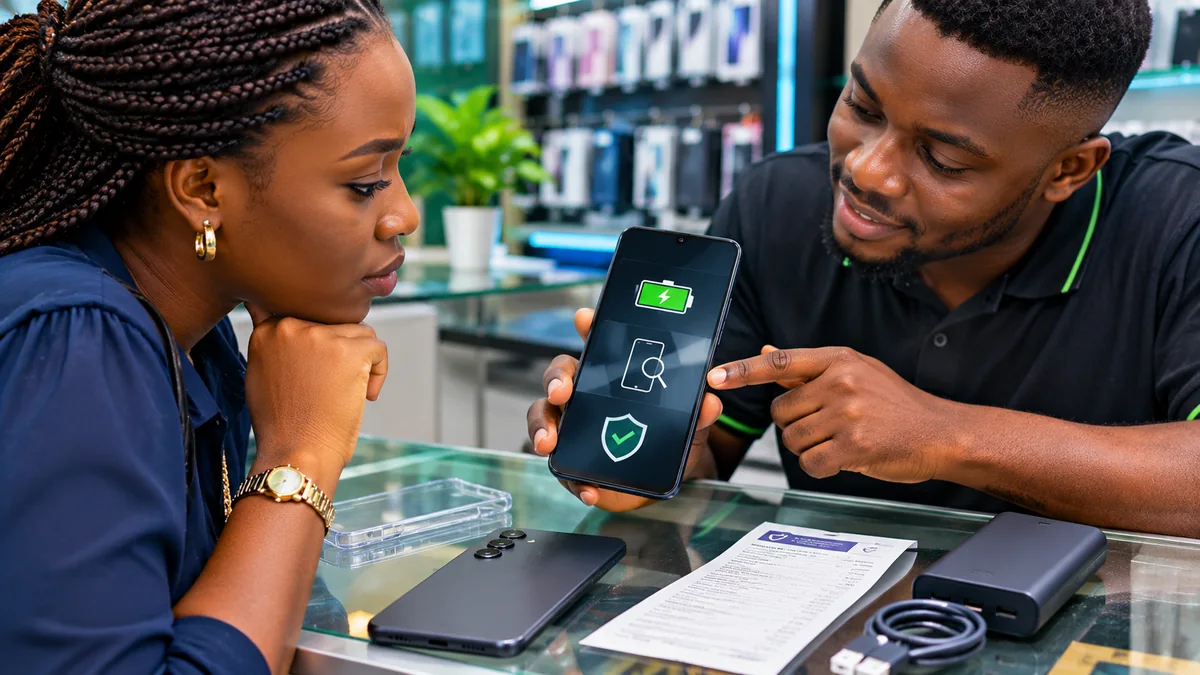
Used Samsung Galaxy A16 Buying Checklist: Battery, Screen and Warranty
A used Samsung Galaxy A16 can be a sensible way to get a modern Android phone for less money. It can also become an expensive mistake if the battery is worn out, the AMOLED display has permanent damage, the charging port is unreliable, or the handset cannot be activated after the seller resets it.
Before buying a used Samsung A16 in Nigeria, check the battery with Samsung Members, inspect the screen for burn-in and touch faults, verify the exact 4G or 5G model, run the NCC Device Checker, and confirm that the previous owner's accounts have been properly removed. Get the original purchase details and a written receipt before paying. A phone that looks clean in photographs may still have faults worth more than the discount.
This practical checklist is designed for fairly used, refurbished, open-box and locally resold Galaxy A16 handsets. It draws on official Samsung support and warranty information, the Nigerian Communications Commission's October 2026 device-verification requirements and Google's device-protection guidance. Research checked: 11 November 2026.
Used Samsung A16: what should you inspect first?
| Check | What you want to see | Reasons to pause or walk away |
|---|---|---|
| Identity and network | Correct A16 variant; matching identifiers; satisfactory NCC result | Unexplained model or IMEI discrepancies; unresolved network restrictions |
| Battery | Samsung Members shows Normal; realistic charging and discharge behaviour | Bad status, swelling, unexpected shutdowns or excessive heat |
| Screen | Even display, working touch across all edges, no obvious burn-in | Bright lines, major dead touch zones, severe permanent shadows |
| Charging | USB-C port holds the cable and charges reliably | Loose port, intermittent charging or damaged connector |
| Accounts | Seller can remove old accounts and legitimately reset and activate the phone | Previous-owner Google lock, secret “unlock fee” or refusal to reset |
| Warranty and repairs | Traceable proof of purchase and clearly disclosed repair history | False “brand new” claims or unsupported warranty promises |
| Seller | Testing permission, documented condition and clear return terms | Pressure to pay before inspection or no accountable seller identity |
1. Confirm which Galaxy A16 version is being sold
The name “Samsung A16” covers different versions. In Nigeria, the NCC's approved-handsets register lists Galaxy A16 LTE (SM-A165F) and Galaxy A16 5G (SM-A166P). Those model-family numbers help distinguish the two editions, although the complete sales code can include other letters identifying the region, colour or configuration.
Open Settings > About phone on the actual handset being sold. Compare its model to the seller's listing and any surviving box. Do not pay a 5G price for a genuine 4G model because the seller claims a software update will enable 5G. Also compare storage and RAM with what was advertised; available combinations vary by market.
Samsung's official Galaxy A16 LTE listing and A16 5G listing both describe a 6.7-inch Super AMOLED screen and a typical 5,000mAh battery. These are original product specifications, not a promise that a used unit still has full battery capacity.
2. Check battery health using Samsung's own tools
Battery condition matters more than the percentage currently shown at the top of the screen. A handset can be charged to 100% while its ageing battery stores less usable energy than it did when new. The A16's published 5,000mAh capacity is a typical specification for a new battery; normal use, temperature and charging history affect actual endurance.
Samsung Africa recommends opening Samsung Members > Support > Phone diagnostics and selecting Battery status. Depending on the app version, the path can involve Get started or View tests. Samsung describes the possible results as:
- Normal: no battery performance issue identified by that diagnostic.
- Weak: efficiency may have decreased after use or environmental exposure.
- Bad: battery life has significantly degraded; Samsung recommends professional advice.
These labels come directly from Samsung's battery-status guide . They are useful screening indicators but are not a certified remaining-capacity percentage or a guarantee of future battery life. A phone showing Normal can still need a longer real-world test.
Ask whether the battery has ever been replaced and whether the seller has a genuine repair receipt. Look for abnormal swelling, a lifting rear panel, repeated shutdowns or strong heat during light tasks. If the battery appears swollen or physically damaged, do not charge or buy the device. Seek qualified service advice instead of pressing the cover back into place.
3. Try a realistic battery and charging test
Ask to use the phone while it is unplugged. Make a brief call, browse a few pages and record a short video while watching for sudden shutdowns or unusually rapid percentage changes. A short demonstration can reveal obvious faults; it cannot predict precisely how many hours a used battery will last in your daily routine.
Then use a compatible, undamaged USB-C charging cable and a trustworthy charger. Confirm that charging starts consistently, that the connector fits securely and that the phone does not repeatedly connect and disconnect when the cable is left in a normal position. Do not bend the plug aggressively to “test” it.
Samsung advertises fast charging for the Galaxy A16, but its product information says the 25W wall charger is sold separately for the listed configuration. The absence of a charger in a second-hand sale does not automatically indicate counterfeit manufacture. Ask what accessories the seller promises and check their condition separately.
An extremely short charging test is not a scientifically reliable battery-capacity measurement. If the seller claims “all-day battery”, request a longer return window or a documented condition test rather than treating a few minutes at the counter as proof.
4. Inspect the AMOLED screen for burn-in, lines and discolouration
Both versions of the A16 use a Super AMOLED display in Samsung's regional product listings. OLED-family screens can show permanent image retention, often called burn-in, after prolonged display of static elements. Repeated navigation bars, notification icons or application controls may leave faint shadows that become more visible against certain solid backgrounds.
Open a plain white image and then neutral grey and dark images, adjusting the brightness carefully. Look for pink or green tints, permanent silhouettes, bright vertical lines, black spots and areas that appear much darker than the rest. Minor colour variations are not necessarily evidence of counterfeit parts, but obvious persistent lines and dark patches deserve professional inspection.
Check the screen in normal indoor lighting as well as at a comfortable brighter setting. A screen protector can hide scratches, while replacement glass or a poorly fitted screen assembly can change how the phone feels. Ask the seller whether the display has been replaced, by whom and with what parts.
Do not test water resistance by wetting the screen or dipping the device. Samsung rates the A16 variants at IP54 under specified laboratory conditions and cautions that resistance may diminish over time. A previously repaired or worn handset deserves particular care around liquid exposure.
5. Test every part of the touchscreen and fingerprint sensor
A screen can look excellent but fail to register touches along its edges or around the keyboard. Open a notes app or other simple input screen and test the top, bottom, sides and corners. Drag a finger slowly across the display to check for gaps in response, then type several lines of text to find dead areas.
Also inspect brightness control, automatic rotation and the fingerprint sensor. The Galaxy A16 family includes a fingerprint sensor in Samsung's specifications, but a used handset may have a faulty button or an issue after repair. Ask the seller to remove their own saved fingerprint profiles; enrolment of your fingerprint should happen only after ownership has been transferred and the device set up securely.
Samsung's Members diagnostics and Device care diagnostics can help check touchscreen and other functions. Menu names vary with software releases, so an unavailable button does not automatically prove a phone is fake.
6. Examine the cameras, microphone, speaker and connections
Test the rear camera with normal and close objects, then the front camera with a selfie and a short video. Check that images save correctly and that switching between supported camera modes does not crash the application. Remember that a dusty lens, low light or a protective film can affect image quality without proving the sensor is faulty.
Play a voice note or record a short sample, listen through the speaker and earpiece, and test the volume keys and power button. Connect to a known Wi-Fi network and test Bluetooth with an available accessory. Check that the phone can locate itself in a map application when permission is given, and that basic calls and mobile data work with a compatible SIM.
A genuine phone may have weak reception in a particular building, so one failed call is not definitive. Try a more reliable location or network and consider whether the model is compatible with the bands you need. Do not buy a device with an unresolved SIM restriction on a promise that an unknown technician can “fix everything later”.
7. Verify the IMEI and check the phone with NCC
Dial *#06# on the phone itself and compare the IMEI information with Settings > About phone and the box, if available. Dual-SIM handsets can have two IMEI numbers. A mismatch is a reason to investigate; a matching number is not an absolute authenticity certificate because identifiers can be cloned.
Since 7 October 2026, the NCC has strengthened its device-verification process. Its official Device Checker guidance tells buyers of second-hand phones to use *315# or the NCC Device Checker website to confirm the relevant model's Type Approval and the specific device's verification status on Nigerian mobile networks.
If additional verification or a “Switch Devices” step appears, follow the official procedure or contact the regulator or network provider. Do not give a one-time code to a seller or random caller. The NCC explicitly warns that an approved or verified device result does not guarantee the condition, repair history or originality of every component.
For another angle on price and availability, FlyingEze has reported on NCC efforts to improve access to affordable smartphones in Nigeria . Price matters, but regulatory and physical verification still matter when choosing an inexpensive used phone.
8. Make sure the previous owner's accounts are removed
This is a critical second-hand phone check. Android's Factory Reset Protection (FRP) is intended to discourage unauthorised reuse of lost or stolen devices. Google and Samsung explain that a device reset in certain ways may demand credentials linked to its previous owner before it can be activated.
Before the sale is completed, ask the legitimate owner to back up personal data, remove their Google and Samsung accounts through the phone's normal settings and perform the supported factory-reset process with your permission to observe. Samsung's official reset guidance explains why removing the Google account before the reset matters.
Do not accept a phone that stops at a previous owner's Google or Samsung account verification screen. Do not pay someone to bypass account protection. The seller should demonstrate that the handset can proceed through initial setup lawfully, without access to the prior owner's credentials. If it cannot, the safest choice is to leave it and ask the owner to use official support with proof of purchase.
Unresolved account locks do not establish that a phone is stolen, but they create a major practical ownership risk. Reports of organised stolen-phone trading, such as FlyingEze's coverage of international stolen-phone networks , illustrate why a convincing listing or working display is not enough to establish lawful ownership.
9. Ask whether the phone is used, open-box or refurbished
These descriptions should not be treated as identical. “Used” ordinarily means another person has owned or operated the phone. “Open-box” may indicate packaging was opened or the item returned; it does not guarantee that it was never activated. “Refurbished” implies some assessment or restoration, but different sellers may use the term for very different levels of work.
Ask for a written description of the phone's actual condition, including screen or battery replacements, past water damage, board repairs, charging-port work and any remaining defects. A repaired A16 can still be genuine and serviceable, but an undisclosed repair may alter what the device is worth and whether its original resistance characteristics remain intact.
A bare claim that an A16 is “UK used”, “Belgium used” or “factory refurbished” is not a substitute for inspection, verifiable documentation or a clear return arrangement. Origin, quality and repair history should be treated as separate claims.
10. Check remaining Samsung warranty and proof of purchase
Samsung Africa's current warranty overview lists a 24-month warranty period for mobile phones within the applicable manufacturer's terms and separately provides certain part or accessory categories. It says the warranty starts from the purchase date and that original proof of purchase is needed for a claim.
This does not mean a phone bought second-hand today receives a fresh two-year manufacturer's warranty. Remaining eligibility can depend on the original purchase date, sales region, terms, repair history and documents. An imported phone may be genuine yet lack the local warranty support the seller implies.
Request the original purchase receipt when possible and contact an authorised Samsung service centre using the exact model and serial number to confirm the support options for that unit. Do not assume a generic “shop warranty” is backed by Samsung; get the seller's own coverage, exclusions, duration and return procedure in writing.
If the seller claims the phone is still under manufacturer warranty but cannot provide evidence, treat that as an unverified marketing promise rather than part of the phone's value.
11. Decide when a fault is negotiable and when to walk away
Not every imperfection requires rejecting a device. Cosmetic scratches that do not affect operation may be acceptable at a suitable discount. A missing box is less serious if the identity, ownership and condition can be verified through other reliable records. However, a major display replacement, declining battery, faulty USB-C port or unexplained network limitation may erase the apparent savings.
| Finding | Suggested decision | Reason |
|---|---|---|
| Light scratches, all tests pass | Consider a negotiated price | Usually cosmetic if accurately disclosed |
| Samsung Members says Weak | Get a professional battery quote first | Potential replacement cost and reduced endurance |
| Battery swollen or leaking | Walk away | Safety risk, not a cosmetic bargaining issue |
| Permanent screen lines or dead touch zones | Usually walk away unless professionally assessed | Repair can be substantial relative to a budget phone |
| Unresolved Google/FRP lock | Do not buy | May prevent lawful activation and ownership transfer |
| NCC device status unresolved | Do not pay until clarified | Possible network-use and identity problems |
| No verifiable seller or receipt | Prefer another seller | Limited accountability if a defect emerges |
A simple value rule is to compare used asking price + realistic repair costs + likely inconvenience with a suitable new or professionally refurbished alternative. Do not invent a repair estimate from a random social-media comment: obtain a local quotation for the exact model and part. If the difference is small, the better-documented phone may be the more economical choice.
12. Get the purchase terms in writing
Ask for a receipt showing the date, amount paid, seller's details, exact model, IMEI where appropriate in a protected transaction record, stated condition, known defects, included accessories and any return or service promises. Avoid sharing the full IMEI publicly.
The Federal Competition and Consumer Protection Commission (FCCPC) explains Nigerian consumer rights relating to quality, safety and accurate product information in its official rights guidance . The details of a particular remedy can depend on the circumstances and the sale, so a verbal claim that “used phones have no rights whatsoever” should not replace actual legal advice or documented store terms.
Inspect the handset before payment, agree on what happens if a hidden fault appears shortly afterwards, and retain seller chats and advertisements. A clear written return arrangement is especially valuable when an extended in-store battery test is impossible.
Printable used Samsung A16 buying checklist
- Confirm A16 LTE/4G versus A16 5G and the model listed in Settings.
- Check advertised RAM, storage and model configuration.
- Read Samsung Members Battery status: Normal, Weak or Bad.
- Look for swelling, overheating, unexpected shutdowns or rapid battery drops.
- Check white, grey and dark backgrounds for screen lines, burn-in and discolouration.
- Test touchscreen edges and fingerprint sensor.
- Verify USB-C charging, cameras, speaker, microphone, Wi-Fi and Bluetooth.
- Use a compatible SIM to check basic calls and mobile data.
- Compare IMEI details and check the NCC Device Checker using
*315#. - Ask the owner to remove accounts and demonstrate lawful setup after reset.
- Request original purchase evidence and confirm Samsung service or warranty eligibility.
- Get a dated receipt, known defects and clear return terms before paying.
Frequently asked questions
How do I check the battery health of a used Samsung A16?
Open Samsung Members, find Phone diagnostics and run Battery status. Samsung labels results Normal, Weak or Bad. The result helps identify battery condition but is not a guaranteed percentage of remaining capacity.
Is 100% battery charge proof the battery is good?
No. Charge level is different from remaining battery capacity and long-term condition. A worn battery can still reach 100% on the display and then discharge quickly.
Does a used Galaxy A16 have an AMOLED screen?
Samsung's official regional listings for the A16 4G/LTE and A16 5G identify 6.7-inch Super AMOLED screens. A used device may nevertheless have undergone a screen replacement, so ask about its repair history and test the display carefully.
How can I confirm that a used A16 is not network restricted in Nigeria?
Use NCC's official Device Checker through *315# or its verified website, and test a compatible SIM. A passing result addresses NCC model and device verification; it does not certify every component or prove lawful ownership.
Can I buy a used A16 that asks for the previous owner's Google account?
Do not complete the purchase until the legitimate owner resolves the lock through authorised procedures. Avoid anyone offering to bypass Android's anti-theft protections.
Will Samsung's 24-month warranty restart when I buy second-hand?
No automatic restart should be assumed. Samsung Africa's general mobile warranty is subject to the original purchase date and applicable conditions. Ask Samsung to confirm eligibility for the exact unit and keep any original proof of purchase.
Should I avoid every refurbished Galaxy A16?
No. A refurbished handset may be a reasonable purchase if repairs, components, battery condition, ownership and seller warranty are clearly disclosed and independently checked. A vague “refurbished” label alone is not evidence of quality.
Conclusion
The best used Samsung A16 is not necessarily the one with the neatest box or the lowest price. It is the one whose battery, AMOLED screen, charging system, network status, ownership and support history can be checked before money changes hands.
Use Samsung's diagnostics and official warranty information, verify the device through NCC, insist on a legitimate account transfer and price any disclosed repairs realistically. When a seller refuses normal checks or pressures you to pay first, walking away may save far more than the advertised discount.