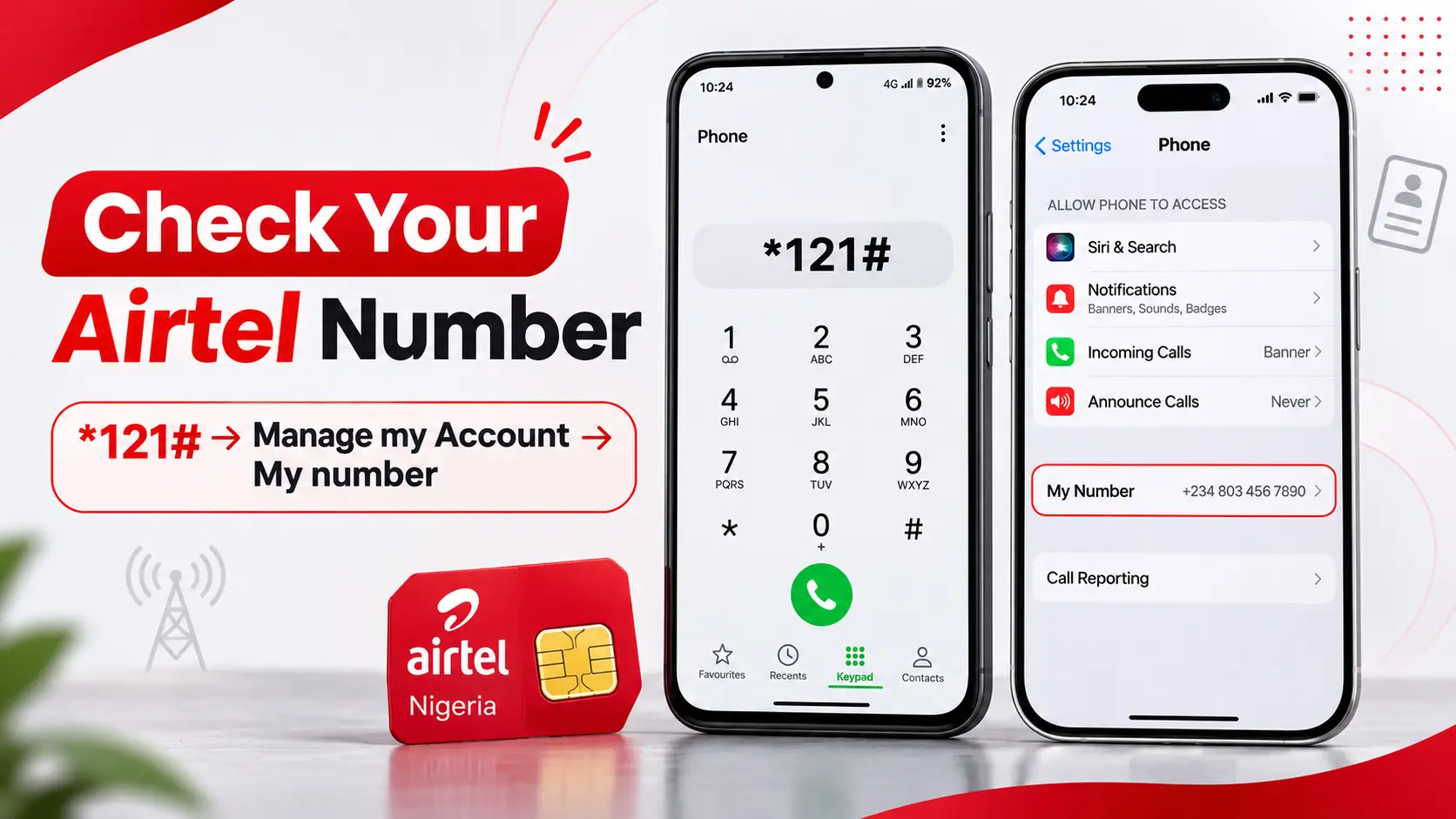
To check your Airtel number in Nigeria, dial *121# from the Airtel SIM, choose Manage my Account, then select My number. That is the number-check route published in Airtel Nigeria's own FAQ . It works through the network's USSD menu rather than an internet connection, although your line must be recognised by a working mobile network. Android and iPhone users can also inspect phone settings, call or text a second phone, or use an existing signed-in MyAirtel account.
If you have been searching “how can I know Airtel number?”, begin with Airtel's officially documented method instead of trying a long list of online shortcuts. The correct number matters when registering for a service, recovering a messaging account, giving an employer your contact details or checking that the right SIM is connected to a bank.
This guide covers Samsung, other Android handsets, iPhone, dual-SIM and eSIM setups, as well as common problems such as “Unknown” appearing in settings, no airtime, an unavailable USSD menu and an inactive SIM. Research verified on 14 November 2026 using Airtel Nigeria, device-maker guidance and the Nigerian Communications Commission (NCC).
Quick answer: the official Airtel number-check code
- Open the Phone or dialler app.
- If you have two SIMs, select your Airtel line for the USSD request.
- Dial
*121#. - Select Manage my Account from the menu shown.
- Choose My number and read the response.
- Save the displayed number and verify it through another method if the SIM or account seems unfamiliar.
These labels are the ones Airtel currently publishes. Menus can change, so follow the options actually displayed on your handset rather than relying on a fixed option number from an old screenshot. The Airtel prepaid guide independently identifies *121# as its self-service menu.
Which method should you use?
| Method | How to find the number | Main limitation |
|---|---|---|
| Official Airtel USSD | *121# → Manage my Account → My number | Requires the Airtel SIM to access the mobile network |
| Samsung Galaxy | Settings → About phone | The stored number might be blank, wrong or shown as Unknown |
| Other Android phones | Settings → About phone / SIM status / Mobile network | Menus differ by manufacturer and Android version |
| iPhone | Settings → Apps → Phone → My Number on newer versions | The displayed number can be a stored value needing confirmation |
| Another phone | Make a call or send an SMS specifically from Airtel | Requires working outgoing service and may incur charges |
| MyAirtel app | Check an already authenticated account or line profile | A new login may ask for the number and an OTP |
| Airtel customer care | Dial 300 from Airtel or use published alternative contact numbers | Account ownership checks may be necessary |
Method 1: dial *121# to retrieve your Airtel number
This is the best first attempt for an active Airtel Nigeria SIM because the operator, rather than a phone's locally stored contact field, provides the service. The menu generally does not need mobile internet, but it cannot be guaranteed to work when the device shows No Service or the SIM is not provisioned.
If your phone has two SIMs
On a dual-SIM handset, a USSD request is sent from a selected cellular line. Before pressing Call, check the operator label and select Airtel. Otherwise, the request may be sent through MTN, Glo or a different provider, and the response may not show the Airtel information you need.
Do not assume SIM 1 always means Airtel. A phone can use Airtel for calls while another SIM is the mobile-data default. The SIM slot, outgoing-call preference and mobile-data preference are different settings.
What if the Airtel menu has changed?
Airtel's current FAQ names the menu path, not a permanent numbered shortcut. If you see new wording, navigate to account information or your number if clearly offered. Avoid purchasing a service or accepting a subscription when your goal is simply identifying the line. If you cannot locate the option, contact Airtel directly; there is no need to try dozens of speculative USSD sequences.
Method 2: check your Airtel number on Samsung Galaxy
Many Samsung Galaxy devices show the number associated with a SIM under Settings → About phone. Samsung's African support guide confirms that the About phone screen can contain the phone number alongside device identifiers; older versions may put some information under Status.
- Open Settings on your Galaxy phone.
- Choose About phone.
- Look for a field marked Phone number, or inspect Status information or SIM card status if needed.
- If more than one line is available, confirm that the relevant entry belongs to Airtel.
- Use Airtel's
*121#menu to confirm the digits before supplying them on an important form.
If the screen says Unknown, that does not necessarily mean the Airtel line has stopped working. The phone may not have a stored number for the SIM. Samsung's SIM detection guidance updated in September 2026 recommends checking Settings → About phone → Status information → SIM card status to see whether the carrier network appears. Network identity and your actual telephone number are not the same field.
Method 3: find your Airtel number on Tecno, Infinix, Redmi, Xiaomi or Google Pixel
Android phones do not all share the same Settings menu. Some devices place the phone number on the About phone page; others put SIM information in a section named Mobile network, SIM cards, Network & internet or SIM status. Use the Settings search bar if the expected option is missing.
- Open Settings and search for Phone number or SIM.
- Check About phone, SIM status, Mobile network or the SIM management screen.
- Identify the Airtel line by the carrier name, rather than the SIM-slot number alone.
- Read any displayed phone-number field. A blank entry is possible on otherwise functioning lines.
- Cross-check the displayed number through
*121#or an outgoing call from the Airtel SIM.
Android versions and manufacturer interfaces can change, so a tutorial written for one Tecno or Pixel model might not reproduce exactly on another. The aim is not to find one universal button but to identify the correct Airtel profile and corroborate the number using the network.
Method 4: check your Airtel number on iPhone
On newer iOS layouts, a commonly documented path is Settings → Apps → Phone → My Number. The Verizon iPhone device guide documents this navigation. Older iPhone software may instead use Settings → Phone → My Number.
- Open the iPhone Settings app.
- Select Apps and then Phone, if your iOS version provides this layout.
- Open My Number and read the displayed entry.
- If there are two lines, also inspect Settings → Cellular or Mobile Data to identify the Airtel SIM or eSIM.
- Verify the number with Airtel's
*121#menu or another authorised method if accuracy matters.
The My Number field may be a stored value, not proof that the SIM is registered on the network or that the number still belongs to the current user. Do not type a guessed number into settings and regard the edited display as verification.
Dual-SIM iPhones: confirm which line is Airtel
Apple's Dual SIM guidance explains that cellular plans can be labelled Personal, Business or another custom name. Those labels are convenient, but they can be edited and do not necessarily identify the operator. Check which plan is actually connected to Airtel and select it before calling or using USSD.
Also check Default Voice Line and Cellular Data as separate choices. If you call a friend without choosing the line, your iPhone may use a previously selected number for that contact. This can cause you to mistake an MTN caller ID for the Airtel number you are trying to retrieve.
What if you use an Airtel eSIM instead of a physical SIM?
An eSIM is a digital mobile subscription installed on a compatible device. Airtel Nigeria's official eSIM guide confirms that supported iPhones, Samsung phones and Google Pixel devices can use Airtel eSIM service. Once properly activated, an eSIM offers normal cellular services, including number checks through supported menus.
Look for the Airtel cellular plan in your device's SIM settings and make sure it is enabled and has network service. If the plan is present but disconnected, phone settings may not reliably display the number.
Do not delete an eSIM just to check its number. Airtel's instructions explain that moving an eSIM between devices may require a new SIM-swap and activation process. Removing a profile can make an otherwise simple number check into an account-recovery problem.
Airtel also says dialling *#06# on supported devices can show an EID used to assess eSIM compatibility. The EID identifies the embedded SIM capability; it is not your Airtel mobile number.
Method 5: call or text another phone to confirm the number
When the SIM is active and supports outgoing service, a short call or SMS can provide an independent way to check which number is associated with it.
- Choose a trusted person's phone or another phone you control.
- Set the outgoing line to Airtel—particularly on dual-SIM phones.
- Place a short call or send a brief text message.
- Read the incoming caller ID or sender number on the other device.
- Save the verified digits under a clearly named contact such as My Airtel Number.
Outgoing services may incur normal charges and can fail when the line lacks sufficient credit, is restricted or has poor coverage. Caller-ID blocking can also make an incoming call appear as Private or Unknown. In that situation, use another method rather than assuming the number is hidden permanently.
Method 6: check the MyAirtel app if you are already signed in
Airtel Nigeria's official FAQ and data-services guide direct customers to its MyAirtel self-care app on Android and iPhone. If an account is already authenticated, its account details or linked-line information may help identify the active number.
Open the official app and inspect the currently selected account or profile. Confirm that you are not viewing a different family, work or secondary number. Do not install an app from a WhatsApp file or a website offering to retrieve a number in exchange for your banking password.
For a first-time sign-in, the app may need the subscriber's mobile number or an SMS verification code. That makes it less useful as the first solution when you cannot remember the number at all. Use *121# or phone settings first, then set up the official app after confirming your line.
If you need to share a data bundle later, FlyingEze has a separate, published guide to sharing Airtel data using official channels . Data-gifting controls should not be confused with a number-retrieval service.
Method 7: contact Airtel Nigeria customer care
If your SIM cannot register, the USSD menu fails or the account details do not match, seek help directly from Airtel. The operator's official Nigeria contact page lists 300 from an Airtel line, +234 802 150 0300 and +234 802 152 0800 as contact options from other networks or overseas, and customercare@ng.airtel.com.
Explain that you want to verify the number linked to a SIM or eSIM that you own. A support agent may request appropriate ownership verification. If the SIM is missing, defective or unable to connect, the operator may direct you to an authorised service centre. Use Airtel's store locator where available rather than trusting an unverified agent offering to recover numbers for a fee.
Do not share a SIM replacement OTP, transaction PIN, account password or full identity-document image with strangers. If the line suddenly stopped working and you see suspicious account changes, report the security concern in addition to asking for the number.
Is *282# the official Airtel number-check code?
Some third-party guides and old social posts suggest shortcuts such as *282# or numbered extensions of Airtel's self-service menu. The current official Airtel Nigeria FAQ checked for this article instead gives a clear route: *121# → Manage my Account → My number.
That does not prove an older or alternative shortcut fails on every SIM, but it would be misleading to promise a particular unverified code works nationwide in November 2026. Prefer the operator's documented menu, and treat any other code as unconfirmed unless Airtel publishes it or confirms it directly for your line.
Do not confuse the NCC's harmonised shortcodes with Airtel's own number-check menu. For example, *310# checks airtime balance and *323# checks data balance. The common code 300 reaches a mobile-network helpdesk. The NCC's harmonised list does not prescribe *121# as a universal own-number command across all Nigerian operators.
Troubleshooting: Airtel number not showing or USSD not working
If the first method fails, identify the particular symptom before resetting anything.
The phone says Unknown under Phone number
This can occur because the handset does not have a stored telephone number for the SIM, even when cellular service works. Check which SIM is enabled and use the network's *121# option instead. If both settings and USSD fail, try another phone or contact Airtel support.
Dialling *121# returns an invalid request or connection error
Confirm that the request was sent through your Airtel SIM. Check for a signal and ensure Airplane Mode is off. Restart the phone once if necessary, then retry when service is available. USSD normally uses the mobile network rather than Wi-Fi alone, so an internet connection is not a substitute for cellular registration.
The Airtel SIM is not detected or shows No Service
Check that the line is enabled in SIM settings. The issue might be poor coverage, a damaged SIM, incorrect installation, an inactive account or a temporary carrier fault. Follow manufacturer troubleshooting before changing settings, and contact Airtel for account provisioning or replacement guidance if the problem persists. Do not delete an eSIM or factory-reset your handset merely to find your number.
The phone displays a different operator or number
On a dual-SIM device, you may be reading the other line's locally stored number. Verify the network name, select Airtel explicitly and make a controlled USSD request. If the operator is different despite an Airtel-looking prefix, consider whether the number has been ported between networks.
MyAirtel asks for a number before login
Use the official *121# menu or ask Airtel support to establish the number first. Do not register a guessed number just to get past the sign-in screen, and never use an OTP intended for someone else's account.
How to find your Airtel number without airtime or mobile data
| Situation | Try this first | What to remember |
|---|---|---|
| No airtime | *121# or phone settings | USSD still needs cellular network service; operator tariffs or menus may change |
| No mobile data | *121# on the active Airtel line | Internet access is not the main requirement for standard USSD |
| No mobile signal | Phone settings, a previously saved SIM pack or account record | A network-based code cannot operate without registration |
| Lost SIM | Airtel customer care or an official service centre | Ownership checks may be required |
| Two installed SIMs | Identify Airtel in SIM management and select it for the USSD call | Default mobile data does not necessarily identify the outgoing voice SIM |
| eSIM disconnected | Check the installed Airtel cellular profile and contact Airtel if needed | Do not erase the profile as a first troubleshooting step |
Where a method may incur charges—such as a call or SMS—do not repeatedly use it without checking the cost. Airtel's cited FAQ documents the own-number menu, but it does not establish a universal promise that every possible phone or account action is free.
Can you recognise an Airtel number by its prefix?
The NCC's numbering plan lists number ranges allocated to Airtel, including prefixes such as 0701, 0708, 0802, 0808, 0812, 0901, 0902, 0904, 0907, 0911 and 0912. However, prefixes identify historical allocations; mobile number portability means someone may keep a familiar number after changing operators.
Therefore, an Airtel-looking prefix is not enough to prove that the installed SIM is currently on Airtel. It also cannot reveal the rest of a number you have forgotten. Confirm the active carrier in the device and retrieve the number through the operator or an authorised account method.
Do not confuse the Airtel phone number with IMEI, ICCID or EID
Several long numbers can appear on a phone or SIM pack:
- Mobile number: The telephone number other people use to call or text you.
- IMEI: An identifier for a mobile device's cellular hardware, not a subscriber telephone number.
- ICCID: A serial identifier for a physical SIM card or SIM profile, not the number used for calls.
- EID: An identifier related to an embedded SIM; Airtel uses its presence when explaining eSIM compatibility.
Samsung and Airtel both document *#06# as a way to display certain device and eSIM identifiers. This is not a substitute for the official Airtel number-check menu. Entering a device identifier as your mobile phone number on a financial or application form can cause errors or account-recovery problems.
How to write and save an Airtel number correctly
For a typical Nigerian mobile number, a local example is 0802 123 4567. The international format of the same fictional example is +234 802 123 4567: replace the leading zero with Nigeria's +234 country code.
Once verified, save the number under a clear label such as My Airtel — Personal or My Airtel — Work. If you have two lines, include the network and purpose, not merely “SIM 1”. Keep a secure record in an account you control. Check the digits before using the number for salary information, job applications, bank alerts or identity-linked services.
Be cautious with random “Airtel number checker” sites that ask for OTPs, passwords, BVN, NIN or payment details. The number can be retrieved through official carrier methods without handing account credentials to an unrelated website. FlyingEze's published Airtel data-gifting fraud guide discusses related account-safety risks.
Frequently asked questions
How can I know my Airtel number in Nigeria?
Dial *121# using the Airtel SIM, select Manage my Account and then My number. This is the route on Airtel Nigeria's current official FAQ. If it cannot work, check phone settings or contact Airtel on 300.
What is the official USSD code to check my Airtel number?
Airtel officially publishes *121# as the entry to its self-service menu and identifies the number-check options within that menu. Other shortcodes circulating online should not be treated as guaranteed current instructions without operator confirmation.
How can I see my Airtel number on Samsung?
Open Settings → About phone and look for Phone number. On some models, inspect Status information or SIM card status. If the number is Unknown, use Airtel's USSD menu to verify it.
Where is My Number on iPhone?
On newer iOS versions, open Settings → Apps → Phone → My Number. Older layouts may use Settings → Phone. Use Cellular or Mobile Data settings to identify the correct Airtel line if you have more than one SIM.
Can I check an Airtel number without mobile data?
Yes, the standard *121# USSD request is a cellular-network menu, not an internet app. It still requires the SIM to be active and connected to the network.
What if my Airtel SIM has no airtime?
Try the USSD number-check menu or device settings before making a chargeable call. If the network does not respond, seek official support. Charges or restrictions should not be assumed to be identical for every service.
Does *#06# show my Airtel number?
No. It generally shows identifiers such as IMEI and, on some devices, an EID. Those are not the telephone number assigned to your Airtel subscription.
What number can I call if Airtel USSD is not working?
Airtel Nigeria lists 300 for customer service from its network. Its official contact page also lists +234 802 150 0300 and +234 802 152 0800 from other networks or abroad. Follow any ownership-verification instructions through authorised channels.
Conclusion: use Airtel's own menu, then verify and save the result
The most reliable starting point for anyone asking “how can I know Airtel number?” is Airtel Nigeria's published *121# self-service menu, followed by Manage my Account → My number. Android and iPhone settings are useful alternatives, but a blank or incorrect stored field does not prove that your SIM has no phone number.
If the line cannot access the network, contact Airtel through its verified help channels rather than relying on a random code or app. Once you identify the number, confirm that it belongs to the correct active SIM and save it securely for future use.