Having an MTN number in your phone does not automatically mean the line is registered in your name. A SIM can be used by one person while the operator's subscriber record still contains another person's details. Equally, linking a National Identification Number (NIN) is part of the identity-verification process, not proof that a disputed number has been lawfully transferred to you without further checks.
In Nigeria, this difference matters when replacing a lost SIM, correcting an identity mismatch, transferring a line previously registered by a parent, protecting mobile banking access or recovering a phone number after a long period of inactivity. The Nigerian Communications Commission (NCC)'s August 2026 SIM-registration business rules address identity verification, subscriber-record corrections, mobile number portability and number recycling. MTN Nigeria separately offers SIM registration, SIM replacement, NIN updates and ownership-change processes.
This guide explains how they differ, what you can verify yourself and when to go to an authorised MTN service channel. It is a companion to the question “how to check my MTN number”, but focuses on who is properly registered to use the line rather than simply finding the digits. Information researched and checked on 14 November 2026.
MTN SIM registration vs phone number ownership: the difference
The term SIM registration describes the operator's process of identifying and recording the subscriber associated with a mobile line. For eligible individual subscribers in Nigeria, that involves identity validation against the National Identity Management Commission (NIMC) database and linking the assigned telephone number—the MSISDN—to the correct NIN.
Phone number ownership is often used informally to describe who is recognised as the legitimate subscriber or person authorised to control and recover the number. It should not be confused with unlimited personal property rights over the digits: telephone numbers are administered under the telecom regulatory framework and can be reassigned following applicable inactivity and recycling rules.
| Question | What it establishes | What it does not establish |
|---|---|---|
| Can I see the number on my phone? | You can identify a number associated with a device, account or SIM | That the operator's registration record is in your name |
| Can I call or receive an OTP? | You currently have some technical access to the line | That you are the person authorised to change its registration or request a replacement |
| Does the NIN-status portal say linked? | The queried line has passed the linkage/status check presented by MTN | That an informal transfer between people was properly completed |
| Can MTN verify me as the subscriber? | The operator can assess your claim against its records and required evidence | That you can bypass security checks merely by possessing the phone |
| Has an ownership change been approved? | The provider has processed an authorised change under its applicable rules | That all banks, apps and other organisations automatically update their customer records |
Core lesson: possession, network access, NIN linkage and subscriber-record status are related, but they answer different questions.
What happens when an MTN SIM is registered?
MTN's prepaid terms say subscriber identity information is checked against NIMC records, including relevant biometric or facial information, and that registration is completed after successful verification and linkage of the phone number to the subscriber's NIN, subject to applicable exceptions. The 2026 NCC business rules similarly describe NIN-based identity verification, record harmonisation, new-line activation and special procedures for eligible foreign visitors.
In practice, authorised registration can include verifying identity, confirming required subscriber information, completing an activation process and retaining relevant records under the applicable privacy and telecom rules. A SIM pack purchased from a shop is not necessarily a fully verified active line merely because it contains a chip. Similarly, an active number that you received from a relative may still reflect that relative's registration record.
The NCC's consumer FAQ explains that a SIM's know-your-customer (KYC) details must match the submitted NIN record for linkage to succeed. If information does not match, the operator may require correction or re-registration before the line can operate normally.
How to check your MTN number before checking its registration
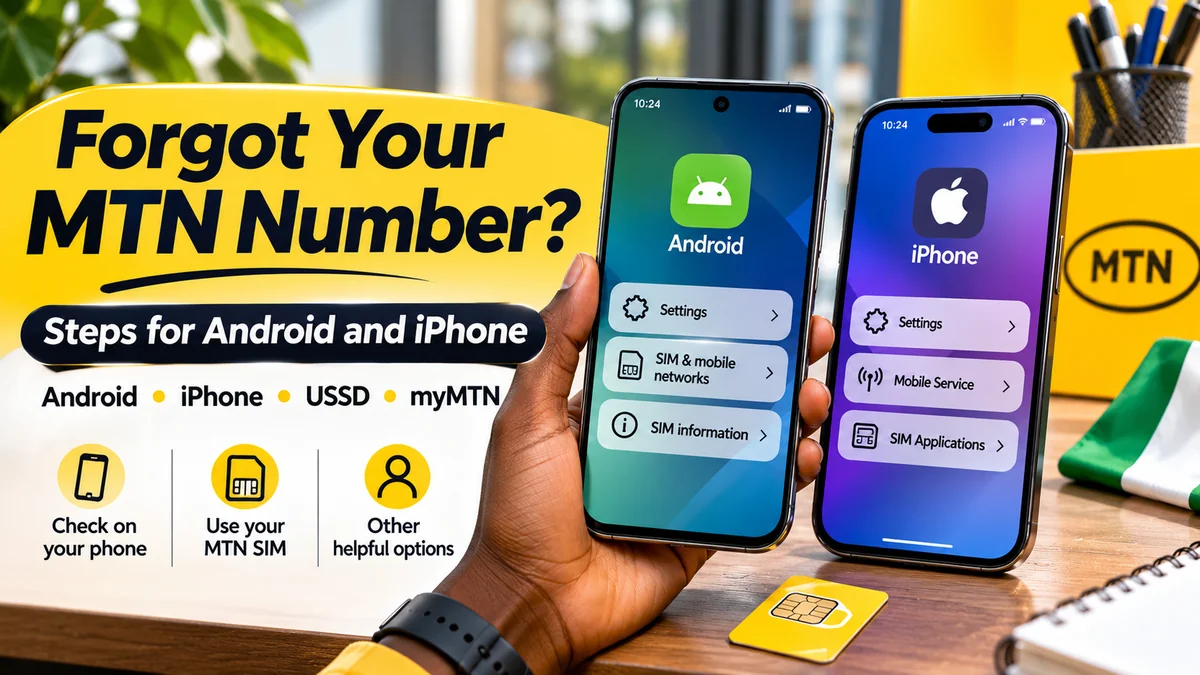
First identify the exact line. This is particularly important on dual-SIM phones, where the line used for mobile data or WhatsApp might not be the same as the voice SIM. Try your phone's SIM settings, a test call or an already authenticated myMTN account; if you cannot identify the number, contact MTN through its official channels.
Remember that ICCID identifies the SIM profile, IMEI identifies a handset, and NIN identifies a person in the national identity system. None is a substitute for the mobile number used for calls and texts. Once you know the MTN number, you can check its NIN linkage status.
How to check whether your MTN line is linked to a NIN
MTN provides a dedicated NIN Status Portal , and the NCC confirms that *996# is a NIN–SIM linkage service. Both routes are about registration or identity-linkage status; they are not official tools for displaying the name or full NIN of an arbitrary number's registered holder.
Option 1: use the official MTN NIN status portal
- Visit nin.mtn.ng/nin/status through MTN's official website.
- Enter the MTN phone number you are authorised to check.
- Complete the one-time password (OTP) verification required by the portal.
- Read the displayed status and the action recommended if linkage is incomplete.
- If the portal reports an error or identity mismatch, use MTN's official support or an authorised store rather than submitting someone else's NIN.
MTN says the portal is available through its website, the myMTN app and Zigi, and that checking linkage status through the portal is not charged. A person without access to the line's OTP may be unable to complete the online check, even if they believe the number once belonged to them.
Option 2: use the NCC-confirmed *996# service
From the appropriate active SIM, dial *996# and follow the current on-screen instructions for NIN–SIM linkage or status. The NCC consumer portal lists this as a linkage-check option. Do not mistake it for a command that proves the phone number has been formally transferred from another subscriber. If the USSD flow does not establish the information you need, ask MTN to verify the line through its normal identity process.
Neither portal nor USSD should be described as a public directory of the names attached to phone numbers. Privacy safeguards and authentication are part of the system.
What if you use a SIM registered in someone else's name?
This can happen when a parent bought a line for a child, a relative passed on an old SIM, someone bought a second-hand device containing a SIM, or a business line was given to an employee. It can be tempting to assume that paying for airtime over many years makes the registration yours. That assumption is unsafe.
The NCC's consumer FAQ advises a person who did not originally register a SIM they now use to visit the operator's shop with a NIN and evidence of possession and use, such as familiar dialled numbers or recharge history, to arrange the appropriate re-registration checks. MTN's own application service lists SIM Ownership Change separately from SIM Re-registration, SIM Swap and NIN Update at e-formplanet.mtn.ng .
What happens next depends on the reason for the mismatch, the registered subscriber's status, the available evidence and current verification requirements. Do not assume a SIM you bought or received informally can be transferred without the operator's approval. In particular, a supposed agent offering to “change the NIN” for a fee without checking identity is a warning sign.
How to request an MTN SIM ownership change safely
Because changing the registered subscriber can affect access to financial accounts and private communications, the operator needs to evaluate the request. MTN's official online form service shows an ownership-change request category, but the publicly visible entry screen does not establish one universal set of documents that applies to every case.
- Identify the specific problem. Is it a spelling error, an incorrect NIN record, a SIM formerly registered by a parent, a business-to-person transfer, or an informal handover?
- Check NIMC records first if your personal identity details are wrong. The NCC business rules say corrections to foundational identity data generally begin in the NIMC record before the operator harmonises its subscriber record.
- Use an official MTN channel. Start with MTN customer care , the authorised store directory, or MTN's official registration request portal .
- Ask for the appropriate process and current evidence. MTN may request identity verification, NIN information, line-use history, consent from relevant parties and other documents according to the situation.
- Submit documents only through authorised channels. Do not share full NIN documents, facial images or OTPs with a third-party WhatsApp broker.
- Keep a reference number. Retain the request acknowledgement and follow up through the same verified channel.
- Verify the result. After MTN confirms any approved change, check the line's status and separately review banks and other apps linked to the number.
Not all ownership-change scenarios can be resolved instantly or remotely. Some may require an in-person identity check. Do not claim that possession of the SIM, an OTP or a recharge receipt alone obliges MTN to approve a transfer.
Parent or guardian registered the SIM: what happens when the child becomes an adult?
The NCC's August 2026 business rules explicitly contemplate a SIM originally registered by a living parent, guardian or family member for a minor who has now reached 18. The rules describe procedures to harmonise identity and subscriber records, including verification of the relevant NINs and biometric information, consent and supporting evidence.
That creates a recognised path to ask for an update; it is not an automatic transfer on the eighteenth birthday. An adult who has used the line since school should contact MTN, explain the original registration and request the correct ownership or KYC harmonisation process. The registered adult may need to participate, depending on the case and provider's verified instructions.
A business SIM requires separate attention because company-controlled subscriptions and the people who use them can have different roles. Employers should use the correct corporate registration or transfer process rather than collecting a staff member's NIN and treating an informal handover as a completed change.
SIM swap or replacement is not a change of ownership
A SIM swap moves an existing telephone number to a replacement physical SIM or eligible profile after loss, damage, theft, an upgrade or another permitted situation. It does not by itself mean the registered subscriber has changed. MTN's SIM Swap/Replacement guide lists a registered number and NIN or virtual NIN (VNIN) among its requirements.
The guide also mentions potential line-use verification details such as a recent recharge amount and date, three frequently dialled numbers and the activation year, as well as a replacement SIM and the relevant form. These examples are not a licence to give such information to an unknown caller: supply proof only after confirming you are dealing with MTN's authorised staff or channels.
For proxy requests made under MTN's published special procedure, the operator specifies additional identity and documentary requirements. That should not be confused with general permission for another person to bypass registration. If you lose a SIM, protect banking and messaging accounts immediately as well as asking the operator to block or replace the line.
FlyingEze's guide to SIM-swap fraud and mobile banking explains the security risks of unauthorised transfers of a phone number to a different SIM.
Can an MTN number be disconnected and given to someone else?
Yes, an inactive mobile number can eventually be churned and recycled. That means the old subscription can be deregistered and the number reassigned to another subscriber under applicable rules. It is one reason a number should not be treated as something you own permanently regardless of use or service conditions.
In July and August 2026, the NCC consumer portal explained the risks of churned lines and available line-parking measures. It describes possible partial barring after prolonged non-use and eventual recycling after an extended inactivity period, broadly around a year under the relevant framework. The NCC's August 2026 business rules also address inactive subscriber records and the removal of prior NIN associations when a number is recycled.
Exact operational thresholds can depend on the applicable provisions, later regulatory instructions and line status. For someone concerned about losing an important number, the useful action is to keep the line compliant and active, or discuss an officially offered retention service with MTN—rather than assuming one successful recharge protects the number forever.
What number recycling means for banking and online accounts
A recycled number may be assigned to a new legitimate subscriber. If its former user failed to update bank, email or social-media records, messages and recovery codes could continue going to the old number. The NCC's 2026 guidance describes its Telecoms Identity Risk Management System (TIRMS) as a way for authorised service providers to assess status changes including churn, swaps and reassignment.
TIRMS is described as a tool for eligible organisations; consumers should not assume they can look up the private identity of anyone associated with a number. If you receive another person's banking alerts after acquiring a legitimately registered number, do not attempt to use the information or access their account. Contact the relevant service provider and explain the reassignment.
How MTN Keep My Number can help prevent loss through inactivity
MTN offers Keep My Number (KMN) for eligible prepaid customers who expect to be away or inactive for an extended period. Its official page lists one-, two- and three-year options, accessible through *365# or the appropriate keyword sent to 36500.
When checked on 14 November 2026, the MTN page advertised these prices:
| Plan duration | Published price | SMS keyword to 36500 |
|---|---|---|
| 1 year | ₦3,500 | KMN1 |
| 2 years | ₦5,000 | KMN2 |
| 3 years | ₦7,500 | KMN3 |
Those are dated advertised prices, not a promise of current pricing at a later publication or purchase date. Verify the current terms and charges with MTN. The operator's help page says the offer is for prepaid customers, that subscription and renewal choices matter, and that a lapsed retention arrangement may no longer protect an inactive line from disconnection or recycling. This service helps retain a properly assigned number; it does not fix an incorrect subscriber identity.
Does porting your number to another network change who owns it?
No. Mobile Number Portability (MNP) lets an eligible subscriber change networks while retaining the same telephone number. It is not a way of acquiring a number from someone else or avoiding NIN verification. The NCC's portability guide explains the basic consumer process, while its regulatory FAQ lists restrictions, including certain recent ports, SIM replacements, unregistered or barred lines, and pending ownership-change requests.
A number's starting digits do not always tell you its current network after porting. If ownership or KYC status is unresolved, deal with the authorised provider before attempting to port the line. A port changes the serving operator, not the historical fact that identity records must be valid.
What if your MTN registration details do not match your NIN?
The mismatch may involve a spelling difference, change of name, incomplete records, an older registration made by someone else or biometric details that do not match NIMC's foundational identity record. The correct fix depends on the cause.
- Check your own NIN record using legitimate NIMC channels and look for errors in names or other identity details.
- Check the MTN line's NIN linkage status through the official portal or *996#.
- If the foundational NIN data is wrong, seek correction through NIMC before asking MTN to synchronise its records.
- If the SIM was registered by someone else, disclose that fact and request an authorised re-registration or ownership-change review, rather than trying to substitute an unrelated NIN.
- Keep your support reference and do not pay an unofficial intermediary promising to remove a bar without verification.
The NCC's published consumer FAQ warns that a NIN–SIM mismatch can lead to failure of linkage or service restrictions. A successful online status response should be treated as evidence of that check, not a substitute for a completed ownership-change procedure where one is required.
Practical examples: which MTN service do you actually need?
| Your situation | Likely first route | What to avoid |
|---|---|---|
| You forgot the digits of your active MTN number | Check device/app records or call a trusted second phone | Assuming an IMEI or SIM serial number is your phone number |
| You know the number but want to check NIN linkage | Official MTN status portal or *996# | Using unofficial sites claiming to reveal a registered subscriber's full identity |
| Your SIM was registered by a parent years ago | Ask MTN for the applicable ownership/KYC update process | Assuming years of usage automatically changed registration |
| Your SIM is lost or damaged | Official MTN SIM swap/replacement verification | Sharing verification details with a stranger offering instant recovery |
| Your NIN details are incorrect | Correct relevant NIMC record, then verify with MTN | Submitting another person's NIN to force a match |
| You will live abroad or remain inactive | Review MTN's current Keep My Number eligibility and cost | Assuming an unused line remains reserved indefinitely |
| You receive a previous user's bank messages | Notify the bank/service provider and MTN if needed | Trying to access the prior user's account |
How to protect an MTN number used for banking, work and account recovery
Phone numbers are often used as a recovery channel, so subscriber records and account security need to be managed together. Even when an MTN line is properly registered, a lost phone, compromised email address or stolen OTP can expose connected services.
- Keep the registered identity correct. If your name or status has changed, follow the appropriate NIMC/MTN correction or transfer process.
- Protect your SIM. Report loss, theft or suspected unauthorised swaps promptly using official MTN channels.
- Review linked accounts. Keep banks, email services and financial applications updated if a number will change or be abandoned.
- Use stronger authentication. Where available, prefer secure authenticator or passkey options over relying entirely on SMS codes.
- Monitor long-unused lines. Use qualifying service activity or enquire about an official number-retention product before travelling for an extended period.
- Avoid identity-harvesting sites. The NCC warned in November 2026 about fake websites impersonating official device registration services; independently verify telecom domains before entering identity information.
- Keep evidence privately. Maintain legitimate registration and recovery records without posting NIN slips, SIM packs or OTP screenshots publicly.
The NCC's 2026 TIRMS guidance emphasises the banking and privacy risks of swapped and recycled numbers. FlyingEze also has a practical guide to how SIM-swap attacks can affect mobile banking and an article about MTN data-sharing troubleshooting when the problem is account or network functionality rather than identity records.
What to do if MTN refuses or cannot immediately resolve a dispute
Ask MTN to clarify the issue in writing, including whether the obstacle is NIN verification, current registration, documentation, account security or the fact that the number has already been recycled. Request a complaint or case reference and keep records of communications through verified channels.
MTN publishes its contact methods at mtn.ng/contact . If a consumer complaint remains unresolved after working with the operator, the NCC's consumer portal provides escalation information, including the consumer contact number 622. An escalation can request review of a provider's handling of a matter; it cannot guarantee that a recycled or disputed number will automatically be assigned to the complainant.
If your bank account is at risk from an unexplained SIM swap or sudden loss of service, contact your bank using its official channels as well as the telecom provider. Do not wait for a routine ownership-record enquiry to finish before taking urgent account-security steps.
Frequently asked questions
How do I know whether my MTN SIM is registered in my name?
Use the official MTN NIN status portal or *996# to check linkage status, but for an actual dispute about the registered subscriber ask MTN to verify the record using the authorised identity process. A linkage-status response alone should not be treated as a full ownership certificate.
Can I change the MTN SIM registered in someone else's name to mine?
Potentially, through an approved process. MTN lists an ownership-change request type, and NCC rules address specific record-correction and transfer circumstances. Eligibility, required consent and documentation depend on the case. Visit an official MTN channel rather than relying on an unofficial agent.
Is linking my NIN the same as taking ownership of a number?
No. NIN linkage validates subscriber identity against registration details. A genuine change of subscriber may require additional authorisation, verification and updating of records. Simply entering your NIN on a form should not bypass those safeguards.
Can I recover my old MTN number after a year of inactivity?
Not always. The line may have been barred, churned or recycled according to applicable rules. Contact MTN to establish its current status; if it has been legitimately reassigned, recovery cannot be presumed.
Does a SIM swap mean the number has a new owner?
No. Legitimate SIM replacement changes the medium carrying the number and generally requires verification of the authorised subscriber. An unauthorised SIM swap is a security incident rather than an approved ownership change.
Can I check the registered name behind another person's phone number online?
Do not assume there is a legitimate public lookup. MTN's official NIN status portal requires number entry and OTP verification and is designed for linkage status, not for revealing private subscriber identities to strangers.
What is the MTN code for verifying NIN linkage?
The NCC and MTN identify *996# for SIM–NIN status and related services. It is not a code to disclose someone else's identity or to complete an ownership transfer without verification.
Will MTN Keep My Number change the registration name?
No. Keep My Number is a retention service intended to reduce the risk of disconnection or recycling during inactivity for eligible prepaid customers. It does not replace identity correction or ownership-change procedures.
What if a number registered to me is being used by someone else?
Contact MTN through an official channel, explain the facts and request an authorised review. If there is unauthorised access or financial risk, secure connected accounts and notify the relevant institutions immediately. Avoid confronting or attempting to take control of another person's devices or accounts.
Conclusion: knowing the number is only the first step
An MTN phone number can be visible on a handset, active for calls and linked to important accounts without all the subscriber details necessarily being correct. SIM registration records, NIN verification, control of a working SIM and formal ownership-change procedures should not be treated as interchangeable.
Check the exact number first, verify linkage through MTN's official channels, and use the authorised process if the subscriber record needs correction or transfer. Keep the line active or explore a legitimate retention service if you will not use it for a long period, and secure banking or recovery accounts against SIM swap and recycling risks.
Editorial verification: Sources checked on 14 November 2026, including the NCC's August 2026 business rules and MTN's published terms. This is consumer guidance, not legal advice. Processes, fees and network services may change; confirm the current requirements with MTN before submitting identity documents or making payments.