To protect your MTN number from SIM-swap fraud in Nigeria, keep your SIM registration details private, secure your handset and online accounts, use a SIM PIN for physical-SIM protection, and move important logins away from SMS-only verification wherever possible. If your MTN line suddenly loses service or you receive an unexpected replacement notification, contact MTN through an independently verified channel immediately and alert any bank or wallet linked to the number.
SIM-swap fraud can turn an ordinary mobile number into a route for stealing account-recovery messages. Yet not every “No Service” warning is a fraud attempt, and locking the plastic SIM does not stop a criminal from trying to obtain a replacement through a mobile operator. The safest response combines preventive controls with a clear plan for the first few minutes after suspicious activity.
This practical guide focuses on MTN Nigeria's published security and SIM-replacement procedures, current Nigerian Communications Commission (NCC) guidance and how to reduce exposure to mobile banking, email and messaging account takeovers. If you arrived by searching “how to check my MTN number”, first confirm which line you own before making changes to its registration, recovery settings or banking links.
Fact-check date: 14 November 2026. Security menus, support processes and eligibility requirements may change. No security measure described here eliminates all risk.
What is SIM-swap fraud, and why does your MTN number matter?
A legitimate SIM swap transfers a subscriber's existing phone number to a replacement physical SIM or eSIM, usually after a card is lost, damaged or upgraded. MTN's official SIM Swap/Replacement and SIM Upgrade page describes these normal reasons and the checks involved.
SIM-swap fraud occurs when someone who is not authorised to control your line succeeds in having the number transferred. Depending on the targeted services and their security, the attacker may then receive your incoming calls or SMS verification messages. That access can assist with password resets, financial account recovery or messaging-app registration, particularly if the attacker has already collected other credentials.
Knowing only your telephone number does not automatically give a criminal access to your bank account. The danger arises when control of the number is combined with social engineering, stolen passwords, weak recovery procedures or other vulnerabilities. The NCC's mobile-fraud guidance warns about this pattern and recommends prompt contact with the telecom provider if service disappears unexpectedly.
FlyingEze has a separate explanation of the banking consequences in SIM Swap Fraud Explained: How Criminals Target Mobile Banking Accounts . This guide concentrates on the practical steps MTN subscribers can take before and after a suspicious replacement attempt.
Know the early warning signs—but verify before concluding it is fraud
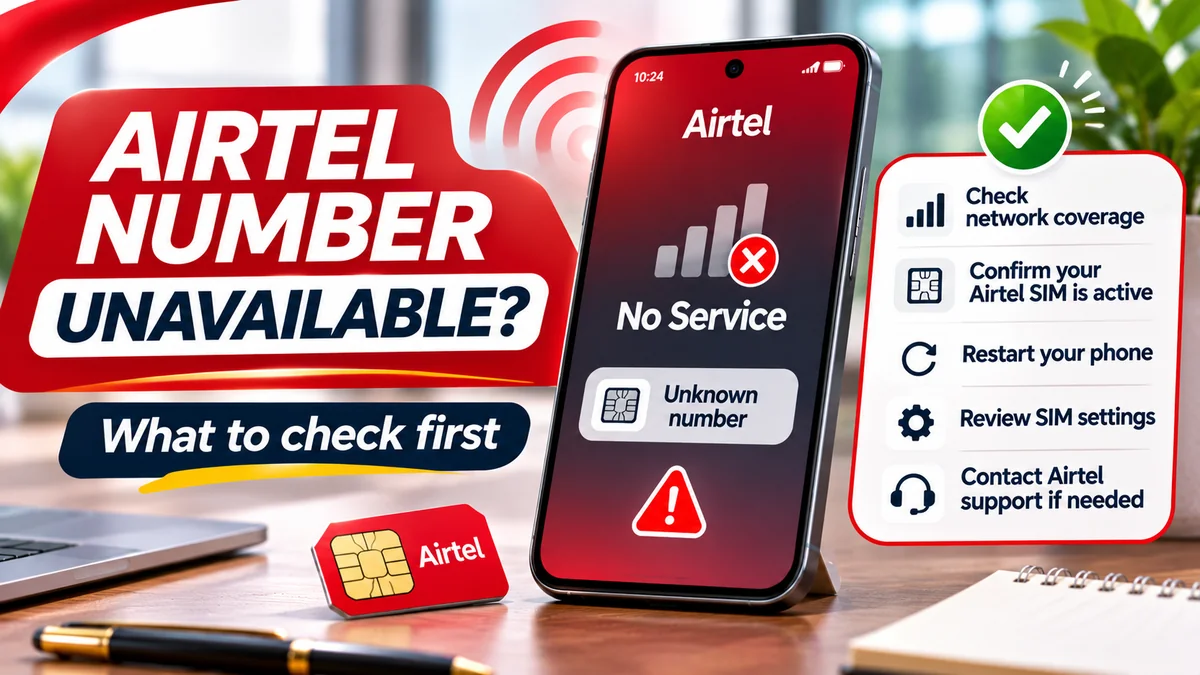
No single symptom proves a swap. A network outage, unpaid or barred line, device settings, a damaged SIM or a temporary signal problem may resemble a takeover. Pay attention to several signs together:
- Your normally working MTN line abruptly shows No Service or cannot receive calls and SMS while another phone on MTN has service nearby.
- You receive an unexpected notification about SIM replacement, account access, recovery or security changes that you did not request.
- A bank, email account or messaging app sends alerts about a new login, a changed recovery phone, a password reset or an unusual transaction.
- Your contacts report receiving strange messages supposedly from your number, or you lose access to accounts tied to it.
- Someone claiming to be an MTN agent urgently asks for your NIN, passwords, OTPs or a suspicious verification action.
A number working on another person's handset does not, on its own, establish how the transfer occurred. Do not spend hours troubleshooting signal settings if other account-security alerts point to a possible takeover. Use another trusted device or connection to reach MTN and your financial institutions.
1. Make sure your MTN registration and NIN details are correct
MTN states that a replacement requires a registered phone number and a National Identification Number (NIN) or virtual NIN (VNIN), along with correct responses to relevant usage questions if requested. These may cover a previous recharge, frequently dialled numbers and the year of line activation.
The official MTN NIN Status Portal guidance explains how customers can check linkage status using their number and an OTP. Use the link from MTN's own website rather than a lookalike page sent in a text message. If the registration is wrong or the SIM is not properly recorded in your name, ask an authorised MTN service centre how to correct it.
Correct registration supports legitimate ownership checks. It is not an absolute guarantee against fraud. Avoid sharing your NIN slip, ID photographs, full SIM pack or usage-history answers with a stranger offering to “secure” or “upgrade” your line.
MTN also publishes proxy SIM-swap documentation requirements for exceptional situations, including identity and ownership evidence. That makes it especially important to protect copies of identity documents and treat requests to act on your behalf with caution. Never provide an informal agent with documents simply because they promise faster service.
2. Activate a SIM PIN—but understand its limitation
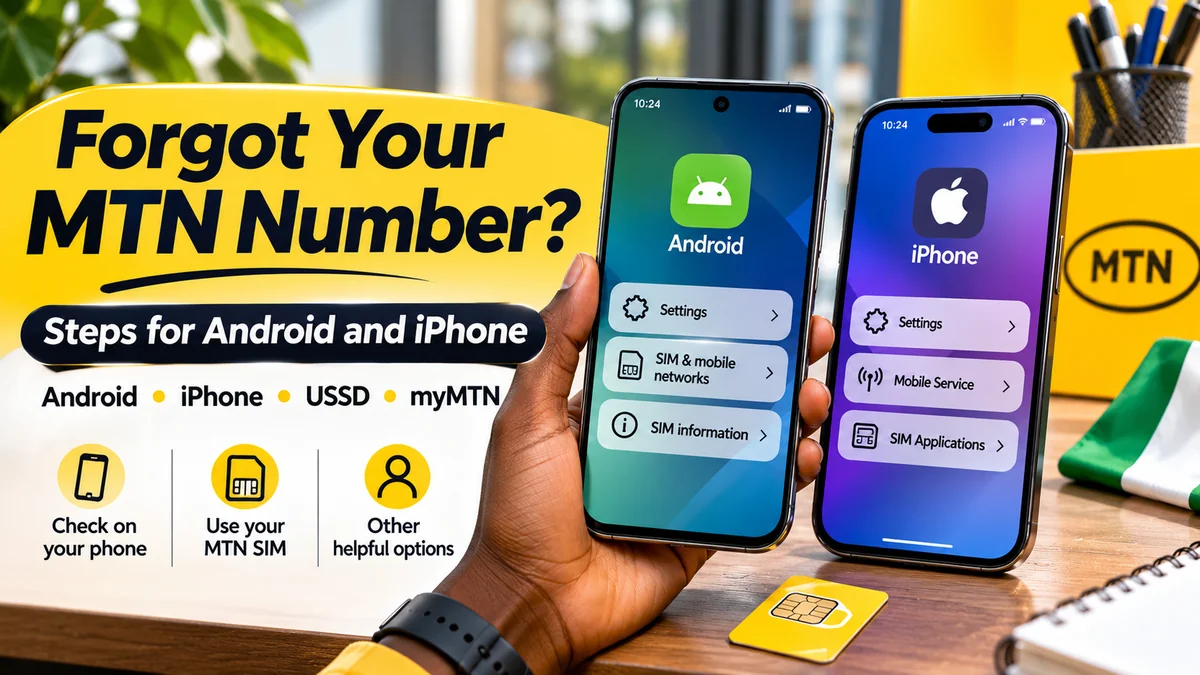
A SIM PIN is a code that helps prevent someone from using a locked SIM card after moving it to another phone or restarting a device. MTN has an official SIM Security guide explaining how to enable it on Android, iPhone and supported feature phones. The NCC also advises consumers to use SIM PINs and passwords to reduce physical-SIM misuse.
Android: how to turn on SIM locking
- Open Settings and look for Security & privacy, More security settings or SIM card lock; menu names vary by manufacturer.
- Select the MTN SIM if the device uses two lines.
- Enable Lock SIM card and enter the current SIM PIN requested by the device.
- Where supported, change the PIN to a unique code that you can remember or store securely.
iPhone: how to turn on SIM PIN
- Open Settings → Cellular or Mobile Service.
- On a dual-line iPhone, select the appropriate MTN plan, then open SIM PIN.
- Switch on SIM PIN and follow the prompts for the existing code and, if supported, a new PIN.
Do not guess a current or default SIM PIN repeatedly. MTN warns that three incorrect entries can trigger a PUK request. If you do not know your PIN or PUK, obtain guidance from MTN through 300 or an official store. The PUK is associated with the SIM and should not be posted publicly.
Critical distinction: a SIM PIN helps protect the existing physical SIM. It is not the same as a password or fraud restriction on your MTN subscriber account, and it does not independently prevent a fraudulent SIM replacement. Ask MTN whether additional subscriber-account security or verification safeguards are available for your line rather than assuming the SIM PIN provides them.
3. Protect your MTN account against impersonation and phishing
Fraudsters may try to gather the facts an operator uses to confirm subscriber identity. Keep proof-of-ownership material, recharge histories, frequently called numbers, NIN records and personal documents away from public profiles and untrusted intermediaries. A common “urgent SIM verification” link can be a phishing attempt even if it displays MTN or NCC branding.
The NCC issued a consumer warning in November 2026 about fake official device-registration websites . Its advice applies more broadly: type known official addresses directly, use verified channels, and never enter banking credentials, PINs or OTPs on a page reached through an unexpected message.
If someone calls claiming your MTN line will be disabled unless you disclose an OTP, hang up and independently contact MTN. Do not send a screenshot of a verification code, forward a QR-based activation message or approve a request that you did not initiate. Do not rely on a caller's display name as proof of identity.
Where MTN offers additional account-level verification options, ask about the actual feature, eligibility and recovery process through its authorised support team. There is no basis to promise that every MTN prepaid line has a user-configurable “no-swap” lock or a guaranteed anti-swap PIN.
4. Reduce your dependence on SMS for important accounts
Text-message OTPs remain common, but a criminal who successfully controls a phone number may receive SMS delivered to that number. For sensitive email, financial and professional services, consider stronger authentication where supported: passkeys, security keys or authenticator apps. These methods can reduce dependence on the mobile network.
The US Federal Trade Commission's SIM-swap prevention guide makes the same distinction: SMS verification may be inadequate against number takeover, while authenticator apps or hardware security keys can provide additional protection. Use the options the actual account provider supports and keep secure backup and recovery methods.
Start with your primary email, since it may control password resets for banking, social media and business accounts. Set a strong unique password, review recovery methods, sign out unknown sessions and remove unused phone-number recovery paths where the service permits. Secure any password manager and cloud account with robust authentication as well.
Not every bank allows customers to replace SMS verification with an authenticator, and not every authenticator flow is phishing-resistant. Keep bank-specific transaction PINs and device verification features enabled, and ask the bank what additional protection it offers for a newly swapped number.
5. Secure the phone and messaging accounts linked to your line
Use a strong device passcode or password, supported biometric unlock, updated system software and official app-store apps. Enable the relevant device-locator and remote-lock features in advance; recovering a lost handset is easier if the service is already configured.
For WhatsApp and other messaging platforms, enable their account-level two-step verification or passkey options when available, review linked devices and set a recovery email you control. These protections can limit some takeover routes, but their effectiveness depends on the app's current recovery rules.
On a dual-SIM phone, check which line receives calls and SMS. A legitimate SIM may still be enabled while messages go to the other line or the phone uses a different default for outgoing calls. Distinguish a setting mistake from a possible account takeover by checking the actual carrier status and account alerts.
A SIM PIN, screen lock, banking PIN and authenticator code protect different things. Using one of them does not make the others unnecessary.
6. Monitor your financial accounts without relying only on SMS alerts
When your number is at risk, SMS delivery may be unreliable or controlled by someone else. Use trusted bank-app notifications, independently signed-in statements or official support channels to review activity. Enable transaction limits and account alerts appropriate to your bank, and keep emergency contact information available somewhere other than the threatened SIM.
If a bank offers security restrictions after a reported SIM change, ask how they work. The NCC's August 2026 explanation of its Telecoms Identity Risk Management System (TIRMS) says authorised organisations can verify statuses such as recent SIM swaps and reassigned numbers. The system can help institutions apply additional checks, but it is not a consumer-operated guarantee that every bank will automatically block every risky transaction.
If you lose access to the number used for banking, do not wait until you see a debit alert before notifying the bank. Treat the telecom account and the linked financial accounts as separate recovery tasks.
What to do immediately if you suspect an MTN SIM swap
Speed matters. Use a different working phone, a trusted internet connection or an official service centre if your affected line is no longer available.
- Contact MTN through a verified channel. MTN's official contact page lists 300, WhatsApp at 0903 300 0001 and its store locator. State that you suspect an unauthorised SIM replacement; ask MTN to check recent replacement activity, secure the line and advise on recovery.
- Ask for immediate restriction where appropriate. If the physical SIM or phone is lost or stolen, MTN's lost-SIM guidance provides a reporting and blocking process. Its page lists
*123*7*4#or the applicable*123*7#menu route for blocking a stolen line, subject to identity questions and current menu availability. That is a lost or stolen SIM procedure—not a guarantee that a USSD attempt will resolve a suspected remote swap. - Alert linked banks and wallets directly. Use official bank channels from a different device or number to request restrictions on mobile or USSD transactions and report unauthorised activity. Follow each institution's procedures.
- Protect your main email and other high-value accounts. From a trusted device, review sessions, recovery details and MFA settings. Change compromised passwords and revoke sessions where safe; if number-based verification is controlled by an attacker, obtain help from the provider before relying on SMS recovery.
- Document what happened. Record the time service stopped, unusual calls or SMS, bank notifications, MTN reference numbers, screenshots and any account activity. Keep evidence private and do not publish sensitive documents.
- Escalate and report. If MTN cannot resolve the complaint, use the NCC's consumer channels, including 622 or consumer.ncc.gov.ng . If money was taken, report promptly to the financial institution and follow applicable law-enforcement and fraud-reporting processes.
A suspected swap is not a reason to share your OTP, send money to “reverse” a transfer or grant a stranger remote access to your phone. Such requests may be a second scam targeting someone already under pressure.
Recovering your MTN line after a legitimate loss or fraudulent replacement
MTN's replacement guidance specifies registration, NIN or VNIN and potentially usage-history checks. You may need to complete its Welcome Back form, buy a replacement SIM and visit an authorised service centre. Exact costs, processing times and required proofs depend on the current process and situation; do not trust a private seller promising an instant replacement without identity checks.
If your device was stolen, MTN also advises contacting financial institutions and considering a police report when fraud is possible. Once the line has been lawfully restored, verify that calls and SMS reach your SIM, then review every account that used the number for authentication. Reset recovery methods, inspect unfamiliar login sessions, and confirm whether any fraudulent payment instructions or linked devices remain.
Restoring the phone number does not automatically undo account changes or bank transfers made during the takeover. That is why bank and email recovery should proceed alongside MTN's investigation.
SIM-swap fraud versus a stolen SIM, number recycling and phishing
| Problem | What happens | First response |
|---|---|---|
| Fraudulent SIM swap | A number is transferred to another SIM without authorised consent | Contact MTN and linked financial services urgently |
| Lost or stolen physical SIM | Someone may possess the original card or handset | Request official SIM restriction and secure the device and accounts |
| Recycled or churned number | An inactive number is eventually reassigned according to operator rules | Update the number on all linked accounts and contact the provider |
| Phishing or smishing | Fraudulent calls, texts or sites trick you into revealing credentials | Stop interacting, verify directly and secure any exposed account |
| Ordinary network outage | Calls or data fail without a takeover | Check service status and troubleshoot; investigate other suspicious signs |
These problems can overlap, but the protections are not identical. For example, a SIM PIN limits use of the physical card; it will not stop a number from being recycled after a lengthy period of inactivity. The NCC's TIRMS guidance highlights the different risks associated with recently swapped, churned, blacklisted and reassigned numbers.
What about business owners and people who use MTN for multiple accounts?
A mobile number may control company email recovery, social pages, customer conversations, business payment alerts and staff collaboration systems. Make an inventory of the important services linked to your MTN line, then reduce the damage a single number takeover could cause. Where available, use separate administrator accounts, security keys, backup codes stored securely and documented account-recovery contacts.
Do not store an unprotected list of NIN records, bank PINs or SIM-replacement security answers on a shared work phone. Limit who can request changes to company-owned lines and keep evidence of authorised requests. If an organisation manages multiple MTN numbers, verify its corporate ownership and replacement process through MTN Business or the relevant official account manager.
A clear incident plan should identify who contacts MTN, who alerts banks, who locks affected online accounts and who preserves records. The goal is to avoid relying on one employee's compromised mobile number for every critical approval.
Questions MTN subscribers commonly ask
Can somebody steal my MTN number simply by knowing it?
Knowing the number alone is usually not sufficient to take over a SIM. Attackers may need to deceive a provider or exploit account-recovery weaknesses. Nevertheless, keeping identity and security-answer information private makes impersonation harder.
Will a SIM PIN stop SIM-swap fraud?
No—not by itself. A SIM PIN helps protect use of an existing SIM card if it is removed or the device restarts. A fraudulent operator-level replacement is a different process. Use a SIM PIN alongside account protections, stronger authentication and rapid reporting.
How can I check whether my MTN number is still linked to my NIN?
MTN's official NIN Status Portal describes checking the linkage with your telephone number and an OTP. Avoid unverified pages requesting identity documents, PINs or payments. Correct linkage supports registration checks but cannot guarantee fraud will never happen.
Does a sudden “No Service” message mean someone swapped my SIM?
Not necessarily. Coverage, device settings or network problems can cause the same symptom. But unexplained service loss accompanied by password-reset alerts or unexpected replacement activity deserves urgent attention.
Can someone use a replacement SIM to receive my bank OTP?
If a fraudulent swap transfers control of your number, SMS messages sent to that number may reach the new SIM. Whether a criminal can use them to access money depends on the bank's other controls and the attacker's access to additional credentials.
What number should I call to report suspected MTN SIM-swap fraud?
MTN's official contact page lists 300 for customer service and 0903 300 0001 for WhatsApp. Use independently verified channels, especially if your affected SIM no longer works. The NCC's 622 is a regulator complaint route rather than a substitute for immediate carrier and bank reporting.
Is NCC TIRMS an app I should install to protect my MTN SIM?
No. NCC describes TIRMS as a system for authorised organisations to check phone-number status, including swaps and reassignment. Consumers should not install a random “TIRMS security app” or submit personal details to websites claiming it will guarantee protection.
Final checklist: protect the number before something goes wrong
Confirm that your MTN line is registered correctly; keep NIN and SIM-replacement answers private; enable the right physical-SIM PIN; secure your main email and phone; use stronger non-SMS authentication where available; review banking activity independently; and save MTN's official support channels before an emergency occurs.
Most importantly, remember that your mobile number can be an account-recovery credential. Protecting it is not just about preventing unwanted calls. It is about reducing the chance that a fraudulent replacement becomes a route into your banking, messaging and digital identity—and knowing exactly whom to contact if it does.