If you are wondering “how to check my MTN number” in Nigeria, start with your phone's SIM settings, an already signed-in myMTN NG app, or MTN's official customer support on 300. You can also call or text another phone from the MTN SIM and note the number that appears. USSD shortcuts such as *663# and *123*1*1# are frequently published by third-party guides, but MTN Nigeria's currently available official help pages do not confirm them as dedicated phone-number retrieval codes. They may work on some lines; do not rely on them as guaranteed.
Forgetting a mobile number is common after buying a second SIM, returning to a line used infrequently, changing phones or adding an eSIM. The fastest reliable method depends on whether the line has network service, whether you can make a call and whether your number is already visible in an app.
This guide separates MTN-confirmed support methods from device-based checks and unverified commonly reported codes. It also explains what to do if your phone says “Unknown”, how to choose the right SIM on a dual-SIM device and how to avoid confusing NIN, IMEI and SIM serial numbers with your actual phone number. Research verified on 14 November 2026.
Quick answer: ways to find your MTN phone number
| Method | What to do | Important limitation |
|---|---|---|
| myMTN NG app | Open the app and check the linked account or SIM profile | You may need the number and an OTP to sign in for the first time |
| Call or SMS another phone | Use the MTN line and check the recipient's incoming caller ID or message sender | Requires active service; call/SMS charges or restrictions can apply |
| Android settings | Settings → About phone / SIM status / SIM manager | The number can be absent, outdated or shown as “Unknown” |
| iPhone settings | Settings → Cellular / Mobile Data → select the MTN line | Exact labels vary by iOS version and some views do not show the number |
| MTN customer care | Dial 300 or use an official MTN support channel | Identity or line-ownership verification may be required |
| MTN Zigi | Ask through MTN's verified WhatsApp or website chatbot | It may direct you to a verification or support process rather than simply displaying the number |
| Common USSD shortcuts | Try *663# or use *123# and inspect available menu items | The specific number-display options are not verified in current official MTN documentation |
Best first attempt: if the MTN line can make calls, ringing a trusted phone nearby can show its caller ID. If it cannot, check device settings or an existing myMTN login. If neither works, contact MTN through an official channel.
Method 1: Check your number through the myMTN NG app
MTN's official myMTN NG app page states that customers can check their SIM profile details, manage linked accounts, review airtime and data balances and use customer support. The app is offered through Google Play and Apple's App Store.
- Open the myMTN NG app installed on your phone. If you need to install it, follow the link from MTN's official website rather than a message advertising an unknown APK.
- If you are already signed in, check the account header, profile or linked lines. Find the entry that corresponds to the MTN SIM you want to identify.
- If several lines are linked, select the correct account. Do not assume that the most recently used number is the one currently in your phone.
- Copy the number or write it in your contacts, then confirm it with an outgoing call if your phone has more than one SIM.
Important catch: MTN's official app instructions say a phone-number sign-in requires the MTN number and a six-digit one-time password. That creates a problem if you have forgotten the number and are not already logged in. The app is therefore a good method for an existing signed-in account, but it is not a guaranteed first-login solution for someone who knows nothing about the line.
MTN also states that customers can text myMTN to 5018 for the download link. This is a way to obtain the legitimate app, not a command that returns the subscriber's own phone number. App menus can change, so use the relevant current profile or linked-account label displayed on your device.
Method 2: Call or send a text to another phone
For a working SIM, this is one of the simplest checks that does not depend on a particular MTN self-service menu.
- Ask a trusted friend or family member to keep their phone nearby—or use a second phone that belongs to you.
- Place a brief call from the MTN line. On a dual-SIM handset, explicitly select MTN before tapping Call.
- Ask the recipient to read the number shown on their incoming call screen or call log.
- If the call does not connect or caller ID is hidden, try sending a normal SMS from the same MTN line, if permitted. The recipient can check the sender number.
- Save the confirmed number in your own contact list with an informative name, such as “My MTN Nigeria”.
Calls and SMS may require usable airtime or active allowances; they are not guaranteed to be free. Caller-ID restriction, network service issues or a barred line can also prevent the method from working. An internet messaging app is not a dependable substitute because it might be registered to a different number from the SIM currently installed.
Method 3: Use the MTN USSD menu or a commonly reported short code
You will find several codes online for this query, especially *663#, *123# and *123*1*1#. Nigerian technology guides continue to report *663# as a number-check shortcut. However, during this research, no current MTN Nigeria official help page was found confirming *663# or *123*1*1# as the present dedicated way to display your own number.
MTN still refers to the *123# family for certain self-service functions, including tariff-plan operations. That supports the existence of the menu family, but does not confirm a specific “My Number” option or a fixed sequence of menu numbers in November 2026.
How to try a USSD check safely
- Open the Phone or Dialler app on the device containing the MTN SIM.
- If you want to test the commonly reported shortcut, enter *663# and select the MTN SIM to send the request.
- Read the response. If the network explicitly shows your own phone number, note it. If the request fails, do not assume the SIM is invalid.
- Alternatively dial *123#, inspect the menu that actually appears and look for an account, profile or number-information option, if one is offered.
- If a menu item concerns purchasing a bundle, migrating tariffs or subscribing to a service, do not select it as part of a number lookup.
- Switch to an official support or device-based method if the menu does not clearly provide your own number.
Old guides sometimes give a fixed chain of menu selections. Since menus can vary, rely on current screen prompts, not on remembered option numbers. USSD generally does not require an internet connection, but access may depend on network service, line status and operator implementation.
Do not confuse number-checking with other harmonised codes
The Nigerian Communications Commission (NCC) harmonised short-code list officially identifies 300 for customer care, 310 for airtime balance, 323 for data-balance services and 996 for SIM-registration or NIN–SIM linkage verification. It does not identify any of those as a universal “show my mobile number” command.
Similarly, *#06# shows a device's IMEI, not the subscriber's MTN telephone number. These identifiers solve different problems.
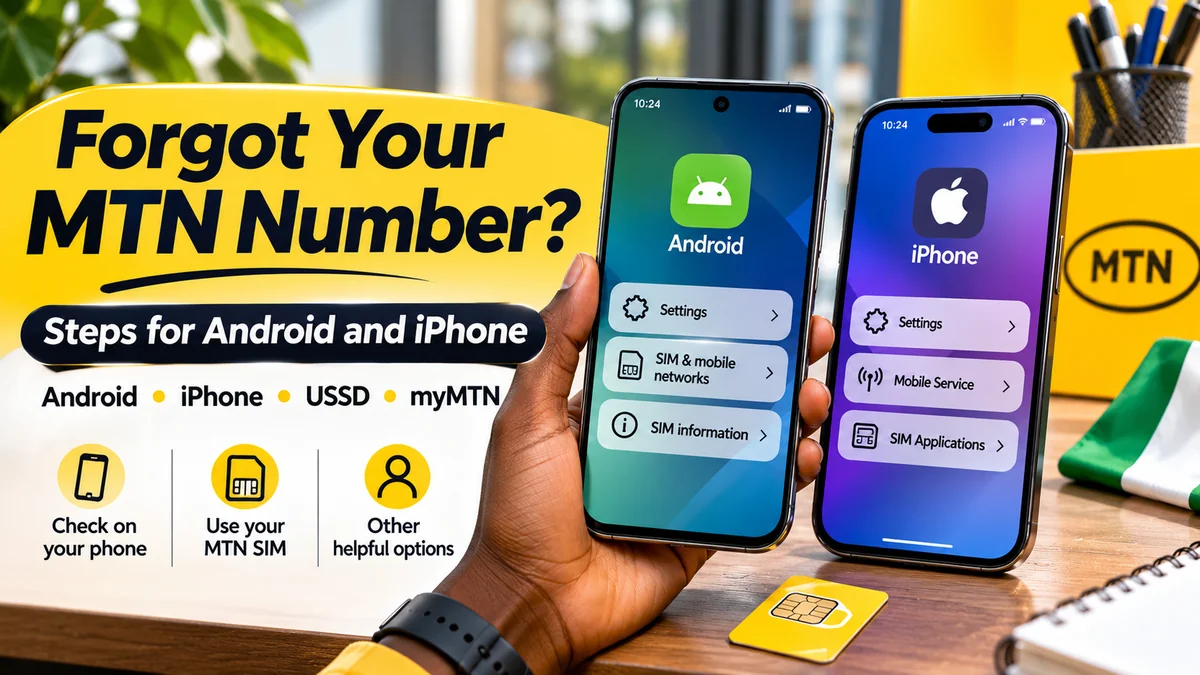
Method 4: Find your MTN number in Android settings
Many Android phones provide SIM information in Settings. Google's Android Help documentation describes opening Settings → About phone → SIM status to inspect carrier information. Some devices also display a phone-number field in that area. Samsung Galaxy, Pixel, Tecno, Infinix and other Android models can use different labels and menus.
Android steps
- Open Settings and look for About phone, SIMs, SIM manager or Mobile network.
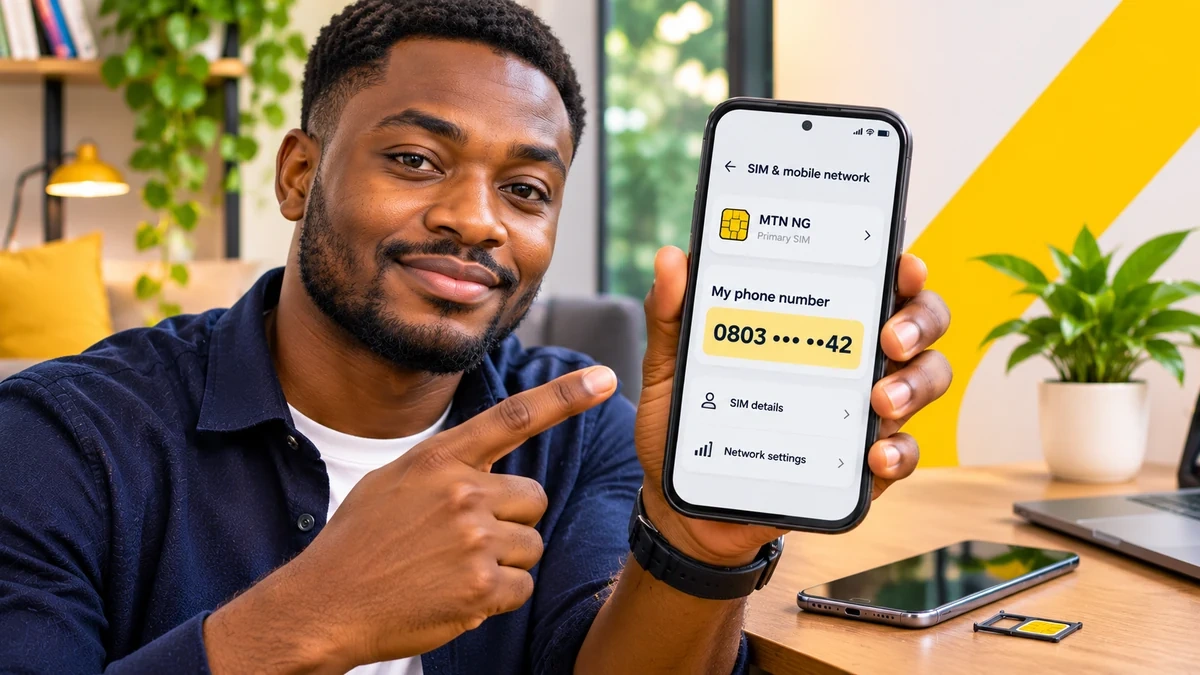
- Open the appropriate SIM or SIM status screen. If the handset has two SIMs or an eSIM, choose the one labelled MTN or MTN NG.
- Look for Phone number, My phone number or a similar field.
- If an 11-digit Nigerian number is displayed, note it and verify it using a call or an MTN account when practical.
- If the field says Unknown, is blank or shows an unfamiliar number, move to another verification method rather than changing your registration information based on the screen alone.
There is an important technical reason for this caution. In a Samsung support discussion , moderators explain that Android may read a temporary or missing telephone-number value from SIM information. That does not necessarily mean your real network number has disappeared or that calling services have stopped working. Device settings are useful evidence, not a substitute for carrier confirmation when they disagree.
Method 5: Check an iPhone or eSIM
On iPhones, mobile-line information is available through cellular settings. Apple calls the relevant section Cellular or Mobile Data depending on region and software. Its Dual SIM support guide explains how to manage separate lines and choose the number used for calls or messages.
- Open Settings on the iPhone.
- Tap Cellular or Mobile Data.
- Under the SIMs or cellular-plan section, look for the MTN line. If you use several plans, open the correct one.
- Check whether the plan details show the associated telephone number. On some software versions or configurations, you may also find a My Number field in Phone settings.
- Verify it by selecting the MTN line for an outgoing call if multiple numbers are installed.
Apple's documentation explains that an iPhone can use a physical SIM and eSIM, or multiple eSIMs on supported hardware. The cellular label may be something you entered yourself, such as “Business”, and is not proof of the actual operator or number. Also, a physical SIM's serial number or an eSIM's EID identifies the card or embedded SIM, not your callable mobile number.
Do not delete an eSIM or reset network settings merely because you cannot remember the number. Those actions may complicate reactivation. Check the active plan, your registration records or MTN support first.
Method 6: Contact MTN Nigeria on 300 or through Zigi
If you cannot use an app, code or second phone, the most dependable next step is to ask the operator that manages the line. MTN's official contact page lists 300 as its phone support number and provides a WhatsApp link to +234 903 300 0001. The NCC's harmonised-code guidance independently confirms 300 as the designated telecom helpdesk short code.
MTN also operates Zigi, a digital support assistant available on WhatsApp, its website and the myMTN NG app. Its official Zigi FAQ says general enquiries can begin as a guest and that internet access is needed to chat. This does not mean the chatbot will automatically identify your number without authentication.
What to say to support
Explain that you have an MTN SIM but cannot recall its MSISDN (mobile telephone number). Mention whether the line has service, the type of phone, whether it is a physical SIM or eSIM, and whether you can receive an OTP. Follow the official line-ownership verification process, which may require additional evidence.
Do not disclose bank PINs, banking app passwords, BVN verification codes or unsolicited one-time passwords. If anyone contacts you claiming to be MTN support, independently open the contact link from mtn.ng instead of using an unfamiliar number supplied in an unsolicited message.
If the SIM is lost, damaged, blocked or no longer receives network service, visit an official MTN store when remote checks cannot establish ownership. Bring documentation required by the current identity-verification process. A lost-SIM recovery is different from merely reading a number shown on a working phone.
What if you have no airtime, no mobile data or no network?
The best alternative depends on exactly what is unavailable:
| Situation | Best practical next step |
|---|---|
| No airtime but the SIM is active | Check settings, existing app account, or try a USSD menu; do not assume all outbound calls are free |
| No mobile data, but Wi-Fi is available | Use an already signed-in myMTN NG app or official online support |
| No internet at all | Check SIM/phone settings, the SIM registration receipt or a network-supported USSD menu |
| Two SIMs, uncertain which is MTN | Identify each carrier in SIM settings and deliberately select the MTN line for the call or USSD request |
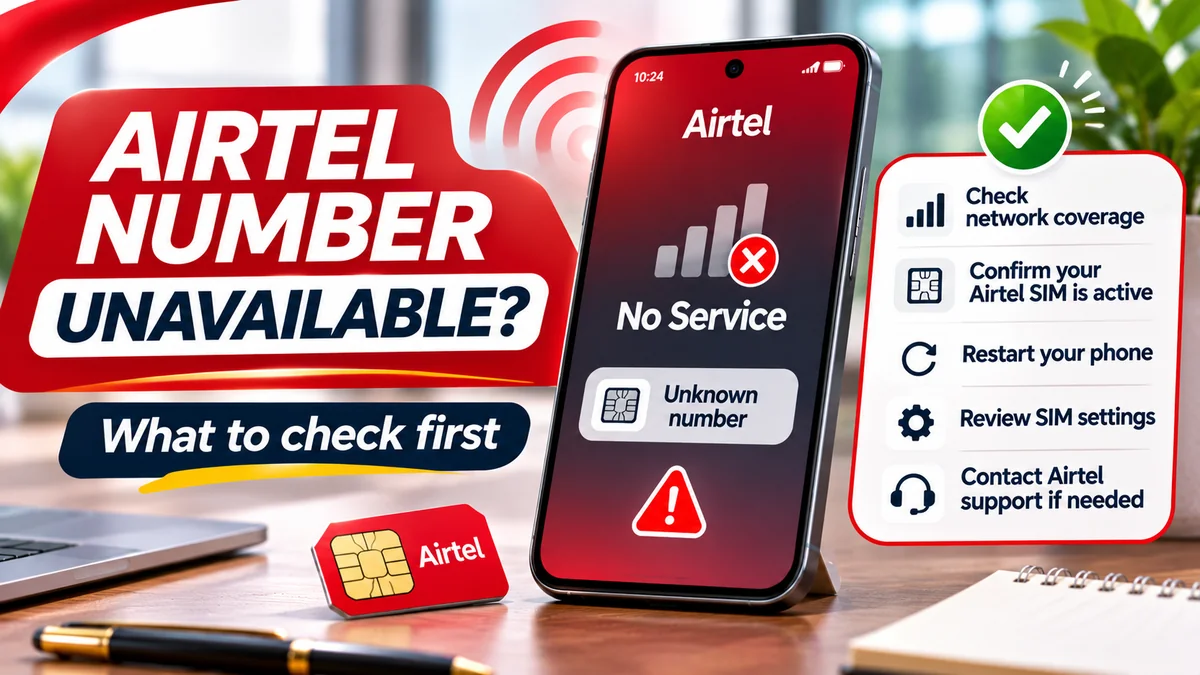
| “Unknown number” in settings | Try another reliable method; a blank display alone does not mean the line is invalid |
| SIM barred or inactive | Use MTN official customer care or a store to establish the line's status |
| Phone lost but paperwork available | Check legitimate activation receipts, past account records or confirmed provider correspondence |
Take care with the physical SIM holder. It may display an ICCID serial number, activation reference or other identifiers, but it does not always print the assigned mobile telephone number. The original registration receipt or reliable previous customer record can be more useful than the SIM plastic itself.
How to check the correct MTN number on a dual-SIM phone
Dual-SIM devices are a common reason people identify the wrong line. A smartphone may have MTN in SIM 1, another operator in SIM 2, or an eSIM alongside a physical SIM. Furthermore, the default line for calls may differ from the line selected for mobile data.
- Go to the SIM-management screen and identify the operator name associated with each line.
- Check which lines are currently active. Do not rely on custom labels such as “Work” or “Personal” alone.
- When using a code or test call, choose the MTN SIM on the dialler's SIM selector.
- Ask the receiving phone to show the number, then cross-check it with the correct SIM account.
- Once confirmed, give the line a clear label such as “MTN primary” to reduce future confusion.
Apple's Dual SIM guide specifically explains how to choose which number makes a call or sends a message. Android devices have equivalent controls but their names vary by manufacturer. A number stored in WhatsApp, a bank app or your contact card could belong to a different SIM or an older registration; treat it as a clue until verified.
MTN number vs NIN, SIM serial number and IMEI: important differences
These identifiers may appear together in troubleshooting discussions, but they do different jobs.
| Identifier | What it identifies | Is it your MTN phone number? |
|---|---|---|
| Mobile telephone number / MSISDN | The line other people call or text | Yes |
| NIN | The person's national identity record | No |
| ICCID | A physical SIM or SIM profile identifier | No |
| IMEI | The phone or mobile device hardware identity | No |
| EID | The embedded SIM hardware identifier | No |
The MTN NIN Status Portal lets customers check whether a mobile number is linked to their NIN. However, the official instructions say users must enter the phone number and complete OTP verification. It is therefore not a direct method for discovering an unknown number.
Likewise, NCC's 996 shortcode concerns NIN–SIM registration verification, not the ordinary “What is my MTN number?” question. MTN's device-checking help explains that *#06# retrieves the IMEI, which is a device identifier—not the SIM's telephone number.
If you suspect an unfamiliar person has taken control of your mobile number, the issue is more serious than simply forgetting it. FlyingEze's guide to SIM-swap fraud and mobile banking security explains why unexpected service loss and unauthorised account activity require prompt attention.
How to keep your MTN number safe after finding it
Once you have verified the number, save it somewhere accessible but appropriate for its sensitivity.
- Store it in your own contacts with a distinct name if you have multiple MTN lines.
- Keep a secure personal record of your active lines and which services use each number.
- Review important banking, messaging and recovery accounts before changing or abandoning a number.
- Keep official activation and support records rather than sharing them in public groups.
- Do not publish a full phone number unnecessarily in public screenshots.
- Never treat possession of a phone number alone as proof that someone is an authorised MTN employee.
For related telecom safety advice, FlyingEze has guidance on MTN data-sharing errors and data-gifting scams . Although these address different problems, they reinforce the value of checking the correct line and avoiding suspicious requests for credentials.
Frequently asked questions
What is the code to check my MTN number in Nigeria?
Many third-party guides report *663# and the *123# menu or *123*1*1#. However, these number-display shortcuts could not be confirmed on current official MTN Nigeria pages during research. You can test a reported code on your MTN line, but for confirmed support use myMTN NG account information, the official MTN customer-care number 300 or another practical method described above.
How can I check my MTN number without airtime?
Start with your phone's SIM settings or an already logged-in myMTN account using available Wi-Fi. You can also try a relevant USSD menu if your line has service, but functionality and possible restrictions depend on MTN. A normal test call or SMS may require credit or an allowance.
Can I find my MTN number without internet?
Yes, potentially. Phone settings, a working network-supported USSD request, a call or SMS to another phone, and original activation records do not necessarily need a mobile-data connection. Calls or SMS still depend on line status and available service.
Does *663# still work on MTN in 2026?
It remains widely reported online, but this research did not find a current MTN Nigeria official confirmation. Try it only as an unverified shortcut and stop if the response is unrelated. Use the official support channels if it fails.
Why does my Android phone show “Unknown” for the MTN number?
The SIM may not expose a readable telephone-number field to the operating system, or the stored value may be incomplete or outdated. This does not necessarily mean the MTN line is inactive. Confirm through a call, MTN account or provider support.
How do I check the MTN number on an iPhone with two SIMs?
Open Settings → Cellular or Mobile Data, select the appropriate MTN plan and inspect its details. Then choose that line for a test call if the number is unclear. Do not assume the default voice line is the same as your mobile-data line.
Can I use my NIN to see my MTN phone number?
MTN's official NIN status-checking portal asks you to supply a phone number and verify with an OTP; it does not simply provide the number from a NIN lookup. For assistance recovering a forgotten line, use official MTN support and the required identity checks.
Is the SIM number written on the card my actual mobile number?
Not necessarily. The digits printed on the SIM plastic are often the ICCID serial number, which differs from the number people dial to reach you. Check activation records or confirm the line through MTN.
What is MTN's official customer-care number?
MTN Nigeria and the NCC both publish 300 as the telecom customer-care short code. MTN's official support page also lists Zigi WhatsApp support at +234 903 300 0001.
Conclusion: verify the line, not just a code
There is no reason to depend on one possibly outdated USSD sequence when trying to remember an MTN number. Check a working phone's SIM settings, your signed-in myMTN account or a test call, and use 300 or MTN's verified support channels when the result is unclear.
The key distinction is between methods MTN currently documents and shortcuts circulating on independent websites. A reported code may work, but a dependable guide should never label it an officially confirmed number-retrieval service without evidence. Once the line is verified, save it clearly and keep SIM, NIN and device identifiers separate.
Editorial note: Verified against sources available on 14 November 2026. Operator menus, app layouts and device settings can change. Phone-screen imagery accompanying this article is illustrative, not a screenshot from MTN's official app.