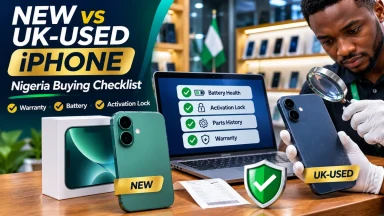
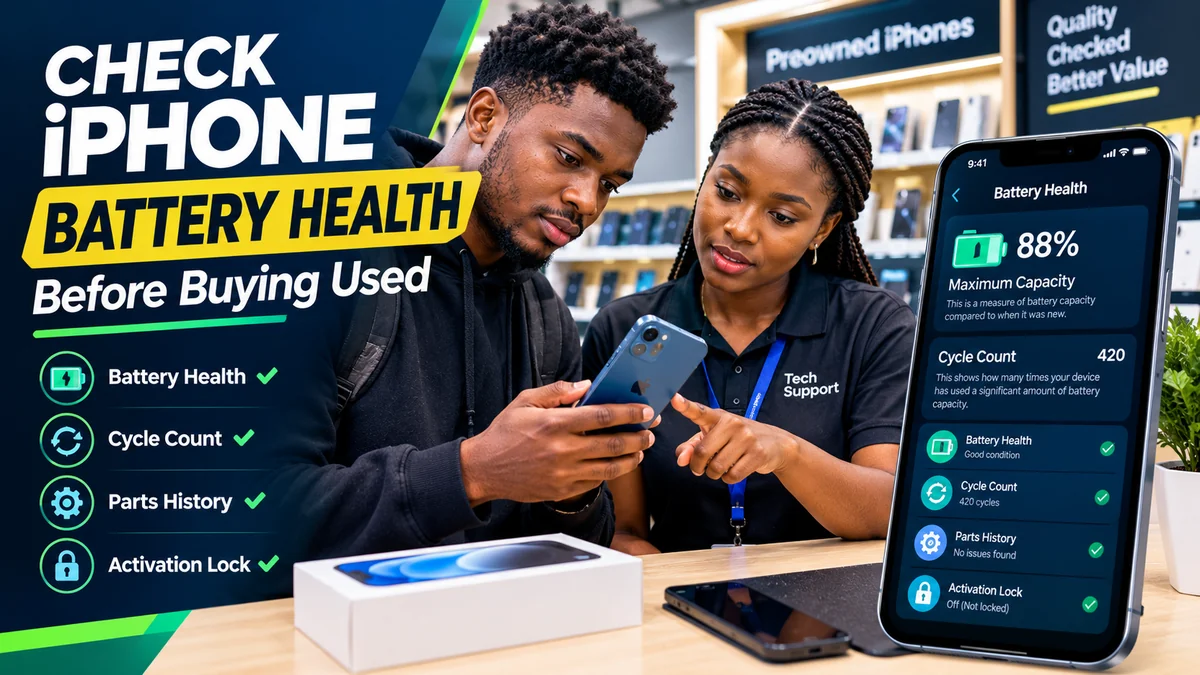
Before buying a used iPhone, open its Battery Health settings on the actual handset—not a seller's screenshot. Check maximum capacity, any service warning, battery cycle count where available and the phone's Parts and Service History. Then test charging and normal operation, confirm the device is unlocked and obtain written return terms. A battery-health percentage is useful, but it cannot by itself prove that an iPhone is genuine, unrepaired or worth its asking price.
For shoppers considering an iPhone 16 or another second-hand Apple phone in Nigeria, this guide shows the correct settings on different models, explains what 80%, 90% and 100% actually mean, and provides a checklist for a physical-shop or online purchase. Apple's documentation was checked on 25 November 2026; precise menu labels can vary with iOS versions.
How to check iPhone battery health: the quick steps
- Ask the seller to unlock the specific phone being sold and let you inspect Settings directly.
- On an iPhone 15, iPhone 16 or later, go to Settings > Battery > Battery Health. On an iPhone 11, 12, 13 or 14, go to Settings > Battery > Battery Health & Charging.
- Read Maximum Capacity and any service or important battery message.
- On supported iPhone 15-and-later models, also examine Cycle Count, the battery's manufacture date and first-use date.
- Open Settings > General > About and look for Parts and Service History, particularly any entry for Battery.
- Test charging, ordinary use and unexpected shutdowns; check the seller's warranty and battery-replacement terms.
Apple documents the newer and older paths in its battery-health guide . Some older iOS versions group the options differently, so identify the model and software before assuming a missing menu indicates fraud.
What does iPhone Maximum Capacity mean?
Maximum Capacity estimates how much charge the battery can hold relative to its capacity when new. An 88% reading is not a statement that the phone is currently 88% charged. It means the battery's estimated full-charge capacity has declined to roughly 88% of its original capacity, subject to the system's estimation and the reliability of the installed part.
This also differs from the battery icon at the top of the screen: a used iPhone can show 100% charge while its Maximum Capacity is 83%. It has been filled to the limit of its now smaller battery capacity, not restored to its original condition.
Batteries naturally age through use and time. Actual endurance also depends on screen brightness, signal strength, temperature, background activity, apps and software. A clean 92% reading does not guarantee a specific number of hours of streaming, gaming or hotspot use.
What battery-health percentage is good for a used iPhone?
There is no universal Apple-certified “safe to buy” percentage. The following are practical shopping interpretations, not factory grading standards:
| Maximum capacity shown | What buyers should consider |
|---|---|
| 95–100% | Potentially reassuring, but verify the battery's history, age, cycles and any replacement; a very high figure is not proof of a new phone |
| 90–94% | Often a reasonable starting point when testing and other checks pass; compare price and expected ownership period |
| 85–89% | Noticeable capacity wear may matter for heavy users; assess battery service costs and a meaningful discount |
| 80–84% | Plan for reduced endurance and possible battery service during ownership; price accordingly |
| Below 80% | Strong reason to budget for replacement or choose another unit, especially if iOS recommends service |
These bands are editorial buying guidance, not Apple thresholds or guarantees. A phone at 87% might still suit someone who mostly makes calls, while a busy delivery rider, creator or mobile gamer may need more endurance. An advertised 98% battery should not override serious concerns about the seller, Activation Lock or a damaged device.
Apple explains that battery ageing can affect peak performance , sometimes resulting in unexpected shutdowns or system power management. Therefore, check warnings and actual behaviour, not just the single number.
Check cycle count on an iPhone 16 or iPhone 15
On iPhone 15 models and later running compatible software, Apple's Battery Health page includes more useful information: Cycle Count, manufacture date and first-use date. These details can help identify how heavily a battery has been used and whether the seller's story deserves further questions.
A charge cycle is not the same as plugging in a charger once. A cycle broadly represents using an amount of energy equal to the battery's full capacity, potentially across multiple partial discharges and recharges. A person charging from 60% to 90% repeatedly does not necessarily accumulate one full cycle per charge.
Apple's published battery-design reference distinguishes generations:
| Device generation | Apple's stated design reference under ideal conditions |
|---|---|
| iPhone 14 and earlier | Retain 80% of original capacity at 500 complete charge cycles |
| iPhone 15 and later, including iPhone 16 | Retain 80% of original capacity at 1,000 complete charge cycles |
These are design targets under ideal conditions—not countdown clocks or guarantees that every battery will remain at 80% until exactly its 500th or 1,000th cycle. Capacity can decline differently because of temperature, charging habits, storage, age and manufacturing variation. See Apple's battery and performance documentation .
How to interpret the cycle count
A low cycle count combined with an unusual service warning needs investigation; a high count paired with excellent reported capacity also deserves context. A recent legitimate replacement can change the relevant battery history. Do not assume that the date of first battery use is proof of the handset's original sale date or that a cycle count can confirm the seller's claimed country of import.
For example, an iPhone 16 advertised as “barely used” but showing hundreds of cycles may still be functional, yet the description should be questioned. Ask when the battery was installed, whether it was replaced and how the shop determined the claimed condition. Look for consistency between the figures and the phone's repair records.
Check Parts and Service History before trusting the reading
Go to Settings > General > About on a supported iPhone. If a qualifying repair has been recorded, Parts and Service History may appear. This is important because some used phones have replacement batteries.
| Possible label | What it tells you |
|---|---|
| Genuine | Apple identifies a genuine part and appropriate repair process |
| Used | A genuine Apple part previously installed in another compatible iPhone, where supported |
| Unknown | The part cannot be verified, may not be genuine, may not function as expected or may not have completed the required repair pairing |
| Finish Repair | The repair or configuration process may need to be completed using Apple's supported procedure |
Not every label is available on every iPhone or iOS version, and an empty history is not a certificate that the phone has never been opened. Apple says the section can display the most recent service for a part. Check Apple's Parts and Service History guidance for model-specific information.
A genuine replacement battery is not necessarily a reason to reject the phone, but obtain service evidence and confirm expected operation. An Unknown message is a reason to pause and ask for reliable documentation or an inspection by a qualified technician.
What if the phone says its battery cannot be verified?
Apple cautions that if the iPhone reports “Unable to verify this iPhone has a genuine Apple battery”, the battery-health information might not be accurate. This does not automatically establish that a handset is counterfeit; it does mean the displayed capacity should not be relied upon in isolation. See Apple's guidance on genuine iPhone batteries .
For an iPhone 15 or later running supported software, the Used label can mean a genuine battery from another device of the same model has been fitted. The reading is not proof that it is a new battery. A technician should explain any changes or unresolved calibration steps before sale.
Can a seller fake an iPhone's battery-health percentage?
Listings, screenshots and marketing claims can be misleading, and replacement components or unverified repairs can complicate the meaning of battery data. A photo showing “100% Battery Health” is not evidence that the same physical phone still reports that figure.
Verify the handset yourself and compare the screen with the model information, repair history and service messages. If a seller refuses access to Settings or will only show a pre-recorded video, treat that as an unresolved risk. Avoid third-party diagnostic apps that request your Apple Account password or other sensitive information simply to reveal a supposed “true battery percentage”.
Even a genuine on-device figure is an estimate, not a laboratory test of remaining energy capacity. A short store inspection cannot guarantee performance over an entire day. The aim is to reduce preventable risk, not promise perfect foresight.
Practical battery tests to perform at the seller's shop
Test 1: Inspect the physical device first
Look for a bulging screen, lifted frame, unusual deformation, a damaged charging port or signs of severe heat exposure. If you suspect a damaged or swollen battery, stop using or charging the device and do not buy it pending qualified inspection. Apple's safety guidance advises discontinuing use when battery damage is suspected.
Test 2: Check Battery Health and the warning text
Ask the seller to open the relevant settings page and note capacity, any recommendation for service, cycle count where supported, and the dates shown. Do not reveal your own Apple Account or banking credentials merely to perform this inspection.
Test 3: Inspect the repair record
Check Battery under Parts and Service History if it is available. Ask whether the battery was replaced, when and by whom, what type was fitted and whether the seller offers written coverage for the repair.
Test 4: Confirm charging works normally
With a safe, compatible cable and charger, confirm that charging starts and remains stable. Inspect for repeated charging interruptions, unusual heat and a visibly damaged port. A few minutes of charging is not a scientific test of full battery capacity or fast-charge performance.
Test 5: Try ordinary usage without overinterpreting the result
Run the camera, play a short video, browse over Wi-Fi and check whether the phone unexpectedly restarts or displays a battery warning. Sudden shutdowns during moderate use are concerning. A rapid drop in the displayed charge percentage may justify further testing, but background processes, network conditions and brightness can alter short-term drain.
Test 6: Agree on return and service conditions
Ask for a written inspection period or a workable return policy, including what happens if the phone develops sudden shutdowns or the battery is found to be unverified. Keep a receipt recording model, capacity, condition, known battery replacement and agreed warranty terms. Apple's pre-owned iPhone buying guide recommends understanding return arrangements and checking battery condition before purchase.
Battery health is only one part of a safe used-iPhone purchase
An otherwise healthy battery does not make a stolen, locked or malfunctioning phone a good buy. Before payment, confirm that Activation Lock is removed and that the phone can be activated without another person's Apple Account. Apple explicitly recommends not buying an Activation-Locked iPhone.
Also inspect Settings > General > About > Carrier Lock; “No SIM restrictions” indicates an unlocked phone. Verify the model and storage, test Face ID, cameras, touchscreen, speakers and network connectivity. US-market iPhone 16 devices are eSIM-only, while many other market versions support nano-SIM and eSIM, so confirm the exact variant against your Nigerian network needs.
For related background, FlyingEze's dual-SIM identification guide explains how to establish which line is active, and its article on iPhone storage and performance explains why an apparently sluggish device may also need a storage check rather than automatically being blamed on the battery.
Should you replace the battery or buy another used iPhone?
Compare the full cost, not merely the seller's headline price. A lower-capacity battery may be acceptable if the handset is sound, properly unlocked, sold transparently and discounted enough to cover reliable service. But a heavily worn battery plus unknown parts, charging faults and no return rights can make the cheap option expensive.
For example, suppose two iPhone 16 devices are offered at hypothetical prices of ₦750,000 and ₦860,000. The cheaper unit shows 81% maximum capacity and may need a future battery replacement, while the costlier unit shows 92% with otherwise equivalent checks. The ₦110,000 difference is illustrative, not a verified market price or service quotation. Ask an authorised or reputable qualified repair provider for an actual quote and compare warranty, part quality, service time and condition before choosing.
Apple's limited warranty generally excludes ordinary battery wear unless there is a qualifying defect. A seller's separate warranty may cover different issues. Confirm coverage for the exact device and location using Apple Check Coverage and, for service, Apple's authorised service locator in Nigeria . A recognised serial number or coverage result is not proof that the handset is unmodified or that the seller owns it.
Red flags that should make you walk away
- The seller refuses to let you inspect the actual phone's Battery Health screen.
- The phone cannot charge properly or repeatedly shuts down.
- There are signs of swelling, severe overheating or physical battery damage.
- An Unknown battery warning appears and the seller cannot explain it or provide suitable service records.
- The seller claims battery health is guaranteed at 100% on a heavily used device but will not show cycle count or repair history when available.
- The device is Activation Locked, has unresolved management restrictions or cannot be independently activated.
- There is no credible receipt, seller contact or meaningful return arrangement.
None of the above should be dismissed simply because the phone's outside looks clean. If inspection is not possible at purchase, use a seller with a clearly documented return process and test immediately upon receipt.
Frequently asked questions
Where is Battery Health on iPhone 16?
On compatible iOS versions, open Settings > Battery > Battery Health. The page can show maximum capacity, service recommendations, cycle count and dates related to the installed battery.
Is 90% battery health good for a used iPhone?
It can be a reasonable buying figure when the phone passes other checks, but there is no official Apple pass mark at 90%. Consider cycle count, age, condition, warning messages and the price.
What does 80% battery health mean?
It means the system estimates the battery can hold about 80% of its original full-charge capacity. It is not the same as the battery being currently 80% charged, nor does it by itself prove a phone is unsafe. Reduced endurance and replacement costs should be considered.
Can an iPhone 16 have 100% Battery Health after being used?
Yes, a relatively lightly used battery may still report 100%, or a battery may have been replaced. Check the battery's first-use information, cycles and Parts and Service History instead of assuming the figure proves the phone is new.
What is an iPhone charge cycle?
A cycle is approximately the cumulative use of one full battery's capacity, which may happen over multiple partial discharges. It does not simply count how many times a cable is plugged in.
Why does Battery Health say Unknown or unable to verify?
The phone cannot confirm the battery as expected, the part may be non-genuine or malfunctioning, or a repair process may be incomplete. Apple warns that battery-health information may then be inaccurate. Seek qualified inspection before purchasing.
Does high battery health guarantee a full-day battery?
No. Runtime also depends on the iPhone model, software, signal strength, brightness, battery age and usage. The percentage is useful context, not an endurance guarantee.
Final checklist: inspect the battery, then the whole phone
For a used iPhone 16 or any similar device, start with Maximum Capacity, then verify Cycle Count and Parts and Service History. Look for service warnings, test the charging port and normal use, and ask for a practical return policy. If the device shows an unverified battery, do not accept a flattering capacity percentage without further investigation.
Above all, treat battery health as one piece of evidence. The safest purchase combines transparent ownership, reliable hardware, the right model and SIM variant, reasonable repair costs and written seller protection. If the seller blocks those checks, another device is usually the better deal.