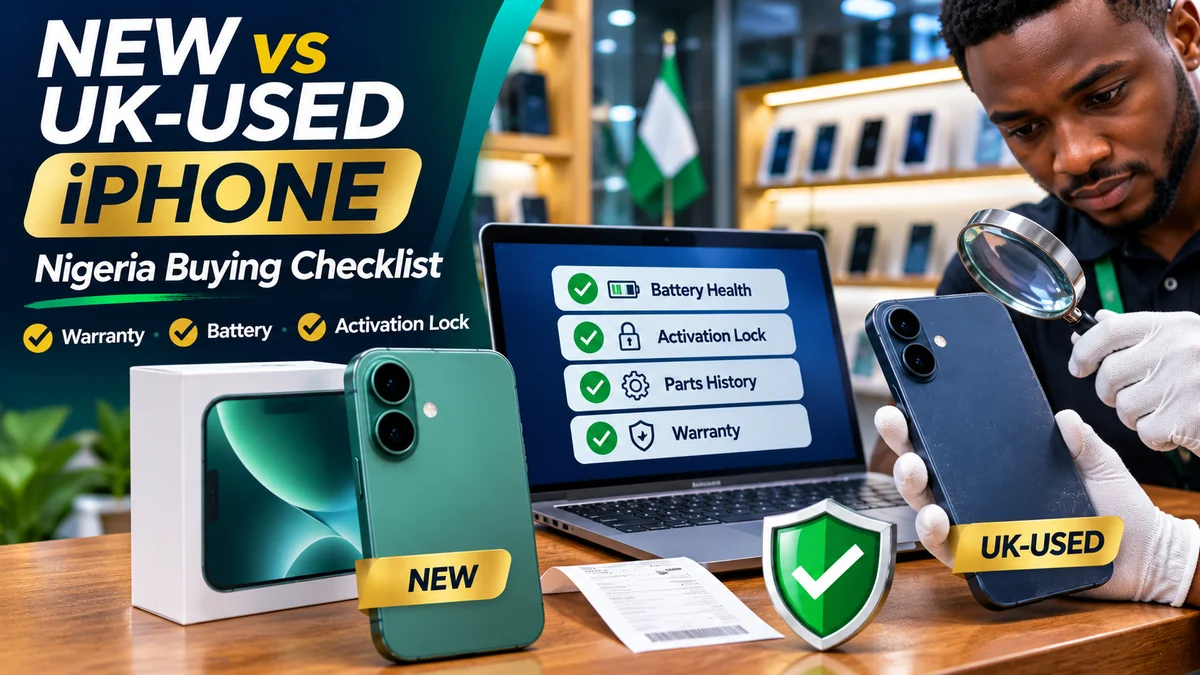
Should you buy a new iPhone or a UK-used iPhone in Nigeria? Choose a new unit when reliable warranty support, documented provenance and the lowest risk matter most. A UK-used phone can offer better value, but only after you verify ownership, Activation Lock, carrier status, battery health, repair history, network compatibility and the seller's written return terms. The words “UK-used” alone do not guarantee any of those things.
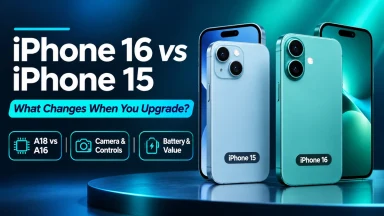
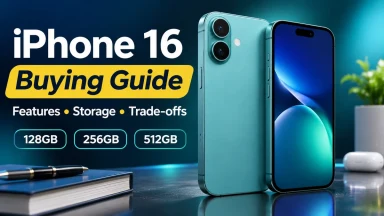
For buyers searching for iphone16, the same rules apply whether the offer is an iPhone 16, an iPhone 15 or another model. As of 25 November 2026, this guide explains a practical inspection you can perform before paying a seller in Nigeria, what Apple's warranty can and cannot promise, and how Nigerian consumer protections apply to second-hand goods. It does not quote invented market prices or certify a particular retailer.
New vs UK-used vs refurbished iPhone: what do the labels mean?
A new iPhone should be an unused device sold in the condition described, ideally with a traceable sales receipt and a clear manufacturer or seller service process. An open-box unit may have been opened, returned or inspected. A UK-used iPhone usually means a previously owned device advertised as sourced from the United Kingdom; it is a market description, not an official Apple condition grade or a guarantee that the phone was originally sold in Britain. A refurbished phone has undergone some form of repair, restoration, replacement or testing, but standards vary with the refurbisher.
| Buying option | Potential advantage | Main risk to verify |
|---|---|---|
| New from a verifiable authorised channel | Clearer purchase evidence and potential manufacturer support | Correct warranty region, authorised status, return terms and actual condition |
| New from an independent importer | May offer different variants or prices | Original sales region, seller warranty and Apple service eligibility in Nigeria |
| UK-used | Lower entry cost or higher-capacity model for the budget | Battery wear, repairs, locks, hidden damage and uncertain history |
| Seller-refurbished | May include a tested device or renewed components | Quality of parts, calibration, service records and who honours the warranty |
Do not confuse a seller's “grade A”, “neat”, “factory unlocked” or “99% clean” description with a certificate from Apple. Ask exactly what has been inspected and obtain the answer in writing. A sealed-looking package is not enough to establish that a phone is new.
Understand the three different kinds of protection
1. Apple's limited warranty is not automatically renewed by resale
Apple's published one-year limited warranty generally measures its period from the original retail purchase by an end-user purchaser, subject to the terms applicable to the device and country. A phone purchased new in 2024 and resold in 2026 does not receive a fresh one-year Apple warranty just because a Nigerian shop calls it “UK-used”. Apple also states that it may restrict iPhone warranty service to the country where Apple or its authorised distributors originally sold the device.
Warranty terms and service availability vary by region and circumstance. A UK purchase history does not automatically confer a straightforward warranty claim in Nigeria, and an AppleCare plan—if present—must be checked for its specific coverage, status and terms. If local Apple service matters to you, confirm eligibility with an Apple Authorised Service Provider in Nigeria before paying.
2. A shop warranty is separate from Apple coverage
A retailer advertising a “three-month warranty” may mean its own repair promise rather than Apple's warranty. Ask whether it covers battery failure, charging faults, Face ID, network defects, display issues or parts previously replaced; where claims are handled; who pays delivery costs; and whether the remedy is a repair, exchange or refund. Insist on an invoice or written warranty containing the seller's name, address, serial or IMEI identifier, model, condition and warranty start date. A verbal assurance offers less protection if a disagreement arises.
3. Nigerian consumer rights still matter
The Federal Competition and Consumer Protection Commission (FCCPC) explains that under sections 117 and 118 of the Federal Competition and Consumer Protection Act, businesses must adequately disclose when goods are used or reconditioned and should provide transaction records upon request except where impracticable. The law also addresses misleading claims and consumer remedies. The precise remedy depends on the facts and applicable law; a seller's “no refund” sign is not a complete explanation of statutory rights.
If a serious defect emerges, first document it and seek resolution from the seller. The FCCPC's complaints guidance explains the route for escalating unresolved consumer complaints. Keep the original advertisement, messages, invoice and photographs.
How to check Apple warranty coverage before payment
- With the phone turned on, open Settings > General > About and check the model name, capacity and serial number.
- Check Settings > General > AppleCare & Warranty when available, or use Apple's official Check Coverage website.
- Review the displayed eligibility, coverage dates or expiration rather than accepting a screenshot forwarded by the seller.
- Compare the serial number on the phone with documentation, packaging and invoice where those are available; investigate discrepancies.
- If dates appear inaccurate, ask the seller for the original purchase evidence and contact Apple Support about updating coverage information where appropriate.
- Ask an Apple Authorised Service Provider whether the particular imported model is eligible for the service you may need locally.
A serial-number check is not an authenticity certificate. A counterfeiter can copy a valid serial from another device, and a legitimate coverage result does not prove the seller owns the phone, that the screen is original, that the handset is unlocked or that it has never been repaired. Verify the physical device, not just the number. Apple's coverage instructions describe checking the device and associated AppleCare information; Apple may request an original receipt during a service claim.
Do not post a prospective purchase's full IMEI or serial number publicly or pay a third-party “IMEI clearance” agent as a substitute for direct checks.
The 12-point UK-used iPhone verification checklist
1. Verify the seller and obtain a traceable receipt
Prefer a seller with a verifiable trading identity, physical contact information and clear inspection and return arrangements. Ask for the model, storage, stated condition, known repairs, battery status, regional variant and warranty terms in advance. For an online transaction, save the listing before it changes. A strong deal should still allow time for reasonable inspection.
2. Verify the exact model and storage
Open Settings > General > About and read the model name, software version and capacity. Confirm the model number against Apple's device identification guide . Some models have similar-looking exteriors but different chipsets, SIM arrangements or supported features. Do not accept a price quotation for an iPhone 16 if the actual unit is a different model or has less storage than advertised.
3. Confirm the phone is not locked to someone else's Apple Account
Activation Lock is a deal-breaker until the rightful owner removes it. Ask the seller to sign out properly, erase the phone and let you complete activation or an equivalent permitted setup check. If it shows “iPhone Locked to Owner”, do not buy it. Apple explicitly says not to purchase a pre-owned iPhone with Activation Lock enabled in its official used-iPhone checklist .
A factory-reset “Hello” screen alone does not prove ownership has been cleared. Apple checks Activation Lock as the phone activates. You must be able to proceed without a previous owner's credentials. If an unexpected organisational management or remote-enrolment screen appears, have the seller resolve it through the authorised organisation before purchase.
4. Check the carrier lock and test mobile service
Look for Carrier Lock under Settings > General > About. Apple's guidance says the text “No SIM restrictions” indicates that the iPhone is unlocked. If you see another status, clarify restrictions before buying. Test calls, SMS and mobile data with a compatible Nigerian line where practical. A phone can be genuine yet unusable on your preferred network because of a carrier restriction.
5. Check whether the iPhone 16 is eSIM-only or has a SIM tray
An iPhone 16 originally sold in the United States generally lacks a physical SIM tray and uses eSIM. Models sold in the United Kingdom typically support a physical nano-SIM and eSIM. Check Apple's SIM compatibility guidance and the exact handset's model. The phrase “UK-used” does not prove it is a UK-market variant; it could be a US phone later resold there or imported into Nigeria.
If buying eSIM-only, confirm your Nigerian operator supports the activation you need before you pay, including any requirements for replacing your existing line. FlyingEze's dual-SIM identification guide can help you confirm the active line after setup.
6. Inspect battery health and cycle count
Open Settings > Battery > Battery Health or the relevant Battery Health & Charging screen, depending on iOS. Record the reported maximum capacity and any service or verification warning. Supported recent devices can also show cycle count and related battery information. The lower the capacity, the more likely you are to need a replacement sooner, but no single percentage guarantees how long a used battery will last.
Apple says batteries in iPhone 15 models and later are designed to retain 80% of original capacity after 1,000 complete charge cycles under ideal conditions. That is a design statement, not a promise that every used iPhone 16 will show 80% or more or that a particular reading proves a battery is original. Consider replacement cost and any suspicious shutdown, swelling, overheating or charging behaviour. Apple's battery guidance explains the underlying limits.
7. Inspect Parts and Service History
Under Settings > General > About, a supported iPhone with a recorded repair may show Parts and Service History. Depending on the model and iOS version, labels such as Genuine, Used, Unknown or Finish Repair provide clues. Apple's official explanation says “Genuine” or “Used” may describe genuine Apple components and completed calibration; “Unknown” or an incomplete repair warrants further investigation.
A replaced part is not automatically counterfeit. Conversely, a blank service history does not prove the phone was never opened or repaired. Ask for repair documentation and test the affected function. If a seller insists that a flagged battery or display is “fully original,” ask them to reconcile the claim with the device's own records.
8. Test Face ID, cameras, sound and sensors
Test Face ID by enrolling your face with the seller's permission on a properly cleared device. Check front and rear cameras at different zoom settings, focus on near and far subjects, and record a short video with sound. Verify speakers, earpiece, microphone, vibration and buttons. On an iPhone 16, test the Action button and Camera Control. A screen displaying a wallpaper does not establish that every component works.
9. Inspect display, frame and signs of prior damage
Look for bright spots, dead areas, colour changes, touch problems, poor panel alignment, cracks or lifted edges. Check whether the display dims and responds as expected. Examine the charging port and camera lenses. Water-resistance ratings on new phones do not guarantee protection after years of wear or repair; do not submerge a seller's phone to “test” waterproofing.
10. Test charging, network connectivity and heat
Use a compatible trusted cable and adapter. Confirm stable charging, wireless charging if needed, Wi-Fi, Bluetooth, mobile data and hotspot functionality. Notice persistent overheating or unexpected restarts, but avoid assuming any one temperature reading diagnoses a hardware fault. If testing is restricted, negotiate a written inspection and return window or reconsider the purchase.
11. Confirm the device can be set up independently
Before paying in full, make sure the seller has backed up and removed their data and that the device can be set up without a previous owner's Apple Account, unknown passcode, carrier lock or management restriction. Do not enter your own banking or other sensitive credentials into a seller-controlled handset merely to prove it works. Complete personal account setup only when ownership is established and the phone is trusted.
12. Match the final invoice to what you inspected
The receipt should describe the specific device you tested: model, capacity, colour, identifying number where appropriate, condition, price, known repairs, seller details and agreed return/warranty period. Confirm it is the same unit placed in the box. Ask the seller to state whether accessories are included and whether any promised repair is performed in-house or by an Apple-authorised service provider.
What is a good battery-health percentage for a UK-used iPhone?
There is no universal percentage at which a used iPhone becomes a “bad buy.” Around 90% maximum capacity can be more reassuring than a substantially lower reading when all other conditions match, but the figure must be considered alongside cycle count, age, performance, replacement history, price and availability of good repairs. A phone displaying 100% after previous ownership might have had a battery replaced—or the reading might not tell the complete story—so investigate rather than automatically celebrating or rejecting it.
For users who want a phone to last several years, a documented, well-tested battery and realistic replacement budget matter more than an unsupported claim that an iPhone has “never been charged.” If a battery is unusually weak, ask for a lower price or choose another unit.
Do not confuse Apple warranty with Nigerian seller warranty
| Question to ask | What a reliable answer should clarify |
|---|---|
| Does Apple coverage remain? | Status checked on the device or Apple's official service, with original purchase timing |
| Can Apple repair this imported unit in Nigeria? | Availability verified for the model and issue through Apple's local authorised service network |
| What does the shop warranty cover? | Explicit defects, exclusions, start and end dates, repair or refund process |
| What happens if the phone is locked or defective on arrival? | Written inspection window and practical return instructions |
| Has the phone been repaired? | Documented repairs, parts, calibration and remaining service guarantees |
Apple's limited warranty generally excludes ordinary wear and accidental damage, though statutory protections and applicable service plans can affect the outcome. A retailer that promises “Apple international warranty” without checking the specific device's country and coverage deserves scrutiny. Apple provides an official Nigeria service-provider locator for asking about supported repairs.
Compare total cost, not just the sticker price
A UK-used iPhone can save money up front but shift repair and warranty risk to the buyer. Make a simple comparison:
Effective used-phone cost = purchase price + immediate fixes + necessary accessories + a reasonable repair-risk allowance.
For an illustrative calculation only—not verified November 2026 offers, suppose a new phone costs ₦1,100,000 and a UK-used version is advertised for ₦760,000. If the used device needs ₦90,000 in immediate servicing and you reserve ₦100,000 for possible repairs, the amount to budget becomes ₦950,000, narrowing the apparent saving to ₦150,000. The reserve is not a guaranteed expense, nor does it eliminate risk; it simply makes the decision more realistic.
If the phone is Activation Locked, carrier-locked without a supported solution or otherwise unusable, the headline discount cannot compensate for the problem. If it passes inspection, has a trustworthy warranty and offers a substantial saving, used can be a rational choice.
Buying online, through social media or from a physical shop
For a physical shop, ask to perform the checks above before payment. For an online seller, request the device's actual photos, a description of defects, written returns and a clear method of inspecting it when delivered. Prefer arrangements that give you recourse if the unit is different from the listing. If delivery is accepted, document opening the package and inspect promptly; an unboxing video may be useful evidence but does not replace the seller's legal obligations or your technical checks.
Do not transfer money to an unrelated account because a supposed shop employee asks you to “confirm the order.” Keep records of payment and chat history. If a purchase goes wrong, contact the seller in writing with a clear explanation and evidence; unresolved consumer disputes may be escalated to the FCCPC . For broader buying lessons, FlyingEze has also covered checks before buying a nearly-new phone, laptop or tablet .
Quick printable checklist before paying
- Confirm seller identity, shop contact and written return policy.
- Check the exact iPhone model, storage, serial/IMEI and region variant on the actual device.
- Check Apple coverage and independently confirm whether the service is available in Nigeria.
- Verify that Activation Lock is off and activation completes.
- Confirm carrier unlock status, physical SIM/eSIM support and Nigerian network operation.
- Review battery capacity, cycle count where available and service warnings.
- Inspect Parts and Service History and ask about repairs.
- Test Face ID, cameras, screen, speakers, microphone, buttons, charging and wireless connectivity.
- Check for physical damage and any restrictions that prevent setup.
- Collect an itemised invoice and explicit warranty terms for the exact phone inspected.
Frequently asked questions
Does “UK-used” mean the iPhone is original?
No. It is a seller description, not Apple's certification. Check the actual device, ownership status, parts history, model and operation. Even a recognised serial number does not establish every aspect of authenticity or condition.
Can a UK-used iPhone have an Apple warranty?
It may have remaining coverage or an applicable AppleCare plan, but resale does not restart the original Apple warranty. Check the device's status and confirm whether the required service can be provided in Nigeria.
Is an iPhone 16 from the UK guaranteed to have a physical SIM tray?
An actual UK-market iPhone 16 generally supports nano-SIM plus eSIM, but a handset marketed as “UK-used” might originally have come from the US, where iPhone 16 models are eSIM-only. Verify the exact hardware.
Is 100% battery health proof that a used iPhone has never been repaired?
No. It may reflect a recent battery replacement or other circumstances. Check cycle information, Parts and Service History, service records and actual performance.
Does “No SIM restrictions” mean the iPhone is not stolen?
No. It indicates carrier-unlocked status, not lawful ownership. Separately check Activation Lock, proof of sale and any relevant carrier or seller records.
What if the seller refuses inspection?
Decline the deal or insist on enforceable inspection and return arrangements. Apple's guidance specifically recommends checking pre-owned iPhones and not buying devices with Activation Lock enabled.
Final verdict: new for certainty, UK-used for verified value
A new iPhone from a trustworthy source usually offers the clearest provenance and service expectations. A properly inspected UK-used iPhone can be worthwhile when it costs meaningfully less, performs correctly, has no unresolved locks and comes with honest condition disclosures and workable seller support.
For iPhone 16 shoppers in Nigeria, the strongest buying decision is not based on a “UK-used” sticker or a claimed battery percentage. It is based on verifying the exact device, confirming what warranty really exists, understanding the import variant and keeping proof of the transaction. If any of those fundamentals cannot be checked, walk away—even when the advertised price looks attractive.