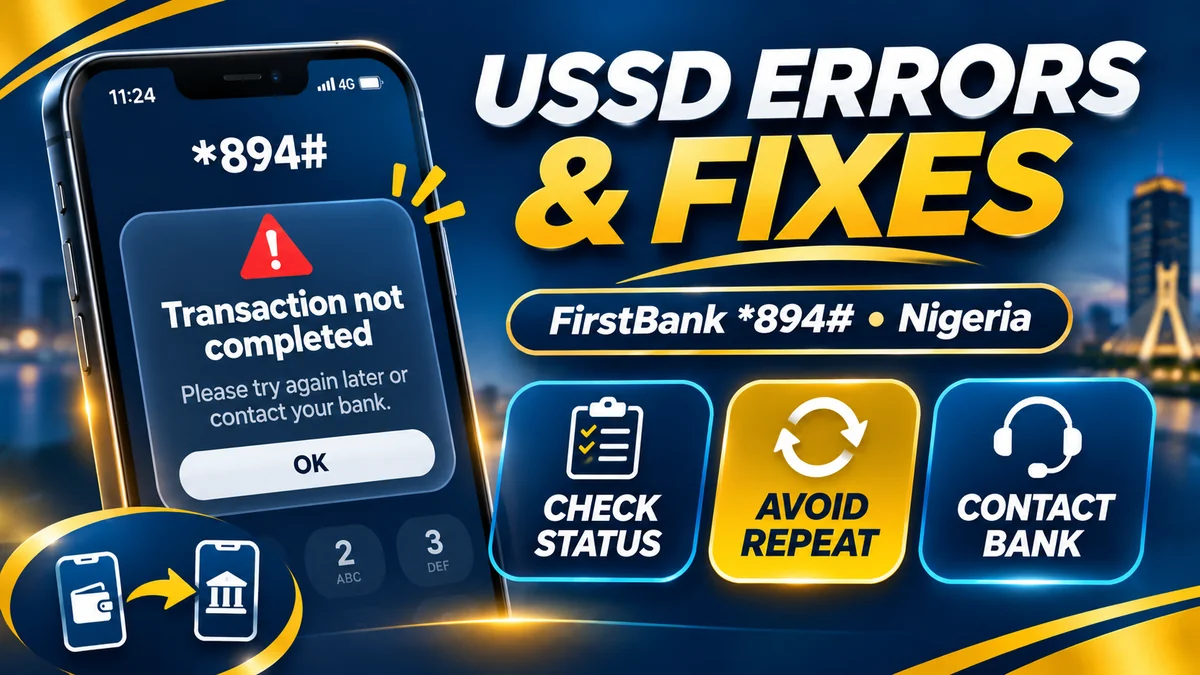
When a USSD banking transaction fails, the safest first step is to check whether money actually left your account before attempting it again. A “session timed out” message is not the same as a confirmed failed transfer, and a missing success SMS does not prove that the recipient was not paid. For customers searching first bank codes, First Bank of Nigeria's official mobile banking short code is *894#, but the correct fix depends on what went wrong.
FirstBank's official Nigeria USSD guide describes transfers, balance enquiries, airtime and data purchases, bill payments, registration and PIN management. The service generally works without mobile internet but still depends on a working mobile network, eligible bank account, registered phone number and the bank's processing systems. This guide explains the most common errors, how to respond safely to a debit without value, and the bank and regulator channels to use if an issue is unresolved.
Research checked 13 November 2026. Bank menus, fees, regulatory guidance and service availability can change. Exact error messages vary by network and provider. None of the example transactions in this article represents a real customer's banking information.
FirstBank USSD error guide: start with the right action
| What happened? | What it might mean | Your safest first step |
|---|---|---|
| “Connection problem”, “invalid MMI” or no menu | SIM, dialler, signal or telecom routing problem | Confirm the exact *894# code and test the registered SIM |
| “Service unavailable” or “request failed” | Network or banking system unavailable | Check status before retrying if a debit could have occurred |
| “Session expired” or timeout | USSD session interrupted or timed out | Do not assume the last authorised instruction failed |
| “Number not registered” or enrolment problem | Phone line not profiled or USSD not activated | Check the SIM enrolled for FirstBank SMS alerts |
| “Wrong PIN” | Incorrect five-digit Quick Banking credential | Stop guessing and follow authorised PIN recovery |
| “Insufficient funds” | Available balance cannot cover the debit and applicable charges | Check available funds and the amount entered |
| “Transaction limit exceeded” | Bank, account or channel limit reached | Use the official limits menu or FirstContact |
| “Beneficiary invalid” or wrong bank | Account or receiving institution mismatch | Recheck bank, account number and displayed recipient name |
| Money debited, no recipient credit | Incomplete, delayed or disputed transfer | Retain details, verify NIP status if eligible, report to bank |
| Airtime or data purchased but not received | Top-up fulfilment or operator processing issue | Confirm debit and recipient number; open a bank complaint |
These are diagnostic possibilities, not officially standardised FirstBank error codes. An error description alone cannot establish whether a payment was settled. Use your available transaction history and, where appropriate, the payment network's status-checking tools.
1. Verify the official FirstBank codes before troubleshooting
A mistyped USSD string can open the wrong service, produce an invalid-code response or send you through an unintended flow. FirstBank's Nigeria-specific banking page identifies these commonly used functions:
| Purpose | Bank-published code or method | Important note |
|---|---|---|
| Open main menu | *894# | Recommended if a direct shortcut is confusing or has changed |
| Register or recover USSD PIN | *894*0# | Follow the actual bank menu and linked-card verification |
| Check balance | *894*00# | May require your banking PIN and applicable channel charges |
| Transfer funds | *894*Amount*AccountNumber# | Confirm receiving bank and beneficiary's name before PIN |
| Recharge own number | *894*Amount# | For the registered number |
| Recharge another number | *894*Amount*PhoneNumber# | Verify the number carefully |
| Data purchase | *894*2# | Menu options guide bundle selection |
| Bill payment | *894*3*CustomerID# | Use the biller's correct identifier |
| Deactivate bank-linked number | *894*911# | Security action; do not use as a routine troubleshooting test |
For example, a transfer shortcut should substitute the real amount and recipient account number for the words shown in the template; do not dial the example literally. The bank may ask you to choose the receiving institution and confirm the beneficiary's displayed name. If the name is unexpected, stop before authorising. The transfer list and prompts can change, so begin with the main menu when uncertain.
For a full explanation of every registration and security step, FirstBank has a separate official guide. This article focuses on what to do when those services produce errors, not on inventing shortcuts for features whose menus differ.
2. “Connection problem” or invalid MMI code: check the phone and SIM
USSD communicates through mobile network signalling; it does not require an internet data bundle, but your phone still needs suitable mobile-network service. “Connection problem” or “invalid MMI code” can be generated by the device, mobile operator or routing system before FirstBank even receives a banking request.
- Enter the correct
*894#string using the ordinary phone dialler. - On a dual-SIM phone, ensure the call is placed from the phone number registered with FirstBank.
- Move to an area with usable network signal, and check whether ordinary calls or the operator's own USSD menus work.
- Restart the handset if a local dialler or SIM problem seems likely, then make one careful test.
- If other mobile short codes also fail, contact your mobile network operator about access or routing; if other codes work but FirstBank does not, report that distinction to FirstBank.
A smartphone's browser cache generally has no connection to a USSD dialler session, so clearing browser history is not the normal remedy. Likewise, installing a random “USSD fixer” app introduces unnecessary security risk.
Nigeria's telecom regulator, the NCC, specifically distinguishes access problems involving the mobile operator from banking-transaction problems that should be reported to the bank .
3. The menu opens but says you are not registered
FirstBank says its 894 service is intended for individual account holders whose mobile numbers are enrolled for SMS alerts. The bank's public FAQ excludes joint accounts, corporate accounts and accounts requiring multiple signatories. You may have an active bank account but still be unable to use Quick Banking if the SIM is not correctly profiled.
The bank explains that eligible existing customers with a linked debit card can dial *894*0#, select registration, choose a masked linked debit card, verify using that card's four-digit card PIN and then create a separate five-digit USSD PIN. This is a bank-controlled enrolment procedure, not a reason to give either PIN to an agent.
If you recently changed your phone number, switched SIMs or updated your bank profile, ask FirstContact or a branch to confirm the correct number linked to your account. Do not assume a new SIM automatically becomes the authorised banking line. If the account type is ineligible, repeatedly registering will not change the product rules.
4. Wrong USSD PIN, PIN reset and repeated authentication errors
The four-digit ATM/debit-card PIN used during applicable verification is different from the five-digit USSD Quick Banking PIN used to authorise transactions. Confusing them can produce repeated failures even when the card and bank account are functioning normally.
FirstBank lists a PIN-reset process within *894*0# that asks eligible customers to select a masked linked card, verify the card's PIN and create a fresh five-digit Quick Banking PIN. Depending on the account's circumstances and security controls, you may instead be directed to FirstContact or a branch.
Do not keep guessing after multiple failures. The bank may apply security restrictions that are not described by one universal number of attempts. A person claiming to be staff does not need your full card PIN, secret USSD PIN, one-time password or card security code to investigate a failed menu.
If the SIM was lost or stolen, treat that as a security incident rather than simply resetting the PIN. FirstBank's own guide lists *894*911# for deactivation of a bank-linked mobile number; contact the bank immediately through verified channels to clarify the appropriate emergency control for your case.
5. Session expired: did the bank process anything?
A USSD session may expire when the mobile signal drops, the telecom gateway becomes unavailable, or too much time passes before a response. The key question is how far the transaction had progressed when the screen disappeared.
If you were only browsing an account-information menu, there may be no payment to dispute. If you entered an amount, saw the beneficiary name and then authorised with your PIN, a timeout is not reliable evidence that the bank rejected the transfer.
Check your bank transaction history and any authenticated alert before issuing the same transfer again. If the debit status is unclear, note the time, amount, destination and exact error. Do not assume a new session is safe simply because the first session ended without a success message.
Repeatedly submitting a transaction during a network interruption can result in more than one successful debit. When money may have left the account, a status check and a properly logged complaint are safer than rapid retries.
6. “Insufficient funds” and unexpected USSD charges
An insufficient-funds response can mean the available amount is too low for the payment and applicable charges. Check your available balance rather than relying on a remembered figure or an old credit alert. Account restrictions and pending activity can also affect what is available to spend.
USSD itself may incur a telecommunications charge. The NCC's end-user billing guidance explains the model under which mobile operators charge for banking USSD sessions from airtime and cites ₦6.98 per session of up to 120 seconds, subject to the current applicable tariff and operator arrangements. That is a telecom session charge, not the same thing as a successfully completed money transfer.
Under this billing framework, insufficient airtime can also interfere with access to banking USSD. Confirm what the operator displays as the charge before continuing. Do not present a particular service or session fee as immutable: tariffs and implementation conditions can change. If you believe you were billed twice for the same session, retain the charge alerts and contact the appropriate bank or operator under the NCC's complaint guidance.
7. Transfer limit exceeded or transaction not permitted
FirstBank offers limit management in its USSD menu, while the relevant limit can depend on account configuration, security settings, daily aggregate usage, beneficiary type and the applicable regulatory restrictions. A universal transfer ceiling repeated in an old blog post may not reflect your actual eligible amount.
When a payment is declined for a limit, first confirm its requested value and whether you have already transferred money that day. Use the bank's limit-management option or contact FirstContact for the applicable threshold and any permitted change. Do not split a payment into many smaller transactions merely to evade a security or regulatory restriction.
Another message such as “transaction not permitted” can point to a restriction on the account or channel rather than a limit alone. A customer may need to update identity information, resolve an account issue or use a different authenticated channel. Only the bank can explain an account-specific restriction securely.
8. Invalid beneficiary details or wrong bank selection
For transfers to other Nigerian banks, the recipient's account number, bank and displayed beneficiary name must be consistent. FirstBank's official menu describes a confirmation step before the customer authorises a transfer. Do not skip that review in the hope that an invalid-name error will resolve itself.
If the displayed name is wrong or the destination bank does not match, cancel before entering the PIN. Reconfirm the account number directly with the intended recipient using a trusted communication method. Do not send a small “test payment” to a name you know is incorrect.
If you already authorised a transfer to a fraudulent or mistaken account, that is a different problem from a failed payment. Contact FirstBank immediately to raise a trace or recovery request; reversals cannot be guaranteed simply because the sender made a mistake. FlyingEze's published guide to responding after a suspected fraudulent bank transfer provides evidence-preservation and fraud-response steps.
9. Debited but beneficiary not credited: the safest troubleshooting path
This is the error with the highest risk of accidental duplicate payment. Treat the transfer as unconfirmed until there is reliable evidence of its outcome. A debit alert shows that the sending account was affected; it does not always establish when the destination account received value. Conversely, an absent SMS does not prove failure.
- Stop and retain the transaction details: amount, date, approximate time, recipient bank and account, displayed reference and any error message.
- Check official account history: use a verified FirstBank channel, not an unknown balance-check link.
- Ask the beneficiary to inspect their bank history: if they say no credit appeared, retain that information without treating their SMS inbox as a definitive ledger.
- Use an eligible NIBSS status check: for a recent NIP transfer, the NIBSS tracker can indicate whether the payment was processed.
- Contact FirstBank: ask for a trace, reversal investigation or complaint reference as appropriate; the bank can engage the payment system and receiving bank.
- Do not make an identical second payment until the first is resolved: a pending transaction can later settle.
The NIBSS payment-dispute FAQ explains that a customer with a failed debit should report the transaction details to the originating bank, which can engage NIBSS for investigation. The resolution route depends on the payment type and the facts; no one can promise automatic recovery of every disputed debit within a single universal number of minutes.
10. How to check an interbank transfer using NIBSS *565*5#
Nigeria Inter-Bank Settlement System (NIBSS) publishes a separate NIP Transaction Tracker at *565*5#. It is not a FirstBank banking command, but it can help diagnose eligible interbank transfers conducted via the NIBSS Instant Payment system.
According to NIBSS's official validation-services guide , a customer dials *565*5# from the number tied to the sending bank account and follows the prompts, including the sending account number and transaction amount. NIBSS says the service can show the last five relevant NIP transactions and verify transactions completed within 48 hours. Its published page lists a ₦20 service fee; check the actual displayed charge before proceeding.
| NIBSS tracker result | Interpretation given by NIBSS |
|---|---|
| Transaction marked “Yes” | NIP processed successfully; if the recipient has no credit, ask the receiving bank to investigate |
| Transaction marked “No” | Transfer not successful; expect a reversal from the originating bank and contact it if not received |
| “Account not found” | The SIM does not match the sender's bank-linked number, or entered account is not linked as expected |
| No transactions found | The bank may not yet have processed the transaction in the tracker scope; contact the bank |
| Transfer missing from recent list | It may still be awaiting processing; ask the bank to trace it |
The tracker does not replace your bank's complaint channel and is not a guaranteed lookup for airtime purchases, bill payments or transactions outside its stated 48-hour NIP window. If the tracker says successful but the beneficiary has not received value, the receiving bank may need to investigate the credit while FirstBank handles the sender's complaint.
11. Airtime, data and bill-payment errors
FirstBank supports airtime, data and bill payments through the *894# service. Common errors include entering the wrong recipient phone number, choosing an incorrect network, using the wrong biller's customer identifier, or receiving a debit without the requested service.
Before confirming a purchase, check the network, phone number, bundle or bill reference and amount. If money was deducted but the airtime, data or bill value did not arrive, save the debit and purchase details and contact FirstBank. Where appropriate, the network operator or biller may also need to check delivery, but the originating bank remains a key contact for a payment debit dispute.
Do not immediately repurchase an identical data bundle merely because the original balance has not updated. A provider's confirmation message may be delayed. Also, do not confuse a telecom USSD session fee with the actual airtime or bill charge.
In early 2026, CBN and NCC circulated proposals for improving failed airtime and data transaction refunds. These proposals should not be described as a guaranteed operative 30-second refund entitlement without confirming final adoption. Follow the currently applicable banking and telecom complaint arrangements instead.
12. Lost SIM, unexpected prompts and possible USSD fraud
Urgent security response is necessary when a SIM or phone is missing, your banking PIN may have been compromised, or you receive unexpected transfer authorisation prompts. Contact the mobile operator to secure the SIM and contact FirstBank through its verified channels to block or restrict relevant services.
FirstBank's official USSD guide lists *894*911# for deactivating a phone number on USSD. Follow the bank's actual instructions and contact support if the number is unavailable or the process cannot be completed. This is not a generic “clear errors” code: deactivation can stop you using Quick Banking until the bank restores access.
SIM-swap fraud can allow criminals to target banking accounts associated with a phone number. FlyingEze's SIM-swap fraud prevention guide explains how to recognise the danger and coordinate action with the network operator and bank.
A real bank officer should not ask you to read out a one-time password, disclose a five-digit USSD PIN or install remote-control software as part of ordinary transaction troubleshooting. Treat such requests as suspected impersonation and verify the support channel independently.
13. Official FirstBank support and complaint channels
FirstBank publishes formal complaint instructions and identifies FirstContact as the customer-support channel. Its Nigeria contact and complaints pages list +234 708 062 5000 and 02012278000, plus firstcontactcomplaints@firstbankgroup.com and complaints@firstbankgroup.com. You can also visit a FirstBank branch or use the bank's complaint-submission site .
When reporting a USSD problem, provide the date, amount, affected service, receiving bank where relevant, transaction reference, a description of the error, and whether your account was debited. Request a complaint or case reference so you can track the result. FirstBank's complaints policy says a complaint may be acknowledged with a unique identification code and expected resolution information.
Never include your PIN, password or OTP in a complaint description. The bank's complaint site itself warns against including PIN or token details. A legitimate support request may require safe account identification, but should not require disclosing secret authentication credentials to an unknown person.
14. When and how to escalate an unresolved banking complaint
The Central Bank of Nigeria's consumer complaint guide says customers should contact the bank first and retain proof. Its general complaint guidance allows a period of up to two weeks for ordinary issues, while certain loan and excess-charge complaints have a 30-day route. Payment-channel cases can have separate applicable resolution rules; do not treat the general two-week escalation route as a promise that every USSD transfer must wait that long for investigation.
If FirstBank does not resolve your case within the applicable period, you can escalate through the CBN's complaints portal or the Consumer Protection Department, with evidence of your prior bank complaint and reference number. The portal asks customers to first lodge complaints with the financial institution and use its reference or tracking number for follow-up.
A complaint letter should explain the disputed transaction, amount, date, destination and expected remedy. Attach safe copies of receipts or statements, but omit PINs and passwords. The goal is to obtain a traceable investigation and correction, not to publish sensitive banking information online.
15. Common USSD mistakes to avoid in future
- Do not keep retrying a transfer while debit status is uncertain. First confirm whether the previous request settled.
- Use the registered SIM. A different number may fail bank profiling or NIBSS validation.
- Separate credentials. The card PIN and five-digit Quick Banking PIN serve different purposes.
- Verify recipient details. Read the bank and displayed beneficiary name before entering the final authorisation PIN.
- Watch charges. Know the difference between a telecom USSD session fee and a banking transfer debit.
- Use official channels. Avoid third-party websites claiming to fix USSD errors or reverse transactions instantly.
- Keep a record. Save relevant transaction references, amounts, dates and complaint case numbers.
- Secure the SIM. Report suspected takeover or loss to the operator and bank quickly.
Frequently asked questions about FirstBank USSD errors
Why is my FirstBank *894# code not working?
Possible reasons include a network-routing problem, incorrect dialling, the wrong SIM, an unregistered phone number, an ineligible account, a deactivated USSD profile or a bank system interruption. Start by checking the official *894# code and the number registered for SMS alerts.
Does a USSD session timeout mean the transfer failed?
No. A timeout does not reliably prove that a previously authorised payment failed. Check your actual account activity and transaction status before repeating it.
What is the FirstBank transfer code?
FirstBank's official Nigeria guide lists *894*Amount*AccountNumber#, with prompts to select or confirm receiving-bank and recipient details. You can also use *894# to navigate the menu.
What code checks my FirstBank balance?
FirstBank lists *894*00# as its balance-enquiry shortcut, subject to proper registration, security checks and any applicable service charges.
My account was debited but the recipient got nothing. What now?
Do not resend automatically. Keep the transaction details, check official account history, consider NIBSS's recent NIP tracker if eligible, and open a FirstBank complaint or transfer trace with a reference number.
What is *565*5#?
It is the NIBSS NIP Transaction Tracker, not a FirstBank transfer code. NIBSS says it covers eligible recent interbank transfers within 48 hours when accessed from the bank-linked number and lists a fee for the enquiry.
Can I reset a forgotten FirstBank USSD PIN?
FirstBank publishes a reset process through *894*0# for eligible customers, involving linked debit-card verification and creation of a new five-digit PIN. If that does not work, use FirstContact or a branch rather than guessing repeatedly.
Does *894*911# fix an invalid MMI code?
No. That is an emergency deactivation function for the bank-linked number on FirstBank USSD. It is not a general phone-network repair code.
How much does bank USSD cost in Nigeria?
The NCC's published end-user billing guidance lists ₦6.98 for a banking USSD session of up to 120 seconds under its model. Check the current operator/bank notice because fees, implementation and exemptions can change. Transaction transfer charges and the session fee are different items.
Where can I complain about a failed FirstBank USSD transfer?
Use the bank's complaints page , its official complaint form or verified FirstContact channels. Obtain a tracking number and, if the case remains unresolved under the applicable rules, follow the CBN's escalation procedure.
Conclusion: check status first, then act
The most useful response to a FirstBank USSD error is to determine whether it is a phone/network problem, account or authentication problem, payment validation error, or already-debited transaction. For first bank codes, begin with the official *894# menu and the bank's registered-number requirements. When a transfer may have been processed, avoid repeated attempts; preserve the reference, check NIBSS status when eligible and contact FirstBank.
A failed screen does not necessarily mean a failed payment, and an alleged “instant reversal service” on social media is not a substitute for your bank's complaints process. Verify the code, protect your PIN and insist on a traceable support case.