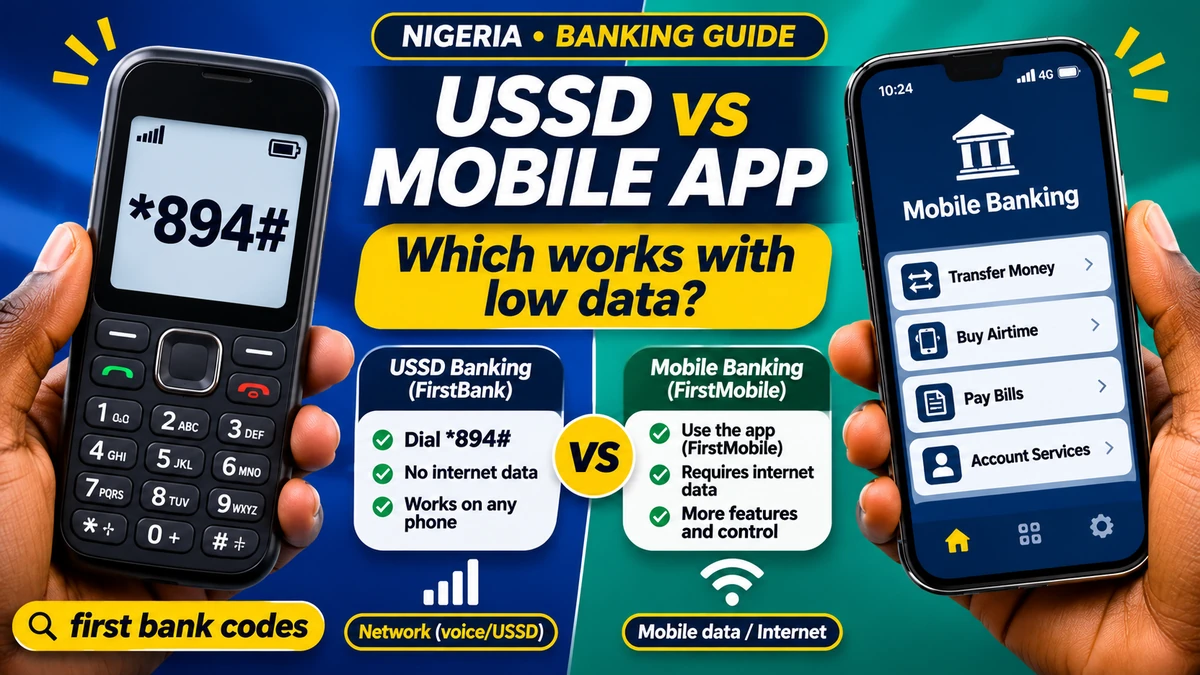
For Nigerians with little or no mobile data, FirstBank's USSD service (*894#) is usually the more dependable option for simple tasks such as transfers, balance checks and airtime purchases—provided the SIM has mobile-network service and the account is eligible. FirstMobile, FirstBank's smartphone app, is generally more useful when you have a working internet connection and want features such as transaction history, receipts, card services and saved beneficiaries. Neither option is always cheaper or always available.
People searching for first bank codes often want to know whether to use a short dialling code or download an app, particularly when their data bundle is exhausted. FirstBank's official USSD page says *894# works on any type of mobile phone without internet connectivity, while the bank's product comparison explicitly describes FirstMobile as an application for internet-connected devices.
The right choice depends on which network signal you have, how often you transact, the price of each channel, your phone and the level of detail required. This guide compares the two, explains the verified FirstBank codes, highlights Nigeria's updated USSD billing arrangements and offers practical safeguards. Fact-checked 13 November 2026. Service menus, charges, bank limits and app functions can change; verify current prompts and bank notices before acting.
USSD banking vs mobile banking: the quick comparison
| Feature | FirstBank USSD (*894#) | FirstMobile app |
|---|---|---|
| Mobile internet | Not required | Required for live banking transactions; Wi-Fi may be used |
| Device | Basic feature phone or smartphone | Compatible Android or iOS smartphone |
| Connection | Working cellular signalling and USSD service | Working internet and bank service |
| Access method | Dial *894# and follow menus | Open and authenticate in the official app |
| Typical functions | Transfers, balance, airtime, data, bill payments | Transfers, account overview, receipts, beneficiaries, card services and more |
| Possible cost | Network USSD session fee plus applicable transaction charges | Internet-data costs plus applicable transaction charges |
| Screen | Short, text-based menus | Richer graphical interface and transaction details |
| Weak point | Sessions can time out; no cellular signalling means no USSD | Cannot complete online actions without a working internet connection |
| Best fit | Urgent straightforward banking with little data | Frequent, more detailed banking when reliable data or Wi-Fi exists |
Practical verdict: Keep both methods available if you qualify. Use USSD for a simple transaction when mobile internet is unavailable, and FirstMobile when you need detailed records or additional controls. Always confirm the transaction status before switching channels or trying again.
What is USSD banking, and why does it work without data?
USSD stands for Unstructured Supplementary Service Data. It is a session-based service carried through mobile-network signalling rather than through a smartphone's ordinary internet-data connection. That is why a customer can dial a banking code on a basic phone without buying a data bundle.
FirstBank calls its version 894 Quick Banking. According to its official FAQ , eligible individual customers can use it for transfers, balance enquiries, airtime and data purchases, bill payments and other menu options. The bank's enrolment requirements include a phone number registered for its SMS alerts; the published standard registration steps also refer to a linked debit card.
USSD is not completely independent of telecommunications service. If your SIM is inactive, has no usable mobile-network signal, or the network's USSD gateway is unavailable, you cannot assume the code will work. A phone can show mobile signal but still experience an unavailable bank or telecom service.
No internet does not mean no charge. The banking session can attract a separate telecom fee and a transfer may also have an applicable payment charge. Understand both before choosing.
What is FirstMobile, and what can it do differently?
FirstMobile is FirstBank's official mobile banking app for supported smartphones. FirstBank advertises account overviews, transfers, bill payments, card management, frequent transactions and spending information. The bank's product description also identifies beneficiary management, electronic receipts and a range of self-service functions.
The official Android app listing describes saved beneficiaries and frequently used transactions. The Apple App Store listing also describes recent releases that included complaint tracking, device controls, account-opening options and other services. Availability can vary by app version, device, account type and the bank's current rules.
The app needs the internet to communicate with FirstBank for live balances, transfers and other online activities. Internet can come from a mobile-data plan or a trusted Wi-Fi connection; having no mobile data bundle does not necessarily prevent app access when safe Wi-Fi is available. Conversely, an installed app is not a reliable way to complete a transaction while fully offline.
FirstMobile's larger interface is particularly useful when you want to inspect transaction details, find a past transfer, download or share a receipt using supported features, or use card and account settings not convenient in a short USSD menu.
FirstBank USSD codes: the officially documented essentials
FirstBank's 894 service page publishes these codes. Dial them from the appropriately registered phone number and follow the instructions on the screen. In the examples, words such as AMOUNT and ACCOUNTNUMBER are placeholders, not characters to dial literally.
| Task | FirstBank's published code | Important note |
|---|---|---|
| Open banking menu | *894# | Use the menu and verify the option displayed |
| Register or manage PIN | *894*0# | Follow the eligible registration/reset prompts |
| Check balance | *894*00# | Session fees may apply |
| Transfer money | *894*AMOUNT*ACCOUNTNUMBER# | Check the recipient name and bank before confirming |
| Buy airtime for self | *894*AMOUNT# | Uses the registered line for the recipient |
| Buy airtime for another line | *894*AMOUNT*PHONENUMBER# | Check the complete phone number |
| Buy data | *894*2# | Follow available bundle options |
| Pay a bill | *894*3*CUSTOMERID# | Use the biller's actual customer identifier |
| Deactivate USSD for a mobile number | *894*911# | Follow current security prompts and contact bank if phone/SIM is lost |
FirstBank's enrolment guidance instructs eligible account holders to dial *894*0#, select a masked linked debit card, enter the card's four-digit PIN within the authentic bank-driven menu and create a separate five-digit USSD transaction PIN. Do not hand the card PIN or the new transaction PIN to a bank agent, caller or website.
Some account types, including certain joint or corporate accounts, are outside the bank's published standard individual-customer eligibility. If you do not see the expected registration option, do not keep attempting random codes; use FirstBank's verified help channels.
Which uses less mobile data?
USSD uses no mobile internet data for its banking interaction. That is a technological difference, not merely a marketing claim. It can help customers on a basic phone, in an area with poor mobile broadband, or when their data bundle has expired.
FirstMobile uses an internet connection. The amount of data consumed can vary with the app version, device settings, transaction screens, notifications, downloads and updates. No verified FirstBank source establishes one fixed number of megabytes for every transfer, so be wary of guides claiming the app always consumes an exact amount per transaction.
A light app transaction on a connection you already pay for may cost less than opening several chargeable USSD sessions. On the other hand, if you have no data and no trusted Wi-Fi, FirstMobile cannot simply replace USSD without an internet connection.
To compare fairly, measure the actual mobile-data cost and the actual USSD session charge on your line, alongside any identical bank transfer fees. The result can differ between a customer making one emergency transfer a month and someone checking balances repeatedly every day.
USSD fees in Nigeria: what the ₦6.98 charge means
The Nigerian Communications Commission (NCC) explains an End-User Billing (EUB) system under which eligible banking USSD use is paid for through mobile airtime rather than through a separate debit from the bank account. Its official FAQ, updated 3 April 2026 , specifies ₦6.98 for a banking USSD session lasting up to 120 seconds.
The NCC also states that bank-by-bank migration requires technical integration, testing and formal customer notification. Therefore, it is inaccurate to assume that every FirstBank customer and telecom network began airtime billing on one universal date. Check a genuine notification from the bank and the charge or consent message actually shown for your line.
Under the EUB model, the NCC says a customer should not be charged twice for the same USSD session by both the mobile operator and the bank. The operator should provide an end-of-activity billing notification. Ordinary bank-transfer or bill-payment fees, where applicable, are a separate issue and should be disclosed according to the relevant rules.
For illustration, if a customer completes five separately billable sessions at ₦6.98 each, the USSD network-session component totals ₦34.90. Ten such sessions would total ₦69.80. These are arithmetic examples, not a prediction that every operation uses exactly one session or that all sessions will be charged identically on every account.
It can be wasteful to keep reopening USSD purely to refresh the same balance. The app, when used on an existing safe internet connection, may be more economical for repeated account review. Compare the actual cost rather than calling one channel “free”.
Mobile banking app costs: data is not the only expense
FirstMobile does not normally require an NCC banking-USSD session simply to use its app screens, but the internet connection is not inherently free. On cellular data, your operator charges according to your plan. On Wi-Fi, someone still pays for that connection, even if there is no direct per-use charge to your phone.
Transfers, bill payments and other bank services can carry charges independently of whether the transaction is initiated by app or USSD. The bank's applicable tariff, the product and the type or amount of transaction determine what may be charged. Do not rely on a viral tariff graphic or an old fee schedule as a guarantee of today's rate.
Also consider indirect costs: downloading a large update over mobile data, replacing an incompatible smartphone, maintaining a suitable battery and travelling somewhere with usable internet. These are less relevant to people who already own a compatible device and have regular affordable Wi-Fi.
What works better when the internet or bank service fails?
If mobile data is unavailable but mobile-network signalling works, *894# may continue to function. That is the strongest low-connectivity advantage of USSD. If you have a working trusted Wi-Fi network, FirstMobile may work even though the SIM has no active mobile-data bundle.
If cellular service is completely unavailable, USSD normally cannot open. If the bank's transaction system is experiencing downtime, either channel may fail, regardless of signal strength. Neither method guarantees instant delivery of a transaction during a backend incident.
| Situation | Usually more useful | Why |
|---|---|---|
| Data plan exhausted but phone has GSM signal | USSD | No internet connection required |
| Basic phone without apps | USSD | Works with menu-driven dialling |
| Cellular signal unavailable, trusted Wi-Fi works | FirstMobile | App can connect via internet, subject to authentication |
| Need full transaction details or receipts | FirstMobile | Richer account tools |
| USSD gateway unavailable, mobile internet works | FirstMobile | Alternative bank channel, if backend is available |
| Bank's core service unavailable | Neither guaranteed | Changing channel does not repair a shared bank outage |
If a transfer reports “processing,” times out, or debits your account without a clear result, check your bank balance and transaction history before initiating another payment. Repeating the transfer immediately can produce two successful payments if the first one eventually completes.
Which is easier for elderly users and first-time digital customers?
The choice is personal. USSD avoids installing an app, uses familiar dialling keys and generally presents a short series of options. That can make it accessible to someone who owns a basic phone or rarely uses smartphone apps.
However, USSD menus can expire before a user finishes reading, and small screens can make recipient details difficult to inspect. A person with visual, mobility or cognitive accessibility needs may prefer a smartphone's larger text, screen reader or biometric authentication where supported.
FirstMobile has a fuller graphical interface and can make repeated activities easier through saved beneficiaries and frequently used actions. But that convenience comes with app setup, device compatibility and dependable internet requirements.
For someone assisting an older relative, demonstrate the genuine bank process without collecting their PIN or controlling the account indefinitely. The customer should be able to check the recipient, approve payments personally and retain control of their SIM and device.
Security: is USSD safer than an app?
Neither banking channel is automatically safe just because it is convenient. USSD relies on possession of the registered phone/SIM and the banking PIN. A stolen phone, unauthorised SIM replacement or disclosed PIN can create serious risk. FirstBank's USSD terms instruct customers to protect their phone and transaction PIN and report suspected unauthorised access promptly.
FirstMobile uses a registered device and bank authentication controls, with certain versions supporting biometrics and other device-management features. But malware, fake banking apps, phishing pages, social engineering and compromised phones can still put an account at risk. The app's appearance or an unsolicited WhatsApp link is not proof of authenticity.
The safest practices on either channel are consistent: keep your phone locked, use an unpredictable banking PIN, never disclose one-time passwords, and verify the beneficiary details before authorising a transfer. Do not let a stranger “help” by taking your phone and completing the payment themselves.
FlyingEze's guide to SIM-swap fraud and mobile banking explains why control of the phone number matters across both channels. For additional FirstBank-specific guidance, use the bank's online-security resources .
How to download and register FirstMobile safely
- Go to FirstBank's official FirstMobile page and follow its authentic store link, or independently locate the bank's official app in Google Play or the Apple App Store .
- Check the publisher and app details carefully. Do not install an APK sent by WhatsApp, SMS or a supposed bank agent.
- Use the app's current enrolment flow for your eligible account; the options may depend on the card, device and bank policy.
- Set the requested secure authentication factors, and activate biometric protection where available and appropriate.
- Test a low-risk activity such as viewing the account interface before relying on the app for a time-sensitive payment.
- Learn how to view transfer status, saved beneficiaries and the official complaint or support options.
FirstBank's published product pages say that FirstMobile supports online account services and card management. An app update may change the appearance or placement of menu options, so use the version actually presented on your device instead of an outdated screenshot.
What if the phone or SIM is lost?
Act quickly. Contact your mobile operator to protect or suspend the SIM, and contact FirstBank through a contact you independently obtain from the official bank support pages or a branch. Tell the bank that the registered phone or SIM may be compromised and ask about securing affected channels.
FirstBank publishes *894*911# as a code for deactivating a mobile number's USSD profile, subject to the service and its prompts. If you no longer control the SIM, do not assume you can safely dial it from the lost phone; request assistance from the bank. If FirstMobile was installed, ask the bank about device access and account restrictions as necessary.
Change compromised passwords and PINs through authentic channels. If an unauthorised transfer has occurred, preserve transaction records and report the event promptly. FlyingEze's guide to responding after a suspicious bank transfer explains how to preserve evidence and contact the receiving and sending institutions.
How to resolve charges, failed USSD sessions and app errors
Start by identifying whether the problem concerns the telecom session, the bank transaction or the internet connection. The NCC's EUB FAQ says customers experiencing an inability to access the USSD platform should contact their mobile network; transaction failures should be taken to the bank.
- Save the date, time, amount, phone network, displayed message and any transaction reference.
- Review available bank alerts and the transaction history before repeating a failed transfer.
- For an unexpected mobile-airtime USSD charge, contact the operator and preserve the end-of-session notification.
- For a transfer, failed bill payment or unauthorised account debit, open a complaint with FirstBank and keep the complaint reference.
- For apparent double billing after your bank has moved to EUB, check the separate airtime and bank records, and dispute the relevant charges through the official channels.
- If the bank does not resolve a formal complaint within the applicable CBN timeframe, use the Central Bank of Nigeria's complaint-escalation procedure .
The CBN says bank complaints generally begin with the institution and may be escalated after two weeks if unresolved, while complaints about excess charges and loans are subject to a 30-day period in its published guidance. These timeframes should not be confused with guarantees that every disputed transaction will be refunded within a fixed number of hours.
Five real-life decisions: which channel should you choose?
1. Your data bundle finishes at a shop checkout
If the phone still has cellular service and your FirstBank USSD profile is active, use *894# to make a supported payment. Verify the merchant's actual account details and wait for confirmation. Do not confuse USSD with a free transaction; consider airtime/session charges.
2. You want to check five recent transactions
FirstMobile is generally more convenient when a safe internet connection is available because it offers a richer account overview and transaction information. Reopening several charged USSD sessions purely for repeated enquiries may cost more.
3. You have Wi-Fi but no active SIM data plan
Use FirstMobile if the Wi-Fi is reliable and trusted, the app can authenticate and the bank's services are running. A mobile-data bundle is not required just to use an app over Wi-Fi, although account verification may still depend on an appropriately registered phone number or another bank-approved method.
4. You only have a feature phone
USSD is the practical option. The official *894# service is explicitly designed to work without a smartphone or data connection. Enrolment and account eligibility rules still apply.
5. A transfer failed on one channel
Do not immediately make the same payment on the other channel. First check whether the first attempt debited your account or produced a successful reference; otherwise, you could accidentally pay twice.
Frequently asked questions about FirstBank USSD and mobile banking
What is the official FirstBank USSD code?
The official FirstBank quick-banking code is *894#. FirstBank publishes it on its USSD service page and offers menu-driven banking through the registered number.
Can I use *894# without mobile data?
Yes. USSD does not require an internet bundle, but it does require usable mobile-network signalling and an available banking service. Relevant telecom charges may still apply.
Does FirstMobile work without internet?
It needs a live internet connection to process online banking requests. A trusted Wi-Fi connection can replace cellular data, but an app installed on the phone does not itself make transfers work offline.
What is FirstBank's balance-check code?
FirstBank publishes *894*00# for balance enquiry. Check whether your account and network are eligible and whether the session attracts a charge.
How much does FirstBank USSD cost in 2026?
The NCC's end-user billing policy specifies ₦6.98 per eligible banking USSD session lasting up to 120 seconds. It also says banks notify customers when their EUB migration takes effect. Other applicable transaction fees are separate; verify your bank and telecom notifications.
Is USSD cheaper than a mobile banking app?
Not universally. USSD avoids mobile internet data but may charge per session; the app uses paid or shared internet access and may be more economical for frequent account reviews. Compare actual fees and data costs on your own plan.
Can I use FirstBank USSD on an ordinary keypad phone?
Yes, provided it can access the relevant mobile network and your individual FirstBank account meets the published enrolment conditions. FirstMobile requires a compatible smartphone.
Can I register for *894# using any SIM?
FirstBank's normal individual-account enrolment involves the phone number registered with the bank for alerts, together with other authentication conditions. Do not assume a stranger's SIM or a new unregistered number will work.
Which is safer: FirstMobile or *894#?
Both have protective controls and risks. Use genuine FirstBank channels, protect your registered SIM and device, keep PINs private, and report suspected compromises immediately. Extra app features do not make poor security habits safe.
What should I do if both USSD and the app fail?
Check whether the bank has announced an outage, confirm your network and internet status, and avoid repeating an uncertain transfer. Contact the bank through official support or a branch when necessary.
Final verdict: choose based on connectivity, cost and transaction type
For a Nigerian with little mobile data, a basic phone or unreliable internet, FirstBank *894# USSD banking is usually the better primary option for straightforward transactions. It does not use a mobile-data bundle and the official bank instructions provide a compact set of familiar codes.
For someone with reliable internet and a compatible smartphone, FirstMobile offers a richer everyday experience for statements, saved beneficiaries, receipts, card management and other self-service functions. It is especially useful when repeated USSD enquiries would accumulate network charges.
The most resilient approach is to understand both: maintain safe access to the channels for which you are eligible, monitor actual charges, verify the recipient before paying and never repeat a transfer until you have checked the first attempt's status. The answer to first bank codes versus the mobile app is therefore not about one being universally superior—it is about using the right verified channel when your connectivity, budget and security needs change.