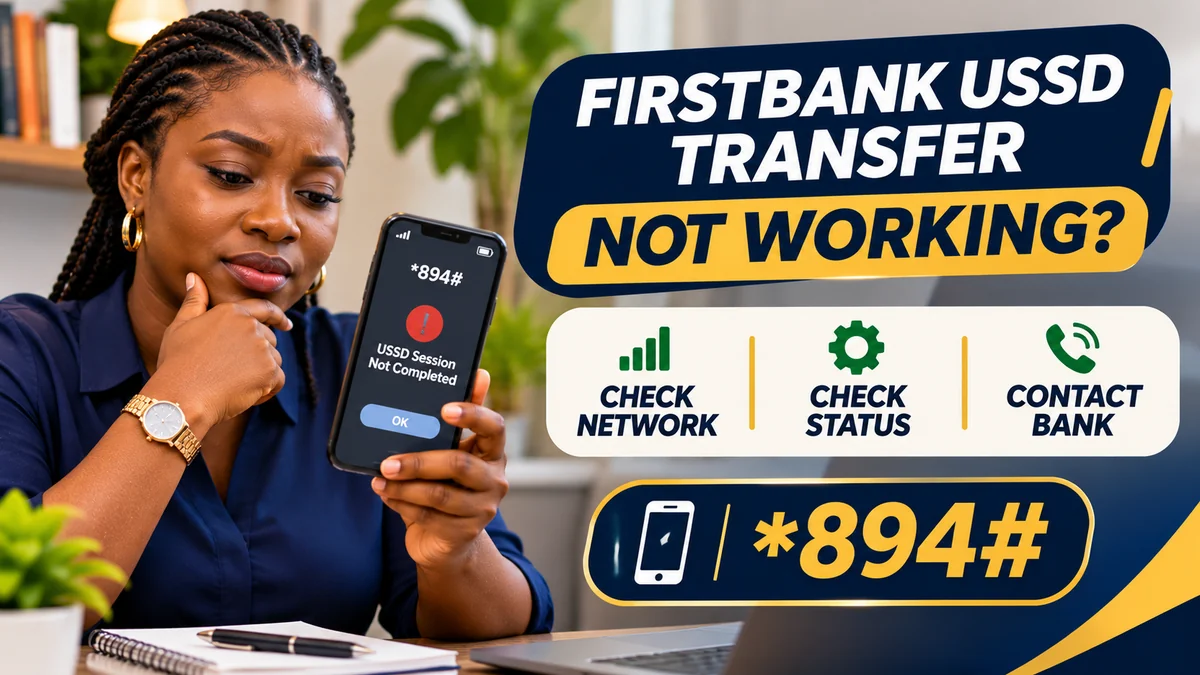
Quick answer: If your FirstBank transfer code is not working, start with the bank's official *894# menu and identify where the process failed. Check your network signal and the SIM registered with FirstBank; verify that USSD banking is activated, the five-digit Quick Banking PIN is correct and the account has enough available money for the transfer and any applicable charges. If the session timed out after you entered the PIN, check the transaction status and account history before trying again. If money was debited, raise a trace or dispute with FirstBank instead of sending a duplicate payment.
The official FirstBank Nigeria 894 Quick Banking page confirms *894# as the service menu and *894*Amount*AccountNumber# as a transfer shortcut. But the same error message can conceal different problems: your mobile network may have dropped the session, a PIN may be wrong, the recipient details may be invalid, a transfer limit may have been reached, or the receiving bank may not have posted the credit yet.
For people searching for first bank codes, this article provides a safe troubleshooting sequence rather than a speculative list of codes or unverified outage claims. It explains how to distinguish a failed initiation from a completed debit, when to reset a PIN, why the registered SIM matters and how to contact the bank without exposing your account to fraud.
Last fact-checked: 13 November 2026. This is independent consumer guidance, not an official FirstBank incident report. It does not establish that FirstBank is currently experiencing an outage, and no live banking transaction was attempted.
FirstBank transfer not working? Check the outcome first
Before changing settings or dialling repeatedly, sort the problem into one of four situations. The correct next step depends on whether money actually left your account.
| What happened? | What it may mean | Safest next action |
|---|---|---|
| The *894# menu does not open at all | Mobile signal, SIM/USSD availability or temporary service issue | Check network and SIM, then retry the menu when service is stable |
| Menu opens but transfer cannot be authorised | Eligibility, PIN, recipient, balance, limit or account restriction | Check the specific prompt; avoid repeated PIN guesses |
| Session timed out after PIN entry, outcome unclear | The transaction may or may not have reached processing | Check debit, reference and recipient status before retrying |
| Account debited but beneficiary not credited | Pending transfer, delayed posting, wrong destination or processing exception | Preserve evidence and report the disputed transaction to FirstBank |
| You did not initiate the attempted transfer | Possible account, phone or SIM compromise | Stop, contact the bank and network provider immediately, and request appropriate security restrictions |
A message such as “session ended”, “connection problem” or “transaction unsuccessful” is not reliable evidence, by itself, that the money remains in your account. The most important question is whether the bank recorded a debit or a completed transfer. When unsure, choose verification over another attempt.
What is the correct FirstBank USSD transfer code?
FirstBank's current official Nigerian USSD page lists the following options:
| Purpose | Official code |
|---|---|
| Open Quick Banking and select Transfers | *894# |
| Transfer using the shortcut | *894*Amount*AccountNumber# |
| Register or reset the USSD PIN | *894*0# |
| Check balance | *894*00# |
| Deactivate the registered number from USSD | *894*911# |
To understand the transfer format, a hypothetical ₦5,000 instruction would be written as *894*5000*XXXXXXXXXX#, where XXXXXXXXXX is deliberately not a dialable account number. Enter only the real recipient's independently verified account number, and confirm the name, bank and amount shown by FirstBank before authorising.
If typing the shortcut is confusing, dial *894# and choose the transfer option from the official menu. Do not follow a caller's instructions to insert another person's account number under the pretext of fixing a failed USSD code.
Important Nigeria-specific check: FirstBank Group operates in different countries. Do not apply a Ghanaian FirstBank product page or any rates denominated in Ghana cedis to a Nigerian account. The Nigerian service guidance used here is on the bank's /ng/ website.
1. Weak mobile signal or an interrupted USSD session
USSD is a mobile-network session, not a normal website or internet banking application. It does not require mobile data, but it still needs a working SIM, cellular coverage, network routing and an available bank service. A call or SMS working occasionally does not guarantee that every USSD session will complete.
Try moving to an area with reliable signal, checking whether the phone is in aeroplane mode and confirming that the active SIM can place ordinary calls. If you use a dual-SIM phone, check which line is selected for the outgoing USSD session. Restarting the phone may resolve some handset-side issues, but it will not fix a bank outage or a wrongly profiled account.
If *894# cannot open even before you enter transfer details, avoid jumping immediately to a PIN reset: the problem may be with session connectivity rather than authentication. If the menu opens but fails later, note the exact step and message before contacting support.
There is no independently verified bank-wide outage established for 13 November 2026. Do not conclude that FirstBank's servers are down merely because one phone experiences a timeout or because an unverified social-media post says so.
2. You are dialling from a phone number not registered with FirstBank
The bank's official USSD FAQs say the 894 service is intended for eligible individual account holders with a phone number enrolled for SMS alerts. The bank's stated enrolment process also involves a linked debit card. If you use a newly purchased line, a spare SIM, a number that has not been updated with FirstBank or a different line in a dual-SIM phone, the service may fail to recognise you.
Do not try to “borrow” another person's linked phone number or ask a cybercafé worker to enrol your account on their SIM. That would create a serious security risk. If your personal number has changed, contact the bank through a verified branch or customer-service channel to have the account profile checked and updated according to its procedure.
FirstBank's FAQ also states that the relevant personal 894 service does not cover joint, corporate or multiple-signatory accounts. If your account is in one of those categories, ask FirstBank about the appropriate banking channel rather than assuming the USSD transfer shortcut should work.
3. FirstBank *894# has not been activated, or enrolment is incomplete
Someone who has never registered for FirstBank Quick Banking may be able to dial the code but not successfully authorise a transfer. FirstBank publishes the registration route as *894*0# from the linked phone number.
For the stated debit-card enrolment process, the bank asks the customer to select a masked card linked to the account, enter the four-digit debit-card PIN within the official, self-initiated USSD flow and create a five-digit Quick Banking PIN. These are not interchangeable PINs.
If the eligible debit card does not appear or the account details cannot be matched, stop and contact FirstBank. Repeating the process with guesses or using someone else's card is not a solution. Use the menu text and instructions actually displayed by the bank, since enrolment flows can change.
4. Incorrect, forgotten or restricted Quick Banking PIN
A failed authorisation can occur because the transaction PIN is wrong or the bank has temporarily restricted access following suspicious activity or multiple incorrect attempts. The public USSD instructions do not establish one universal lockout count or guaranteed unlocking time, so avoid trusting advice such as “try five more times” or “all accounts unlock after an hour”.
FirstBank's published PIN reset process uses *894*0# followed by the reset-PIN option. The customer selects a masked linked card, authenticates with its four-digit card PIN and creates a new five-digit Quick Banking PIN.
Perform that process only through a bank-initiated session you dialled yourself. Do not give either PIN to a support agent, messaging contact or person who promises a “manual reset”. If the reset menu does not recognise your account or card, request assistance through the verified bank support channels.
If you suspect another person already knows your credentials, treat it as a security incident rather than a mere forgotten-PIN problem. Notify the bank promptly and ask whether the relevant channels need to be restricted.
5. Insufficient available balance or transaction charges
A transfer may be rejected when the available balance cannot cover the amount and any applicable charges. The number shown in a recent alert or a previously viewed balance may not reflect pending debits, holds or new fees.
FirstBank lists *894*00# as its balance-check code. Use it when the service is functioning, or access your balance from another verified FirstBank channel. Make sure you are considering the balance in the actual account selected for the transfer.
Do not assume that every USSD transfer is free or that a single fee applies to all amounts. Bank and network charges, statutory levies and the customer's specific transaction circumstances may affect the amount required. Check the relevant live prompt and the bank's current tariff. If a fee seems wrong, request an itemised explanation rather than sending additional funds to an alleged “release” account.
6. Transfer limits or account controls
FirstBank's official 894 menu includes Limit Management. A transfer may be stopped because the amount or total daily use exceeds the limit applying to that customer, channel or transaction type. Account verification, fraud controls or temporary restrictions can also affect what is allowed.
There is no single current Nigerian FirstBank USSD limit verified in this research that should be stated as applying to everyone. Many online lists reuse old promotional figures and may not account for later changes. Ask the bank to confirm your actual limit and any additional authentication or upgrade needed.
The CBN's published 2026 banking reforms also describe options for customers to disable instant payments voluntarily and set lower personal transfer limits, with requirements effective from July 2026. If you have activated such a restriction, ask your bank how it applies to the transaction and how to change it securely. Do not disable a security setting simply because a caller tells you it is the reason for a failed transfer.
7. Wrong recipient bank, account details or unresolved name
For a transfer to another bank, correct beneficiary details are essential. A mistyped account number, the wrong receiving bank or an unavailable name-verification service can interrupt the process. If the system shows a recipient name that does not match the person or business you intend to pay, cancel the transaction until the mismatch is resolved.
Do not assume the fact that a number contains ten digits proves it belongs to the intended beneficiary. Ask the recipient to verify the account details through a trusted channel. If a seller changes their bank account at the last moment, independently confirm the change before paying.
Where the name-enquiry service temporarily fails, waiting and retrying later may be appropriate—provided no payment has already been authorised and debited. Never bypass name checks or replace the account number with one supplied by a supposed bank technician.
8. A bank-side restriction, receiving-bank issue or account status problem
Even when the USSD code is correct, transfers depend on the sending bank's account controls and the receiving bank's availability. A customer account may have a restriction requiring verification, a compliance review, a dormant-account update or another bank-directed action. A receiving institution may also experience a processing problem that delays posting.
Such explanations are possibilities, not a diagnosis of your particular FirstBank account. No public troubleshooting article can establish the reason for an individual restriction. If the transfer menu displays a message about limits, blocked access or an unavailable account, save the wording and contact FirstBank without sharing secret credentials.
A support representative can tell you which official procedure, if any, is required. Avoid anyone who claims they can lift a restriction by receiving a personal transfer, collecting your card PIN or installing a remote-access application.
9. The USSD session timed out after you entered the PIN
This is the situation most likely to lead to an avoidable duplicate transfer. The phone can stop showing a response while the banking instruction has already reached processing. A message that the USSD session ended does not necessarily prove that the transaction was cancelled.
Follow a cautious sequence:
- Do not dial the same transfer again immediately. Keep the amount and intended beneficiary details available.
- Check the sending account using a reliable bank statement, balance enquiry or app transaction history.
- Look for a transaction reference and status. An SMS alert alone can help, but do not treat its absence as conclusive evidence that nothing happened.
- Confirm with the intended beneficiary using trustworthy banking records, not just a screenshot or verbal assurance.
- If the debit or status is unclear, contact FirstBank and request confirmation or a trace before making another attempt.
If the debit is absent, there is no pending transaction in the reliable account record, and the bank confirms that nothing was processed, a later retry may be reasonable. If there is any debit or uncertainty, raise a trace instead of guessing.
10. FirstBank debited me but the other account did not receive the money
Distinguish debit confirmed from recipient credit confirmed. An account debit does not itself prove that the receiving bank posted the money; conversely, the recipient's immediate inability to see a credit does not always mean the transfer failed permanently.
Preserve the transfer amount, date and time, channel (*894# USSD), sending account identification, receiving bank, beneficiary account digits and transaction reference. Report to FirstBank using its official complaints procedure , and ask for a trace, status confirmation or reversal investigation as appropriate.
Regulatory payment systems have exception-handling and dispute procedures, but do not promise yourself an automatic refund within a fixed number of hours for every situation. A failed transfer, a pending interbank credit, a mistaken beneficiary and a potentially fraudulent transaction are different cases. FirstBank and the receiving institution may have to establish the status and the facts before the appropriate remedy can be determined.
Do not let a recipient, seller or unknown caller pressure you to make a second payment while the first debit remains unresolved. If payment is urgent, ask FirstBank for the transaction status and assess another authorised payment method only after understanding the risk of duplication.
How to report a failed FirstBank USSD transfer
FirstBank's current Feedback & Complaints page lists FirstContact telephone support at +234 708 062 5000 and 02012278000, the complaints email firstcontactcomplaints@firstbankgroup.com, a bank complaint form and branch-based reporting. Always verify contact details on the official website when you need them, rather than relying on an unsolicited message.
Use a concise description that distinguishes what you actually know from what you suspect. For example:
On 13 November 2026, I attempted a FirstBank *894# transfer. The USSD session ended after I authorised it. My account shows a debit of ₦[amount], but the recipient has not confirmed a credit. Please trace the transaction, confirm its status and advise the correct resolution. My reference number, date, time and beneficiary bank details are available on request through your secure complaint channel.
The amount and date in this example are placeholders, not evidence of an actual incident. Include only the data needed for investigation, and use a secure bank-approved route for any account documents. Never include your USSD PIN, card PIN, banking password or OTP in a complaint letter, screenshot or social-media post.
Ask for a complaint reference and keep the bank's response. FirstBank's complaint guidance describes the information it needs, the available channels and the right to seek escalation where an issue remains unresolved.
What if FirstBank does not resolve the transfer complaint?
Begin with the bank itself. The Central Bank of Nigeria's consumer complaint guidance says customers should first report the issue to their regulated financial institution and allow the applicable complaint-handling period. The CBN describes a general two-week escalation point for many bank complaints, while certain categories such as loans and excess charges have a different stated period.
If FirstBank does not resolve the complaint within the period applicable to your case, follow the CBN's published route to its Consumer Protection Department. Provide the bank's complaint reference, the disputed amount, transaction date, evidence and the remedy sought. The CBN's complaint guidance explicitly says not to include PINs or passwords.
These escalation periods are not a promise that every failed USSD transfer will take two weeks to resolve. Some payment exceptions can be settled faster under other applicable procedures. Report promptly, obtain a reference and use the bank's specific advice for the transaction.
Security warning: a transfer failure can be exploited by fraudsters
When a banking session fails, scammers may send SMS messages or phone you claiming they can reactivate USSD access. Their aim may be to steal credentials, obtain remote access or trick you into transferring money under a fabricated “verification” process.
FirstBank's official security guidance warns about phishing and impersonation. The bank says customers should not disclose sensitive personal security details in response to unsolicited calls or messages. Contact the bank through an independently verified channel.
Protect the SIM linked to your bank account as carefully as your banking credentials. A lost, stolen or fraudulently swapped number can compromise communications and access to linked services. FlyingEze's published guide to SIM-swap fraud and mobile banking in Nigeria explains the warning signs and recovery steps.
If you suspect your registered number or PIN is compromised, notify the bank immediately and ask which account or channel restrictions are necessary. FirstBank lists *894*911# to deactivate a mobile number's 894 USSD service; this is not the same as freezing every banking channel. If you no longer control the SIM, contact FirstBank and the telecom operator without relying on a code from that lost number.
Quick troubleshooting checklist before making another transfer
| Check | What to do |
|---|---|
| Official code | Use *894# or the verified transfer shortcut from FirstBank |
| Registered SIM | Confirm the selected active phone number matches the bank profile |
| Network | Check cellular signal and whether the USSD menu can open |
| Account eligibility | Verify a supported individual account and completed 894 enrolment |
| PIN | Use the correct five-digit Quick Banking PIN; do not guess repeatedly |
| Balance | Confirm available funds for the amount and relevant charges |
| Limits | Check the bank's applicable transaction limits and personal restrictions |
| Beneficiary | Verify bank, account number and resolved recipient name |
| Prior attempt | Check status and debit before any repeat submission |
| Support | Use official FirstContact or bank complaint channels |
For a new transfer that has not yet been authorised, correcting the displayed issue may be enough. For a transfer that may already have debited you, the priority changes to checking and tracing the first attempt.
Frequently asked questions
Why is my FirstBank transfer code not working today?
Potential causes include a mobile-network or USSD session problem, wrong registered SIM, incomplete enrolment, incorrect PIN, insufficient balance, transfer limits, recipient-validation issues or bank-side restrictions. A single failed attempt does not establish a bank-wide outage.
What is the official FirstBank transfer code?
The bank lists *894# for its Quick Banking menu and *894*Amount*AccountNumber# as a transfer shortcut. Use the exact recipient account details and follow official confirmation prompts.
Does FirstBank *894# require internet or mobile data?
No. USSD does not require mobile internet, but the phone needs cellular service, an active SIM and access to the bank's USSD platform.
Can I use FirstBank USSD from a different phone number?
The number needs to be registered and profiled with an eligible FirstBank account. A different unregistered SIM may not be recognised. Ask the bank to verify and update your details if the number has changed.
How do I reset my FirstBank USSD PIN?
Dial *894*0# from the registered line and select the official reset option, where available. The published process uses a linked debit card's four-digit PIN to establish a new five-digit Quick Banking PIN.
How can I check whether my FirstBank transfer actually went through?
Inspect the sending-account transaction history and debit, preserve any bank reference, and ask the intended recipient to check official account records. When uncertain, contact FirstBank to trace the payment instead of submitting it a second time.
What should I do if FirstBank debited me but the recipient was not credited?
Report the amount, time, channel, reference and beneficiary bank to FirstBank through its verified contact or complaint channels. Ask for a trace and applicable reversal procedure; do not make a duplicate payment while the status is unresolved.
Will a failed USSD transfer automatically reverse in 24 hours?
Do not assume a universal guarantee applies to every error message. Different situations—including a genuinely failed payment, a pending interbank credit, a wrong beneficiary and fraud—follow different processes. The bank should determine the specific status and remedy.
Can I increase my FirstBank transfer limit through *894#?
The official 894 menu includes Limit Management, but available options and approval requirements depend on your account and the bank's current controls. Do not rely on an old fixed limit or an agent asking you to disable safeguards.
What does *894*911# do?
FirstBank lists it to deactivate the mobile number's USSD access. It does not necessarily freeze the account, block the debit card or stop every other banking channel.
Is it safe to give a bank agent my USSD PIN to fix a transfer?
No. Do not disclose your PIN, card PIN or OTP to anyone claiming to repair the transfer. Use official self-service prompts and independently verified FirstBank support instead.
Where can I complain about an unresolved FirstBank USSD transfer?
Start with FirstBank's official complaints channels and keep the complaint reference. If unresolved after the applicable period, consult the CBN consumer complaint guidance for escalation.
Conclusion: check the transfer status before repeating *894#
When a FirstBank transfer code stops working, the correct response is not to keep redialling. Start by checking the official code, registered SIM, cellular service, PIN, account eligibility, available balance and applicable limits. If the problem appears before authorisation, those checks can help identify the next step.
But if the session stopped after you entered the PIN, the priority is different: confirm whether your money was debited, then request a trace if the result is unclear. Keep transaction evidence, protect your credentials and use the bank's own FirstContact channels. A cautious status check can prevent a frustrating error from becoming a costly double payment.
Editorial verification: 13 November 2026. Sources include FirstBank's official Nigeria 894 USSD guide, FAQs, terms, complaints and security pages and the CBN's consumer-complaint and 2026 payment-control guidance. Symptoms listed are general troubleshooting possibilities, not evidence of a current FirstBank outage or the status of any specific transaction.