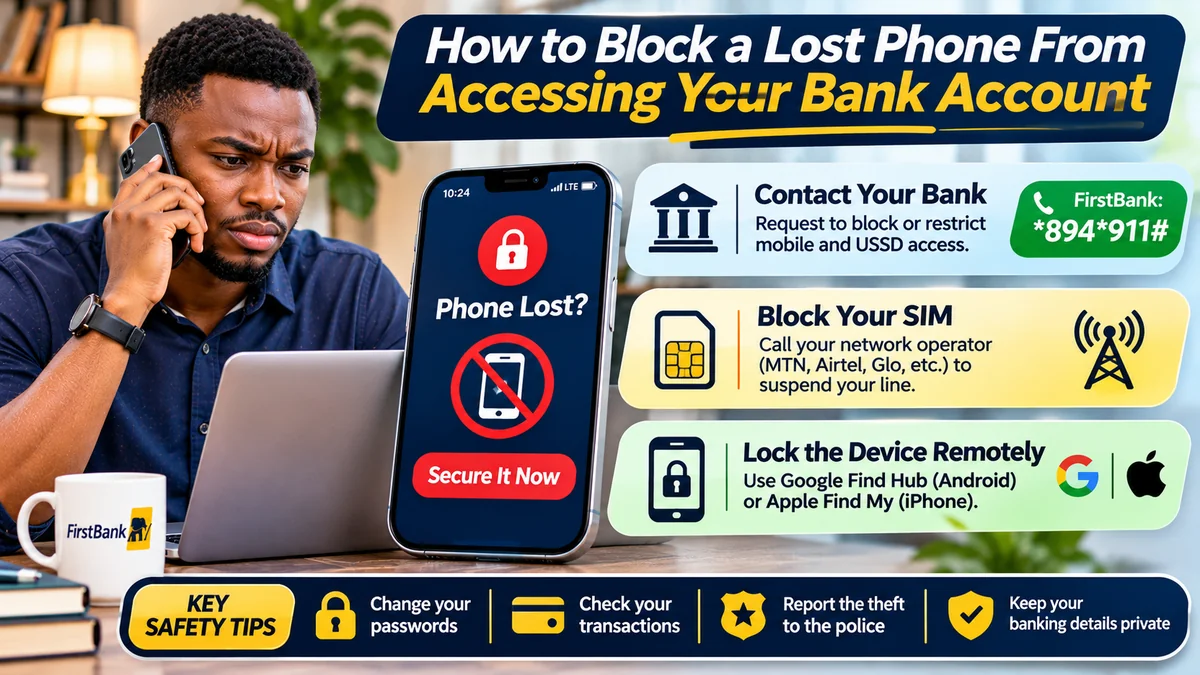
Quick answer: If your phone is lost or stolen in Nigeria, contact your bank and mobile-network operator immediately. Ask the bank to restrict mobile-app access, USSD, internet banking, compromised cards and other channels as appropriate; ask the operator to block the missing SIM or eSIM. Then remotely lock the phone using Google Find Hub for Android or Apple Find My for iPhone, secure your email and account passwords, and check for unauthorised transactions.
For FirstBank customers searching for first bank codes, FirstBank's published emergency shortcut is *894*911# to deactivate the mobile number's 894 USSD access. This is useful only when you can initiate the action securely, and it is not a guaranteed account-wide freeze. If the lost phone contains your banking SIM, you may no longer be able to dial that code; contact FirstBank through verified support from another device to request restrictions directly.
Phone theft can put several things at risk at once: your bank apps, the SIM that receives text messages, email used for password resets, saved card information, messaging accounts and cloud sessions. Simply changing the phone password—or just blocking the SIM—may leave other routes open. This practical guide explains which controls do what, how to act when the phone is offline and how to recover safely after the immediate threat is contained.
Fact-checked: 13 November 2026. Guidance is based on FirstBank's published Nigerian USSD and support pages, Nigerian Communications Commission (NCC) consumer advice, Google and Apple lost-device instructions, and Central Bank of Nigeria (CBN) complaint procedures. This is independent consumer-security information, not a guarantee that a particular bank account has been blocked.
Lost phone and bank account security: the first actions to take
Use this as a priority checklist. You can have someone you trust help you locate official contact details, but never share your banking PIN or password with them.
| Priority | Action | What it protects |
|---|---|---|
| Immediately | Call each affected bank's verified fraud/support channel and ask for appropriate restrictions | Bank app and other banking access, depending on the bank's controls |
| Immediately | Call MTN, Airtel, Glo or the relevant operator and request a SIM/eSIM block | Phone-number use, calls and SMS-based access |
| As soon as possible | Use Find Hub or Find My from a trusted device to mark the phone lost or lock it | Access to information stored on the handset |
| As soon as possible | Secure your primary email, Google/Apple account and other important sessions | Password-reset pathways and connected accounts |
| Next | Review bank transactions and report suspicious transfers or card activity | Evidence for investigation and dispute |
| Where necessary | Report the theft to the police and preserve the phone's IMEI | Formal incident record and recovery assistance |
| After securing access | Replace the SIM through the operator's verified procedure and restore services carefully | Safe recovery of your mobile number and account access |
The NCC's lost-smartphone advice emphasises contacting the operator, securing accounts, using device-location features and reporting theft. Do not delay contacting the bank just because you are still trying to locate the device.
1. Call your bank and ask it to disable access from the lost phone
Your first banking action should be to tell the institution that your phone and possibly your registered banking number are missing. Explain whether the phone was stolen while unlocked, whether the person may know your PIN, and whether the SIM or debit card was also lost. Ask the bank to restrict the compromised channels and confirm which specific protections it applied.
Useful requests include: disable the lost phone's mobile-app session or device registration; suspend or deregister USSD; restrict internet or mobile transfers; block a missing debit card; and apply an account-level hold or debit restriction if the bank considers it necessary. The bank may need to verify your identity before acting. Not all banks can implement every restriction in exactly the same way, so ask for a confirmation and complaint reference.
Do not say only “block my account” without explaining which phone, SIM and services are affected. A phone might hold several banking apps, wallets, cards and authentication services. Contact each affected institution separately; restricting one bank does not protect every other account on the handset.
FirstBank's USSD terms tell users to notify the bank immediately if their registered phone or SIM is lost, stolen or misused. The bank's FirstMobile terms also address prompt notification when a handset or app credentials are compromised. This is why early reporting is more important than waiting until a suspicious transaction appears.
2. FirstBank emergency USSD code: what *894*911# actually blocks
FirstBank's official Nigerian 894 Quick Banking page gives this instruction: “To deactivate your mobile number on USSD”, dial *894*911#. The bank also advertises the shortcode on its Nigerian homepage as a number-blocking option.
The wording matters. It describes deactivation of a mobile number's USSD banking access, not a universal lock for every service, every payment card or the entire bank account. A criminal who has obtained mobile-app credentials or has other account access may pose a separate risk. Never present *894*911# as a substitute for telling FirstBank that your phone has been stolen.
When you still control the relevant registered SIM and can initiate FirstBank's authorised USSD flow securely, the published shortcode may help you deactivate 894 access. If the SIM is inside the missing phone, do not assume you can execute the command from any arbitrary phone number. Instead, call the bank through independently verified contact details and ask it to deactivate the affected number and secure all relevant channels.
The same FirstBank page describes a different Card Control menu for disabling debit-card use at ATM, POS, web, foreign or all supported channels. That function requires access to the bank's authenticated 894 flow. Blocking USSD does not automatically mean a debit card, FirstMobile app or online banking access has been blocked.
How to reach FirstBank urgently from a different phone
FirstBank's current complaints page lists FirstContact at +234 708 062 5000 and 02012278000, and the complaints email firstcontactcomplaints@firstbankgroup.com. Verify the details on the bank's official site before using them, as contact information can change. You can also visit a genuine branch.
Explain that the registered handset is unavailable. Ask the agent to document the affected phone number, associated accounts, relevant app/USSD channels, cards and any suspected unauthorised payments. Request clear confirmation of the controls placed and what remains usable. Never dictate your USSD PIN, card PIN, OTP or internet-banking password over the phone.
3. Block the missing SIM or eSIM with your network operator
A phone number is part of your financial identity because it may receive login messages, transaction alerts, password-reset codes and account-recovery communications. If someone controls your SIM, they may be able to intercept messages or misuse services linked to your number.
Call your actual mobile operator using a contact number obtained from its official website, app or verified store. In Nigeria, that may be MTN, Airtel, Globacom or another provider. Ask it to suspend or block the lost SIM/eSIM and explain how to recover the same number through a verified replacement process.
The NCC specifically advises lost-phone owners to contact their network provider to block the SIM and protect services linked to the line. Its later SIM-security guidance repeats the need for prompt reporting and replacement.
Blocking the SIM is necessary but not sufficient. A stolen smartphone may still connect to Wi-Fi and an already-authenticated banking app may still have access. App-session restrictions and remote-device security must be handled separately with the bank and device provider.
When your number is restored, ask the network operator whether there were unauthorised SIM replacements or account changes. Then ask the bank to confirm that the newly recovered number is properly registered and that any restrictions can be lifted safely.
4. Remotely lock an Android phone using Google Find Hub
For Android devices, Google's current official service is Find Hub, available through android.com/find . On a computer or trusted phone, sign in with the same Google Account associated with the missing Android handset. Select the device and follow the options shown.
- Open Google Find Hub on another trusted device.
- Sign in to the Google Account associated with the lost phone, using a secure authentication method.
- Select the missing handset from the device list and check the available information.
- Choose Mark as lost or the equivalent secure-device option. Set a lock-screen message if useful without disclosing sensitive information.
- If recovery is unlikely or stored data is at serious risk, consider the factory-reset/erase option after reviewing its consequences.
Google explains that the phone generally needs power, network connectivity and suitable account/Find Hub settings for remote commands to operate as intended. An offline phone may not immediately receive a remote command; location information may be limited to the last known location. Do not infer that a device is secure merely because a command has been submitted.
Google's official lost-Android instructions warn that factory reset permanently deletes most on-device data, may not erase an SD card and makes the device unavailable for further Find Hub location tracking. Do not erase casually if you still need location information or evidence. Where the risk of exposed data is severe, an erase may nevertheless be the appropriate choice.
Do not travel to a suspicious location to confront a thief. If location data suggests theft, pass relevant information to the police instead.
5. Put a lost iPhone into Lost Mode using Apple Find My
For an iPhone, use the official iCloud Find Devices website or the Find My app on another trusted Apple device. Select the missing iPhone and choose Mark As Lost / Lost Mode where available.
Apple says Lost Mode locks the device with its passcode or Apple Account credentials and, for compatible devices, suspends Apple Pay cards and passes. You may be able to display a safe contact message for a potential finder. This does not mean that FirstBank or any Nigerian banking app has automatically been deregistered or that your physical debit card has been blocked.
Apple's official Find My instructions explain that a lost phone may need to connect to a network before Lost Mode takes effect. If Find My was never enabled, you may not be able to locate or remotely lock it through that service. You should still protect the Apple Account, banking sessions and SIM.
Be especially careful of messages claiming “Apple has found your phone” and asking you to sign in using an unfamiliar link. Apple warns that scammers may pose as support personnel to obtain passcodes or verification codes. Do not remove the missing iPhone from Find My or your Apple Account merely because a stranger demands it; doing so may undermine device protections such as Activation Lock.
If the phone cannot be recovered, review Apple's official remote-erase instructions and consider how erasure affects recovery and evidence collection.
6. Change account passwords and revoke sessions from a trusted device
After initiating the bank and SIM restrictions and locking the device, secure the online accounts that could unlock more sensitive information. Your primary email address is particularly important because banks and other services may send alerts or password-reset links there.
From a trusted device, change passwords for your main email, Google or Apple Account, and any financial service where the password may be compromised. Enable or restore multifactor authentication using trusted methods that do not depend entirely on the missing SIM. Be prepared to use recovery codes or the provider's legitimate account-recovery process.
For Google accounts, open the Google device activity page , inspect the devices and sessions, and sign out of the missing phone where appropriate. Google's account-access instructions explain that multiple sessions may appear for the same device; review them carefully.
For Apple Accounts, use Apple's official account and lost-device guidance. Changing a cloud account password or signing out of a device is not a guaranteed way to revoke every banking application's session. Ask each bank to deregister the lost device or revoke its app access directly.
7. Review transactions and report anything you did not authorise
Once you have established a safe way to view the account, check recent balances and transactions through an official bank channel. Look for outgoing transfers, airtime purchases, card payments, new beneficiaries, unusual device authorisations and changes to account contact details.
Record amounts, times, receiving institutions, references and the bank's response. If you suspect unauthorised transactions, report them promptly and request that the bank investigate the specific entries. Ask for a complaint reference. Do not post complete account statements or personal identification numbers publicly.
FirstBank's complaints procedure describes its investigation and acknowledgement process. If a complaint is not resolved within the applicable period, the CBN's consumer complaint guidance explains how to escalate. The CBN says to contact the financial institution first and warns not to include passwords or PINs in a complaint. Escalation timelines are not a reason to delay an urgent fraud report.
8. Report the stolen phone to police and preserve the IMEI
If the phone was stolen, the NCC recommends filing a police report and keeping a copy. Provide the handset's IMEI (International Mobile Equipment Identity) when relevant. This number may appear on the original packaging, purchase record or a device-management service.
Google's Find Hub documentation explains how to locate an Android device's IMEI in its device settings. The NCC notes that a network operator or law-enforcement agency may use an IMEI to help investigate or restrict the device, depending on available systems and circumstances.
Do not pay anyone who advertises an unauthorised “IMEI unblock”, “instant recovery” or “police tracking” service. Nor should you physically confront a suspect after obtaining a map location. Safety and lawful reporting come first.
What each security action does—and does not do
| Action | Main protection | What it does not guarantee |
|---|---|---|
| FirstBank *894*911# | Deactivates the mobile number's FirstBank USSD access | All-channel account freeze, FirstMobile logout or card block |
| Ask bank to revoke mobile access | Bank-specific app/device/session restrictions where available | Blocking other banks or mobile wallets on the phone |
| Block SIM/eSIM with operator | Stops normal use of the missing line under operator controls | Preventing Wi-Fi access to existing app sessions |
| Android Find Hub Mark as lost | Device lock and recovery information when the command takes effect | Guaranteed banking-app deregistration or instant execution if offline |
| Apple Find My Lost Mode | Locks supported devices; suspends Apple Pay cards/passes | Automatically freezing Nigerian bank accounts or physical cards |
| Change passwords/sign out sessions | Protects selected online accounts and their sessions | Revoking every independent bank-app token without bank action |
| Block missing debit card | Restricts card transactions under bank instructions | Stopping all bank transfers through USSD or apps |
| Remote erase | Removes supported data from the handset if the command takes effect | Recovering stolen funds or immediately erasing an offline device |
It often takes several coordinated controls to protect a lost phone's financial footprint. Treat any claim that one universal code will instantly freeze every bank account as a warning sign.
What if the phone is offline, switched off or its location is unavailable?
Do not wait for the phone to reconnect before acting. A remote lock or erase may not execute immediately if the handset is offline. Banking and telecom restrictions, however, can be requested using another phone, an official website or a branch without having the lost device in your hand.
Ask each bank whether the mobile app can be deregistered and the affected transaction channels restricted from its systems. Ask the mobile operator to suspend the SIM. Secure your email and cloud accounts from a trusted device. If a remote command is pending, periodically check its status through the official device-management service without relying on suspicious links or messages.
What if your phone was stolen while unlocked?
Someone who takes an unlocked phone may have access to open apps, notifications, saved messages or accounts before you have time to remotely lock it. In that circumstance, treat the exposure as higher risk, even if a banking app normally uses a separate PIN.
Call your banks and mobile operator immediately and explain that the device may have been accessed while unlocked. Prioritise secure password resets, app-session revocation and investigation of any unusual transactions. Check whether another trusted device can restore multifactor authentication without the missing handset.
A strong phone passcode, biometric security and hidden lock-screen notification content reduce risk before theft. But they are not a reason to skip bank notification after the loss.
SIM-swap risks after recovering your number
Recovering the phone number with a replacement SIM does not automatically prove every banking account is safe again. SIM replacement and number reassignment are identity-sensitive operations. If the original phone is stolen, someone may also attempt to impersonate you during a fraudulent SIM-swap request.
The NCC's consumer guidance discusses its telecom identity risk management processes and advises consumers to report lost or stolen numbers promptly. Ask your operator to confirm the status of the line and report unusual SIM-replacement activity. Check that the bank's registered number and security settings are correct before re-enabling channels.
FlyingEze's published article on SIM-swap fraud and mobile banking in Nigeria explains how criminals can misuse control of a phone number to interfere with linked financial services. That risk is one reason a lost phone and a lost SIM must be handled as related but separate security problems.
Common scams targeting people whose phones have been stolen
Fraudsters sometimes take advantage of the urgency surrounding a missing phone. Be suspicious of anyone who sends a link claiming your device has been located, demands an Apple or Google verification code, or promises to unblock a bank account after an upfront fee.
- Fake bank recovery agents: A caller claims to work for FirstBank and asks for your 894 PIN or OTP to “secure” the account.
- Fake Find My messages: A link resembling iCloud or Google asks you to enter cloud-account credentials to see a supposed new phone location.
- Urgent transfer instructions: Someone tells you to move all funds to a “safe account” to prevent theft. That instruction itself may be fraudulent.
- SIM replacement impostors: A person requests identity details or one-time codes to “complete” a replacement you did not initiate.
- Remote-control apps: An alleged technician asks you to install screen-sharing software that gives them access to banking sessions.
Use bank, mobile-network and cloud-provider addresses you type or obtain independently. Do not trust a number merely because it is included in a text message about your missing phone.
How to prepare before a phone is ever lost
Prevention helps because some emergency tools depend on settings that must already be enabled. Set a strong screen-lock passcode and biometric protection; enable device-finding services; configure secure backups; use a SIM PIN where suitable; and keep important recovery information somewhere other than the phone.
Keep a private record of the official bank fraud-contact pages, mobile operator support options, device IMEI and account-recovery methods. Do not store the entire list of banking PINs, card details, passwords and recovery codes in a plain note or photo on the same handset.
The NCC's SIM PIN guide reminds consumers that an incorrect SIM PIN entered too many times can require a PUK from the operator. Set up SIM security carefully and keep recovery details safe. Enable transaction alerts where possible and review account activity regularly.
Bank-specific limits and card/channel controls may provide another layer of protection. Ask each bank what controls are available rather than assuming every financial institution uses the same USSD emergency code.
Frequently asked questions
Can I block my lost phone from accessing a bank account?
Yes, banks can provide security restrictions appropriate to their services. Contact each bank immediately and ask it to revoke mobile-app access or device registration and restrict other compromised channels. Also block the SIM and lock the handset remotely when possible.
What is the FirstBank code for blocking a stolen phone?
FirstBank publishes *894*911# to deactivate your mobile number's USSD access. It does not claim that this code alone freezes every account, banking app or card. If you no longer have the registered SIM, contact FirstBank directly.
Does *894*911# block my FirstBank debit card?
No, do not assume that. FirstBank describes a separate Card Control function in its authenticated *894# menu for debit-card channels. Ask the bank to block a missing card and secure other channels independently.
Can I block a FirstBank account from another phone?
Contact FirstBank through its official FirstContact numbers or a branch using another trusted phone. Ask for restrictions and identity verification. Do not assume a USSD shortcode will work from an unregistered SIM.
Should I block my SIM or bank account first?
Both are urgent. Contact the bank and mobile operator as quickly as possible; they protect different risks. If you have help available, these actions can be pursued in parallel.
Can a stolen phone still access a bank app after the SIM is blocked?
Potentially, yes, if the phone can use Wi-Fi and the app retains a valid session. Ask the bank to deregister the device or revoke access instead of relying solely on a SIM block.
Can I lock an Android phone remotely?
Use Google Find Hub from a trusted device, sign in and choose the lost-device security option. Remote action may be delayed if the phone is offline or missing required settings.
How do I secure a lost iPhone?
Open iCloud Find Devices or Find My, select the missing iPhone and enable Lost Mode if available. Also contact the bank, block the SIM and secure your Apple Account.
Does Find My automatically block a Nigerian bank account?
No. Apple's Lost Mode can suspend Apple Pay cards and passes, but it does not automatically close a Nigerian bank account or guarantee revocation of every banking-app session.
Can I erase the phone remotely if it is switched off?
The device generally must reconnect before a remote command can execute. Erasure has consequences for data recovery and later location tracking. Use the official Google or Apple instructions and do not wait to secure bank accounts.
Will blocking my bank account recover money already stolen?
Not automatically. Blocking or restricting access aims to prevent further misuse. Report any unauthorised transaction separately and ask the bank to investigate and advise the appropriate dispute procedure.
Where do I report a stolen phone and suspected bank fraud in Nigeria?
Report the missing SIM to the mobile operator, suspicious banking activity to the affected institution, and the theft to the police as appropriate. If a bank complaint remains unresolved after the relevant handling period, consult the CBN's official complaint process .
Conclusion: one code is not enough to secure a stolen phone
A missing smartphone can expose far more than a physical handset. The safest response combines bank-level restrictions, SIM blocking, remote device locking, password and session security, transaction review and incident reporting. Handle those controls promptly and through independently verified channels.
For FirstBank customers, *894*911# is the official shortcut for deactivating a mobile number's USSD access. But it is not a substitute for notifying the bank and asking it to restrict any exposed mobile-app, card, online banking or account access. If the phone or SIM is gone, do not waste time assuming you must recover it before contacting support.
The essential rule is simple: secure the account at the bank, secure the number with the operator and secure the handset through its device provider. Each step closes a different avenue for unauthorised access.
Editorial note: verified 13 November 2026. Original guidance draws on FirstBank's Nigeria 894 service information and support pages, NCC consumer resources, official Google and Apple device-security instructions, and the CBN complaint framework. This article is independent and does not claim that any user's phone, SIM, card or account has already been blocked.