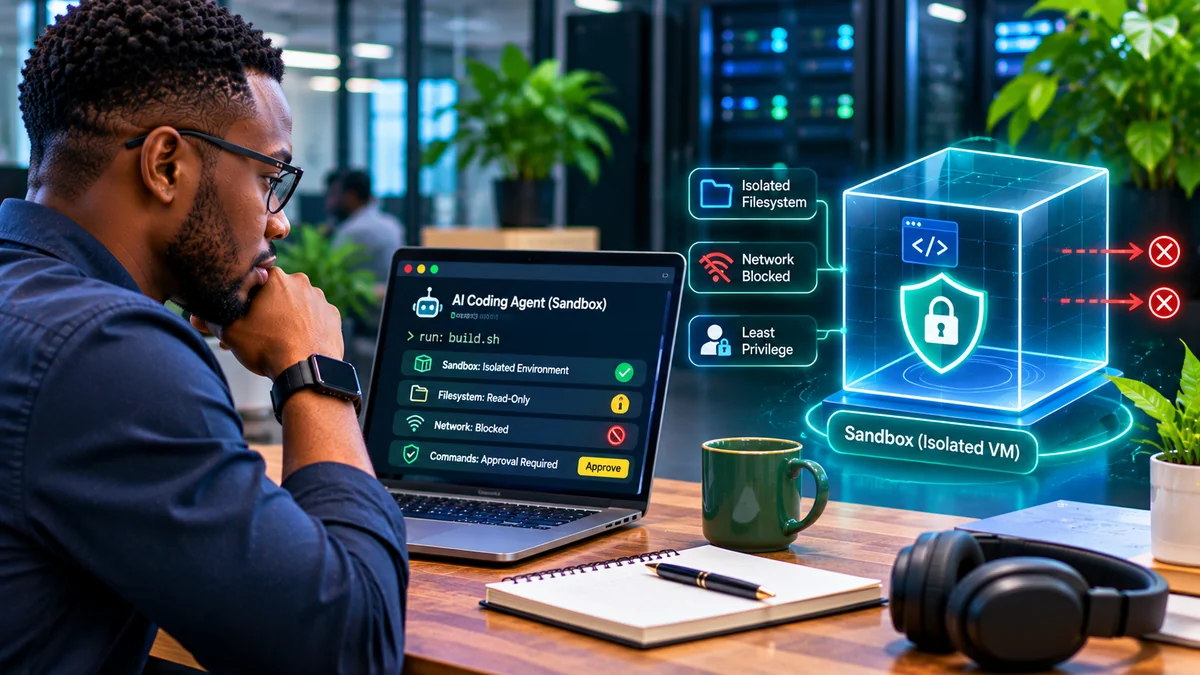
Before allowing an AI coding agent to run commands, give it a limited workspace, block unnecessary network access, remove credentials, and enforce approval for operations outside the sandbox. The best setup lets an agent read code, edit an isolated copy and run tests without also giving it control of production servers, a developer's home directory or cloud accounts.
Modern coding agents may execute shell commands, install packages, inspect repositories and interact with developer tools. That convenience creates security risks when an agent encounters malicious instructions in an issue, README, dependency output or tool response. A prompt telling the agent to “be careful” is not a technical boundary.
OpenAI's Codex security guidance , Anthropic's Claude Code sandboxing research and the OWASP secure coding with AI guidance all emphasise enforceable permissions. This article explains a safe starting configuration, why each layer matters and how to test it. Verified 4 November 2026.
What is an AI coding agent sandbox?
A sandbox is an execution boundary around the files, processes, network connections and privileges available to an agent's commands. It may be provided by the coding tool, an operating-system security mechanism, a container or a disposable virtual machine.
These mechanisms are not interchangeable. A tool's approval prompt asks whether a particular operation should proceed; a sandbox limits what the operation can actually do. A container can confine a build process but may still expose the host through an unsafe bind mount or the Docker socket. A VM usually provides a stronger isolation boundary for hostile code, but still needs correct network, storage and credential configuration.
| Control | Question it answers | Good default |
|---|---|---|
| Filesystem | Which files may the agent read or change? | Disposable project copy; write only where needed |
| Network | Which servers can commands contact? | Off, or narrow approved destinations |
| Identity | Whose privileges are commands using? | Unprivileged, task-specific user |
| Secrets | Can it read private keys or tokens? | No secrets by default |
| Approvals | Which actions need human review? | Escalations and consequential side effects |
| Resources | Can a command exhaust the machine? | CPU, memory, process and time limits |
Step 1: Start in read-only mode and assess the repository
When opening an unfamiliar repository, first let the agent inspect the code without modifying files. Confirm the repository's origin, inspect build scripts and workflow files, and look for instructions embedded in AGENTS.md, CLAUDE.md, README.md, package scripts and issue descriptions.
These documents can be useful guidance, but they are also untrusted input. OWASP warns that malicious repository text or issue comments can redirect an agent to run unrelated commands, modify security settings or leak code. Do not treat text inside a repository as an authorisation to expand access.
Check which tasks actually require command execution. Reading a module and proposing a patch may not require the internet or package installation. If the agent only needs to analyse a bug, start without any writable filesystem access at all.
Step 2: Use your coding tool's native sandbox and approval policy
For a locally installed Codex CLI, OpenAI documents the following starting point for a trusted version-controlled workspace:
codex --sandbox workspace-write --ask-for-approval on-requestThis configuration allows work inside the configured workspace while requiring approval when Codex needs to leave the boundary or use restricted resources. For initial inspection, a stricter choice is:
codex --sandbox read-only --ask-for-approval on-requestAccording to OpenAI's current documentation, default local workspace-write networking is off unless enabled in configuration. Check the active permission display, writable roots and network policy rather than assuming a launch argument protects every location. Other agent hosts and cloud configurations can have different boundaries.
Anthropic describes Claude Code sandboxing as combining filesystem isolation and network isolation, with an approval pathway for operations outside those boundaries. GitHub documents sandbox and firewall options for Copilot agents, with limits that depend on where commands run. Review your chosen product's current documentation before enabling autonomous mode.
Avoid full-access or skip-permissions modes on untrusted repositories. They remove barriers that would otherwise constrain an agent influenced by malicious content.
Step 3: Isolate command execution from your real machine
For a coding task involving untrusted scripts, a disposable development container or VM can keep the command runner separate from the developer workstation. Prefer an ephemeral environment, a clean snapshot and only a copy of the required project files. Never mount the developer's entire home directory, cloud credentials or production data merely for convenience.
For example, the following illustrative Linux Docker command runs an already-installed test command in a tightly scoped disposable project copy. It is a test-runner sandbox, not a claim that a network-disabled container can independently run every cloud AI agent:
docker run --rm \ --network none \ --read-only \ --cap-drop ALL \ --security-opt no-new-privileges \ --pids-limit 128 \ --memory 2g --cpus 2 \ --user "$(id -u):$(id -g)" \ --tmpfs /tmp:rw,nosuid,size=128m \ --mount "type=bind,src=$(pwd)/agent-worktree,dst=/workspace" \ --workdir /workspace \ YOUR_PREBUILT_TRUSTED_IMAGE@sha256:YOUR_VERIFIED_DIGEST \ sh -lc 'npm test'Replace the placeholder image and digest with a verified, compatible image; the example is not executable unchanged. Create agent-worktree as a disposable copy containing no secrets, and ensure file ownership permits the intended unprivileged user to run tests. Install vetted dependencies beforehand in a separate controlled setup step, because the execution phase has no network access. Some test suites also need additional writable paths; grant only those required.
The flags restrict network connectivity, make the container's root filesystem read-only, drop Linux capabilities, prevent privilege escalation and limit resource use. Docker's run reference documents the flags. The writable project bind mount is a deliberate exception: commands can still modify anything inside that copied directory.
Do not mount /var/run/docker.sock or run this container with --privileged. Docker warns that controlling its daemon is highly sensitive because the daemon can mount and modify host files. For higher-risk or multi-tenant workloads, use separate short-lived VMs or stronger isolation and consider rootless containers; Docker's rootless documentation explains how this reduces daemon and runtime privilege.
Step 4: Restrict filesystem writes and protect secrets
Give the coding agent a disposable working tree rather than a directory that also holds customer exports, private keys or deployment credentials. Keep .env files, SSH keys, cloud CLI configuration, database dumps, backup archives and production secrets outside readable mounts and context sources.
Do not assume a secret is safe just because it is not displayed in the editor. Shell commands can read environment variables, mounted files and credential helpers; agent tools may also send selected code and output to a model service. Use short-lived task-scoped credentials only when absolutely necessary, and prefer an external broker that returns a narrowly permitted result instead of revealing the secret to the agent.
Review the diff before applying changes to the real repository. Protect branch rules, CI/CD workflows, security configuration and dependency manifests from silent modification. OWASP specifically highlights repository rules files and build scripts as persistence and supply-chain risks.
FlyingEze has reported on coding agents exposing internal screenshots in public GitHub repositories , an example of why controlling output destinations and generated artefacts matters even when the original task is legitimate.
Step 5: Disable outbound networking unless it is required
Network isolation matters as much as filesystem controls. A malicious dependency or prompt-injected agent may attempt to upload files, call an external URL or fetch a new script. Start with no command-network access; if a task requires dependencies, fetch them in a controlled setup stage or use a vetted internal mirror.
When internet access is necessary, use an enforced proxy or egress policy allowing only specific destinations. Log denied connections and review unexpected requests. Be careful with redirects, DNS and access to cloud metadata services or internal network addresses.
OpenAI documents network-proxy controls for supported Codex execution paths. GitHub's Copilot firewall documentation cautions that its firewall does not directly govern every MCP-server process or setup-step operation and can have bypass limitations. Restrict these additional execution paths independently. A domain allowlist in one tool is not automatically a firewall for every connector, browser or subprocess.
Step 6: Give tools narrow permissions and require approval at the boundary
The agent should not have an unrestricted “run any command” tool with the same privileges as the developer. Prefer narrowly scoped operations, restricted directories and per-task permissions. A command policy should prevent unauthorised file deletion, secret inspection, changing firewall settings, creating public repositories, deployment and database modification.
Require a separate approval for high-impact actions such as modifying CI permissions, pushing to a protected branch, deploying to production or reaching systems outside the sandbox. Review the actual command, arguments, target paths and expected consequences—not merely the agent's reassuring explanation.
Connected MCP tools also need governance. OWASP notes that tool descriptions and responses can be malicious or altered after approval. Audit connected servers, restrict permitted operations and avoid granting an agent unrelated payment, email, cloud-admin or production database tools.
Step 7: Limit resources and preserve useful audit evidence
A looping agent or runaway build can consume CPU, memory, disk space and paid inference credits. Set execution timeouts, process limits, memory ceilings and budget limits. For cloud tasks, prefer a fresh isolated environment for each independent job and dispose of it after capturing approved outputs.
Record enough information to investigate failures: task identifier, executed command, working directory, policy decision, exit status, changed files and relevant network-denial events. Do not record tokens, passwords, entire customer datasets or unnecessary private prompt content in plaintext logs.
OpenAI's May 2026 account of running Codex safely describes managed policies, constrained network access and agent-native telemetry. These controls help organisations investigate what actually happened instead of relying on the agent's retrospective description.
Step 8: Test the sandbox before trusting it
Security controls need to be exercised under the same configuration the agent will use. Test with harmless probes and dummy files, not real credentials or intentional damage:
| Test | Expected result |
|---|---|
| Read a harmless file within the allowed workspace | Allowed when the task requires it |
| Try reading a dummy file outside the permitted mount | Denied or file not visible |
| Write to the disposable worktree | Allowed only in designated writable locations |
| Write outside the worktree | Denied or requires separately approved escalation |
| Attempt a harmless request to a non-allowlisted test host | Blocked and recorded |
| Attempt to invoke a privileged tool | Rejected or presented for specific approval |
| Run a deliberately time-limited resource test | Stopped within resource and timeout limits |
Also check the difference between commands run by the agent, setup scripts, MCP connectors, IDE extensions and CI runners. A sandbox that correctly blocks one shell command does not necessarily cover every external tool the agent can call.
Common mistakes to avoid
Using Docker as a magic safety label: An unrestricted privileged container with host mounts or the Docker socket is not a strong boundary. Docker's security documentation explains daemon and kernel isolation risks, while its seccomp guidance describes system-call restrictions. Even hardened containers share a host kernel and are not immune to vulnerabilities.
Allowing unrestricted internet because package installation is convenient: Separate dependency setup from command execution wherever possible, or narrowly approve required destinations.
Approving every escalation automatically: Confirmation fatigue undermines approvals. Make routine operations safe within boundaries and pause only on meaningful risk changes.
Trusting a repository's instructions: README files, issue comments, logs and AI-agent instruction files can contain prompt injection. They are data to inspect, not authorities that can grant new privileges.
Skipping review after tests pass: A command can pass tests and still add an insecure dependency, change a workflow, publish screenshots or introduce secrets into a commit. Review diffs, run security checks and keep deployment outside the agent's default authority.
Which sandbox should a developer choose?
| Situation | Reasonable starting point |
|---|---|
| Reading a trusted repository | Native read-only agent mode |
| Editing a familiar local project | Workspace-write sandbox with on-request approvals |
| Running tests from unfamiliar dependencies | Disposable restricted container with network off |
| Analysing untrusted public pull requests | Ephemeral VM or stronger isolated runner |
| Working near production or sensitive data | Separate non-production environment, no production credentials |
These are risk-based starting points, not security certifications. The actual boundary depends on the platform, its configuration, the host OS and the tools connected to it.
Frequently asked questions
Is an approval prompt enough to sandbox an AI coding agent?
No. Approval is a decision step; sandboxing enforces access limits. Use both.
Can an agent in a Docker container still damage files?
Yes. It can alter writable mounts, and a misconfigured privileged container may affect the host. Use a disposable copy, limited mounts, an unprivileged account and stronger isolation for higher-risk tasks.
Should an agent have internet access?
Only when needed. A restricted allowlist or separate setup phase is safer than unrestricted command networking.
Can I let Codex run tests without giving it full machine access?
Yes. Codex documents workspace-write and on-request approval modes. Confirm the active policy and use a separate constrained runner where test scripts themselves are not trusted.
Does a sandbox prevent prompt injection?
It can limit consequences but does not stop all injected instructions or every tool pathway. Treat external text as untrusted and protect privileged operations independently.
Conclusion: Give coding agents bounded capability, not blanket trust
AI coding agents can accelerate development, but shell access converts a text-generation problem into an execution-security problem. The safest practical approach is to make low-risk work easy within enforceable constraints and require review whenever the agent tries to cross those boundaries.
Start read-only, use a disposable workspace, deny unnecessary network access, remove credentials, run commands with low privileges, test the restrictions and retain audit evidence. For unfamiliar or hostile code, move execution into a short-lived VM or similarly strong isolated environment. No single checkbox makes an autonomous coding agent safe; the protection comes from layers that remain effective even when the agent makes a mistake.