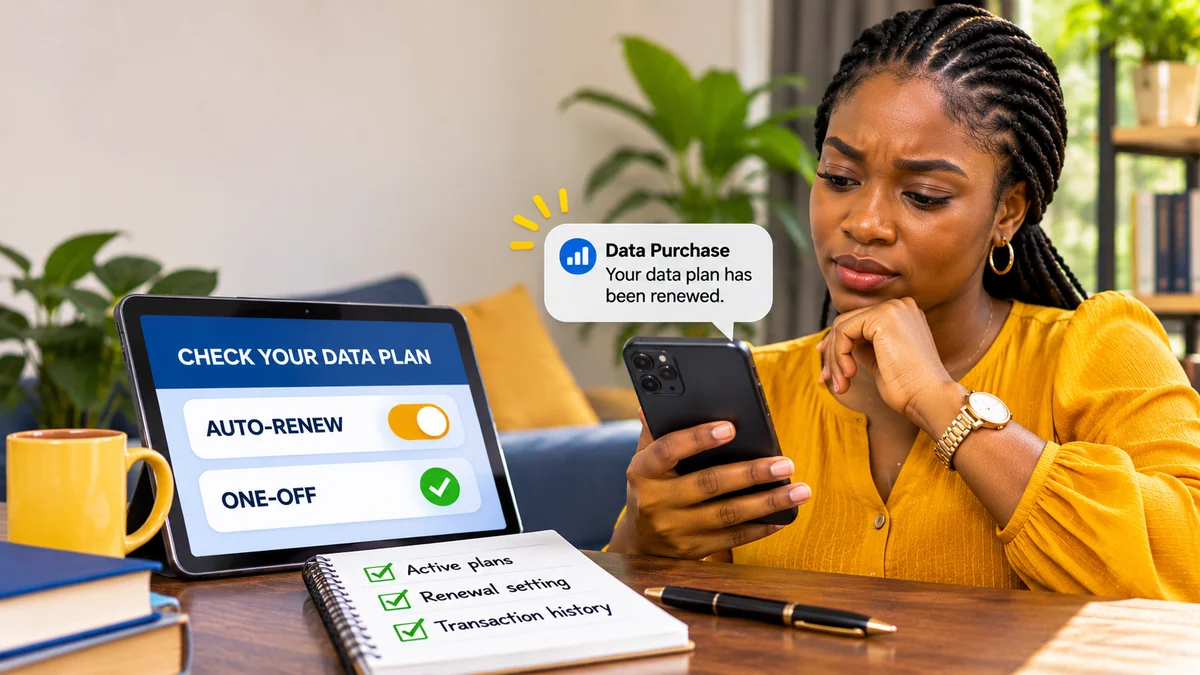
Quick answer: If your MTN Nigeria data subscription will not cancel, first confirm which service is active. For a regular recurring data bundle, MTN's official Data Bundles FAQ says to send NO followed immediately by that bundle's correct code to 312. You can also open the genuine myMTN NG app, go to Manage Subscription, select the active bundle and turn its auto-renewal setting off. If an SMS fails or no confirmation appears, do not assume the change was saved. Check the specific subscription again and use MTN customer care on 300 when the status cannot be confirmed.
People searching how to cancel auto renewal on MTN sometimes meet a frustrating second problem: a cancellation message is rejected, the app toggle seems to reset, or airtime is deducted even after a previous opt-out. There is no reliable universal “cancel everything” text that fixes every situation. A regular data bundle, social plan, education bundle, value-added service and pay-as-you-go browsing may have different management routes. This guide provides a safe, ordered troubleshooting process to identify the issue, avoid repeated or accidental purchases, confirm your request and document a billing complaint if necessary.
Information checked on 13 November 2026 against MTN Nigeria's official service pages and Nigerian Communications Commission consumer guidance. Menu wording and codes may change; no personal MTN account, live SIM or disputed transaction was tested.
Why MTN subscription cancellation may not work
A failed cancellation does not always mean the network ignored a valid request. The most useful starting point is to identify the symptom, because the next action differs depending on what actually happened.
| Symptom | Possible explanation | Safest next check |
|---|---|---|
| SMS reply says invalid code or request | Wrong bundle code, wrong destination or a service-specific format | Find the exact current plan in MTN's official FAQ or app |
| No SMS confirmation arrives | Delayed message, network issue or request not processed | Recheck renewal status before sending more requests |
| App toggle returns to On | Setting not saved, account refresh delay or wrong active plan | Reopen the exact subscription; use an official second channel |
| Airtime is deducted after cancellation | Different plan, another charge type or billing dispute | Match amount, date and service to transaction history |
| Data balance falls but no new bundle was purchased | Normal usage, hotspot traffic or scheduled data gifting | Check usage history and gifting beneficiaries |
| *305# lists a paid content service | Value-added service, not a regular data plan | Cancel through *305# Active Services |
MTN's Manage Data FAQ says unexpected deductions may reflect subscriptions, renewals or data and airtime usage. A debit therefore needs investigation rather than an automatic assumption that the same bundle renewed.
Step 1: Verify your exact bundle before sending another cancellation SMS
The key detail is the bundle code. MTN instructs customers to text NO+bundle code to 312 for an eligible standard data plan. The instruction does not mean sending the literal phrase NO+bundle code, nor does it mean that a random code from an old online article works for every tariff and plan.
Check the original purchase SMS, current myMTN NG subscription details or the relevant MTN bundle information . Make sure the code belongs to the specific plan that is marked recurring. MTN changes its catalogues and offers, so a keyword that once matched one bundle should not be assumed to identify a different current product.
Illustration: MTN's official Data Bundles FAQ gives a 120MB daily bundle with the activation code 104 as an example of opt-in syntax (R104). That illustrates how the bundle code is appended to a command; it does not mean code 104 is appropriate for your own subscription. For cancellation, identify your real bundle code and use the documented NO prefix.
If you receive an invalid-request response, stop repeating the same text. Recheck the plan, destination and keyword; if none is clear, contact MTN for the valid opt-out for that exact service.
Step 2: Check the renewal toggle in the genuine myMTN NG app
MTN's Data Autorenewal guide documents an alternative to SMS cancellation: managing an active bundle from the app.
- Open the genuine myMTN NG app installed from an official store or MTN channel.
- Confirm that the account and telephone number are the ones being charged.
- Navigate to Manage Subscription.
- Select the specific active data bundle you want to stop renewing.
- Switch Auto-renewal off, if it is enabled.
- Wait for the app's response, then refresh or reopen the subscription to see whether the change persists.
- Save any confirmation message or screenshot showing the subscription and setting, while keeping personal information private.
If the app opens but the control does not appear, check whether you are viewing a different bundle, a restricted service or an outdated app view. You can close and reopen the app, check internet access and update the application from its official store. These are ordinary app troubleshooting steps, not evidence that MTN has already accepted an opt-out. If the toggle continues to fail, use the appropriate official SMS route or report the problem to MTN.
Do not delete the app expecting that to cancel an account-level recurring service. Uninstalling a self-service application is not the same action as changing a subscription on the operator's system.
Step 3: Confirm whether it is a regular data plan or a special subscription
One common reason a cancellation instruction fails is that it targets a service using another opt-out format. MTN's official FAQs describe different mechanisms for regular data plans, social bundles, mPulse educational bundles, value-added services and scheduled gifting.
| Service type | Published cancellation/management approach | What to avoid |
|---|---|---|
| Standard access-data bundle | NO + exact bundle code to 312, or myMTN NG Manage Subscription | Guessing another plan's code |
| Social app bundle | Its own opt-out keyword to 312 | Assuming the same keyword works for every social plan |
| mPulse education bundle | Relevant NO + plan code sent to 344 | Sending a special education code to 312 without checking |
| Paid music, games or news (VAS) | *305# → Active Services → cancel relevant service | Trying to stop VAS through a data-bundle SMS |
| Pay-as-you-go browsing | *312*201# or SUSPEND to 312 | Confusing browsing charges with bundle renewal |
| Scheduled data transfers | Data Gifting → Manage Beneficiary → Stop auto transfer | Expecting ordinary data cancellation to stop transfers |
Always match the instruction to the product named on your account. For example, MTN's Social Bundles FAQ includes NOASD to 312 for the All Social Daily plan, but other social plans have different codes. Similarly, MTN's mPulse FAQ uses 344 and identifies NO353 for a particular monthly education bundle. Do not send either example unless it matches the service you actually have.
Step 4: Check for other active recurring bundles on the same MTN line
You may have cancelled the correct monthly bundle but still have an active weekly or daily plan. MTN's Data Bundles FAQ states that different categories can renew independently. When more than one plan is active within the same category, it says the last purchased plan in that category is the one that auto-renews.
This can make an entirely separate charge look like a failed cancellation. For example, imagine you stopped your monthly renewal on Monday but a weekly social or standard bundle renewed on Wednesday. The debit may be real, yet it does not prove the monthly opt-out failed. Review the subscription category, plan name, renewal date and purchase amount together.
It can help to write down the active plans in a small table:
| Illustrative plan | Expiry | Renewal status | Action |
|---|---|---|---|
| Monthly standard data | 20 November | Off | Keep proof of opt-out |
| Weekly standard data | 17 November | On | Turn off if unwanted |
| Daily social bundle | 15 November | Unknown | Inspect service-specific setting |
These entries are fictional examples, not live MTN subscriptions or verified prices. Their purpose is to illustrate how separate plan categories can create separate renewal events.
Step 5: Determine whether the issue is cancellation, billing or data depletion
Three problems often sound similar but require different responses:
- Cancellation failure: The exact plan still shows Auto-renewal enabled, or MTN returns an explicit rejection.
- Billing dispute: A charge appears after you have evidence that the relevant opt-out was processed, or the transaction is otherwise unexplained.
- Data depletion: Your remaining data drops because apps, downloads, a hotspot or scheduled gifts use it; no new recurring purchase may have occurred.
For the third case, use the phone's data-usage settings alongside the myMTN NG usage history . MTN notes that background app updates, streaming, cloud backups and tethering can consume a bundle quickly. On eligible plans, use *323*4# or text 2 to 323 to inspect a data balance, as published in the standard bundle FAQ.
Some users also have automated data transfers to friends or family. MTN's Data Gifting FAQ identifies a Manage Beneficiary option and Stop auto transfer. Stopping that feature addresses repeated transfers from a qualifying data allowance; it does not replace cancelling a paid data-plan renewal.
If the difficulty is actually a failed transfer, FlyingEze's existing guide, MTN Data Sharing Not Working? Possible Causes and Fixes , explains sharing-specific problems. Do not apply those fixes blindly to a billing complaint.
Step 6: Handle a missing cancellation confirmation safely
An SMS request that disappears without a reply leaves the transaction's status uncertain. A temporary connectivity issue or delayed message is possible, but that does not establish that the operator accepted or rejected it. Work through this sequence:
- Ensure you sent the request to the correct official destination and used the actual bundle-specific keyword.
- Check whether a reply arrived late in the SMS thread or was filtered by the messaging app.
- Reopen the subscription in myMTN NG and inspect its actual renewal setting.
- If the app and SMS disagree, preserve both records and ask MTN to verify the account-level status.
- Avoid making new paid purchases or sending repeated commands while you are uncertain whether they will activate or modify another plan.
For an SMS cancellation you can also capture the sent-message timestamp and any network response. Remember that a sent text message is evidence that you attempted the request, not conclusive proof that MTN processed it.
Step 7: What if airtime is still deducted after cancellation?
Start by comparing dates. If a bundle was charged before the opt-out took effect, changing its future renewal setting does not automatically undo the earlier purchase. If the same bundle renewed after a confirmed opt-out, there may be a legitimate billing dispute requiring account-level investigation.
Gather the plan name, subscribed telephone number, date and time of the opt-out, any confirmation, the subsequent debit amount, transaction identifier and the renewal date. Use MTN's failed airtime/data transaction guidance as a model for what evidence to prepare. It recommends the transaction reference, number, amount, time, date and debit notification.
Be specific when speaking with customer care:
“I requested cancellation of auto-renewal for [bundle name] on [date and time] through [SMS/myMTN NG]. The service showed [confirmation or error]. I was charged [amount] on [date]. Please confirm the recorded renewal status and whether this charge was for the same bundle, and provide a complaint reference.”
Do not ask an unfamiliar social-media account to take your OTP, SIM PIN, banking password or remote control of your phone to investigate the issue. Use MTN's published support channels.
Step 8: Check paid value-added services and PAYG charges separately
If your airtime continues falling but there is no matching data-bundle renewal, inspect other services.
Paid VAS: use *305#
MTN's *305# FAQ says subscribers can view active value-added services and cancel them individually or select Cancel All. Such services may include music, games, football information or news. An SMS code intended for a monthly data bundle should not be assumed to disable these services.
PAYG browsing: opt out only if it is active and unwanted
MTN's standard Data Bundles FAQ says that pay-as-you-go browsing requires an opt-in. Its published opt-out options include dialling *312*201# or sending SUSPEND to 312. This controls airtime-funded browsing rather than the renewal of a data bundle. A phone that consumes a data allowance rapidly may also have background usage, not necessarily PAYG charges.
Use the service type, debit amount and transaction description to decide which management option makes sense. Avoid choosing Cancel All from a separate services menu if you still want to retain some paid services.
How to check that MTN cancellation has really worked
A successful opt-out should be verified rather than assumed from one action.
- Reopen the correct bundle in myMTN NG → Manage Subscription.
- Check that its Auto-renewal setting is off.
- Save any confirmation SMS or app notification.
- Record the present plan's expiry date and distinguish it from the cancellation date.
- Review other active subscriptions or paid services separately.
- If a matching charge appears later, report it with both the opt-out evidence and the debit record.
Turning off future renewal does not necessarily remove data already purchased or automatically refund an existing charge. The bundle's current validity and any rollover conditions remain governed by its plan terms. MTN's FAQ also explains that customers may choose One-off for future purchases so that a new bundle is not configured to renew automatically.
How to contact MTN if every cancellation attempt fails
MTN's official Contact page lists the customer-care number 300. Its transaction-support guidance also identifies Zigi and customercare.ng@mtn.com as assistance channels, and says a complaint can be tracked in myMTN NG or Zigi using a ticket reference.
Use one formal complaint describing the affected line and the exact bundle. Request verification of the current account-level renewal status and a reference number, not merely a generic instruction to restart your phone. If MTN provides a time to resolve the issue, retain the timeframe and follow up against the same ticket rather than submitting multiple unrelated complaints.
When sharing evidence, use official secure channels and disclose only the information needed for the investigation. Blur unrelated bank records, OTPs or private messages where appropriate.
When to escalate an unresolved MTN subscription complaint to the NCC
The Nigerian Communications Commission (NCC) published updated consumer complaint guidance on 8 October 2026 . Its process begins with a complaint to the telecom provider, recording the reference and giving the provider an opportunity to investigate. If the issue remains unresolved or the response is unsatisfactory, the customer can escalate it.
The NCC consumer complaints portal lists 622 as its toll-free contact centre. Provide the MTN complaint number, service affected, dates, relevant messages, charges and previous responses. Ask for a clear remedy, such as confirmation of cancellation, clarification of the charge or an investigation of a disputed transaction.
The NCC escalation route is not a promise of immediate reimbursement, and an unexpected debit alone does not prove wrongdoing. Keeping precise, truthful records gives the regulator and service provider a stronger basis for evaluating the complaint.
Prevent the same MTN cancellation problem next time
When purchasing a future bundle, carefully review whether you are choosing Auto-renewal or One-off. MTN says a one-off option does not renew solely because the line has enough airtime at expiry. If you use several categories of bundle, review each active service rather than assuming the setting of one plan applies to every product.
Keep the purchase SMS, save the correct bundle code and check the plan's expiry in the app. Treat special social and educational plans as separate products with their own opt-out details. If your phone unexpectedly uses data, check app updates, cloud backups and hotspot sessions before blaming a cancelled subscription. Where PAYG or VAS is no longer wanted, use its official management tool.
Most importantly, do not pay a stranger to “disable all MTN subscriptions” or give them your security details. MTN's own published SMS, app and customer-support channels are the appropriate places to make and verify the request.
Frequently asked questions
Why is MTN rejecting my subscription cancellation code?
The request may contain the wrong bundle code, have an incorrect destination or target a service that uses another opt-out format. Confirm the current plan in the official MTN FAQ or app. Standard data bundles use NO plus the exact bundle code to 312; special plans differ.
What do I do if I receive no confirmation after texting 312?
Do not assume the opt-out succeeded. Recheck the bundle's renewal setting in myMTN NG, review any delayed SMS reply and contact MTN if the status remains unclear. Save the time of your attempted request.
Does STOP to 312 cancel every MTN subscription?
No universal cancellation code is established for all MTN services. Standard data plans, social bundles, mPulse education, paid VAS and PAYG have different documented management options.
Can I cancel my MTN data renewal without the app?
Yes, for an eligible regular bundle, MTN documents the NO + correct bundle code SMS to 312. Use the official plan information to find the right code rather than guessing.
Why does airtime still reduce after I turned off auto-renewal?
Another active plan, VAS, PAYG or an earlier completed charge may explain the deduction. Compare the debit's date, amount and service description with the cancellation confirmation and ask MTN for a billing review when necessary.
How do I cancel MTN social-bundle auto-renewal?
Use the social plan's own opt-out keyword to 312. MTN's FAQ lists NOASD for All Social Daily, but that keyword should not be used as a universal social-plan cancellation command.
Will cancelling MTN auto-renewal delete my remaining data?
Turning off auto-renewal is intended to stop future recurring purchases, not to act as an immediate refund or automatic deletion of a completed bundle. Confirm the remaining validity and terms of your existing plan with MTN.
Can I cancel all paid MTN news or music subscriptions using *305#?
MTN says the *305# menu lists active value-added services and supports cancelling them individually or using Cancel All. This is separate from the regular data-bundle renewal setting.
Where can I complain if MTN refuses to resolve my cancellation?
Contact MTN on 300 or through its verified support channels, and obtain a complaint reference. If the issue remains unresolved, the NCC provides consumer escalation through 622 and its official portal.
Conclusion: verify the exact plan, not just the cancellation attempt
When MTN subscription cancellation is not working, the safest solution is to identify the actual active service, send the correct opt-out for that specific product and confirm the saved renewal status. Invalid codes, separate recurring bundles, social or education plans, PAYG browsing, VAS and automated data gifts do not all have the same fix.
If a charge continues after a confirmed opt-out, preserve the cancellation evidence and debit details, seek an account-level explanation from MTN and escalate a genuinely unresolved dispute through the NCC process. A careful, verifiable troubleshooting sequence is more reliable than repeatedly sending random codes or trusting someone who promises a universal paid solution.
Editorial verification: 13 November 2026. Primary research: official MTN Nigeria data, social, mPulse, gifting, VAS, support and billing guidance; NCC October 2026 complaint guidance. No subscriber-specific billing records were inspected.