Quick answer: MTN Nigeria data may renew unexpectedly because a bundle was set to Auto-renewal rather than One-off, another active plan remains recurring, or a separate service is using your airtime. To investigate, check your subscriptions in the myMTN NG app, review the transaction date and bundle name, and compare the charge with your active plan's expiry. To stop a normal data bundle from renewing, MTN's official Data Bundles FAQ says to send NO followed by the correct bundle code to 312, while its auto-renewal guide explains how to switch the setting off under Manage Subscription in the app.
If you searched how to cancel auto renewal on MTN after an unexpected airtime deduction, simply switching off one data plan may not explain what happened. MTN supports daily, weekly and monthly bundles, social subscriptions, special educational plans, pay-as-you-go browsing and automated gifting. They do not all use the same cancellation control. This guide is a diagnosis-first checklist: understand the source of the charge, identify the correct service, turn off the relevant recurring feature and keep evidence if the problem continues.
Research verified: 13 November 2026. Based on MTN Nigeria's official service FAQs and current Nigerian Communications Commission (NCC) consumer guidance. Menus, products and billing rules can change; no individual MTN account or live SIM transaction was accessed.
What MTN means by auto-renewal—and why airtime may disappear at expiry
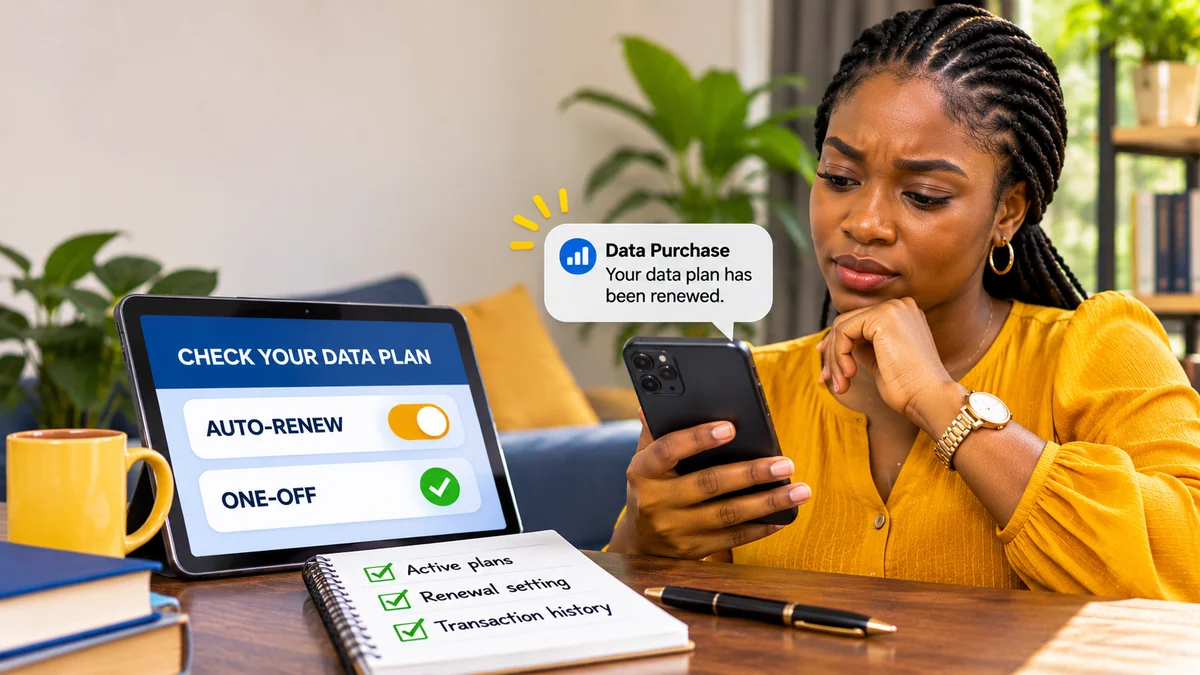
When a subscriber buys an eligible MTN data plan, the purchase process can offer Auto-renewal, One-off or Buy for a Friend. According to MTN, auto-renewal creates a recurring purchase when the chosen plan reaches its validity limit, provided a prepaid line has sufficient airtime. A one-off plan does not automatically renew merely because airtime is available. MTN says its postpaid customers may instead be billed to their postpaid account. MTN's official auto-renewal page explains these distinctions.
That explains a common surprise: a user buys a bundle, forgets it was marked recurring and later sees an airtime debit close to the plan's renewal date. The deduction may be consistent with the plan setting, but that is not proof that every unexpected deduction is authorised or that it came from data. You still need to identify the transaction, price and service.
Important clarification about timed-out menus: MTN's standard data FAQ says an SMS-based purchase whose choice menu times out defaults to a one-off purchase, whereas a USSD-based purchase cannot proceed until an option is selected. It would therefore be misleading to tell every customer that a timed-out purchase automatically enabled renewal. Check the actual transaction record before drawing conclusions.
Seven reasons MTN data may appear to renew unexpectedly
1. Auto-renewal was selected during the original purchase
The first thing to verify is whether the bundle was set to Auto-renewal when purchased. If so, an eligible prepaid plan can renew upon expiry when the airtime balance is sufficient. A user might remember only the bundle volume and price, not the recurring setting selected during the USSD or app checkout.
Check: Open myMTN NG → Manage Subscription → select the active plan and inspect the auto-renewal toggle. Compare its validity and any notification with the date of the debit. Use the current on-screen labels, which may vary by app version.
2. You have several active bundles with different expiry periods
MTN permits subscribers to hold multiple bundles, each with its own expiry date. Its Data Bundles FAQ says that bundles from different categories, such as daily and monthly, renew according to their respective cycles. If several bundles of the same category are active, MTN says the last plan purchased within that category is the one that auto-renews, rather than every older plan in the group renewing separately.
For example, a customer may be watching a monthly plan while an unrelated weekly plan reaches its recurring date. The debit can seem unexpected because the customer checked the wrong bundle. Inspect all active plans, their categories, expiry dates and renewal settings, not only the largest visible balance.
3. An MTN social bundle or special data plan is recurring
MTN offers separate social, entertainment and other special-purpose bundles. The operator's Social Bundles FAQ says eligible social subscriptions can renew at expiry when enough airtime is available; it also describes plan-specific opt-out keywords sent to 312. One published example is NOASD for All Social Daily. That is an example for that product, not a cancellation keyword for every MTN service.
Its mPulse education-bundle guidance uses a different destination: specified opt-out keywords are sent to 344. If you are trying to cancel a special plan, consult that service's own current instructions rather than applying a normal bundle code or generic “STOP” message.
4. A scheduled data gift or automatic transfer remains active
MTN's Data Gifting FAQ documents Automate Transfer, which can send selected amounts to beneficiaries weekly or monthly. This is not the same as buying a new data subscription for yourself. The data transferred comes from an eligible balance under the service's rules, and depending on the transaction it may not explain an equivalent airtime charge.
If your data balance is falling on a schedule but there is no matching new bundle purchase, check your gifting beneficiary list. MTN says the relevant menu is available through *312*8# or the data-gifting options under *321*2#. Under Manage Beneficiary, the option Stop auto transfer cancels automatic transfers to beneficiaries. Do not assume cancelling an ordinary bundle's renewal also cancels a separately configured automated gift.
5. Pay-as-you-go browsing is consuming airtime—not renewing a bundle
Airtime may disappear while a customer is browsing after the data allowance is exhausted. MTN's standard FAQ states that customers must opt in to Pay As You Go (PAYG) browsing before such charges apply under that option. Its published opt-out methods are *312*201# or sending SUSPEND to 312.
PAYG charges are based on usage, whereas an auto-renewal charge purchases another bundle. If your balance falls in many smaller deductions as you use the internet, investigate PAYG and active data consumption rather than assuming a full bundle renewed. The network's data charge and the phone's own app-usage statistics can help distinguish them.
6. A paid value-added service, not mobile data, is renewing
Some airtime deductions relate to news, games, music or other value-added services (VAS). MTN's official *305# service-management page explains that customers can view active VAS subscriptions using *305# and deactivate an individual service or choose Cancel All. Those subscriptions are separate from the typical mobile-data auto-renewal setting.
Do not cancel every service indiscriminately if you use some of them intentionally. First check the name and billing of each listed service, then remove only what you no longer want. A general promotional-message preference such as DND should not be assumed to cancel already-active paid services.
7. A purchase, delayed confirmation or high data usage is being mistaken for renewal
MTN's Manage Data FAQ says unexpected deductions can arise from active subscriptions, auto-renewals or other data and airtime services. It also lists streaming, app updates, cloud backups and hotspot sharing as reasons a data balance can fall quickly.
A smaller data balance is not necessarily a new purchase, and a bank or airtime debit does not necessarily mean a data plan renewed. Start by distinguishing three events: a data bundle was purchased, a service charged airtime, or existing data was consumed. If the alert appears delayed or a transaction status is uncertain, check your network history and payment record before retrying a purchase.
How to identify exactly which MTN service caused a charge
The most useful investigation begins with evidence, not with random cancellation codes.
- Read the complete SMS or notification. Note the charged amount, plan name, bundle size, timestamp and any renewal wording. Do not delete messages that may support a complaint.
- Check your data balance and active bundles. MTN publishes *323*4# and SMS 2 to 323 as data-balance options. Use myMTN NG for a clearer view of available account information.
- Open your transaction or usage history. Look for a bundle purchase or service charge matching the date and amount. MTN recommends the myMTN NG app or Zigi for reviewing suspicious deductions.
- List all bundle categories. Record daily, weekly, monthly and special-purpose subscriptions separately; MTN permits more than one active bundle.
- Inspect recurring settings. In myMTN NG, select each active bundle under Manage Subscription and check whether Auto-renewal is enabled.
- Check other recurring services. Review *305# VAS subscriptions, any PAYG setting and any scheduled data gifting if the evidence points in those directions.
- Match the evidence to the charge. Only after identifying the service should you use its cancellation method or raise a dispute.
| What you noticed | Most useful first check | Next action |
|---|---|---|
| A full bundle price deducted near expiry | Renewal setting and plan validity | Turn off that bundle's Auto-renewal |
| Several subscriptions active | Categories, purchase order and expiry dates | Review each relevant recurring category |
| Small airtime deductions during internet use | PAYG status and usage history | Disable PAYG if unwanted |
| Airtime charged for news, games or content | *305# active VAS services | Cancel the relevant service |
| Data sent to another number on a schedule | Data Gifting beneficiary list | Stop auto transfer if unwanted |
| Unexplained charge after all settings checked | MTN transaction record and support review | Open a formal billing complaint |
How to cancel MTN data auto-renewal using official methods
Once you have confirmed that the problem is an ordinary recurring data bundle, MTN documents two primary methods.
Method 1: Turn off auto-renewal in the myMTN NG app
- Open the authentic myMTN NG app from MTN's official channels or your device's app store.
- Sign in to the affected MTN account.
- Find Manage Subscription.
- Select the specific active bundle you want to manage.
- Switch its Auto-renewal setting off.
- Check that the new status is displayed and save any confirmation for your records.
- Repeat the review for other active bundles if you have more than one recurring plan.
These instructions are based on MTN's official auto-renewal guide . The wording and screen layout may vary as the app is updated, so rely on the currently displayed service labels rather than unofficial screenshots.
Method 2: Send the correct plan-specific SMS to 312
MTN's Data Bundles FAQ states that standard auto-renewal can be cancelled by sending NO+bundle code to 312. This means the letters NO followed immediately by the actual code for your specific subscribed bundle, not the literal words “bundle code”. For special services, the required destination and format may differ.
Find the correct code from the current MTN plan information or ask MTN support if it is unclear. Do not copy a code for a different plan simply because a third-party blog claims it cancels all auto-renewals. After sending the opt-out, look for the network's response and confirm the status in myMTN NG.
What cancelling does: It changes the recurring-purchase instruction for the relevant service. It should not be treated as a guarantee that a completed purchase will be refunded or that every other paid subscription on the line is removed. Check any remaining validity and usage terms for the already-purchased bundle.
What about special MTN subscriptions, gifting and PAYG?
Use the control that belongs to the exact type of charge:
| Service | Official management route | Important distinction |
|---|---|---|
| Regular access-data bundle | myMTN NG → Manage Subscription, or NO+actual bundle code to 312 | Stops the chosen plan's recurring purchase |
| MTN social bundle | Plan-specific opt-out keyword to 312 | Do not assume one universal social-bundle code |
| mPulse education data | Plan-specific opt-out to 344 | Different product and destination code |
| Automatic data gifting | Manage Beneficiary → Stop auto transfer | Stops recurring transfers to beneficiaries, not an ordinary purchase |
| PAYG browsing | *312*201# or SUSPEND to 312 | Disables airtime-funded browsing, not a bundle renewal |
| Paid VAS subscriptions | *305# → Active Services → cancel specific service | For news, music, games and other value-added services |
MTN's Social Bundles , mPulse , Data Gifting and VAS FAQs support these distinctions. Always use current product-specific instructions because code sets and menus can change.
Why a plan may seem to renew even after you cancelled another one
A customer might turn off a monthly plan and then notice another charge for a daily or weekly subscription. That is not necessarily proof that the monthly cancellation failed. MTN says different plan categories have separate renewal cycles. It also notes that when there are multiple active plans from the same category, the most recently purchased plan in that category is the one that may auto-renew.
For a fictional example, imagine a customer has one recurring weekly bundle and one recurring monthly bundle. After switching off the monthly plan, the weekly plan still reaches its own expiry and renews if its renewal setting remains on and the applicable payment conditions are met. The right fix is to inspect both subscriptions, not to send the monthly plan's code repeatedly.
If your MTN data-sharing balance falls after a scheduled transfer, the explanation may instead be data gifting. FlyingEze's related guide, MTN Data Sharing Not Working? Possible Causes and Fixes , covers common sharing errors and how to investigate them. An existing data gift does not by itself establish that your personal data bundle has renewed.
Does topping up airtime automatically trigger renewal?
For ordinary prepaid data auto-renewal, MTN says the plan renews at the end of its validity period provided sufficient airtime is available. Its published overview does not establish a single universal rule that every missed renewal will automatically be retried whenever a user tops up later.
If you notice a purchase shortly after recharging, compare the actual debit timestamp with the plan's expiry, renewal status and transaction history. Do not assume the recharge itself caused a renewal. If the service records do not explain the charge, ask MTN to clarify whether it was a scheduled renewal, a separately authorised purchase or a different subscription.
For postpaid subscribers, MTN's auto-renewal page says eligible charges may be billed to the postpaid account, so the absence of a prepaid airtime deduction does not necessarily mean there is no recurring charge.
How to confirm that auto-renewal is switched off
Changing a setting is only the first part of the task. Verify what the system actually recorded.
- Check the confirmation SMS or the on-screen app response.
- Reopen the specific bundle in myMTN NG and inspect the Auto-renewal setting.
- Note the plan's current validity and the date it would otherwise renew.
- If you have more than one active subscription, check each relevant bundle separately.
- Keep a screenshot or reference showing the change, without publicly sharing private account details.
- If a new matching debit appears after you received cancellation confirmation, report the transaction with its date, amount and service name.
Do not assume that merely uninstalling myMTN NG stops recurring purchases. Auto-renewal is an account service setting, not a background process running only inside the phone app. Likewise, deleting an SMS or switching off notifications does not cancel a subscription.
What if MTN keeps deducting airtime after cancellation?
First check that the follow-up charge is genuinely for the same plan and happened after the confirmed opt-out. If it relates to another plan category, VAS or PAYG, use the relevant management route instead.
When the charge still appears unexplained, MTN's failed airtime/data transaction guidance recommends providing the transaction reference, affected number, amount, time, date and relevant debit evidence to official customer care. Its Contact page lists 300 as the customer-care number. MTN also lists the official Zigi chat and customercare.ng@mtn.com for assistance.
Ask support to identify the service, bundle or transaction identifier responsible for the charge; the recorded auto-renewal status at the time; and whether the opt-out was applied before the billed renewal. Keep a ticket or reference number so the issue can be followed up without repeating the entire complaint.
If you suspect a billing error, request investigation and correction. A refund or reversal is not automatic merely because the charge surprised you; it depends on what the records and applicable consumer rules establish. Equally, an unexpected charge should not be dismissed without reviewing the evidence.
When and how to escalate an unresolved MTN billing complaint to the NCC
The Nigerian Communications Commission's October 2026 consumer guidance says customers should first complain to their service provider, retain the complaint reference and give the provider an opportunity to respond. If the issue remains unresolved or the response is unsatisfactory, it can be escalated to the NCC.
The NCC complaints procedure lists the toll-free 622 consumer contact centre and official consumer portal. Include the affected number, transaction details, MTN's ticket reference, steps already taken and the resolution requested.
The regulator has previously investigated cases of involuntary value-added-service subscriptions and deductions. That history shows why documentation matters, but it should not be used to label any particular current MTN deduction as illegal without an investigation. Keep the complaint factual, and do not publish your NIN, full account credentials, OTPs or private transaction details on social media.
How to prevent future unexpected data deductions
A few routine checks can reduce confusion, even for subscribers who deliberately use recurring bundles:
- Choose One-off for occasional purchases. MTN says one-off bundles do not automatically renew at expiry.
- Review all active plans monthly. Watch daily, weekly, monthly and special subscriptions rather than only the main bundle.
- Check the full renewal setting after every new purchase. A later purchase may change which plan within a category is set to renew.
- Monitor consumption and validity. Use *323*4# or the myMTN NG app for data balance and usage information.
- Review scheduled data gifting. Remove unwanted automatic beneficiaries separately from your personal bundle controls.
- Disable unnecessary paid services and PAYG. Use the appropriate *305# or PAYG opt-out route after confirming what is active.
- Keep charge notifications and receipt records. They help distinguish renewal, PAYG usage, VAS and purchase failures.
- Use official support channels. Avoid agents who promise to cancel every subscription in exchange for your PIN, OTP or a private transfer.
MTN also notes that background downloads, streaming and hotspot use can rapidly consume data. If your issue is fast depletion rather than a new paid subscription, reviewing phone data-usage statistics may be more helpful than repeatedly cancelling and buying bundles.
Frequently asked questions
Why did my MTN data renew when I did not buy another bundle?
The plan may have been set to Auto-renewal when initially purchased. MTN says eligible prepaid plans can automatically renew at expiry when sufficient airtime is available. Check myMTN NG's Manage Subscription setting and the matching transaction before assuming that was the cause.
How do I cancel auto renewal on MTN in Nigeria?
For a standard data bundle, MTN says you can send NO plus the correct bundle code to 312. Alternatively, open myMTN NG, select Manage Subscription, choose the active bundle and switch Auto-renewal off. Special bundles can use other codes.
Does sending STOP to 312 cancel all MTN subscriptions?
Do not rely on a universal STOP command. MTN's standard data guidance specifies NO+the bundle code to 312; some social or educational plans have distinct keywords and destinations. Identify the actual service first.
Will turning off auto-renewal refund the money already deducted?
Not automatically. Opting out controls future recurring purchases of the relevant bundle. If you believe a completed charge was unauthorised or incorrect, contact MTN with the transaction evidence and request an investigation.
Can multiple MTN data plans renew on the same number?
Yes, different plan categories have separate renewal schedules. MTN also says that, within the same category, the most recently purchased active plan is the one that may auto-renew, rather than every older plan in that category.
Why is my airtime reducing after the data bundle finishes?
You may have opted into Pay As You Go browsing, or another service may be charging the line. MTN lists *312*201# and SUSPEND to 312 to opt out of PAYG. Check the transaction record before assuming it was data auto-renewal.
How do I stop a recurring MTN data transfer to someone else?
MTN's Data Gifting FAQ says to use Manage Beneficiary → Stop auto transfer in the gifting menu. That action is separate from stopping the renewal of your personal data bundle.
Can I stop unexpected music or news subscriptions with the data cancellation code?
Not necessarily. MTN's *305# service menu is designed to show and manage paid value-added services such as news, games and music. Review those separately from mobile-data subscriptions.
Where can I complain if MTN continues deducting airtime?
MTN lists 300 as its customer-care number, with other support methods on mtn.ng/contact . Keep the complaint reference. If the issue remains unresolved, the NCC provides an escalation route including 622.
Conclusion: identify the charge before choosing a cancellation code
If an MTN data plan renews unexpectedly, the explanation may be an enabled auto-renewal option, a different bundle category, a social subscription or another service that is not actually data renewal. MTN's own guides make these distinctions clear: ordinary bundles, automated gifting, PAYG browsing and paid VAS have separate management controls.
Start with your notifications, balance and transaction history. Check every active bundle's status in myMTN NG, use the correct plan-specific opt-out and save confirmation. When a matching charge continues after cancellation, ask MTN for a billing investigation and escalate an unresolved complaint to the NCC with the documented evidence.
Editorial verification: 13 November 2026. Sources include MTN Nigeria's Data Autorenewal, Data Bundles, Data Gifting, Social Bundles, mPulse, Manage Data, VAS and Contact pages, together with the NCC's October 2026 complaint guidance. No live customer account, SIM renewal or refund transaction was tested.