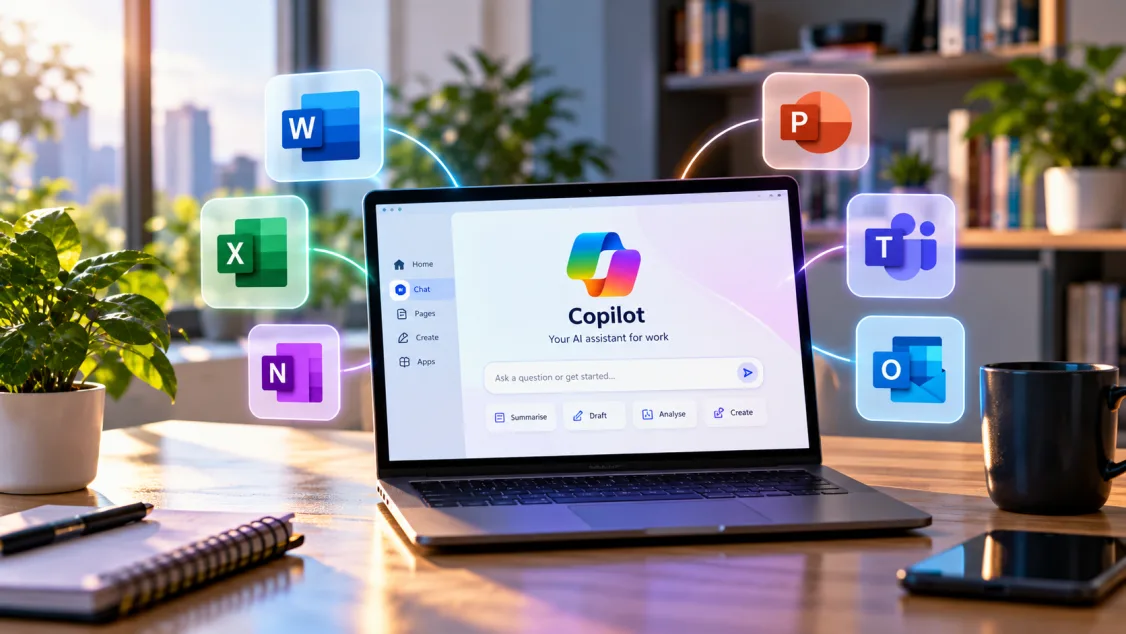
Microsoft is redesigning Copilot around three new modes — Home, Code and Autopilot — as it pushes the product beyond chat and towards a broader AI work platform.
The company announced the changes on 25 September 2026. Home is intended to become the main starting point for work inside Copilot, Code is designed to let people build apps and automations with natural language, and Autopilot is a persistent agent that can continue working in the background.
Key takeaways
- Home brings Chat and Cowork into one starting point, with Office apps integrated into the experience.
- Code uses technology related to GitHub Copilot to let users build applications and automations with natural language.
- Autopilot is a persistent, proactive agent intended to keep working after a user delegates a task.
- Home and Code are beginning with Microsoft's Frontier programme rather than a universal rollout.
- Autopilot is expanding into private preview, so availability remains limited.
What is changing in Microsoft Copilot?
Until now, many people have primarily encountered Copilot as a chat interface layered into Microsoft products. Microsoft's new structure is broader: the company wants Copilot to become a place where users can ask questions, delegate work, build solutions and hand longer-running tasks to agents.
That makes the redesign less about a cosmetic interface refresh and more about how Microsoft is organising AI work across individual tasks, collaboration and software creation.
What is Copilot Home?
Home is Microsoft's new central workspace. It combines Chat and Cowork, while also bringing Word, Excel and PowerPoint into the Copilot experience.
Chat remains the fast conversational layer for questions, research and drafting. Cowork is positioned for larger delegated tasks that may take multiple steps, such as preparing a customer briefing, building a launch package or working through a financial close process.
Microsoft says Home will also surface recent activity and suggestions so users can resume work without having to reconstruct context manually.
What is Copilot Code?
Code is Microsoft's attempt to bring app and automation building to a wider audience. It is based on underlying technology from GitHub Copilot and is designed to let users describe what they want to build in natural language.
The practical significance is that Microsoft is trying to reduce the gap between using AI and creating AI-powered workflows. A business user who understands a process but is not a professional developer may be able to build an internal tool or workflow without starting from a blank codebase.
However, Microsoft's announcement does not mean every organisation should immediately let all staff build and deploy software. Governance, permissions, data access and review still matter — especially when generated applications connect to business systems or customer data.
What is Copilot Autopilot?
Autopilot is the most agentic part of the redesign. Microsoft describes it as persistent, proactive and personal: an agent that can continue working even when the user is not actively interacting with it.
That could be useful for recurring or multi-step work, but it also raises the importance of clear boundaries. Organisations will need to think about what an agent can access, which actions it can take without confirmation and how its work is audited.
That broader agent-governance issue is also becoming important across the industry. FlyingEze recently covered Nvidia's Open Agent Safety Platform , which focuses on enforcing boundaries around autonomous agents.
Who can use the new features?
The rollout is not universal. Microsoft says Home and Code will begin rolling out through its Frontier programme over the coming weeks. Autopilot is moving into private preview.
That distinction matters: users should not assume that every Microsoft 365 or Copilot account will immediately see the same experience. Availability may depend on programme participation, tenant configuration and Microsoft's rollout schedule.
What does this mean for businesses?
The redesign suggests Microsoft increasingly sees Copilot as an orchestration layer across documents, apps, code and autonomous agents rather than simply an AI assistant inside individual products.
For businesses, the immediate questions are operational: who should be allowed to delegate work to agents, who can build apps through Code, how costs will be monitored and how generated workflows will be reviewed before they touch production systems.
Microsoft is also introducing new FinOps capabilities for AI, reflecting a growing concern that organisations need better visibility into AI usage and spend as agents become more active.
How does this fit the wider AI-agent trend?
Microsoft is not alone in moving towards persistent agents and AI-driven workflows. Recent product announcements across the industry increasingly focus on agents that can take actions rather than merely produce text.
FlyingEze's coverage of OpenAI DevDay 2026 similarly highlighted always-on agents, developer tooling and new ways to delegate work.
Bottom line
Microsoft's Copilot redesign makes the company's direction clearer: Chat remains important, but the future of Copilot is increasingly about delegated work, app creation and persistent agents.
For now, the most important limitation is availability. Home and Code are starting through Frontier, while Autopilot remains in private preview. Organisations evaluating the redesign should treat the announcement as the beginning of a staged rollout rather than a feature set that is already available to every Copilot user.