Safe AI-Assisted Development: Permissions, Code Review and Deployment Approval Workflows
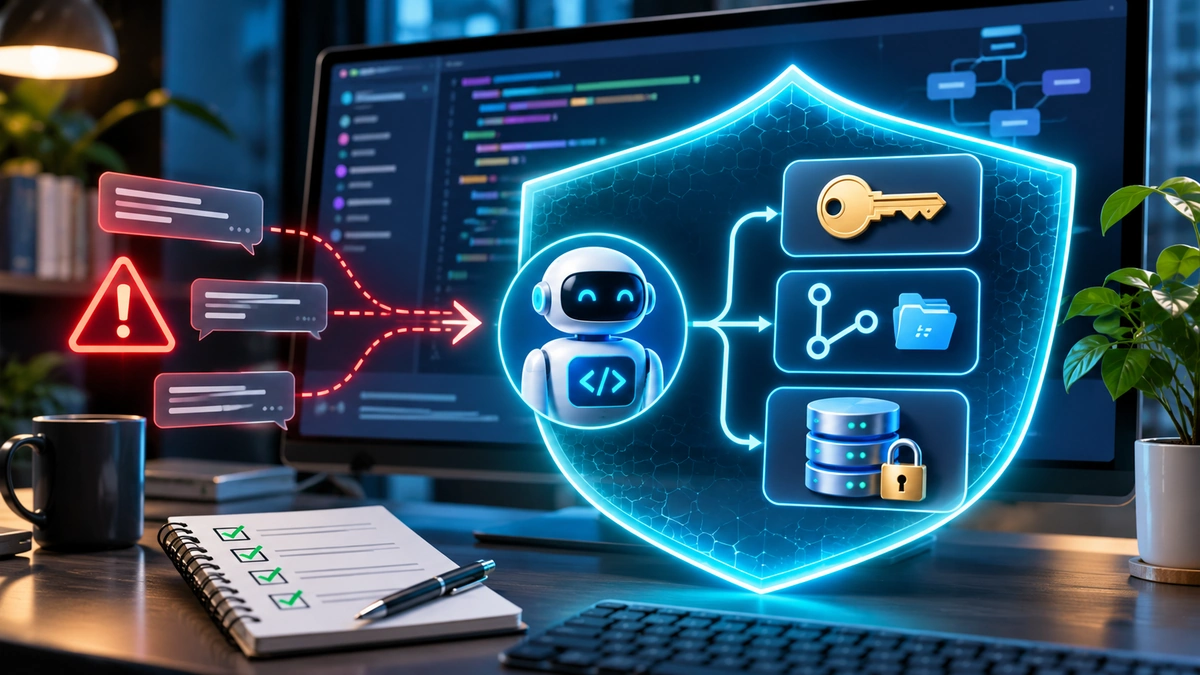
AI coding agents can draft features, refactor applications, run tests and prepare pull requests. But should an agent that writes code also approve its own changes, merge them into the main branch and deploy them to customers? For most teams, the answer should be no. Safe AI-assisted development separates permission to propose a change from authority to approve, merge and release it. The agent performs a bounded task; automated checks test its work; an accountable human reviews the result; and a separately controlled release process decides when it reaches production.
This article explains how to build that workflow, whether you are a solo developer experimenting with an AI assistant or a small business shipping software to paying customers. It focuses on approval design and accountability. For a broader threat-focused introduction, FlyingEze has also covered the risks of sensitive material appearing in public repositories through AI coding workflows .
Why permissions and approvals matter more as coding agents become capable
Traditional autocomplete suggests code and waits for a developer to accept it. Agentic tools may independently read repository content, edit multiple files, execute commands, install dependencies or call connected services. An instruction in an issue or documentation page can sometimes influence the agent's actions, including actions the original developer never intended.
OWASP's Secure Coding with AI Cheat Sheet recommends isolation, minimum privileges, human ownership and independent review. The NIST Secure Software Development Framework provides the wider foundation: define secure development practices and verify software throughout its lifecycle, rather than treating security as a final release checkbox.
The practical lesson is that an AI-generated patch should follow the same controlled delivery path as any other change, with extra attention to the agent's access, untrusted inputs and possible modifications to security-critical files.
1. Start with a permissions matrix, not an unrestricted account
Give each participant a clear role: the AI agent creates a proposed change, a developer owns and validates it, reviewers approve the affected code, and a release identity deploys an approved artefact. One person may hold several roles in a tiny team, but the technical credentials and the approval steps should remain distinct where possible.
| Role | Normally permitted | Not automatically permitted |
|---|---|---|
| AI coding agent | Read selected source, edit a feature branch, run restricted tests, open a draft pull request | Read production secrets, bypass branch rules, approve itself, deploy live changes |
| Developer / change owner | Define task and acceptance criteria, inspect agent output, request reviews | Override protected branch or deployment gates without authorised exception |
| Independent reviewer / code owner | Approve or request changes after reading the diff and test evidence | Treat the agent's summary as sufficient evidence or approve outside their authority |
| Release approver | Authorise a specific build for a specific environment | Silently substitute an unreviewed build or bypass required security checks |
| Deployment service identity | Deploy an approved build with environment-scoped credentials | Modify unrelated repositories or gain organisation-wide administration rights |
Technical enforcement matters. A prompt saying “do not deploy” is helpful context, but it is weaker than a deployment credential the agent simply does not possess. Use dedicated service accounts or narrowly scoped tokens, a restricted working directory, separate build and deployment credentials, and approval checkpoints for elevated actions.
OpenAI's Codex documentation distinguishes sandbox boundaries, which limit what the agent can technically do, from approval policies, which determine when it must request permission. These are complementary controls, not interchangeable promises of safety. Exact defaults depend on the product and configuration.
2. Define the task before granting write access
A good assignment identifies the desired result, where the agent may work and how success will be tested. For example: “Add a server-side validation rule to the registration form; edit only the relevant application and test files; preserve existing authorisation behaviour; do not change database migrations or deployment scripts; open a pull request for review.”
That is more useful than “fix the registration system,” which leaves enormous room for unintended edits. Require the agent to report files changed, commands executed, tests run, assumptions made and anything it could not verify. Treat its report as an index to evidence, not as proof that the change is safe.
For high-risk tasks involving authentication, payments, permissions, customer information or infrastructure, prefer an initial read-only investigation and a written change plan before enabling edits. Flag modifications outside the approved file scope. Repository instructions and externally supplied issue text must not override the actual access policy.
3. Make the pull request the central review checkpoint
Keep AI-generated changes on a feature branch and have the agent open a pull request instead of pushing directly into the protected default branch. The pull request should contain a concise explanation of the problem, the actual diff, known risks, test results and any required migration or operational steps.
On GitHub, protected branch rules can require approving reviews, successful status checks, resolved conversations and other conditions before merging. Review requirements and protection availability depend on repository settings and plan; do not assume they are enabled merely because the repository is private.
Useful defaults for a production application include a required independent approval, required CI checks, restrictions on bypassing protections, and prevention of force pushes to the main branch. Consider dismissing stale approvals when additional commits change the reviewed diff. Otherwise, code may change after someone approved an earlier version.
Use CODEOWNERS for sensitive areas
A CODEOWNERS file can identify the people or teams responsible for parts of a repository. For example, authentication code might be owned by a security or identity team, while deployment files belong to platform engineers. GitHub's CODEOWNERS guidance explains that the file can trigger review requests and, when the corresponding protection setting is enabled, required owner approval.
Protect the CODEOWNERS file itself: an agent must not be able to rewrite the reviewer map and silently remove the people expected to examine sensitive changes. Review routing is not a substitute for actual expertise, and an automatically requested reviewer is not the same as an enforced approval requirement.
4. Conduct a code review that looks beyond “the tests passed”
AI may generate plausible-looking code while introducing insecure defaults, dependency changes or weak error handling. A reviewer should read the meaningful diff and validate behaviour independently, especially where the patch affects access control or data flow.
Ask six practical questions before approving an AI-assisted pull request:
- Does it solve the authorised problem? Compare the actual implementation with the task's acceptance criteria.
- Did it change unrelated files? Inspect configuration, instruction files, dependencies, lockfiles and scripts, not just the visible application code.
- Could it reveal or mishandle data? Check logging, database queries, API responses, new external requests and credential use.
- Are permissions still correct? Exercise both allowed and denied scenarios, including another user's or tenant's records where relevant.
- Can tests be trusted? Check that assertions were not deleted, weakened or replaced with mocks that avoid the failing behaviour.
- Can it be released and reversed safely? Review migrations, backward compatibility, feature flags and the rollback path.
Automated AI review can assist by highlighting suspicious code, but it should not count as the sole independent approver for high-risk changes. OWASP specifically warns against accepting agent-produced summaries or green tests without inspecting the underlying edits. Reviewers need enough time and context to understand what they are approving. See OWASP's coding-agent guidance .
5. Use CI as a quality gate, not as a privileged shortcut
A continuous integration pipeline should compile the application, run unit and integration tests, check formatting and linting, perform appropriate dependency and secret scans, and report results against the exact commit under review. Make the important checks mandatory before merging; monitoring a failed check is not the same as blocking the release.
However, CI can also become the path by which an untrusted contribution gets privileged access. A changed workflow file or package installation script may execute code before reviewers notice it. Keep pull-request test jobs separate from jobs with production credentials, and configure job tokens with the minimum permissions required.
GitHub's Actions secure-use guidance warns about untrusted code and privileged workflow triggers. In particular, avoid running code checked out from an untrusted pull request inside a privileged job that has write-capable tokens or secrets. If a privileged follow-up workflow consumes artefacts from an untrusted build, validate those artefacts rather than treating them as automatically trusted.
Use the same scrutiny for AI review bots running in CI. An automated review process that reads attacker-controlled pull request descriptions must not also inherit the authority to rewrite protected workflow settings or deploy the project.
6. Separate merge approval from deployment approval
Approving a code change answers one question: is this patch suitable for the repository? Deploying it answers another: is this particular verified build safe to run in this environment at this time? A merged pull request should not automatically become an unrestricted production operation unless the organisation has deliberately assessed and authorised that release policy.
A straightforward workflow moves through these gates:
- Agent proposes: create a branch, commit the intended changes and open a pull request.
- CI validates: run tests and security checks against a traceable commit.
- Human reviews: examine the diff, verify acceptance criteria and record approval.
- Branch rules enforce: prevent merge until required approvals and checks succeed.
- Build system packages: create an identifiable artefact from the approved commit.
- Staging verifies: run smoke tests and migration checks in a non-production environment.
- Release owner approves: authorise that artefact for the target production environment.
- Deployment service releases: deploy with environment-specific credentials, monitor health and retain rollback capability.
For GitHub Actions, deployment environments can support required reviewers, branch restrictions and other protection rules. The “prevent self-review” setting can stop the person who initiated a deployment from approving that same protected deployment. Availability of required reviewers varies by plan and repository visibility; GitHub's current documentation should be checked before designing around the feature.
Do not confuse “one of several configured reviewers must approve” with “every configured reviewer must approve.” If your organisation needs two-person or specialist sign-off, enforce that policy explicitly through suitable controls. Production credentials should be supplied only to the approved deployment step, not to the earlier agent or untrusted pull-request runner.
7. Adjust approval depth to the risk of the change
Security review becomes difficult to sustain if every spelling correction requires the same process as a payment-system migration. A risk-based workflow is more practical, provided the baseline checks and protected branch rules remain intact.
| Change | Suggested approval pattern |
|---|---|
| Low risk: documentation or isolated UI copy | Normal peer review plus basic CI checks |
| Medium risk: business logic, new dependency or public API | Independent code review, relevant tests and staging verification |
| High risk: authentication, payment, authorisation or sensitive data | Appropriate specialist review, negative security tests and explicit release approval |
| Critical risk: production database migration or infrastructure policy change | Change plan, backup and rollback validation, authorised release window and stronger separation of duties |
These tiers are recommendations rather than universal legal or platform requirements. Define them in your own engineering policy, including who may approve exceptions. A minor-looking change can still be high risk if it alters a deployment workflow, permission boundary or data-retention rule.
8. Example: releasing an AI-generated login change safely
Suppose a developer asks an agent to fix an account-login bug. The agent is allowed to read the relevant authentication code and edit a feature branch in a restricted workspace. It must not read production user tables, modify secret stores or run a live database migration.
The agent prepares a patch and tests. The human owner verifies that the bug is fixed and adds negative tests for expired credentials, incorrect passwords and unauthorised account access. A security reviewer examines session handling, rate limiting and any changes to authentication configuration. CI runs the agreed checks on the final commit.
After branch rules permit the merge, a build service produces a release artefact. Staging confirms that existing login flows still work. The release owner approves deployment, and a dedicated deployment job applies that exact build with only its required environment permissions. The team monitors failures and can revert the change if the release causes problems.
Nothing here requires the AI assistant to possess the authority to approve itself or reach live customer credentials. That separation is the point of a safe workflow.
How small teams can implement this without expensive infrastructure
Start with a protected main branch, one feature branch per task, required tests, a human reviewer when available and a deployment mechanism that is separate from the agent's development credentials. Use pull request templates to require the task objective, testing evidence, security impact and rollback notes.
A solo developer may not have a second qualified engineer immediately available. In that case, keep production changes behind a manual release gate, use a deliberate review interval, test in staging and seek independent review for high-risk changes when feasible. Do not label reviewing your own patch as independent approval. Automation can enforce many restrictions even when headcount is small.
Keep a simple audit record linking the task, agent run, commit, CI result, human approval, build identifier and release outcome. Log decisions and outcomes without storing secrets or unnecessary personal data. Over time, examine which approvals catch genuine defects and which create delays without meaningful protection.
Common approval-workflow mistakes to avoid
Letting an agent approve its own pull request: an agent's opinion about its output is not independent assurance. Allowing broad repository tokens: a read-and-comment task seldom needs organisation administration rights. Approving before the final commit: use stale-review protection or require reapproval after material edits. Sharing production secrets with CI tests: untrusted jobs should not inherit credentials needed only at release time. Trusting a green badge without inspecting the workflow: tests can be weakened, disabled or pointed at the wrong code. Skipping rollback planning: deployment approval must account for what happens if production behaviour differs from staging.
Frequently asked questions
Can AI-generated code be merged automatically?
It is technically possible, but automatic merge should be reserved for explicitly approved, tightly bounded categories of low-risk changes after required controls pass. For changes affecting security, payments, sensitive data or production operations, maintain accountable human review.
Is an AI code-review bot enough?
No, not as the only reviewer for security-sensitive work. It may supplement static analysis and human review, but can miss incorrect assumptions or approve code shaped by the same untrusted context that influenced the coding agent.
What is the difference between pull request approval and deployment approval?
Pull request approval evaluates a proposed change to source code. Deployment approval authorises a particular build for a particular target environment. Separate gates reduce the chance that a reviewed patch becomes an uncontrolled production release.
Do small teams need a CODEOWNERS file?
It can help when different people maintain different parts of the application, but it is optional. The essential requirement is a clearly defined, enforced review policy. Merely adding CODEOWNERS does not turn on mandatory approvals.
Conclusion: let AI accelerate development, not bypass responsibility
Safe AI-assisted development is not about checking every keystroke an agent makes. It is about establishing clear limits and meaningful decision points. Let the agent propose and test changes within a controlled scope. Let CI independently verify important requirements. Let accountable people examine the code and approve the risks. Let a separate deployment identity release only an approved, traceable build.
With that structure, teams can benefit from faster software development without quietly handing over the permissions, code review and production authority that protect users and businesses.