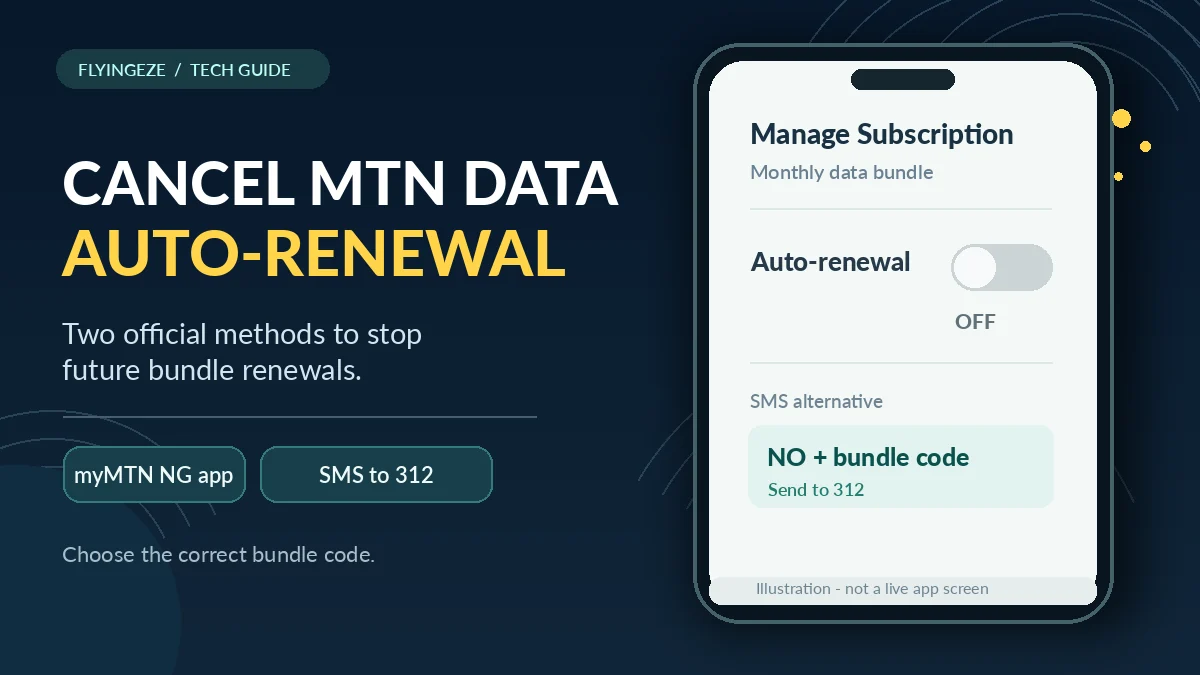
To cancel MTN data auto-renewal in Nigeria, open the official myMTN NG subscription settings , choose your active data bundle under Manage Subscription, and switch auto-renewal off. Alternatively, MTN says you can send NO followed immediately by your specific bundle code to 312 as an ordinary SMS. Do not send a guessed code: some social, mPulse and other special bundles use different opt-out keywords or numbers.
People searching how to cancel auto renewal on MTN often want to stop a new data charge after their daily, weekly or monthly plan expires. But several different services can reduce airtime: a recurring data bundle, pay-as-you-go (PAYG) browsing, a value-added service or a recurring data transfer to another person. Stopping one does not necessarily cancel the others.
This guide explains the official app and SMS cancellation routes, what to do if a code is rejected, how to choose a one-off purchase next time, and how to check unexpected deductions. The information was verified on 13 November 2026 against MTN Nigeria's own pages and the Nigerian Communications Commission (NCC). Exact bundle codes, app labels and service rules may change, so use your live subscription information before confirming an action.
Quick answer: official ways to stop MTN data auto-renewal
| Situation | Official method | Important detail |
|---|---|---|
| You can access the myMTN NG app | Manage Subscription → active bundle → auto-renewal Off | Check each relevant subscription and verify the saved state |
| You know the correct standard data-bundle code | Text NO + bundle code to 312 | Use the code for your actual bundle, with no added spaces |
| You are buying data again by USSD | Dial *312*1# and choose One-off when offered | This prevents renewal of the new purchase; it is not a universal cancellation code for an older plan |
| You have an MTN social bundle | Use the plan-specific STOP or NO keyword to 312 | Examples and codes differ by social plan |
| You have an mPulse education bundle | Use its specific opt-out keyword to 344 | Do not assume the standard 312 instruction applies |
| You want to stop PAYG airtime browsing | Dial *312*201# or SMS SUSPEND to 312 | This is separate from data auto-renewal |
| You need help with a continuing charge | Call 300 from MTN and keep a support reference | Ask MTN to identify the exact charged service before cancelling it |
MTN publishes the standard data-bundle opt-out format in its Data Bundles FAQ and the in-app toggle in its Data Autorenewal guide .
What does MTN data auto-renewal mean?
An auto-renewing data plan is a bundle configured to purchase itself again when its validity period expires, provided the necessary funding conditions are met. For ordinary prepaid plans, MTN says the cost is taken from eligible airtime if there is enough balance. For postpaid customers, recurring bundles may be billed to the account under the applicable terms.
MTN also offers One-off Purchase. The buyer receives the plan for its stated validity, but it does not automatically purchase the same plan again at expiry. This distinction matters when a customer recharges airtime for calls and finds the balance reduced by a scheduled data renewal.
Canceling renewal is therefore different from terminating a SIM, blocking mobile internet or requesting a refund. It addresses the next recurring purchase. You should still inspect the remaining balance and expiry of the currently purchased bundle, as well as any other subscriptions on the line. MTN's app is the best place to check the current renewal setting where it is accessible.
Method 1: cancel auto-renewal through the myMTN NG app
MTN's official data-autorenewal page specifically describes a subscription-management feature in the myMTN NG app. This is often the simplest route if you cannot remember the SMS activation code for your bundle.
- Open the official myMTN NG app. Install or update it through MTN's authentic store links if necessary. MTN also documents texting
myMTNto5018for a download link. - Sign in to the correct MTN number. On a phone with multiple SIMs or accounts, confirm that you are managing the line that was charged.
- Open Manage Subscription. Find the active data bundle or relevant subscription. The interface may change with app updates.
- Select the bundle. Check the plan name, duration, expiry and any displayed renewal status.
- Switch auto-renewal off. If the app asks for confirmation, complete that step. Do not select the option to activate or renew the bundle.
- Verify the final state. Reopen the bundle details and confirm that auto-renewal shows Off or an equivalent disabled status. Save any confirmation notification for your records.
If you hold several active plans, inspect them individually. MTN says users can have multiple bundles with different expiry dates and that renewal behaviour depends on bundle categories and the most recently purchased plan within a category. Stopping one subscription should not be assumed to disable every recurring plan on the same SIM.
For a shared family device or MiFi, check whether the correct account is linked before switching anything. The phone displaying the app is not necessarily the SIM whose renewal is being managed.
Method 2: cancel MTN data auto-renewal by SMS to 312
MTN's general rule is to send the letters NO followed by the actual bundle code to 312. This is not a universal message consisting of only “STOP”, nor does every special bundle use the same keyword.
- Check the original bundle-purchase SMS, your plan details or the official MTN bundle table to identify the correct activation code.
- Open the SMS application on the MTN line that purchased or owns the bundle.
- Type
NOimmediately followed by that bundle's code. For example, if MTN identifies the code asABC, the illustrative command would beNOABC.ABCis not a real plan code. - Send the completed message to
312. - Read the response. Keep it, then check the renewal state in myMTN NG or ask MTN for confirmation if the reply is unclear.
The distinction between a plan's name, its price and its SMS activation code is important. Guessing NO500 just because a bundle cost ₦500 is not reliable. Equally, R followed by the bundle code is used by MTN to opt into or renew certain plans—not to cancel them. If you do not know the code, the app route is safer.
MTN's standard Data Bundles FAQ , Always-On Data page and Postpaid Data FAQ describe the NO + code principle, although eligibility and specific bundle codes vary.
Method 3: select One-off when buying your next MTN bundle
Stopping a current recurring subscription is only half the task if you accidentally select auto-renewal during the next purchase. MTN's normal bundle-purchase USSD flow is available through *312*1#. When the final selection appears, choose One-off Purchase rather than Auto-renewal Purchase if you do not want the new plan to repeat automatically.
MTN's FAQ says the USSD purchase cannot proceed until a user selects the applicable option. It also says that, for certain purchases by SMS, a timed-out selection prompt defaults to one-off. Those details should not be turned into a recommendation to ignore the confirmation screen: make a deliberate choice and review the final SMS.
One-off does not mean you can never buy data again. You may manually purchase a different bundle whenever you choose. It simply prevents the selected purchase from being automatically repeated through that renewal setting. This is useful for people who switch between daily and monthly usage, travel frequently or want to budget data expenditure by hand.
How to find the correct MTN bundle code
If an SMS cancellation fails, the first likely explanation is a mismatch between the command and the actual subscription. Start by opening Manage Subscription in myMTN NG. Check the full plan name and look for any relevant code or details. Your original purchase confirmation may also identify the plan.
Next, consult MTN's official help page for the specific product: normal access data, Always-On, social, mPulse, XtraValue or another specialised package. Some use numerical codes; others use letters. A command copied from a blog written several years earlier may refer to a discontinued product or an entirely different plan.
Avoid experimenting with many randomly constructed messages. If you still cannot identify the correct code, contact MTN customer care on 300, state the exact plan name and ask the agent to explain or confirm the correct cancellation method.
MTN social bundles: some require STOP, others NO
MTN's Social Bundles FAQ contains separate opt-out keywords. In its published table, for example, daily WhatsApp social data uses STOPWAD to 312, while All Social Daily uses NOASD to 312. The page also lists different codes for Facebook, TikTok and longer-duration social plans.
This explains why advice such as “just text STOP to 312” is unreliable. A social package has its own activation keyword and cancellation keyword, and the two are not interchangeable. Even the naming convention can differ across products.
Before acting, identify whether the deduction relates to a general internet bundle or a social-only package. Check the official table and use the entry corresponding to your exact plan and validity. Because product names, entitlements and tariffs can be revised, do not treat one social-bundle example as a permanent command for every subscription.
MTN mPulse education bundles: cancellation may go to 344
Parents and younger subscribers using MTN mPulse should check whether the recurring charge is for a standard access data plan or a dedicated education bundle. MTN's mPulse support page documents an education-bundle opt-out using NO followed by its specific activation code, sent to 344.
For example, the official mPulse page lists NO353 to 344 for the education plan identified by activation code 353. This example comes from the published support documentation; check that your live subscription is the same product before using it.
The same mPulse service also supports parent–child recurring gifts, which are controlled separately through its parent–child account menu. If a parent is seeing a recurring transfer to a linked child's line, simply disabling an ordinary data-bundle auto-renewal might not stop that arrangement. Identify the source of the recurring deduction first.
Will cancelling MTN auto-renewal remove my remaining data?
Under the ordinary distinction MTN makes between a one-off purchase and an auto-renewing purchase, turning off auto-renewal changes the next renewal instruction; it is not an instruction to consume or delete the remaining bundle immediately. However, your existing plan still has its original validity and product-specific terms. Confirm the active data and expiry on the line rather than assuming the balance is permanent.
Use *323*4# or send 2 to 323 to check main data, bonuses and associated validity information. The myMTN NG app and Zigi are other official channels. MTN says bundles with the shortest remaining validity generally deplete first when several are active.
Some unused main data can roll over when the customer purchases a qualifying bundle in the same rollover category before expiry or within the specified grace period. But MTN also says that an expired balance is not usable during the grace period until an eligible new plan is bought, and bonus data may not roll over. Do not renew unnecessarily just because an app displays an expired allowance.
Multiple active MTN bundles: why one cancellation may not be enough
It is possible to have a daily plan, a weekly social plan and a monthly access bundle on the same MTN line. MTN's standard Data Bundles FAQ explains that separate bundle categories may renew on their own schedules. For several purchases in the same category, MTN says the latest purchase within that category is normally the one that renews.
For that reason, make a simple list of each active subscription: name, price or charge, expiry, renewal status and applicable code. Check the app after cancelling one plan. If a later deduction appears, compare its timestamp and amount with the remaining subscriptions rather than concluding immediately that the original cancellation failed.
A useful practical routine is to take a screenshot of each renewal setting after changing it, then check the next relevant renewal date. The screenshot is evidence of what the app displayed, not proof that a later transaction cannot occur. If the deduction contradicts the status, MTN can investigate it using the account and transaction records.
Auto-renewal is not the same as pay-as-you-go browsing
This distinction can save customers from repeated unexpected airtime deductions. Data auto-renewal buys another data bundle according to a recurring plan instruction. Pay-as-you-go (PAYG) browsing uses airtime to pay for internet traffic after a normal bundle has run out, if the customer has opted in.
MTN's official Data Bundles FAQ says the PAYG opt-in is *312*200# or RESET sent to 312. To opt out of PAYG, it gives *312*201# or SUSPEND sent to 312. Its published PAYG rate can change, so verify the current terms instead of relying on an old price in an online tutorial.
Do not send SUSPEND assuming it cancels all recurring bundles. It addresses PAYG access, which is a separate service. Likewise, sending a plan-specific NO command does not necessarily change your PAYG preference. If your goal is to stop both kinds of expenditure, check both controls independently.
Other subscriptions and automatic data gifts can also cause deductions
Some recurring charges do not come from an ordinary data bundle. MTN's *305# services menu allows customers to view and manage active value-added services. If a deduction is for a value-added subscription rather than data auto-renewal, that separate management option may be relevant.
MTN's Data Gifting FAQ also describes an automatic transfer feature, where a customer arranges recurring data transfers to beneficiaries. MTN says the Stop auto transfer option under the beneficiary-management menu is used to halt that service. It is not the same as the auto-renewal toggle of a purchased data bundle.
Before changing settings, identify whether the charge comes from your bundle renewal, a separate social or education bundle, PAYG browsing, a value-added service or automated gifting. For a separate problem involving transferred data or a recipient not receiving a bundle, see FlyingEze's published guide to MTN data-sharing failures and troubleshooting .
Why an MTN cancellation message might not work
| Symptom | Possible cause | Next action |
|---|---|---|
| “Invalid code” or no subscription found | Wrong bundle code, older plan identifier or incorrect SMS channel | Verify the exact plan in myMTN NG or MTN's current product FAQ |
| SMS sent but no confirmation | Delivery delay, incorrect sender line or temporary service failure | Check the SMS result and app status before sending it repeatedly |
| App switch remains on | Network or app sync problem, wrong account or change not saved | Reopen the plan, update the app and seek MTN confirmation if needed |
| Charge occurs after one plan is cancelled | Another bundle or subscription is still recurring | Inspect all active subscriptions and transaction history |
| Airtime still decreases while browsing | PAYG browsing may be enabled | Check *312*201# or SUSPEND to 312 |
| Social plan refuses a standard NO code | Some products use a STOP keyword or different identifier | Check the official social-bundle table |
| mPulse education bundle does not respond to 312 | Education-specific instructions may require 344 | Check the mPulse product page and plan code |
| Postpaid bundle continues billing | Billing cycle or contract settings need account review | Ask MTN to verify the postpaid subscription and effective change |
The objective is to get a verifiable change to the recurring charge, not merely to send an SMS. If no acknowledgement arrives and the app still shows renewal enabled, contact MTN before the next scheduled renewal.
How to confirm your MTN data auto-renewal is actually off
After using the app or SMS method, perform three checks. First, read the confirmation message and ensure that it refers to the correct bundle and number. Second, reopen Manage Subscription and inspect the toggle or renewal status. Third, check the next expected renewal date and monitor your airtime or account transaction history.
You can check the data balance with *323*4#, but remember that a balance enquiry is not necessarily proof of an opt-out. It tells you what data is available; the renewal setting is a separate instruction. If the renewal state cannot be displayed or the SMS is ambiguous, seek a written or trackable confirmation from MTN support.
For family plans, linked devices or multiple subscriptions, repeat the check on the actual number that owns the relevant plan. You do not need to cancel a friend's MTN line simply because that person has received data from you.
What if MTN renews a plan after you cancelled it?
Start with evidence rather than an immediate assumption that the network made an unauthorised deduction. Record the time you opted out, the plan name, the cancellation SMS or app confirmation, the renewed charge, and the airtime or payment history. Check whether the charge occurred before your cancellation took effect or refers to a different subscription.
MTN's failed airtime and data transaction guide asks customers reporting disputed transactions to provide the reference, affected phone number, amount, date, time and evidence. MTN lists 300 as its customer-care number, as well as support through its authenticated digital channels. Ask for the charge to be reviewed and for the correct subscription to be identified.
Save the ticket or complaint reference. An error report does not automatically establish that a refund must be made, but a clear record helps a provider investigate the charge and your cancellation request.
NCC rules: consent matters for automatic renewal
The Nigerian Communications Commission's consumer directions say operators should not force-renew data and value-added services without prior subscriber consent. They require alternatives for auto-renewal and one-off purchase, and mechanisms for changing between those options. The NCC's tariff approval conditions also state that automatic renewals must have customer consent.
These rules explain why MTN presents renewal choices and cancellation channels. They do not mean that every repeated charge is necessarily unlawful; the original selection, date, plan type and customer instructions matter. If you believe renewal was activated without consent or continued after an effective opt-out, explain the facts and provide the available proof when reporting it.
The NCC's June 2026 complaint guide advises consumers to complain to the mobile operator first, obtain a ticket reference and allow the specified resolution process. If the complaint remains unresolved or the result is unsatisfactory, contact the NCC through 622 or its published complaint channels, quoting the original reference.
Avoid fake MTN cancellation links and account-support scams
Canceling an MTN data subscription should not require sharing your banking PIN, email password or one-time security code with an unsolicited caller. Be cautious of social-media adverts promising to cancel all data charges if you install an unknown application, pay a “deactivation fee” or surrender your SIM.
Start with MTN's own site, official app-store links and the support number on its contact page . Inspect the complete website domain before entering personal data. Never let an unknown person remotely control your phone solely to toggle a subscription setting.
Protect the SIM and account associated with subscription management. FlyingEze's SIM-swap fraud and mobile-security guide explains why a phone number can be valuable for account access. If you gave an impostor passwords or banking details, secure the affected accounts through their genuine providers and contact your bank promptly where necessary.
Should you cancel MTN data auto-renewal or keep it on?
One-off is usually more suitable when you want direct control of spending, buy data occasionally, use multiple SIMs or change plan sizes regularly. It reduces the risk of an unwanted repeat purchase after you recharge airtime for another purpose.
Auto-renewal may be useful for people with predictable daily or monthly usage who value uninterrupted connectivity and are comfortable with recurring charges. They should still monitor bundle validity, the applicable price and the setting on each active subscription. A recurring plan can be convenient without being the right choice forever.
A practical compromise is to use one-off purchases for discretionary data and leave renewal enabled only for a plan whose frequency and price you actively want. Set a calendar reminder before the expected expiry, then decide whether to buy again. This approach also avoids assuming that rollover of unused data and auto-renewal are the same service.
Frequently asked questions about cancelling MTN auto-renewal
What is the code to stop MTN data auto-renewal?
For standard bundles, MTN says to send NO followed by the exact bundle code to 312. Alternatively, open myMTN NG, select Manage Subscription, choose the active plan and switch auto-renewal off. There is no single universal NO message for every special bundle.
Can I cancel MTN auto-renewal without internet?
Yes, if you know the correct SMS opt-out keyword for your bundle. Send it from the MTN line associated with the subscription using the official short code. If the response is unclear, use MTN's customer-care service on 300.
Does cancelling auto-renewal cancel my current MTN data?
It targets renewal rather than instructing MTN to remove the already purchased allowance. The current plan remains subject to its original validity and conditions. Confirm your live balance and expiry with *323*4# or the app.
Why did MTN deduct my airtime after I stopped renewal?
The charge may have come from another recurring bundle, PAYG browsing, a value-added service or a transaction processed before the change. Check the transaction details and all active subscriptions, then raise a ticket with MTN if the deduction is unexplained.
How do I cancel an MTN WhatsApp or social data renewal?
Use the exact plan's opt-out SMS keyword in MTN's social-bundle table. For example, its published table lists STOPWAD to 312 for daily WhatsApp and NOASD to 312 for All Social Daily. Check the current terms before using a specific command.
Is STOP sent to 312 enough to cancel every MTN bundle?
No. MTN's ordinary data plans use the NO plus plan-code format, while some social plans use STOP followed by their plan keyword and mPulse education may use 344. A generic STOP message should not be presented as universally effective.
How can I stop MTN pay-as-you-go data charges?
MTN lists *312*201# or SUSPEND sent to 312 for opting out of PAYG browsing. That is a separate action from disabling data-plan renewal.
What if I have multiple active data plans?
Review the renewal setting for each relevant bundle. MTN says plans from different categories can have different renewal schedules; the last purchased plan within the same category may determine that category's renewal.
How do I report a renewal that occurred without my consent?
Contact MTN on 300, describe the charged plan and provide cancellation and transaction evidence. Keep the complaint reference. If unresolved after the provider's procedure, the NCC accepts complaints through its 622 consumer line and official channels.
Final checklist: cancel the renewal and verify the result
- Identify the exact MTN number and recurring data bundle.
- Use myMTN NG → Manage Subscription → Auto-renewal Off or the plan-specific SMS opt-out.
- For standard data bundles, check the
NO+ bundle-code format to 312. For social or mPulse bundles, follow their separate published rules. - Wait for confirmation and check the subscription setting; do not rely only on a data-balance enquiry.
- Choose One-off Purchase if you buy a new non-recurring bundle through
*312*1#. - If you also want to stop PAYG airtime browsing, use
*312*201#orSUSPENDto 312. - Review other paid services or recurring data gifts separately.
- Retain SMS and billing evidence, and contact MTN on 300 if deductions continue.
For anyone searching how to cancel auto renewal on MTN, the safest starting point is the exact subscription you want to stop. The official app gives a direct renewal control, and MTN's SMS service provides a plan-specific alternative. Verify the cancellation, keep the current bundle's expiry in mind, and treat any PAYG or unrelated subscription separately so that stopping one charge does not leave another running.