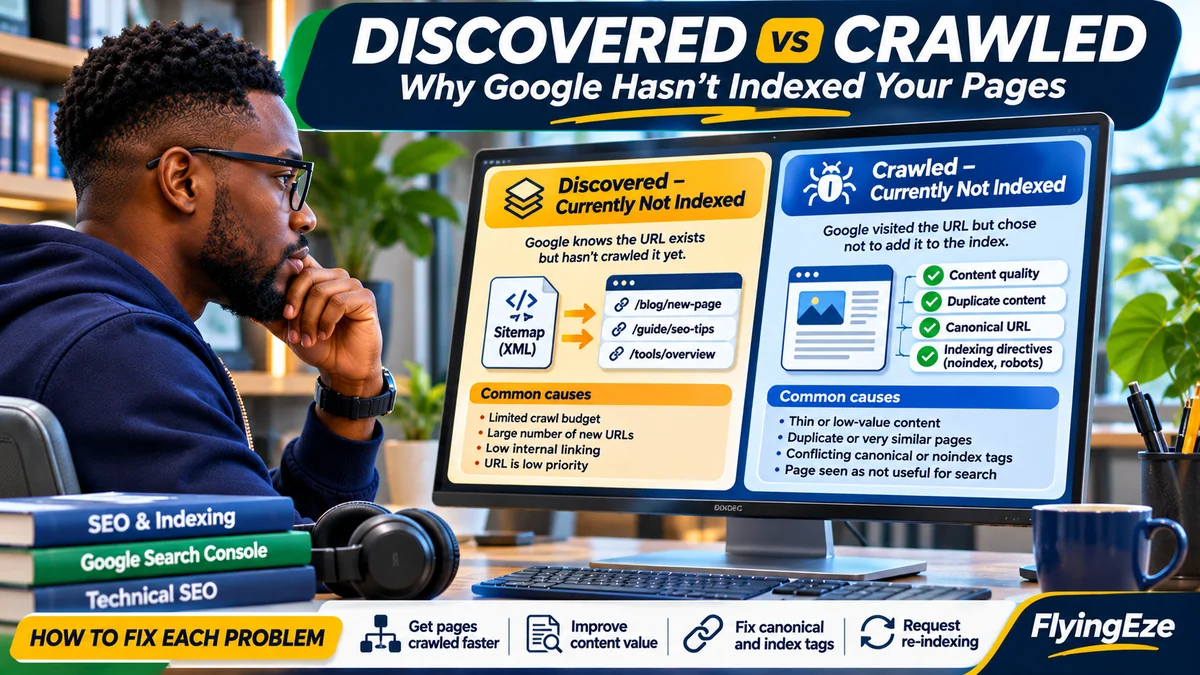
“Discovered – currently not indexed” means Google knows a URL exists but has not crawled it; “Crawled – currently not indexed” means Google has fetched the page but has not put it in its index. Fixing the first status usually starts with crawl access, site availability and URL prioritisation. Fixing the second starts by checking what Google actually received, whether the content is worth indexing, and whether Google sees a better canonical version. Neither label proves your site has a penalty.
Google's Page indexing report gives the official definitions. For a Nigerian news publisher, e-commerce store or business website, the difference matters: repeatedly submitting an already-crawled article does not address weak content or duplication, while rewriting a never-crawled page may not solve an overloaded server or a bloated URL inventory.
This guide uses Google Search Central's current documentation to show how to diagnose and prioritise both outcomes without promising instant indexing. Research verified 3 November 2026. The examples are illustrative, not a live audit of FlyingEze's Search Console property.
Discovered versus crawled: the difference at a glance
| Question | Discovered – currently not indexed | Crawled – currently not indexed |
|---|---|---|
| Has Google found the URL? | Yes | Yes |
| Has it crawled the URL? | Not according to this status | Yes |
| Typical diagnostic starting point | Crawl demand/capacity, links, host availability, unwanted URL proliferation | Rendered content, uniqueness, indexability, duplication and canonicalisation |
| Useful evidence | URL Inspection, Crawl Stats, verified server/CDN logs, sitemap | URL Inspection's indexed and live views, rendered HTML, canonical signals, content comparison |
| Should you request indexing repeatedly? | No | No; Google says resubmission is not needed solely for this label |
| Is indexing guaranteed after a fix? | No | No |
Be aware that Search Console reports are snapshots. A URL may have been updated or crawled since Google last collected the status displayed in the report. Start with the URL Inspection tool before making changes. Google's report also says not every excluded URL needs fixing: search filters, duplicates or deliberately non-indexable pages may be working as intended.
Step 1: Confirm the indexing status of the exact URL
- Open Google Search Console for the correct domain property.
- Go to Indexing → Pages, then review Why pages aren't indexed.
- Open the relevant status and inspect a representative high-value URL.
- In URL Inspection , review the latest information Google has for that URL: discovery references, last crawl if present, page fetch, indexing allowance and available canonical information.
- Choose Test live URL to compare the current page response with the older inspection information. Review its HTML, response headers, screenshot and JavaScript resources when available.
Do not treat “URL is available to Google” in a live test as a promise of inclusion. Google explains that the live test cannot reliably predict canonical selection, assess all quality requirements or guarantee indexing. Also remember the Page indexing report displays a limited sample of URLs for each reason; its examples are not always the complete affected set.
How to fix “Discovered – currently not indexed”
According to Google's definition , the URL has been found, but crawling has not happened yet. Google says this often occurs when it expects crawling to put too much load on the site and reschedules the request. That does not establish a specific server fault on its own. The right response depends on whether the URL is fresh, whether many important pages share the status and whether the host is accessible to verified Googlebot traffic.
Fix 1: Allow reasonable time for newly published pages
For a brand-new post, do not assume that a few hours or even several days in this state means something is broken. Search discovery, crawl scheduling and indexing happen separately. Google's recrawling guidance says crawling can take days to weeks and requests do not guarantee indexing. Track the date of publication and the first appearance in Search Console; investigate a persistent pattern across important pages rather than repeatedly refreshing one newly published article.
Fix 2: Check server availability and crawl pressure
Open Search Console's Settings → Crawl stats to review host availability, server errors and response-time trends. Look for spikes in 5xx failures, timeouts or hostload warnings. On your own servers, compare verified Googlebot requests with Nginx/Apache response codes, backend logs, CDN events and response latency. Google's crawling troubleshooting guide recommends correlating crawl issues with host availability and increasing server capacity if persistent load limits are observed.
On websites using Cloudflare or another WAF, inspect whether security challenges, bot policies or rate limits are stopping legitimate Googlebot requests. Do not simply disable protection for all bots: Google explains how to verify Googlebot IP addresses because user-agent strings can be forged. Test a sample page from an external network as well as from your hosting server to catch access rules that differ by source.
Fix 3: Reduce unnecessary URLs and strengthen internal links
News sites can accidentally produce many nearly identical archive, sort, search, tag, tracking-parameter or pagination URLs. Google may spend crawl effort examining these variants while important articles remain uncrawled. Audit which URLs are truly canonical and valuable; consolidate duplicates and avoid flooding sitemaps with low-value variations. Avoid blanket blocking legitimate article pages or creating a robots.txt rule without understanding its effects.
Link important articles with real <a href="..."> anchors from relevant category pages, hub articles and navigable sections. An isolated page listed only in a sitemap may receive less attention than one discoverable from the site's normal structure. Google specifically recommends crawlable internal links and consistent navigation, including on the mobile version.
Fix 4: Keep XML sitemaps accurate, not artificially noisy
Include only preferred, canonical, indexable URLs that deserve to appear in Search. Use the actual last substantial modification date in <lastmod>; do not rewrite it on every page view or regenerate fake freshness dates. Submit the sitemap in Search Console and check its processing results. A sitemap is a discovery hint, not an indexing order, according to Google's sitemap documentation .
For publishers with frequent genuinely new coverage, review whether a properly configured news sitemap is appropriate. Don't submit an unchanged sitemap dozens of times per day expecting it to force Googlebot to visit immediately.
Fix 5: Assess crawl budget only when the scale warrants it
Google's crawl-budget guidance is aimed mainly at very large websites, frequently changing medium-to-large websites, and sites with many discovered-but-uncrawled URLs. The two central concepts are crawl capacity—how much the host can serve—and crawl demand—how much Google wants to fetch. Faster hosting helps if capacity is the bottleneck, but it does not obligate Google to index every page.
For a small site with a handful of new URLs, prioritise clean navigation, a valid sitemap and ordinary crawl diagnostics before spending money on advanced crawl-budget tooling. For a large publisher, track patterns by article section, publication date and URL type, not just the site's total excluded count.
How to fix “Crawled – currently not indexed”
This label means Google has already fetched the URL but has not indexed it. Google's report documentation explicitly says the page may or may not be indexed later and that there is no need to resubmit it for crawling just because of the status. Prioritise understanding what Google saw and whether the page is sufficiently distinct and useful.
Fix 1: Inspect the page Google actually received
Use URL Inspection's View crawled page information where available and compare it with the live test. Confirm the response delivers meaningful main content, a proper title, useful headings and working internal links. A page may return HTTP 200 yet deliver little more than a loading spinner, a consent overlay or a generic template to Googlebot.
For a client-side React or JavaScript application, inspect the rendered DOM and screenshot, not only the developer's local browser view. Google's JavaScript troubleshooting documentation recommends testing rendered content, resource failures and JavaScript errors. Server-side rendering or reliable HTML content can help when crucial text otherwise depends on an unsuccessful client-side fetch.
Fix 2: Make the article genuinely different from competing pages
Compare the excluded page with your own published coverage and the questions searchers actually want answered. If ten pages repeat the same general advice with changed keywords, a new headline alone does not provide much reason for Google to index all ten. Consolidate overlapping posts where appropriate, or add distinct first-hand examples, accurate screenshots, tested steps, original data and verified local context.
Google's people-first content guidance encourages original reporting, useful explanations and factual accuracy. It does not specify an ideal article word count, and no particular length guarantees indexing. For a Nigerian SEO guide, reproducing another site's checklist without technical evidence or practical differences is less useful than showing exactly how to diagnose a URL, what tests mean and which proposed fixes might be unnecessary.
As FlyingEze has explained in its existing article AI Search Has Not Made SEO Fundamentals Obsolete , crawl accessibility, relevant site organisation and genuinely useful content remain important. The point is to improve readers' experience, not merely to replace words until a Search Console label changes.
Fix 3: Audit canonical URLs and duplicated variants
Check the page's rel="canonical" element, internal links, sitemap entry and any redirects. Ensure they consistently indicate the intended preferred URL. A duplicate or near-duplicate may be grouped with another page that Google considers a better representative. Google's canonical guidance explains that a canonical annotation is a strong hint, not a binding instruction.
Compare user-declared and Google-selected canonical values when inspection data provides them. The live test cannot tell you which canonical Google will ultimately choose. If a second URL already represents the content correctly, it can be appropriate for the duplicate not to be indexed. If two pages must both appear, differentiate their primary content clearly instead of forcing incompatible canonical signals.
Fix 4: Verify noindex, HTTP and CDN rules without guessing
Check for an unintended noindex meta tag, X-Robots-Tag header, authentication gate, intermittent 403/5xx responses or mismatched canonical. These problems commonly have their own Search Console status, so finding them doesn't mean Google always labels such pages “Crawled – currently not indexed.” Nonetheless, they are worth ruling out when Google and the live page report inconsistent evidence.
For a site behind a CDN, compare the response to verified Googlebot with that seen by ordinary visitors. A published article returning HTTP 200 in your personal browser is not proof that Google received the same content. And do not use robots.txt to make Google process a noindex directive: Google cannot read the directive on a page it is prevented from crawling.
Fix 5: Strengthen relevant internal context, not just request recrawls
Link to the article from genuinely relevant, already-indexed guides, topic hubs or category pages. This helps visitors find related content and gives crawlers meaningful pathways. Avoid sitewide blocks of repetitive exact-match anchors or automatically adding hundreds of irrelevant links. Update the article if it needs an actual improvement, then request indexing selectively for a high-priority URL after the fix.
Google's recrawl instructions emphasise that repeated submissions don't accelerate crawling. Indexing may take days or weeks and is never guaranteed. If a page is a near-duplicate that adds no value, consolidating or leaving it out of the index may be the better editorial choice.
A five-minute technical triage checklist
For a representative affected URL, record the exact URL, publication date, Search Console label, last crawl where available and expected canonical URL. Then check these items:
| Test | What to look for | Interpretation |
|---|---|---|
| HTTP response | Accessible HTML and appropriate 200 status | Necessary for normal indexing; not sufficient |
| robots.txt | Page and required resources accessible to Googlebot | Blocks can prevent crawling or rendering |
| Index directives | No unintended noindex in HTML or headers | An indexability barrier if present |
| Canonical | One coherent preferred URL | Conflicts can cause different canonical selection |
| Rendered content | Main article visible in tested HTML/DOM | Finds JavaScript or delivery failures |
| Sitemap and links | Canonical URL submitted, reached from real internal links | Supports discovery, not guaranteed indexing |
| Content overlap | Distinct intent and meaningful original value | Helps decide improve, merge or leave excluded |
| Server/Crawl Stats | Stable host, no persistent 5xx or overload pattern | Important for crawl scheduling problems |
A command-line operator can inspect headers using curl -I https://example.com/article, but that checks the response from that client, not necessarily Google's last crawl or rendered view. Use Search Console plus server/CDN logs to assess what verified Googlebot encountered.
Example: two fictional publisher articles with different fixes
Article A is a useful new payments tutorial on an indexable canonical URL. It appears in the sitemap but has no internal links, and Crawl Stats show recurring hostload issues during publishing peaks. Search Console lists it as Discovered – currently not indexed. The priority is to make the page discoverable from a relevant topic hub, confirm the sitemap and investigate response pressure; adding another thousand words is not the first fix.
Article B has been crawled and shows the complete article in Google's rendered view, but almost every paragraph duplicates an older published guide on the same site. It is Crawled – currently not indexed. The priority is to merge the two pieces or provide substantively different research, examples and search intent. Repeated indexing requests will not resolve an editorial duplication problem.
These are illustrative diagnoses, not claims about any particular FlyingEze URL. Real exclusions can have multiple contributing factors, and Google does not publish a full decision trace for why every individual URL is or is not indexed.
What should FlyingEze and other news websites monitor?
For sites publishing several times daily, divide Page indexing URLs into useful groups: new articles, older evergreen guides, category pages, tags, search results and URL variants. Prioritise high-value canonical articles missing from the index, not every parameter URL or archive page. Compare the number of newly published indexable articles with those later crawled and indexed, while allowing for reporting delays.
Maintain a weekly exception log with URL, publication date, indexed/crawled status, latest recorded inspection, diagnosed cause, approved change and follow-up date. Use server and CDN logs to confirm if Googlebot requests were actually received before blaming content quality or declaring crawl-budget exhaustion.
Be particularly careful when modifying Cloudflare settings: policies designed for AI training crawlers are not necessarily the same as rules for Google Search crawling. FlyingEze's report Cloudflare Lets Websites Block AI Training Without Leaving Search highlights that distinction, but each site's actual bot-management configuration still requires testing. Don't allow unknown spoofed crawlers merely because they claim a Googlebot user-agent.
How to know whether your fix worked
- Retest the live URL and verify that intended changes are visible.
- Use a single indexing request for a particularly important revised page if appropriate.
- Track the URL's next crawl and later index status, allowing for normal reporting delays.
- Compare affected URL groups over time; avoid declaring success because one URL moved to a different exclusion reason.
- Once indexed, assess Search performance separately. Indexing is eligibility to appear, not a guarantee of traffic or ranking.
Do not promise a guaranteed “48-hour indexing fix.” Google's documentation says crawls can take days to weeks and a request does not guarantee inclusion. The URL Inspection tool is useful for checking status, but live-test eligibility is not the same as Google's final indexing choice.
Frequently asked questions
Is “Discovered – currently not indexed” a Google penalty?
No. The status says Google knows the URL but has not crawled it yet. Check host availability, discovery, crawl demand and timing; don't infer a manual action from this label alone.
Why is a page still not indexed even though Google crawled it?
Crawling only means Google fetched the URL. It may subsequently choose not to index it. Investigate the actual content, rendering, indexability and relationship to similar pages without presuming one specific cause.
Can submitting an XML sitemap guarantee indexing?
No. Sitemaps suggest preferred URLs and help discovery, but Google decides when to crawl and which pages to index.
Will a successful live URL test guarantee indexing?
No. Google's live test checks technical accessibility and some indexability signals, not all quality, canonicalisation or policy decisions.
Should I request indexing every day?
No. Google says repeat requests for the same URL do not make it crawl faster. Request once after meaningful changes to an important URL, then monitor.
Should I noindex every page in one of these statuses?
No. First decide which pages you actually want indexed. Keep worthwhile canonical content eligible, consolidate redundant copies, and use noindex only where exclusion is intentional. The two statuses are diagnoses, not instructions to delete pages.
Conclusion
“Discovered” means investigate why Google has not yet fetched the page; “Crawled” means investigate why the fetched page has not been selected for the index. Start with the evidence in Search Console, separate crawl problems from content and canonicalisation issues, and prioritise pages readers genuinely need. Accurate sitemaps, stable infrastructure, accessible content and distinctive editorial value improve the site's foundations—but Google still controls its own indexing decisions.