A restaurant owner in Abuja uploads a video of the dining area, yet Google rejects the verification. A plumber working from home in Enugu is asked to show a storefront sign that does not exist. A shop owner in Lagos requests a postcard but never receives it. These situations look similar because the Google Business Profile remains unverified, but their solutions are different.
The first step in troubleshooting Google Business Profile verification is to identify the exact message, confirm the business is eligible, and follow the method Google actually offers. Google determines available verification methods automatically; business owners cannot demand a specific phone call, postcard or video option. A failed video, pending review, duplicate listing and suspended profile require different responses.
This Nigeria-focused guide draws primarily on Google's verification guidance , video requirements and business representation rules . It explains what to check before you resubmit, how to gather authentic evidence and when support or an appeal is appropriate. Research verified: 2 November 2026.
1. Check whether your business is eligible before attempting verification
Google says a qualifying Business Profile normally represents a business that makes in-person contact with customers during stated hours. An eligible business may welcome customers at a storefront, travel to customers as a service-area business, or do both. A purely online brand, remote-only software service or lead-generation operation without in-person customer service is generally ineligible.
This matters in Nigeria, where some entrepreneurs have a CAC-registered business name but operate only through a website, Instagram page or WhatsApp. CAC registration alone does not establish eligibility for a Google Business Profile. A business might be legally registered yet not meet Google's in-person-service requirement. Likewise, a shop that genuinely exists must still represent its location and operating arrangements accurately.
Check the exact business name customers recognise, real category, customer-facing hours, address and services before trying again. Avoid adding 'best electrician Lagos cheap 24/7' to the name unless those words genuinely form part of the real-world business name.
2. Identify your real business type: storefront, service area or hybrid
| Business type | Typical Nigerian example | Profile and verification implication |
|---|---|---|
| Storefront | Salon, supermarket or restaurant receiving customers | Show real physical address and permanent visible business-name signage |
| Service-area | Home-based electrician or plumber visiting customers | Hide residential address publicly, define accurate service area and show genuine tools or working evidence |
| Hybrid | Restaurant with dine-in customers and deliveries | Show qualifying staffed storefront and optionally a service area |
| Online-only | Digital product seller with no in-person interactions | Generally not eligible for Google Business Profile |
Google's representation policy rules out virtual offices used merely as mailing addresses. A co-working location qualifies only when the business maintains clear signage, receives customers there during stated hours and has its own staff there. Renting a desk for a few hours or borrowing another company's shopfront does not satisfy the policy.
A service-area business should not publish a home address simply to make verification easier. Google explicitly instructs such businesses to hide the address when customers are not served there. The home-based company may still have to show evidence of its real operating base privately during verification.
3. Understand why Google's available verification methods differ
According to Google, available methods depend on business type, public information, location and other factors. Options can include recorded business video, live video call, phone/SMS, email and postal mail, and Google may require more than one method. These are options Google offers conditionally, not guaranteed choices available to every Nigerian business.
To inspect your options, sign in to the Google account that owns or manages the profile, find your business in Google Search or visit Business Profile Manager , and select Get verified. Follow only the methods actually displayed. If Google gives a phone option, ensure the line can receive the call or SMS; automated IVR systems cannot reliably receive verification codes. For email, use the eligible address shown on the screen.
A postcard is no longer a universal requirement, and you should not assume that every business in Abuja, Kano, Port Harcourt or Enugu can request one. Nor should you buy a third-party 'instant verification' service.
4. Your recorded verification video failed: Fix the evidence, not the story
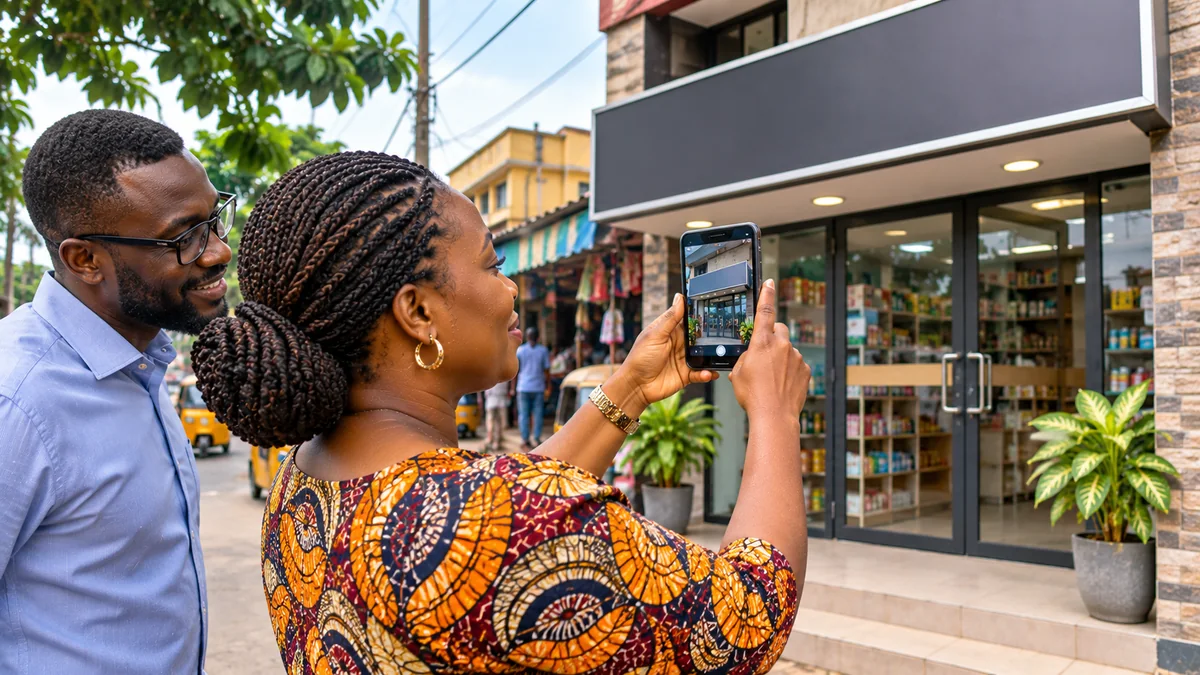
For businesses offered video verification, Google requires an unedited, continuous video of at least 30 seconds, recorded live and uploaded on a mobile device through the Business Profile verification flow. A pre-recorded video uploaded from the phone's gallery is not accepted in that process. Google's guidance says the recorded clip must demonstrate three things: location, the existence of the business, and your authority to manage it.
For a physical storefront
Start outside and show permanent business-name signage that matches your profile, the entrance and relevant surroundings such as street signs, a building number or recognisable neighbouring shops. Then enter the premises and demonstrate access to a business-only area or item: open the staff storeroom, operate a till or show authorised access to a point-of-sale terminal. The goal is a genuine, continuous demonstration, not a scripted advertisement.
For a service-area business
Show location clues near the actual operating base, tools, products or branded equipment you use, and reasonable evidence that you run the business. A plumber could show working tools and access to a service vehicle; an electrician might show equipment and work materials. Where business documents are used, ensure names and addresses genuinely relate to the profile.
Protect privacy. Google's instructions say not to include people's faces or sensitive numbers such as bank account, tax or personal identity numbers. If you need to demonstrate a document, avoid exposing unnecessary details. Do not record customers without permission.
After uploading, Google says video review can take up to five business days. If the notification says Review issues, open it and identify the stated shortcomings. Typical examples are missing signage, no nearby area shown, or inadequate proof of authority. Record a new video that retains the valid evidence and adds the missing elements. Never edit fake signage into footage or borrow another company's premises.
5. Troubleshoot video upload failures and pending reviews
An upload error is not the same as a rejection after review. If upload fails, check the phone's connection, permissions for camera and location, and any on-screen error, then use the Business Profile flow to try again. For a large file over an unstable network, use a reliable connection if available. Do not assume an unrelated video-sharing link or email attachment will count as a completed verification.
When the interface indicates a review is pending, wait for Google's stated period and monitor the profile and associated email. Google says verification reviews normally take up to five business days but may sometimes take longer. Avoid repeatedly changing the name, address or category just to trigger a response; significant edits can prompt another verification request.
If Get verified reappears, Google's help page says verification was not fully completed and the business should reverify using the options shown. If the video is formally rejected, use Review issues to correct the evidence. These signals require different actions.
6. What if Google cannot recognise your Nigerian business address?
Some legitimate locations lack a clear house number, use informal street directions or are better known by a nearby landmark. Google's address guidance says to enter a complete, accurate address and, when the system cannot locate it, adjust the map pin to the real site. In regions where the formal address does not accurately pinpoint the location, appropriate nearby crossroads or landmarks may help.
For example, a real shop may be described locally as being near a market gate, but its actual map pin should identify the premises rather than a broad city centre or nearby landmark. Do not move the pin to an attractive commercial district simply to rank there. The public address should be displayed only for businesses that truly receive customers at that location.
Where there is a lease, permit, utility bill or CAC documentation, ensure the records used as evidence genuinely match the business and address as far as applicable. A small spelling variation is not a reason to fabricate documents. If your profile represents a home-based service business, follow the hidden-address policy instead of pretending that a residential property is a storefront.
7. Phone, SMS, email or postcard code does not arrive
If phone or SMS is offered, confirm that the business line is active, reachable and not diverted through an automated menu that cannot receive codes. For email, confirm that the eligible inbox is accessible and review spam or filtering. Use only codes sent through Google's actual process. Google says it will never ask you to share a verification code with anyone.
If a postcard option is available, Google says most codes arrive within 14 days; delivery may differ by location and mail conditions. A postal code expires after 30 days. Crucially, changing the profile's name, address or category while waiting can invalidate the sent code; requesting a new code also invalidates the previous one. Check the details before making a request and follow Google's instructions if a valid code never arrives.
Do not assume that an SMS, email or postcard option can be forced into view by changing the business country, using a VPN or selecting a false address. Such workarounds risk compounding verification and policy problems.
8. A duplicate profile or someone else owns your listing
Google allows generally one Business Profile per business location, subject to specific policy exceptions. Before creating a new profile, search Google Maps for the real business name, address and any older spelling. A former staff member or marketing agency may have verified the existing listing. Google's duplicate and ownership guidance says to request access rather than creating another version of the same business.
The existing owner typically has three days to respond to an ownership request. If denied, there may be an appeal route; if no response is received, a claim option may become available, but it is not guaranteed. For two genuinely distinct eligible businesses sharing a building, Google may request separate signage and operational evidence.
A profile flagged as a duplicate should not be 'fixed' by changing the name or address to something untrue. Resolve the ownership or duplicate classification through the proper workflow.
9. Suspension is different from verification failure
A rejected verification video means Google has not accepted the evidence submitted through that method. A suspended or disabled Business Profile means Google has restricted the profile under its quality or eligibility rules. Do not treat these as interchangeable statuses.
If the profile is suspended, read the reason shown by Google, correct genuine policy problems and use the official suspension appeal process when eligible. Relevant evidence may include official business registration, a licence, tax certificates and utility bills. In Nigeria, legitimate CAC records can be useful evidence, but they do not substitute for proving that the operating model is eligible.
Google states that any supporting evidence requested through the linked appeal form must be provided within 60 minutes after the appeal is submitted. Prepare documents first. Do not create a new profile for the same business while the original appeal is under review. The appeals system may not allow repeated appeals of the same decision.
10. Recent changes can trigger re-verification
Google can require businesses to verify again after changes to key information. Moving to a new location, for example, requires new verification under its profile-editing guidance . Some other major edits can also trigger a fresh verification prompt.
Before editing, confirm the change is accurate and document it. A genuine relocation deserves an updated address and signage, not an attempt to keep the old location for visibility. Update related website contact details and any important public directory listings for consistency. Do not churn through multiple speculative changes while a verification attempt is pending.
11. A symptom-to-fix troubleshooting matrix
| What you see | Likely category | Best first response |
|---|---|---|
| Get verified appears again | Verification incomplete or re-requested | Open available verification method and start again |
| Review issues after video | Video evidence rejected | Read stated reasons; reshoot continuous compliant video |
| Video upload fails | Technical submission problem | Check connection, mobile permissions and retry in official flow |
| Verification pending beyond normal period | Review delay | Check dashboard/email; use official support if unresolved |
| Postcard not received | Mail delivery/code problem | Check 14-day guidance, validity and request rules |
| Profile marked duplicate | Existing listing or ownership conflict | Find original profile and request ownership/resolve duplicate |
| Suspended or disabled | Policy enforcement issue | Correct eligibility/details and use the official appeal process |
| Address cannot be found | Address or map-pin issue | Correct real address and adjust accurate map pin |
This matrix is editorial troubleshooting guidance, not an automated diagnosis by Google. Read the exact status and support instructions shown in your own account before taking action.
12. When to contact Google support
Use Google's Business Profile support entry point when you have exhausted the method shown and the problem remains unresolved, or when the issue is an eligible suspension/duplicate appeal. Contact options can differ by account and problem. The official Business Profile Help Community can also help interpret common process issues.
Before contacting support, organise the profile name, Google account used, business address or hidden-address classification, exact error text, dates of verification attempts and evidence of genuine operation. Avoid sharing account passwords, verification codes, bank identifiers or unredacted documents in public discussion threads.
If an agency helped create the profile, the business owner should have proper ownership access and may assign the agency a manager role. Google's representation policy requires authorised representatives to act with the owner's consent and forbids misleading guarantees.
13. What verification means for local SEO in Nigeria
Verification gives eligible businesses control of Business Profile information and access to management features. It is an important foundation for local presence, but verification alone does not guarantee first position in Google Maps. Business relevance, distance and prominence influence local results, and there is no legitimate fixed-price purchase of the top organic Maps position.
After verification, focus on accurate services, categories, opening hours, genuine photographs, useful business details and legitimate customer reviews. For broader context, FlyingEze's guide explaining why local SEO matters and its practical local SEO tips offer complementary reading. Their general marketing advice is separate from Google's strict verification rules.
14. Where other business tools may help—and where they cannot
A hospitality operator may benefit from consistent operational details across its website, reservations and front desk. P-Biz Solutions publicly describes hospitality and business-management products, which may be useful for maintaining accurate customer-facing business information. That catalogue does not establish that P-Biz Solutions is an authorised Google Business Profile verifier, nor that it can bypass Google's verification requirements.
For broader business learning, SuperEducational provides educational articles, learning paths and tools, but no dedicated Google Business Profile verification service was confirmed. No directly relevant verified service from Joynue or KudiScope was needed for this troubleshooting guide, so unrelated promotional links were omitted.
15. A practical preparation checklist before reattempting verification
- Confirm that the business actually serves customers in person or travels to them in a way that meets Google's eligibility rules.
- Search Maps for an existing listing; request ownership rather than creating duplicates.
- Match the real business name, category, customer hours, address or service area to actual operations.
- For a storefront, confirm permanent signage and an accurately placed map pin; for service-area operations, hide a home address from the public.
- Choose only the verification methods offered in the Business Profile dashboard.
- For video, plan one continuous mobile recording of at least 30 seconds showing location, existence and management access.
- Avoid sensitive IDs, bank numbers and people's faces in footage or public support threads.
- Read the exact rejection or status notice before attempting again; do not submit fabricated evidence.
- If a profile is suspended, prepare relevant evidence before opening an appeal; respect the 60-minute evidence window.
- After approval, maintain accurate details and monitor for further verification requests.
Frequently asked questions
Can I choose SMS instead of video verification in Nigeria?
Only if Google offers SMS as an available option for your Business Profile. Verification methods are assigned automatically and cannot be changed on demand.
How long does Google Business Profile video verification take?
Google says review can take up to five business days, and rare cases may take longer. A submission error or a rejected video needs a different response from ordinary pending review.
Can I verify a business without a physical shop?
Yes, if it is an eligible service-area business that meets customers in person at their locations. A purely online-only business generally does not qualify. Do not falsely display a residential address as a customer-facing storefront.
Is CAC registration enough to get verified?
No. Genuine registration may support documentary evidence in an appeal, but Google's eligibility and verification rules still apply.
Why does Google keep asking me to verify again?
Google may require re-verification after key changes or because a prior attempt was incomplete. Check the exact status, recent edits and available method before proceeding.
Can someone guarantee my business will be verified or rank number one?
No legitimate consultant can guarantee either outcome. Google makes the eligibility and verification decision and controls local ranking systems.
Conclusion
Most Google Business Profile verification problems become easier to diagnose when you separate eligibility, evidence, account ownership and policy enforcement. A shop with weak video evidence should correct the filming; a service-area business should represent its true operating model; a duplicate listing requires an ownership process; and a suspension calls for policy review and, when eligible, an appeal.
For Nigerian businesses, practical accuracy is the strongest starting point: use your real name and location, show genuine signage or work equipment, safeguard codes and personal data, and follow the method Google presents. Verification is a foundation for local discoverability—not a shortcut to guaranteed Maps rankings.