UBA Mobile App vs Internet Banking: Features and Practical Differences
If you bank with United Bank for Africa (UBA), you can check your balance, transfer money and pay bills through more than one digital channel. The UBA Mobile App works on a smartphone, while UBA Internet Banking works through a web browser. They overlap in everyday banking, but their registration methods, authentication steps and more specialised features are not identical.
The mobile app is generally better suited to quick, phone-based transactions and personal money management. UBA Internet Banking is particularly useful for customers who prefer a larger screen, repeated payment templates, standing orders and some more complex payment workflows. Neither is universally safer or better: the appropriate choice depends on the task, your device and the account facilities available to you.
This Nigeria-focused comparison uses UBA's official channel pages and its 2026 mobile-app guidance. Menus, security rules, transaction limits and fees may change, so always confirm the transaction details shown in your own UBA profile. Research verified: 8 November 2026.
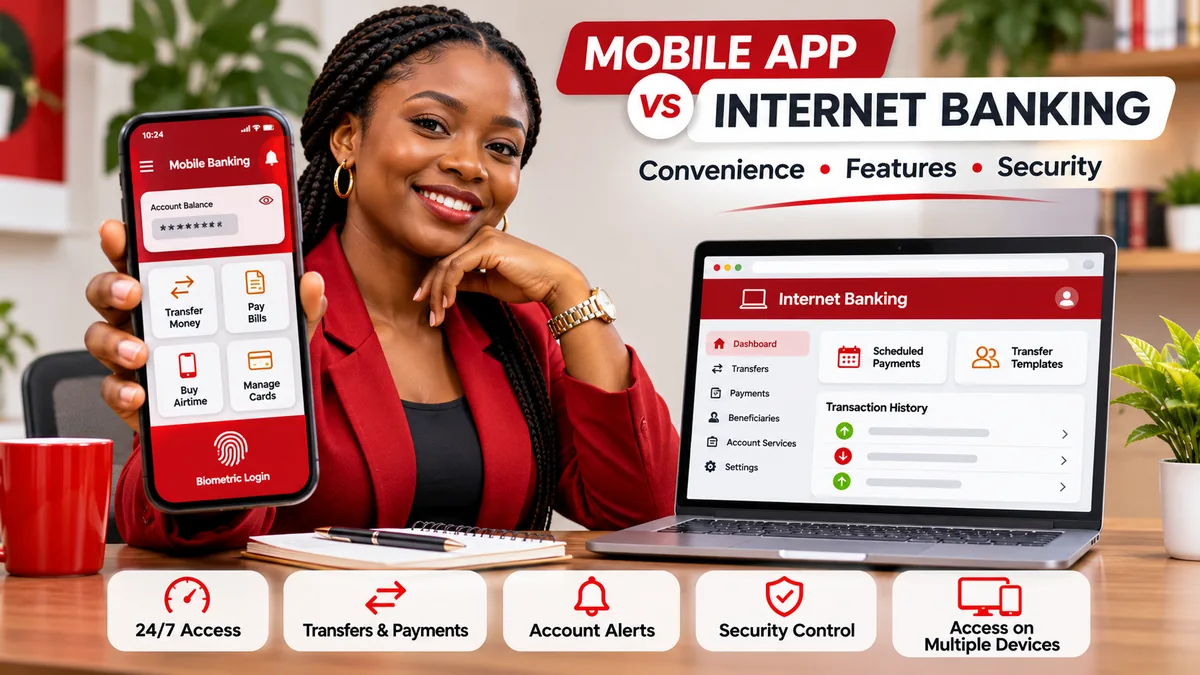
UBA Mobile App vs Internet Banking: the main differences
| Feature | UBA Mobile App | UBA Internet Banking |
|---|---|---|
| Main access method | Installed Android or iOS app | Web browser through UBA's online-banking portal |
| Typical device | Smartphone with internet access | Laptop, desktop, tablet or internet-enabled phone |
| Everyday transfers | Yes, including transfers to UBA and other banks | Yes, including transfers to UBA and other banks |
| Bill payments and airtime | Yes | Yes |
| Account information | Balances, transaction history and mobile account dashboard | Balances, transaction records and account monitoring |
| Login style | Six-digit access passcode or compatible biometrics on UBA's newer Red App | Web User ID/password and applicable transaction authentication |
| Cardless withdrawal | UBA publishes an in-app cardless-withdrawal process | Not a highlighted feature on the current personal internet-banking feature page |
| Personal financial management | UBA's 2026 app description highlights spending insights, goals and budget controls | Not listed as the same PFM feature in the current internet-banking overview |
| Repeated or multiple payments | Quick transfers and saved preferences; specific batch features vary by version | Payment templates and up to 30 saved-beneficiary payments per screen, as UBA describes |
| Standing orders and tax | Check app's current available menu | Specifically advertised by UBA for its internet-banking service |
| Best practical fit | Everyday personal use on the move | Browser-based banking, repeat payments and detailed account administration |
These are features documented by UBA, not a claim that every account tier, country, device or customer can access every menu. Internet banking can also be opened on a phone; the term internet banking refers to the service, not a desktop-only requirement. See the bank's official digital-banking directory .
1. What can you do with the UBA Mobile App?
The official UBA Mobile App page highlights balance checks, transaction history, UBA-to-UBA and interbank transfers, bills and utilities, airtime and subscriptions. It also advertises personalisation of quick actions and alerts.
The mobile channel is convenient when you need to pay a vendor while travelling, confirm your balance before a purchase, recharge a phone or review recent transactions without opening a laptop. UBA's official Android and Apple store listings describe functions including ATM or branch location, live support, beneficiary favourites and reminders. Availability may depend on the current version and your handset.
Cardless withdrawal is another practical distinction. UBA's mobile-app guide includes instructions to choose “Cardless Withdrawal”, select self-withdrawal, review the details and authenticate the request. That can be useful when you need cash but do not have your physical debit card; whether a particular ATM can complete the request should be confirmed before travelling.
2. What changed in UBA's newer mobile app in 2026?
UBA's current page refers to the updated Red App. It says traditional username-and-password login has been removed from that app, replaced by a six-digit access passcode or fingerprint/Face ID on supported devices. A transaction PIN serves a different purpose from the passcode used to enter the app.
In a 20 May 2026 article , UBA also described two app enhancements:
- Privacy Mode: a feature intended to obscure account information on screen when using the app near other people; its described sensor behaviour depends on device support.
- Personal Financial Manager (PFM): tools to track spending patterns, set financial goals and establish daily or monthly spending targets.
These features are useful for personal budgeting, but do not assume they are enabled on every device or app version. Check your actual app's supported settings. UBA's app guide also says that registering the newer app on a different phone deactivates the old device as a security measure.
This matters because an older web page or tutorial may suggest that the mobile app and internet banking always use the same login credentials. UBA's more specific current Red App instructions should take precedence over that generalised statement.
3. What can you do with UBA Internet Banking?
UBA's Internet Banking page describes fund transfers, balances, transaction history, bill payments, airtime, account monitoring and 24-hour access, subject to maintenance. Its official sign-in destination is ibank.ubagroup.com , which is linked directly from UBA's website.
For customers paying several beneficiaries or making repeat payments, the browser-based service advertises options that go beyond a basic one-off transfer:
- Payment templates: save recurring payment details instead of re-entering them each time.
- Multiple payments: UBA says users can initiate up to 30 payments per screen to beneficiaries saved in their payment history.
- Standing orders: arrange supported regular transfers under the applicable account conditions.
- Tax and internally generated revenue payments: UBA lists these among available internet-banking functions.
- Cyber receipts and transaction diary: review earlier payments and print supporting transfer records.
A large-screen browser session can be particularly convenient when carefully comparing account statements, beneficiary details and invoices. However, UBA's personal internet banking should not be assumed to provide the full payroll, approval hierarchy or enterprise file-processing functions of a separate corporate product. Businesses with more complex workflows should ask the bank about their authorised corporate service and permissions.
4. Mobile app vs internet banking for transfers and payments
For a normal transfer to a friend, colleague or merchant, both channels can be suitable. The mobile app lets you use the phone already in your hand; the browser portal may be more comfortable if you need to inspect several beneficiary records or payment references before submission.
Consider three illustrative situations:
| Scenario | Likely convenient choice | Why |
|---|---|---|
| Buy airtime and pay one electricity bill | Mobile app | Short, everyday actions on a smartphone |
| Repeat payments to several saved suppliers | Internet banking | UBA advertises multiple-beneficiary payments and templates |
| Review receipts alongside accounting records | Internet banking | Browser and printable transaction records can be easier to organise |
| Monitor spending and set personal budget targets | Mobile app | 2026 app guidance highlights its PFM tools |
| Withdraw cash without the debit card | Mobile app | Documented cardless-withdrawal workflow |
The best choice is the channel that supports the required operation on your account. Do not repeat a transfer through the second channel because the first has a delayed confirmation: check your transaction status and account balance first to avoid duplicate payments.
5. How to register for the UBA Mobile App safely
Use the app-store links from UBA's own mobile banking page rather than a download link in an unsolicited text message. Check the publisher and app name in your operating system's official store.
- Install the official UBA Mobile Banking app and open it.
- Choose the new-user or existing-user option, select the correct country and follow the enrolment method shown.
- Provide the account or UBA debit-card information requested by the genuine app.
- Complete any verification using an OTP received through your registered channel.
- Create your six-digit access passcode and separate transaction PIN as instructed.
- Enable biometrics if your device supports them and you want that login option.
- Review account details and app security notifications before making a transfer.
The exact screens may differ by app update. Never disclose your passcode, card PIN or OTP to someone claiming to be installing the app on your behalf. If you change phones, UBA says you must re-bind the new device and the previous device is deactivated. If registration fails, use the verified customer-support route rather than sharing credentials with a third-party agent.
6. How to register for UBA Internet Banking safely
Visit UBA's official Internet Banking information page and use its link to ibank.ubagroup.com . The bank advertises instant self-registration for eligible personal customers with debit-card details. Alternatively, accounts may be enrolled during opening or at a UBA business office.
For the browser service, the bank's guidance describes a User ID and password, with additional authentication for transactions where required. Do not confuse these credentials with the six-digit Red App access passcode.
Some UBA corporate users have separate enrolment arrangements and authorisations. A business account holder should confirm which service is appropriate and whether several staff members need individual permission levels. Avoid sharing one person's login across employees, even when several people handle the same company's payments.
7. Security differences: passcodes, biometrics, OTP and Secure Pass
Both channels use protections, but authentication depends on the action. UBA's mobile security FAQ says higher-value transactions may require combinations of PIN, OTP, the UBA Secure Pass token or biometrics. The bank publishes value-dependent authentication options and explains that the app guides users through the required steps.
UBA Internet Banking similarly describes password-based access, image-and-phrase anti-phishing features and token-based transaction approval. The Internet Banking documentation references Secure Pass and different limits depending on customer type, authentication method and indemnity arrangements.
Do not interpret an authentication threshold as a guaranteed daily transfer allowance. Your effective transfer limit may depend on the account, KYC status, product type, device enrolment, risk controls and any authorised limit enhancement. UBA's published pages include guidance from different versions of its digital services; read the current limits and confirmation screen for your own profile before acting.
A biometric login can reduce the need to type a passcode in public, but it does not eliminate phishing, phone theft or transaction-authorisation risks. Lock the device, keep system software updated, avoid untrusted apps and enable relevant account alerts.
8. Are the mobile app and internet banking free?
UBA says its mobile app is free to download and offers self-enrolment, but free app installation does not mean every banking transaction is free. Transfer charges, taxes, bill-payment fees, account-statement services and other costs depend on the bank's current tariff and the service performed.
UBA's Nigeria help centre links to its service-charges-and-rates guide. Consult that guide and inspect the charge disclosed on the actual confirmation screen before authorising a payment. Prices and taxes can be revised, so a dated tariff should not be used as a perpetual promise of what a specific transfer will cost.
It is also unsafe to assume the app is always cheaper than the browser or vice versa. Compare the same operation, beneficiary bank, amount and account conditions rather than contrasting unrelated types of payment.
9. What if the app or browser portal is unavailable?
A phone app may be affected by an update, unsupported operating system, device-rebinding issue or local data connectivity. A browser session can fail because of a forgotten User ID, expired password, blocked authentication, network issue or temporary maintenance. Neither digital channel guarantees uninterrupted access at every moment.
If the mobile app will not open, check for an official update, verify the internet connection and follow the in-app recovery process. UBA's current FAQ says a forgotten access passcode can be reset through the app's own recovery flow; repeated incorrect transaction PIN attempts may result in a lock requiring support.
For browser-login trouble, start from the genuine UBA Internet Banking page and use its User ID or password recovery links. Avoid searching for “UBA login fix” and entering banking credentials into an unrelated page. UBA lists alternative authorised channels including *919# USSD, ATMs and customer support, subject to service and account availability.
If a transfer appears pending, check its official transaction status before attempting another payment. Keep its reference, time and beneficiary details when contacting support.
10. How to avoid fake UBA apps, phishing pages and support agents
A fraudster can make a webpage look similar to a banking login or distribute a counterfeit download. Protect yourself by starting from UBA Nigeria's official website , using its own internet-banking link or app-store destination, and checking the real web address.
UBA's Security Centre warns against fraudulent messages asking customers to click links to provide passwords, security answers or other confidential information. It says to ignore suspicious credential requests and report suspected phishing through a verified UBA contact.
FlyingEze has also covered CBN warnings about fake banking emails and links . Those wider fraud risks are relevant whether you use a mobile app or a browser.
If you suspect that a password, transaction PIN, OTP or device has been compromised, contact UBA promptly through its official help centre . The page lists cfc@ubagroup.com and the bank's Fraud Help Desk contact options. Do not rely on an unverified number supplied in a suspicious message. Reporting quickly can support investigation, but recovery of transferred funds cannot be guaranteed.
11. Which UBA channel should you choose?
For many personal customers, the simplest arrangement is to use the mobile app for everyday banking and retain properly secured internet-banking access for tasks better handled in a browser. You do not need to choose one channel exclusively if UBA has enabled both for your account.
A trader making several supplier payments might prefer the browser's beneficiary templates, while still using the app to check balances and follow alerts. A salaried worker may get more practical benefit from the app's budget tools and quick bill payment. An authorised company finance user may need UBA's more specialised business or corporate digital service rather than assuming the ordinary personal app offers all enterprise controls.
Do not confuse these bank-operated services with open banking. FlyingEze's guide to open banking in Nigeria explains that third-party API access, consent and account-data sharing are separate concepts from simply signing in to your bank's own mobile app or website.
Frequently asked questions
Is the UBA Mobile App the same as UBA Internet Banking?
No. They are related UBA digital channels with overlapping features, but the app is a native phone experience and the internet-banking service is accessible through a web browser. Some functions and security steps are different.
What is the official UBA Internet Banking website?
UBA's official Nigeria website links to ibank.ubagroup.com . For additional assurance, follow the sign-in link from UBA's Internet Banking information page rather than an email or advertisement.
Does UBA's mobile app still use a username and password?
UBA's updated Red App FAQ says it uses a six-digit access passcode or supported biometrics for login, instead of the old username/password method. Web internet banking still has its separate User ID and password guidance.
Can I make transfers and pay bills on both channels?
Yes. UBA lists money transfers, bill payments and account monitoring for both. Particular payees, limits and approval requirements depend on your account and the active channel.
Does UBA Internet Banking support multiple payments?
UBA advertises payment templates and up to 30 payments per screen to saved beneficiaries. Confirm the availability of that function and relevant limits in your account before scheduling or submitting several payments.
Can I use UBA Internet Banking on a phone?
Yes. UBA says its web banking can be accessed from internet-enabled smartphones, tablets and computers. The practical difference is using a browser rather than the native mobile-app interface.
Which is safer: UBA Mobile App or Internet Banking?
Both can be used securely when accessed through authentic channels with proper device protection and authentication. Neither guarantees freedom from scams; the best safeguards include official links, strong credentials, transaction verification and never sharing OTPs.
Conclusion
UBA's mobile app and internet banking give Nigerian customers two ways to manage their money without routine branch visits. Choose the mobile app for quick phone transactions, biometrics, cardless withdrawal and personal budgeting; consider the browser platform for recurring payment templates, multiple saved-beneficiary payments and detailed account administration.
Whichever you use, enrol from UBA's official channels, verify transaction details and current fees, keep security credentials private and check the latest bank instructions. The best digital-banking option is the one that supports your actual task safely and reliably.