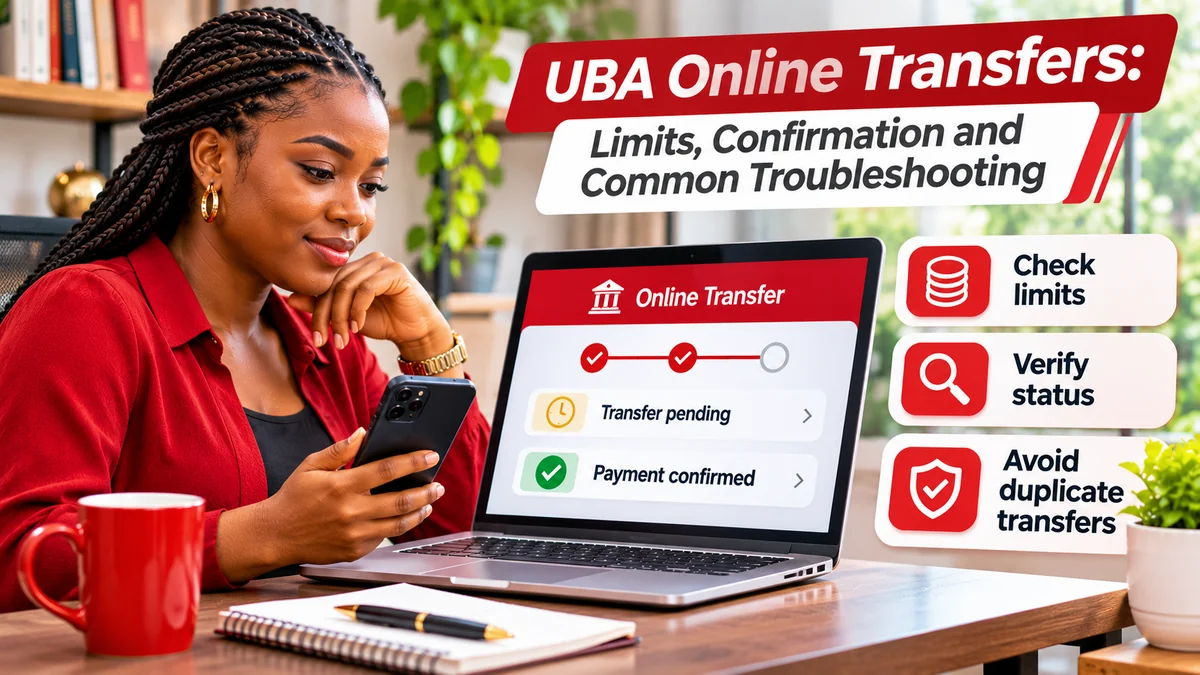
UBA online transfers have different limits depending on your banking channel, transaction type, authentication method and account permissions. For Nigeria's web-based Internet Banking service, UBA publishes a general daily guide of ₦200,000 for SMS OTP, ₦1 million for Secure Pass without an indemnity and ₦5 million for Secure Pass with an executed indemnity for individual customers. Higher corporate limits are available under separate arrangements. However, the bank's detailed limit table and its summary do not match on every per-transaction and corporate figure, so customers should confirm the actual limit on their own profile before sending a large payment.
Equally important, a debit alert is not proof that the recipient has been credited, and a “sent for processing” message is not always final settlement confirmation. If your transfer appears delayed, do not simply send it again. Check UBA's official transaction history or self-service transaction-status tool, preserve the reference and contact the bank if the result remains unclear.
This guide explains UBA's published Internet Banking limits, how to prepare and confirm a transfer, common errors, what to do when money has been deducted but not received, and how to escalate unresolved complaints. It concerns UBA Nigeria's Internet Banking, not the mobile app's or *919# USSD's separate limits. Research verified: 8 November 2026.
What is a UBA online transfer?
A UBA online transfer is an instruction to send funds from an eligible UBA account through a digital banking service, such as UBA Internet Banking . Depending on the service and transaction type, the payment may go to another UBA account, another Nigerian bank, or an eligible international beneficiary. Available methods, approval steps and processing times are not identical for every transfer.
UBA's official Internet Banking page describes fund transfers, bill payments and multiple-payment functions, while its Self Service page provides tools to check or dispute transaction status. The online banking service is separate from the UBA mobile app and USSD service, which have their own published rules.
Use the bank's own website rather than a link copied from a stranger. UBA's published Internet Banking entry point is https://ibank.ubagroup.com/. The instructions below describe a general process; current screens and menus can vary between personal and corporate accounts.
UBA Internet Banking transfer limits: what the bank publishes
UBA's Nigeria Internet Banking page gives the following general individual daily limits in its terms and conditions:
| Authentication and arrangement | Published individual daily guide | What to check |
|---|---|---|
| SMS one-time password (OTP) | ₦200,000 | Whether OTP transactions are enabled on your account |
| Secure Pass, without executed indemnity | ₦1,000,000 | Secure Pass enrolment and permitted transfer type |
| Secure Pass, with executed indemnity | ₦5,000,000 | Your documented per-transfer limit, daily limit and approval conditions |
For corporate users, the same page's summary describes ₦10 million daily with Secure Pass without indemnity and ₦100 million daily with indemnity. But the longer FAQ table distinguishes business segments and includes higher daily corporate values for some categories. It also lists different limits for certain NEFT/clearing transactions. Corporate customers should therefore obtain their approved limits from UBA or their authorised relationship manager instead of treating a headline figure as universally applicable.
Why the official limit figures need careful reading
There is a material inconsistency on UBA's published Internet Banking page: its summary says an individual with indemnity is allowed ₦2.5 million per transaction, while one of its detailed retail tables displays ₦5 million per transaction in a Secure Pass-and-indemnity instant-transfer row. Another table covers different transaction value dates, including NEFT/clearing, with a different daily amount.
These figures should not be combined into a guaranteed personal limit. The difference may reflect channel configuration, products or older documentation, but the page does not conclusively resolve it. Before relying on any listed ceiling for a significant transfer, confirm your specific per-transaction maximum, daily remaining allowance, authentication method, beneficiary requirements and transfer rail through UBA's official support or branch. This is particularly important for payroll and supplier-payment workflows.
An indemnity in this context refers to additional bank documentation or authorisation that may be required for higher limits; it is not an automatic upgrade merely because someone installed the Secure Pass app. UBA says customers seeking higher Internet Banking limits may need to give instructions and execute an indemnity at a business office.
Per-transaction limit versus daily limit: an example
A per-transaction limit caps one transfer, while a daily limit restricts the cumulative value of qualifying transfers over the bank's applicable counting period.
For example, suppose UBA confirms an individual's specific profile allows ₦1 million per transaction and ₦1 million per day. A successful ₦700,000 transfer would leave, in principle, ₦300,000 of that day's allowance for eligible transactions, provided there are no other restrictions or adjustments. Splitting a ₦1.5 million payment into smaller amounts would not bypass the ₦1 million daily limit.
The example is illustrative, not a statement about your account. Some controls may apply separately by account, channel, beneficiary, transaction rail or risk assessment. Never split transactions to evade bank controls; request an appropriate authorised limit instead.
How to make a UBA online transfer safely
- Open the official service: start at UBA's Nigeria Internet Banking page and follow its login link to ibank.ubagroup.com .
- Sign in with your own authorised credentials. Never share a corporate approver's account or a personal banking password.
- Select the relevant transfer function and debit account. Menu wording may vary by profile.
- Choose the right beneficiary and bank. Carefully compare the beneficiary's account name and number with the details supplied independently by the recipient.
- Enter the amount and reference or purpose and review any fees, beneficiary details, currency and applicable transfer method before proceeding.
- Authorise the transaction using the security method the genuine UBA portal requests, such as Secure Pass or an eligible OTP.
- Read the actual final status. Do not assume that leaving the confirmation screen, receiving a debit notification or seeing a request accepted guarantees the recipient has received the money.
- Save the official receipt or transaction reference and review your account history if further confirmation is required.
UBA's published materials say transaction authentication can use hard or soft Secure Pass tokens. Corporate accounts can involve additional preparer and approver workflows. A user may have submitted an instruction successfully while that instruction still awaits another person's approval.
How to confirm whether a UBA transfer succeeded
UBA's Internet Banking FAQ gives a specific transaction-history route:
- Sign in to the authentic UBA Internet Banking site.
- Navigate to Transactions → Status of Transaction → View Transactions History.
- Locate the relevant transaction and open it using its Entry ID.
- Review the recorded transaction details and status.
- Use the available download function, where offered, to obtain transaction information as Excel, PDF or text for your records.
UBA's Self Service portal additionally advertises Check a Transaction Status and Dispute a Transaction. Use these services only by following links from UBA's official website.
For a higher-value or sensitive payment, recipient confirmation matters. Where the receiving bank has not posted the funds, ask the beneficiary to check their own official account statement or banking app. A screenshot or forwarded credit alert can be altered; where a merchant is releasing goods, independent confirmation from the receiving bank is safer than relying solely on a customer's claimed successful payment.
Pending, processing, successful and failed: what the messages mean
| Status or message | Practical interpretation | Recommended action |
|---|---|---|
| Pending / awaiting approval | Instruction may not yet have completed authorisation or processing | Check approval queue and transaction history; do not duplicate |
| Sent for processing | Bank accepted an instruction for further processing; not necessarily beneficiary credit | Monitor the subsequent status and confirm recipient posting |
| Successful | Bank records a successful stage or completed instruction; verify what the status represents | Save reference and obtain recipient confirmation when important |
| Failed / declined | Transfer was not completed as requested | Read the reason; check debits and reversals before retrying |
| Debited but beneficiary not credited | Status may be unresolved between sending and receiving institutions | Report with reference; request tracing and resolution |
UBA's official international-transfer instructions illustrate the difference particularly clearly: they describe a response meaning the transaction was sent for processing, followed by later evidence or a decline notification. International correspondent-bank processing, SWIFT transfers, domestic instant transfers and NEFT/clearing should not be treated as having identical settlement timelines.
Money deducted but recipient not credited: what should you do?
This is one of the most important online-transfer problems to handle carefully. A debit alone does not establish that a final credit occurred, but repeated payment attempts can cause a second debit if the original transfer later completes.
- Do not immediately resend. Pause until you know whether the original instruction is pending, completed or rejected.
- Check the recorded transaction status through Internet Banking history or UBA's official self-service tracker.
- Gather evidence: date, approximate time, amount, beneficiary bank, reference or Entry ID, account debit and any error text.
- Ask the beneficiary to verify their own account using official records rather than an image forwarded by the sender.
- Contact UBA through its published support channels and ask for tracing, reversal or the appropriate dispute process.
- Keep the complaint reference and follow up until the transaction is resolved; do not consider a missing reply to mean the complaint has been closed.
UBA's official self-service platform provides a dispute function and transaction tracking. Nigeria's payment-system rules distinguish instant electronic transfers from ATM and card/web transactions; different rules can apply. Avoid relying on a social-media claim that “all transfers must reverse in exactly X minutes.” The correct remedy depends on the rail, processing status and current regulation. If the bank confirms a failed transfer, ask for the expected reversal process and reference, but do not assume every disputed transfer is automatically refundable.
Common UBA transfer errors and safe fixes
“Transaction limit exceeded”
Check how much you already transferred that day, your account's authentication method and the applicable per-transaction limit. UBA advises customers to confirm their approved limit and, where a higher limit is appropriate, arrange instructions and an executed indemnity through a business office. Do not believe claims that an unofficial agent can lift the cap instantly.
OTP not received or Secure Pass code rejected
Confirm the request was initiated by you on the bank's real site. Check registered contact details and the authentication device, and request a new code only as instructed by the official workflow. UBA describes Secure Pass as an approved authentication method for eligible transactions. If the device has been lost or replaced, contact the bank for the authorised recovery procedure. Never reveal a code to a caller or chat contact.
Transfer stays pending after an approval attempt
Check the transaction queue, the bank's displayed status and the organisation's approval workflow if the account is corporate. Do not have another approver re-create the same transaction without verifying whether an existing instruction remains active.
Insufficient funds or unavailable balance
Compare the available balance, transfer amount and any bank charges or holds. A displayed ledger balance may differ from the amount available for immediate transfer. If figures appear inconsistent, use the account's official statement or ask the bank to clarify.
Wrong beneficiary or amount entered
Contact UBA immediately and provide the transaction reference. Ask the bank about its applicable recall or recovery process. A completed transfer cannot be assumed to be reversible on demand; recipient cooperation, bank action and regulatory procedures may matter. Never send additional money to someone promising guaranteed recovery.
Network timeout or page freezes after Submit
Do not refresh and resubmit blindly. Check transaction history and your account balance first, then contact support if the status is unclear. The interface failing to show a receipt does not prove the payment was not accepted.
Unexpected transfer you did not authorise
Treat this as an urgent security issue rather than ordinary troubleshooting. Use a trusted device to contact UBA's fraud team, request protection of affected banking access, and preserve evidence. UBA's Security Centre advises customers to protect credentials and report suspected fraud promptly. FlyingEze also has published reporting on fake emails and links targeting Nigerian bank accounts .
Bulk and corporate transfers: avoid duplicate approvals
Businesses may need to pay several employees, suppliers or contractors from one account. UBA's Internet Banking page says users can make multiple payments on screen and includes bulk-upload formats with different maximum transaction counts. It also documents approval-queue and uploaded-file rejection functions.
For corporate workflows, UBA's FAQ describes paths under Transactions to initiate multiple transfers and to review or reject certain entries. The exact workflow depends on your organisation's entitlements and approval setup. Before submitting payroll or vendor payments:
- Check that the right account, beneficiaries and total amount were selected.
- Confirm the file or batch contains no duplicates.
- Separate preparation, approval and final confirmation where company policy requires it.
- Keep the bank's batch reference and exported history.
- Reconcile completed, failed and pending entries individually instead of resending the entire batch.
UBA's corporate daily ceilings depend on account segment and approval arrangements. The figures in its marketing summary should not replace the specific limits assigned to a company. For time-sensitive payroll, resolve limit or approver issues before the payment date rather than assuming a larger batch will bypass them.
International UBA transfers have additional requirements
UBA's published Internet Banking instructions describe foreign transfers as involving beneficiary and bank details, possible intermediary bank information, purpose, currency and correspondent-bank charges. Its guidance says a qualifying international transfer uses a domiciliary account in the relevant debit currency, with options such as SWIFT transfer or draft depending on the workflow.
This means a domestic instant-transfer limit is not necessarily the right reference for an international payment. Transfer fees, currency conversion at the receiving end, compliance checks, international banking hours and correspondent processing can affect the result. UBA's instructions explicitly separate “sent for processing” from later completion evidence. Do not promise a beneficiary that funds have arrived merely because the sending screen accepted the request.
Where to report a failed UBA online transfer
UBA Nigeria publishes the following contact channels on its official Contact Us page :
- Customer Fulfilment Centre: 02-012807000 or 02-012808822
- Alternative phone: 07002255822 (0700-CALL-UBA)
- Fraud Help Desk: 02-012808800
- Support email: cfc@ubagroup.com
- Online tools: Check a Transaction Status and Dispute a Transaction
These were checked on 8 November 2026; verify phone numbers on UBA's own website before contacting the bank. Do not send passwords, full card PINs or OTPs in email or public messages. A clear complaint should explain what happened and include the date, amount, bank reference, beneficiary bank and status, using a bank-approved secure channel for account identifiers.
If a routine bank complaint is not resolved, the Central Bank of Nigeria's Complaints Management guidance says customers should first approach their financial institution and may escalate unresolved matters to its Consumer Protection Department after the applicable complaint-resolution period. CBN information pages mention periods such as two weeks, with some complaint types governed by different timelines. Confirm the current rule for your case, keep proof you reported the issue to UBA, and do not include your PIN or password in a complaint to the regulator.
Frequently asked questions
What is the UBA Internet Banking transfer limit per day?
UBA's published summary for Nigerian individual Internet Banking lists ₦200,000 for SMS OTP, ₦1 million for Secure Pass without indemnity and ₦5 million with Secure Pass and indemnity. Other sections contain different per-transfer and transaction-type figures. Confirm the exact limit applying to your account before relying on a published summary.
Can I increase my UBA transfer limit online?
UBA describes a mobile-app self-service limit feature, but Internet Banking customers may need an instruction and executed indemnity at a business office for higher authorised limits. Do not confuse the mobile app's rules with web Internet Banking.
How do I check a UBA transfer reference or status?
UBA's Internet Banking FAQ directs customers to Transactions → Status of Transaction → View Transactions History, then to select the transaction's Entry ID. Its official Self Service page also advertises a transaction-status checker.
What if UBA debits my account but the beneficiary says nothing arrived?
Do not immediately send the transfer again. Check the transaction status, gather the reference, request recipient confirmation through official records and lodge a dispute or trace request with UBA.
Does a UBA successful notification mean the recipient has the money?
Not always. Confirm what stage the bank's message represents. In some workflows, acceptance for processing precedes final beneficiary credit; verify through transaction history and the recipient's bank when necessary.
Is the Secure Pass token required for larger UBA online transfers?
UBA's Internet Banking documentation assigns higher transfer limits to Secure Pass authentication and, where required, executed indemnities. The exact need depends on the customer and transaction type.
Who should I contact for an unauthorised UBA transfer?
Contact UBA immediately through the verified Fraud Help Desk on its official website, preserve the details and follow the bank's instructions for securing the account and investigating the transaction.
Conclusion
UBA's online-transfer system offers multiple ways to send money, but safe use requires more than selecting a beneficiary and pressing Transfer. Know the limit associated with your account, authenticate only through verified bank channels, check the transaction's actual status and retain a reference for disputes.
The single most useful rule when a transfer appears uncertain is: verify before retrying. A delayed credit may still post, and a repeated submission can create a second payment. For limits or unresolved transactions, use UBA's published Internet Banking guidance , its self-service tools or its official support contacts .
Editorial disclosure: Independently researched by FlyingEze; not affiliated with UBA. Verified on 8 November 2026. Transfer limits, authentication requirements, clearing processes and complaint procedures may change. UBA's published limit tables contain inconsistencies, so account-specific confirmation is essential.