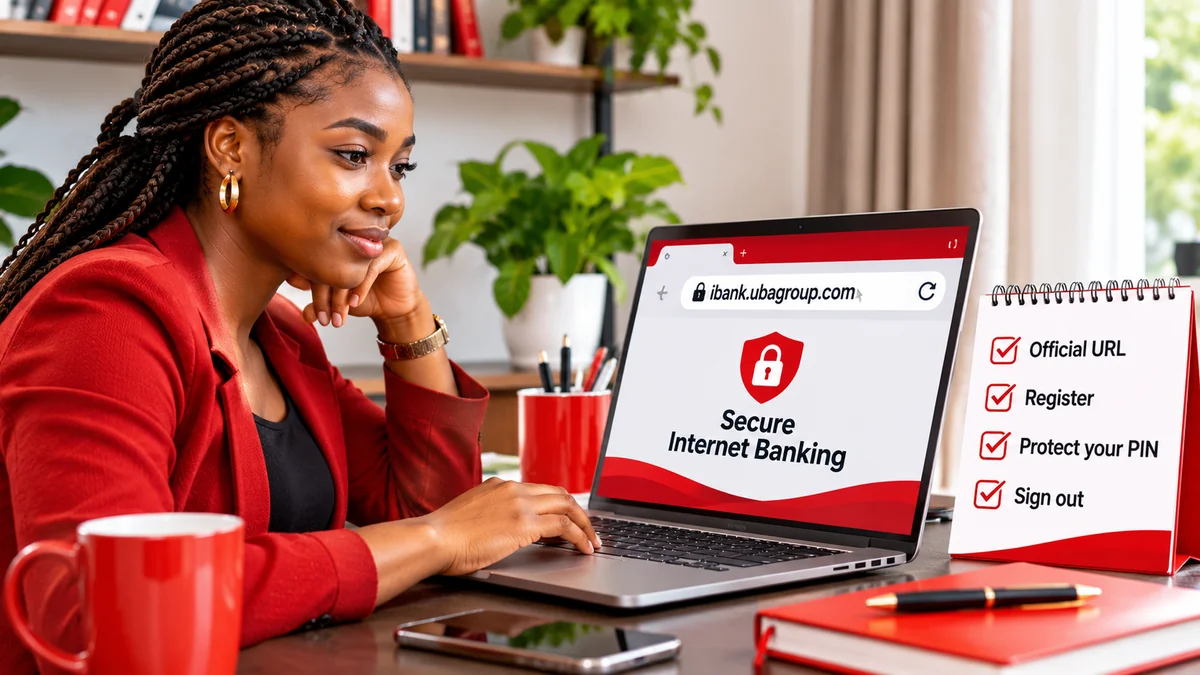
UBA Internet Banking's official login address for Nigeria is https://ibank.ubagroup.com/ . United Bank for Africa (UBA) links to this portal from its official Internet Banking information page . Existing customers can sign in there, while eligible individual customers can use the Instant Self-Registration option to enrol.
If you searched for “UBA bank online banking” or “UBA Internet Banking login”, the key safety step is not simply finding a page that looks like UBA. You need to verify that you are on the bank's real domain before entering a user ID, password, card details or verification code. This guide covers the official route, safe registration, account recovery, common problems and how to recognise fraudulent login links.
Verification date: 8 November 2026. This guide focuses on UBA Nigeria. The bank serves other countries, and customers should select their correct country or use its local official website. It is an independent educational article, not a UBA login service.
What is the official UBA Internet Banking login website?
UBA's official address for the web-based Internet Banking service is ibank.ubagroup.com. The bank's own Internet Banking page points customers to that address, and the live portal identifies itself as UBA Internet Banking, with a country selector and a User ID field. For corporate accounts, the screen indicates the format Corp ID.User ID.
There are two straightforward ways to reach the service:
- Start from UBA's main website: type www.ubagroup.com into your browser, open the Nigerian Internet Banking information page and select its Internet Banking link.
- Type the confirmed portal address yourself: enter https://ibank.ubagroup.com/ into the browser address bar and verify that the address remains under UBA's genuine ubagroup.com domain.
The portal may redirect you to a longer web address containing country-specific paths and technical parameters. Those internal paths can change, so bookmark the bank's official Internet Banking information page or the simple root address rather than copying a long session-specific URL from another person.
Important: HTTPS or a padlock icon means a connection uses encryption; it does not establish that an unfamiliar website genuinely belongs to UBA. Check the exact domain. For example, a page with “ubagroup.com” embedded in a longer unrelated domain is not necessarily controlled by UBA.
UBA Internet Banking login: how to sign in safely
If you are already enrolled, use these practical steps:
- Open the verified UBA Internet Banking portal from your own browser.
- Check the displayed country and select Nigeria if necessary. UBA's Internet Banking service also serves customers in other countries.
- Enter your registered Internet Banking User ID in the appropriate field. Corporate users should follow the organisation-specific format shown by the portal.
- Follow the bank's on-screen password, PIN, security-image or additional authentication prompts as applicable to your account.
- After signing in, confirm you are viewing the expected accounts. Review any unusual transaction activity before initiating payments.
- Use Sign Out when finished, especially on a shared device.
UBA's official portal presents a “Remember User ID” option and warns that saved user IDs remain on the computer being used. Do not select that option on a public or shared computer. A password manager on your own protected device is safer than saving login details in a note visible to others.
Internet Banking is intended to let customers review balances and transactions and use available digital banking functions; access may be affected by maintenance, connectivity or account-specific restrictions. Avoid treating any unfamiliar login prompt as proof that the bank has changed its authentication requirements.
How to register for UBA Internet Banking online
UBA says its Internet Banking service is available to both individual and corporate customers, but enrolment methods differ. Its Nigerian information page lists an active account, an internet-enabled device and completion of an enrolment form or web form among the requirements.
Option 1: Instant Self-Registration for eligible individuals
UBA states that individual customers with a debit card can begin and complete enrolment from its official Internet Banking login screen by selecting Instant Self-Registration.
- Visit ibank.ubagroup.com using an independently verified address.
- Choose the appropriate country if prompted.
- Select Instant Self-Registration on the bank's login page.
- Follow the on-screen process for verifying your eligibility and linking your UBA account. Have your debit card available only for the bank's authorised process.
- Complete any identity-verification or security steps presented by the legitimate portal.
- Confirm that enrolment has been accepted before trying to sign in with your new credentials.
UBA advertises this route as a quick process, but the time needed can vary if records do not match or additional verification is required. Do not assume that having a bank account automatically means your Internet Banking profile is already active.
Protect sensitive information: only proceed with details requested inside a bank workflow you have reached and independently verified. UBA's security guidance warns customers against disclosing confidential information in response to messages or links. If a form unexpectedly asks for your card PIN, password or OTP and you cannot establish that the page is genuine, stop and contact UBA using a number from its official website. Never dictate these values to an agent, social-media contact or someone claiming to register you.
Option 2: Enrolment when opening a UBA account
UBA also says customers can be enrolled for Internet Banking while opening an account at one of its business offices. If you are a new customer and prefer in-person verification, ask about Internet Banking enrolment during the account-opening process. Account opening and Internet Banking enrolment are connected services, but they are not identical: follow the bank's instructions to confirm that your online profile is ready.
Option 3: Register through a UBA branch
Existing account holders who cannot use Instant Self-Registration can visit a UBA business office to complete an enrolment form. This is particularly useful if your registered phone number or email needs attention, or if you cannot complete the online identity checks.
For corporate customers, UBA's official guidance says organisations can instruct their relationship manager or business office to enrol authorised users. A company should follow its own signatory and approval procedures rather than trying to create a business banking profile through a retail customer's self-registration form.
UBA Internet Banking versus the UBA mobile app
People sometimes use “UBA online banking” to refer to the Internet Banking website, the bank's mobile application, or other digital services. They are related, but they are not interchangeable.
| Service | How it is accessed | Best starting point |
|---|---|---|
| UBA Internet Banking | Web browser on a computer, tablet or phone | Bank's official Internet Banking link to ibank.ubagroup.com |
| UBA mobile banking | Official mobile application | App-store link verified from UBA's own website |
| UBA branch enrolment | Bank business office | Official branch locator or bank support |
| UBA corporate Internet Banking | Bank-authorised organisational users | Corporate enrolment through relationship manager or business office |
Do not download a so-called UBA banking application from an APK forwarded in a message or from an unverified advertising page. Confirm the official app name and publisher through the bank's website. The web portal itself does not require a separate unofficial “login helper” app.
Forgot your UBA Internet Banking password or user ID?
You should not need to disclose your password to another person to regain access. The official UBA login page currently displays Forgot Password, Forgot User ID and, depending on the login flow, a Forgot PIN option.
Forgot Password
Choose Forgot Password from the verified portal, enter the information the official screen requests, and complete the bank's security-verification process. UBA's published FAQ says users locked after three incorrect password entries should use this recovery route. Avoid repeated guesses that may prolong account access problems.
Forgot User ID
UBA's Internet Banking FAQ directs customers to Forgot User ID, where the site asks for an account number and sends the user ID to the email address registered with the bank, subject to its current verification process. If you no longer control that email address, use UBA's formal support or branch process rather than asking a third party to retrieve the ID.
Lost token, changed phone or failed authentication
UBA describes password and token-based transaction authentication, including Secure Pass arrangements. If the device or security credential used for confirmation is unavailable, contact the bank about the official replacement or reactivation process. Do not enter recovery codes or approve unexpected notifications just because someone calls claiming to be from the bank.
Recovery screens and verification methods may be updated over time; the current instructions on the verified portal take priority over old screenshots.
How to spot a fake UBA login page or registration message
Phishing sites imitate real bank websites to capture credentials. UBA's Security Centre specifically warns customers about messages that link to pages requesting confidential information or claiming users must urgently update their accounts.
Watch for these warning signs:
- Unexpected links: a message claims your account will be blocked unless you sign in through a supplied link.
- Lookalike web addresses: the real bank name appears somewhere in a longer domain that does not end in the legitimate ubagroup.com domain.
- Requests for an OTP or PIN by phone: a supposed agent asks you to read out a code or disclose your secret credentials.
- Unusual urgency: you are pressured to act within minutes, pay a registration fee to an individual, or provide card details in a chat.
- Unexpected apps or attachments: you are directed to install remote-access software or an unfamiliar banking application to complete registration.
Even a polished-looking page, a familiar logo or a valid HTTPS certificate cannot replace verification of the actual address. Use a browser bookmark you created after checking the bank's official site, not links embedded in unsolicited emails or messages.
For related Nigerian banking security context, FlyingEze has also reported warnings about fraudulent emails and links targeting bank account holders . The central lesson remains relevant: independently check where a login request sends you.
What to do if you entered credentials on a suspicious site
If you think your banking details have been compromised, act promptly, but do not rely on the same link or contact that may have been used in the scam.
- Stop using the suspicious page. Do not enter additional passwords, OTPs or card details.
- Contact UBA independently through its official Help & Support page or a verified branch. Explain that your online banking credentials may have been exposed.
- Ask the bank about securing access and whether your card, Internet Banking profile, security token or account needs to be blocked or reset.
- Change affected passwords using only the bank's official recovery procedure; secure the related email account if it may also be compromised.
- Review transactions and report any unrecognised activity or transfers using UBA's formal dispute or fraud-reporting channels.
- Preserve evidence such as the suspicious message, sender details, website address and relevant transaction references, without posting confidential records publicly.
UBA lists a 24-hour Customer Fulfilment Centre at 0201 280 7000, 0201 280 8822 and 0700 2255 822 (0700-CALL-UBA). Its Nigerian Help page lists a Fraud Help Desk at 0201 280 8800 and the contact address cfc@ubagroup.com. Confirm any number directly on UBA's current support page before calling, particularly if it was copied from another website.
For emergencies, a phone call or an official in-app/branch channel may be more appropriate than sending account-specific details through ordinary email. UBA's security guidance cautions that email is not generally encrypted for sensitive account matters.
Why can’t I log in to UBA Internet Banking?
The login page is not opening
Check your internet connection and open the bank's own information page first. Try an updated browser or a different trusted network. Do not switch to an unfamiliar site promoted as a “backup UBA login” merely because the main portal is slow. UBA says its Internet Banking service is available around the clock except for scheduled maintenance.
The user ID or password is rejected
Check for typing mistakes and use the portal's recovery functions. If you have made repeated failed attempts or the account is locked, follow the official password-reset path rather than sharing your credentials with an agent.
A security prompt or registered-device approval is not arriving
Verify your network and registered contact details if accessible. If a device has been lost or replaced, ask UBA for help updating the approved authentication method. Never approve an authentication request that you did not initiate.
Registration is not completing
Make sure you are an eligible individual customer using the correct self-registration option. The bank states that enrolment information must agree with its records. Customers whose details cannot be validated should contact UBA or visit a branch instead of retrying with invented information.
You can log in but cannot make a transfer
The problem could be a transaction limit, an authentication requirement or an account restriction, rather than a login problem. UBA publishes different transaction limits based on customer type, authentication method and documentation. Do not treat old limit tables or unofficial promises as guaranteed. Check your applicable limit in the bank's current information and request an authorised increase if needed.
Quick safety checklist before your next UBA online banking session
- Use https://ibank.ubagroup.com/ or navigate through the bank's official website.
- Check the exact browser address and correct country selection before signing in.
- Keep your Internet Banking user ID, password, card PIN and one-time codes private.
- Never approve a security request you did not initiate.
- Do not save a user ID on a shared or public computer.
- Use a secure, updated device; avoid installing unknown remote-access tools.
- Review important transaction details before authorising a transfer.
- Sign out when finished and monitor your account for unexpected activity.
Frequently asked questions about UBA Internet Banking
What is the official UBA Internet Banking login link?
UBA's Nigerian banking information page directs customers to https://ibank.ubagroup.com/ . For additional assurance, reach it through www.ubagroup.com rather than clicking a link in an unsolicited message.
Can I register for UBA Internet Banking without visiting a branch?
Eligible individual UBA customers can use Instant Self-Registration from the official login page, which UBA says supports debit-card-based enrolment. Branch enrolment remains an alternative, and corporate customers follow an authorised organisational process.
Is UBA Internet Banking the same as the UBA mobile app?
No. Internet Banking is available through a web browser, while mobile banking is accessed through an official app. Verify any app from UBA's own website or trusted app-store listing.
How do I recover my UBA Internet Banking user ID?
Select Forgot User ID on the verified portal and follow the prompts. UBA's FAQ describes account-number-based retrieval through the registered email address.
Does UBA Internet Banking work at night or on weekends?
UBA says customers can access Internet Banking 24 hours a day, seven days a week, apart from scheduled maintenance and other service interruptions.
Should I enter an OTP someone claiming to be from UBA sent me?
Only use a genuine one-time code in an authentication process you initiated on a bank-controlled service. Do not read or forward the code to callers, chat contacts or an unverified website.
Where do I report suspicious UBA login messages?
Use the contact channels listed on UBA's official support page . The bank's security centre also directs customers to report suspicious emails to cfc@ubagroup.com; avoid including account passwords or other secrets.
Conclusion
For customers searching for UBA bank online banking, the safest route is clear: confirm the bank's official website, open ibank.ubagroup.com , and use the bank's own login, self-registration or recovery tools. Eligible individuals can register online; others may need help from a branch or authorised relationship manager.
The most important protection is to verify the full web address before entering sensitive information. Avoid urgent login links from strangers, use only official recovery steps, and contact UBA promptly if you suspect your credentials have been exposed. Banking services and onboarding requirements may change, so always check the bank's current instructions before taking action.
Editorial note: Independently researched and checked against UBA Nigeria's official Internet Banking, live login, security and support pages on 8 November 2026. FlyingEze is not affiliated with UBA and does not collect banking login details.