Mobile Banking Security: Practical Steps to Protect Your Money
Your phone is now a wallet, a bank branch and, for many Nigerians, the quickest way to pay for food, transport, school fees and business supplies. That convenience also creates risks. A stolen handset, a convincing fake bank message or a malicious application may give criminals opportunities to access an account long before the customer realises something is wrong.
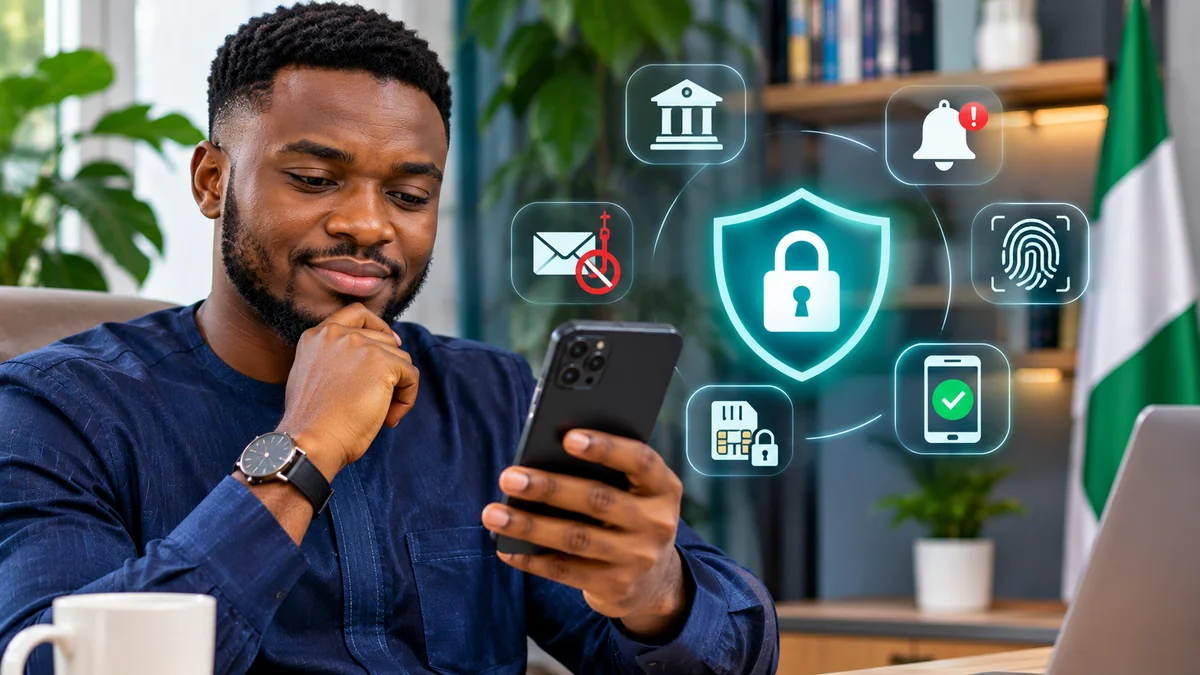
The most effective mobile banking security habits are straightforward: install only the genuine bank app, protect the phone and its SIM, use strong authentication, enable transaction alerts, lower unnecessary transfer limits, verify every recipient and report suspicious activity immediately. These precautions do not make fraud impossible, but they reduce the chances of a single mistake becoming a major financial loss.
This guide is written for Nigerian users of banking apps, fintech wallets and instant-transfer services. It also explains two significant developments: new Central Bank of Nigeria (CBN) instant-payment standards effective from July 2026, and a 10 November 2026 ngCERT warning about malicious Android apps targeting banking users. Research verified: 12 November 2026.
Mobile banking security checklist: start with these ten actions
| Action | Why it matters |
|---|---|
| Lock your phone with a strong passcode and biometrics where available | Reduces access if the device is lost or borrowed |
| Install the bank's verified app, not a link sent in a chat | Reduces the risk of fake banking apps |
| Update phone software and banking apps | Applies security fixes and improves protections |
| Never share a PIN, password, OTP or approval prompt | Prevents common social-engineering account takeovers |
| Turn on debit, login and new-device alerts where supported | Helps detect suspicious access early |
| Lower transfer limits and consider instant-transfer restrictions | Can reduce exposure from account compromise |
| Verify the payee's name and account details before paying | Reduces erroneous and scam-induced transfers |
| Review app permissions and remove suspicious apps | Limits access to SMS, accessibility and sensitive device features |
| Secure your SIM and your banking-linked email | Protects password resets and verification channels |
| Save your bank's verified emergency contact outside the phone | Enables rapid action if the handset disappears |
1. Install only the official mobile banking app
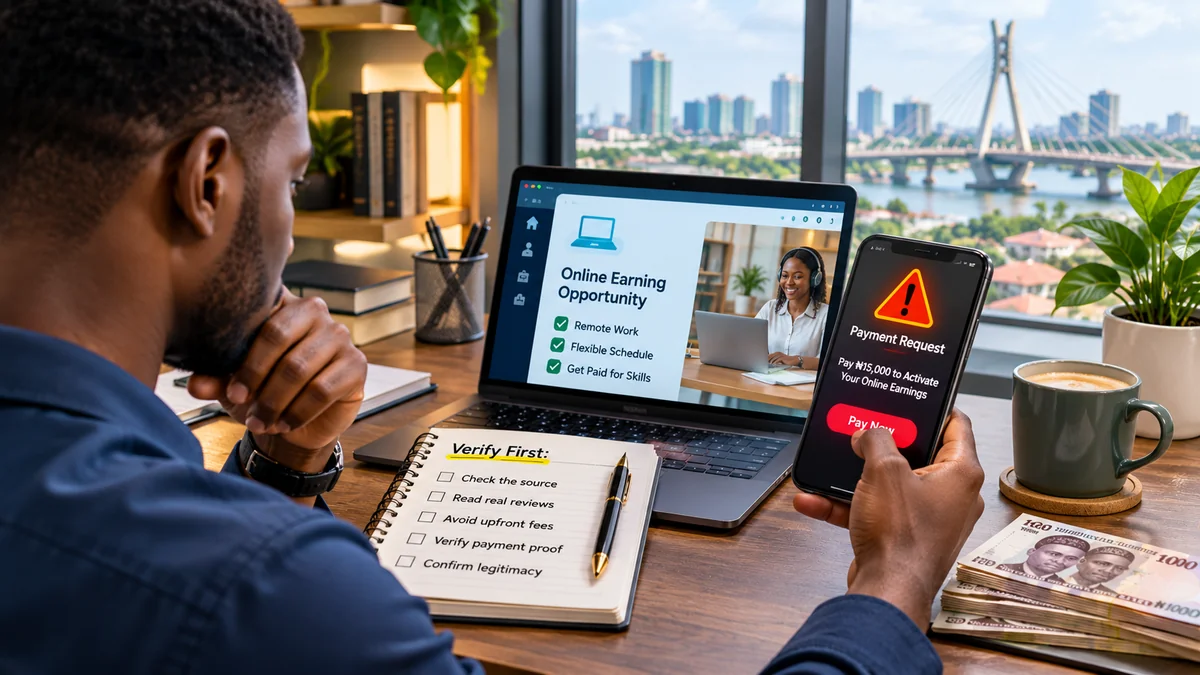
Search for your bank's app through the bank's official website or an independently verified App Store or Google Play listing. Check the developer or publisher's identity, app name and the destination of any links. A logo and familiar name can be copied; a message that says “your banking app has expired—install this APK” should be treated with suspicion.
On Android, avoid installing banking-related APK files from WhatsApp, Telegram, SMS links, advertisements or unfamiliar websites. On iPhone, do not install unexpected profiles or configuration changes because a stranger says they are needed to restore access to your bank. Even a phone's official app store is not a perfect guarantee; keep built-in protections enabled and investigate unusual permission requests.
Google's Play Protect guidance explains that it checks apps for harmful behaviour, including apps installed from outside Google Play. Android users can open the Play Store, tap their profile and check Play Protect. Keep the protection enabled. Apple's anti-phishing guidance likewise recommends downloading software only from trustworthy sources and avoiding unsolicited links or attachments.
2. Understand the latest Android banking-malware warning
On 10 November 2026, Nigeria's Computer Emergency Response Team (ngCERT) published a high-risk advisory covering Android banking malware families named Hirudo, Ramcontrol, GigaBud and RatHat. The advisory describes malicious apps distributed through untrusted app stores, fraudulent websites, social-media advertisements and messaging platforms. These programs may impersonate other apps, capture banking credentials, intercept SMS or OTPs, or attempt remote control of a phone.
In some cases a malicious application first appears to perform a legitimate task, such as shopping or a device utility, before activating harmful functions. This is why a working interface does not prove an app is safe. The advisory also discusses techniques intended to evade security detection or interfere with the banking-app experience.
What to do: examine newly installed apps, delete software you cannot identify after appropriate checks, refuse unnecessary accessibility or device-administrator privileges, keep Android patched, and run trusted security scanning. If you think the phone has been compromised, do not use that same potentially infected device to reset banking credentials. Contact your bank from a trusted phone or in person, contain account access and obtain help with cleaning or resetting the affected handset.
The warning does not mean every Android phone is infected, nor does it mean iPhones are immune to scams. It establishes why app-source verification and device security deserve the same attention as banking passwords.
3. Protect your phone before protecting the app
A banking app is only one layer in a wider security system. Use a sufficiently strong device passcode rather than an easy pattern or a PIN based on a birthday. Enable fingerprint or face authentication where your device supports it, and keep the underlying passcode private. Never share it with a person offering to “repair” your banking app.
Set your phone to lock automatically after a short period, and avoid displaying message contents or one-time codes on the locked screen if that option is available. Activate official device-finding and remote-lock features while you still have the phone; learn the steps before a loss occurs. Keep the device operating system and security patches current.
If you allow relatives or employees to use the phone, keep banking functions inaccessible to other users. Do not give a shop attendant an unlocked phone containing open banking sessions. Use separate user profiles or a dedicated work device where practical, but remember that such arrangements do not replace account-specific authentication.
4. Keep bank PINs, passwords and one-time codes private
Phishing and social engineering depend on persuading people to do something unsafe. A caller may claim to be from your bank's fraud team, insist your account will be blocked, and ask you to read out a six-digit OTP. A message might announce an unexpected incoming transfer and request a code to “verify the credit”. Neither story is a reason to disclose a secret.
The CBN's Fraud and Scam Awareness guidance warns against suspicious links, impersonators and requests for confidential information. FlyingEze's report on the CBN's warning about fake banking emails and links provides a Nigerian example of why familiar bank branding is not proof of authenticity. Use a unique password for banking and for the email account attached to your bank profile. Never reuse the banking password on an online shop or social-media account.
Enable multifactor authentication (MFA) wherever the institution offers it. The method may be an in-app approval, authenticator code, biometric challenge or another supported factor. FTC consumer guidance explains that SMS codes can be exposed by SIM-swap fraud, while authenticator apps and security keys may offer stronger protection where supported. The best option is the one your bank genuinely supports; do not disable an available protection just because an attacker says it is inconvenient.
5. Protect the SIM and phone number linked to your account
Many Nigerian banks use a registered phone number for verification, notifications or recovery. Criminals may try to take control of that number through SIM-swap fraud, impersonation or manipulation of a telecommunications provider. A sudden loss of network service that is not explained by a local outage can be a warning sign—especially if unexpected account-reset messages or banking changes follow.
Ask your mobile network provider which security controls are available for SIM replacement and account changes. Keep your SIM registration details private, and avoid sharing your NIN, date of birth or other identifying information with an unverified caller. Secure the email account used for banking too: a compromised mailbox can undermine password recovery even if the banking app itself is protected.
If your SIM unexpectedly stops working and you suspect a takeover, contact the mobile operator and the bank immediately through independently verified channels. Ask the bank to protect the account while access to the phone number is investigated. Do not rely on a stranger offering a fee-based “SIM recovery” shortcut.
6. Use Nigeria's 2026 instant-payment security controls
The CBN announced strengthened instant-payment standards in a 12 March 2026 circular, with implementation effective 1 July 2026. The CBN's official reforms summary describes several relevant protections:
- Customers may voluntarily disable instant transfers for a chosen period, while certain in-branch transfer options remain available.
- Opting out and re-enabling instant payments must be protected by multifactor authentication.
- Institutions must allow customers to request lower personal transfer limits, subject to verification and risk assessment.
- Mobile banking apps may be linked to one device at a time under the stated standards.
- When a mobile banking app is activated on a new device, a temporary ₦20,000 transaction limit for the first 24 hours is specified.
These are regulatory standards, not a guarantee that every provider's application presents identical menus or that all transactions qualify for the same conditions. Ask your bank how to find its limits, device-management tools and instant-payment opt-out features. Where possible, set a daily transfer ceiling that matches your normal activity rather than leaving an unnecessarily high limit active by default.
For example, someone who rarely transfers more than ₦30,000 in a day might consider a much lower everyday limit than a person who regularly pays suppliers. The correct amount is a personal risk-management choice, not a universal CBN-prescribed customer limit.
7. Enable alerts and check unusual activity quickly
Turn on debit alerts, security notifications, new-device notifications and other account alerts where your financial institution supports them. Alerts can help you notice a transaction that was not yours, a device registration you did not request or an attempt to change security settings.
Check a genuine bank statement periodically rather than depending exclusively on SMS alerts. Some notifications can be delayed, and criminals can impersonate the sender of messages. Open your bank app independently to verify a suspicious debit; do not follow an embedded “reverse transfer” link.
NIBSS highlighted integrated protections such as higher-risk transaction verification, new-device alerts and account-lock features in an October 2026 update . Those examples describe controls available on a particular service and industry direction, not a promise that every Nigerian banking app has all of them.
8. Verify the recipient before every transfer
Before sending money, read the account name and bank displayed during beneficiary verification. Compare it with the name provided by the person or business you intend to pay. Take extra care when the account is new, payment instructions arrive from a changed phone number, or an invoice suddenly lists a different beneficiary.
Fraudsters can compromise WhatsApp accounts or impersonate a familiar supplier, family member or customer. If a contact unexpectedly changes bank details, call the person on a previously known number to verify the request. A name-enquiry result is helpful but cannot prove the recipient is honest or that the account belongs to the person you intended in every situation.
Check the amount and narration before tapping Send. Do not allow a seller's countdown or a caller's threat to rush you into a transfer. If you have already sent money to a suspected scammer, FlyingEze's guide to urgent action after a fraudulent bank transfer explains why immediate reporting and transaction evidence matter. Completed instant transfers cannot simply be assumed reversible.
9. Be careful with shared Wi-Fi, public devices and screen-sharing
Banking over a secure network is preferable to using unknown public Wi-Fi. Modern banking apps should use encrypted connections, but a malicious network, deceptive login page or other compromised software can still create risks. Prefer trusted mobile data or a network you control for sensitive activity, and verify the app or website instead of treating a padlock icon as proof that every destination is genuine.
Never sign into banking on an internet café's shared computer or someone else's phone when safer alternatives are available. Do not save banking passwords in a shared browser. Be particularly suspicious of a person who wants you to install remote-assistance software, share your screen or approve accessibility controls to “solve a failed transaction”. Such access can expose your screen or enable actions you never intended.
If a bank legitimately needs remote support, independently confirm the method through its established help channel and do not grant sweeping device access to an unsolicited caller.
10. Review app permissions and remove unnecessary access
On Android, review which apps can read notifications, use accessibility services, act as device administrators or access SMS. Those permissions may have legitimate uses but can also be abused by banking malware. Unfamiliar screen-reading or remote-control privileges are especially concerning when granted to a recent download that claimed to be a calculator, shopping app or update utility.
On iPhone, review installed apps, privacy permissions and any unfamiliar device-management profiles using the platform's settings. Avoid granting full-photo, contact or location access where an app does not need it for the specific service. Keep the operating system updated and remove software you no longer trust, following vendor instructions.
Do not assume manually deleting a suspicious app is enough to clean an already compromised phone. If the device behaves abnormally, ask a qualified professional or your device vendor for help, secure your bank account separately and consider a verified reset and restoration procedure after preserving the information you need.
11. What to do if your phone is lost or stolen
Act as though the person holding the phone may have access to messages, saved accounts or authentication prompts. Borrow a trusted device or visit your bank. Call the bank using its official emergency contact to report the theft and request the restrictions it can apply to your mobile access, cards, USSD channels or transfers. Obtain a complaint or incident reference.
Contact your mobile network operator to suspend or secure the SIM. Use the manufacturer's official find-device or remote-lock service if it is available and safe to do so. Change the passwords on your banking-linked email and other important accounts from a trusted device. Review recent bank transactions and notify the institution immediately if anything is unfamiliar.
Do not attempt to physically confront a suspected thief based solely on a location pin. Follow appropriate police reporting procedures if necessary. If you later recover the handset, do not assume it is safe to use for banking until its security and account access have been checked.
12. What if you installed a suspicious app or shared an OTP?
Stop entering credentials into the affected device. Use a separate trusted phone, verified bank contact or branch to alert the financial institution and request appropriate protective restrictions. Explain exactly what happened, including any APK installation, screen-sharing session, suspicious login or code you disclosed. Ask the bank to review recent transactions and newly registered devices.
If money has moved, keep the transaction reference, amount, date and any suspicious messages. The bank may attempt tracing, dispute handling or other permitted recovery measures, but a successful reversal is never guaranteed solely because you reported quickly. Report suspected criminal fraud through an appropriate law-enforcement channel as well.
The CBN's consumer fraud guidance recommends immediate contact with the institution, password changes and suitable authorities. Its complaints guidance also explains that unresolved complaints may be escalated to the Consumer Protection Department, generally after the applicable institutional response period. The published contact is cpd@cbn.gov.ng . These escalation timelines do not mean you should wait before reporting active fraud.
13. Separate daily spending from high-value accounts where practical
A useful security practice is to limit how much value your everyday mobile transactions can expose. Some people use an account or wallet for routine purchases and maintain larger savings in a separate account with fewer outward payments. This arrangement is optional and depends on costs, access needs and the banking products available to you; it is not an official requirement.
If you run a small business, avoid giving every employee unrestricted access to the same banking profile. Use properly authorised business accounts, maker-checker approvals or dual controls for larger payments if the institution offers them. One worker should not be able to add a new beneficiary and approve a high-value transfer without appropriate oversight where the risk justifies separation.
Also review whether merchants, old cards or subscriptions retain payment authorisation that you no longer need. Remove unused payment methods through the official service and keep a simple record of recurring charges.
14. A simple weekly mobile banking security routine
| When | Routine |
|---|---|
| Every transfer | Check recipient, bank, amount, narration and any scam warning |
| Every day | Review debit and login alerts; investigate unusual notifications |
| Every week | Check statement entries, app updates and recent device access where supported |
| Every month | Review limits, saved beneficiaries, app permissions and recovery contacts |
| After a phone or SIM change | Verify new-device activation, bank alerts and old-device access |
| Immediately after suspected fraud | Contact bank, secure SIM and accounts, preserve evidence |
Consistency matters more than a complicated security checklist completed once. A few minutes of review can help spot an unfamiliar debit or outdated recovery number before it becomes part of a larger problem.
Frequently asked questions
Is mobile banking safe in Nigeria?
Mobile banking can be used safely with suitable controls, but no app or payment system is risk-free. Strong device locks, verified apps, MFA, notifications, sensible limits and caution around links and payment requests reduce exposure.
Can a fraudster steal money just by knowing my BVN?
A BVN is not itself an authorisation to transfer money. Nevertheless, criminals may combine personal data with phishing, identity fraud or other compromised credentials. Protect your personal details and never disclose OTPs, passwords or PINs to someone claiming that your BVN must be “updated”.
Should I give a caller my OTP to reverse a transaction?
No. A caller demanding your OTP, transfer PIN or password is a serious warning sign. End the conversation and contact the bank independently using its real number or app.
What is the CBN's new-device limit for mobile banking in 2026?
CBN's March 2026 announcement, effective 1 July, specifies a ₦20,000 transaction limit for the first 24 hours after a mobile banking app is activated on a new device. Ask your provider how the rule applies to its service and account type.
Can I turn off instant bank transfers?
CBN's 2026 standards provide for a voluntary customer option to disable instant transfers and later re-enable them with multifactor protection. Contact your bank for its implementation and available channels; this does not mean closing the account.
What if my bank-linked SIM suddenly stops working?
Contact your mobile network and bank through verified channels immediately, especially if there are suspicious security alerts. Ask about SIM replacement protection and restrictions on bank access while the issue is investigated.
Does Google Play Protect guarantee that banking apps are safe?
No. It helps detect potentially harmful apps but cannot guarantee that every download or every social-engineering situation is harmless. Always check the app publisher, permissions, phone updates and banking alerts.
Can a bank always reverse a fraudulent transfer?
No. Tracing and recovery depend on the transaction, timing, evidence and applicable institutional procedures. Report immediately, obtain a reference and ask for the investigation outcome in writing.
Conclusion
Mobile banking security starts before you open the app and continues after you press Send. Protect the device and SIM, install trusted software, use strong authentication, review permissions, set sensible transfer controls and check every payee carefully.
Nigeria's 2026 CBN reforms and ngCERT's latest banking-malware warning reinforce the same message: no single password, fingerprint or verification code can substitute for layered security and alert users. Build safe habits now, save verified emergency contacts and act quickly whenever something appears wrong.