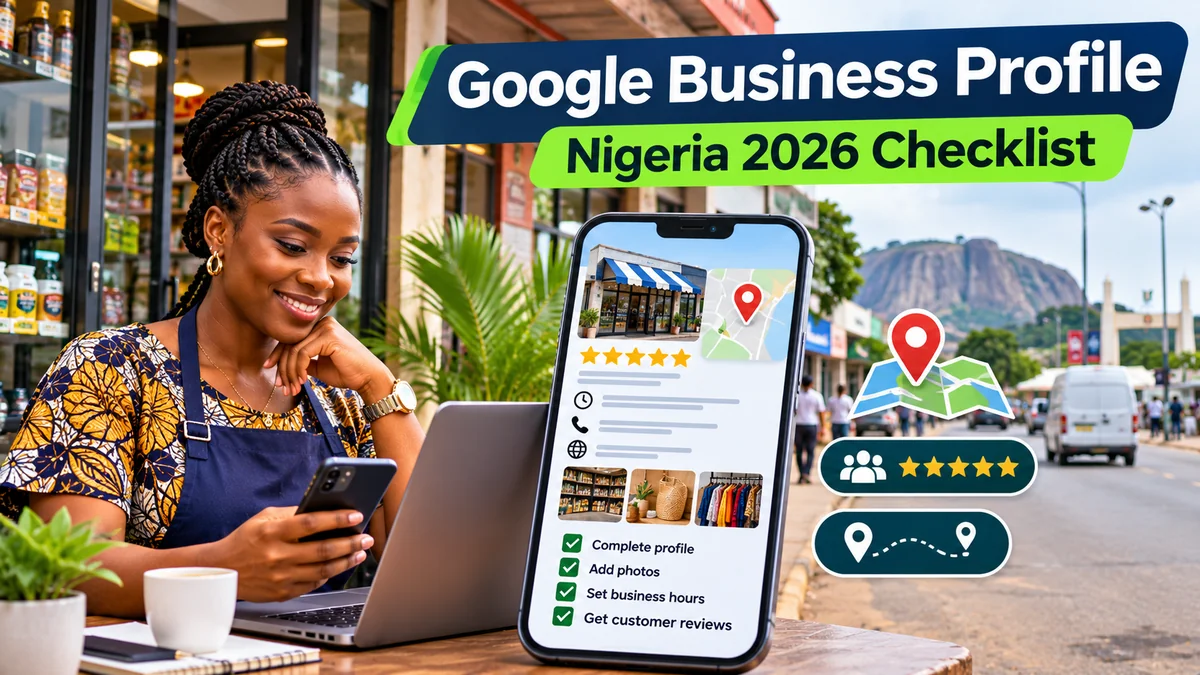
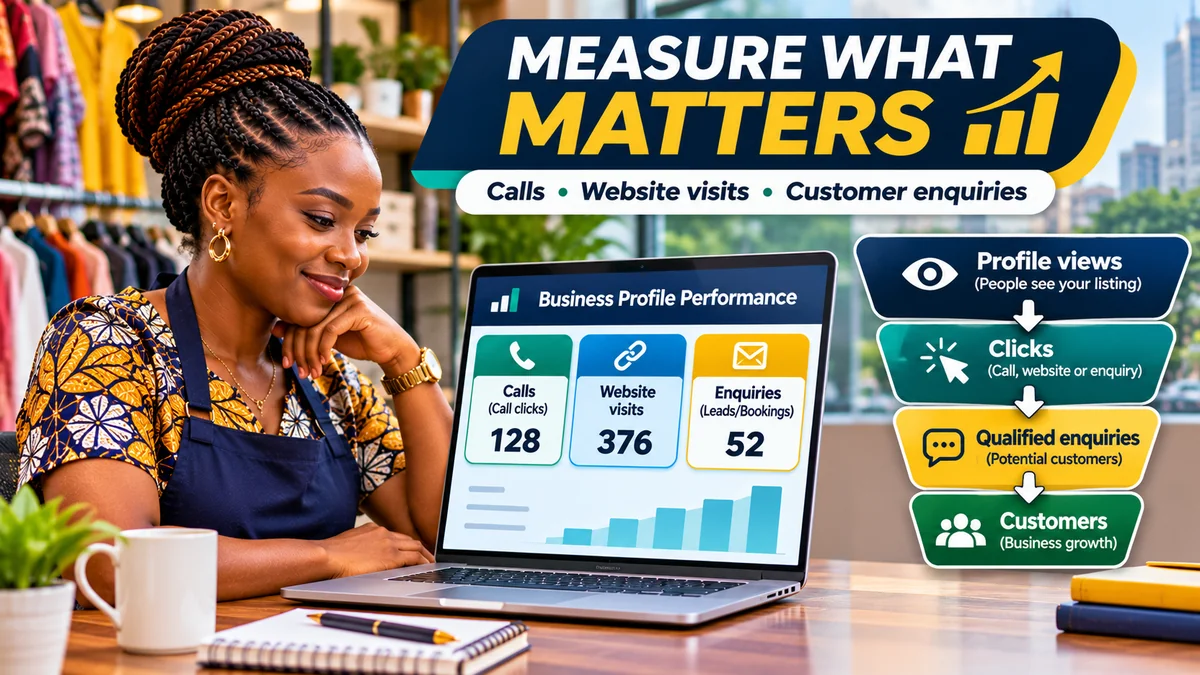
To measure calls, website visits and customer enquiries from your Google Business Profile, use its Performance report for initial interactions, Google Analytics 4 (GA4) for website activity, and a customer or sales register for actual business results. A click on the Call button is not necessarily an answered call; a website click is not a booking; and a directions request does not prove that someone walked into your shop.
For a Nigerian salon, restaurant, repair business or consultancy, understanding those differences is essential. If Google shows 100 call-button clicks but only 12 callers request quotations, the next question is about phone answering, lead quality and customer service—not simply how to increase views. Google's Business Profile Performance documentation gives precise definitions for calls, website clicks, directions requests and other metrics. The objective is to connect local search discovery to genuine customer outcomes without pretending the reports measure more than they do.
This guide covers the available 2026 reporting tools, step-by-step link tagging, a clean enquiry log, tracking completed forms and bookings, a worked Nigerian business example and a sustainable monthly reporting routine. Research verified on 2 November 2026. All example figures are hypothetical and are not FlyingEze's own business data.
First, understand what Google's Business Profile dashboard measures
Google provides Performance reporting for verified Business Profiles. Owners or managers signed into the account can inspect a selected date range in Google Search or the Maps app. Metrics depend on the business category and available features; not every profile receives every metric. Some figures include interactions originating from organic Search as well as Google Ads, so the dashboard should not be interpreted automatically as a free-organic-only channel.
| Business Profile metric | What Google measures | What it does not establish |
|---|---|---|
| Profile views | People who viewed the listing on Search or Maps, using Google's deduplicated counting rules | Total search impressions or physical visits |
| Searches | Search terms through which people found the profile | Every keyword's exact rank or purchase intent |
| Calls | Clicks on the profile's call button | Calls connected, answered or resulting in a sale |
| Website clicks | Clicks on the profile's website link | Confirmed GA4 sessions, enquiries or completed purchases |
| Directions | Requests for directions, using Google's deduplication methods | Confirmed store visits |
| Bookings | Completed bookings through supported booking providers | All bookings taken by phone, WhatsApp or directly on your own website |
The official performance page notes that search terms are updated around the beginning of each month and may take several days to become available. It also says profile views are deduplicated within limits and that calls are button clicks. These definitions are why the totals need not match your phone records, website analytics or appointment book.
Step 1: Open Business Profile Performance and capture a baseline
- Sign into the Google Account that owns or manages your verified profile.
- Search for your business on Google, open its management controls and choose Performance.
- Select a complete comparison window, such as the previous 28 or 30 days, and apply the date range.
- Record profile views, call-button clicks, website clicks, directions requests and available bookings or other actions.
- Repeat for the previous comparable period. Note holidays, temporary closures, ad campaigns or significant changes that could explain differences.
On mobile, the Google Maps instructions show the route through Business → Performance → See more, with wording dependent on the current app version. Keep a simple monthly record even if you manage just one business. For multiple verified branches, use the available multi-profile reporting and keep each branch's results separate before calculating company-wide totals.
Suppose an Abuja electrician sees 650 profile views, 85 call-button clicks and 70 website clicks in one month. Those are useful signals of interest. They are not yet 85 phone conversations, 70 unique website visitors or 155 customer leads.
Step 2: Track actual phone enquiries separately from call-button clicks
Google discontinued its built-in Business Profile call history and old chat features on 31 July 2024 . The call-button click metric remains, but the historical call log is not a current feature for recovering missed calls or listening to conversations. A business that wants answered-call, missed-call or sales-outcome data needs its own legitimate phone records or call-handling process.
A simple system is to record each genuine business enquiry in a restricted spreadsheet or customer relationship management (CRM) tool. Suggested fields are the enquiry date, branch, broad service requested, channel, enquiry status and eventual outcome. Ask callers politely how they found the business when the source is unknown. The answer is self-reported and can be inaccurate, so describe it as customer-reported source, not perfect attribution.
Some organisations use dedicated, business-controlled numbers or lawful call analytics. If doing so, ensure the published profile phone number continues to meet Google's business representation rules and the number receives calls reliably. Do not route customers through deceptive numbers, record conversations without appropriate notice or store unnecessary personal details.
Distinguish four metrics: (1) call-button clicks reported by Google, (2) calls received on the business line, (3) answered and relevant calls, and (4) qualified leads or completed sales. Do not subtract one system's totals from another to calculate missed calls; the populations, dates and collection methods differ.
Step 3: Tag the website link with consistent UTM parameters
Google Analytics can identify traffic from your Business Profile more clearly when its website URL contains UTM campaign parameters. Google's URL builder guidance explains that utm_source, utm_medium and utm_campaign help distinguish traffic sources and campaigns in GA4's acquisition reports.
For a fictional business with the website https://example.com/lagos, a simple tagged profile link could be:
https://example.com/lagos?utm_source=google&utm_medium=organic&utm_campaign=gbp&utm_content=lagos_branch
Here, google identifies the source, organic the channel, gbp the Business Profile campaign and lagos_branch the specific listing. The fictional address illustrates the structure; replace it with your own real HTTPS website URL before using it. For some reporting setups, marketers use utm_medium=local or a similar dedicated value instead. That is acceptable if applied consistently, but it can change GA4's default channel grouping, so document the convention before deploying it across branches.
Important implementation checks: if your existing URL contains a ?, append additional parameters with &. Preserve parameters during HTTPS redirects, canonicalisation and website routing. Do not insert UTM tracking into internal links between your own pages, where it can disrupt attribution. Use unique and stable utm_content values for each real branch; UTM values are case-sensitive in reporting.
After updating the Business Profile website link, test it on mobile and desktop. Confirm that the correct landing page loads, the UTM parameters survive redirects and Analytics receives a test visit. If an account or category prevents saving your chosen URL format, do not misrepresent the feature as universally available.
Step 4: Analyse Business Profile website visits in GA4
In Google Analytics 4, open Reports → Acquisition → Traffic acquisition and examine session source/medium or session campaign for the agreed Business Profile UTM values. Look at sessions, engaged sessions and relevant key events rather than page views alone. Google's custom campaign documentation identifies Traffic acquisition as the report used to see tagged campaign traffic.
Do not expect Google's Business Profile website clicks to match GA4 sessions exactly. Some visitors abandon a page before Analytics loads; some block measurement; privacy choices and browser settings affect data; and one person can click more than once. Redirects or stripped UTM parameters can also result in unattributed traffic, as Google explains in its direct-traffic troubleshooting guidance .
A useful diagnostic is to compare trends, not force numerical equality. If profile website clicks increased but measured, tagged GA4 sessions declined sharply, test the landing URL, redirects, analytics installation, page speed and consent configuration before declaring that local SEO is failing.
Step 5: Connect your Business Profile directly to Google Analytics where supported
Google's current Business Profile–Google Analytics linking guide provides a complementary option. With the necessary permissions—an Administrator or Editor in GA4 and an Owner or Manager in Business Profile—you can open GA4 Admin → Product links → Google Business Profile links → Link and select the relevant profile or profiles.
The integration shares aggregated profile performance information, such as website clicks, calls, direction requests and other available interactions, with the Analytics property. It helps combine local-listing performance and website data in one reporting environment. It does not turn a call-button click into an answered phone call, or identify every offline sale by itself.
Review access and data sharing with the relevant administrator, especially for a franchise or multi-branch company. A single GA4 property can be connected to multiple Business Profiles, but branches should still have identifiable reporting dimensions or a reliable separate register.
Step 6: Measure enquiries and bookings with real conversion events
A useful website visit becomes measurable business value only when the visitor takes an action. Google recommends the generate_lead event when a visitor submits an enquiry or request for information. Its GA4 recommended-event guidance also covers lead qualification and eventual conversion, which helps businesses separate initial interest from a sale.
For a website with an enquiry form, create a reliable success condition: a server-confirmed submission, an actual booking confirmation or a dedicated thank-you page shown only after the request succeeds. Then use GA4 or Google Tag Manager to generate the relevant event and mark the meaningful event as a key event. Google's lead-form tutorial warns against treating every generic form interaction as a completed business lead.
GA4's enhanced measurement may collect form_start and form_submit automatically, but those events can represent any eligible form and may not confirm that your sales system actually received a valid request. Google's event documentation explains these limitations. Test successful and unsuccessful submissions and use a specific event trigger when necessary.
For bookings made through a supported Business Profile booking provider, use its booking data where available. For appointments arranged by telephone or WhatsApp, record the accepted appointment and eventual attendance in the business system instead of inventing a GA4 booking event from a click.
Step 7: Measure WhatsApp and offline enquiries without inflating results
Eligible verified profiles in supported regions may now offer a WhatsApp or text-message contact option . This is not the old built-in Google chat service, which closed in 2024. The newer option may not be available on every Nigerian profile, so inspect the actual dashboard before planning a campaign around it.
When customers contact you by WhatsApp, a meaningful enquiry occurs when there is a genuine request, such as pricing, availability or booking—not merely when a link opens. Where a WhatsApp business process is available, staff can record the channel and lead status in the CRM. Use an optional, clearly labelled source choice on an enquiry form or a short staff question when attribution is unclear.
Keep personally identifying information secure and collect only what is needed to fulfil the request and analyse business performance. Avoid uploading raw chat transcripts or customer phone numbers into third-party reporting tools without an appropriate privacy basis and safeguards.
Worked example: a Nigerian repair business's monthly funnel
Consider a fictional air-conditioner maintenance service operating in Port Harcourt. Its end-of-month data might look like this:
| Stage | Example number | Interpretation |
|---|---|---|
| Business Profile views | 1,800 | Local listing discovery |
| Business Profile call-button clicks | 120 | Intent to call, not connected conversations |
| Business Profile website clicks | 240 | Clicks towards the website |
| GA4 tagged website sessions | 205 | Recorded web sessions from tagged profile link |
| Distinct qualified enquiries recorded in CRM | 42 | Deduplicated relevant potential customers attributed to GBP with available evidence |
| Completed paying jobs attributed to GBP | 12 | Qualified leads that resulted in recorded sales |
These figures are designed for explanation only; no actual company was studied. The 120 call clicks and 240 website clicks should not simply be added together and labelled “360 customers”. One person may interact through both channels, and some interactions may produce no enquiry.
Within the same CRM-defined group of 42 distinct qualified enquiries, 12 completed jobs would imply a lead-to-customer conversion rate of 28.6% (12 ÷ 42 × 100), provided the same attribution and time-window rules are consistently applied. This example does not establish the proportion of Business Profile views that turn into paying customers, because the sources count different activities and may overlap.
Build a dashboard that supports business decisions
Start with a modest set of metrics that can be collected reliably each month:
| Metric | Source | Business decision |
|---|---|---|
| Profile views and search terms | Google Business Profile | Are local searchers discovering relevant services? |
| Call-button clicks | Google Business Profile | Is the phone option attracting interest? |
| Website clicks | Google Business Profile | Are searchers attempting to visit the site? |
| Tagged sessions and landing pages | GA4 | Does the site load and guide visitors to useful actions? |
| Successful web enquiries | GA4 and website backend | Are forms and booking flows converting? |
| Qualified unique leads | CRM or secure enquiry log | How many genuine prospects arrived? |
| Completed sales and revenue | POS, invoicing or accounting records | Is the channel producing financial value? |
Review separately for each branch rather than blending an Enugu shop, Lagos restaurant and Abuja service crew into one unhelpful total. Define what counts as a qualified lead, such as a real customer requesting an available service in a supported location. Use a consistent customer or enquiry identifier in your own system to avoid counting a call, WhatsApp follow-up and form submission as three customers.
If the business has a point-of-sale or invoicing system, connect the final sale outcome to its enquiry or order record where lawful and technically practical. This is more reliable than assuming every click has the same monetary value.
How to calculate three meaningful performance ratios
- Website enquiry rate: valid web enquiries ÷ tagged GBP website sessions × 100. Use only forms demonstrably associated with those sessions, and state whether counting submissions or unique customers.
- Qualified-lead-to-sale rate: paying customers attributed to a defined qualified-lead group ÷ qualified leads in that same group × 100. Define the attribution and follow-up period.
- Enquiry response rate: enquiries answered within your service standard ÷ enquiries that required a response × 100. Keep the same period and avoid counting duplicate messages as separate enquiries.
Conversion rates become misleading when you mix Google's call clicks with website sessions or compare customers acquired in one month against leads from a different month without tracking their cohort. For longer sales cycles, follow the same lead group over an appropriate period and label it clearly.
Common measurement mistakes to avoid
Calling every click a customer: call and website clicks indicate interest, not connected calls or completed sales.
Using obsolete Google call history: the feature was removed in July 2024; obtain operational call data through your own lawful systems.
Claiming every Google/organic session came through Maps: untagged organic visits may come from ordinary Search and other Google surfaces.
Ignoring paid traffic: profile performance can include interactions associated with Google Ads; isolate campaign context when interpreting organic growth.
Double-counting leads: a single customer can call, click the website and send WhatsApp messages before purchasing.
Using an untested UTM link: broken redirects or a URL that strips parameters can distort the dashboard and customer experience.
Ignoring privacy: analytics and lead records should not expose private conversations or customer identity data to staff without a legitimate need.
30-day measurement plan for a Nigerian small business
Week 1: Check verification and profile access, record the initial performance baseline, choose an attribution convention and test the listed phone number and website.
Week 2: Add a consistent UTM-tagged website link if supported, configure GA4 website measurement, and validate that real enquiry form submissions generate the correct key event. Test both success and failure cases.
Week 3: Train customer-facing staff to record genuine enquiries, response times, outcomes and a customer-reported lead source without requesting excessive personal data. Begin deduplicating repeat contacts.
Week 4: Reconcile Business Profile activity trends, GA4 sessions, confirmed enquiries and completed sales. Identify one operational improvement—such as answering missed calls more promptly or simplifying the mobile booking form—and repeat the review next month.
As background, FlyingEze's guide to why local SEO matters for businesses explains how discoverability relates to local customer demand. The additional measurement discipline described here helps determine whether that visibility translates into real enquiries and revenue.
Frequently asked questions
Does Google Business Profile show how many phone calls my business received?
Its current call metric measures taps or clicks on the listing's call button, not necessarily successful or answered conversations. Google's older integrated call-history feature was discontinued in July 2024.
Why do Business Profile website clicks differ from GA4 sessions?
They measure different things. Clicks can occur without Analytics receiving a website session; blockers, user privacy, poor loading, redirects, missing tags and session definitions can all produce differences.
Can I connect Google Business Profile directly to GA4?
Google documents a Business Profile product link under GA4 Admin → Product links, requiring appropriate roles in both accounts. It shares aggregated interactions but does not individually identify every resulting customer.
Does a directions request mean someone visited my shop?
No. It indicates that someone requested directions in Google. A confirmed visit requires separate observation or legitimate business records.
How do I measure customers who contact me through WhatsApp?
Use genuine enquiry and outcome records, not merely click totals. WhatsApp contact options for Business Profiles are available only in supported regions and eligible accounts.
What is the most useful KPI for my Google listing?
For a lead-driven business, track distinct qualified enquiries and resulting customers alongside views and clicks. For a retail location, direction requests and verified in-store customer feedback may be more useful, but they remain different measurements.
Conclusion
The purpose of Google Business Profile measurement is to connect local search interest to actual business outcomes. Start with the official Performance metrics, use GA4 and consistent UTM tagging to understand website traffic, and record qualified enquiries and completed sales in your own customer system. Avoid confusing clicks with calls, directions with visits, or multiple interactions with multiple customers. A small, accurate dashboard is worth more than a large collection of inflated numbers.