
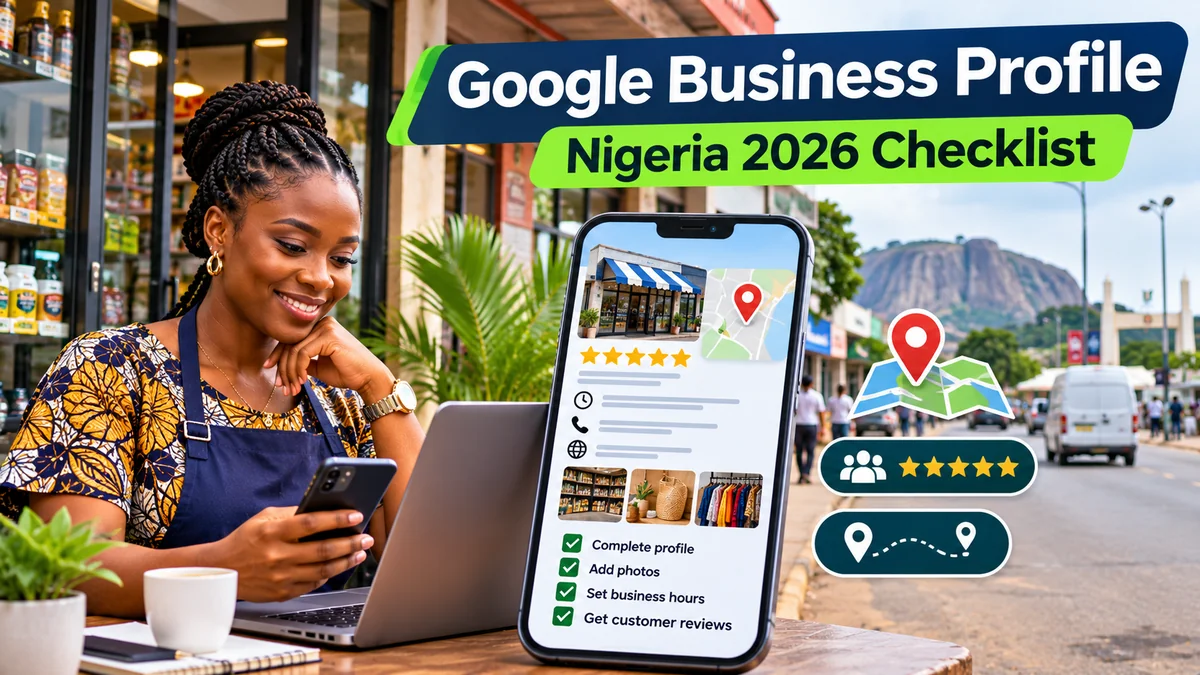
To optimise a Google Business Profile in Nigeria in 2026, start by claiming a genuinely eligible local business, completing verification, accurately describing its location and services, and making it easy for customers to call, visit, book or review. Then maintain current opening hours, add authentic photographs, respond to reviews and measure the results. A profile can help a hair salon in Enugu, a mechanic in Abuja or a restaurant in Lagos appear when nearby customers search Google Maps or Search—but it is not a guaranteed shortcut to first place.
Google says local visibility is mainly influenced by relevance, distance and prominence. Complete information and real customer experiences can help users make better decisions, while buying a higher organic local ranking is not an option. Its local ranking guidance emphasises accurate details, verification, photos and reviews. This checklist translates those rules into practical work for Nigerian small businesses, branch operators and service providers.
Research verified: 2 November 2026. Google features may differ by business category, eligibility, region and account; examples in this article are hypothetical.
Before you begin: check whether your business is eligible
Google Business Profile is free to create and manage, but not every venture qualifies. According to Google's eligibility policy , a business must generally interact with customers in person during its stated hours—either at a customer-facing location or by visiting customers where they are. An online-only dropshipping shop, remote-only software service, lead-generation page or vacant rental property normally cannot claim a local storefront simply to appear on Maps.
Choose the correct operating model. A storefront receives customers at its premises. A service-area business, such as a plumber who travels to homes, normally hides its residential or non-public address and specifies where it actually works. A hybrid business legitimately receives customers and travels to them. Don't use a rented mailbox, unattended virtual office or invented shop address.
For businesses with several true branches, Google generally allows an individual profile for each staffed, customer-facing, eligible location—not separate profiles for every keyword, product or neighbourhood. A Nigeria-wide delivery claim does not justify creating fictitious listings in Lagos, Kano and Port Harcourt.
2026 checklist: 16 actions to strengthen your Google Business Profile
1. Find, claim and verify your existing listing
Sign into the Google Account that should control the business, search Google for your business name and city or visit Google's Business Profile setup guidance . Check whether Google has already created an unclaimed listing before making a new one. Claim the correct listing or add the eligible business if it genuinely does not exist.
Google determines which verification methods are offered for each business. Options may include phone, email, postcard, live video or an unedited video recording. You cannot demand a different method simply because it seems easier. For video verification, Google specifies a continuous recording of at least 30 seconds showing relevant location, business and proof of management; avoid capturing customers' faces or sensitive documents. Review can take up to five business days, sometimes longer.
Action: Keep shop signage, permitted proof of operations, and correct contact information ready. Do not pay an unofficial agent promising an instant verification code or share verification codes.
2. Use the real business name—not a keyword-stuffed one
Enter the name customers know from your signage, branding and official business materials. “Ada Beauty Studio” should not become “Ada Beauty Studio Best Hair Salon Lagos Cheap Braids” unless those extra words are genuinely part of the real-world name. Google's business representation rules prohibit unnecessary terms, promotional additions and keyword manipulation in names.
If you are still formalising the business, FlyingEze's 2026 guide to registering a business with Nigeria's CAC explains the legal registration process. CAC registration and Google listing verification are separate processes; a CAC certificate alone does not guarantee Business Profile approval.
3. Select the most accurate primary category
Use the specific category that finishes the sentence “This business is a …” rather than categories for everything it sells. A restaurant should select the best available restaurant type; a photography studio should not choose “Wedding planner” solely because it photographs weddings. Google lets businesses add additional categories where genuinely appropriate, but recommends using as few as needed. Its profile editor guidance allows one primary category and up to nine additional categories.
Action: Re-check categories when your main business changes, not every week in an attempt to manipulate rankings.
4. Make the map pin, address and service area accurate
Check the address on a phone, in Google Maps and from the street. In a Nigerian location where street numbers are unreliable, use the map pin to mark the real entrance; permitted landmarks can help where official addresses do not adequately identify the location. Avoid putting SEO slogans, links or phone numbers into the address field.
A service-area business that does not receive customers at its home base should hide that address. Google's service-area instructions allow up to 20 named areas and advise that the total coverage should generally stay within approximately two hours' driving time of the base, subject to exceptions. Listing every Nigerian state does not improve proximity to searchers.
5. Publish an answered phone number and working website
Use a business-controlled number that is reliably answered during advertised hours, with the appropriate Nigerian +234 format for international callers. The website should represent the actual business and preferably point to a helpful location or service page—not a generic unrelated landing page. Google encourages local numbers where practical and prohibits misleading redirects.
Test the number on a separate handset, inspect the website on mobile data and check that menu, booking and enquiry forms work. A correct pin is of little use if people cannot contact the business.
6. Set realistic normal, special and additional hours
Show hours when customers can actually visit or contact your staff. Use special hours for public holidays, temporary changes and short closures. For example, a Nigerian shop may change hours during Eid celebrations, Christmas or stocktaking, while a restaurant could have separate delivery hours if the relevant option appears.
Don't mark the business “open 24 hours” merely to appear in late-night searches. Certain categories, including hotels and schools, have special rules on displaying standard hours; follow Google's applicable category guidance.
7. Write a clear, factual business description
The “From the business” description can be up to 750 characters. Explain what the company does, whom it serves and what genuinely makes it useful. Avoid exaggerated rankings, promotional prices, phone numbers, URLs and repeated keywords. Google prohibits links in this field. Its editing guidance describes the character limit and content requirements.
Illustrative example: “We are a furniture repair workshop serving households and offices in Enugu. Our team repairs wooden chairs, doors and cabinets, and provides on-site assessments by appointment.” This is sample wording, not an endorsement of a real firm.
8. Add real services, products and useful business attributes
Where your category supports them, add the service names customers actually ask for. For a salon, that might mean braiding, hair treatments and styling. For a repair company, list the repairs it genuinely offers. Google allows eligible service profiles to show service descriptions and prices , but warns against inserting contact numbers or prices into custom service names.
Update applicable amenities and attributes such as Wi-Fi, outdoor seating, accessibility or payment-related features only when true. Product catalogues, menus, local inventory and transaction buttons vary by country and category, so do not promise every Nigerian business can access every feature.
9. Upload authentic photographs and short videos
Start with a recognisable exterior, a clear logo, an interior view when relevant, staff or equipment with appropriate permission, and genuine photos of products or completed work. Google's media guidance recommends photos in JPG or PNG, from 10 KB to 5 MB, ideally at least 720 × 720 pixels; videos can be up to 30 seconds, 75 MB and 720p or higher.
Do not use AI-generated interiors or stock photos as if they depict your actual premises. Make images well-lit and realistic. Refresh photographs after renovations, seasonal changes or major product updates. Google does not guarantee that a selected cover photo will always appear first.
10. Request honest customer reviews without rewards
At the end of a genuine service or purchase, invite customers to leave independent feedback through your official review link or QR code. Request feedback from customers generally rather than screening for only people likely to give five stars. Google explicitly prohibits incentives —including cash, free items and discounts—in exchange for reviews, changed reviews or removal of negative feedback.
Reply courteously to positive and negative reviews. For complaints, acknowledge the concern and invite the customer to an appropriate private resolution channel without exposing transaction details or personal information publicly. Report policy-violating reviews through Google's process; you cannot demand removal simply because criticism is uncomfortable.
11. Publish useful updates, offers and events
Google Business Profile supports posts about updates, offers and events , subject to account and policy availability. A restaurant might share a verified new menu, a mechanic a holiday operating notice, or a clinic an officially approved opening-hours change. Posts older than six months may be archived unless an event date range applies.
Publish when there is genuine information to share, not because Google guarantees a ranking boost from daily posts—it does not. Avoid placing unsupported medical claims, sensitive data or phone numbers in a post description that may trigger rejection.
12. Enable relevant booking, ordering or contact actions
Some categories can add appointment, reservation, order or menu links that take customers to working pages. These links are not available in every country or for every business type. Confirm the option exists in your own profile before investing in a booking integration.
Google's old built-in Business Profile chat closed in July 2024. However, a separate WhatsApp or text messaging contact option is now offered to eligible verified profiles in selected regions; availability in Nigeria must be checked in your dashboard. Do not confuse these newer contact links with the discontinued historical chat feature.
13. Connect relevant social profiles where available
Google permits eligible businesses to add one link per supported social network, including Facebook, Instagram, LinkedIn, TikTok and YouTube, but social profile links are not supported everywhere . Link only your authentic business accounts. A social profile or WhatsApp link is an additional customer contact path, not a substitute for a genuine eligible physical or in-person service business.
14. Build consistent location information beyond Google
Keep your trading name, address, phone number and business description consistent on your website, customer-facing directories and credible local association pages. Do not pay for mass listings on fabricated directory sites. Useful local pages may include an accurate contact page, distinct information for genuine branches, opening hours and directions.
For the broader context, FlyingEze's article on why local SEO matters for businesses covers how geographically relevant search can connect customers with nearby services. Google still evaluates visibility using relevance, distance and prominence; no directory link or website keyword can override a false address.
15. Give each eligible branch appropriate control and details
For a real multi-location business, verify each eligible branch's own phone, customer-facing hours, photos, map pin and services. Avoid copying a single description containing claims that do not apply to every site. Keep brand naming consistent across branches as Google's chain rules require.
Protect access to the profile. Google's people-and-access settings allow the company to retain primary ownership and invite employees or agencies as managers without sharing passwords. Remove access promptly when someone leaves and use strong account security.
16. Track meaningful outcomes, not just profile views
Open the Business Profile Performance panel to examine relevant search terms, profile views, calls, directions, website clicks and other available actions. Google's call count reflects call-button clicks, not confirmed telephone conversations. Directions are requests, not verified store visits; website clicks are not sales.
Use a properly tagged website URL where allowed to help separate Business Profile visits in GA4; compare with actual enquiry forms, appointments or orders. Google also documents an option to connect Business Profile performance to Google Analytics , subject to the required account permissions. Avoid double-counting profile interactions as independent website conversions.
Google Business Profile optimisation checklist for Nigerian SMEs
| Priority | Task to verify | Done when... |
|---|---|---|
| Critical | Eligibility and ownership | Business qualifies for in-person contact and correct owner has access |
| Critical | Verification | Google confirms verified status |
| Critical | Name and category | Real trading name and specific primary category are used |
| Critical | Location/service area | Accurate map pin, public address or hidden address and valid coverage |
| High | Phone, site and hours | Calls work, page loads, holiday hours are up to date |
| High | Description and services | Customers can understand the actual offering |
| High | Photos and reviews | Authentic current media; fair review requests and responses |
| Medium | Posts and action links | Relevant features enabled and links tested where available |
| Recurring | Reporting and branch access | Monthly performance review; access and location data maintained |
A realistic 30-day implementation plan
Week 1: Audit eligibility, claim the correct listing, fix address and name inconsistencies, and complete the offered verification steps. Week 2: Confirm category, hours, service information, website and phone, then upload real photographs. Week 3: Request honest reviews from recent customers, respond to existing feedback and check booking or WhatsApp options available for your profile. Week 4: Export a performance baseline, test customer actions from a phone and assign an owner to maintain the listing.
Continue with a monthly inspection and update information immediately when the business moves, changes opening hours or stops providing a service. The plan is an editorial recommendation, not a promised time-to-rank result.
Five mistakes that can harm your listing
Invented branch addresses: listing unattended locations or mailboxes can trigger suspension. Keyword stuffing: adding city names and “best cheapest” slogans to the business name breaks policy. Fake reviews: incentives, purchased accounts and selectively pressuring customers violate Google's rules. Old media: misrepresenting an actual shop with synthetic photographs can mislead buyers. Ignoring performance quality: celebrating calls and clicks without measuring whether enquiries become sales wastes effort.
Frequently asked questions
Is Google Business Profile free in Nigeria?
Yes. Creating and managing a qualifying Business Profile is free. Advertising is separate, and Google does not sell guaranteed organic local ranking positions.
Can a home-based Nigerian business create a profile?
Sometimes. If it genuinely visits customers in person, it may qualify as a service-area business and should hide the residential address where customers do not visit. A remote-only or online-only company generally does not qualify.
Does CAC registration automatically verify my Google profile?
No. CAC registration is a separate Nigerian legal process. Google independently decides eligibility and the verification methods that appear for each business.
How many Google Business Profiles can a company create?
Generally one per genuinely eligible location, with specific exceptions for authorised departments and practitioners. Do not create multiple profiles for the same shop or invented branches.
Can I add WhatsApp to my Business Profile?
Eligible verified profiles in supported regions can add WhatsApp or text-message contact details. Check your own profile's Contact settings; the option is not guaranteed in every Nigerian account.
Do reviews or frequent posts guarantee top Google Maps rankings?
No. Genuine reviews, complete information and useful posts may improve customer confidence, but Google's local ranking also considers relevance, distance and prominence, and it does not promise particular positions.
Conclusion
Google Business Profile optimisation in Nigeria is primarily a job of accuracy, trust and maintenance. Verify a legitimate business, use its real name and location, show what it actually offers, make contact easy and treat customer feedback fairly. Follow the checklist as a practical operating routine rather than a collection of ranking hacks. The outcome worth measuring is not simply more views on a dashboard, but more relevant enquiries, visits, bookings and satisfied customers.