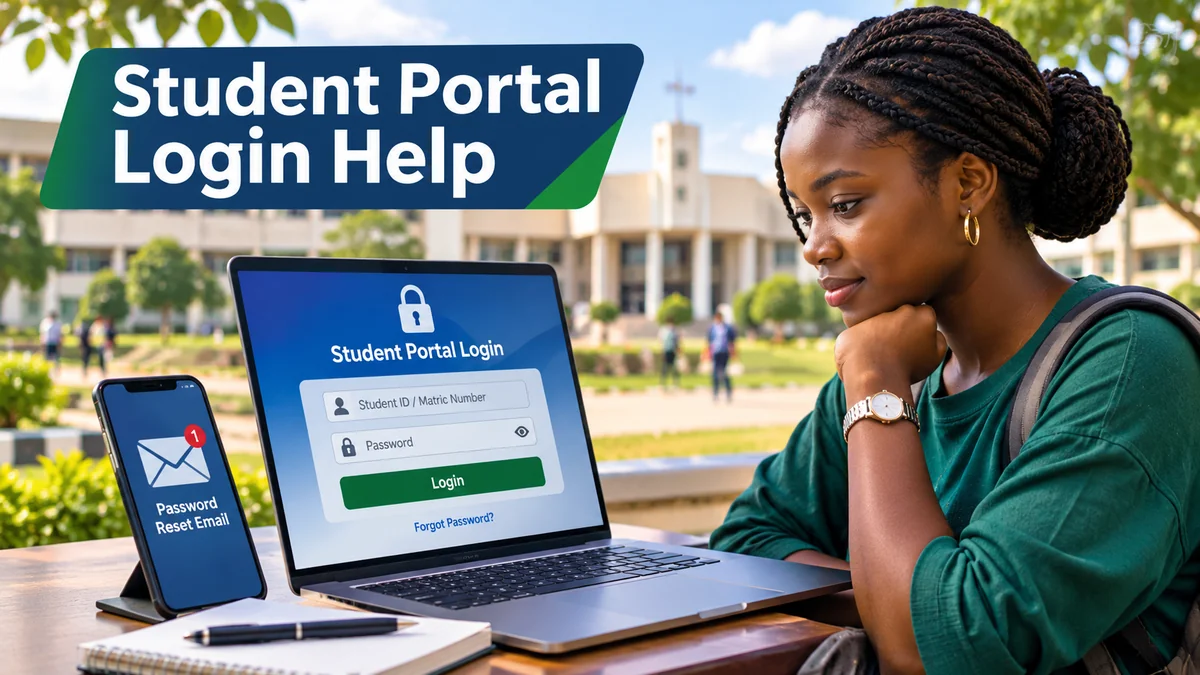

Before paying University of Abuja fees or acting on a registration deadline, verify the notice through an independently accessed university website and your own student or application dashboard. Check the academic session, programme, fee type, amount, payment reference and deadline; if an essential detail is unclear, ask an official university unit before sending money. A forwarded WhatsApp circular, a university logo or a convincing bank account name is not sufficient proof.
This guide is for applicants, parents and returning students searching for the UNIABUJA portal. It explains where official notices may appear, how to recognise outdated academic calendars, why application fees differ from student charges, and what to do when a payment is deducted but not reflected online. Information was reviewed on 25 November 2026; always recheck time-sensitive fees and dates before paying.
Why tuition and registration notices need careful checking
University notices reach students through official websites, student dashboards, academic units, email, student representatives and messaging groups. The same announcement can be shared in multiple places, but forwarding does not establish authenticity. An older PDF may circulate after a deadline has changed; an unrelated programme's fee schedule may be mistaken for undergraduate school charges; and fraudsters can reproduce letterheads or demand a transfer to a personal account.
There is also a terminology problem. Students often say “tuition” or “school fees” when they mean the entire amount due. A university bill may instead itemise tuition, acceptance, registration, technology, accommodation, programme or late-registration charges. The amount payable depends on the programme and the charges shown in the relevant official system. Do not assume one price applies to all UNIABUJA students.
Start with the correct official University of Abuja channels
Begin at the University of Abuja website , which links to student services and its news and announcements. From there, select the service for your programme rather than guessing a web address from a search result or an unsolicited message.
| What you need to check | Useful official starting point | Why it matters |
|---|---|---|
| University-wide announcement or academic calendar | uniabuja.edu.ng | Provides central university context and official notices |
| Undergraduate student account, invoices and payment services | Undergraduate Portal | Check records and charges associated with your own account when available |
| Programme application and registration procedures | University application portal | Different programme applications may have different procedures |
| Distance-learning fees and programmes | CDL&CE tuition and fees | Programme-specific fee information; not a university-wide undergraduate price list |
| Distance-learning application fees | CDL&CE application portal | Published fees for specific active applications, distinct from tuition |
The exact hostnames matter. A page on a genuine uniabuja.edu.ng subdomain can be a useful primary source, but you should still ensure it covers your programme and session. A third-party site linked by a university centre may be legitimate for a particular service; do not assume every unfamiliar domain is official merely because it uses university colours or a logo. Cross-check it by navigating from an established university page.
A seven-step checklist for verifying any UNIABUJA notice
1. Find the original announcement
Do not rely solely on a screenshot with its header cut off. Look for the original item on the university's website, a logged-in dashboard or a verified faculty/department communication channel. If you find only a forwarded PDF, ask for its source URL or confirm it with the office responsible for the subject.
2. Read the academic session and publication date
Check whether the notice applies to 2026/2027, an earlier session or a programme with a different timetable. A document can remain online years after it was issued. Note both the date it was posted and the date it says the rule takes effect. In particular, avoid treating application instructions written for 2020/2021 as current fee instructions.
3. Identify who is affected
Check whether a notice is for newly admitted undergraduates, returning students, direct-entry applicants, postgraduate students, part-time students, sandwich programmes, or the Centre for Distance Learning and Continuing Education (CDL&CE). A genuine notice may still be irrelevant to you.
4. Separate the fee categories
Find out whether the notice concerns a screening or application fee, acceptance fee, sessional charges, accommodation, a programme-specific levy, or a late-registration penalty. Ask whether the amount is per application, per semester, per session or a one-off payment. A total copied without its breakdown can be misleading.
5. Check the amount against your own portal invoice
Where your authorised university account provides a bill, compare the amount, fee description, academic session and student identifier with the notice. Do not treat an unsigned spreadsheet or a payment screenshot as a substitute for the current bill. If the figures disagree, pause and request clarification from the bursary, registry or programme office.
6. Verify the payment destination and reference
Start the payment process within the authorised portal rather than clicking a shortened link from an agent. Where the approved workflow generates a Remita Retrieval Reference (RRR), verify that the reference and payee correspond to your own application or charge. An RRR merely generated is not, by itself, proof that money has been paid or that the underlying notice is genuine. Older university application instructions describe generating an RRR before completing payment; follow the current on-screen flow rather than copying old steps blindly.
7. Confirm the deadline and save evidence
Save the official notice's URL, date, screenshot, invoice or receipt, and any confirmation you receive from the university. If it is labelled “proposed”, do not silently treat it as a final approved policy. Recheck the portal when registration approaches and keep records in case you need to query a discrepancy.
What the university's 2026/2027 academic calendar actually says
An official University of Abuja academic calendar page posted on 23 November 2026 carries a document headed “Proposed Academic Calendar for the 2026/2027 Academic Session.” Its listed activities include the following:
| Date in the document | Listed activity | How to interpret it |
|---|---|---|
| 19 October 2026 | Online student registration begins | A date in the proposed university calendar; not an individual student's fee invoice |
| 16 November 2026 | Registration for new students ends | Check for final university or programme-specific instructions |
| 23 November 2026 | Late portal registration begins for all students with charges | Indicates possible late-registration charges, but does not specify an amount |
| 23–26 November 2026 | Add-and-drop period | Academic activity, not an instruction to pay an unrelated account |
Important: the document is expressly described as proposed. That label matters, particularly if a department publishes a later approved schedule, a corrected deadline or different arrangements for its students. The calendar does not provide a verified institution-wide naira amount for tuition or late registration. Anyone quoting a fee figure from these dates alone is adding information the document does not establish.
Real example: an application fee is not the same as tuition
The university-linked CDL&CE application portal , checked on 25 November 2026, lists an ₦15,000 application fee for a specified undergraduate Open and Distance Learning application, with a deadline shown as 30 November 2026. Its postgraduate application listings separately show a ₦20,000 application fee for certain listings.
Those are application amounts displayed for particular distance-learning entries—not proof that conventional undergraduate tuition costs ₦15,000 or that all applicants must pay the same fee. A separate CDL&CE tuition-and-fees page lists programme-level charges and instalment options. It explicitly tells readers to check the schedule applicable to their qualification and confirm payment deadlines with the centre.
For a student, the practical lesson is straightforward: match the number to the fee type and programme before comparing it with any WhatsApp notice. Even a price that appears on an official page can be quoted inaccurately when moved out of context.
For student-loan applicants, this distinction also matters when checking institutional charges. FlyingEze's NELFUND application records and common mistakes guide explains why school-fee amounts and student records should be checked before submitting or disputing a loan request.
How to identify a fake tuition or registration circular
Fraudulent notices can contain genuine university names, logos, administrative titles and correct session dates. The warning signs lie in what the message asks you to do and whether the claim can be independently verified.
- Unverified account details: payment is redirected to an individual's bank account, a new beneficiary or an unexplained external service.
- Artificial urgency: the message threatens immediate loss of admission or registration unless you pay within minutes, without a corresponding official announcement.
- Suspicious addresses: the link imitates a university hostname or uses a shortened address that conceals its destination.
- Secret credentials: a supposed official requests your student password, one-time code or bank PIN to “authorise” payment.
- No matching record: the fee, session or application does not appear on the portal and the appropriate university office cannot confirm it.
- Paid middlemen: an agent claims they alone can release a registration slot, remove a legitimate penalty or bypass university approval.
Nigeria's Economic and Financial Crimes Commission has warned about deceptive emails, social-media messages and fake websites designed to obtain sensitive financial information. The US Federal Trade Commission's tuition scam guidance also advises students and parents to independently check school balances rather than paying in response to alarming calls. The US guidance is general anti-fraud advice, not a statement of UNIABUJA's specific payment policy.
For related examples from Nigeria's education sector, read FlyingEze's guide to fake NELFUND portals and student-loan agents .
What to do if a student-portal payment fails or remains pending
A successful bank debit and a completed university registration are not necessarily the same event. Network interruptions, failed redirects or a pending payment reconciliation can leave the dashboard temporarily unchanged.
- Do not immediately make a duplicate payment merely because the final confirmation page failed to load.
- Save the bank transaction reference, date, amount, payee and any payment-platform or RRR reference.
- Sign back in through the authorised portal and look for an available payment-history, confirmation or re-query function.
- Compare the student/application ID and academic session with the transaction record.
- Contact the official university unit if the record has not updated; give transaction references rather than sensitive authentication details.
- Ask for the payment's verified status and whether any outstanding balance truly remains before paying again.
An older official UNIABUJA application guide explains a re-query process for payments affected by a network problem. But that guide identifies historical sessions, so the menu labels and process described there should not be assumed to match the live 2026/2027 interface.
If you suspect the recipient was a fraudster rather than the university, contact your bank or payment provider immediately and report the transaction through appropriate official channels. Acting promptly may improve the chance of limiting further loss, although recovery cannot be guaranteed.
Where to ask for confirmation
If the notice concerns undergraduate registration, tuition or an unexplained charge, use the university's main site to locate the relevant registry, bursary or ICT contact. The main website lists info@uniabuja.edu.ng as a general contact. For applications handled by the university's integrated portal, its published application guide lists ips.helpdesk@uniabuja.edu.ng; because the guide contains historical instructions, confirm the present support procedure through the live portal.
Distance-learning applicants can instead start with the university's CDL&CE contact page , which lists admissions@uniabuja.edu.ng and explains that the centre can help confirm whether a payment is genuine.
A concise verification request might read:
Subject: Request to verify 2026/2027 registration fee notice
I am a [new/returning] student in [programme]. I received a notice dated [date] stating that [fee/registration instruction]. I cannot confirm the amount or deadline against my student portal. Please confirm whether the notice applies to my programme and the approved payment method. I can provide a redacted copy of the notice if needed.
Never include your password, OTP, banking PIN or complete card details in the enquiry. Share your matriculation or application number only through a verified support process when necessary.
Frequently asked questions
How do I know whether a UNIABUJA school-fee notice is genuine?
Find the original notice on an official university channel, verify the programme and academic session, compare the charge with your own authorised portal invoice, and confirm unclear payment instructions with the responsible university office.
Is every tuition amount posted online valid for regular undergraduates?
No. Some online listings are for distance learning, postgraduate programmes, applications or special services. A fee for one category should not be presented as the university-wide amount.
Has the university confirmed the 2026/2027 late-registration fee amount?
The proposed academic calendar lists 23 November 2026 as the start of late registration with charges, but it does not provide a specific naira amount. Students must verify the applicable charge on the current official system or with the relevant office.
Can I trust an RRR sent to me through WhatsApp?
Not without independent verification. Confirm that the RRR was generated for your own authorised application, that its fee description and payee are correct, and that payment is made through the process provided by the university.
Should I pay again if my first payment is debited but the portal shows unpaid?
Not automatically. Save the reference, check payment status or re-query options, and ask the relevant university office to reconcile the transaction before repeating payment.
Does the university's proposed calendar guarantee that a deadline will not change?
No. A proposed calendar is useful evidence of intended dates, not proof that later updates cannot occur. Check the university's latest confirmed instructions for your course and student category.
Final advice: verify the notice, not just the logo
For every tuition or registration message, establish five facts before taking action: the issuing authority, current session, affected students, exact charge and approved destination. Use the official UNIABUJA portal and published university communication channels, keep screenshots and receipts, and challenge requests that cannot be reconciled to your own record.
Most importantly, avoid circulating an unconfirmed fee figure as though it applies to every University of Abuja student. A precise, programme-specific, independently verified notice is more useful—and much safer—than an urgent viral screenshot.