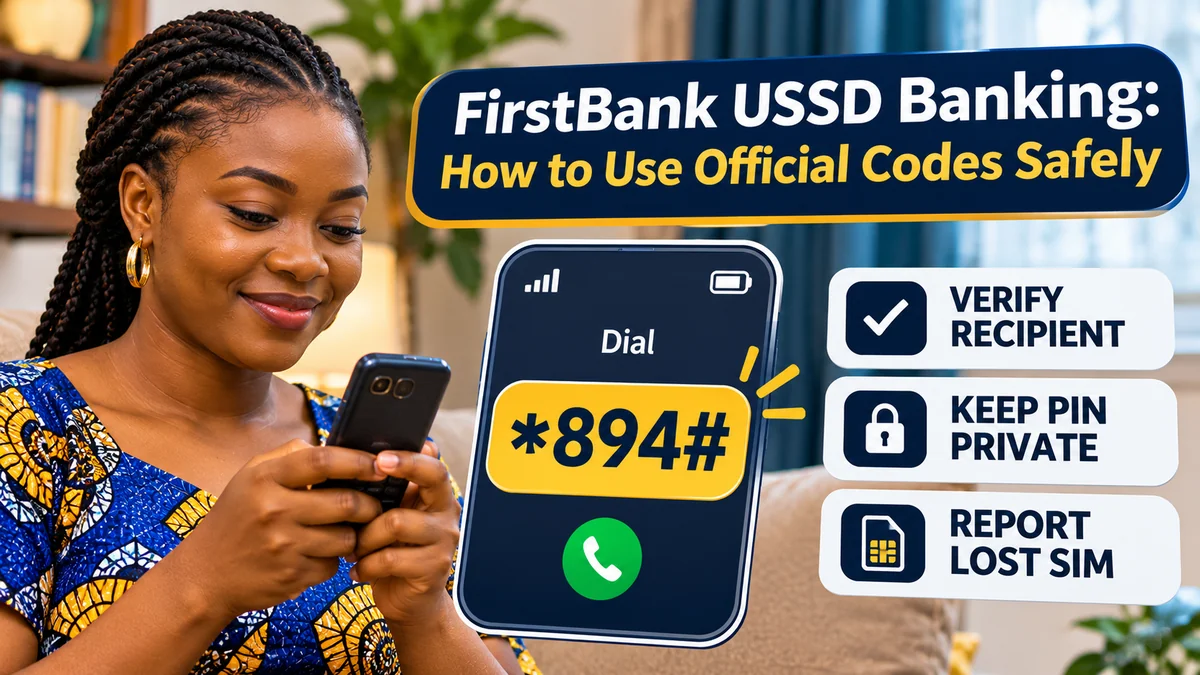
Quick answer: FirstBank's official USSD banking short code is *894#. You can use it from a phone number registered with an eligible FirstBank account to check your balance, transfer funds, buy airtime or data, pay bills and manage certain account settings without mobile internet. The bank's current 894 Quick Banking page confirms *894*0# for enrolment or PIN reset, *894*00# for balance enquiries and *894*911# to deactivate your mobile number's USSD access. Never enter a PIN into an unsolicited link or give it to anyone claiming to be bank support.
People searching for first bank codes often want one simple answer: which code is genuine, and what should they dial? Because banking instructions change, copying a list from an old blog or viral WhatsApp graphic is risky. This guide uses FirstBank's official instructions, explains the correct way to register, gives practical transaction examples and shows what to do if a phone or SIM is lost.
Fact-checked on 13 November 2026 against FirstBank's current official USSD page, FAQs, terms, security and contact information, supported by Nigerian telecom and banking consumer-safety guidance. The guide is independent, not endorsed by FirstBank, and no live transaction was carried out. Menu options, charges and limits can change: always review the prompt displayed by the bank before authorising.
FirstBank USSD codes in Nigeria: the official quick-reference table
| Task | Official code or method | What to remember |
|---|---|---|
| Open Quick Banking menu | *894# | Select the relevant menu item and follow verified prompts |
| Register, create or reset USSD PIN | *894*0# | Eligible account and linked debit card normally required for registration |
| Check account balance | *894*00# | Use the registered phone number |
| Transfer money | *894*Amount*AccountNumber# | Verify recipient bank, name, account and amount before confirmation |
| Buy airtime for yourself | *894*Amount# | Recharges the registered line where supported |
| Buy airtime for another number | *894*Amount*PhoneNumber# | Check every digit of the recipient number |
| Buy data for yourself | *894*2# | Choose an available data plan in the menu |
| Buy data for another number | *894*2*PhoneNumber# | Confirm the network, number, plan and price |
| Pay a supported bill | *894*3*CustomerUniqueID# | The biller or customer ID must be correct; review the displayed transaction |
| Request mini-statement | *894*AccountNumber# | Follow the bank's prompts; menu-based enquiry may be simpler |
| Deactivate USSD access for your number | *894*911# | Deactivates the mobile number for USSD; not the same as freezing every bank channel |
| Control debit-card channels | *894# → Quick Banking → Next page → Card control | Choose ATM, POS, Web, all channels or foreign transactions as displayed |
Every shortcut above is taken from FirstBank's official 894 banking page . In the codes containing Amount, AccountNumber or PhoneNumber, replace the placeholder words with the relevant numbers. Do not literally type the words, spaces or commas.
The *894# menu remains the safest starting point if you are unsure which shortcut suits a transaction: it displays the services available for your account at that time. An old list can become outdated; the live bank prompt should take precedence over a third-party tutorial.
What is *894# and who can use FirstBank USSD banking?
*894# is FirstBank's Quick Banking service. It uses Unstructured Supplementary Service Data (USSD), a mobile-network communication channel that works on ordinary GSM phones without a smartphone app or mobile data bundle.
That makes it useful where internet coverage is weak, when a customer's data bundle is exhausted, or when the customer uses a basic feature phone. But “no internet required” does not mean the phone can work without cellular signal. The SIM must be active, the mobile network must support the session and the bank's USSD service must be available.
FirstBank's official USSD FAQs describe eligible users as individual account holders whose numbers are enrolled for SMS alerts. Its main 894 page also describes linking a debit card to the account for the published registration flow. Joint, corporate and multiple-signatory accounts are not eligible for this particular service according to the FAQs.
If the bank account is in somebody else's name or its registered phone number is no longer yours, do not attempt to bypass the enrolment process. Ask the bank to update your records through an approved channel. FirstBank's FirstMonie wallet is a distinct product with its own features; do not assume every FirstMonie option is the same as your personal FirstBank account's Quick Banking service.
How to register for FirstBank *894# step by step
FirstBank's published registration process uses a debit card linked to an eligible account. You should initiate it yourself, on the phone line profiled with the bank, while nobody else can see your PIN entry.
- Dial *894*0# from the mobile number linked to your account.
- Choose Register for 894 Banking if the menu offers that option.
- Select the appropriate debit card from the masked card numbers shown on the screen.
- Enter the four-digit PIN for that selected debit card only within the bank-initiated USSD flow.
- Create a five-digit Quick Banking PIN, following the onscreen requirements.
- Wait for the registration confirmation, and end the session.
The difference between the two PINs is important. FirstBank describes the card PIN used during enrolment as four digits and the new USSD transaction PIN as five digits. They serve different functions. Neither should be disclosed to a “helper”, customer-care impostor or someone requesting it over WhatsApp.
Do not publish a screenshot showing actual card details or private banking information. If the expected masked card does not appear, your card details do not match, or the phone line is not recognised, stop and contact FirstBank through the official contact page or a branch. Avoid repeatedly guessing sensitive credentials.
How to check your FirstBank balance using USSD
Dial *894*00# from your registered number. Complete any required identity or PIN prompt, then read the balance response. You can also dial *894# and choose the balance or enquiry option shown in the menu.
A balance enquiry is a good way to check your available funds before paying a bill or transferring money. However, balances can change if a scheduled payment, pending card transaction or charge is posted later. Save your confirmation and consult your account statement if you see an unexplained difference.
FirstBank also publishes *894*AccountNumber# for a mini-statement request. A mini-statement is a short transaction summary, not necessarily a complete official statement. If you need detailed records for a dispute, tax purpose or business reconciliation, use a verified FirstBank statement channel.
How to transfer money safely with *894#
FirstBank lists *894*Amount*AccountNumber# as the shortcut for initiating a transfer. For example, a hypothetical transfer of ₦5,000 to an illustrative account number 0123456789 would be entered as:
*894*5000*0123456789#
The account number above is a fictional demonstration only; do not send money to it.
After initiating the transfer, follow the bank's menu. Where relevant, select the recipient's bank, check the name resolved for the destination account, recheck the amount and complete the required USSD PIN step only if everything is correct.
Do not confirm a transfer solely because an unknown caller says the number is a “safe account”, “verification wallet”, “refund account” or “reversal code”. Fraudsters can describe a real money transfer as an account-security procedure. Real account restrictions should be verified independently with the bank, not through a command dictated by a stranger.
After confirmation, look for the official transaction response and check the account history. If the USSD session times out after you authorise payment, do not immediately submit the same instruction again: first check for a debit or successful transaction. Repeating a transfer can produce a duplicate payment.
For a deeper explanation of why payments may become delayed or reversed, consult FlyingEze's related banking coverage when it is published; the practical rule here is to preserve the amount, time, reference and beneficiary information for a proper bank investigation.
How to buy FirstBank airtime and data with official codes
FirstBank's current USSD instructions distinguish between airtime for your own registered line, airtime for another phone and mobile data purchases.
Airtime for your own number
Dial *894*Amount#, replacing Amount with the naira amount. For example, the illustrative code *894*1000# represents an attempt to purchase ₦1,000 airtime for the registered number, subject to the bank's current rules and prompts.
Airtime for another person
Dial *894*Amount*PhoneNumber#. Recheck the full receiving phone number before accepting any prompt. Airtime purchases to a wrong number are not necessarily reversible.
Mobile data for yourself or another number
For your own number, dial *894*2#. For someone else, FirstBank lists *894*2*PhoneNumber#. Then select the available plan or network options the menu presents.
Do not assume the bank's listed plans will match a telecom operator's separate promotional bundles. The final price, data volume, eligibility and validity period should be visible before you confirm. When buying for someone else, inspect the recipient number carefully.
How to pay bills and use other 894 banking features
FirstBank publishes *894*3*CustomerUniqueID# for supported bill payments. The CustomerUniqueID is the identifier relevant to the biller or service—not your ordinary bank password. Because billers can use different customer, meter, smartcard or reference formats, it is often clearer to open *894# and select the bill-payment menu.
The bank's current menu also lists enquiry services, BVN linkage, loans, scheduled payments, limit management and other features. These options are not all universal fixed shortcuts. The bank may change how particular products are accessed, and eligibility depends on the account and product.
For example, a loan menu does not mean every customer is approved for credit. Review the actual loan amount, interest, compulsory fees and total repayment before proceeding. Avoid choosing a loan product simply because it appears alongside routine balance and airtime services.
How to reset or change your five-digit USSD PIN
If you know the account is yours but need to change or reset the Quick Banking PIN, FirstBank's official guide directs customers to *894*0# and the reset-PIN option.
The published process involves selecting a masked linked debit card, authenticating with its card PIN and choosing a new five-digit Quick Banking PIN. Follow the exact onscreen prompts. Do not allow an agent to create the PIN for you, record it, or dictate the digits.
Choose a PIN that is difficult for others to guess. Avoid birth-year sequences, obvious repetitions and numbers readily found on your social profiles. Do not store it in a message labelled “Bank PIN”. If you suspect someone already knows the existing PIN, change it promptly from a secure device and contact the bank if any unauthorised transaction occurred.
What does *894*911# do? Deactivating USSD versus blocking a card
This is one of the most important distinctions in the FirstBank code list. According to the bank's current official page , *894*911# is the code to deactivate your mobile number on USSD. The bank's own home page also advertises the shortcode as a way to block the number.
That is not the same as blocking all outgoing transfers, freezing the bank account, disabling internet banking or blocking the debit card across every channel. Those actions have separate controls and may need support from FirstBank.
For debit-card restrictions, the official 894 menu provides a Card control route:
- Dial *894# and select Quick Banking.
- Go to the next menu page, then select Card control.
- Choose the relevant transaction channel, such as ATM, POS, Web, All Channels or Foreign.
- Select the option to block or unblock as appropriate, then follow the stated authentication prompts.
FirstBank warns customers who recover a debit card to change its PIN. If you have lost your phone together with the registered SIM, you might not be able to dial a code from that line. Contact the bank immediately through verified channels, ask it to restrict access appropriate to the risk and contact your mobile network operator to secure or block the SIM.
If you see suspicious transfers, request an investigation and any available protective restrictions. Do not assume that merely deactivating USSD reverses payments already completed.
Ten security rules for using FirstBank USSD codes safely
- Dial the bank-published code yourself. Compare it with FirstBank's official 894 page ; do not follow an unknown person's banking script.
- Keep PINs and OTPs private. Bank support should never need you to say or send your Quick Banking PIN, card PIN, password or one-time code.
- Check recipient details. Before authorising any transfer, read the destination bank, beneficiary name, account digits and amount displayed.
- Use a private handset. Avoid banking on a borrowed phone, in a crowded setting or while someone else is watching the PIN entry.
- Protect the registered SIM. A SIM or number associated with banking is a security asset, not simply a contact method.
- Question urgent calls. A stranger claiming your money will vanish unless you dial a transfer code may be attempting social engineering.
- Pay attention to session outcomes. A timeout is not proof that a payment failed. Check account records before attempting it again.
- Review suspicious deductions. Compare transactions against your bank alerts and keep records of unusual activity.
- Verify customer support independently. Use the bank's website or branch details rather than the phone number supplied in a threatening message.
- Act quickly after phone theft. Contact both your mobile operator and bank; request channel restrictions, review transactions and retain complaint references.
FirstBank's official security guidance warns about criminals impersonating bank representatives and seeking personal security information. The Nigerian Communications Commission (NCC) likewise advises consumers to protect SIMs, report lost or swapped lines and never disclose PINs, passwords or OTPs.
SIM-swap fraud: why your registered number needs special protection
A SIM swap can move control of your mobile number to another SIM. A number may also be recycled after a long period of inactivity. Because USSD and some bank authentication flows depend on a registered phone number, such changes create security risks.
The NCC's consumer guidance discusses its Telecoms Identity Risk Management System (TIRMS), intended to help providers identify recently swapped, reassigned or flagged numbers. Nevertheless, consumers should not assume that a telecom-side protection eliminates all fraud risk.
If your registered phone unexpectedly loses network access, receives suspicious SIM-replacement messages or appears to be used by another person, contact the mobile network operator and FirstBank using independently verified contact channels. Request appropriate restrictions and review your transaction history. Do not give a replacement SIM activation code or an OTP to a caller.
FlyingEze has a separate, verified article explaining how SIM-swap fraud targets mobile banking accounts in Nigeria . It provides broader context for protecting the number linked to banking and recovering from unauthorised number changes.
Are FirstBank USSD transactions free? What about limits?
The 894 service does not require mobile internet, but that does not establish that every USSD session or bank transaction is free. Network access charges, transfer fees, taxes and charges for particular services may apply under current bank, telecom and regulatory rules.
FirstBank's public 894 page confirms the supported services but does not provide a reliable single current fee table or universal transaction limit covering every use case. Older FirstBank promotional material mentioned specific daily limits, but historical figures should not be presented as guaranteed November 2026 limits.
Check the relevant amount, fee and available limit shown on the live USSD prompt. FirstBank also has a Limit Management menu option; the amount permitted for your account can depend on banking policy, the account's status and required authentication. For exact, current fees or an unexpected charge, consult the bank's published tariff or verified support channel.
Do not confuse the fee schedule for USSD retail merchant payments with the prices of all ordinary 894 personal banking operations. FirstBank publishes separate terms and fees for its USSD retail-payment solution .
Why a FirstBank USSD code may fail—and safe next steps
Not every failed session is evidence of fraud. USSD banking depends on the mobile network, the SIM's registered identity, an eligible bank account, account or card status and service availability. Common problems include:
| Problem | Reason to investigate | Safe next step |
|---|---|---|
| “Invalid code” or connection error | Wrong string, network problem or service outage | Compare with the bank's official page, then retry later without repeating a potentially completed payment |
| Number not recognised | Phone line may not be profiled for the account | Ask FirstBank to verify or update the registered number |
| No linked card displayed | Eligibility, card or account-profile mismatch | Contact the bank through verified support instead of guessing credentials |
| PIN rejected | Wrong PIN, locked access or enrolment issue | Use the official *894*0# PIN-reset process if eligible |
| Transaction timed out | Network session may have ended before the result appeared | Check the account first; do not immediately send the same instruction again |
| Payment debited but recipient says unpaid | Processing delay, wrong details or a disputed transfer | Capture transaction reference and report to FirstBank |
| Unexpected activation or loss of SIM service | Potential SIM compromise or account linkage issue | Urgently contact the network and bank |
A customer-service representative should explain available recovery options without asking you to reveal secret credentials. Never install a remote-control application at an unknown support agent's request or share your screen while opening banking menus.
How to report a suspicious transfer or USSD banking fraud
For a suspected unauthorised 894 transaction, fast, accurate reporting is more useful than sharing the incident on social media. Follow these steps:
- Stop interacting with the suspicious caller, SMS or website. Do not approve additional transfers or provide OTPs.
- Contact FirstBank directly using its official contact page or a verified branch. Report the event as a possible fraud case.
- Ask for suitable account and channel restrictions based on what was compromised: SIM, USSD PIN, debit card, online credentials or multiple channels.
- Contact your mobile operator immediately if the SIM is lost, stolen, swapped or unexpectedly inactive.
- Keep evidence including the transaction amount, date, time, beneficiary details, screenshots and complaint reference. Do not include passwords or full PINs in complaint messages.
- Follow up in writing and request the bank's official dispute or fraud-response procedure. Escalate an unresolved complaint through the relevant Central Bank of Nigeria consumer-complaints process where appropriate.
On the official FirstBank contact page consulted for this guide, the bank lists +234 708 062 5000, 02012278000 and an official complaints email at firstcontactcomplaints@firstbankgroup.com. Because contact details may change, independently confirm them at the bank's current contact page before using them.
Reporting does not guarantee that a transfer will be reversed or refunded. Whether recovery is possible depends on the facts, recipient-bank cooperation, timing and applicable dispute processes. Acting early can preserve more options.
FirstBank USSD versus the FirstMobile app: which should you use?
USSD is useful when a customer has a basic phone, no mobile-data bundle or wants a short transaction without installing an app. A supported mobile banking app may offer richer transaction history, account controls and other interface features, but it requires compatible software and, for most functions, connectivity.
Neither channel should be assumed to be inherently immune to fraud. USSD involves risks connected with a registered SIM and social engineering, while app customers must also guard against fake downloads, malicious permissions and device compromise.
Use whichever official channel fits the transaction and the security of your device. For cash-flow records or complex account enquiries, a bank's full statement service may be more suitable than a short USSD mini-statement.
Frequently asked questions about FirstBank USSD codes
What is the official FirstBank USSD banking code?
The official code is *894#. FirstBank calls the service 894 Quick Banking.
How do I activate FirstBank USSD banking?
Dial *894*0# from your registered mobile number, follow the registration prompts, choose an eligible linked debit card, authenticate within the official session and create your five-digit USSD PIN.
How can I check my FirstBank account balance?
Dial *894*00# using the phone number associated with the account and follow any required authentication prompts.
What is FirstBank's USSD transfer code?
FirstBank publishes *894*Amount*AccountNumber#. Confirm the beneficiary name, bank, amount and displayed fees before entering your PIN.
What code buys FirstBank airtime for another number?
Use *894*Amount*PhoneNumber# for another phone number. Check the digits before confirming, since recharges may be difficult to reverse.
How do I buy mobile data from FirstBank USSD?
Dial *894*2# for the registered line or *894*2*PhoneNumber# for another person, then follow available plan prompts.
What does *894*911# do?
According to FirstBank, it deactivates the mobile number on the 894 USSD service. It is not necessarily a complete bank-account freeze or debit-card block.
How do I block a FirstBank debit card through USSD?
Dial *894#, select Quick Banking, go to the next page and find Card control. Choose the appropriate channel restriction and confirm with the required authentication.
Can I use FirstBank USSD without internet?
Yes. USSD does not require a mobile-data connection, but it does require an active SIM, mobile-network access and an available banking service.
Can anyone use FirstBank *894# for a corporate account?
No. FirstBank's official FAQs state that the relevant 894 Quick Banking service is for eligible individual account holders and excludes joint, corporate and multiple-signatory accounts.
Can I give a FirstBank support agent my USSD PIN?
No. A caller, email or social-media account asking for your PIN or OTP should be treated as suspicious, even if it uses FirstBank's name or logo.
What should I do if I lose the SIM linked to FirstBank?
Contact your mobile network operator and FirstBank immediately to report the loss and request appropriate restrictions. Do not rely on dialling a code from a SIM you no longer control.
Conclusion: use the verified *894# menu, not a stranger's instructions
For Nigerian customers searching for first bank codes, the essential answer is *894#. FirstBank's official shortcuts cover enrolment, balance enquiries, transfers, airtime, data, bill payments and deactivation of USSD access. A secure transaction begins with the correct registered number, the genuine bank menu and careful confirmation of what is being authorised.
Keep the five-digit Quick Banking PIN private, protect the SIM linked to your account and verify recipient details before transferring. Understand that *894*911# is a USSD-number deactivation control, not necessarily a universal account freeze. When suspicious activity occurs, contact FirstBank and your mobile network provider promptly through their verified channels.
Editorial verification: 13 November 2026. Main sources: FirstBank's official USSD service page, FAQs, USSD terms, contact and security guidance; NCC consumer-safety information; and CBN consumer complaint guidance. Codes and menu labels are subject to the bank's current service availability. This independent article has no affiliation with or endorsement from FirstBank.