For many people, the first experience of generative AI looked something like this:
Open a chatbot.
Type a question.
Copy the answer.
Return to another application.
Paste the result.
That model is changing.
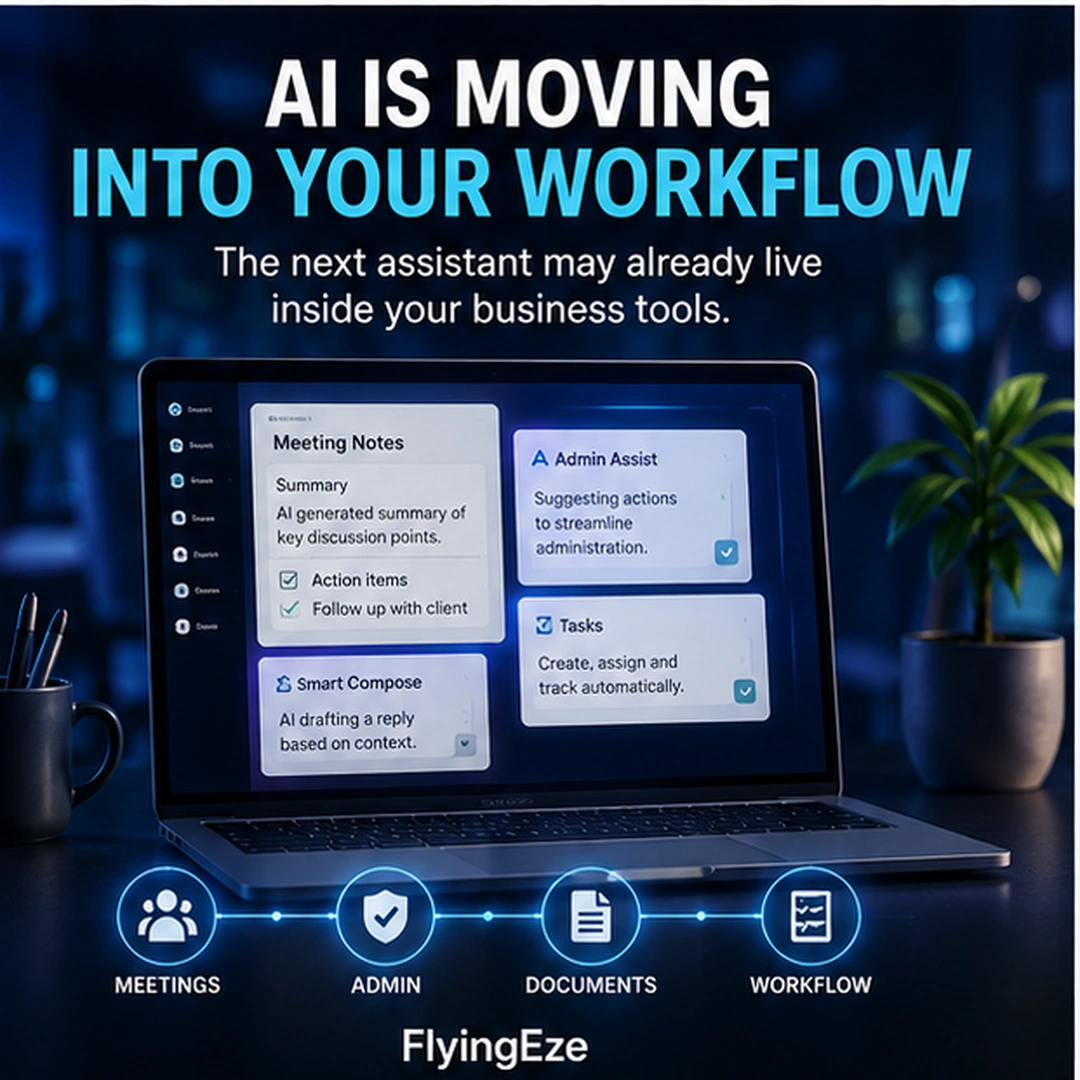
Increasingly, artificial intelligence is appearing inside the software where work already happens — in email, spreadsheets, documents, meetings, team chats, administrative consoles, search tools and workflow systems.
The distinction may sound small.
For businesses, it could be significant.
Instead of asking employees to leave their normal workflow, explain their situation to a separate AI tool and then move information back again, software companies are increasingly placing AI assistance directly beside the information and actions employees are already working with.
A series of Google Workspace announcements in August 2026 provides a useful example of this direction.
But Google is not alone.
Microsoft embeds Copilot across applications including Word, Excel, PowerPoint, Outlook and Teams, while Slack now provides built-in AI features including conversation summaries, meeting notes, search answers, workflow automation and enterprise search.
The broader change is becoming difficult to miss:
AI is increasingly becoming a capability inside business software rather than a separate destination employees have to visit.
A Current Example: Gemini Moves Into the Google Admin Console
On 17 August 2026, Google announced Admin Assist, introducing Gemini-powered capabilities directly into the Google Admin Console.
The feature includes two main capabilities:
Gemini-powered side panel — Super Administrators can ask for help with administrative tasks, learn recommended practices and receive interactive step-by-step guidance.
Gemini-powered search overviews — questions entered into the Admin Console search interface can produce conversational summaries based on Google Workspace Help documentation, together with relevant next steps.
Google explicitly described part of the motivation behind the change: administrators previously had to move repeatedly between the Admin Console, browser tabs and troubleshooting documentation.
Now some of that assistance appears inside the administrative environment itself.
As of the announcement, Admin Assist was available for eligible Google Workspace Business Starter, Business Standard and Business Plus editions. It is restricted to Super Administrators rather than delegated administrators.
That detail matters.
The interesting story is not simply:
“Google added another Gemini feature.”
The larger story is where Google put it.
The AI is being brought into the operational surface where administrators are already doing the work.
Google Meet Is Moving in the Same Direction
Google made another relevant Workspace announcement on 13 August 2026.
Its “Take notes for me” capability was extended to support in-person meetings, allowing someone to start a note-taking session from Google Meet on the web or mobile even when the discussion is taking place face to face rather than as a conventional video meeting.
Gemini can capture the meeting audio, produce structured notes, identify action items, create a transcript and save the resulting document to Google Drive.
The Android rollout began on 11 August 2026, the web rollout began no sooner than 14 August, and iOS rollout began no sooner than 31 August.
Again, notice the design direction.
The employee does not necessarily need to:
record the meeting;
upload the recording somewhere;
open a separate transcription service;
copy the transcript;
ask another AI system for a summary;
extract the action items;
create another document;
then store it manually.
More of that chain can happen inside an existing work environment.
That is the important shift.
Google Chat Provides an Even Clearer Example
The trend became even more visible later in August.
Google announced Ask Gemini in Google Chat on 19 August 2026, with rollout beginning on 26 August.
The capability can search across Workspace information such as Gmail, Drive and Calendar, generate content, summarise conversations and help manage tasks and events from within Chat.
That represents a much broader idea than adding a writing assistant.
The collaboration interface itself is becoming an entry point to organisational knowledge and actions.
Instead of:
leave conversation → find application → search for information → return to conversation → act
the intended experience increasingly becomes:
ask → find → understand → act
inside the same work surface.
What Is Embedded AI?
Embedded AI refers broadly to artificial-intelligence capabilities integrated directly into another product, platform or workflow.
Instead of AI being the primary application, it becomes one capability within the software.
For example:
In an email application
AI may:
- summarise a long thread;
- draft a response;
- identify unanswered questions; or
- retrieve related information.
In a spreadsheet
AI may:
- explain data;
- generate formulas;
- classify information;
- find patterns; or
- help construct an analysis.
In a meeting platform
AI may:
- take notes;
- produce a transcript;
- identify decisions;
- extract action items; or
- prepare a recap.
In a team-chat application
AI may:
- summarise missed conversations;
- answer questions using workplace information;
- locate files;
- explain messages; or
- help create workflows.
In an administrative console
AI may:
- explain settings;
- guide configuration;
- help troubleshoot;
- summarise documentation; or
- surface relevant actions.
The common idea is:
The AI appears close to the work rather than requiring the work to be transported to the AI.
Why This Matters: Context Switching Has a Cost
Imagine an employee writing a proposal.
They are working inside a document.
Then they need information from an email.
They open the email application.
Then they need figures from a spreadsheet.
They open the spreadsheet.
Then they want AI to rewrite a paragraph.
They open a chatbot.
They copy the paragraph.
Paste it into the chatbot.
Explain the client's background.
Copy the response.
Return to the document.
Then they realise the AI did not know about an earlier meeting.
They find the meeting notes.
Copy more information.
Return to the chatbot.
This is technically AI-assisted work.
But the workflow remains fragmented.
Embedded AI tries to reduce some of that movement by making assistance available in the working context.
That matters because productivity is not only about how quickly one task can be completed.
It is also about how many transitions, searches, copies, explanations and hand-offs are required to complete the larger outcome.
Context Can Make AI More Useful
A standalone AI system often begins with very little knowledge about what an employee is doing.
The user has to provide the context.
For example:
“Please summarise this email.”
Then paste the email.
Or:
“Help me understand this spreadsheet.”
Then upload the file.
Or:
“What did we decide in yesterday's meeting?”
Then provide the transcript.
An AI capability integrated into authorised business software may already have access to some relevant context — subject to the user's permissions and the organisation's configuration.
Microsoft, for example, describes Microsoft 365 Copilot as working with applications such as Word, Excel, Outlook and Teams while using permitted Microsoft Graph content including work emails, chats and documents to personalise responses.
Slack similarly says its AI responses can draw from information the user is authorised to access, while its enterprise search can surface information from connected applications within Slack.
That contextual proximity can make AI more useful.
But it also introduces a very important issue.
Embedded AI Makes Permissions More Important, Not Less
Suppose an AI assistant can search an employee's:
- email;
- documents;
- calendar;
- chats;
- customer records; and
- internal knowledge.
That can be extremely convenient.
It also means the quality of the organisation's access controls becomes more important.
If employees already have access to information they should not see, AI could make that information easier to discover.
The AI may not create the permission problem.
It may expose the consequences of one that already existed.
This is why businesses adopting embedded AI should review questions such as:
Who can access this information?
Which AI capabilities can use it?
Which applications are connected?
Which users can enable AI features?
Can sensitive data be included in AI-assisted workflows?
Are audit logs available?
Can administrators disable particular capabilities?
What happens when somebody leaves the organisation?
AI convenience should not be separated from identity and access management.
Governance Is Becoming Part of the Product
The August 2026 Google Workspace updates illustrate this as well.
Google has been adding administrative controls around agent access and data-loss prevention, including mechanisms for suspending agent access or particular OAuth scopes and restricting certain AI access to Drive data based on classification conditions and labels.
Google also provides controls for administrators to manage Gemini capabilities across services including Gmail, Calendar, Drive, Docs, Sheets, Slides, Meet and Chat.
That reflects an important enterprise reality:
AI adoption is not just a user-interface decision. It is also a permissions, security, compliance and data-governance decision.
Embedded AI Can Reduce Repetitive Data Movement
This may become one of the most useful business benefits.
Many knowledge workers spend significant time moving information between systems.
A meeting produces notes.
The notes become tasks.
The tasks become calendar reminders.
A sales conversation updates the CRM.
A customer complaint becomes a support ticket.
An invoice produces an accounting record.
A project discussion produces a status update.
Historically, people have often acted as the “integration layer” between these systems.
They read something in one place and manually enter the result somewhere else.
AI embedded into connected business systems can potentially reduce some of that translation work.
But businesses should be careful not to interpret this as:
“AI should be allowed to do everything automatically.”
A better approach is to determine which transitions are predictable enough for automation and which require human judgement.
Human Review Still Matters
An AI system may be perfectly suitable for:
summarising a meeting
but not automatically suitable for:
approving a £500,000 contract.
It might be useful for:
drafting a response to a customer
while a person should review:
a sensitive legal complaint.
It might help:
identify an unusual expense
without being authorised to:
accuse an employee of fraud.
The closer AI moves to business actions, the more important organisations need to become about defining boundaries.
Ask:
Can AI recommend?
Can AI draft?
Can AI execute?
Does execution require approval?
Which actions are reversible?
Which actions could create financial, legal, security or reputational consequences?
Not every AI capability requires the same level of control.
The Real Opportunity Is Workflow Integration
Businesses sometimes evaluate AI by asking:
“How good is the chatbot?”
That question is becoming incomplete.
A more useful set of questions is:
Where does the AI appear?
What context can it safely access?
What work can it reduce?
Which systems can it interact with?
What actions can it perform?
Where does human approval occur?
What happens when its answer is wrong?
The value of workplace AI may increasingly depend not only on model intelligence, but on how effectively that intelligence is incorporated into an existing operating process.
Standalone AI Is Not Disappearing
None of this means separate AI applications are going away.
Standalone AI interfaces remain valuable for:
- open-ended research;
- brainstorming;
- learning;
- complex analysis;
- experimentation;
- coding;
- multimodal work; and
- tasks that span multiple systems.
The important change is that businesses no longer have to choose exclusively between:
“Use our normal software”
and:
“Use AI.”
Increasingly, normal software contains AI.
That distinction is likely to become less visible to users over time.
People may stop thinking:
“I am using an AI tool.”
and instead think:
“My email summarised this.”
“My meeting produced the action items.”
“My spreadsheet explained this trend.”
“My admin console helped me configure this.”
“My team chat found the information.”
AI becomes part of the feature set.
This Changes How Businesses Should Evaluate Software
Traditionally, a business might compare software using questions such as:
- Does it have the features we need?
- What does it cost?
- Does it integrate with our systems?
- Is it secure?
- Is it easy to use?
Those questions still matter.
But AI introduces additional ones:
What AI capabilities are included?
Which capabilities cost extra?
What company data can the AI access?
Can administrators control access?
Are outputs grounded in organisational data?
Does the AI respect existing user permissions?
Can its actions be audited?
Which external models or processors may handle data?
Can sensitive capabilities be disabled?
What happens to prompts and generated outputs?
As AI becomes embedded more deeply into ordinary software, these questions become part of routine software procurement rather than something reserved for specialist AI projects.
AI Adoption May Become Less Visible
This could have an interesting consequence.
Businesses often ask:
“How do we get employees to adopt AI?”
But if useful AI capabilities appear naturally inside the software employees already understand, adoption may require fewer deliberate behavioural changes.
Someone does not necessarily need to become an enthusiastic “AI user”.
They may simply click:
Summarise
Take notes
Ask Gemini
Draft
Explain
Find
or:
Create workflow
inside an application they already use every day.
This could lower one barrier to adoption.
However, easier adoption can also create another problem.
Easy AI Can Become Invisible AI
When employees intentionally open a chatbot, they usually know they are using artificial intelligence.
When AI is embedded throughout ordinary software, that awareness may become less obvious.
An employee may interact with an AI-generated summary without thinking carefully about:
- whether it might contain an error;
- what information was used to generate it;
- whether important context was omitted;
- whether the output needs verification; or
- whether sensitive information should be involved.
This makes AI literacy important even when employees never become prompt-engineering experts.
People need to understand a basic principle:
An AI feature can be convenient and useful without being automatically correct.
Good interface design should reduce friction.
It should not reduce appropriate judgement.
Three Levels of Workplace AI
A useful way to understand the transition is to think of workplace AI in three stages.
Level 1 — AI as a Destination
The employee leaves the work application and visits an AI application.
Work → AI → Work
Level 2 — AI as an Embedded Assistant
AI appears inside the application and helps with the current task.
Work + AI assistance
Examples include drafting, summarising and explaining.
Level 3 — AI as Part of the Workflow
AI can understand context, interact with connected information, initiate or recommend actions and participate in multi-step processes.
Trigger → AI + systems + people → outcome
The third level is where the conversation starts moving from simple generative AI towards agentic workflows.
It is also where governance becomes considerably more important.
What Businesses Should Do Now
The right response is not to add AI everywhere simply because a software provider makes it available.
Businesses should begin by understanding where embedded AI can remove genuine friction.
Look for workflows where employees repeatedly:
- search across several applications;
- summarise large amounts of information;
- transfer information between systems;
- produce routine drafts;
- create meeting notes;
- classify information;
- build reports;
- extract action items; or
- repeat predictable administrative work.
Then ask whether the AI capability:
actually improves the workflow;
has access only to appropriate information;
can be governed centrally;
keeps humans involved where necessary;
and:
produces a measurable improvement.
The objective should not be:
“Use more AI.”
The objective should be:
“Make work better.”
The Bigger Digital-Growth Lesson
The most important development in workplace AI may eventually be that people stop noticing AI as a separate category of software.
Word processors became normal.
Cloud storage became normal.
Video meetings became normal.
Search became normal.
Automation became embedded in countless applications.
AI may follow a similar path.
The standalone chatbot introduced millions of people to generative AI.
But the next phase increasingly looks like intelligence being woven into:
email, documents, spreadsheets, meetings, search, messaging, administration and business workflows.
Google Workspace's August 2026 releases are one current example.
Microsoft 365 and Slack provide others.
The direction is increasingly clear:
AI is becoming a feature of business software, not merely a destination.
For businesses, that creates an opportunity to reduce friction and make existing workflows more intelligent.
But it also creates a responsibility.
The easier AI becomes to use, the more deliberately organisations need to manage permissions, data access, human review, security and accountability.
Convenience is valuable.
Governed convenience is better.
FlyingEze Digital-Growth Principle
The best AI may increasingly be the AI you do not have to leave your work to use.
But integration should always be matched by appropriate control.