
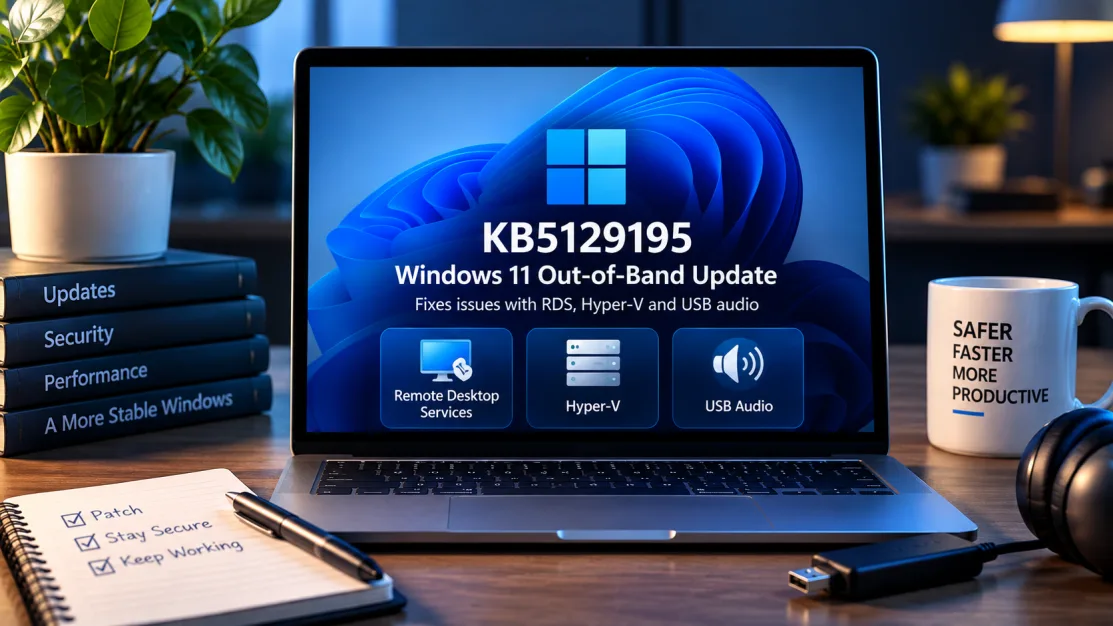
Microsoft has released an out-of-band Windows 11 update, KB5129195, to address several problems that appeared after the September 2026 security updates. The cumulative update applies to Windows 11 versions 24H2 and 25H2 and moves them to OS builds 26100.9457 and 26200.9457 respectively.
The update is particularly relevant to organisations relying on Remote Desktop Services, developers and administrators using Linux virtual machines under Hyper-V, and users of some USB Audio Class 1.0 hardware. However, installing it does not resolve every known September issue.
Key takeaways
- KB5129195 is an out-of-band cumulative update for Windows 11 24H2 and 25H2.
- It fixes Remote Desktop Services instability and RDP sign-in or connection failures linked to the September security update.
- It fixes a Hyper-V issue that prevented some Linux virtual machines from accessing host folders shared through Plan9.
- It fixes failures affecting 8-channel and 3D modes on some USB Audio Class 1.0 devices.
- Some USB Audio Class 1.0 devices can still show Code 10, produce no sound or have unusable volume controls.
- A separate known issue can affect the trust relationship between some Credential Guard-protected devices and on-premises Active Directory domains.
What is KB5129195?
Microsoft published KB5129195 on 14 September 2026 as an out-of-band release rather than waiting for the normal monthly update cycle. Microsoft describes it as cumulative, meaning it includes earlier updates alongside the additional fixes and security improvements in this release.
The update also includes protections documented for CVE-2026-62721, a Windows User-Mode Power Service elevation-of-privilege vulnerability.
For most ordinary Windows 11 users, the significance of the release is not the “out-of-band” label itself but whether their machine or organisation is affected by one of the problems it addresses.
Remote Desktop Services instability is fixed
One of the most important fixes concerns Remote Desktop Services. Microsoft says that after installation of the September 2026 Windows security update, RDS could become unstable in affected environments.
The symptoms could include failed RDP connections, sign-in failures and servers becoming unresponsive while Remote Desktop was being configured. Related Windows components could also stop responding, including Microsoft Management Console, RDS Licensing Diagnoser, File Explorer and the Windows Update page.
KB5129195 addresses that known issue. That makes the update particularly important for businesses and administrators whose Windows infrastructure depends on Remote Desktop access.
Hyper-V Linux folder sharing works again
The update also fixes a Hyper-V interoperability problem. Some applications using Host Compute Service-managed virtual machines could not properly share Windows host folders with Linux virtual machines through Plan9.
In affected setups, folders shared from the Windows host either failed to appear inside the Linux guest or could not be accessed.
For developers who depend on Windows-hosted Linux development environments or other HCS-managed virtualisation workflows, this is more than a cosmetic fix: broken host-folder sharing can interrupt builds, development workflows and access to project files.
Some USB audio problems are fixed — but not all
KB5129195 fixes one specific group of USB Audio Class 1.0 failures. Microsoft says some devices that worked normally in standard stereo mode failed when users selected multichannel features such as 8-channel or 3D audio.
Those multichannel failures are addressed by the out-of-band update.
Microsoft is explicit, however, that other USB Audio Class 1.0 symptoms remain unresolved. Some affected devices may still fail to start with a Code 10 error in Device Manager, produce no audio, leave volume controls stuck or unresponsive, or make Windows sound settings unavailable.
Microsoft says it is working on a resolution. Users whose problem is specifically “no sound” or Code 10 should therefore not assume KB5129195 will necessarily fix their device.
Another known issue affects some domain-joined PCs
Microsoft also documents a separate problem involving some domain-joined Windows devices protected by Credential Guard. After the September security updates or later releases, certain machine accounts may lose their secure channel with an on-premises Active Directory domain.
When that happens, users can be unable to sign in interactively with valid domain credentials and may see a message stating that the trust relationship between the device and domain failed. Previously cached credentials may still permit offline sign-in.
Microsoft says the behaviour is connected to Machine Identity Isolation settings and plans a future Windows update to address the issue while improvements are made to that feature. Enterprise administrators should review Microsoft’s current guidance rather than treating KB5129195 as a complete fix for every September regression.
Should you install KB5129195?
For Windows 11 24H2 and 25H2 systems, Microsoft makes the update available through Windows Update and Microsoft Update, Windows Update for Business, the Microsoft Update Catalog and Windows Server Update Services.
If your organisation has been experiencing RDS instability or the Hyper-V Plan9 folder-sharing problem, the update directly addresses those documented failures. Users affected by multichannel USB Audio Class 1.0 failures also have a specific reason to install it.
Because the release is cumulative and distributed through Microsoft's normal servicing channels, ordinary users should generally follow Windows Update rather than downloading update packages from unofficial websites.
Administrators should still test cumulative updates against critical applications and hardware where their deployment policies require staged validation. They should also review the known-issues section before assuming every symptom introduced in September has been corrected.
How to check whether KB5129195 is installed
On a Windows 11 PC, open Settings > Windows Update > Update history and look for KB5129195. Microsoft identifies the resulting builds as 26100.9457 for Windows 11 24H2 and 26200.9457 for Windows 11 25H2.
If the update is offered through Windows Update, allowing Windows to obtain it through the supported update channel is the simplest route for most users. Managed organisations should follow their Windows Update for Business or WSUS policies.
The important limitation
The main point for users troubleshooting a September Windows problem is that KB5129195 is a targeted corrective release, not a declaration that every known issue has disappeared.
Remote Desktop Services, Hyper-V Plan9 folder sharing and the documented multichannel USB-audio failure are fixed. Other USB Audio Class 1.0 problems and the domain trust issue remain documented known issues as of 20 September 2026.
That distinction matters when diagnosing a machine: first identify the exact symptom, then compare it with Microsoft's current release-health information instead of repeatedly reinstalling drivers or changing unrelated settings.
What to watch next
Microsoft says it is working on a resolution for the remaining USB Audio Class 1.0 issue and plans a future update for the Machine Identity Isolation-related domain problem. Windows users and IT administrators should therefore continue checking Microsoft's Windows release documentation for changes to those known-issue statuses.
Source: Microsoft Support documentation for KB5129195, checked 20 September 2026.