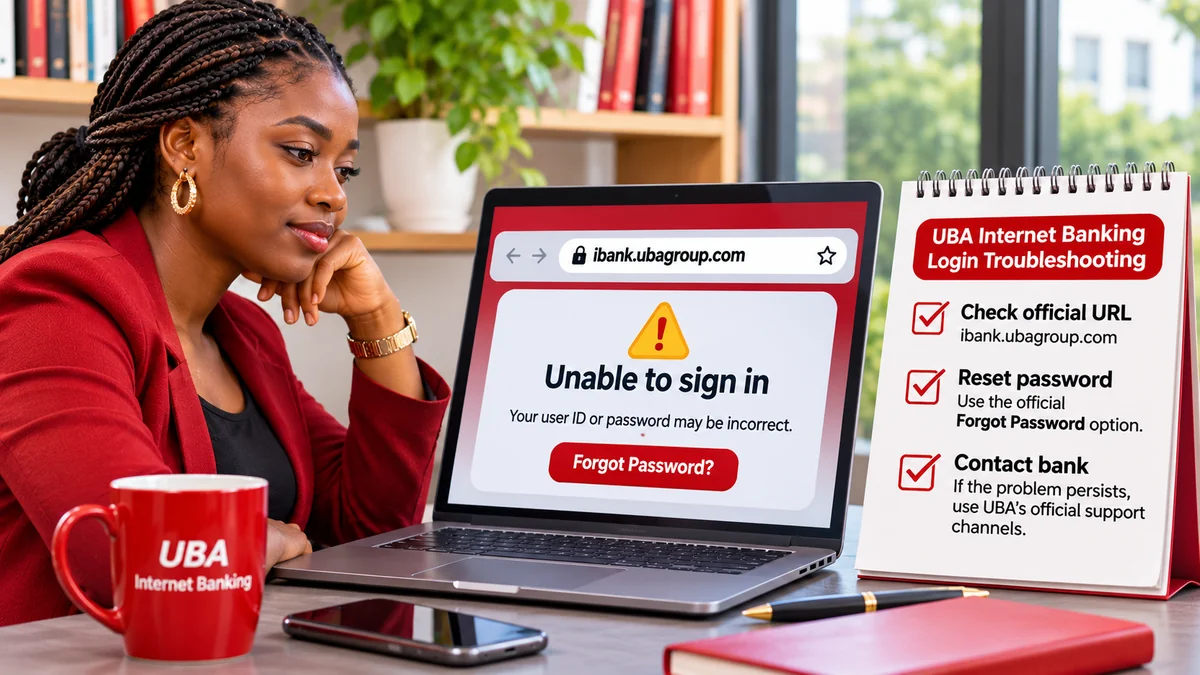
If your UBA Internet Banking login fails, stop repeated password guesses and first confirm that you are on the bank's official website. UBA Nigeria directs customers to https://ibank.ubagroup.com/ . If the User ID or password is incorrect, use the portal's built-in recovery options. UBA specifically says customers locked after three wrong password entries should select Forgot Password and follow the prompts. UBA's published Internet Banking FAQ confirms these directions.
There is no single fix for every failed login. The website may be unavailable, a user ID may have been forgotten, the wrong country or corporate format might be selected, an authentication notification may be missing, or the bank may need to review an account. This independent guide explains how to identify the problem, recover access safely and contact the real bank if the issue is urgent.
Reviewed on 8 November 2026. This article concerns UBA Nigeria's browser-based Internet Banking service, not another country's UBA portal or a third-party app. On-screen flows may change.
First, check which UBA login problem you have
The safest next action depends on what happens during sign-in:
| What happens | Possible issue | Next step |
|---|---|---|
| User ID or password rejected | Typing error, outdated password or wrong user ID | Stop guessing; use official recovery options |
| Access locked after incorrect attempts | Password security lockout | Select Forgot Password, as UBA advises |
| Forgotten user ID | Identifier no longer known | Use Forgot User ID with the bank's recovery process |
| Verification or token not arriving | Registered device, token or contact-detail issue | Check only expected prompts; ask UBA for help if unresolved |
| Page blank, slow or unavailable | Connection, browser or maintenance issue | Verify official URL; retry carefully, without repeatedly submitting |
| Corporate login rejected | Wrong corporate identifier or unauthorised profile | Use required Corp ID.User ID format; contact authorised administrator |
| Unexpected security prompts | Possibly suspicious sign-in or phishing attempt | Stop and contact UBA via independently verified channels |
A failure to authorise a transfer after you have logged in is a different problem. Check transaction status before retrying a payment, because an unclear response does not necessarily mean the transfer did not go through.
1. Make sure you are using UBA's official Internet Banking website
Open a browser and type ibank.ubagroup.com yourself, or navigate there from UBA Nigeria's official Internet Banking page . UBA links directly to this portal.
Check the exact hostname, not just the presence of “UBA” in a search snippet, a message, or an image of a bank logo. A website like ubagroup.com.example.net is controlled by example.net, not by UBA. A padlock icon and HTTPS encryption are useful but are not sufficient proof that the owner is legitimate.
UBA operates in multiple countries. Confirm the appropriate country if the official interface requests a selection. The live UBA portal also indicates that corporate users enter their identity in the Corp ID.User ID format. Do not assume a retail login and a corporate login work identically.
If the login page appears unfamiliar, do not enter credentials just to test whether it is real. Instead start afresh from UBA's main website. This step is particularly important when following links supplied through WhatsApp, SMS, advertisements or search results.
2. Check common User ID and password mistakes—but do not keep guessing
Before attempting another login, confirm that the User ID belongs to the account you intend to access and that your keyboard is not altering the password. Look for accidental spaces, Caps Lock, copied line breaks, different keyboard layouts or an old password stored in autofill.
UBA's official FAQ states that three wrong password attempts can lock a user out. If you have already made several attempts, stop rather than repeatedly submitting variations. The bank instructs affected users to select Forgot Password, enter their User ID and follow the on-screen recovery steps. UBA's Self Service page separately confirms the password-reset option on the Internet Banking landing page.
Do not give your password to a person claiming to unlock the account. Also avoid attempting a reset on a webpage reached through an unsolicited “security alert” link.
3. Reset your UBA Internet Banking password safely
- Go directly to UBA's verified login portal .
- Select Forgot Password on the login page.
- Enter your Internet Banking User ID when requested.
- Complete the identity verification and recovery prompts shown by the official bank-controlled process.
- Check your registered contact channels for expected bank communication and complete the reset promptly, if a time-limited step is provided.
- Return to the official login page and sign in with your new credentials once the bank confirms the reset.
UBA's public FAQ describes an email-based recovery sequence, but its current on-screen procedure must take precedence if authentication methods have been updated. The article does not recommend sending passwords, security answers or one-time codes to anyone by email, telephone or messaging app.
If you cannot complete the required identity check because your registered phone or email is no longer available, contact UBA through the support contacts published on its own website or visit a branch. Avoid creating a second Internet Banking profile simply to bypass a locked one without the bank's advice.
4. Recover a forgotten UBA Internet Banking User ID
UBA's Self Service instructions say to choose Forgot User ID on the Internet Banking landing page. UBA's Internet Banking FAQ states that this recovery flow uses the account number and sends the User ID to the email address registered with the bank, subject to the portal's current identity checks.
Start from the verified bank address, enter only the information requested by its legitimate recovery screen and check your registered email. If you do not recognise the email address or cannot receive messages, do not ask a social-media stranger to retrieve your User ID. Use UBA's official support or branch channel to address an outdated contact record.
UBA's login screen offers a “Remember User ID” convenience option. It also warns that a stored user ID may remain on the computer in use. Avoid saving it on public computers, shared office machines or cybercafé devices.
5. A security token, OTP or device approval is missing
A correct login ID and password may not be enough to complete certain banking operations. UBA describes additional authentication methods including its Secure Pass token system, and the login interface can request action through an enrolled device.
When an expected approval does not arrive, check whether your device has a connection and whether you are responding to a request you personally initiated. Do not approve unexpected prompts, forward OTPs or read codes to someone who calls claiming to represent the bank.
UBA's FAQ says customers who cannot use a hard token may be able to use a soft token for eligible transactions. That does not mean every customer is automatically enrolled for the alternative method. If you have changed phones, lost a token or no longer control the registered contact details, ask UBA how to re-establish secure access.
Warning: if a request for authorisation appears without any login or transaction initiated by you, treat it as a possible security incident and contact the bank independently.
6. If the UBA Internet Banking page is not opening
UBA says its Internet Banking service is intended to be accessible 24 hours a day, seven days a week, apart from scheduled maintenance. A page failing to open is not automatically proof of a nationwide outage or a compromised account.
Try these checks without sharing credentials:
- Confirm the official address through ubagroup.com .
- Test whether other trusted websites load on your current internet connection.
- Try a current browser on a trusted device and check whether restrictive extensions are interfering.
- If necessary, use a private browsing window. Clear only the relevant site's data if you understand that doing so may sign you out or remove remembered preferences.
- Wait before retrying if the page is responding slowly or a login request is still processing.
- If the problem continues across devices and networks, check UBA's official help channels for guidance.
Do not install a browser extension, remote-access application or “UBA login repair” tool offered by an unknown account. Avoid entering banking credentials on somebody else's device simply to determine whether the service is working.
7. Corporate UBA Internet Banking failures need a different check
UBA's official portal indicates that corporate users may need to enter Corp ID.User ID. Corporate banking can also involve user permissions, approval queues, signatory rules and Secure Pass requirements. A person who previously approved a transaction may lose access if an organisation changes authorisations or the registered security device.
First ensure that the correct organisation and User ID are being used. Then contact the company's designated Internet Banking administrator or authorised relationship manager. UBA's published enrolment guidance directs corporate users through their relationship managers or business offices. Do not borrow a colleague's credentials or share an authorised approver's token to get around a login issue.
8. Logged in successfully, but a transfer failed? Do not treat it as a login error
A transaction-limit message, failed token approval or transfer with an unclear outcome requires its own diagnosis. UBA notes that Internet Banking transaction limits depend on the customer's authentication method and account authorisations. Its published FAQ advises customers receiving a “transaction limit exceeded” message to confirm the applicable limit and seek a properly authorised change where appropriate.
If you selected Submit for a transfer and the browser froze, do not immediately send the same amount again. First review your account balance and transaction history, check any transaction reference or notification, and contact UBA if the outcome remains uncertain. Repeating the payment before confirming its status could create a second transaction.
9. What to do if you think a fake UBA website stole your login details
UBA's Security Centre warns about phishing messages that impersonate financial institutions and ask customers to disclose confidential data through links or unexpected forms. A convincing logo, professional design or the words “secure verification” do not prove that a login page belongs to the bank.
If you entered banking details on a suspicious page:
- Stop interacting with the page. Do not provide more information or install anything it offers.
- Contact UBA immediately through its official fraud or customer-service channels, independently typed into your browser or obtained from a trusted bank document.
- Ask about temporarily securing Internet Banking access and any affected account or card. Follow the bank's instructions for resetting credentials.
- Secure your linked email and phone accounts if they may also have been compromised.
- Review account activity and report unrecognised transactions promptly.
- Preserve the suspicious link, message and relevant transaction references as evidence, without publicly posting your credentials.
UBA's Nigeria Help page lists its Customer Fulfilment Centre on 02-012807000, 02-012808822 and 07002255822 (0700-CALL-UBA), and its Fraud Help Desk on 02-012808800. It also lists cfc@ubagroup.com for enquiries. Check the latest contact details directly on UBA's official website before making a call.
If you have reason to believe an account is at immediate risk, UBA also publishes account-freezing and card-blocking self-service options. Follow its currently displayed official instructions rather than codes circulating in screenshots or forwarded messages. Its security guidance discourages using ordinary email for sensitive account-specific information because email may not be encrypted.
For additional Nigerian banking fraud context, see FlyingEze's coverage of warnings about fake emails and links targeting bank accounts .
10. How to explain the issue when contacting UBA support
A concise description can help the bank route an account-access request. Note the exact error message, approximately when the problem began, whether the official site loads, whether the issue concerns a personal or corporate profile, and what recovery option you already attempted.
For example: “I cannot sign into UBA Internet Banking using my registered User ID. The page displays [exact error]. I have stopped further attempts and tried the official Forgot Password option. Please advise the secure process to restore access.”
Share identifying details only through an authenticated bank support channel when legitimately required. Do not send your password, transaction PIN, OTP, full card details or security-question answers in an unsolicited email or chat. UBA can explain the identity-verification process without needing you to disclose secret credentials to a stranger.
Frequently asked questions
Why does my UBA Internet Banking password keep failing?
Possible causes include an incorrect password, outdated saved credentials, typing issues or a lockout. UBA says three incorrect password entries can lock access; use the official Forgot Password feature instead of guessing repeatedly.
How do I unlock my UBA Internet Banking account after three wrong attempts?
UBA's official FAQ directs customers to select Forgot Password, enter their User ID and follow the prompts. If secure recovery cannot be completed, use the bank's verified support service.
How can I recover my UBA User ID?
Select Forgot User ID on ibank.ubagroup.com . UBA's FAQ describes retrieval via the account number and registered email, with current identity verification controlled by the official portal.
Does UBA Internet Banking work at night and on weekends?
UBA advertises round-the-clock access except for scheduled maintenance. Temporary connectivity or service problems can still occur.
Can I use a soft token if my hard token is unavailable?
UBA's FAQ says both hard and soft tokens can be used for eligible transactions. Check that you have an approved, active alternative; ask UBA to assist if you do not.
Should I try another UBA login link if the official website fails?
No. Do not move to an unverified “mirror” or “temporary login” website. Reopen the official UBA website and use its current Internet Banking link, or seek bank support.
Can I call UBA to fix a failed Internet Banking login?
Yes. Use a customer-service or fraud number published on UBA's official Help page , especially if the profile may be compromised or the recovery process cannot be completed.
Conclusion: the safest way back into your account
When UBA Internet Banking login fails, start with the official website, verify the correct User ID and account type, and avoid repeated password attempts. The bank's own recovery tools—Forgot Password and Forgot User ID—are the appropriate next steps for many ordinary access problems. Missing authentication devices, outdated contact information and corporate-permission issues may require UBA's direct assistance.
Most importantly, never let a login error push you into entering sensitive information on an unfamiliar page or giving an OTP to someone promising instant access. Use the official UBA portal and verified support channels to resolve the issue safely.
Editorial verification: 8 November 2026. This independently produced educational guide is not affiliated with United Bank for Africa. Bank procedures, contact details and login screens can change; confirm them on UBA's official website.