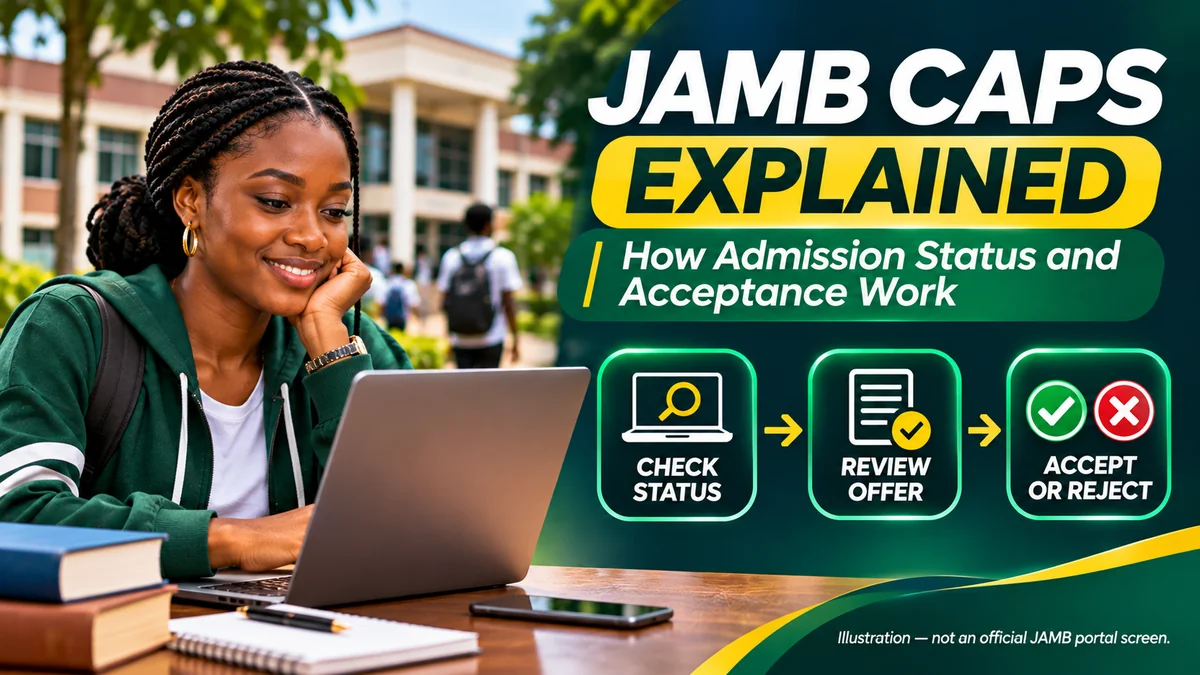
JAMB CAPS is the official system Nigerian tertiary institutions use to process admission recommendations and allow candidates to check, accept or reject offers. A candidate's school may announce a provisional selection, but the admission is not fully documented through JAMB until the required CAPS processing is completed and the candidate can obtain an official JAMB admission letter.
CAPS stands for Central Admissions Processing System, a platform developed by the Joint Admissions and Matriculation Board (JAMB). It helps coordinate admission decisions involving universities, polytechnics, colleges of education and other participating tertiary institutions. It also allows candidates to see whether their admission is still being considered, whether an offer has been approved and whether a different course has been proposed.
This guide explains how JAMB CAPS works, what each admission status means, how to accept or reject an offer, why O'Level results matter and what to do when a school says you have admission but CAPS does not. Instructions are based primarily on JAMB's official CAPS information , its candidate support guidance , the JAMB FAQs and official admission-letter printing instructions. Research checked: 12 November 2026.
What is JAMB CAPS and why does it matter?
Before CAPS, the admission process could be harder to track and verify across institutions. JAMB says the system was introduced to automate processing, make admission information available to candidates, reduce multiple admissions and preserve institutions' roles in selecting students while keeping a central record.
JAMB does not simply choose a school and course for every applicant. A participating institution considers candidates against its approved admission requirements and recommends eligible people. JAMB reviews the recommendation through its admissions process, after which the candidate is given the opportunity to respond to an approved offer.
CAPS matters beyond receiving a congratulatory message. JAMB has warned that an admission offered outside the recognised process, without an official JAMB admission letter, is not recognised as a valid JAMB admission. That can create problems with records, matriculation and subsequent documentation.
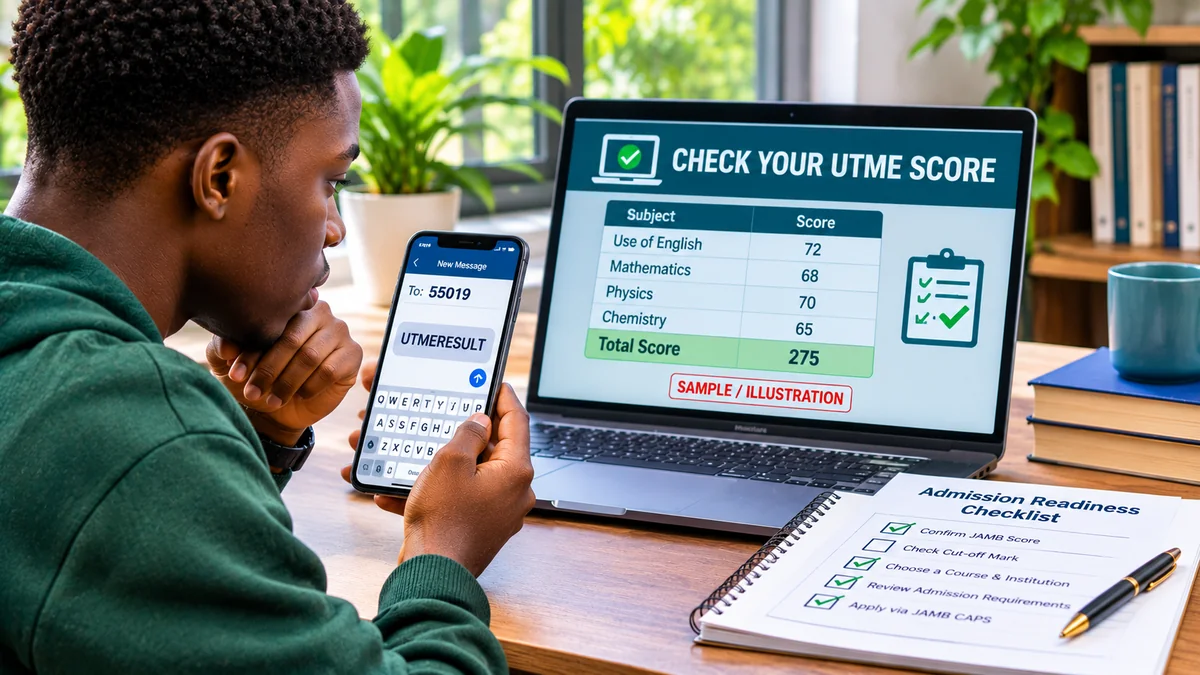
It is also distinct from checking a UTME examination score. Your result shows what you scored; CAPS shows how the admission decision is progressing. A high examination score does not by itself prove that your chosen institution has admitted you. For help with examination results, see FlyingEze's 2026 UTME result-checking guide .
How the admission process works from the school to the candidate
In simplified terms, a typical CAPS admission passes through a sequence of decisions:
- Application and eligibility: The candidate applies through the appropriate JAMB and institutional processes, meeting relevant programme, examination and O'Level requirements.
- Institutional review: An admission officer or authorised school unit considers the candidate for an available programme.
- Recommendation: The institution formally recommends a candidate through CAPS, subject to its approval structure and available admission quota.
- JAMB review: JAMB's relevant admissions officers assess the recommendation against applicable admission rules and records.
- Candidate decision: When an admission offer is approved and presented, the candidate accepts or rejects it through the authorised JAMB process.
- Documentation and clearance: The successful candidate can obtain the official JAMB admission letter and complete the school's separate registration and clearance requirements.
Individual programmes, Direct Entry and non-regular admission routes can have different additional procedures. The central point is that a school's announcement and the JAMB system should agree before you treat the admission as fully confirmed.
How to check admission status on JAMB CAPS
Start from the official portal, not a link forwarded by an unfamiliar social-media account.
- Open https://efacility.jamb.gov.ng/ or follow the E-Facility link on www.jamb.gov.ng .
- Sign in with the credentials associated with your JAMB profile. Do not enter them on imitation websites.
- Find the service labelled Check Admission Status or the option providing access to CAPS. Choose the appropriate examination or admission year if prompted.
- Open the candidate CAPS dashboard and select the Admission Status area. Read the school, course and current decision carefully.
- Check the My O'Level and, when relevant, Transfer Approval areas for missing information or a course-change proposal.
- If an offer is approved, follow the current authorised acceptance procedure. Confirm the status afterwards and keep an appropriate record.
JAMB's support FAQ notes that the CAPS navigation can be easier to view after switching a mobile browser to Desktop Site. Menu names or screen layout may change. Do not assume that a missing mobile button means you have lost admission.
It is normal for an application to remain under consideration for a period while institutions process admissions in stages. However, once a response is requested, act within the deadline attached to your offer.
JAMB CAPS admission statuses explained
| Status on CAPS | Meaning | Suggested next step |
|---|---|---|
| Not Admitted | CAPS does not currently show an approved admission for you | Check whether the cycle is still active, verify O'Level upload and follow the institution's official notices |
| Recommended | The institution has recommended you for admission; JAMB approval is not necessarily final | Monitor CAPS and ensure your records are correct |
| Admission in Progress (AIP) | An admission recommendation is undergoing processing or final review | Monitor the status; do not claim final admission yet |
| Admitted / Admission Offered | An admission offer has been approved and is available for the candidate's response | Check the institution and programme, then accept or reject using the authorised method |
| Accepted | The candidate's acceptance has been recorded | Confirm details and proceed with the official admission-letter and school-clearance steps |
| Rejected | The candidate declined the particular offer | Check available future options through official channels; no replacement admission is guaranteed |
| Transfer Approval pending | The school is proposing a move to a different course | Read the proposed course and decide whether to approve the transfer before continuing admission processing |
These are explanatory labels; the exact words and intermediate statuses can vary. In particular, “Not Admitted” does not always mean permanent rejection if an institution's processing is still ongoing. Conversely, when a cycle has closed or your eligibility is not met, simply refreshing the portal will not create an offer.
How to accept or reject admission on JAMB CAPS
First, make sure you are viewing an actual approved offer, not merely a school shortlist or a recommendation still in progress. Check the institution's name, course and admission session. Acceptance is a significant decision and may affect consideration for other offers.
JAMB's official support guidance describes checking an approved offer through the CAPS admission-status screen and responding with Accept Admission or Reject Admission where those controls are made available.
For candidate identity protection, JAMB has also published a secure acceptance/rejection procedure using the candidate's registered telephone line: send ACCEPT or REJECT to 55019 or 66019, following the Board's applicable instructions. An alternative is fingerprint verification at an accredited CBT centre or JAMB office. These methods were described in JAMB's 2024 policy notices to prevent unauthorised acceptance or rejection by third parties.
Which method should you use? Follow the current instructions on your official CAPS dashboard and the latest JAMB guidance for your admission cycle. A browser may permit viewing the offer while requiring registered-phone or biometric confirmation for the actual response. Do not send your registration number, password, NIN, OTP or other sensitive details to a stranger who claims they can accept admission for you.
Should you accept or reject an offer?
Accept when the approved institution and course are genuinely ones you intend to study, you understand the requirements and you are ready to proceed with the admission. Once your acceptance has been recorded, changing to a different institution or course can require formal action; it should not be treated as a reversible trial click.
Reject only after careful consideration, for example if the offered programme is unsuitable and you intend to pursue other legitimate admission possibilities. Rejecting does not guarantee that another institution will admit you, that your first-choice school will later provide a place or that you can recover a declined offer automatically.
JAMB has warned that unaccepted offers can be withdrawn. Its official support FAQ describes a grace period, commonly around three to four weeks, but different admission exercises and special clearance announcements may have their own dates. Use the deadline shown for your particular offer or communicated by JAMB and your institution; do not assume a fixed date applies nationwide.
FlyingEze previously reported a special deadline extension affecting older admission offers . That historical announcement should not be confused with the normal acceptance period for a newly approved 2026/2027 offer.
What does Transfer Approval mean on JAMB CAPS?
A Transfer Approval notice means your institution is considering you for a different academic programme from the one originally chosen. For example, a candidate who applied for a competitive health-science course might be considered for another programme if they qualify and the institution has places available.
JAMB's CAPS process protects the candidate's right to consider the change. You should check the proposed institution and course in the Transfer Approval section, then approve or reject it through the authorised procedure. Approving a proposed course transfer is not identical to accepting final admission; the revised programme must still pass the applicable CAPS processing.
If a transfer is approved, you may need to carry out the corresponding Change of Course process before your admission letter reflects the correct programme. Follow the portal and institution's authorised directions and confirm whether a separate service charge applies before paying.
Do not approve a course merely because you fear the screen will disappear. Consider your career interests, the course's accreditation, the institution's requirements and whether you genuinely want the programme. Equally, ignoring a transfer alert can prevent the school from completing a proposed move.
JAMB CAPS Marketplace: is it another admission offer?
JAMB says the CAPS Marketplace allows institutions to identify potentially eligible applicants from the available candidate pool based on criteria such as scores and programme choices. It is an additional admission opportunity, not a guarantee of a place.
When a Marketplace opportunity appears, verify it in CAPS and read the institution and programme details. A candidate may need to indicate interest and formally change their institution or programme in the JAMB system before that institution can continue the admission process.
Do not confuse being considered or selected in the Marketplace with receiving final JAMB-approved admission. Follow the stages until the official admission offer and acceptance are recorded. Treat unsolicited messages demanding payment to “activate Marketplace admission” with suspicion.
Why O'Level result upload is essential
JAMB's official FAQ states that candidates awaiting results must upload their released O'Level results to the Board's platform and that institutions' recommendations will not be considered when the required results are absent.
This includes relevant WAEC, NECO or other accepted examination records, depending on the programme's requirements. The upload must show correct subjects and grades. A result that exists on an examination body's website is not necessarily the same thing as a result successfully recorded and verified in CAPS.
To check, sign in to e-Facility , open CAPS and inspect My O'Level. If your result is missing, incomplete or incorrect, seek help from a JAMB-accredited CBT centre or JAMB office following current official instructions. Keep any acknowledgement and recheck your profile afterwards.
Do not repeatedly pay agents to “refresh CAPS” without confirming the issue. If the result is uploaded but admission remains pending, the next question may be whether your institution has actually recommended you and whether JAMB has approved it.
My school says I am admitted, but CAPS says Not Admitted: what now?
A school's portal, departmental notice or provisional admission list can become available before all the corresponding CAPS processing is complete. However, it is risky to treat that message as a final JAMB-recognised admission when no matching offer exists.
JAMB's support knowledge base recommends checking O'Level upload, confirming the institution has submitted a recommendation and reviewing any pending transfer proposal. If all your records are correct, contact the school's official admissions office with your JAMB registration details and ask whether your recommendation has been transmitted through CAPS.
Where the school offers a different course, verify the proposed change in CAPS rather than relying solely on the school's portal. If the advertised admission is outside the official JAMB process, request clarification before paying non-refundable fees.
JAMB's 2026 guidance is explicit that institutions' admission records must be processed through JAMB, with an official admission letter available through e-Facility. A school-specific acceptance letter and a JAMB admission letter serve different purposes.
How to print your official JAMB admission letter
After an admission is formally approved and accepted, candidates may need their JAMB admission letter for institutional clearance, record verification and future documentation.
- Go to JAMB e-Facility and sign in to your own profile.
- Choose the service marked Print Admission Letter.
- Read the current service instructions, amount and approved payment method before making payment.
- Keep the payment transaction reference and confirm that the payment succeeded.
- Where prompted, provide the relevant examination year and JAMB registration number.
- Download or print the resulting official admission letter, then check that your name, institution and programme are correct.
JAMB publishes admission-letter printing instructions describing the profile login, payment transaction and document printing steps. The service can have a fee, so avoid inventing a fixed price or paying an unofficial intermediary based on an old screenshot. Checking an admission status and purchasing an official admission-letter printout are different services.
Keep the JAMB letter and your institution's separately issued admission or clearance documents. A letter carrying an incorrect course or identity detail should be investigated with the institution and JAMB before it is used for other official purposes.
What to do after accepting admission
Acceptance on CAPS is an important milestone, but it does not replace all your school's requirements. Obtain the official admission letter, check your institution's student portal, confirm its authentic clearance and registration timetable, and keep original records available.
Depending on the institution and programme, you may need to complete verification of O'Level results, submit documents, undergo physical clearance, provide medical records, pay approved school charges or register courses. The institution—not a third-party WhatsApp administrator—should provide its official payment instructions.
If you will need financial assistance after admission, FlyingEze's NELFUND application documentation guide offers related information on why accurate student records matter. A JAMB admission alone does not establish eligibility for any particular loan programme.
Common JAMB CAPS problems and what to check
| Problem | Possible explanation | Practical response |
|---|---|---|
| CAPS shows only Not Admitted | No approved offer yet, incomplete O'Level record or unprocessed institutional recommendation | Confirm results, watch official school notices, contact admissions office when appropriate |
| Admission in Progress for an extended period | Recommendation or JAMB desk review is still pending | Monitor; ask the institution whether its processing is complete |
| Admission offer but no clear acceptance button | Mobile layout or additional secure authentication is required | Try official desktop view and follow registered-phone or biometric instructions |
| Proposed course does not match original choice | A programme transfer has been suggested | Examine Transfer Approval; decide before proceeding |
| O'Level results are missing | Upload or verification incomplete | Use an accredited CBT centre or JAMB office to resolve it |
| Cannot log in or forgotten password | Account-credential or recovery issue | Use the official e-Facility recovery process or JAMB support |
| Someone else accepted an offer for you | Possible unauthorised access or fraudulent handling | Raise a JAMB support case immediately and secure your credentials |
| School's admission letter disagrees with CAPS | Processing, transfer or data mismatch | Contact the school's official admissions office and JAMB |
JAMB provides a support ticket system for complaints and account-related queries. Save the ticket number and relevant documentation. Do not send your password to someone promising to fix your profile on social media.
How to avoid fake JAMB CAPS portals and admission scams
Scammers may advertise “instant CAPS admission”, paid admission upgrades, guaranteed admission slots or access to a special portal unavailable to other candidates. A fake website can also copy JAMB's logo and request login credentials or card details.
- Enter jamb.gov.ng or efacility.jamb.gov.ng yourself rather than relying on random forwarded links.
- Keep control of your registered telephone number and the email connected to your JAMB profile.
- Never disclose your password, one-time code, card PIN or security answers to an alleged admission agent.
- Do not allow an unauthorised person to accept or reject an offer on your behalf.
- Check that any CBT centre is included on JAMB's official accredited-centre list.
- Report suspicious instructions through JAMB's official support system.
JAMB's published security measures for admission acceptance were introduced in response to cases where third parties handled admissions without candidates' consent. That is why verification through the registered phone number or accredited biometric channels is important.
Practical checklist for every admission candidate
- Confirm that your JAMB registration year, profile and contact details are correct.
- Check that the required O'Level grades are uploaded and displayed in CAPS.
- Monitor official school admission information and your CAPS status.
- Review any pending Transfer Approval or Marketplace proposal.
- When an official offer is available, verify the institution and course before accepting or rejecting.
- Use the current JAMB-authorised response method and respect the deadline for your offer.
- Confirm that your response is recorded and obtain the official JAMB admission letter when eligible.
- Complete school-specific clearance and payment only through verified institutional channels.
- Keep copies of your admission letter, result records, receipts and support tickets.
Frequently asked questions
What does JAMB CAPS stand for?
CAPS means Central Admissions Processing System. It is JAMB's platform for processing and documenting tertiary institution admission recommendations and candidate responses.
What is the official JAMB CAPS portal?
Use the JAMB e-Facility portal , accessed directly or through JAMB's official website . Sign in to your candidate profile and look for admission-status or CAPS services.
Does Not Admitted mean I have been rejected?
Not necessarily. It means no approved admission is currently displayed. Admission processing may still be underway, but an offer is not guaranteed. Verify your documents and the institution's status.
What does Admission in Progress mean?
It indicates that the admission recommendation is being processed or reviewed. It is not the same as having accepted a final offer.
Can I accept JAMB admission through SMS?
JAMB has published a method using the candidate's registered line to send ACCEPT or REJECT to 55019 or 66019. Follow the latest JAMB instructions applicable to your admission, as secure biometric confirmation or other official steps may also be required.
Can an agent accept my admission for me?
You should control your own acceptance. JAMB introduced registered-phone and biometric procedures to prevent unauthorised people from accepting or rejecting candidates' offers.
What happens if I do not accept my admission?
The offer can expire or be withdrawn after the applicable response period. Check the deadline for your individual offer and act promptly. Do not assume a historical extension applies to every new candidate.
What is the difference between Transfer Approval and Accept Admission?
Transfer Approval concerns consent to consider a different programme. Accept Admission records your decision on a final approved admission offer. A proposed transfer is not, by itself, proof that admission has been completed.
Can I print a JAMB admission letter before accepting?
Normally, the official admission-letter service becomes relevant after the admission has been approved and accepted. If the letter is unavailable, check the CAPS record and contact JAMB or the institution for clarification.
Does JAMB CAPS require uploaded WAEC or NECO results?
Yes. JAMB states that candidates awaiting O'Level results must upload them once available for institutions' recommendations to be considered. Check that the relevant grades appear correctly in CAPS.
Can I reject an offer and still get another one?
You may remain eligible for other opportunities depending on the admission rules and availability of places, but rejecting an offer does not guarantee a replacement. Consider the decision carefully.
What should I do if CAPS and my school portal show different courses?
Check Transfer Approval and contact the school's verified admissions unit. Do not pay unofficial agents to change records, and confirm the correct programme before printing a final admission letter.
Conclusion: use CAPS as your official admission checkpoint
JAMB CAPS helps candidates follow the stages between a school's admission consideration and a formally recorded JAMB-approved offer. Understanding the difference between Not Admitted, Recommended, Admission in Progress, Transfer Approval and Accepted can prevent costly misunderstandings.
The safest approach is to check your status through the official e-Facility portal, keep O'Level results updated, review every offer carefully, respond through authorised channels and confirm that your official JAMB admission letter matches your school records.
For the latest procedural changes, rely on JAMB's CAPS information , official support FAQs and admission-letter instructions , rather than a purported admission shortcut.