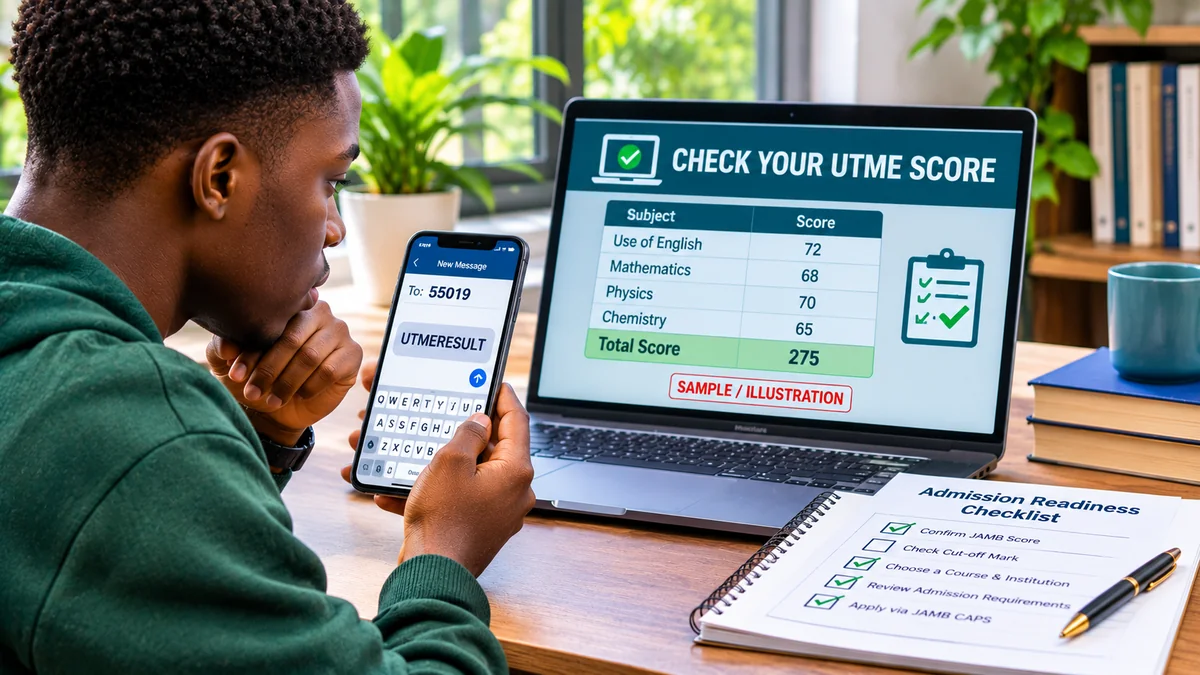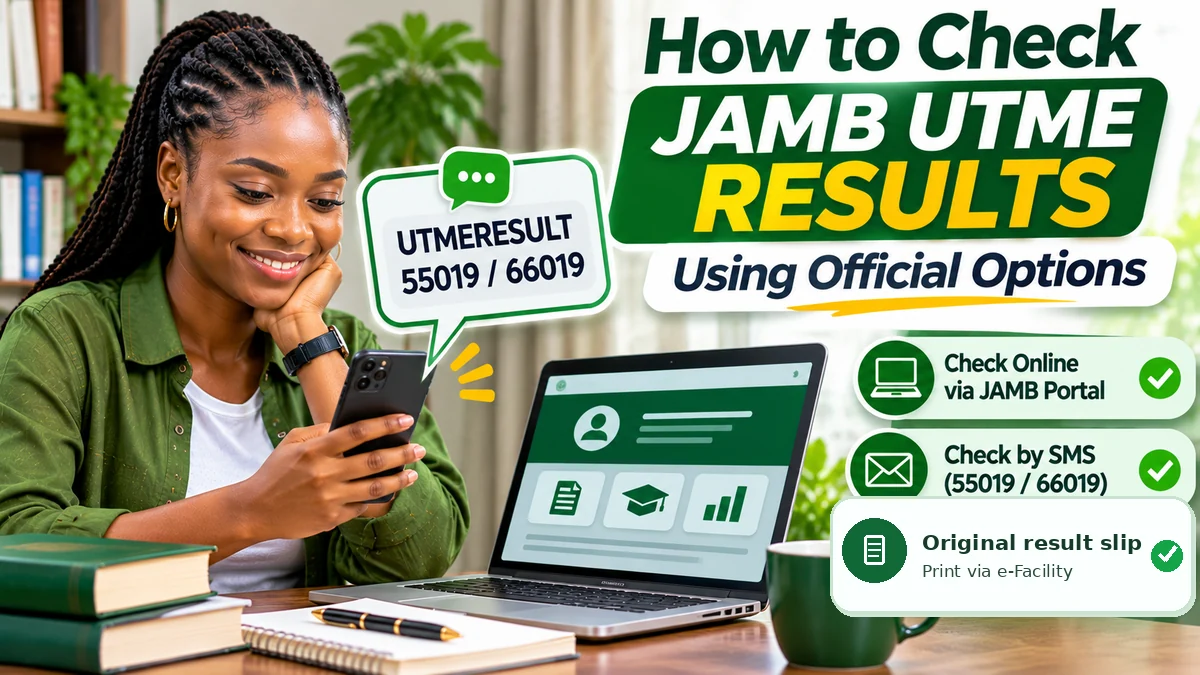
To check your JAMB UTME result, send UTMERESULT as an SMS to 55019 or 66019 from the phone number you used during registration. JAMB's official support guidance says to have at least ₦50 of regular airtime available. When your result has been released and the request succeeds, the reply should display your subject scores and total. You can also use JAMB's official e-Facility for the result-related services available to your profile, including printing the original result slip when activated.
Searching for result checker JAMB can lead to a mixture of genuine information, old instructions and imitation websites. The safe approach is to separate viewing a released UTME score from obtaining the official result slip required for some admission processes. The first can be done by SMS; the second is an e-Facility service that may require payment and has its own availability schedule.
This guide explains the official steps, the difference between SMS results and original result slips, how to handle a missing or withheld result and what to do if you have lost your registered SIM. Research checked on 12 November 2026. Interface labels, service fees and examination-year availability may change; follow JAMB's live instructions for the relevant examination year.
Official JAMB UTME result-checking options compared
| What you need | Official channel | What to expect |
|---|---|---|
| View a released UTME score | SMS UTMERESULT to 55019 or 66019 | Subject breakdown and total, using the number registered with JAMB |
| Access your candidate services | efacility.jamb.gov.ng | Account-linked results, admission and payment services, depending on the active cycle |
| Obtain the original result slip | e-Facility → Print Result Slip, when available | Official document with candidate details, photograph and security features; payment may apply |
| Report an unavailable result or account issue | support.jamb.gov.ng | JAMB support-ticket investigation and tracking |
| Verify which portal is genuine | jamb.gov.ng | Official links and notices from the examination body |
The most reliable first step for a simple score check is the SMS instruction published by JAMB itself. Do not assume that a site promising to show your result “instantly and free” is an authorised JAMB portal simply because it uses the board's name or logo.
How to check JAMB UTME results by SMS
JAMB's official result-checking FAQ gives a specific keyword and two authorised short codes. The process works on basic phones and smartphones; an internet connection is not required to send the SMS.
- Use your registered SIM. Insert or select the same phone line associated with your JAMB profile and UTME registration.
- Check your airtime. Ensure the line has at least ₦50 of regular airtime, not just an internet-data bundle or promotional balance.
- Open your text-message app. Start a new ordinary SMS; do not use WhatsApp or a direct message to someone claiming to be JAMB.
- Type the exact message:
UTMERESULT(one word, without spaces or quotation marks). - Send it to one official short code:
55019or66019. - Read the network response. If the result is available and the request is processed, JAMB will return the subject scores and total.
- Keep the reply. Save the message for your records, but understand that it is not the same as an original result slip.
Example: Message body: UTMERESULT. Recipient: 55019. The identical keyword can be sent to 66019 if appropriate. Both are official JAMB short codes; there is no need to send repeated messages to both at once.
Avoid repeatedly sending the request because the service may deduct airtime even if you are frustrated by a delay. Check signal quality, airtime and whether you are using the correct registered SIM before retrying.
How much does checking a JAMB result cost?
JAMB's official FAQ tells candidates to keep at least ₦50 airtime on their registered line when using UTMERESULT. That is a charge associated with using the SMS route, not a fee you should transfer to a private account or pay to someone who offers to “activate” your score.
Printing the original UTME result slip is a different service and may require payment through JAMB's authorised e-Facility process. Published JAMB pages are not entirely consistent on the historical amount: an older JAMB candidate-services page displays ₦1,500 for result-slip printing, while a separate JAMB payment-and-services table lists ₦1,000 plus a CBT service charge. Reporting about the 2026 printing service cited ₦1,500.
Because candidates may also encounter payment-processing or business-centre service charges, this guide does not represent one older figure as the guaranteed amount payable today. The correct procedure is to check the exact amount and payee on your authenticated JAMB checkout before authorising payment, and keep the resulting receipt.
How to use the JAMB e-Facility portal for result services
JAMB's official e-Facility information page explains that candidate accounts provide access to applicable examination results, admission services, payments and profile functions. The exact buttons vary with the examination cycle and the services enabled for the candidate.
- Open JAMB's main website and follow its e-Facility link, or type https://efacility.jamb.gov.ng/ directly into the browser.
- Sign in with the email address and password registered to your own candidate profile.
- Look for the result-related options currently available to your examination year. If a viewing feature is shown, follow that feature's instructions.
- If you need a printable original slip, select the separate Print Result Slip service, where it is active.
- Confirm that the examination year and registration number belong to you, and pay only through the official transaction flow where required.
- After the service completes, save the document securely and check that the personal details and examination information are correct.
Do not assume that a free result-viewing button must be available to every candidate at all times. For 2026, JAMB initially instructed candidates to check released scores through SMS while the original-slip printing service was not yet enabled. The board activates or changes services according to its examination and admission timetable.
When were the 2026 UTME results and original slips available?
The distinction between viewing and printing was especially clear during the 2026 examination cycle:
| Date | What happened | What candidates could do |
|---|---|---|
| 17 April 2026 | JAMB announced the first release of results for the 2026 UTME | Check released scores by sending UTMERESULT to 55019 or 66019 using the registered phone number |
| 19 May 2026 | JAMB said printing of 2026 original slips had not yet been activated | Wait for official activation rather than paying unofficial websites |
| 17 June 2026 | JAMB announced the opening of the 2026 original-result-slip printing service | Use the official e-Facility printing service when required for admission screening |
The opening of the 2026 original-slip service on 17 June 2026 was confirmed in contemporaneous reporting of JAMB's announcement by The Punch and Premium Times . This date belongs to the 2026 examination cycle; it is not a timetable promise for 2027 or a later year.
FlyingEze also reported on checking the first released 2026 UTME results . This guide expands on that time-specific report by addressing the ongoing official channels, original-slip requirements, security and common problems.
What is the difference between an SMS result and the original JAMB result slip?
The SMS reply is an official way to learn your UTME subject scores and total when they have been released. It is particularly convenient if you only need to check performance or have no reliable internet access.
By contrast, the original result slip is JAMB's formal printable document, which includes candidate identity information and security features. In June 2026, JAMB explained that the original slip also contains a candidate photograph and national-ranking information important to certain admission-screening processes. This is why an SMS screenshot should not be treated as a substitute when an institution requests the original slip.
Keep the formal result slip private and avoid altering it. A candidate should never use image-editing software to change a score, name, photograph, ranking or document security feature. JAMB warned during the 2026 results release that fabricated or AI-altered results were a serious issue.
How to read your JAMB UTME score
The UTME normally reports four subject scores. Each subject carries a maximum of 100 marks, producing a possible combined total of 400. Your English Language score and the other three subject scores should add up to the displayed total. For example, a hypothetical result of 65, 70, 58 and 72 produces a total of 265; these are illustrative figures, not a real student's record.
A result score does not automatically mean that a student has been offered admission. JAMB's admission system and institutions consider applicable eligibility rules, programme requirements, the candidate's O-level or other qualifications and the admissions process. A score that may make one programme possible is not a universal guarantee of placement in every institution.
When reading any results dashboard, confirm that the displayed examination year and candidate information are yours. If the scores or record appear inconsistent with your registration, use JAMB's official support system instead of forwarding private information to a supposed result agent.
Why your JAMB result may not show yet
Several circumstances can affect what appears after a result check. An unavailable response does not by itself prove examination misconduct, and it also does not establish that a third party can “release” a score for money.
| What you notice | Possible explanation | Safer next step |
|---|---|---|
| No response to your SMS | Wrong SIM, insufficient regular airtime, SMS-delivery delay or temporary service problem | Check line, airtime and format; avoid rapid repeated messages |
| Result not yet available | Result release for the candidate or examination session may not be complete | Follow official JAMB announcements and check later |
| Result withheld or under review | JAMB may be investigating a centre or an individual examination record | Monitor JAMB notices and use official ticketing for an unresolved case |
| e-Facility login fails | Incorrect email or password, account-access problem or temporary system issue | Use official recovery or support rather than giving an agent your credentials |
| Print Result Slip not available | The service may not yet be enabled for that exam year or candidate profile | Verify activation and use the service when officially available |
| A webpage promises instant hidden results | The site may be unauthorised or fraudulent | Do not enter passwords, OTPs or payment details |
JAMB withheld some 2026 results pending investigations and later released additional scores after review. Reporting on 21 May 2026 said 279 previously withheld results were released after investigation, while other cases remained under consideration or had been cancelled. FlyingEze's coverage of withheld 2026 UTME results provides further context for why a missing score should not be equated with a network error or an instant disqualification.
What if you no longer have the SIM used for JAMB registration?
JAMB's SMS result-checking instructions require the phone number associated with the candidate's registration. Sending UTMERESULT from a friend's unrelated number is not a reliable substitute. If your own SIM is lost, do not let someone generate a second identity or JAMB profile on your behalf.
JAMB has documented a formal Profiled Email process for candidates who have lost access to the registered SIM. Its official procedure directs affected candidates to an accredited CBT centre to complete a prescribed template, provide an accessible new email address and authenticate that email through the authorised workflow. Once processed, the candidate's verified profile can support specified JAMB communications and services that would otherwise depend on the lost line.
Eligibility and current implementation should be checked with JAMB before visiting a centre. The essential principle is that lost-SIM recovery is an identity-verification process handled through authorised channels, not a reason to share your profile code, national identification details or login password with strangers.
What to do if you have forgotten your JAMB login or profile code
The registered phone number and candidate email are central to JAMB's identity and account-recovery processes. If you have forgotten your e-Facility password, use the recovery process provided by JAMB rather than a third-party “reset” site. The board's official FAQ also documents a registered-number SMS command, PASSWORD emailaddress, for applicable profile-password recovery.
If your profile code is missing, JAMB documents the command RESEND to 55019 or 66019 from the originally registered number. That command retrieves a profile code, not an examination score; it should not be confused with UTMERESULT.
Where you cannot regain access or your details do not match, submit a request through JAMB's official support desk or visit a recognised JAMB office as directed. Do not hand your phone to an unknown person who promises to bypass verification.
How to raise a JAMB support ticket for a result issue
JAMB provides a tracked support-ticketing system at support.jamb.gov.ng . Its official FAQ says candidates who experienced examination-centre irregularities or computer problems can submit a ticket with relevant details. The precise form fields and categories depend on the type of complaint.
- Open the official support website from JAMB's main domain or type the URL yourself.
- Choose the appropriate candidate support or complaint option.
- Describe the issue clearly: examination year, result status, date checked and the wording of any error.
- Supply your registration details only through the secure official submission process, not in a public comment or social-media post.
- Keep the support ticket reference and use JAMB's ticket lookup if you need to retrieve an existing case.
Submitting a complaint is a request for review, not a guarantee of score alteration or release. Do not pay a person claiming to have secret access to the examination database.
Avoid fake JAMB result checker websites and score-upgrade scams
Result-release periods attract misleading messages. Warning signs include websites that mimic the JAMB logo but use an unrelated domain, requests for your password or banking OTP, claims that a private payment can change a score, and messages promising access to “hidden” or “unreleased” results.
Use jamb.gov.ng as the starting point for trusted links, then its authenticated e-Facility or official SMS numbers. Check the complete hostname in the browser address bar; HTTPS alone does not establish that a website is controlled by JAMB.
The 2026 examination body publicly warned against manipulation of result messages and fraudulent digital material. FlyingEze has reported on a case involving an alleged fake JAMB registrar , illustrating the need to verify authority rather than trust a name or logo. If a suspicious page has already collected your password, change it through the genuine service and secure the associated email. If bank details or money were involved, contact your bank immediately.
What should you do after checking your UTME result?
Once you have verified the result, the next practical steps depend on your intended programme and the admission timetable. Save a secure record of your score, monitor the relevant institution's post-UTME or screening notices, check that O-level results are uploaded where required and obtain the original slip if an official admission process requests it.
Then use JAMB CAPS through e-Facility to monitor admission recommendations and decisions. Checking your UTME result is not the same as checking or accepting an admission offer. CAPS is the board's separate admissions-processing system, and an institution's informal notice alone is not conclusive proof that a candidate has completed all JAMB admission steps.
Do not assume that meeting a publicly announced minimum admission score automatically secures your first-choice course. Institutional screening, eligibility, course demand and official admission procedures still matter. Keep every account password and recovery code private throughout.
Frequently asked questions about JAMB result checking
What is the official SMS code for checking a JAMB result?
Send UTMERESULT to 55019 or 66019 from the phone number you used for JAMB registration, with at least ₦50 regular airtime available.
Can I check my JAMB result without internet?
Yes. The official SMS route does not require mobile data. It does require network SMS service, the registered phone number and sufficient airtime.
Can I use any phone number to check my result?
No. JAMB ties the result-checking SMS process to the number used during registration. Candidates who have lost access to that number should use the board's formal account-recovery routes.
Is the SMS result the same as the original result slip?
No. The SMS response reports subject scores and the total; the original slip is an official document obtained through JAMB's result-slip service and includes additional candidate identification and security details.
When did printing the 2026 original JAMB result slip begin?
JAMB announced that the 2026 original UTME result slips became available for printing on 17 June 2026. Future examination years may have different release schedules.
Why is my JAMB result withheld?
A withheld status may reflect an ongoing JAMB review, including centre-related concerns or other issues. It does not by itself establish final guilt or a permanent cancellation. Refer to official JAMB announcements or ticketing for your own case.
Is checking JAMB UTME results online free?
JAMB offers various result-related services, but the exact online features and charges differ by service and examination cycle. Printing the original slip is distinct from simply viewing a score. Check the live official portal before assuming a particular option or price.
Does seeing my JAMB score mean I have been admitted?
No. The UTME result is an examination score. Admission offers and their acceptance are handled through the separate institutional and JAMB CAPS processes.
Final checklist: use the official JAMB result-checking route
- Use
UTMERESULTto55019or66019from your registered SIM when you only need to see a released score. - Keep at least ₦50 regular airtime for the SMS service and avoid repeated unnecessary attempts.
- Visit efacility.jamb.gov.ng for authenticated candidate services and original result-slip printing when available.
- Check the exact checkout amount on the live JAMB service rather than paying an unofficial agent.
- Use support.jamb.gov.ng for unresolved issues, including result-status questions and account access.
- Keep screenshots and result documents private; never attempt to alter a score or provide passwords and OTPs to strangers.
The safest answer to “result checker JAMB” is to start with the examination body's official SMS service or e-Facility, not an unverified search result. When your score is released, record it accurately. When a formal slip is needed, obtain it through JAMB. And when something does not look right, rely on the board's documented support process rather than a promised shortcut.