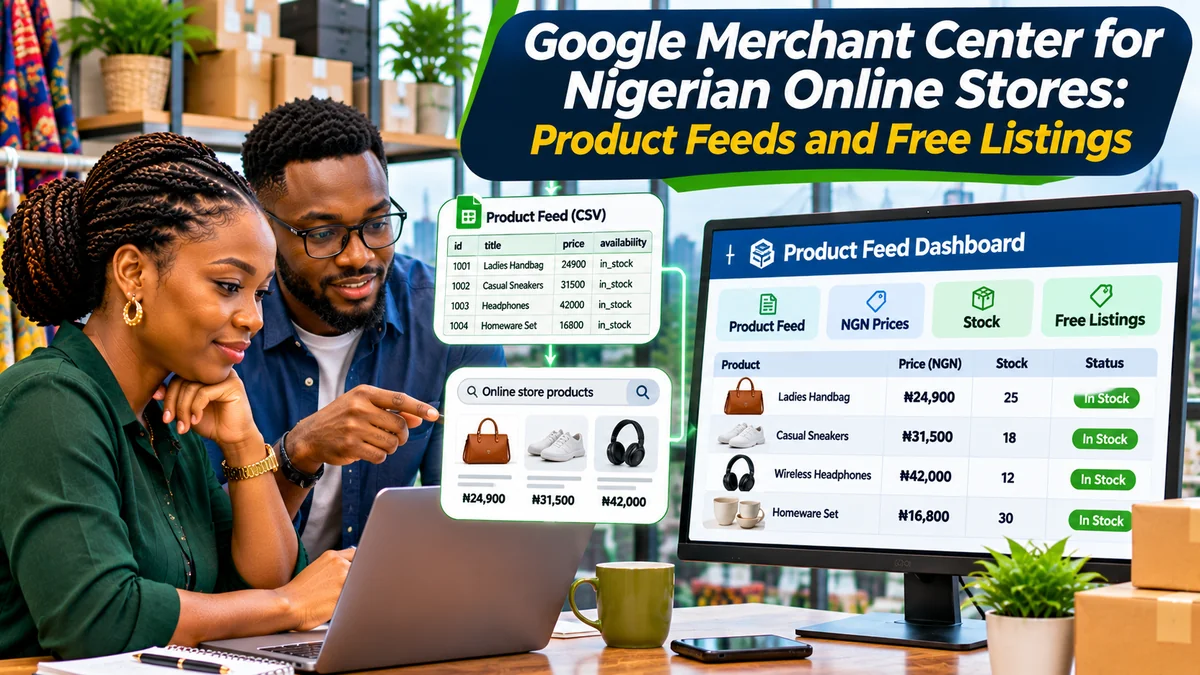
Google Merchant Center can help Nigerian online stores organise their product information for eligible Google shopping experiences, using product feeds with accurate prices, availability, images and landing-page links. Google officially lists Nigeria as a supported target country and the Nigerian naira (NGN) as its corresponding currency. But that is not the same as saying that every free-listing placement or the dedicated Google Shopping tab is available in Nigeria.
Google's supported countries and currencies documentation includes Nigeria and NGN, while its country-eligibility list does not mark Nigeria with the symbol used for countries where the Shopping tab is available. Separately, the Google & YouTube app on Shopify's country list for free product listings does not include Nigeria. Sellers should therefore check the actual Free listings eligibility and available marketing methods in their own Merchant Center account. Do not promise Nigerian shoppers a product carousel or dedicated Shopping-tab presence simply because a feed has been uploaded.
The good news is that accurate product data also supports ordinary search discoverability. Google can use structured data on accessible product pages even without a Merchant Center account. The goal is to build a trustworthy product catalogue and measure what Google actually displays, rather than assume the account will generate free traffic. Research verified 3 November 2026.
What is Google Merchant Center?
Google Merchant Center is Google's product information management platform for retailers. It lets eligible merchants submit descriptions, prices, stock status, product URLs and images; select relevant marketing methods; and review product approval or policy issues. A product data source—often called a product feed—is a structured set of catalogue records used to keep this information consistent.
Merchant Center is not a website builder, a bank account or a substitute for a working online store. Customers generally need a clear product landing page and a way to complete a genuine purchase under the applicable programme requirements. Paid Shopping ads, organic product results, standard free listings and free local inventory listings are different experiences with different availability rules.
Does Google Merchant Center work in Nigeria in 2026?
Nigeria is supported as a Merchant Center target country with NGN currency. Google's support table confirms this. However, the same table marks Shopping-tab countries separately, and Nigeria is not marked as having that dedicated tab. In practice, a Nigerian merchant may have product-data and eligible Google Search opportunities without access to every Shopping feature available in other markets.
| Feature or question | Nigerian store guidance |
|---|---|
| Nigeria as target country | Listed in Google's current supported-country table |
| Nigerian naira in a product source | NGN is listed as the supported currency |
| Product structured data in Google Search | Useful on eligible, crawlable product pages regardless of Merchant Center signup |
| Dedicated Shopping tab in Nigeria | Not indicated as available in the Google country table reviewed |
| Free-listing display in a specific experience | Must be checked in the account and relevant product eligibility report; never guaranteed |
| Free local inventory listings | Different programme; Google's published supported-country list does not include Nigeria for free local listings |
Google's free-listing documentation says eligible products may appear across surfaces such as Search, Images and Shopping where supported, but visibility is not guaranteed. Account settings, programme availability, product approval and relevance all matter. Merchants should avoid targeting an unrelated foreign country simply to bypass a local restriction; that can misrepresent the actual shipping destination and violate policies.
Step 1: Prepare a store that customers can trust
Before uploading a feed, make sure the business has an accessible website, individual product pages and genuine customer-service details. Google's online store URL requirements include eligible purchasable products with displayed fixed prices, a conventional payment method during secure checkout, purchase conditions and a direct purchase journey.
A professional Nigerian store should show its business name, contacts, shipping destinations, delivery estimates, returns or refund policy, and the complete product price before checkout. Check the site from a mobile phone using a normal visitor session. Can someone in an advertised delivery location buy the item without encountering an inaccessible button or surprise conditions?
The editorial and professional requirements emphasise functional pages, clear business information and transparent policies. A WhatsApp contact button may help customer service, but it should not be assumed to substitute for the required onsite purchasing flow in a Merchant Center programme. Confirm the exact programme's checkout rules first.
Step 2: Set up Merchant Center and verify the website
Visit merchants.google.com , sign in with the business's account and enter accurate store details. Follow the on-screen process to associate, verify and claim the store's domain. A store owner should use a domain they control, not a competitor's website or a social-media page they cannot verify.
Select the legitimate target country and supported currency for your catalogue. For a Nigerian store selling domestically, NGN is the natural starting point. Then examine the account's available marketing methods, diagnostics and verification status. Google's interface and navigation can change, so follow the displayed requirements rather than outdated screenshots.
Do not confuse successfully creating the account with product approval or confirmation of free-listing visibility. Those are separate stages.
Step 3: Choose how to submit product data
Google documents several product upload methods . A small retailer can enter products manually or use a Google Sheets source. A larger shop can submit a file, integrate a supported ecommerce platform, or use the Merchant API. Google may also automatically discover products from valid structured data on the store's website if the account supports that feature.
| Method | Suitable for | Main consideration |
|---|---|---|
| Manual product entry | A few stable products | Must be updated when price or stock changes |
| Google Sheets | Small catalogues managed by staff | Data quality and refresh discipline |
| Scheduled file feed | Stores exporting from POS or ecommerce databases | Stable public or authenticated retrieval and accurate mapping |
| Platform integration | Merchants on supported ecommerce systems | Check app, country and destination availability |
| Merchant API | Developers managing frequent updates or large catalogues | Credentials, quotas, errors and monitoring |
| Automatic website discovery | Sites with valid structured product data | Google's crawl, eligibility and schema requirements |
Google explains that when a product is submitted by a managed source and also found through website crawling, the submitted product source generally takes precedence. Keep one reliable source of truth to prevent conflicting product information.
Step 4: Understand the essential feed attributes
A feed is not a set of promotional slogans. Each record should identify a real product and match the page where a shopper can buy it. Google publishes a detailed product data specification with different conditions for product types, variants and countries.
| Attribute | What to include |
|---|---|
id | A stable, unique SKU or product identifier |
title | Specific, accurate product name |
description | Useful features, materials, capacity or specifications |
link | The product's valid landing-page URL |
image_link | A crawlable image URL depicting the actual item |
availability | in_stock, out_of_stock or a supported alternative |
price | Actual price and currency, such as 24900.00 NGN |
condition | New, used or refurbished as applicable |
brand, gtin, mpn | Correct identifiers where required or available |
color, size, item_group_id | Variant details when relevant, especially clothing |
Stable IDs matter: do not generate a fresh ID each time a stock quantity changes. Google may treat the update as a different offer. Feed images should not rely on blocked URLs or session-only links that Google cannot access.
A simple Nigerian product feed example
The following illustrative CSV record shows common fields. The product, brand and URL are fictional. Replace them with real values and validate the final attributes against Google's current specification before submission.
id,title,description,link,image_link,availability,price,condition,brand
BAG-1001,"Leather-look Handbag Brown","Brown structured handbag with adjustable shoulder strap","https://shop.example.com/products/bag-1001","https://shop.example.com/images/bag-1001.webp",in_stock,"24900.00 NGN",new,"Example Fashion"
The column names are exact attribute keys, but the example is intentionally minimal. A real catalogue may need product identifiers, variants, shipping attributes, or category-specific information. Use a properly escaped CSV or tab-separated format and avoid introducing commas or line breaks that corrupt rows.
Suppose the seller changes the price on its product page to ₦27,500 but leaves the feed at ₦24,900. That mismatch can trigger an issue. Updates must reach the feed, landing page and checkout consistently. Likewise, a product that has sold out should not remain advertised as in stock.
Step 5: Use correct Nigerian prices and product identifiers
For a Nigeria-targeted offer, Google's currency table identifies NGN. A feed value such as 24900.00 NGN should correspond to the product's purchase price on the landing page. Do not submit a lower artificial price and reveal mandatory extra product charges during checkout. Shipping charges can be separate where properly disclosed and configured.
For manufacturer-branded products, submit the genuine brand and GTIN when required. A GTIN may be an EAN or UPC barcode identifier assigned to the product. Google's specification warns against inventing identifiers, reusing codes or assigning an original manufacturer's brand to a different compatible item.
For genuinely handmade or unique items without assigned identifiers, Google's identifier_exists guidance explains when no may be appropriate. Do not set it to no merely to avoid looking up the correct barcode for a branded product.
Step 6: Configure shipping and return information honestly
A Nigerian online shop may deliver within Lagos, Abuja or Port Harcourt while also serving customers elsewhere in the country. Clearly state which areas are served, delivery charges, handling time and estimated transit periods. Do not advertise nationwide delivery if a carrier cannot deliver to certain destinations.
Google's shipping settings guidance lets eligible merchants define shipping services by country. Its free-listing documentation imposes explicit shipping-setting requirements on specified countries; Nigeria is not in that particular mandatory list reviewed. Nevertheless, truthful shipping information is strongly recommended for customer confidence and may be necessary for relevant account features or approval.
Also publish a clear return and refund policy: eligibility, deadlines, conditions, customer contacts and who pays return costs. A blanket “no returns” statement that conflicts with applicable law or actual business practices can create both trust and compliance problems.
Step 7: Add Product structured data to real product pages
Google Search Central recommends Product and Offer structured data for ecommerce pages where customers can buy an item. It helps search systems understand the item, price, stock state and other details. It can also support organic product enhancements independently of how the Merchant Center feed is uploaded.
For developers, an illustrative JSON-LD snippet for a fictional ₦24,900 handbag might look like this:
{ "@context": "https://schema.org", "@type": "Product", "name": "Brown Structured Handbag", "image": ["https://shop.example.com/images/bag-1001.webp"], "description": "Brown handbag with adjustable shoulder strap.", "sku": "BAG-1001", "brand": { "@type": "Brand", "name": "Example Fashion" }, "offers": { "@type": "Offer", "url": "https://shop.example.com/products/bag-1001", "priceCurrency": "NGN", "price": "24900.00", "availability": "https://schema.org/InStock", "itemCondition": "https://schema.org/NewCondition" }
}
This is a teaching example, not code that describes a real product. Implement JSON-LD as a script of type application/ld+json on the appropriate page, using the real shop's data. Follow Google's current merchant-listing requirements, including any additional properties relevant to your product and region.
Make sure the visible page, structured data, checkout and feed agree. Google can use multiple signals, but markup cannot guarantee a rich result. Check your implementation using Google's Rich Results Test and Merchant Center issue reports.
Step 8: Improve images and product descriptions for shoppers
Sharp, accurate product photographs help shoppers understand what they are buying. Show the product clearly, provide useful additional views, avoid misleading stock images, and represent colour, size and materials truthfully. For clothing, show size and variation details that match actual stock-keeping units.
Write descriptive titles such as “Brown Structured Handbag with Adjustable Strap” instead of vague or keyword-stuffed titles such as “Best Cheap Bags Buy Now Lagos Abuja Fast.” Describe real characteristics and include important product-specific words naturally. The objective is to help customers identify the right item, not manipulate a search engine.
For stores producing product imagery at scale, FlyingEze's article on furniture rendering and AI visualisation for ecommerce growth explores a related visual-content approach. Where illustrations or digital renders are used, they must not misrepresent the goods actually offered.
Step 9: Fix Merchant Center diagnostics before chasing traffic
After submitting products, inspect the account's product-status and issue reporting pages. Google may flag missing identifiers, unavailable images, inconsistent prices, landing-page errors, prohibited products, unsupported countries or incomplete business information. A visible “submitted” status is not the same as an approved or displayed listing.
Prioritise errors that prevent approval, then address warnings and improve completeness. Test the problem product URL as a visitor, check that Google can crawl it and compare its price and availability with the submitted record. Use stable URLs and canonical tags that point to the intended product page, not an unrelated homepage.
Google's professional and editorial requirements also prohibit low-quality or misleading storefront experiences. Adding more keywords to a feed will not fix a broken checkout or a nonexistent returns policy.
Step 10: Measure free visibility without assuming it exists
Where a relevant free-listing programme is available to the merchant, monitor product approval, impressions, clicks and click-through rate in Merchant Center. For organic search, use Google Search Console to inspect product-page impressions, search queries, clicks and indexing. Analyse store visits and completed purchases in the site's analytics system.
Distinguish impressions from visits and sales. A product can be eligible yet receive no impressions because customer demand, relevance or the relevant Google display format is limited. A rise in search clicks does not automatically establish revenue growth.
For a practical example, a store records 5,000 eligible product impressions, 100 clicks and four completed orders in a month. That is a 2% click-through rate and a 4% click-to-order conversion rate for those measured visits, assuming the attribution is valid. These numbers are hypothetical, not a benchmark or prediction for Nigerian stores.
A 14-day Merchant Center readiness plan
- Days 1–2: Verify the store's purchase flow, contact details, policies and supported delivery locations.
- Days 3–4: Clean product titles, SKUs, photos, price fields and stock records.
- Days 5–6: Implement accurate Product/Offer structured data and test representative pages.
- Days 7–8: Create or review the Merchant Center account, verify the domain and check Nigeria-specific programme availability.
- Days 9–10: Submit a small, accurate test data source before importing the full catalogue.
- Days 11–12: Correct policy and feed errors, and confirm price and inventory synchronisation.
- Days 13–14: Record baseline impressions, search clicks, eligible products and purchase outcomes; assign an owner to weekly updates.
A small test catalogue is often safer than submitting thousands of poorly described products. Once the first products are approved for their actual available destinations, expand gradually with dependable automation.
Common mistakes Nigerian online stores should avoid
The biggest mistake is treating Merchant Center account creation as guaranteed placement on the dedicated Shopping tab. Google's country lists must be consulted separately for the chosen programme, and Nigeria is not currently marked as a Shopping-tab market.
Other mistakes include sending fake GTINs, using a different checkout price, advertising stock that no longer exists, uploading broken images, hiding delivery fees, copying manufacturer descriptions without checking product accuracy, and targeting unsupported foreign destinations. Sellers should also avoid publishing a product feed that updates only once a month when prices change every day.
For multi-branch sellers, a central product system may help keep inventory and website data consistent. The P-Biz Solutions product catalogue describes retail and inventory-related offerings; businesses should verify the specific live ecommerce integrations before assuming Merchant Center feed automation is included.
Frequently asked questions
Can a Nigerian online shop create a Google Merchant Center account?
Google's published target-country and currency tables include Nigeria and NGN. The merchant must still meet account, website, product and programme requirements, and should check features offered in its account.
Are Google Shopping free listings guaranteed in Nigeria?
No. Google's country table does not mark Nigeria as a Shopping-tab market, and some app-specific free-listing country lists exclude Nigeria. Check the actual Free listings marketing method and product eligibility in Merchant Center. Ordinary product pages can still pursue eligible organic Google Search visibility.
Does Merchant Center charge to upload products?
Merchant Center supports product management and eligible free product visibility without a Google Ads campaign, but advertising programmes can incur charges. A feed upload does not guarantee free exposure, sales or eligibility for every destination.
Should Nigerian product feeds use NGN or USD?
NGN is the listed local currency for Nigeria. The feed price must correspond to the price shown on the landing page and checkout. A seller targeting additional countries must comply with their supported country and currency conditions.
Can I use Shopify, WooCommerce or a custom website?
Potentially, if the store meets Google's technical and policy requirements and the chosen platform integration is available in the target market. Country-specific app restrictions may differ from general Merchant Center support.
Can product structured data replace a Merchant Center feed?
Google can use structured data for organic product results without a Merchant Center account. Merchant Center offers additional controls and data submission methods, but neither approach guarantees display in a particular result format.
Conclusion
Google Merchant Center is worth understanding for Nigerian online stores, but its benefits must be assessed against the actual features available in Nigeria. Set up trustworthy product pages, accurate NGN prices, clear delivery and refund terms, reliable feeds and valid structured data. Confirm the programme's country eligibility before promising free Shopping placements.
For sustainable growth, concentrate on accurate product information and measurable customer outcomes—not just the number of items uploaded. Those investments improve the store regardless of how Google changes its shopping experiences over time.