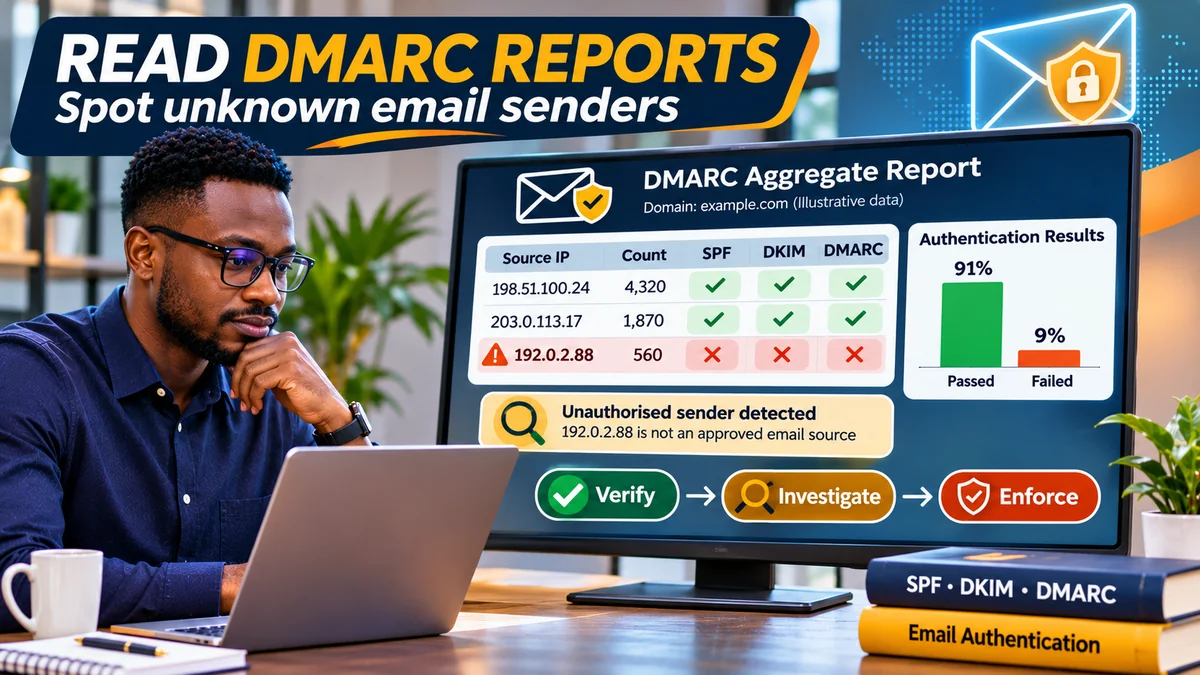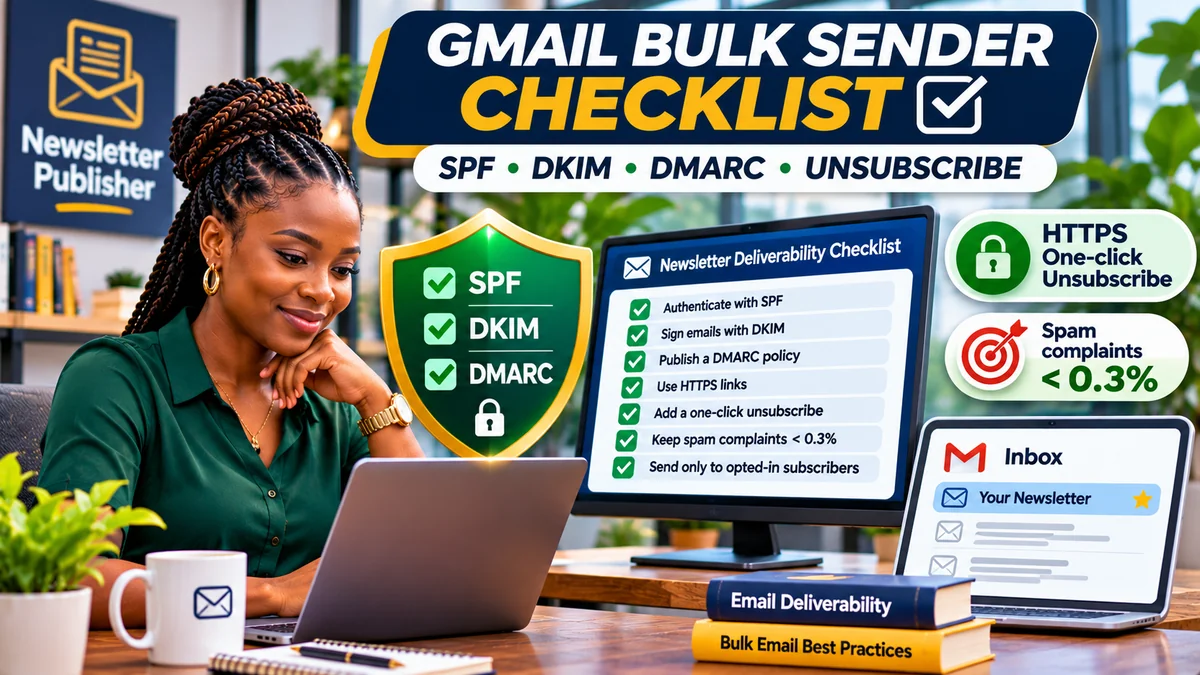
Gmail's bulk-sender rules require newsletter publishers sending roughly 5,000 or more messages to personal Gmail accounts within a 24-hour period to authenticate mail with SPF, DKIM and DMARC, align their visible From domain, use reliable and secure mail infrastructure, keep spam complaints low and offer a compliant one-click unsubscribe for marketing messages. These rules apply to senders outside the United States too, including Nigerian publishers reaching readers with @gmail.com or @googlemail.com accounts.
The rules began on 1 February 2024, but compliance is not merely a historical launch checklist. Google's current sender-requirements FAQ says Gmail began ramping up enforcement in November 2025, including temporary and permanent rejections of non-compliant traffic. A domain can be technically authenticated and still encounter trouble if it sends unwanted mail, does not process unsubscribes or has invalid mail-server DNS.
This guide explains who counts as a bulk sender, how to audit a newsletter operation, implement RFC 8058 unsubscribe headers, use Postmaster Tools and respond to failures without accidentally disabling transactional messages. Research verified on 2 November 2026 using current Google, Cloudflare and IETF documentation. Examples are illustrative, not live records from FlyingEze.
Who qualifies as a Gmail bulk sender?
Google describes a bulk sender as one sending close to 5,000 messages or more to personal Gmail accounts in a 24-hour period. Its calculation groups messages from a primary domain and its subdomains. Sending 2,700 promotional emails from example.com and 2,500 from news.example.com to personal Gmail inboxes within the same day puts the example publisher above the threshold; splitting campaigns across subdomains does not avoid the rule.
Google says a sender that meets the criterion at least once is permanently classified as a bulk sender; subsequently reducing traffic does not undo that status. These sender guidelines target messages sent to personal Gmail accounts, not messages addressed to Google Workspace organisational mailboxes, although ordinary deliverability and acceptable-use controls still matter.
Even if you currently send only 800 newsletters a day, following the bulk-sender requirements is sensible groundwork if you expect growth. A single large campaign, combined with other traffic from the same primary domain, can change your status. Google explains both the threshold and its permanent classification in its FAQ .
Quick reference: Gmail's 2026 compliance requirements
| Requirement | All senders to personal Gmail | Bulk senders |
|---|---|---|
| SPF and DKIM | At least SPF or DKIM | Both required |
| DMARC | Recommended | Required; minimum p=none |
| From-domain alignment | Good practice | For direct messages, aligned SPF or DKIM required |
| Forward and reverse DNS | Valid records | Valid records |
| Transport security | TLS | TLS |
| Message structure | RFC 5322-compliant | RFC 5322-compliant |
| Spam complaints | Keep low | Below 0.1% target; avoid 0.3% or higher |
| One-click unsubscribe | Useful for promotional mail | Required for marketing and subscribed promotional messages |
| Visible unsubscribe | Strong practice | Required within promotional message body |
The Gmail sender guidelines remain the authoritative source. The unsubscribe rule specifically concerns marketing and promotional traffic; password resets, reservation confirmations and similar genuinely transactional notices are excluded from that one-click requirement. Do not disguise advertisements as “transactional” to bypass it.
1. Inventory every service sending from your domain
Before editing DNS, identify each system: newsletter platform, CMS campaign worker, membership alerts, e-commerce order notices, transactional API, staff mailbox provider and customer-support system. For each, record its From domain, SMTP return-path domain, DKIM signing domain, relevant sending IPs, operator, contact and whether the messages are marketing or genuinely transactional.
For a news publisher, promotional roundups, sponsorship announcements and subscription-driven newsletter campaigns deserve particular attention. Do not assume that because staff mail uses Google Workspace, a separate newsletter service is automatically authenticated. Domains and subdomains may share reputation and Gmail's bulk-sender classification even when different services send the traffic.
2. Publish correct SPF without breaking legitimate senders
SPF checks whether the connecting server is authorised for the SMTP envelope-sender identity. Publish the provider-approved SPF TXT record at each relevant envelope domain. At the same hostname, do not create two separate SPF policies; merge documented senders into one valid policy, and verify the RFC 7208 limit of ten DNS-querying lookups during SPF evaluation, including nested includes.
If DNS is hosted at Cloudflare, check the zone under DNS → Records and preserve existing MX routing. Cloudflare's mail-record guidance explains why the actual TXT values must come from your email provider. Copying a generic vendor include can omit your newsletter platform or authorise the wrong service. Test SPF through actual sent messages, not merely by confirming that a TXT record exists.
3. Enable DKIM signing for newsletters and other mail streams
DKIM signs messages cryptographically; the receiver verifies the signature against a published public key or provider-specified DNS alias. Ask each authorised sending platform for its exact DKIM selector and DNS value. Publish the TXT or DNS-only CNAME record it supplies, enable signing in its dashboard and test an actual campaign message.
Google requires a DKIM key of at least 1,024 bits for personal Gmail delivery and recommends 2,048 bits when supported. Do not reuse another organisation's selector or key. For third-party newsletter providers, configure custom-domain DKIM signing if offered; signing only with an unrelated provider domain may authenticate DKIM yet fail DMARC alignment with your visible brand address.
4. Create a DMARC policy and confirm alignment
DMARC connects authentication with the domain the reader sees in the message's From field. A safe initial policy for a domain under your control may resemble this illustrative TXT record:
Host: _dmarc.example.com
Type: TXT
Value: v=DMARC1; p=none; rua=mailto:dmarc@example.com
Replace example.com and the report mailbox with verified, operating values. Google permits p=none as the minimum bulk-sender DMARC policy. Report analysis and controlled rollout should precede stronger enforcement that could quarantine or reject a legitimate stream with broken alignment.
For direct email to personal Gmail accounts, the organisational domain of the visible From: address must align with either the SPF-authenticated domain or the DKIM-signing domain. Both SPF and DKIM must be configured for a bulk sender, but both do not separately need to align to satisfy Google's current minimum alignment requirement. The sender FAQ also distinguishes indirect mail through forwards or mailing lists.
Example: From: newsletter@example.com with successful DKIM signing by example.com can satisfy alignment even where SPF authenticates a different provider return-path. But SPF pass for that unrelated provider alone is not sufficient. Examine the Gmail “Show original” headers and DMARC reports to confirm what is actually happening.
5. Check reverse DNS, SMTP TLS and message formatting
A newsletter publisher can configure SPF, DKIM and DMARC correctly and still fail Gmail requirements because of the mail server. Google's rules require valid forward and reverse DNS (PTR): the sending IP must resolve to a host, and that host must resolve back to the sending IP. This is normally configured by your SMTP hosting or email service provider, not by inventing a PTR entry in Cloudflare's ordinary web DNS zone.
Require a TLS-protected SMTP transport and valid RFC 5322 message structure. Use accurate From, Date and Message-ID headers and avoid misleading display names or Gmail impersonation. If you use shared infrastructure, get the provider to confirm PTR/TLS compliance and review bounces. SMTP codes such as 4.7.23 (DNS), 4.7.27 (SPF), 4.7.29 (TLS) and 4.7.30 (DKIM) can indicate particular failures. Google's FAQ maps these codes to troubleshooting actions.
6. Implement genuine RFC 8058 one-click unsubscribe
Newsletter messages must support one-click unsubscribe using two email headers, plus a visible unsubscribe link within the message body. A link in the footer that opens a preferences page does not, by itself, satisfy Google's one-click requirement. Neither does a mailto: link alone. The technical mechanism is specified by RFC 8058 .
For a fictional newsletter provider, the two required headers could be:
List-Unsubscribe: <https://example.com/u/opaque-token>
List-Unsubscribe-Post: List-Unsubscribe=One-Click
The HTTPS address must identify the intended recipient and list without depending on cookies or a login. Gmail's one-click action sends an HTTPS POST with List-Unsubscribe=One-Click to the address. The endpoint must process the request without demanding another confirmation, should not redirect the POST, and must use a hard-to-guess token to discourage malicious unsubscribe attempts. RFC 8058 additionally requires a valid DKIM signature covering the two unsubscribe headers.
A footer link to “Manage email preferences” or “Unsubscribe” remains important because Gmail separately requires a clearly visible body link. You may let the body link open a preference centre, but the header-based POST path must independently complete the relevant unsubscribe. Gmail may choose not to display its top-of-message unsubscribe interface even when you supply correct headers; that display is subject to Google's eligibility checks.
7. Honour opt-outs within 48 hours across every sending system
Google expects unsubscribe requests from marketing traffic to be processed within 48 hours. Its Postmaster Tools guidance can flag failure to honour requests within that period. For publishers using multiple mailing systems, a subscriber removed from one list must not be silently re-added to the same promotional stream by a CRM sync or nightly database import.
Store suppression preferences in a durable source of truth and apply them before each campaign batch. Record the list identifier, request timestamp and processing result. A one-click opt-out can target the specific list associated with the message; it does not necessarily require disabling essential account notices. Respect separate legal obligations on consent and marketing beyond Gmail's technical rules.
Operationally, process unsubscribe webhooks promptly, make the operation idempotent, and protect the endpoint from bot abuse. If your Cloudflare WAF or another security layer challenges the POST, fix the rule for the verified flow: Google notes that senders remain responsible even when a service such as Cloudflare blocks unsubscribe requests.
8. Keep the Gmail user-reported spam rate under control
Google recommends keeping the user-reported spam rate below 0.1% and never allowing it to reach 0.3% or more. These are percentages of relevant user feedback as calculated by Google, not the bounce rate or the number of contacts who click your footer unsubscribe link. For perspective, 0.1% represents one complaint per thousand messages in a simple illustration, but that arithmetic is not Google's actual Postmaster denominator.
Google warns that 0.3% or higher can remove eligibility for delivery mitigations, with recovery requiring seven consecutive days below that level. The FAQ's spam-rate section further says elevated complaints can harm inbox placement even at levels above 0.1%.
For news publishers, send to people who deliberately subscribed, explain the frequency and topics, remove persistently invalid addresses and suppress opt-outs. Segment by interest rather than treating every former website visitor as an email subscriber. Avoid purchasing mailing lists, sending sudden volume spikes or using deceptive subject lines. The best defence against spam reports is relevant, expected and easy-to-stop communication.
9. Monitor compliance in Google Postmaster Tools
Register and verify the sending domain in Google Postmaster Tools . Open the Compliance status dashboard to review SPF/DKIM authentication, DNS, encryption, message format and user-reported spam; bulk senders also get DMARC, one-click unsubscribe and honour-unsubscribe checks. The dashboard labels requirements Compliant, Needs work or No data found.
According to Google's dashboard documentation , a repaired status may take up to seven days to update. The compliance view generally aggregates at the primary domain, even where you registered a subdomain, while low-volume days may have no data for privacy reasons. A “No data found” result is not proof that all requirements are satisfied.
Check the spam and delivery-related dashboards regularly, particularly after changes to a newsletter platform, IP address, sending frequency or unsubscribe workflow. Postmaster spam rates are not equivalent to email service provider complaint figures; Google's data is based on its own eligible traffic and reporting methodology.
10. Test a complete newsletter before launching a large send
Send a representative test to controlled Gmail accounts and inspect the received headers. Check for spf=pass, dkim=pass, dmarc=pass, correct alignment and the two unsubscribe headers. Confirm the visible footer link is readable on mobile and that an authorised one-click test results in the right suppression entry within your list system.
Verify the email has a legitimate, identifiable From address and a working reply route where appropriate; run a link and image check for broken URLs. Do not trigger repeated unsubscribe requests against real customers merely to test the system. Use test recipients and tokens, confirm your endpoint's POST response and verify no protected preference centre or WAF redirect interferes.
When increasing campaign volume, ramp up gradually. A publisher that normally sends 2,000 messages daily should not assume it can send 100,000 tomorrow without reputation effects. Google's guidelines recommend steady sending rates and using Postmaster Tools to watch server deferrals, complaints and domain reputation.
Publisher compliance checklist: what to verify before each campaign
| Check | Evidence of completion |
|---|---|
| Bulk-sender classification | Combined primary-domain Gmail volumes checked; prior threshold crossings considered |
| SPF | Current authorised envelope senders authenticate and no duplicate SPF policy exists |
| DKIM | Provider signs messages with valid DNS keys; received message verifies |
| DMARC | Published policy at least p=none; aligned SPF or DKIM passes |
| Mail-server configuration | Valid PTR/forward DNS, TLS and RFC 5322 formatting confirmed |
| One-click unsubscribe | RFC 8058 headers, DKIM coverage and working HTTPS POST endpoint |
| Visible opt-out | Clear functioning unsubscribe link in the newsletter body |
| Suppression | Opt-outs processed within 48 hours across all connected lists and systems |
| List consent | Recipients actually expected the newsletter; no purchased or scraped lists |
| Spam feedback | Postmaster spam rate below 0.1% target, no 0.3% spike |
| Monitoring | Compliance dashboard, SMTP bounces and unsubscribe logs reviewed |
What to do if Gmail begins rejecting or delaying messages
First read the SMTP reply from the actual sending provider and match it to Google's documented error code, instead of assuming all failures are spam complaints. For authentication errors, test the DNS and sent-message headers. For PTR or TLS errors, contact the outgoing SMTP operator. If one-click or honour-unsubscribe compliance shows “Needs work,” inspect the newsletter headers, endpoint, web application logs and suppression queue.
If there is a sudden campaign spike and deferrals, reduce volume and review reputation before gradually resuming. If the Postmaster compliance dashboard is still stale immediately after a repair, remember that Google calculates some statuses over multiple days. Google notes that from November 2025 non-compliant traffic can experience more explicit temporary and permanent rejections. Do not bypass restrictions by switching to a deceptive From domain or spreading the same unwanted list across fresh subdomains.
Common Gmail bulk-sender mistakes
“We're below 5,000 on each subdomain.” Google combines traffic from the same primary domain. “We dropped below the threshold, so we're no longer a bulk sender.” Classification persists once assigned. “SPF pass is enough.” Bulk senders need SPF, DKIM and DMARC, with at least one aligned authentication path for direct mail.
“Our footer unsubscribe meets one-click.” A footer link alone lacks RFC 8058 headers and the automated POST mechanism. “Every email must have one-click unsubscribe.” Gmail's requirement applies to marketing and promotional traffic; genuine transactional messages are excluded. “A green Postmaster status guarantees inbox placement.” Authentication is a baseline, not a delivery guarantee.
Frequently asked questions
Does the 5,000-message threshold include subdomains?
Yes. Google aggregates personal-Gmail-bound traffic across a primary domain and its subdomains. A publisher that meets the bulk threshold once remains classified as a bulk sender.
Can I use DMARC p=none and still comply?
Yes. Google's current minimum bulk-sender requirement permits a published DMARC policy of p=none, though it is wise to monitor reports and strengthen protection carefully once legitimate streams are aligned.
Do I need both SPF and DKIM to pass on every message?
Bulk senders must configure and use both authentication methods. For the current alignment requirement on direct mail, one successful, aligned SPF or DKIM path can satisfy DMARC; Google recommends robust authentication across both.
Is a normal unsubscribe page enough?
No. Promotional mail needs RFC 8058 one-click unsubscribe headers and a visible body unsubscribe link. The header-specified HTTPS endpoint must process the unsubscribe without asking the recipient to take another step.
Do password-reset emails need one-click unsubscribe?
Google excludes genuinely transactional messages such as password resets and booking confirmations from that particular requirement, but the underlying sender-authentication and infrastructure rules still apply.
Does Google allow a spam rate of 0.3%?
Treat 0.3% as a danger threshold, not an acceptable operating target. Google recommends staying below 0.1% and avoiding 0.3% or higher. Its mitigation rules can be affected by sustained high spam reports.
Conclusion
Gmail bulk-sender compliance is both a technical and editorial discipline. Correct SPF, DKIM, DMARC, reverse DNS and TLS establish a trustworthy sending foundation. RFC 8058 one-click unsubscribe, prompt suppression, honest sign-up practices and relevant newsletters protect the relationship with readers. Use Google Postmaster Tools to monitor the results, investigate delivery failures promptly and treat compliance as a recurring publishing control rather than a one-time DNS project.