Historical technology retrospective — researched 7 November 2026. This article reconstructs the subject of a lost FlyingEze page about getting ready for school with Chromebooks. It examines Google's August 2020 education announcements during the COVID-19 pandemic, not a new product launch or current shopping promotion. The original FlyingEze publication date and full text have not been recovered.
On 11 August 2020, Google announced a collection of Chromebook tools and education updates designed to help schools prepare for a school year unlike any other. With COVID-19 disrupting classroom teaching, students needed ways to study at home, teachers had to organise lessons across different locations, and administrators were responsible for keeping fleets of devices accessible and manageable. Google's response included new school-device controls, support for educational apps and changes that made it easier for families to combine schoolwork with supervision at home.
A Google for Education article, “Get ready for back to school with Chromebooks” , was published on 11 August 2020 by Bayo Olotu, then a Chrome OS programme manager. The web page now displays the headline “Chromebook updates help learning happen from anywhere”. Its original web title closely matches the lost FlyingEze slug. The announcement was part of Google's wider The Anywhere School programme , which introduced more than 50 education-related features across several products.
These sources reliably identify the historical story behind the headline, although no accessible copy of FlyingEze's original page was found to establish its exact wording or date. This newly written account explains what the 2020 announcement actually offered, what was still planned rather than launched, and why access to a laptop alone did not solve the remote-learning challenge.
Why back-to-school planning looked different in 2020
In an ordinary school year, preparing for classes might involve timetables, supplies, classroom equipment and teacher training. In 2020, families and education systems also had to prepare for the possibility that lessons would take place at home, online or through a mixture of in-person and remote teaching.
In a June 2020 assessment , UNESCO reported that school closures had affected approximately 1.57 billion learners at their mid-April peak. The disruption varied by country, but it underscored how urgently education systems needed continuity plans.
Google said that during the preceding spring, schools in cities including New York and Chicago had sent large numbers of Chromebooks home so students could continue learning. Its announcement also highlighted device-lending approaches in Japan and one-to-one device provision connected with the University of Guadalajara in Mexico. These were examples cited by Google, not independently audited measures of educational success.
Chromebooks appealed to many schools because they used a browser-centred operating system, supported web-based teaching tools and could be administered centrally. But the practical effectiveness of any device still depended on teacher preparation, student access, internet connectivity, affordability and the needs of individual learners.
What exactly did Google announce on 11 August 2020?
Google's education announcement was not the unveiling of one new Chromebook model. It was a set of software, administration and learning-resource updates intended to make existing and newly deployed devices more useful.
The Chromebook-focused announcement identified three main areas: administration and accessibility, educational applications, and tools for families supervising children at home. Other announcements during The Anywhere School event addressed Google Meet, Classroom and additional products.
Importantly, the 50-plus features referred to the broader Google for Education portfolio. It would be incorrect to claim that Google added more than 50 brand-new features solely to the Chromebook operating system on that date.
School administrators gained more ways to configure Chromebooks
Managing a classroom's worth of laptops is difficult enough; supervising devices spread across hundreds of homes adds further complications. Schools need to control which apps are available, how students sign in, what happens when a device is lost and what assistance is possible for children with disabilities.
In August 2020, Google described more than 200 policies available through its administration console for schools to customise Chromebook use. These settings could help information-technology teams manage device behaviour, access to applications and aspects of the student experience. The specific controls depended on the school's administration arrangements and licences.
The change was relevant to the growing practice of issuing individual devices to students or allowing children to bring a school-managed Chromebook home. IT teams were no longer configuring machines only for use in a supervised computer room. They were maintaining devices that might travel repeatedly between school and household networks.
Google also pointed administrators towards its guidance on preparing Chromebooks for home use. The core operational questions were straightforward: could a student sign in reliably, access coursework, receive updates and obtain help without requiring an IT technician to be physically present?
How Chromebook accessibility features helped students
Accessibility was another focus of the 2020 update. Google said that more Chromebook accessibility settings could be configured when devices were used for testing. Examples included screen readers and magnification, which can be essential for learners with visual or other access needs.
One particular setting was kiosk mode. In an examination context, an administrator could arrange for an approved assessment application to occupy the screen and restrict unrelated browsing. Google explained that accessibility tools could be enabled more readily in supported kiosk-based testing environments, while some assessment providers offered additional specialist options.
This did not mean every web page or examination platform automatically became accessible. Actual support depended on device policies, the test provider and the needs of the student. Google subsequently discussed related measures in its October 2020 accessibility update , which provides later context for the August announcements.
The broader significance was that accessibility should be part of a remote-learning plan from the outset. Locking a device down for security or examination integrity should not inadvertently prevent a student from using the reading, visual or input assistance they require.
Six creativity applications became easier to procure
Google's announcement also described a licensing route for six creativity apps through Chromebook suppliers and partners. The apps were Infinite Painter, Squid, Book Creator, Soundtrap, Explain Everything and WeVideo. Teachers could use different combinations for visual art, handwriting, multimedia publishing, audio production, explanation and video editing.
These products served different educational purposes. A student might use a drawing app to illustrate a scientific concept, Book Creator to assemble a project, Soundtrap for a collaborative audio task or WeVideo to produce a presentation. A teacher could choose tools that matched a particular assignment rather than requiring students to work exclusively in text documents.
The important financial qualification is that Google's announcement referred to the ability to purchase and manage app licences through participating manufacturers and partners. It did not promise that all six products were universally free, pre-installed on every Chromebook or included automatically with every school's subscription.
Google highlighted the Chromebook App Hub as a way for educators to explore apps and teaching ideas. Compatibility, pricing and availability depended on the service and device, and product offerings may have changed since the 2020 announcement.
Minecraft: Education Edition arrived on Chromebooks
One of the more recognisable updates was the arrival of Minecraft: Education Edition for Chromebooks in August 2020. The educational version of the game was designed to help teachers build lessons around subjects such as science, coding, collaboration and problem-solving.
Microsoft confirmed the Chromebook release on 10 August 2020 , independently corroborating Google's following-day announcement. Microsoft said the update supported collaboration between students using Chromebooks and classmates on other compatible platforms. It also introduced learning material involving bees and pollination, along with other game and classroom improvements.
There was an important account distinction at the time. Microsoft said sign-in required a Microsoft account, while support for signing in with school Google accounts was being developed. Google's own August article also described school-account support as something expected later. The release should therefore not be described as though every planned authentication feature was already available on launch day.
For educators, this was one example of the broader argument for Chromebooks: the device could host creative and interactive learning activities as well as conventional classroom documents and video meetings. It was not evidence that game-based learning would automatically improve every student's results.
Family Link and school accounts: helping parents supervise learning
Another part of the August 2020 changes addressed children using a personally owned Chromebook at home. Google expanded the ability for a supervised child account associated with Family Link to access schoolwork using a separate G Suite for Education account.
The goal was to let students use Google Classroom, school documents and approved websites while retaining parental supervision of aspects of the personal-device experience. That mattered for families whose children needed the same computer for lessons, homework and ordinary household activities.
This was not a promise that parents could bypass school administrators or override institutional security policies on managed Chromebooks. The available controls depended on how the device and accounts had been set up. Parents and schools continued to have different responsibilities: schools governed educational accounts and managed devices, while Family Link provided certain controls associated with a child's personal Google account.
Google also promoted its Tech Toolkit for Families and Guardians to help adults understand the education services children were being asked to use. In 2020, clear instructions could be as important as new software; adults who were unfamiliar with learning platforms were suddenly expected to help children join classes, find assignments and resolve sign-in difficulties.
What was happening to Google Classroom and Meet?
The Chromebook announcement appeared alongside a larger set of Google for Education updates. The Anywhere School release dated 11 August 2020 described improvements to Google Classroom and Google Meet designed for remote and hybrid teaching.
For Classroom, Google highlighted a new to-do experience, easier class invitations through links and additional language support. For Meet, the company described planned features such as larger tiled views, greater moderator control, breakout rooms and attendance tracking for certain eligible education editions.
Not all these features were available to every school on 11 August. Google explicitly described some Meet changes as scheduled for September, October or later in the year. Others were restricted to particular education tiers. Accurate historical reporting must distinguish a feature announced on a date from a feature that was already generally available on that date.
The products were also known by different branding. The announcement used G Suite for Education, the name Google used in 2020. On 17 February 2021 , Google announced that the suite was becoming Google Workspace for Education. The modern name should not be silently substituted into a quoted description of what Google called its services in August 2020.
Could Chromebooks solve the digital divide?
Devices made a difference for some learners, but they were not a complete answer to unequal access. A student needs more than a laptop: reliable electricity or charging, suitable internet or offline resources, accessible software, relevant teaching materials and an adult or educator able to provide support can all affect the learning experience.
UNESCO's 2020 analysis drew attention to major gaps in home computer and internet access while schools were shut. Later that same month, UNICEF reported on 27 August 2020 that at least 463 million schoolchildren worldwide could not be reached through the remote-learning arrangements made available during school closures.
UNICEF's report was published after Google's 11 August announcement and is included here as subsequent context, not as a statistic Google could have cited at the time. The finding demonstrates why software launches and large school-device deployments did not automatically reach every child.
For an example of the access problem outside Google's announcement, FlyingEze later reported on Calgary volunteers donating computers to students during another period of remote learning. That separate story illustrates the importance of access to equipment; it is not evidence about Google's specific August 2020 features.
What did the Chromebook approach mean for families and schools?
For schools already using Google accounts and classroom software, a centrally managed Chromebook could simplify some technical tasks. Students could sign in to reach familiar tools, and administrators could apply policies without individually configuring every computer each time a pupil took it home.
For teachers, the new application options and supported web tools created ways to offer more than a stream of video calls. Assignments could involve writing, audio, illustration, collaborative projects and interactive activities. The value still depended on lesson design, accessibility and clear expectations for students working independently.
For families, the school-account and Family Link arrangements addressed a different problem: how to give a child access to educational services on a household Chromebook while preserving reasonable supervision. However, parental controls and school policies were not substitutes for practical help when an internet connection failed or when a child needed face-to-face support.
FlyingEze has also covered the difficulties some children experienced with prolonged online learning during the pandemic . That reporting offers a useful counterpoint to technology announcements: the ability to deliver lessons online does not prove that every learner will thrive in that environment.
What changed after the 2020 Chromebook announcement?
Google's devices and education products continued to evolve after the initial pandemic disruption. The 2021 renaming of G Suite for Education was one administrative change. More consequential for the long-term usefulness of school laptops was the question of how long devices would continue receiving operating-system and security updates.
In September 2023 , Google announced a longer automatic-update policy, under which qualifying Chromebook platforms could receive up to 10 years of updates from their platform release. Devices released from 2021 onward were to receive the extended period automatically beginning in 2024; eligible older devices could require an opt-in, and certain features were not necessarily available on every extended-support model.
This later policy should not be presented as part of the 11 August 2020 announcements. It is included because someone revisiting the historical “back to school” story today may still own or manage a Chromebook purchased around that period.
Anyone considering a second-hand or refurbished school Chromebook in 2026 should check its exact model and the official automatic update expiry information , rather than assuming a particular end date based only on purchase year. Device age, performance, repairability, storage, compatibility and support status can matter as much as initial price.
In Nigeria, access to connectivity remains central to broader digital education policy. FlyingEze's separate report on a 2026 NCC zero-rated education initiative concerns a much later development; it is not evidence that Google's 2020 features were available to every Nigerian school.
Timeline: Chromebooks and the pandemic-era back-to-school push
- March–April 2020: Large-scale school closures force education providers to adopt remote-learning arrangements.
- June 2020: UNESCO reports the worldwide scale of school disruption and gaps in home technology access.
- 10 August 2020: Microsoft announces the availability of Minecraft: Education Edition on compatible Chromebooks.
- 11 August 2020: Google publishes its Chromebook back-to-school announcement as part of The Anywhere School programme.
- September–later 2020: Some education features announced by Google are scheduled for phased release; availability varies by product and licence.
- 27 August 2020: UNICEF releases a report estimating that at least 463 million children could not be reached by remote-learning arrangements.
- 17 February 2021: Google announces the renaming of G Suite for Education to Google Workspace for Education.
- September 2023: Google announces longer automatic-update support for eligible Chromebook platforms.
Frequently asked questions
When did Google announce its 2020 Chromebook back-to-school updates?
Google published the Chromebook-focused announcement on 11 August 2020 during its The Anywhere School education event.
Were the 50-plus new education features all Chromebook features?
No. The 50-plus figure covered announcements across Google Meet, Classroom, G Suite and other education products. The Chromebook-specific article covered a narrower set of features and apps.
Which creative apps were highlighted?
Infinite Painter, Squid, Book Creator, Soundtrap, Explain Everything and WeVideo were highlighted as apps schools could purchase or manage through the promoted licensing arrangements.
Did Minecraft: Education Edition support Chromebooks in 2020?
Yes. Microsoft announced Chromebook availability on 10 August 2020, with access and sign-in conditions that depended on the school's licensing and account configuration.
Could parents and children use school accounts with Family Link?
Google announced support for adding an education account to a supervised child's Chromebook arrangement, subject to the applicable personal-account and school policies.
Can a Chromebook purchased in 2020 still be updated in 2026?
That depends on the exact device model and platform. Google later expanded update support for eligible devices; owners should consult the current official automatic-update schedule.
Did these Chromebook tools guarantee learning continuity?
No. Access to connectivity, suitable teaching, electricity, technical help and the needs of individual students remained crucial. UNICEF later documented severe global gaps in remote-learning access.
Conclusion
Google's 11 August 2020 Chromebook announcements were a response to an extraordinary back-to-school moment. Instead of assuming every child would return to a conventional classroom, the company highlighted tools for school administration, accessibility, creative work and supervised home study. The arrival of Minecraft: Education Edition on Chromebooks illustrated how the platform was expanding beyond documents and video calls.
The broader lesson of the period is that devices helped some schools continue teaching, but technology alone could not overcome unequal access or replace effective instruction. A historically faithful account should distinguish what Google actually announced in 2020 from later policy changes and acknowledge the children who still could not participate in online learning.
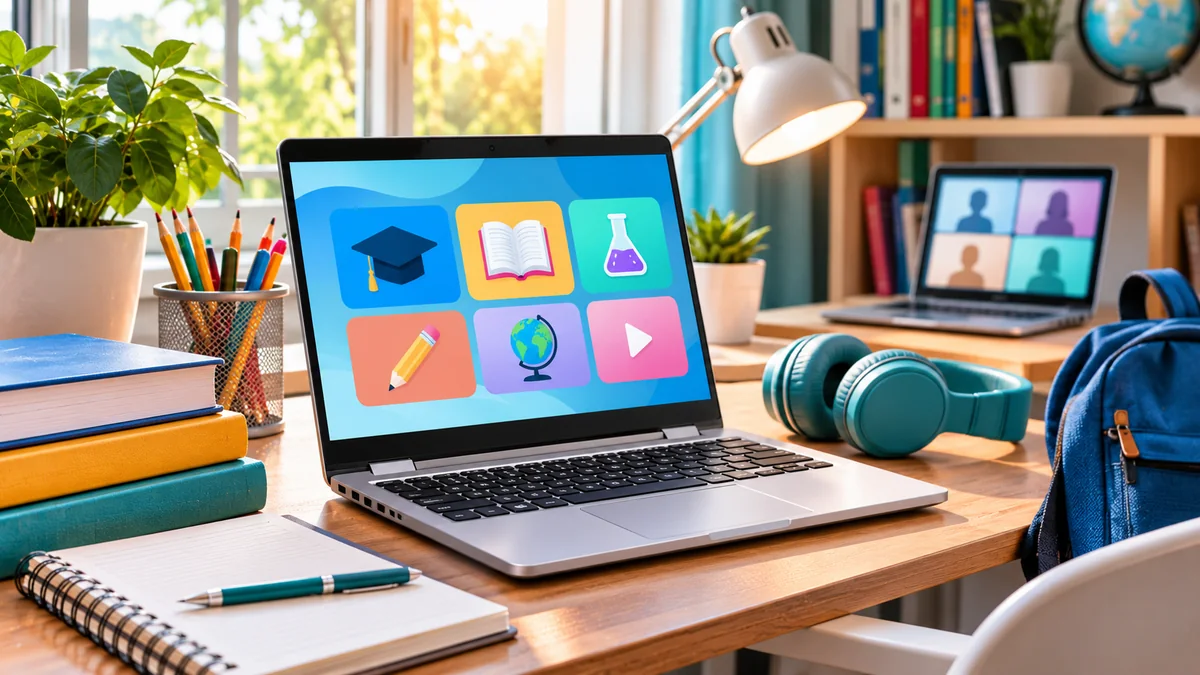
Editorial disclosure: This is an original historical reconstruction for FlyingEze based on Google's 11 August 2020 programme announcements, Microsoft's independent Chromebook release, UNESCO and UNICEF reports, and subsequent official product-policy changes. The surviving Google article's original web title matches the lost FlyingEze subject, but FlyingEze's original text and publication date have not been recovered. The accompanying image is an AI-generated illustration, not a photograph from a 2020 school or an official Google asset.