Accepting vs Rejecting an Admission Offer on JAMB CAPS
Should you accept or reject an admission offer on JAMB CAPS? Accept if you are happy with the institution and programme shown, meet the relevant requirements and intend to enrol. Reject if you are certain you do not want that offer—but understand that another admission is not guaranteed. Doing nothing is not a safe third choice: unanswered offers may expire or be withdrawn.
The decision matters because the Joint Admissions and Matriculation Board (JAMB) uses its Central Admissions Processing System (CAPS) to record formal admission offers and candidates’ responses. An institution's announcement and a confirmed JAMB admission are not necessarily the same stage. The official CAPS overview describes the system as a central platform for processing tertiary admissions and candidate choices.
What is the difference between accepting and rejecting an offer?
Accepting signals that you want the specific institution and course offered. Once your acceptance is recorded, you can normally proceed towards obtaining your JAMB admission letter and completing the institution's clearance, subject to its requirements. You should not expect to keep shopping for an alternative offer through CAPS after accepting.
Rejecting signals that you are declining that particular offer. It releases the offer rather than reserving it while you wait. Your profile may subsequently show “Not Admitted”; another institution or programme may consider you only if the admission rules, eligibility and vacancies permit. Rejection does not automatically transfer you elsewhere.
| Question | Accept | Reject |
|---|---|---|
| What are you telling JAMB? | I want this admission. | I do not want this admission. |
| What happens to the present offer? | It is confirmed against your profile. | It is declined and may be released. |
| Can you print an admission letter for that offer? | Normally yes, once processing and payment requirements are met. | No admission letter for the declined offer. |
| Will another offer arrive automatically? | No; you have accepted this one. | No; future consideration is not guaranteed. |
| Can you reverse the decision yourself? | Not through a simple undo button. | Do not assume it can be reversed. |
The JAMB support guidance says acceptance finalises the admission and explains that later changes require formal procedures rather than an ordinary switch on the dashboard.
Five things to check before choosing
1. Confirm the institution and exact programme
Read the offer carefully. A degree title with a familiar name is not automatically the same as your original preference. Check the programme, campus where applicable, study mode and other details against the institution's official admission office. Do not accept based only on a congratulatory message or an unofficial admission list.
2. Decide whether you would actually attend
An admission is valuable only if you intend and are realistically able to take it up. Consider the course's fit with your interests and career plans, the institution's location, available accommodation and the full cost of enrolment. Rejecting an offer simply because you hope something better might appear can be an expensive gamble.
3. Check whether a course transfer is involved
A school may propose a different programme through CAPS. The Transfer Approval section is separate from the final accept-or-reject admission decision. If a transfer alert is pending, understand that proposal before responding to any final admission offer. JAMB's policy presentation on CAPS describes a candidate consent stage for programme transfers.
4. Check your admission response deadline
In its guidance, JAMB describes a limited response period, commonly around three to four weeks. Reporting on the 2026 admission policy meeting identifies a four-week grace period for approved offers, with the possibility of withdrawal or other consequences when candidates fail to act. Treat the deadline displayed or officially communicated for your own offer as critical; do not wait for the final day. See the 2026 policy-meeting report .
5. Make sure you control the response
Only you should decide whether to accept or reject. Do not share your password, verification codes or registered SIM with a stranger who promises to “secure” an offer. JAMB has previously warned about unauthorised acceptance and rejection by third parties and introduced registered-phone and biometric response channels to protect candidates. Read its May 2024 bulletin .
How to accept or reject admission on JAMB CAPS
- Open the official JAMB e-Facility portal and sign in to your candidate profile.
- Choose Check Admission Status or the admission-status service shown on your dashboard.
- Select the examination year and enter or confirm your registration number if asked; then choose Access my CAPS.
- Open Admission Status. Read the institution, programme and current offer status.
- If the service displays active Accept Admission or Reject Admission controls, select only the action you intend and follow any on-screen verification instructions.
- Return to CAPS and confirm that the response is reflected correctly. Keep a record of the confirmation; do not mistake a click or text message being sent for a completed update.
On a phone, a shortened page may omit the navigation menu. Switching the browser to Desktop site can help you see CAPS sections. However, portal visibility does not necessarily mean every response method is enabled for every candidate. Follow JAMB's current identity-verification instructions for your account.
Responding by SMS or at an accredited centre
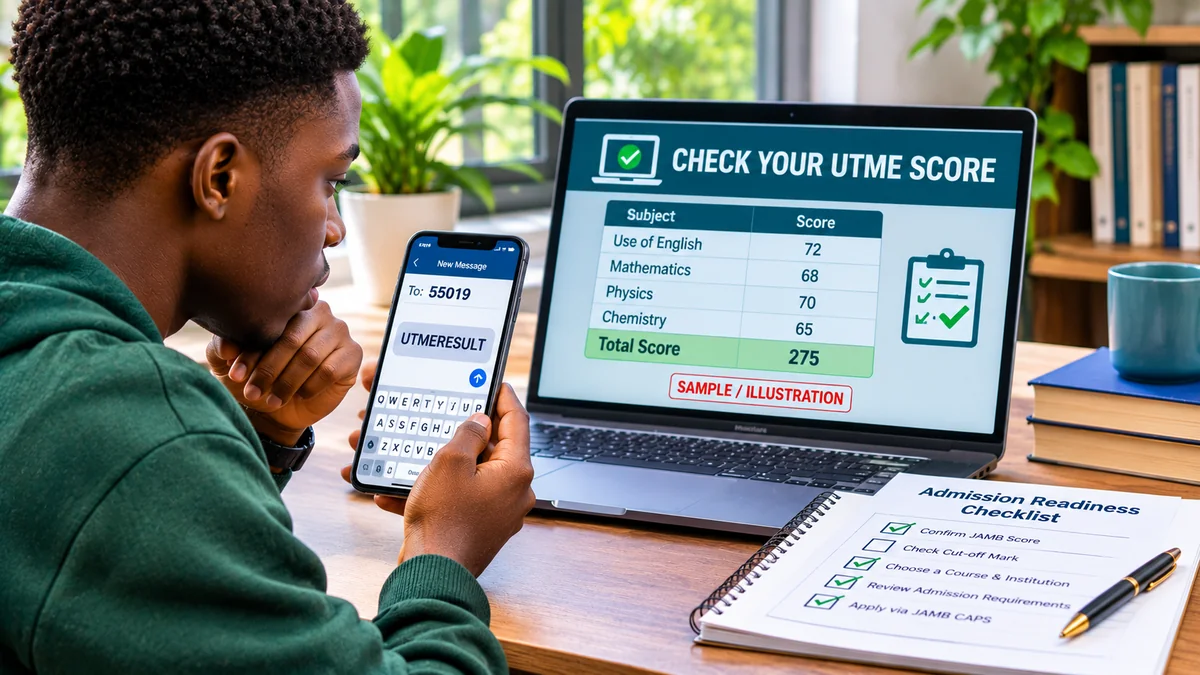
JAMB's May 2024 bulletin introduced another way to respond: send ACCEPT or REJECT to 55019 or 66019 from the phone number associated with your JAMB registration. The bulletin also describes biometric access at an accredited CBT centre or JAMB office. Where these channels are applicable, use your own registered number and allow for network charges. Afterwards, verify the result on CAPS. Do not send the command from somebody else's SIM and assume it applies to your profile.
If a portal button is missing or a transaction fails, do not keep guessing. Use the official JAMB support system or an accredited centre to resolve the issue.
What happens after you accept admission?
First, verify that CAPS records the offer as accepted. Next, return to JAMB e-Facility for the official admission-letter service when available and follow the stated payment and printing steps. The letter is important because JAMB's 2026 guidance says institution-issued offers outside the recognised CAPS process are not a substitute for valid JAMB admission documentation.
Then check your institution's official website or admissions office for clearance deadlines, acceptance-fee requirements, required credentials and resumption information. Typical requests can include your JAMB admission letter, result documents, identification and proof of any institution-specific payments, but the exact list varies. Pay only through official channels.
Acceptance does not by itself complete registration or erase any outstanding eligibility issue. Keep checking the institution's portal for subsequent steps and retain receipts and confirmation documents.
What happens after you reject admission?
Rejecting removes your agreement to the offer. In some cases your admission status will return to “Not Admitted”, allowing later consideration if the current admission cycle, your choices and available spaces permit. But an alternative offer is not promised. An institution may have closed its process, may not offer your preferred course or may have no remaining vacancy.
Before rejecting because you want a different institution, contact the relevant admissions office and check whether any change-of-institution option remains open and applicable. Before rejecting because of a different course, verify whether you are actually seeing a transfer proposal rather than the final admission offer. For context on candidate consent, see FlyingEze's earlier report on JAMB's warning against pressuring candidates to change programmes .
Keep a copy of the recorded rejection and monitor your profile, but make contingency plans. A rejection can mean losing the only admission offer you receive for that cycle.
Transfer approval is not the same as admission acceptance
Consider a candidate who applied for Computer Science but is offered a transfer to another programme. In that case, CAPS may display a transfer alert before a final admission is processed. Agreeing to the proposed course change is a separate decision from accepting the eventual admission offer.
JAMB's official CAPS materials explain that candidates should be notified and asked to consent to a programme movement. If the candidate declines or does not respond, the proposed movement may not proceed. If the transfer is accepted, additional change-of-programme steps may be needed before the final admission letter can be produced. Always follow the instructions shown for the particular case.
Do not click “Reject Admission” merely because the course is different until you know whether you are looking at the Transfer Approval page or the Admission Status page.
Can you reverse acceptance or rejection?
There is no reliable self-service “undo” to assume will restore your original position. JAMB's support advice says accepted admission is finalised, and changing the course or institution afterwards generally requires a formal release or correction process involving the institution and JAMB. A mistaken rejection can also put an offered place at risk.
If you clicked the wrong option, report the mistake promptly to JAMB through official support and contact the institution's admissions office. Explain what happened and provide your registration details only through official channels. Staff may explain a legitimate remedy where one exists, but you should not expect an automatic reversal.
Common problems and the safest next step
| What you see | What it may mean | What to do |
|---|---|---|
| “Not Admitted” | There is no approved offer on your CAPS profile yet, or an earlier offer is no longer active. | Verify the year, O’Level records and institution's status; do not try to accept an offer that is absent. |
| “Admission in Progress” | The institution's recommendation is undergoing processing. | Monitor CAPS and wait for an actionable approved offer. |
| Buttons are grey or missing | No actionable offer, limited mobile view, or a verification requirement. | Use Desktop site, verify your status and consult official JAMB assistance. |
| Wrong course displayed | There may be a transfer proposal or incorrect information. | Inspect Transfer Approval and ask the admissions office before responding. |
| SMS sent but status unchanged | The response may not have completed or synced. | Check the registered SIM and portal, then contact JAMB rather than resending blindly. |
If your school says you have been admitted but CAPS has not updated, verify that your required O’Level results are correctly recorded and ask the institution whether it has recommended your admission. JAMB discusses these issues in its official candidate FAQs .
Frequently asked questions
Should I accept admission if it is not my first-choice course?
Only if you genuinely want the programme and are prepared to enrol. First check whether you are responding to a transfer alert or an approved admission offer. Do not assume that accepting is a temporary way to keep your options open.
Will rejecting admission make another school admit me?
No. It may leave you eligible for other consideration under applicable CAPS rules, but available vacancies, timing and institutional decisions still determine whether another offer is made.
Can someone else accept admission for me?
You should retain control of the decision. Use official authentication, your registered number or authorised biometric verification. Avoid agents requesting your password or access to your SIM.
Is doing nothing the same as rejecting?
No. Silence is not an explicit rejection, but it can have similar or worse practical consequences if a response window expires and the offer is withdrawn. Act within the applicable deadline.
Can I accept admission on my phone?
Yes, candidates can check CAPS on a phone; desktop mode may improve page navigation. Where portal response controls are unavailable, follow the current registered-SIM SMS or JAMB biometric procedure applicable to your account.
Final advice: choose the offer you are willing to take
If the displayed institution and course are suitable and you intend to attend, accept promptly and verify the update. If you know you will not attend, reject deliberately, accepting the risk that no replacement offer may arrive. If you are confused by a different course, a pending transfer or an inactive button, clarify the status with JAMB and the institution before acting.
The safest decision is an informed one made on an official channel, with a confirmed record and enough time to complete the next admission steps.