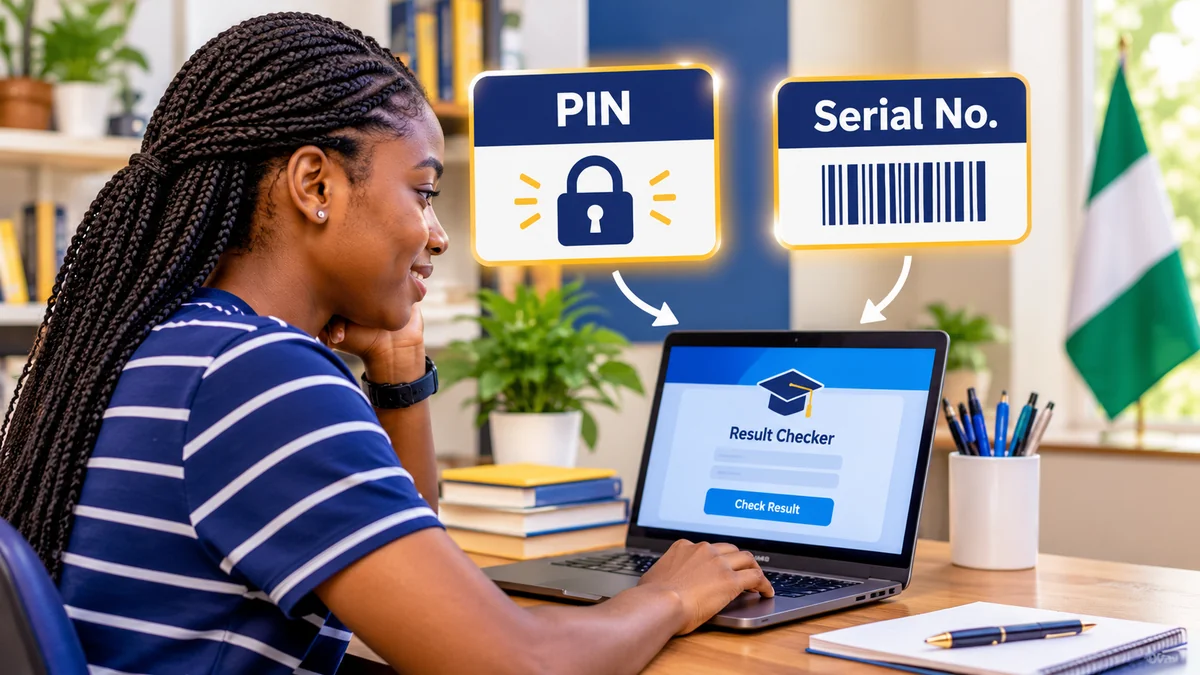
When you open the WAEC result checker, you are asked for an examination number, examination year, examination type, PIN and serial number. The last two fields cause particular confusion: are they the same thing, where can you find them, and do you need to buy a new card every time you check your result?
The short answer: the WAEC result checker PIN, also called an e-PIN, is a unique 10- or 12-digit code that grants access to a candidate's result. The serial number is a separate identifier for the result-checker voucher or token. They serve different purposes and must be entered in their respective fields on Nigeria's official WAECDirect result checker . WAEC allows one e-PIN to check one candidate's result up to five times, not five different candidates' results.
This guide explains the difference, shows where to obtain the correct details, and covers what to do if a PIN or serial number is missing. It focuses on the Nigerian WAEC service; result-checking procedures in other WAEC member countries may differ.
What is a WAEC result checker PIN?
A WAEC result checker PIN is an electronic Personal Identification Number used to access examination results through the WAECDirect service. According to WAEC's result-checker FAQ , this e-PIN contains either 10 or 12 digits. It may be supplied on a physical scratch card or as part of an electronic result-checker voucher.
Think of it as an access credential, not as your examination identity. Your examination number tells WAEC whose result to retrieve; your result-checker PIN is the code that authorises the permitted lookup. Without a valid PIN, entering the correct examination number and year alone will not complete the standard WAECDirect check.
The PIN is different from your National Identification Number (NIN), the one-time password (OTP) sometimes used during credential recovery, and any PIN used to register for an examination. WAEC Nigeria's registration FAQ distinguishes between registration and result-checking PINs for private candidates.
What is the WAEC result checker serial number?
The serial number is the identifier printed or supplied with a WAEC result-checker voucher. On WAECDirect, the field is labelled Serial No; the site's instructions also refer to the e-PIN voucher number. The official form currently illustrates its format with an example resembling WRS12345678. This is a format example, not a working voucher number.
Unlike the PIN, which is the access code, the serial number identifies the related voucher or token. Although the two may be delivered together, they are not interchangeable. A serial number should be typed into the serial-number field exactly as shown, including letters when present; the numeric e-PIN goes in the PIN field.
Do not assume that every serial number has an identical length or prefix. Use the value actually provided with your legitimate token rather than converting it into a PIN or guessing missing characters.
WAEC PIN vs serial number: the differences
| Detail | Result checker PIN | Serial number |
|---|---|---|
| Main purpose | Authorises access to the result-checking service | Identifies the associated voucher/token |
| Typical appearance | 10 or 12 digits, according to WAEC Nigeria | May contain letters and numbers; follow the actual voucher |
| Where to find it | Result-checker voucher, eligible recovery service or authorised source | On the same voucher or through an eligible recovery service |
| Where to enter it | WAECDirect's PIN field | WAECDirect's Serial No field |
| Can it replace your exam number? | No | No |
| Does the standard WAECDirect form ask for it? | Yes | Yes |
Important: these descriptions concern the public result-checker form, not WAEC's separate result-verification service for authenticity checks. The verification portal explicitly states that it does not require a serial number.
Where can you find your WAEC PIN and serial number?
1. Check the result-checker voucher or scratch card
If you have an approved result-checker card or voucher, look for the labels PIN and Serial Number. Older physical cards may conceal the PIN beneath a scratch-off coating; an electronic voucher may provide the details in a receipt or other purchase record. Keep both values together and distinguish them from transaction references or merchant order numbers.
If a physical card's PIN covering has already been disturbed before purchase, do not assume the code is secure. Contact the seller or WAEC before using it.
2. Use WAEC's official serial-number and PIN retrieval service, if eligible
WAEC's website links to a Serial Number & PIN Retrieval System . Its current entry form requests the examination year, examination diet, 10-digit candidate number and 11-digit NIN. In the 2026 school-candidate results cycle, published WAEC guidance also described identity verification using an OTP.
To attempt recovery:
- Open serial-pin.waec.org directly, rather than using a link sent by an unknown individual.
- Select your examination year and the correct examination diet or category.
- Enter your examination/candidate number carefully.
- Enter the NIN associated with your examination registration, if the form requests it.
- Follow the site's identity-verification instructions, which may involve your registered contact details and an OTP.
- Retrieve and store the serial number and PIN securely if the service confirms your eligibility.
WAEC's main website advertises free serial-number and PIN retrieval, but candidates should not assume the same recovery route is available for every examination year or category. If your records cannot be matched, contact your school or WAEC through official channels instead of paying someone who promises to bypass the verification process.
3. Obtain an authorised e-PIN when necessary
For candidates who need an additional result-checking token, WAEC's FAQ says e-PINs can be purchased through its national, zonal and branch offices in Nigeria or designated e-PIN mega dealers. Confirm current prices and authorised outlets directly, rather than relying on an old article or an unsolicited social-media offer. A legitimate purchase should give you the usable result-checker credentials and a record of the transaction.
How do you use a WAEC result checker PIN and serial number?
Once you have both values, the standard online check takes only a few steps:
- Visit www.waecdirect.org .
- Enter the correct examination number. For most modern Nigerian examinations, WAEC specifies a 10-digit number made up of a seven-digit centre number followed by a three-digit candidate number. For examination years before 1999, its instructions specify an eight-digit number instead.
- Select the exact examination year.
- Select the correct examination type, such as school-candidate or the applicable private-candidate examination.
- Type the voucher's PIN into the PIN field and its serial number into the Serial No field.
- Select Submit and allow the website to process the request.
- If your result is available, review the candidate information and subject grades, then save or print a copy for your records.
Use the exact result-checker form shown on the official site: its on-screen field order can differ from written instructions. Do not share your PIN or NIN with a stranger offering to check results on your behalf.
For a broader walkthrough of the online process, see FlyingEze's existing step-by-step guide to checking WASSCE results . That earlier guide covers the 2025 results cycle; always rely on the current official portal for live requirements.
How many times can one WAEC e-PIN be used?
WAEC Nigeria states that one e-PIN can be used to check one result a maximum of five times. This is often misunderstood. Five uses do not mean that five friends can share one card to check five different examination numbers. The voucher is intended for one candidate's result.
For example, if a candidate uses a valid e-PIN today to view their result and returns later to check the same result again, those accesses count toward the permitted limit. Once the available uses are exhausted, WAEC says a new result-checker card is required for further online checks. Save or print the result after a successful check so you do not unnecessarily consume available uses.
Also distinguish a result-checker PIN from a result-verification PIN. WAEC's results verification platform has its own published terms: its reference PIN is valid for one year and can be used up to five times for the same examination number. Those verification rules should not be assumed to define the expiry of all WAECDirect result-checker vouchers.
What if the PIN or serial number does not work?
The portal says your PIN or serial number is invalid
First compare each character against the original voucher. Look for a misplaced letter, omitted leading zero, extra space, or a PIN entered into the wrong field. Ensure the serial belongs to the same voucher as the PIN. If the details are correct, check that your voucher is valid and has not reached its permitted number of uses. Contact the authorised merchant or WAEC support with your purchase details if the problem continues.
The portal says there is no result for the specified year
This message does not necessarily mean your PIN is faulty. Check your examination number, the year, and whether you selected the right examination type. Confirm that results for your examination have been released. If you are a school candidate and the record still cannot be found, raise the issue through your school or WAEC's designated support process.
You have lost the card, receipt or message
Search your own purchase records, ask your school whether the relevant credentials were supplied through it, and use the official recovery portal if your examination qualifies. Never post a screenshot containing a live PIN or serial number in a public forum.
The NIN on the recovery form does not match
Check that you entered the same NIN associated with the original examination registration, where applicable. Do not repeatedly submit somebody else's NIN or pay an intermediary to change registration details. Contact the examination centre, school or WAEC for the appropriate correction or verification procedure.
The website is slow or will not load
Retry later using the official URL, confirm your internet connection and avoid repeatedly submitting a form during a slow response. WAEC's result-checker support information lists customersupport@vatebra.com for assistance; its FAQ asks candidates to provide their examination number, year, type and the error message. Do not email an exposed PIN, NIN or other sensitive identifier unless a verified support process specifically requires it.
WAEC result checking versus result verification: why the distinction matters
Checking a result and verifying that result are related but not identical services. A candidate ordinarily uses WAECDirect to view grades. An institution, employer or other authorised user may use WAEC's result-verification platform to confirm the authenticity of a record.
On the standard WAECDirect screen, both the PIN and serial number appear as fields. On the separate verification platform, WAEC says the purchased reference PIN is required but the serial number is not. If an online guide tells you to enter a serial number into the verification portal, it may be confusing two different services.
Neither service should be confused with applying for or retrieving an official WAEC certificate. A result printout may be useful for initial reference, but universities, employers and foreign credential evaluators may have their own documentation and verification requirements.
How to protect your result-checker credentials
A WAEC result-checker voucher has value and gives access to personal examination information. Treat it as a credential rather than as a public reference number.
- Use official domains: type waecdirect.org, waec.org or the relevant waec.org recovery subdomain yourself. Look closely at spelling and avoid imitations.
- Keep your details private: do not upload a full voucher, NIN, OTP or result-checker PIN to social media.
- Use authorised sources: check WAEC's official office and dealer guidance before buying an additional token.
- Keep purchase evidence: receipts can help if the PIN and voucher information are not delivered correctly.
- Save the result securely: a copy reduces unnecessary repeat access, but should be stored and shared carefully.
Be wary of websites claiming that a special universal PIN will reveal anyone's WAEC result, or that they can generate unlimited valid result-checker tokens. Such claims are inconsistent with WAEC's stated one-result-per-e-PIN rule.
Frequently asked questions
Is the WAEC PIN the same as the serial number?
No. The e-PIN is the 10- or 12-digit access code; the serial number is the separate voucher identifier. On WAECDirect, they belong in different fields.
Can I check two candidates' results with the same e-PIN?
No. WAEC Nigeria's FAQ explicitly restricts one e-PIN voucher to one candidate's result, with a maximum of five checks for that result.
Can I use my NIN as a WAEC result checker PIN?
No. Your NIN is an identity number, not a result-checker e-PIN. The NIN may be requested during eligible recovery of the real serial number and PIN.
Is a serial number needed to verify a WAEC result?
It depends on the service. Nigeria's standard WAECDirect result-checker form asks for a serial number. WAEC's separate online results-verification platform expressly says it does not require one.
Can I recover a lost WAEC PIN online?
Eligible candidates can use WAEC's official retrieval system , supplying the information requested for their examination. Availability and identity checks may differ by examination year and category.
Does every WAEC candidate need to buy a new scratch card?
Not necessarily. First check whether you already received a result-checker token or qualify for official retrieval. Candidates who exhaust the permitted checks or need another valid token should follow WAEC's authorised purchasing guidance.
Conclusion
The distinction is straightforward once you know the role of each number: the PIN authorises access, the serial number identifies the voucher, and the examination number identifies the candidate. Use the three correctly, choose the right examination year and type, and check results only through legitimate WAEC services.
Start with the official WAEC result checker . If your details are missing, explore WAEC's PIN and serial-number retrieval service before purchasing another token. That approach reduces mistakes, unnecessary spending and exposure to impersonation scams.
Fact-checking note: Reviewed against WAEC's Nigerian result-checker, FAQ, recovery and verification services on 8 November 2026. Portal requirements can change; confirm current instructions directly with WAEC before submitting sensitive information.