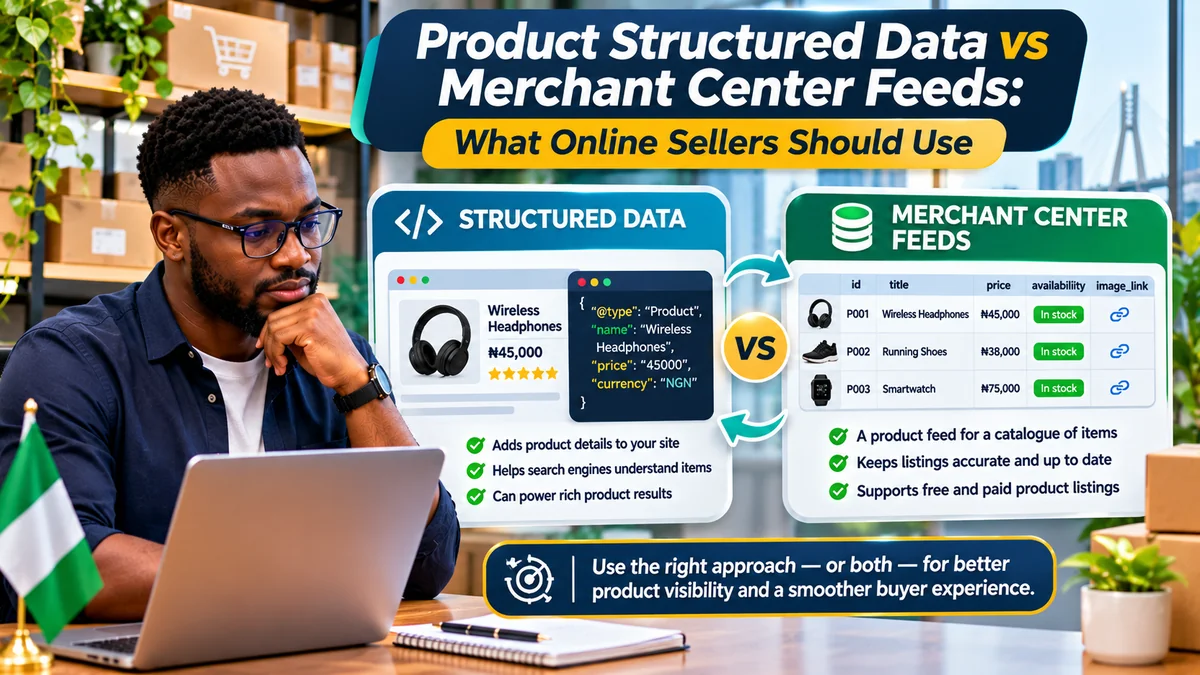
Online sellers should use Product structured data to describe the individual items on their website and Google Merchant Center feeds to manage product information submitted to Google's shopping programmes. For an eligible online store, using both is usually stronger than choosing only one. Google Search Central explicitly recommends combining on-page structured data with Merchant Center feeds where possible, because the two sources help Google understand and cross-check product details.
That does not mean every shop must build a complicated API connection immediately. A small online store may begin with accurate product pages and JSON-LD markup, then introduce Merchant Center when its target country, product type and selling model support the programme. A growing retailer with hundreds of changing SKUs will usually want an automated catalogue feed as well as reliable on-page markup.
This distinction matters in Nigeria. Google's official country documentation includes Nigeria as a beta target country for Shopping ads and free listings but warns that participation can be limited and visibility uneven. The separate supported-country page does not mark Nigeria as having the Shopping tab available. Therefore neither schema markup nor a submitted feed guarantees that an item will appear on a Nigerian Shopping tab or receive free clicks. Check the capabilities shown in the store's own Merchant Center account. Research verified 4 November 2026.
What is Product structured data?
Product structured data is machine-readable information placed on a product's own web page, often as JSON-LD in the HTML. It can describe the product name, image, description, brand, SKU, product identifiers and an Offer containing price, currency, availability and the purchase URL. This helps Google's systems interpret what shoppers can see.
Google distinguishes between product snippets, often relevant to reviews or pages where people cannot directly buy an item, and merchant listings, for pages where a customer can purchase the product. The Google Search Central introduction explains that merchant listing markup supports additional commerce information such as shipping, size and return policies. A store selling actual products should follow the merchant listing structured-data guidance , not copy review-site markup indiscriminately.
Structured data does not create a checkout system, guarantee a rich result, fix an inaccessible page or establish permission to sell in a particular market. It must truthfully reflect visible information on an indexable, crawlable product page.
What is a Merchant Center product feed?
A Merchant Center feed, also called a product data source, is a catalogue submitted to Google through an accepted method such as a data file, supported store integration, website crawl or API. Each product row or item communicates attributes that Google uses to evaluate product listings and advertisements.
Google's product data specification covers attributes including id, title, description, link, image_link, availability, price, brand and product identifiers where applicable. Additional fields depend on product type, country and programme. Retailers should follow the current specification rather than assume every optional attribute is always mandatory.
Merchant Center also provides diagnostics and controls around eligible product programmes, listings, policies and data quality. A feed is not itself a guarantee of approval, ranking, eligibility for every country or actual product impressions.
Structured data versus feeds: the practical differences
| Question | Product structured data | Merchant Center feed |
|---|---|---|
| Where does it live? | In the individual product page's HTML | In Merchant Center as a submitted or imported product data source |
| Main purpose | Explain visible product details to search systems | Manage a catalogue for eligible shopping experiences |
| Typical format | JSON-LD using schema.org Product and Offer | File, compatible platform integration, crawl or Merchant API |
| Scale | One product or variant context per page | Many product items managed together |
| Update method | Change the rendered page as price or inventory changes | Refresh submitted items or synchronise changes |
| Validation | Rich Results Test and Search Console merchant listings report | Merchant Center item diagnostics and data-source status |
| Can it replace the other? | Not for all Merchant Center functions | Not a substitute for an accurate crawlable product page |
Google states that providing both can maximise eligibility for relevant experiences and can help verify consistency. Some search features may use information supplied by either source. But supported surfaces, country availability and product requirements still apply.
Example: a Nigerian product page using JSON-LD
Consider a fictional shop selling wireless headphones for ₦45,000. Its product page shows the title, image, price and in-stock status. The following is a simplified illustration of matching JSON-LD; replace every example URL and value with the store's genuine data:
{ "@context": "https://schema.org", "@type": "Product", "name": "Wireless Headphones", "description": "Over-ear wireless headphones", "image": ["https://example.com/images/headphones.jpg"], "sku": "WH-001", "brand": { "@type": "Brand", "name": "Example Audio" }, "offers": { "@type": "Offer", "url": "https://example.com/products/headphones", "priceCurrency": "NGN", "price": "45000.00", "availability": "https://schema.org/InStock", "itemCondition": "https://schema.org/NewCondition" }
}
Use this JSON object inside a script element with the type application/ld+json in the product page HTML. The example is educational; it does not claim that the fictional brand or URLs are real. More properties may be necessary for specific Google enhancements, and shipping and return details should follow the current feature documentation.
For a dynamic catalogue, generate markup from the same product database that powers the displayed price and stock status. Do not hard-code an in-stock value in the page template when the item can sell out.
Example: what the matching feed row looks like
The same fictional headphones could be represented by a Merchant Center data-source row. A simplified view is:
| Attribute | Illustrative value |
|---|---|
id | WH-001 |
title | Wireless Headphones |
description | Over-ear wireless headphones |
link | https://example.com/products/headphones |
image_link | https://example.com/images/headphones.jpg |
price | 45000.00 NGN |
availability | in_stock |
brand | Example Audio |
The feed uses in_stock whereas schema.org uses https://schema.org/InStock. These are different representations of the same availability state; they should not contradict each other. A real feed must satisfy all applicable required attributes, identifiers and programme policies. Do not invent GTINs or brand names just to fill a column.
Why online sellers often need both
Using both provides two complementary paths for Google to understand product information. Structured data helps explain what is on the website and may contribute to merchant listing appearances on Search. Merchant Center provides a managed catalogue and makes applicable free-listing or advertising programmes available subject to eligibility.
Google's Merchant Center structured-data guidance also says markup can support automatic item updates for price and availability, and that the website crawl method can build a product data source from a suitably marked-up store. These features demonstrate that markup and feed creation can work together, sometimes with less manual uploading.
However, Google's own guidance says automatic item updates are not a replacement for maintaining your product data. A badly outdated feed, conflicting prices or a broken landing page can still lead to limited eligibility or disapproval. Use the store's product database as the authoritative source and update both publication channels from it.
What is different for Nigerian online stores?
Nigeria is on Google's beta-country list for Shopping ads and free listings . The help page warns that some retailers may not initially be able to participate and that exposure can vary. The supported target-country table lists Nigeria without the indicator for countries where a Shopping tab is available.
Consequently, a Nigerian retailer should not promise that Merchant Center submission will automatically put products on a local Shopping tab. Check the account's available programmes, target-country settings and item eligibility. A merchant selling into another supported country must also genuinely serve that market and meet landing-page, language, currency, shipping and policy requirements. Selecting an overseas country merely to bypass local limitations can create misleading listings.
On-page Product structured data can still be relevant to how Google understands a product page, subject to crawling, indexing and available search features. But rich results and visibility are never guaranteed. Google's documentation for Shopify-synced free listings uses a narrower country list, so sellers should distinguish platform-specific guidance from the broader Merchant Center beta target-country framework.
How to keep price, inventory and currency consistent
The most common implementation failure is disagreement between three surfaces: the visible product page, its JSON-LD, and the Merchant Center item. For example, if a store displays ₦45,000 but the feed submits ₦40,000, Google may flag a price mismatch. If the page says sold out while a feed says in_stock, shoppers may see an incorrect listing or the item may face eligibility issues.
Build a simple data flow: update a product's approved price and stock quantity in the commerce database; render those values on the page and in JSON-LD; generate the matching feed or API update; then monitor failures. Track the last successful catalogue synchronisation and retry safely when the provider is unavailable.
For country-specific pricing, make sure the landing-page price matches the actual advertised offer that the shopper can purchase. Do not show search crawlers one price and buyers another through misleading location or user-agent changes. Google explicitly warns against inconsistent landing pages based on visitor characteristics.
Correctly format the feed price and currency, for example 45000.00 NGN, and use "priceCurrency": "NGN" in JSON-LD. Apply actual country and language requirements before submission.
Product variants: a common source of errors
Fashion and electronics sellers often have one product in several colours, capacities or sizes. Each variant may have a separate SKU, stock count, photo or price. Treating every variant as identical can create mismatches between a feed item and the landing page.
Google supports ProductGroup structured data using variesBy, hasVariant and productGroupID. Merchant Center can use variant attributes such as item_group_id, color and size where applicable. Keep group identifiers consistent without replacing individual variant identities.
For example, a shoe available in sizes 40 and 42 needs accurate, independently accessible variant details. Each feed item should point to a landing-page state where the correct size, price, image and availability can be selected or preselected. Google's canonical URL requirements differ between single-page and multi-page variant arrangements; follow its published examples rather than automatically canonicalising every independent product variant to an unrelated default item.
Which route should a seller choose first?
A new store with a small catalogue: start with complete product pages, honest pricing, working checkout, indexability and structured data. Then assess whether the store and target country can participate in the relevant Merchant Center programme. If eligible, use a compatible store integration or modest data source rather than building a custom feed engine prematurely.
A growing retailer with hundreds of SKUs: implement both. Generate pages and product feeds from the same catalogue, automate stock changes and maintain feed diagnostics. Avoid manually managing multiple contradictory spreadsheets.
A retailer advertising products on Google: Merchant Center product data is central to eligible Shopping-related advertising configurations, while structured data helps Google understand and compare the landing page. Both need to satisfy their respective policies and product requirements.
A publisher reviewing products rather than selling them: use the appropriate product snippet guidance where eligible. Do not mark a review article as a seller's merchant offer when the reader cannot directly buy the product from that page.
How to audit both systems in one afternoon
- Select ten representative products: include in-stock, sold-out, discounted and variant items.
- Inspect the visible pages: check title, image, price, currency, availability, checkout flow, canonical URL and mobile loading.
- Test JSON-LD: run each URL through the Rich Results Test and inspect the merchant listing warnings and errors.
- Check Search Console: review the Merchant listings and Product snippets reports where present; fix the relevant feature's issues, not just generic SEO warnings.
- Inspect Merchant Center: view product data sources , target countries, approval statuses and items needing attention.
- Cross-check attributes: match each sample's SKU, title, product URL, image, price, availability and identifiers across page, markup and feed.
- Test one stock or price change: confirm the source database, rendered page, markup and submitted item eventually agree; record update latency.
- Assign an owner: give catalogue quality, feed monitoring and technical errors named responsibility.
A clean Rich Results Test does not prove that a Merchant Center item has been approved, and a feed marked valid does not prove that the page will receive rich results. Both should be monitored separately.
How should sellers measure results?
Track how many product pages are indexable, how many have valid merchant listing markup and which Merchant Center items are eligible, limited or disapproved. When the applicable programmes and reports provide data, review product impressions, clicks and downstream orders.
Keep an eye on measurable operational outcomes too: percentage of items with matching prices, stock-status accuracy, days spent fixing feed issues, rejected items and how fast changes reach Google. If a market has restricted beta coverage or unavailable report features, disclose those limitations rather than assume zero impressions mean the setup is defective.
Better product data can improve eligibility and reduce avoidable errors, but Google does not guarantee higher rankings, free-listing views or sales simply because a merchant adds schema markup or submits a feed.
Common mistakes that cause problems
Avoid marking an item available when it is sold out; showing a different price in JSON-LD from the product page; using low-quality or inaccessible product images; assigning fake GTINs; publishing a generic category page instead of a purchasable item page; and failing to update the feed after price changes.
Other frequent problems include duplicate variant records, misconfigured canonical URLs, blocked product pages, missing return or shipping information where required, and assuming free listings are fully supported in every country. Google's product data specification lists potential disapproval causes and required attributes, and its optimisation guidance stresses high-quality images and fresh pricing and inventory data.
Never add fabricated ratings or reviews to create stars in search. Structured data should represent authentic, accessible content—not an invented endorsement.
Frequently asked questions
Do I need a Merchant Center account to use Product structured data?
No. An eligible website can implement Product structured data on its own pages without first creating a Merchant Center product feed. Merchant Center is a separate product-management channel with its own eligibility and programme requirements.
Can Merchant Center automatically create a feed from my website?
Google supports a website-crawl data-source method that can use suitable structured markup. It still requires accurate, eligible pages and an appropriate Merchant Center configuration.
Will adding both guarantee Google Shopping visibility in Nigeria?
No. Nigeria is a beta target country, participation and exposure may vary, and the Shopping-tab country indicator is not shown for Nigeria. Google does not guarantee product placement.
Can schema markup replace regular feed updates?
No. Automatic item updates can help correct some mismatches, but they are not a replacement for maintaining accurate product data submissions and product pages.
Should each colour or size be a separate product?
Each sellable variant needs its own accurate identity and appropriate landing-page state. Use ProductGroup and variant markup as applicable, and follow Merchant Center's group and item-level attribute requirements.
Which tool should developers test first?
Use Google's Rich Results Test for on-page markup and Search Console for site-level issues. Use Merchant Center's item diagnostics for the submitted catalogue. Neither diagnostic view substitutes for the other.
Conclusion
For most eligible online retailers, Product structured data and Merchant Center feeds should work together rather than compete. Structured data describes the product on its webpage; a feed maintains catalogue attributes for participating shopping programmes. A common product database, accurate visible prices, reliable inventory status and clear variant URLs help keep them aligned.
Nigerian sellers should check actual Merchant Center beta availability and avoid promising Shopping-tab visibility. Begin with trustworthy product pages, introduce the appropriate data source when eligible, and audit the two systems regularly. Accuracy and customer experience matter more than simply completing another SEO checklist.