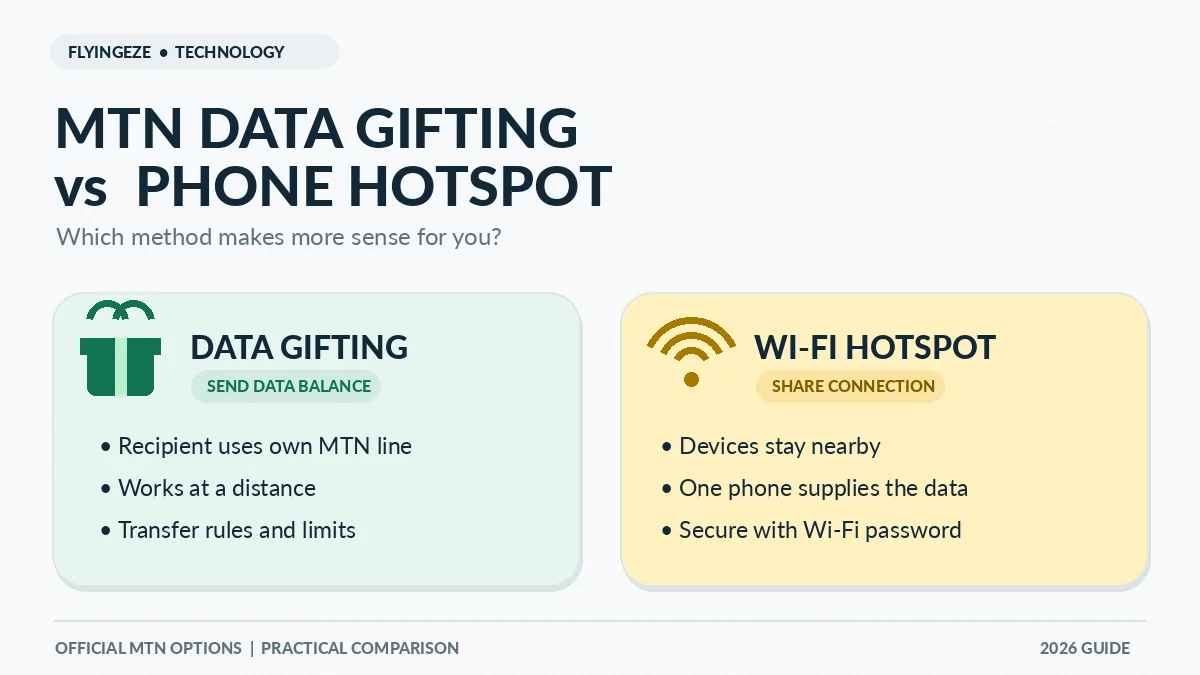
Use MTN Data Gifting when you want another MTN customer to receive data on their own line, particularly if they are far away. Use your phone's hotspot when a nearby phone, tablet or laptop simply needs to connect through your current mobile internet. The difference is fundamental: gifting transfers an eligible data allowance or buys a new bundle for the recipient, while a hotspot shares a live connection without placing a bundle on the other device's SIM.
Both methods can help someone get online in Nigeria, but the better choice depends on distance, the recipient's device, data-plan eligibility, cost, battery life and security. If your child is in another state, for instance, a Wi-Fi hotspot in your house will not help. If your laptop has no SIM slot and is beside your MTN phone, a hotspot may be the quickest solution.
This guide compares MTN Data Gifting vs hotspot, explains how each works and helps you avoid unnecessary charges or wasted data. Its MTN-specific details were checked against MTN Nigeria's Data Gifting FAQ and related official guidance on 12 November 2026. MTN can change eligibility, transfer fees and menus, so always review the confirmation shown on your own line.
MTN Data Gifting vs hotspot: the quick answer
| Question | MTN Data Gifting | Phone hotspot |
|---|---|---|
| What is shared? | An eligible transferred data amount or a newly purchased data bundle | Your phone's live internet connection |
| Must devices be nearby? | No; the recipient can be elsewhere in Nigeria with service | Yes, for Wi-Fi or Bluetooth; USB uses a cable |
| Does the recipient need an MTN line? | Yes, for MTN's documented mobile data-gifting service | No; a Wi-Fi-capable device can connect regardless of its SIM network |
| Does the recipient get their own balance? | Yes, after a successful transfer or gift purchase | No; usage counts against the internet connection supplied by the hotspot phone |
| Does the sender's phone need to stay on? | Not for the recipient to use the successfully gifted data | Yes, while the shared connection is needed |
| Limits and fees | MTN transfer quantities, eligible bundles, daily cap and possible transfer fees apply | No MTN Data Gifting transfer limit; the underlying data plan, tethering support and usage charges still matter |
| Best for | Remote support and independent use on another MTN SIM | Nearby laptops, tablets, guests or temporary shared work |
There is no universal winner. Gifting is typically more convenient for distance and independence; a hotspot is typically more convenient for temporary local access. Neither creates free internet, and neither guarantees faster network coverage.
What MTN Data Gifting actually does
MTN uses the term Data Gifting for several related services. A customer can transfer part of an eligible existing bundle to another MTN line, buy a fresh plan for someone else, or request data. These are not exactly the same transaction. With a transfer, part of your available shareable allowance is allocated to the beneficiary. With Buy for a Friend, you fund a new bundle purchase for the nominated line.
Once the network confirms that data has been credited, the beneficiary can use it on their own compatible device and connection. They do not need to remain beside you, know your Wi-Fi password or keep your phone switched on. The recipient still needs an active compatible MTN line, a working device and usable network coverage.
MTN's official Share Data With Friends & Family instructions list USSD, SMS and the myMTN app. They do not describe the network data-transfer facility as an MTN-to-Airtel or MTN-to-Glo transfer. If you want to assist someone using a different operator, buying them a suitable bundle through their own network is a separate transaction from MTN Data Gifting.
What a phone hotspot does—and what it does not do
A Wi-Fi hotspot turns a phone with an active mobile internet connection into a small wireless access point. Another device joins the phone's Wi-Fi network with a password and sends its internet traffic through the host phone's cellular connection. Android phones can also support Bluetooth and USB tethering; Apple's Personal Hotspot can share an iPhone's cellular connection through Wi-Fi, Bluetooth or cable, depending on the devices and plan.
A hotspot does not move gigabytes into the connected device's mobile-data account. If a Windows laptop downloads a large update while connected, the data is consumed through the host phone's connection. If the host phone goes out of range, loses mobile coverage, runs out of data or turns off the hotspot, that shared access ends.
Google's Android tethering guide and Apple's iPhone Personal Hotspot guide provide the operating-system instructions. Both caution that carrier support or tethering-specific conditions may apply; check the plan on your own MTN line rather than assuming every specialised bundle can be tethered without restrictions.
How to transfer data to another MTN number
If you decide gifting is the better option, MTN currently documents several methods. The easiest is often the dedicated USSD menu.
- On the MTN line with an eligible data balance, dial
*321*2#. - Select Transfer Data (currently option 1 in MTN's published instructions).
- Enter the intended beneficiary's MTN number, checking all digits.
- Choose an allowed transfer quantity and examine any displayed fee.
- Confirm the request and wait for MTN's successful transaction response.
- Have the recipient check their data balance before assuming the transfer is complete.
You may instead use MTN's direct format *312*RecipientNumber*DataAmount#, or send Transfer RecipientNumber DataAmount by SMS to 312. The data amount in the SMS format is expressed as a number without “MB” or “GB” appended. MTN also identifies myMTN NG → Share → Data Share as an app route.
When your existing bundle is not shareable, an alternative is Buy for a Friend under *321*2# (currently option 2). This buys a plan for the beneficiary rather than attempting to move a restricted balance. Review the plan's price and validity carefully. MTN says no separate gifting PIN is required, which is different from its airtime-sharing procedure.
How to turn on a hotspot using an Android phone
Android menus vary by phone maker and software version. The common approach is:
- Turn on Mobile Data for the SIM or eSIM whose internet plan you intend to use.
- Open Settings → Network & Internet → Hotspot & tethering → Wi-Fi hotspot, or find “Mobile Hotspot” in your phone's settings search or quick controls.
- Choose a recognisable network name and a strong, unique hotspot password. Use WPA2 or WPA3 security where your device provides it.
- Switch on Wi-Fi hotspot.
- On the nearby laptop or phone, open Wi-Fi settings, choose your network name and enter the password.
- When finished, disconnect the guest device and switch the hotspot off.
Some Android devices support tethering by USB cable or Bluetooth as well. USB can suit a laptop that will stay connected at a desk; it may also supply charging, depending on the hardware. Google's instructions note that some operating-system combinations have limitations, so consult the device's own settings if a particular tethering option is missing.
How to turn on Personal Hotspot on an iPhone
- Open Settings → Mobile Service (or Cellular) → Personal Hotspot.
- Make sure mobile data is enabled and that your chosen cellular plan supports Personal Hotspot.
- Enable Allow Others to Join when connecting a device outside your own Apple continuity or family setup.
- Check or change the Wi-Fi Password.
- On the other nearby device, select the iPhone's Wi-Fi network and connect with the password.
- Turn off sharing when you no longer need it.
Apple's official guidance says Personal Hotspot shares the iPhone's cellular internet connection, rather than automatically repeating an existing Wi-Fi network. It also states that access, charges and the number of connected devices can depend on the carrier and device model. If the Personal Hotspot option is missing, first check mobile data and then confirm support with the operator.
Which costs more: MTN Data Gifting or hotspot?
The most important distinction is between transfer or purchase charges and the data consumed.
MTN Data Gifting costs and limits
MTN's current Data Gifting FAQ permits listed transfer sizes of 100MB, 200MB, 500MB, 1GB, 2GB, 3GB and 5GB, subject to plan eligibility and leaving at least 100MB of qualifying data after a transfer. Its maximum is 5GB in total transfers per day.
The more recently updated FAQ also describes ten free balance transfers per calendar month, followed by additional transfers subject to a fee and a confirmation prompt. Some other MTN information pages still describe a ten-transfer monthly cut-off. Because those official pages are not fully consistent, do not assume a fixed fee or unlimited permission: use the current menu and read the live consent prompt before approving any paid transfer.
Buying a plan for someone is different: the selected bundle purchase price applies. Furthermore, certain promotional, Smart, bonus and special-purpose plans are ineligible for balance transfers. MTN's Manage Data guide specifically warns that Smart Bundles cannot be gifted or shared under their rules.
Hotspot costs and data consumption
Enabling a normal phone hotspot is not an MTN Data Gifting transfer, so the Data Gifting five-gigabyte daily transfer cap does not apply to the Wi-Fi connection itself. But the traffic still uses data from the host phone's plan and can exhaust the bundle quickly. Google and Apple both advise checking carrier tethering terms; this guide does not guarantee that every MTN plan permits hotspot use without additional charges or conditions.
Large downloads, cloud backups, automatic operating-system updates and high-resolution video on connected devices can rapidly consume available data. MTN's data management guidance explicitly lists hotspot sharing and background updates as possible reasons a bundle runs down faster than expected.
Practical rule: for a few minutes of nearby browsing, a hotspot can avoid the separate gifting process. For independent use over hours or days, especially at a distance, an appropriate transfer or newly purchased bundle may be easier to manage. Compare the actual plan terms and amount of data needed rather than assuming one is universally cheaper.
Distance, speed and coverage: which works better?
Distance: MTN Data Gifting works through the mobile network, so the recipient need not be physically near the sender. Wi-Fi hotspot sharing needs the devices to remain within Wi-Fi range, often the same room or nearby space. Walls, interference and device capabilities affect practical range.
Speed: Neither method creates a speed boost on its own. A gifted bundle uses the recipient's own MTN cellular connection and local coverage. A hotspot uses the host phone's cellular connection, shared among all attached devices, with Wi-Fi quality and device load also affecting performance. It would be inaccurate to promise that gifting is always faster or that hotspot is always slower.
Reliability: Data gifting is useful when the recipient should remain connected independently after the sender leaves. A hotspot can be convenient for an emergency session but depends on the host phone staying connected, powered and in range. Its battery consumption can matter during long sessions or power interruptions.
Privacy and security: the difference people overlook
For Data Gifting, the recipient uses their own mobile service after the data reaches their MTN account. You do not need to reveal your phone's hotspot password, and the recipient does not need your MTN account login or a transfer PIN. Check the destination number before confirming because sending data to the wrong line may be difficult to remedy.
For hotspots, the main local risk is unauthorised access to your shared connection. Use a strong password, supported encryption and a private network name that does not reveal unnecessary personal details. Never leave the hotspot deliberately open to strangers in a café, market or public transport. Review connected-device indicators and turn off the hotspot after use.
A password protects entry to the Wi-Fi network; it is not a guarantee that all internet activity is safe. Connected devices should still use secure websites, updated software and their own account protections. Do not hand over your phone or reveal unrelated credentials simply to let somebody browse.
Battery life and control: another reason to choose carefully
Hotspot operation keeps the radio connection available to connected devices and can increase battery use. Google recommends plugging in the device while tethering, switching sharing off after use and enabling automatic hotspot shut-off when supported. Heat and battery drain may become noticeable during prolonged sessions, particularly while multiple devices are active.
MTN Data Gifting does not require the sender to keep a hotspot enabled after transfer confirmation. That is especially convenient when giving someone data before leaving home or sending data remotely. However, you give up direct control over precisely how the recipient consumes that credited allowance. With a hotspot, you can stop future access by switching it off or changing its password, but you may not be able to control the other device's data-hungry downloads unless you manage usage deliberately.
Real-life examples: when gifting wins and when hotspot wins
| Situation | Better starting choice | Reason |
|---|---|---|
| A student needs mobile data in another city | MTN Data Gifting | No need to be in Wi-Fi range; uses their own MTN line |
| Your laptop needs internet during a short power outage | Hotspot | A laptop can connect through your nearby phone without an MTN SIM |
| A sibling beside you wants to browse for ten minutes | Hotspot | Quick temporary access without gifting a separate balance |
| A family member needs data for the next few days | Gift transfer or buy a bundle | Independent data access; check bundle validity and eligibility |
| A friend uses a different mobile network but has Wi-Fi | Hotspot when nearby | Wi-Fi access does not depend on a matching MTN SIM |
| Several devices need occasional access in one room | Hotspot, if capacity allows | One host can connect multiple nearby devices but bears their combined data use |
| The sender's battery is almost empty | MTN Data Gifting, if eligible | Recipient can continue browsing independently once credited |
These are recommendations, not blanket network guarantees. A laptop with its own cellular modem and MTN line may be able to receive a gift directly; a phone with a restricted data plan may find that its available hotspot options differ from those shown in a general Android guide.
Five mistakes to avoid with either method
- Assuming every MTN bundle is transferable. Some bonus and special-purpose plans do not qualify. Check plan eligibility before promising someone data.
- Confusing a hotspot with a data transfer. A device connected by Wi-Fi has not received data credit on its SIM; it is using the host's plan.
- Leaving a hotspot open or on indefinitely. Unknown devices can connect if security is weak, and background traffic can drain data and battery.
- Ignoring actual transfer fees and expiry. Data Gifting allowances and policies may change, and transferred data can have validity or rollover restrictions. Review MTN's confirmation and balance details.
- Trusting unofficial apps or miracle codes. Use MTN's documented USSD, SMS and myMTN routes; use your phone's built-in hotspot settings for tethering.
Why Data Gifting or hotspot might not work
Data transfer fails despite a visible balance
The current plan may not be shareable, the required 100MB remaining balance may be missing, your requested amount may exceed the supported range, or the daily cap may have been reached. Check MTN's eligibility and the exact balance available for sharing. Do not resend the same request repeatedly without verifying whether it succeeded.
The other phone connects to Wi-Fi but has no internet
Check whether the host phone can browse using its own mobile data, whether the correct SIM is selected for data, whether the phone's plan supports tethering and whether the hotspot remains switched on. Forget and reconnect to the network if the Wi-Fi connection itself is stale. For a laptop, check whether automatic updates or other background tasks are consuming the shared capacity.
The hotspot setting is missing
Search the phone's Settings app for “Hotspot”, “Tethering” or “Personal Hotspot”. If the relevant option is unavailable, check software updates and carrier support. Apple specifically advises contacting the operator when a carrier-dependent Personal Hotspot feature is not offered on the plan.
The recipient's MTN data is credited but cannot browse
Ask the recipient to check the balance and expiry, device mobile-data settings and local network conditions. MTN documents *323*4# and SMS 2 to 323 as data balance-checking methods. If a valid transfer remains unresolved, contact MTN's official customer-support channels with the transaction details—never an unsolicited agent.
Frequently asked questions
Can I use an MTN hotspot to share data with an Airtel or Glo phone?
Yes, if the other phone can connect to the hotspot's Wi-Fi network and the host plan permits tethering. This shares your MTN phone's internet connection; it does not transfer MTN data into the Airtel or Glo SIM.
Can I gift data to someone who is far away?
Yes. A successful MTN Data Gifting transfer or bundle purchase reaches the nominated MTN line through the network and does not require the phones to be together.
Does using a hotspot count towards MTN's 5GB daily gifting cap?
Hotspot traffic is not a Data Gifting transfer, so the service's 5GB daily transfer cap is not the same restriction. Data usage, hotspot availability and any tethering terms remain subject to the host plan.
Which is better for a laptop?
A Wi-Fi hotspot is usually the more direct option when the laptop has Wi-Fi and is beside your MTN phone. If the laptop has a compatible MTN-enabled cellular modem, a gifted or purchased bundle may be possible instead.
Is MTN Data Gifting free while hotspot always costs money?
No. MTN's updated guidance allows ten free eligible balance transfers monthly, then describes fees for subsequent transfers; buying a bundle costs the bundle price. A hotspot consumes the host's paid or otherwise eligible data allowance and may have plan-specific tethering conditions.
Can I gift data from a bonus or borrowed bundle?
Not automatically. MTN excludes certain customised, bonus and Smart plans, and its FAQ says XtraByte borrowed data cannot be transferred. Confirm the eligibility of the precise bundle.
Does the person receiving gifted data need my hotspot password?
No. A successfully credited data gift is used through the recipient's own MTN connection. A hotspot password is only relevant when connecting to a local Wi-Fi hotspot.
Final verdict: choose independence or temporary shared access
For MTN Data Gifting vs hotspot, the simplest decision is this: gift data for independent use on another MTN line; use hotspot for nearby devices that need your live internet connection. Gifting is better when people are apart, while a hotspot is often easier for a laptop or friend beside you.
Before gifting, check bundle eligibility, the recipient number, daily transfer limits and any fees. Before enabling a hotspot, confirm the host phone has data, use a secure password, monitor connected devices and turn sharing off when finished. Choosing the method to match the situation can save battery, data and avoidable frustration.